A well-structured course outline is like a compass, guiding students from basics to mastery. While you can draft one from scratch or use downloadable templates, there's a faster way.
Try using an AI course outline generator. With just the topic and a few inputs, it can create a customized outline for you in minutes.
If this sounds like what you need, keep reading to explore further.
- On This Page
-
Course Outline Free Templates Word
-
AI Course Outline Generator - Sellcourseonline.com
-
AI Course Outline Generator - Tone and Scene Customization
-
AI Course Outline Generator - Generate with Quiz
-
Bonus Tip: Vidnoz AI Education Course Video Generator
How to apply Vidnoz Course generator AI free:
Course Outline Free Templates Word
If you prefer typing out your own course outline, starting entirely from scratch with structure and formatting can be time-consuming and frustrating.
Fortunately, there are plenty of course outline template Word resources available online—if you know where to look.
After real testing, this guide recommends Documentero. In its Education & Training section, you'll find templates for every stage of teaching, including lesson plans, course outlines, attendance sheets, weekly schedules, exam arrangements, and feedback forms.
Once you choose a template, Documentero automatically saves it locally in Word format (.docx).
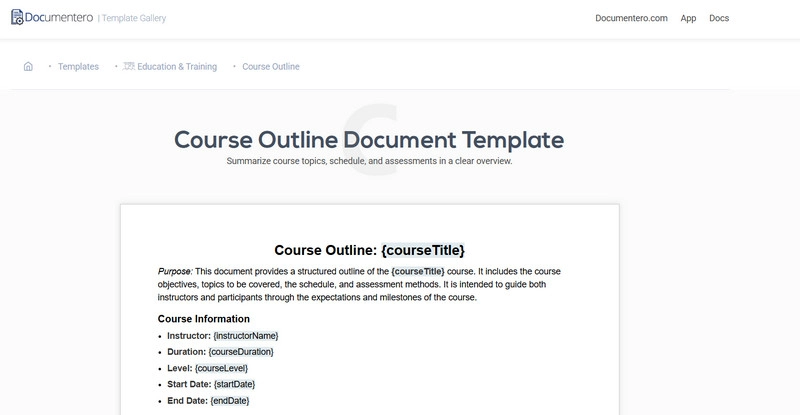
If you prefer to take control and use the templates as your own course outline generator, here's how to do it:
Step 1. Go to Documentero's official website. From the homepage categories, select Education & Training.
Step 2. You'll now see a range of templates related to course outlines and schedules. Click on the one that interests you to preview it.
Step 3. If the template fits your needs, scroll to the bottom of the preview page and click the Download Word Template button. The file will automatically start downloading.
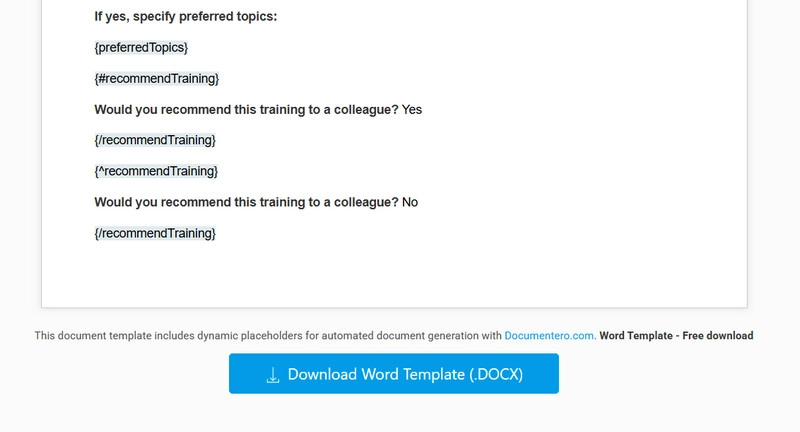
Note: The default download format is Word (.docx), so you can begin editing and customizing right away without any conversion.
AI Course Outline Generator - Sellcourseonline.com
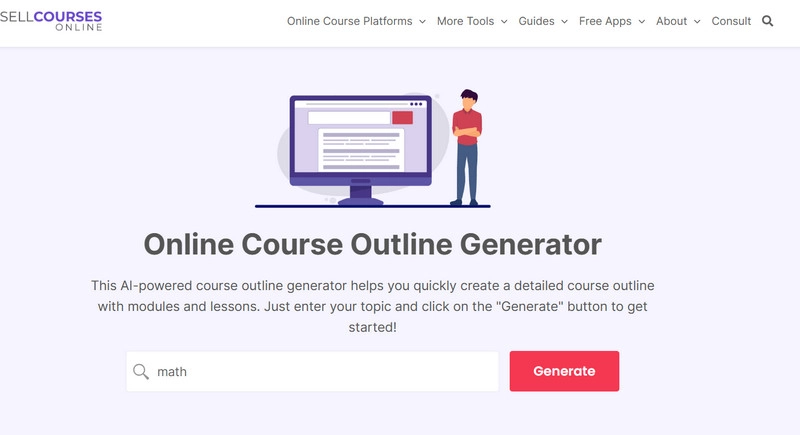
Can't find the perfect course outline template that fits your teaching style? Try Sellcourseonline.com—an easy-to-use AI outline generator.
Using Sellcourseonline.com is incredibly straightforward: simply enter your desired topic into the search box on the webpage, click Generate, and your customized outline is ready.
The content generated by this AI course outline generator is remarkably comprehensive, featuring not only sectioned modules but also detailed bullet points with class hours.
The advantage of this website:
●Extremely simple to use: Prominent instructions and a generate button greet you immediately upon landing on the homepage.
●No waiting required: Yes, in the blink of an eye, Sellcourseonline.com has already prepared the generated template below the original search box. All you need to do is copy it into your own document and make modifications.
●Included Course Outline Guide: Scroll down patiently to find an extremely detailed guide on crafting course outlines. It provides a step-by-step framework for distilling your course content into a student-friendly outline.
●Quick Application Method: Sellcourseonline.com doesn't require you to download files. Instead, it displays the generated template directly on the webpage as text, complete with a convenient copy button. This allows you to paste it directly into your document for immediate use.
AI Course Outline Generator - Tone and Scene Customization
After reviewing the pre-made templates and generated course outlines, some instructors may find them too general, requiring significant time for subsequent customization.
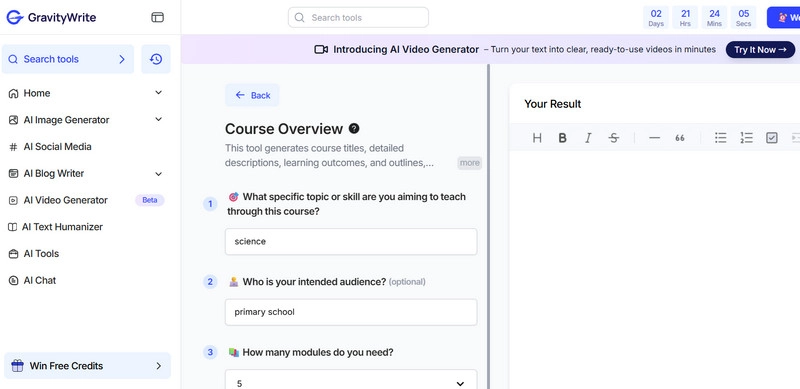
This is where GravityWrite, a more personalized course outline generator with detailed content, comes into play.
Unlike previous tools that only ask for a topic, GravityWrite achieves high-precision customization by first posing guiding questions to clarify your course subject, target audience, required number of modules, desired tone, language style, and more.
GravityWrite's generation interface is also exceptionally polished. You'll witness the entire outline creation process in real time and can request revisions or a new version at any moment. The AI assistant responds promptly to your requests.
The advantage of this website:
●Exceptional customization: GravityWrite guarantees you'll never receive a template identical to anyone else's. You can define every aspect—tone, formality, language, target audience, and more.
●Seamless creation and revision: Unhappy with the first draft? No problem. Request GravityWrite to revise it immediately. You can also adjust or refine the subject matter and target audience for optimal results.
●Flexible output settings: GravityWrite supports two methods for exporting generated outlines—copying all text or exporting files in TXT format.
●User-friendly: The entire operation and generation process features clear text guidance and prominent buttons. No learning curve required—just start using it right away. GravityWrite is undoubtedly the most user-friendly AI for teachers.
AI Course Outline Generator - Generate with Quiz
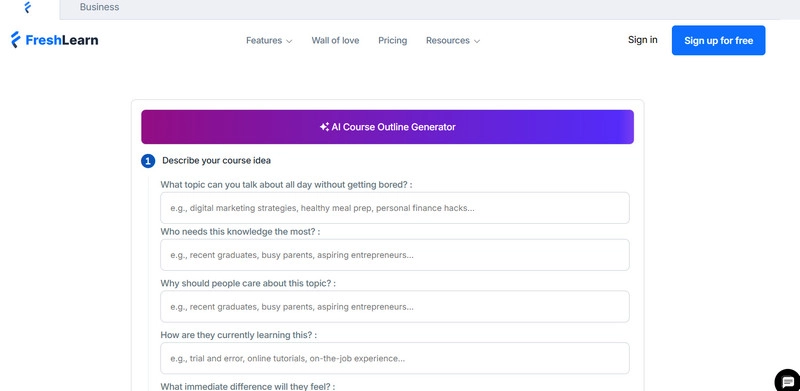
Yes, here's another course outline generator that works through a questionnaire to capture the details of your teaching: FreshLearn.
Compared with the previous tool, FreshLearn asks more detailed and in-depth questions. It doesn't just request course content and target audience—it also guides you to explain the purpose of the course, students' common learning methods, and the outcomes they might achieve.
With this input, the FreshLearn course outline generator prepares preset titles for you to choose from, quickly generates the full outline, and then presents you with a polished final draft.
And here comes the surprise: FreshLearn's outlines even support adding classroom videos for each section! Your students can now enjoy both text and visual guidance for a richer learning experience.
The advantage of this website:
●Excellent guiding questions: The FreshLearn course outline generator carefully prompts you to define your teaching purpose, and even the text hints in the answer boxes serve as helpful references.
●Enriched course outlines: Beyond plain text, you can add videos, audio, reference files, and even quizzes for each section—making learning both engaging and testable.
●Plenty of free trial time: FreshLearn offers every new user a 14-day free trial. During this period, it works like the best free AI course generator, giving you enough time to create a professional outline and evaluate the platform before upgrading.
●Perfect for online course creators: FreshLearn provides an all-in-one solution for how to create course online—from designing outlines, adding pricing plans, to publishing your course on the internet.
Bonus Tip: Vidnoz AI Education Course Video Generator
If you are a teacher focusing on online courses, chances are you constantly need to create teaching videos. Editing, special effects, and production may feel overwhelming and time-consuming.
To spread knowledge more efficiently, why not try creating online courses in AI? With AI, you get ready-made video templates and voice presets that make the process seamless.
In this field, Vidnoz AI is undoubtedly the best free course generator. It offers a huge variety of presets—you can customize whether your course video is horizontal or vertical, whether your AI teaching avatar is anime-style or realistic, their physical traits, the voice, tone, and even the language used. The customization options are endless.
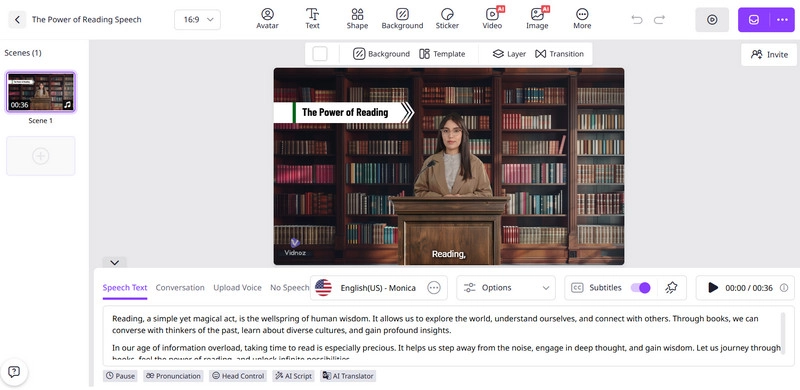
Once you select a template, simply input your lesson script and pick the voice style. The Vidnoz course generator AI free will then generate a high-quality video with subtitles in minutes. You can also freely add text prompts or graphics for clarity.
How to apply Vidnoz Course generator AI free:
Step 1. Go to the Vidnoz official website and click Create Free Video Now to access the workspace.
Then, under the template categories, find Education. Select your preferred one and click Use this template.
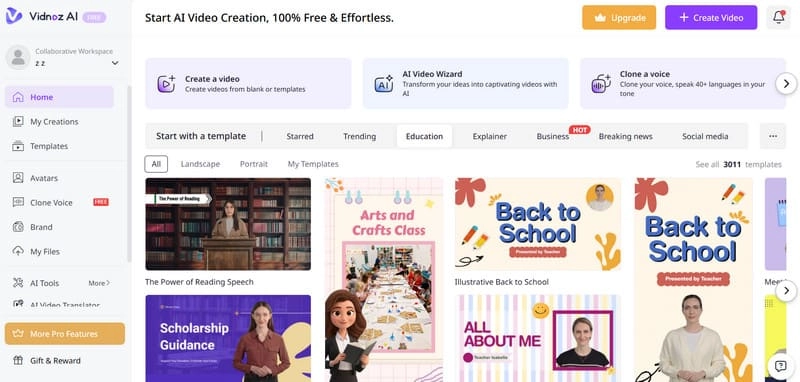
Step 2. Customize your AI teacher's avatar, including appearance, voice, tone, and language, along with the background. Then, paste your lesson script into the Speech Text box. Subtitles are enabled by default.
Step 3. Repeat for additional lessons, adding text or graphic instructions to specific scenes.
Step 4. Preview the full online course. If satisfied, click Generate.
Conclusion
This guide is designed to provide you with the best ways to create a course outline.
If you prefer to do it yourself, you can download online course outline templates and edit them in detail. If you want to save time, try using a course outline generator—just enter your requirements, and it will deliver a polished result instantly.
Video explanations can greatly reduce the monotony of learning. If you'd like to create short, engaging teaching videos for your students, Vidnoz AI Video Generator is the perfect choice.
Anytime, anywhere, just select a teacher avatar, choose the voice, input your course content—and boom, your course video is ready!

Vidnoz AI - Create Free Engaging AI Video with Talking Avatar
- Easily create professional AI videos with realistic avatars.
- Text-to-speech lip sync voices of different languages.
- 2800+ video templates for multiple scenarios.