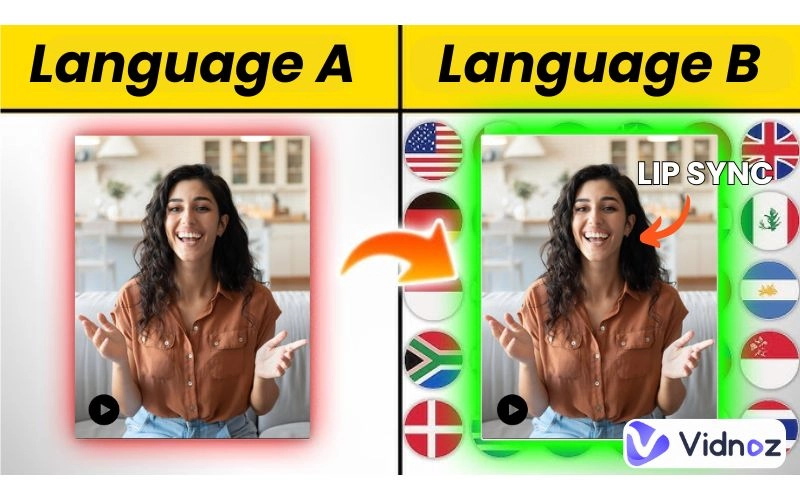
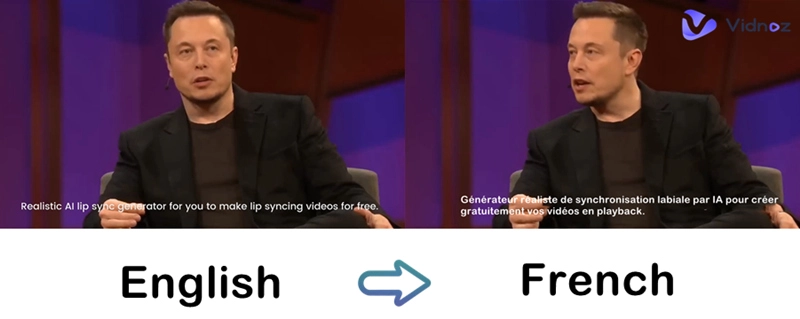
You can translate a video’s caption, speech, and even the speaker’s lip movements with AI. Akool is one of the leading websites that adopts lip-synced technology in video translation. Suppose you are tired of traditional caption translation. In that case, Akool video translator offers you a next-level option that makes a random video look and sound like a native foreigner created it.
The cost is reasonable, and you are offered free credits that equal 500 seconds. And once the credits are used up, you can buy a fair replenishment package at around 20 bucks for 600 more credits.
- On This Page
-
Akool Video Translator - Free Features
-
How to Use Akool Video Translator?
-
Akool Video Translator Alternative: 1 Hour Time Limit
-
Akool Video Translator Alternative: 3 Days Free Trial
-
Akool Video Translator Alternative: Elevenlabs
Akool Video Translator - Free Features
Akool is one of the leading AI websites that offers both video translation services and avatar lip-synced technology. With this online-based AI website, you can easily translate videos into other languages. Users can directly import YouTube videos through URLs or just upload videos from their local folders.
The shared credits could be used to cover all Akool services. Face swap, streaming avatar. Do remember to make a good calculation of your free credits, around 100 free credits, and no way to replenish unless you pay at least $21 for 600 credits.
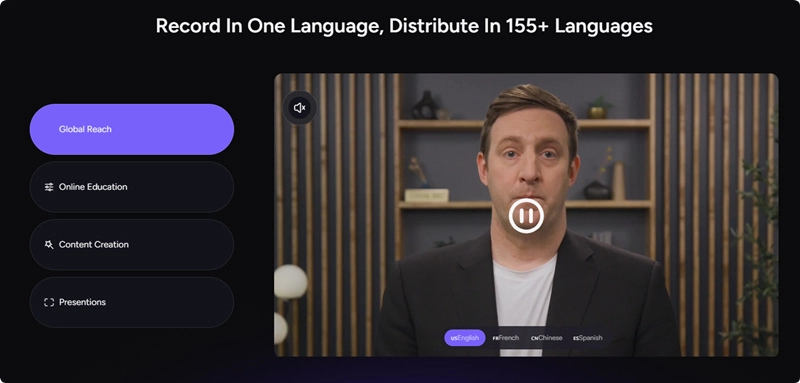
Pricing:
#.1 100 free credits are offered to users after registration (1 Credit for 5 seconds, videos generated in 720p, file size limited to 150 MB, and 5minutes).
#2. Monthly subscription: $30 for 600 credits, $58 for 1200 credits, $109 for 2400 credits (unlock 4k resolution, file size limited to 300 MB and 15 minutes).
#3. Yearly subscription: $119 for 2400 credits, $229 for 4800 credits, $449 for 9600 credits (500 MB and 30 minutes file size limitation and unlock Promax features).
Some impressive functions:
- Remove background music when you do the translation
- Auto-detect the number of speakers in the video
- Auto-adjust the translated video length according to the new rhythm
- Batch create multi-lingual video translations, queue in line in your taskbar
Problems That Users Frequently Reflect:
- Watermark problems.
- The video quality is compromised during AI processing.
- Captions are a paid feature.
- Upload your own captions, the Promax feature.
- Change studio voice, also a paid feature.
How to Use Akool Video Translator?
Follow the instructions to see how to translate a video into another language and change the presenter’s lip movements with AI.
Step 1. Navigate to Akool AI Video Translator.
Step 2. Upload your video or import a YouTube video by URL. And once the video is successfully imported, hit the ‘Create Translation’ to go to the next step.

Step 3. Set the target language, fine-tune the AI voice (if you want a more decent newscast or advertisement voice), remove original BGMs and then hit the ‘Translate’ button.
Step 4. Preview the result.
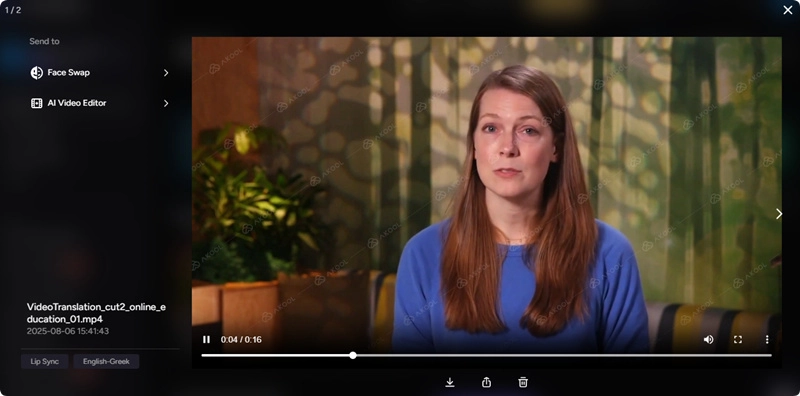
Note that the watermarks are embedded in your translated video. If you unlock a Pro subscription, you can remove the watermark easily. You can also download the translated video for free and look for an online AI video watermark remover to help you with that purpose.
Akool Video Translator Alternative: 1 Hour Time Limit
Also supports users to import videos from YouTube URL, Vidnoz’s AI Video Translator is an all-around alternative to Akool. Many Akool limited features are set for free in Vidnoz, the functions include adding captions, changing voice tone and pitch, removing watermark, etc, are all unlocked for free users. The most important part that users care about is the credits thing. Vidnoz offers more free credits than Akool Video Translator to make AI lip sync video translation. Users can use Vidnoz’s free credits to generate up to 1 hour of AI video translation, way more than Akool’s 500 seconds.
The best part of this online AI video translator is the daily replenishment of free opportunities. Remember to visit Vidnoz from time to time, as most of the free tools refresh their free daily generation opportunities.
URL: https://www.vidnoz.com/ai-lip-sync.html
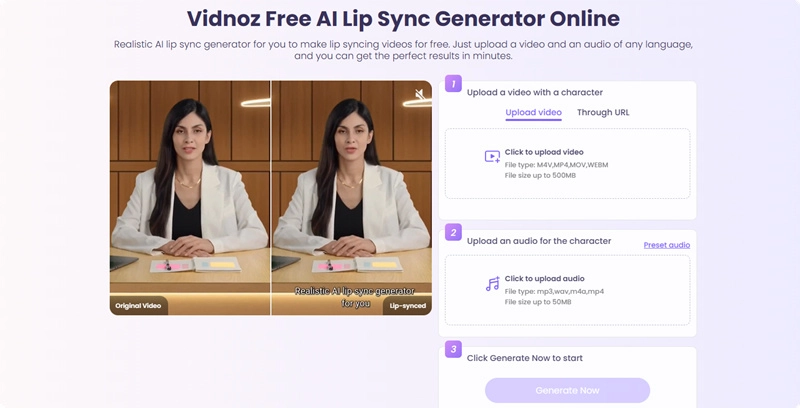
The Core Features of Vidnoz AI Lip Sync Video Translator
- Import videos from local folders or from YouTube URLs
- Add new AI voices for your translated videos
- Auto-added translated captions
- Super natural auto lip sync technology
Akool Video Translator Alternative: 3 Days Free Trial
Speechify AI video dubbing is the second Akool video translator alternative. This online AI platform offers 3 3-day free trials for users to upload, generate, and edit their translated videos. Users find this platform extraordinary due to its professional video editor. They can freely access the built-in video editor, polish their captions, and contexts.
Edit your AI-translated video frame by frame, adjust sentences and vocabulary, and batch replace certain words in one click. If you unlock the Pro license, you can edit the speakers in real time.
URL: https://app.speechify.com/
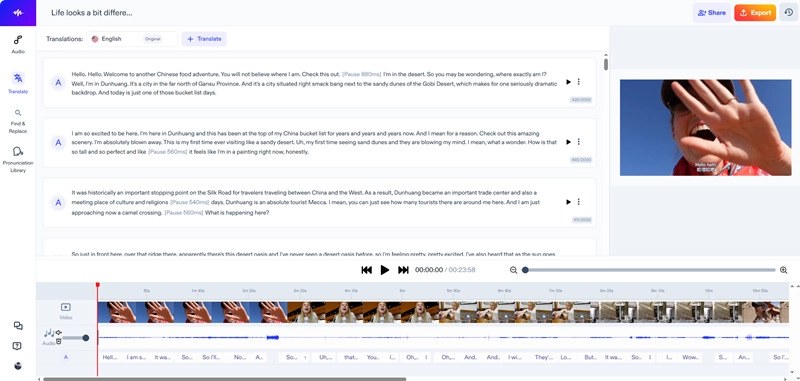
The Core Features of Speechify AI Video Dubbing
- Auto sets off the inharmony caused by vocabulary extension during translation
- 60+ languages supported for translation
- 100+ AI voice actors to hire and apply
- Voice cloning for those who want to use their own voices

Note that the translated clips cannot be used for commercial purposes unless you buy a Pro plan.
Akool Video Translator Alternative: Elevenlabs
Elevenlabs allows users to generate free AI-translated videos, with the AI dubbing feature naturally integrated in this tool. Every newcomer is offered 10k free credits to experience all Evelenlabs AI tools, and if the AI video dubbing is the only thing you care about, then the 10k credits are equivalent to 5 minutes. You can strategically split the free 5 minutes to generate dozens of short clips.
This auto AI YouTube video dubbing platform supports users to directly import videos from YouTube, TikTok using URLs only. Elevenlabs is actually a powerful video extractor. The most convenient part is that Elevenlabs allows users to customize the video range by typing in two time points to set a specific duration, so the free credits are not wasted on meaningless video fragments.
URL: https://elevenlabs.io/app/home
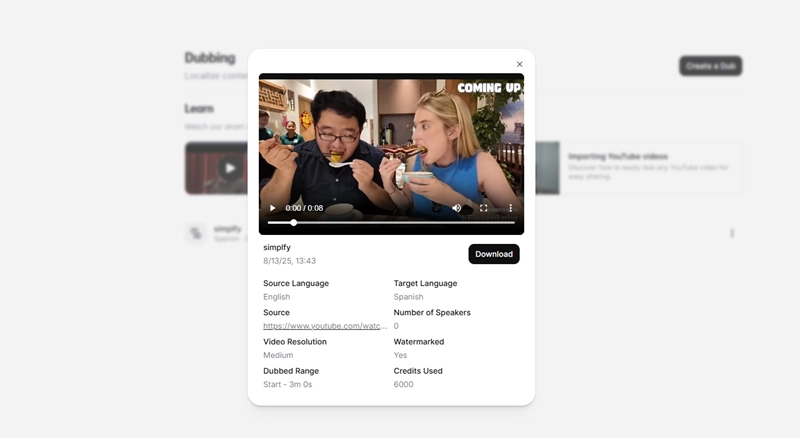
The Core Feature of Elevenlabs Video Dubbing
- 10k free credits offered for every user, equal to 5 minutes video AI translation
- Allows users to edit frame by frame, sentence by sentence
- Makes the speaker’s original voice unchanged during translation
- Download AI-translated videos for free
Note that Evlevenlabs’ generated AI dubbing videos have watermarks.
Conclusion
This blog introduces the pricing, features, and instructions of Akool video translator. Follow the steps, you can claim 100 free credits and generate 5-minute AI lip-synced translated videos. Yet the free credits cannot be replenished; once used up, you need to spend at least $30 to buy 600 credits. If you don’t want to spend money on Akool, Vidnoz AI Lip Sync, Elevenlabs, and Speechify, as the three best alternatives, also offer free service to create AI-translated videos, please feel free to try them.
Turn Text into Video with AI - FREE
Generate high-quality videos from PDFs, PPTs, and URLs in one step!