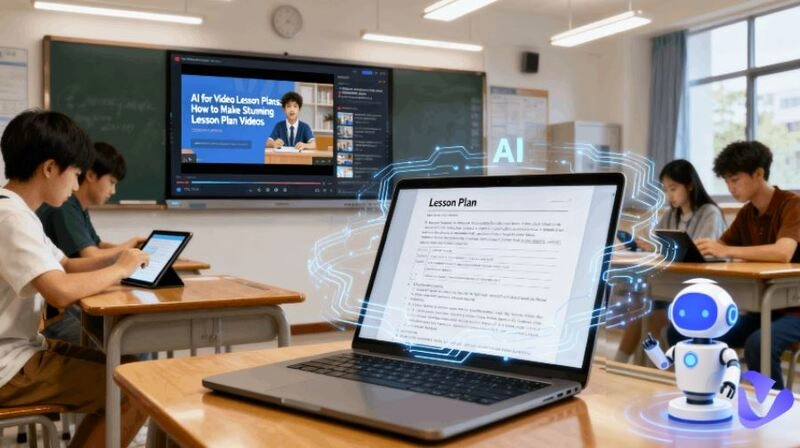
Math can be tough, and sometimes there is no one around to explain things. That is where AI steps in. Modern AI tools don't just solve problems with step-by-step solutions, and AI math video generators can even create video walkthroughs that you can watch as many times as you need.
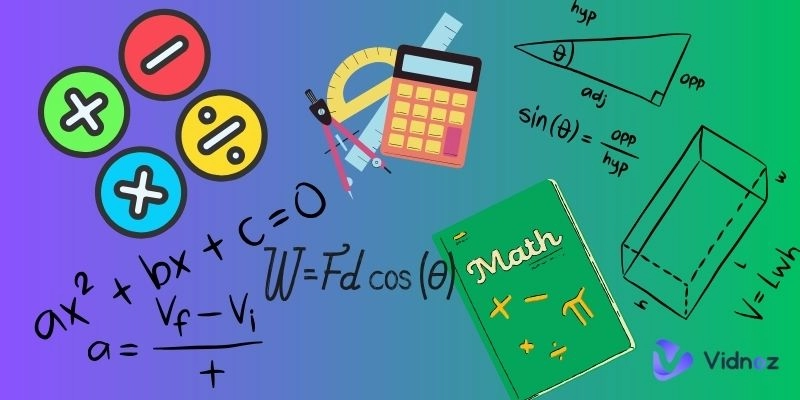
It is super handy for students who want extra practice, and teachers can turn the videos into full lessons or supplemental content to make classes more effective and engaging. In this article, we will look at three of the best math video generation tools that can help make math learning and teaching a lot less stressful.
- On This Page
-
Best Educational Math Video Generator - Vidnoz
How to Generate a Math-Related Presentation Video
-
Best Math Problem Solving Video Generator - NoteGPT
How to Create a Math Solution Video Lesson
-
Best Text to Video Math Video Generator - Heygen
How to Make a Personalized Math Learning Video
-
How to Make the Most Use of Your AI Math Videos
Best Educational Math Video Generator - Vidnoz
These types of math video makers are not designed for solving math problems, but come with ready-made AI video templates for math topics, making it simple to design clear and engaging presentations. Teachers and educators can use them to turn explanations, examples, or problem breakdowns into professional-looking videos with ease. Students can also take advantage of these tools to create content for class projects, study groups, or to share their ideas in a presentation-style format.
Vidnoz AI is an all-in-one platform that makes video creation simple and hassle-free. It offers a wide range of editable video templates for different needs, along with features like AI avatars, text-to-speech, and more. With these tools, you can quickly put together professional-looking videos without heavy lifting.

Below are some of Vidnoz's most popular AI math video templates. Check them out to see if there is one you are looking for.
Math History Presentation Template
This template can be used to explore the history of mathematics in different countries, showcasing the beauty of this ancient subject. They give students a break from numbers, equations, and symbols while sparking curiosity and interest through history and culture.

Mental Math Class Template
For younger students, mental math classes can be fun. Learning easy calculation tricks helps them feel more confident and better understand numbers.
Math Quiz Template
A quick quiz after math class helps students review what they have learned and lets teachers see if their teaching methods are working. This template makes creating such quizzes simple and easy.
How to Generate a Math-Related Presentation Video
Step 1. Go to Vidnoz.com and either log in with your existing free account or sign up using your email address.
Step 2. Once you are in the Vidnoz AI creation center, select Templates from the left-hand panel to view all video templates.
Step 3. Use the search bar to type "Math" and display all math-related video templates.
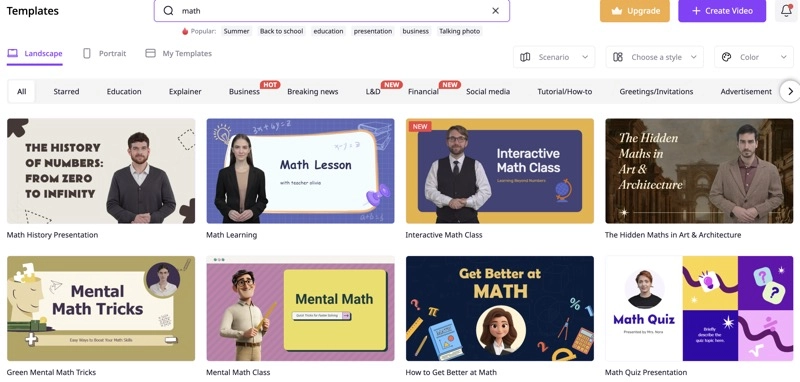
Step 4. Click on a template to preview it. If it fits your needs, click "Use this template" to start editing.
Step 5. Customize your video scene by scene using the editing tools located above and below the presentation screen. You can change presenters, text, images, animations, and other elements to suit your content.
Step 6. Once you are satisfied with your edits, click the Generate button in the top-right corner to produce your video.
Step 7. Go to the My Creations folder to find your finished math video. Click the three dots to export your video.

Vidnoz AI - Create Free Engaging AI Video with Talking Avatar
- Easily create professional AI videos with realistic avatars.
- Text-to-speech lip sync voices of different languages.
- 2800+ video templates for multiple scenarios.
Best Math Problem Solving Video Generator - NoteGPT
This type of math video creators use AI to analyze problems and break them down into step-by-step solutions, then automatically turns those explanations into a video. Most tools also include voiceovers that walk you through the process, so it feels almost like having a tutor explain the answer directly to you. Some tools even add visuals, animations, or highlights to make complex problems easier to follow and remember. This makes them especially valuable for self-learning.
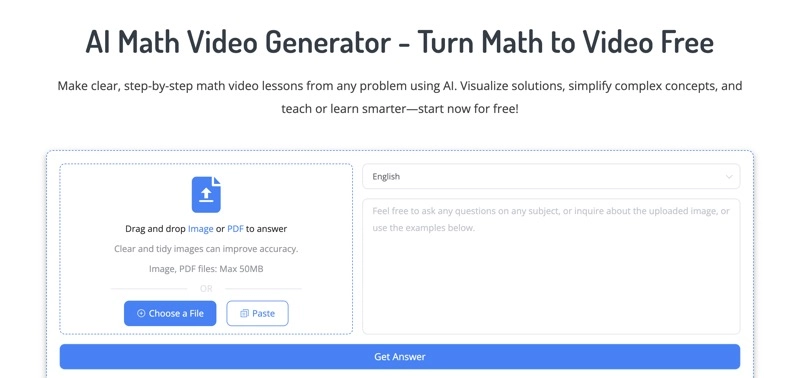
NoteGPT AI Math Video Generator stands out for its ease of use and effectiveness. It instantly solves problems and turns them into short, clear video lessons with voiceovers, animations, and diagrams. It can handle simple formulas to complicated coordinate systems. No signup is required, and it is completely free. The only drawback is that the videos can't be edited within the tool itself, so any changes would need to be made using a free online video editor.
How to Create a Math Solution Video Lesson
Step 1. Visit the NoteGPT AI Math Video Generator website and enter your math problem. You can type it in directly, or upload an image or PDF containing the problem.
Step 2. Click Get Answer. If you uploaded an image, NoteGPT will first transcribe the problem into text, then provide a detailed solution process.
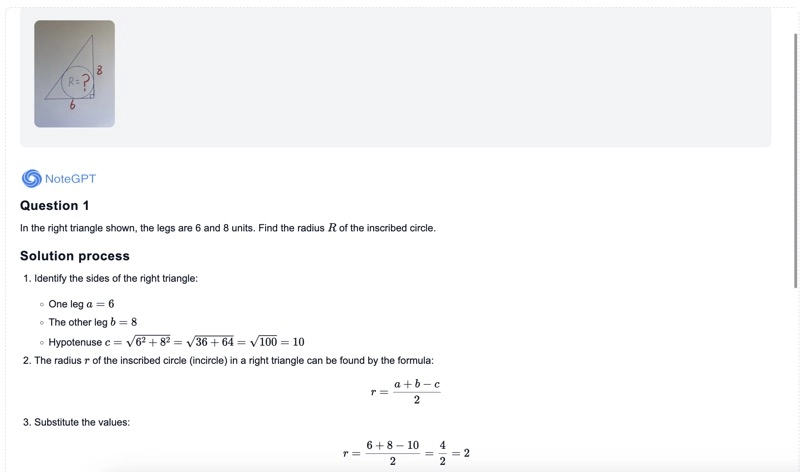
Step 3. The AI will automatically generate a math problem-solving video. This usually takes just a moment.
Step 4. Play the video to review the solution. You also have the option to download the video or share it.
Best Text to Video Math Video Generator - Heygen
This type of math video maker AI uses text to video technology to transform written descriptions into dynamic video content. It can interpret math problems, symbols, formulas, and concepts, then present them in a video format following your command. Results depend heavily on the quality of the text input. The output is often highly personalized and capable of delivering professional, high-quality videos.
We picked HeyGen AI Math Generator for its impressive results and feature-rich design. It accurately recognizes math terms and quickly creates a video transcript for you in seconds. You can fine-tune every detail like length, captions, and voiceovers either by adjusting your text input or using its built-in video editor.
How to Make a Personalized Math Learning Video
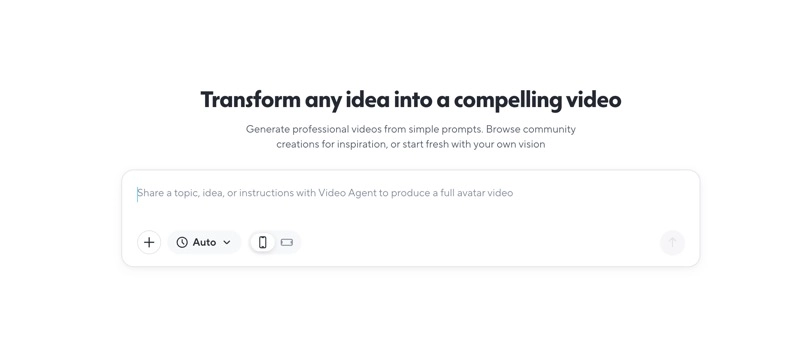
Step 1. Visit the HeyGen AI Math Video Generator website and log in to the app using your Google account.
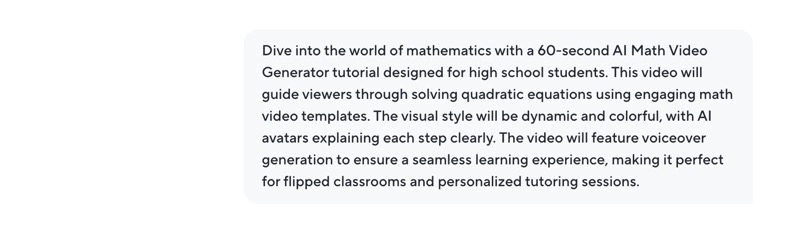
Step 2. In the prompt box, describe the math video you want to create. Include details such as the topic, video length, AI avatars, voiceovers, and the type of solution or explanation you expect.
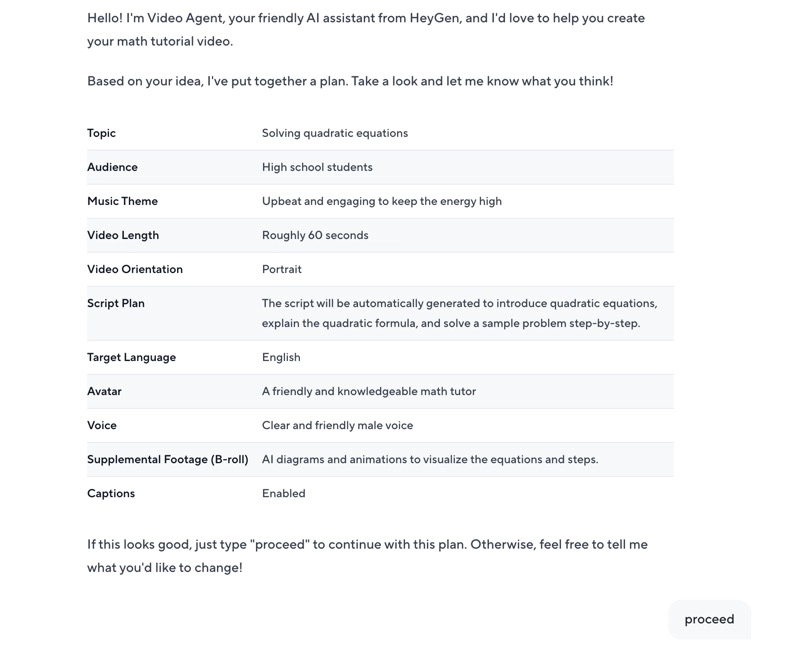
Step 3. Review the video production plan generated by HeyGen AI. Check if any adjustments are needed. If everything looks okay, click Proceed to start the video generation.
Step 4. The AI will take some time to create the video. Once complete, the result will appear on the right-hand screen. Play the video to ensure it matches your requirements.
Step 5. If needed, click the Edit button to further polish and personalize your video. If the video is final, you can directly download or share it.
How to Make the Most Use of Your AI Math Videos
Once you have created AI-generated math videos, you might be wondering how to put them to use. Here are a few ideas to get you started.
Homework Help
When there is one around to help with your math homework, AI math video generators can provide clear explanations that not only give you the answer quickly but also walk you through the solution step by step.
Exams Preparation
You can use AI-created math videos to review key formulas, concepts, and problem types before a test. Having short, focused videos makes it easier to study and retain information.
Class Material Review
Teachers can generate quick recap videos to reinforce what was taught in class. Students can then use them as study aids to refresh their memory anytime.
Teaching Resources
AI-generated videos can serve as ready-to-use teaching materials as they can explain complex or abstract concepts in a visual and engaging way, saving teachers valuable preparation time.
Video Channel Content
If you create content for an educational channel, especially in mathematics, you can upload these videos to YouTube, TikTok, or other platforms to share your knowledge.
Personalized Tutoring Sessions
As a math tutor, you can use AI math video creators to customize videos for individual students based on their specific problem areas. This makes learning more personal and efficient.
Flipped Classrooms
You can assign videos for students to watch at home before class. This way, classroom time can be spent on practice, discussions, and Q&A sessions.
Summary
The three AI math video generators covered in this article each serve different purposes. Vidnoz AI is great for creating videos on math-related topics with its well-designed templates. NoteGPT focuses on clearly presenting math problems and their solutions. HeyGen works best for users who are good at writing detailed text prompts.
For even smarter results, you can combine these tools. Create math problem-solving videos with NoteGPT or HeyGen, then incorporate them into Vidnoz's AI templates to create a “1 + 1 > 2” effect!
Vidnoz AI - Create Free Engaging AI Video with Talking Avatar
- Easily create professional AI videos with realistic avatars.
- Text-to-speech lip sync voices of different languages.
- 2800+ video templates for multiple scenarios.