Creating a lesson plan video rather than traditional lesson plans has become an essential trend in modern teaching. Instead of relying only on static slides, educators can produce engaging video lesson plan content that students love. With AI tools, teachers can now transform their written plans into high-quality videos in minutes.
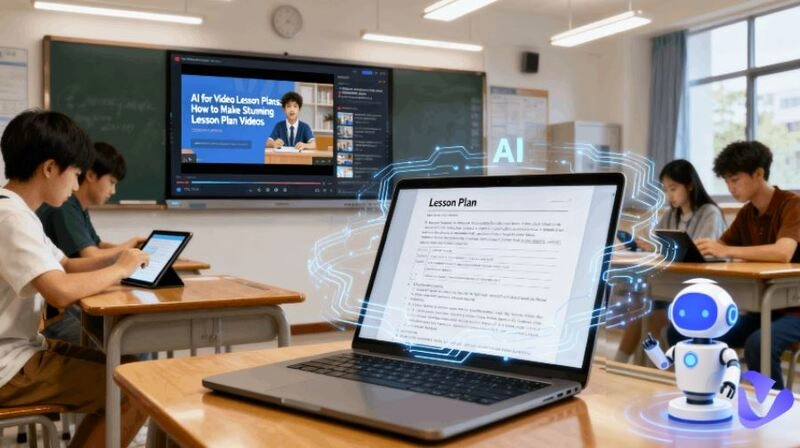
Thanks to AI development, you don’t need expensive software or advanced editing skills. Advanced AI video makers enable teachers to make lesson plans in the form of videos easily. Creating interactive content and even adding subtitles or voiceovers automatically becomes easier than ever. Then, how to choose an easy-to-use AI for video lesson plan creation? See below.
- On This Page
-
What is a Lesson Plan Video?
-
Benefits of Using AI for Lesson Plans
#1 Vidnoz AI – Free Video Lesson Plan Generator Online
#2 ChatGPT – AI for Lesson Plans & Video Scripts
#3 Canva Magic Studio – Lesson Plan Video Presentation Maker
-
Comparing Vidnoz AI, ChatGPT, and Canva for Video Lesson Plans
-
Step-by-Step Guide to Create a Lesson Plan Video with AI
What is a Lesson Plan Video?
A lesson plan video is a visual representation of a lesson plan that uses images, narration, and animations to teach content. It can be a short lesson plan video presentation summarizing key points or a full video lesson plan covering objectives, activities, and assessments.
Videos are becoming increasingly common in multimedia classrooms and online learning; the same goes for video lesson plans. A well-designed lesson plan video presentation can improve comprehension, save preparation time, and, when it comes to online learning, it lets students watch, pause, and review at their own pace.
Benefits of Using AI for Lesson Plans
AI makes lesson creation not only faster but also more engaging. By automating the lesson preparation process using video, teachers are freed up to focus on what really matters – connecting with their students.
Here are the key benefits of using AI for lesson plans:
- Save Time: Automatically generate lesson objectives, outlines, and scripts.
- Better Engagement: Create dynamic lesson plans with videos that keep students’ attention longer.
- Wider Accessibility: Utilizing a video translator and AI subtitles enables you to translate your original video lesson plan into other languages, which is beneficial for multilingual learners.
- Professional Quality: Making the most use of an AI video enhancer can help make your lesson videos look polished.
- Consistency: Ensure all lessons follow a similar structure, improving curriculum flow.
- Flexibility: Reuse and adapt lesson content easily for different classes or levels.
- Scalability: Ideal for educators creating content for online platforms or lesson plan video YouTube channels.
#1 Vidnoz AI – Free Video Lesson Plan Generator Online
Vidnoz AI is an AI video production tool that has become increasingly popular among educators in recent years. It is very smart and easy for those who want to quickly turn a text plan into a polished lesson plan video. The platform is intuitive - simply paste your script, choose a video lesson template, customize your titles, voices, or teaching sources, and let the AI generate a professional video.
It supports narration with natural-sounding AI voices, and even celebrity voices that can greatly attract children's attention, such as Iron Man, President Trump, or any character they are interested in. More than that, it offers 1500+ ready-made AI avatars, including realistic teachers or celebrities. In order to be closer to the real classroom, it gives you the choice to create your own teaching avatar from your photos.
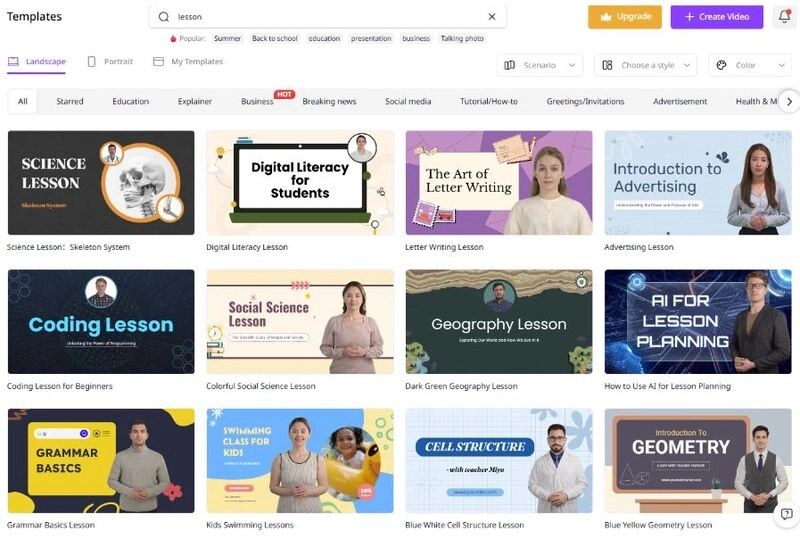
Another advantage of this free AI video generator online is its library of video templates that match different teaching scenarios, from science experiments to history summaries, from mathematical calculations to letter writing, etc. It is perfect for teachers looking to create a lesson plan video presentation that looks professional without spending hours on editing software.
Core Features for Video Lesson Plan Production:
- Free and online AI video generator for quick lesson video creation
- Multiple customizable lesson video templates for different subjects
- Built-in image to video AI to turn diagrams into explainer clips
- Remove watermark from video for a clean, professional look
- AI avatar and voiceover support to simulate a real teacher presence
- AI dubbing and video translator options for multilingual classes
Pros: Extremely easy to use, great for quick content production, and integrates AI avatars and AI voices.
Cons: Requires an internet connection and has limited offline editing capabilities.
Best For: Teachers who want to produce engaging lesson plans with videos. For example, a science teacher can upload their lesson script, choose an avatar, apply Iron Man's voice, and create a 3-minute experiment explanation video for students to watch before class.

Vidnoz AI - Create Free Engaging AI Video with Talking Avatar
- Easily create professional AI videos with realistic avatars.
- Text-to-speech lip sync voices of different languages.
- 2800+ video templates for multiple scenarios.
#2 ChatGPT – AI for Lesson Plans & Video Scripts
ChatGPT, although it cannot be used directly to generate teaching videos, acts as your great AI teaching assistant, helping to brainstorm, outline, and refine your lesson plan before you move to video production. You can ask ChatGPT to create detailed objectives, warm-up exercises, group work suggestions, and even follow-up quizzes. ChatGPT is ideal for teachers who want a solid structure for their video lesson plan before recording or animating.
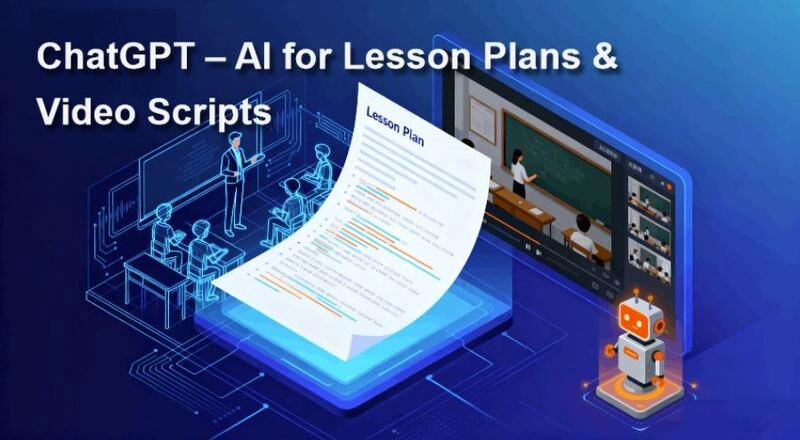
ChatGPT supports multiple optimizations, so you can refine your plan until it perfectly matches your teaching style. When combined with an AI video generator, like Vidnoz, ChatGPT scripts can be transformed into videos instantly, saving hours of manual planning and editing.
Core Features for Lesson Planning:
- Detailed outline creation with learning objectives
- Ability to rewrite content for different grade levels
- Script generation for narration or dialogues
- Customizable quizzes and comprehension questions
Pros: Saves planning time, helps teachers focus on delivery, very flexible for all subjects.
Cons: Content requires review for accuracy or alignment with curriculum standards.
Best For: Educators who want to create comprehensive lesson plans before turning them into videos. Example: an English teacher can draft a speaking activity lesson, then export it for Vidnoz video production with narration and subtitles.
#3 Canva Magic Studio – Lesson Plan Video Presentation Maker
Canva Magic Studio is perfect for teachers who want visually impressive lesson plan video presentations. Its AI tools can generate slides automatically from a lesson outline, and then you can add animations, graphics, and charts. Help teachers easily turn complex topics into engaging visuals, which is better for students to understand.
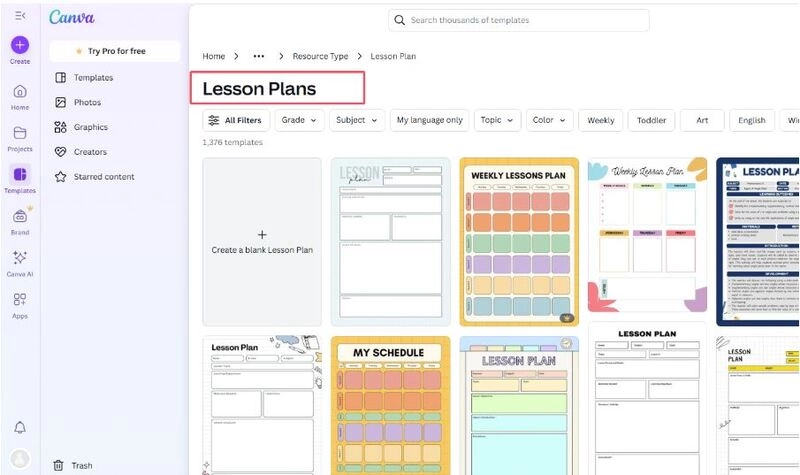
It also offers a large number of lesson plan templates, but they are image-based rather than lesson video templates.
Core Features for Presentation Creation:
- AI slide generation from text input
- Drag-and-drop design tools with thousands of templates
- Animated elements and charts for better visualization
- Option to record and sync narration
Pros: High design quality, customizable branding, easy to share with students.
Cons: Manual effort required for final design polish, no free trial without a subscription.
Best For: Teachers who need a visually rich presentation. Example: a history teacher can create an animated timeline and narrate it.
Comparing Vidnoz AI, ChatGPT, and Canva for Video Lesson Plans
Each of these three tools plays a unique role in creating lesson plan videos. Below is a quick comparison table to help you decide which to use for your needs:
| Tool |
Strengths |
Use Case |
Features |
| Vidnoz AI |
Fast video creation |
Turning scripts into full videos |
A video creation, AI avatars, AI voices, AI video translation |
| ChatGPT |
Lesson planning, script writing |
Generating structured lesson content |
Objectives, quizzes, outlines |
| Canva |
Visual design and animations |
Making lesson plan video PPT |
Slide templates, animations, voiceovers |
In short, Vidnoz AI is the fastest solution for full video generation, ChatGPT is best for planning and writing, and Canva shines when you need a lesson plan video presentation that looks visually appealing. Of course, some users are combining all three.
Step-by-Step Guide to Create a Lesson Plan Video with AI
Given that more offline and online teachers want to use videos for teaching, this section uses Vidnoz AI as an example to show you how to quickly create a video lesson plan.
Before starting, decide on your learning objectives and content flow. Then follow these steps to build your own lesson plan video:
Step 1. Sign up and log in to Vidnoz AI.
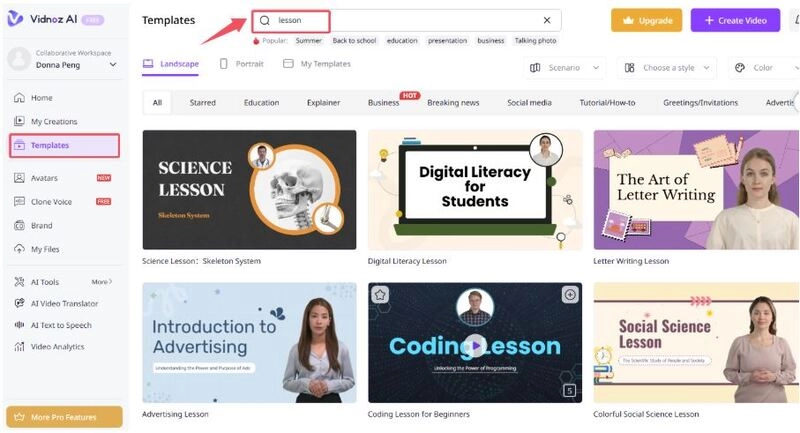
Step 2. From the left, select Templates and search for lessons, select one video template, and get started with it.
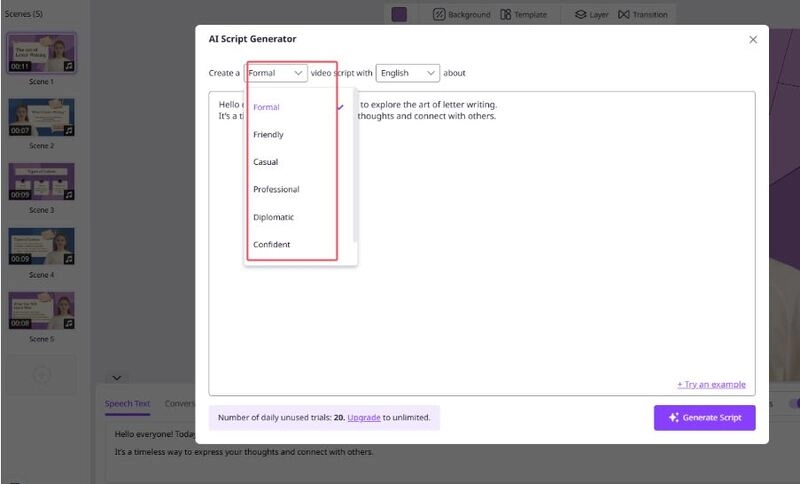
Step 3. Copy and paste your lesson script into Vidnoz and customize the content to match your subject and lesson plan.
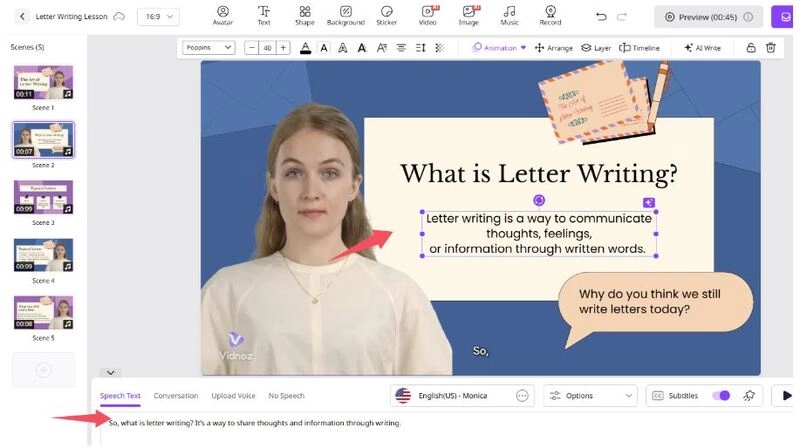
Tip: You can also use their built-in AI script generator to help you generate content in real time.
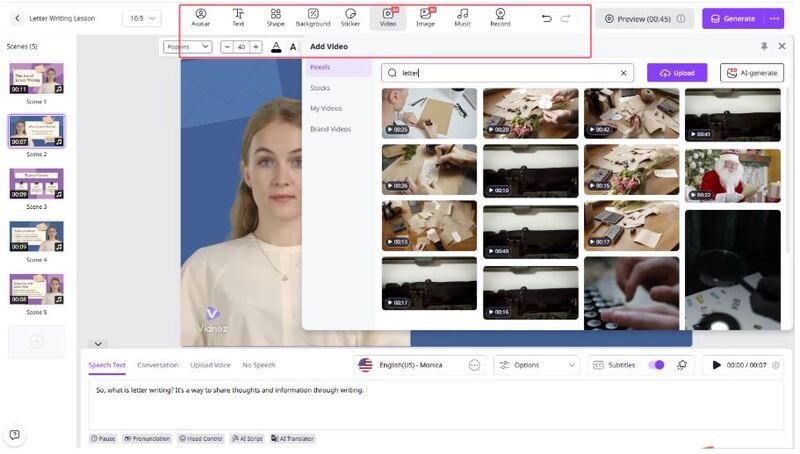
Step 4. Further customize your video by deciding whether to add AI avatars, choose a natural voice or AI voice, insert image or video resources, add subtitles, and more.
Step 5. When all settings are down, you can preview your less video without lip sync animation, which will be synced after generation. Click the Generate icon.
Step 6. Export the final video and upload your artificial intelligence lesson plans to YouTube or your school’s LMS.
The Bottom Line
AI tools make creating lesson plan videos faster, more engaging, and more effective. Bring famous faces, like Einstein, and engaging voices, like Obama's voice, into lessons with Vidnoz AI, and turn abstract concepts into exciting videos. Making lesson videos will keep kids curious, focused, and eager to learn, no more boring and traditional teaching. Adapt to this trend and add interactive video lessons to your next class, then watch your students’ enthusiasm for learning grow!
Vidnoz AI - Create Free Engaging AI Video with Talking Avatar
- Easily create professional AI videos with realistic avatars.
- Text-to-speech lip sync voices of different languages.
- 2800+ video templates for multiple scenarios.