Creating and managing invoices can often feel like a draining chore. After finishing a project, instead of enjoying the success, many freelancers, startups, and businesses spend hours formatting templates, checking every number, and following up on payments.
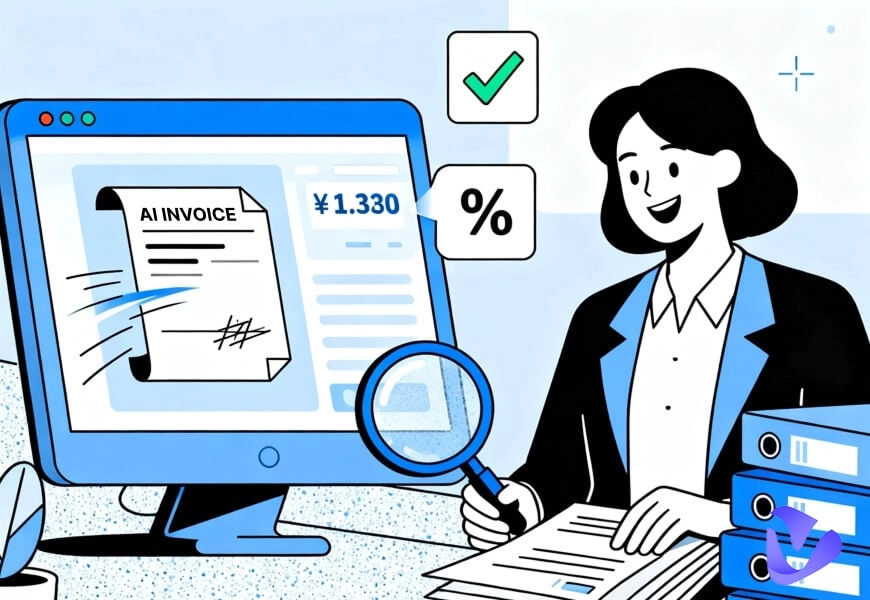
This is where an AI invoice generator makes a difference. It helps save your time and reduce mistakes thanks to a structured and well-organized format and auto data extraction. In this case, it accelerates the invoice preparation and gives professional outcomes. It is made easier both upstream and downstream, and you concentrate on growing rather than on paperwork.
- On This Page
-
What Is an AI Invoice Generator?
-
Top AI Invoice Generators to Streamline Workflow from Downstream
1. Bookeeping AI – Versatile Chatbot AI Invoice Generator
2. Invoicer AI – AI Invoice with Auto Estimation
3. Canva – AI Invoice Maker with Plentiful Templates
-
Bonus: Upscale Your Sales from Upstream with AI Sales Avatar
What Is an AI Invoice Generator?
Let’s make everything clear first. An invoice is a formal document that is issued by a seller to demand that a buyer pay money in order to supply goods or services.
The typical invoicing process involves:
- Service/Product delivery – Completing the agreed work or delivering goods.
- Invoice creation – Drafting details like client name, service description, and amount.
- Sending & processing – Delivering the invoice to the client for review.
- Payment & record keeping – Receiving payment and storing the document.
While traditional invoicing is labor-intensive, an AI invoice generator changes the game: it takes this traditional workflow and makes it smarter through automation and machine learning. Instead of starting from scratch with a manual or static AI invoice template, businesses can rely on AI-powered tools to handle much of the work.
Core functions typically include:
- Auto-fill invoice details – Quickly pulls data from contracts or databases to create invoices.
- Data extraction – Captures billing info from receipts, emails, or documents.
- Error check – Detects missing fields or incorrect figures to ensure accuracy.
Why Use AI Voice Makers?
Now that we understand what an AI invoice generator is, the next question is: why should businesses and freelancers actually use it? The answer lies just in the advantages it brings to everyone:
- Efficiency – An AI invoice tool reduces repeated manual work by automating data entry and creating invoices in just seconds.
- Accuracy – It minimizes human errors by validating numbers, dates, and client details before sending.
- Professionalism – Instead of starting from a blank page or a basic invoice format example, AI creates polished, branded invoices that leave a stronger impression.
- Time savings – Frees up valuable hours for freelancers and teams to focus on business growth instead of routine paperwork.
- Scalability – Makes handling multiple clients and higher invoice volumes seamless, even as a business rapidly expands.
Top AI Invoice Generators to Streamline Workflow from Downstream
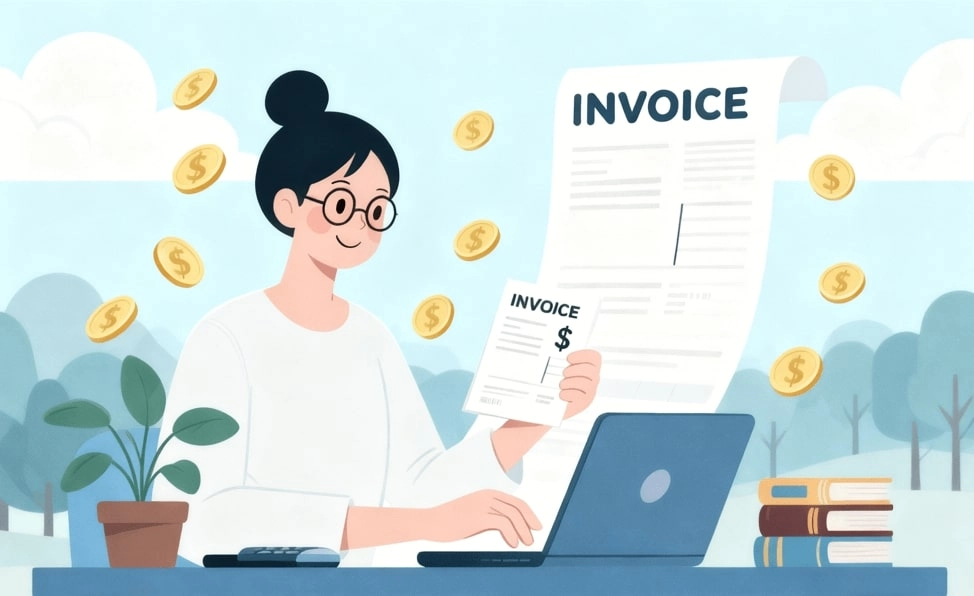
Yes, an AI invoice maker can help that much. Cannot imagine how? Just read on to check today’s list of the best AI invoice generators here. Let’s see how they help simplify billing, e.g., minimizing errors, saving time, and preparing professional AI invoice documents with ease.
1. Bookeeping AI – Versatile Chatbot AI Invoice Generator
Bookeeping AI stands out as a chat-driven online invoice generator that simplifies billing through conversational commands. Instead of filling endless forms, you can interact with it like chatting with a virtual assistant. This versatile chatbot model makes it helpful, especially for those freelancers and business owners. If you are one of them, now you can generate invoices in seconds without navigating complex dashboards.
Key Feature
- Conversational invoicing – Create and send invoices by simply typing requests in chat.
- Recurring invoices with reminders – Automates repeat billing cycles and notifies clients to ensure faster payments.
- Integrated billing management – Tracks transactions and organizes client histories for better financial visibility.
Cons:
- Limited integrations with accounting software.
- Chat-based interfaces may feel unusual for users who prefer traditional dashboards in AI invoice maker.
Pricing:
- Start: $29/mo
- Pro: $49/mo
- Scale: $79/mo
How to Generate Invoice Online via Chat?
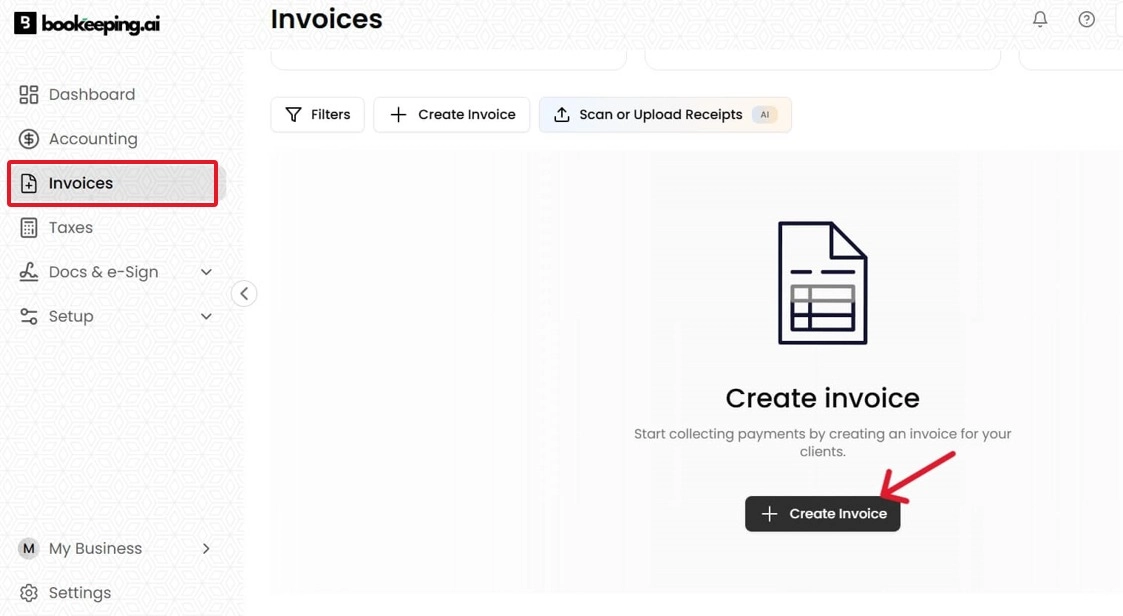
Step 1. Sign up for Bookeeping AI and open the dashboard interface. On the side menu, click on “Invoices”.
Step 2. Then, click the “Create Invoice” button.
Step 3. Type a request or prompt like “Create invoice for client X…” and then click the “Create Invoice” button.
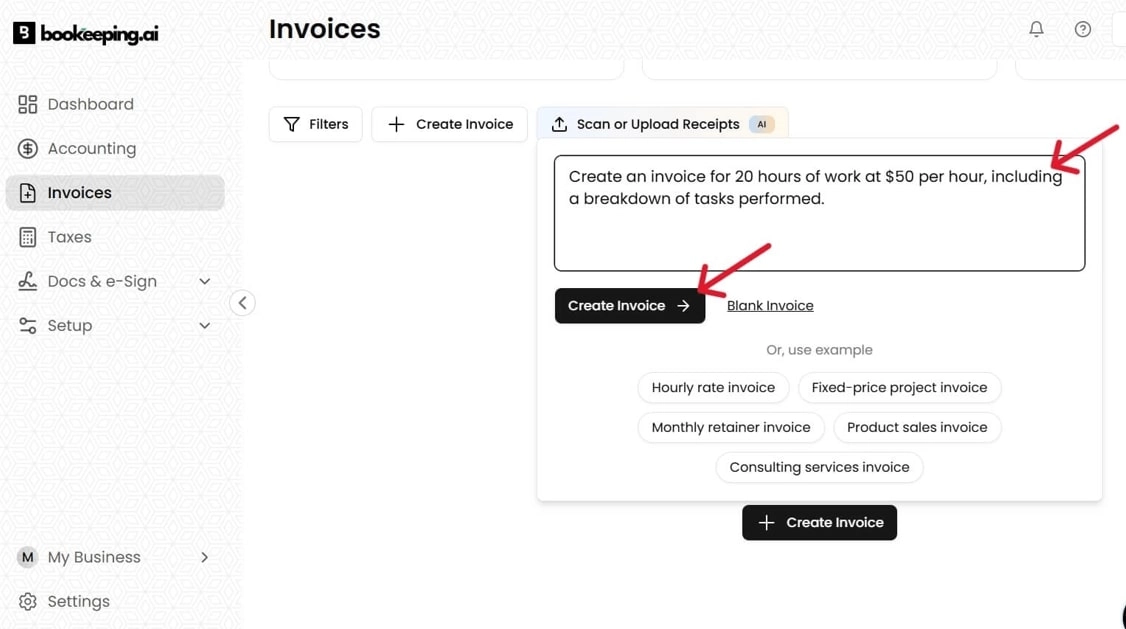
Step 4. Add details such as amount, due date, and project description, and click on the “Export PDF” button.
2. Invoicer AI – AI Invoice with Auto Estimation
Invoicer AI takes invoicing further with auto estimation, reducing guesswork and instantly suggesting amounts or formats. Acting as a smart AI invoice maker, it’s great for freelancers and consultants who often need to send quick, accurate invoices without overthinking.
Key Feature
- Auto estimation – Suggests costs based on past projects or templates.
- Smart AI assistant – Guides you step by step, reducing setup confusion.
- Real-time validation – Checks for missing details and errors before sending.
Cons:
- May feel too automated for users who prefer manual control.
- Advanced features locked in higher-tier plans.
Pricing:
- Basic: $10.00/mo
- Pro: $19.00/mo
- Advanced: $29.00/mo
How to Make Invoices Online Smartly?
Step 1. Visit the website and click on “Create Your Invoice.”
Step 2. Click on “New Invoice”, choose a client, and upload details.
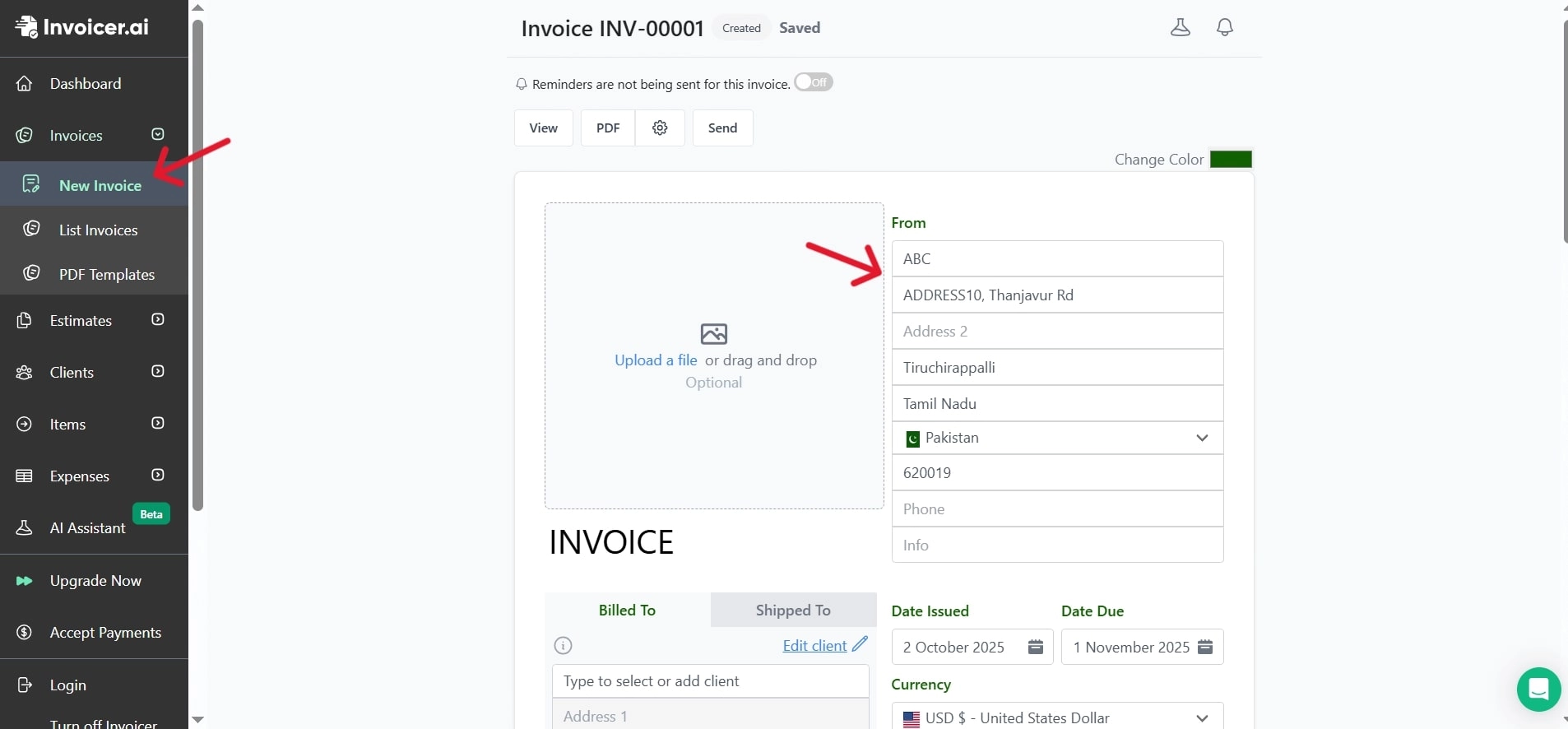
Step 3. Review and send the invoice with one click. You can also download the PDF.
3. Canva – AI Invoice Maker with Plentiful Templates
Canva, known for its design power, doubles as an AI invoice maker with hundreds of customizable templates. It is strong in the regard that it can design invoices in a professional and visually appealing way, which is important to creatives and businesses interested in branding. While Canva isn’t solely built for AI invoice automation, which may not be that helpful like the previous 2, it bridges design and functionality, making it ideal for showcasing professionalism.
Key Feature
- Plentiful templates – Offers thousands of ready-to-edit invoice designs.
- Drag-and-drop editor – Customize fonts, colors, and logos easily.
- Cross-use tools – Integrates with other Canva features like free AI video generator and free lip sync AI for broader branding.
Cons:
- Limited automation compared to dedicated invoicing platforms.
- Requires manual sending of invoices outside Canva.
Pricing:
Free Plan – Basic templates and design features.
Canva Pro:
- Monthly: $15/mo
- Yearly: $120/yr
How to Generate Well-Designed Invoices Online?
Step 1. Log in to Canva, search for “Invoice” and click on the “Create an invoice” button.
Step 2. Pick a template that suits your business.
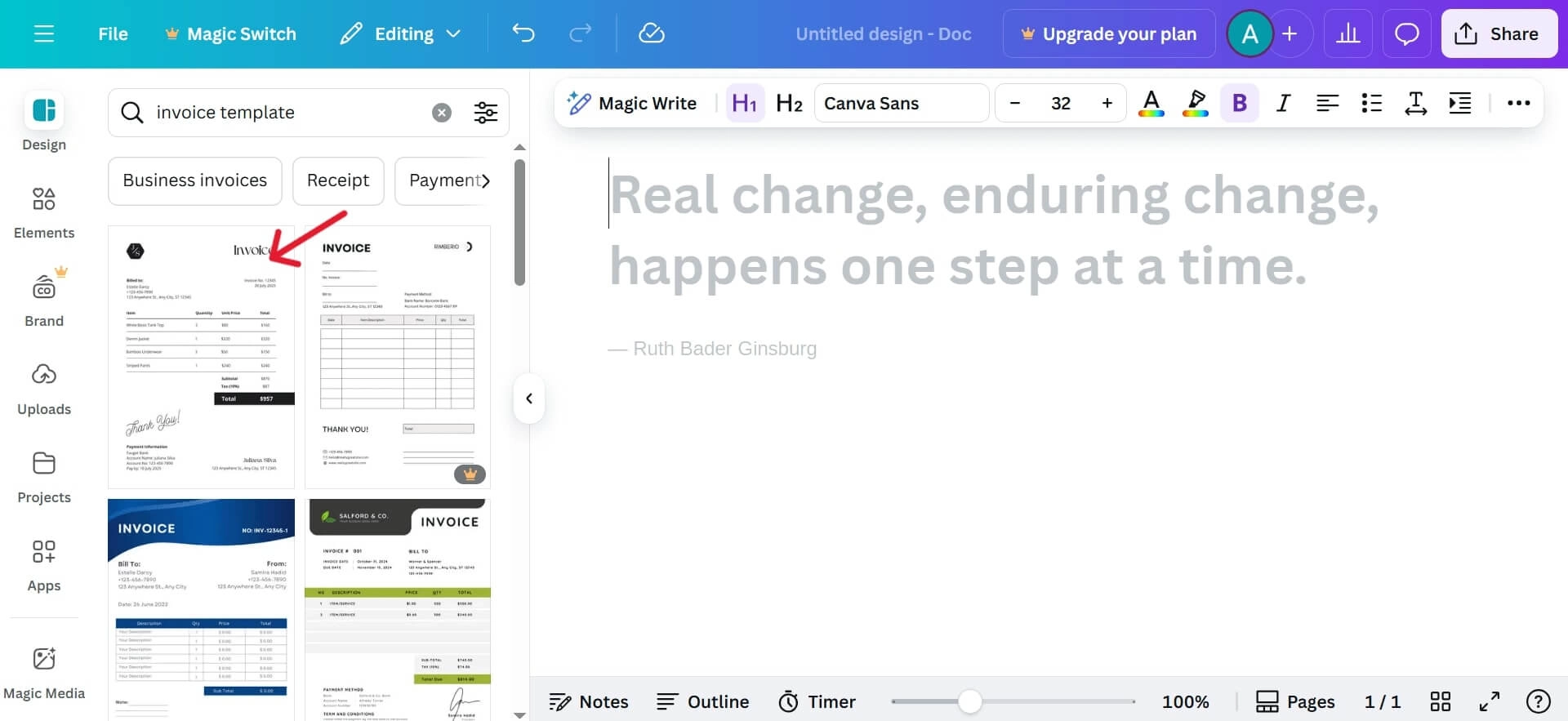
Img Alt: Choose the Template
Step 3. Edit details like client info, services, and payment terms.
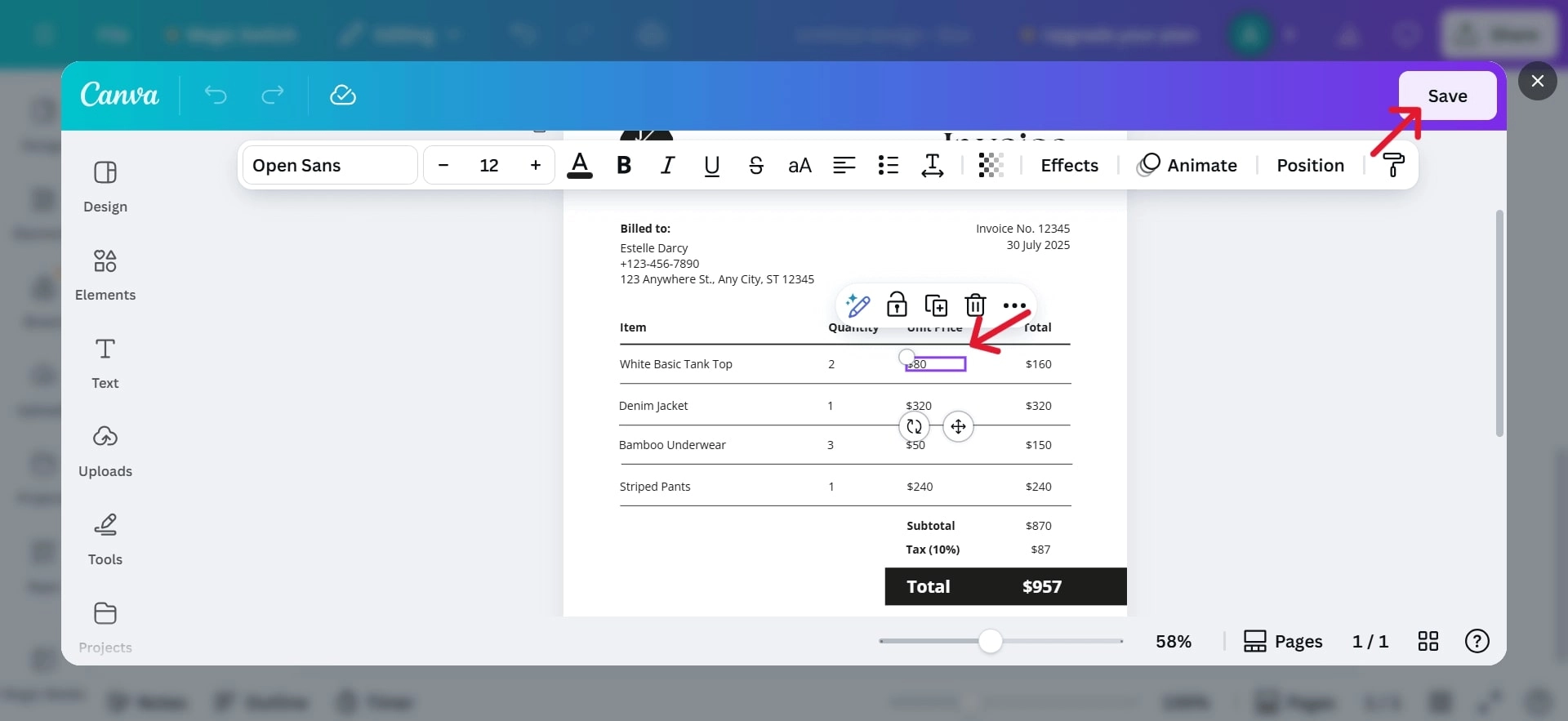
Step 4. Download or share directly with your client.
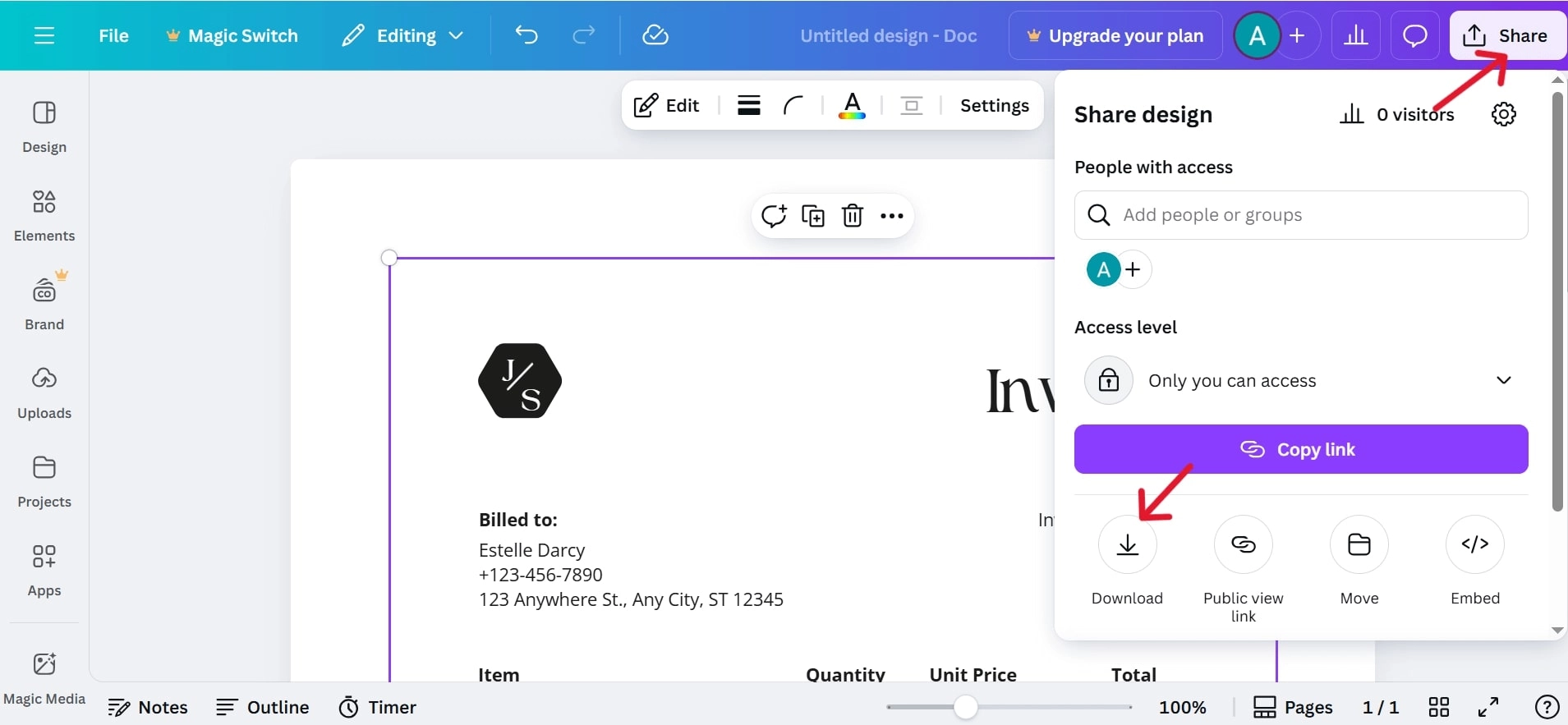
While Canva isn’t a full-featured AI invoice generator, its design flexibility makes it a great option for creating polished, professional invoices that stand out.
Bonus: Upscale Your Sales from Upstream with AI Sales Avatar
After optimizing your downstream operations like invoicing, the next frontier is elevating your upstream efforts, namely marketing and sales. Just as AI invoice tools automate billing, AI video generators can also transform how you attract and convert customers.
Then, which AI video maker is the one that wins? Don’t look away! Now is the time to spotlight Vidnoz AI, the free AI video generator, which can generate top-notch sales videos. With all it provides, you can boost conversions and complement your invoicing system with compelling marketing content in a breeze.

Vidnoz AI - Create Free Engaging AI Video with Talking Avatar
- Easily create professional AI videos with realistic avatars.
- Text-to-speech lip sync voices of different languages.
- 2800+ video templates for multiple scenarios.
Vidnoz makes it easy to create animated marketing materials with ready-for-use AI product avatars, video templates, and handy editing tools. It also helps AI invoice generator users, like you, to link promo videos with billing systems. With lifelike avatars that narrate features or pitch offers, Vidnoz turns static ads into engaging, conversion-driven sales content.
Key Feature
- Smartly Generate Convincing Sales Videos with AI: Vidnoz enables an intelligent, streamlined advertising video-making process, converting scripts into full-motion, attention-grabbing clips without needing cameras or editing skills.
- Hyper-real Product AI Avatars Tell Your Story: These lifelike TTS avatars deliver your brand messages with natural voice, expressions, and gestures, making product presentations more engaging and relatable.
- Pre-Made Advertising Video Templates: Vidnoz includes a wide range of brand-building templates across multiple styles. You can pick a theme, edit text/images, and get polished output quickly.
How to Enhance Your Marketing from Upstream with an AI Video Generator?
Step 1. Try It Free Now
Visit Vidnoz, register for a free account, and get access to the video creation tools.
Step 2. Choose Templates
Navigate to Templates → Business or Sales section, and pick a design suited to your brand or campaign.
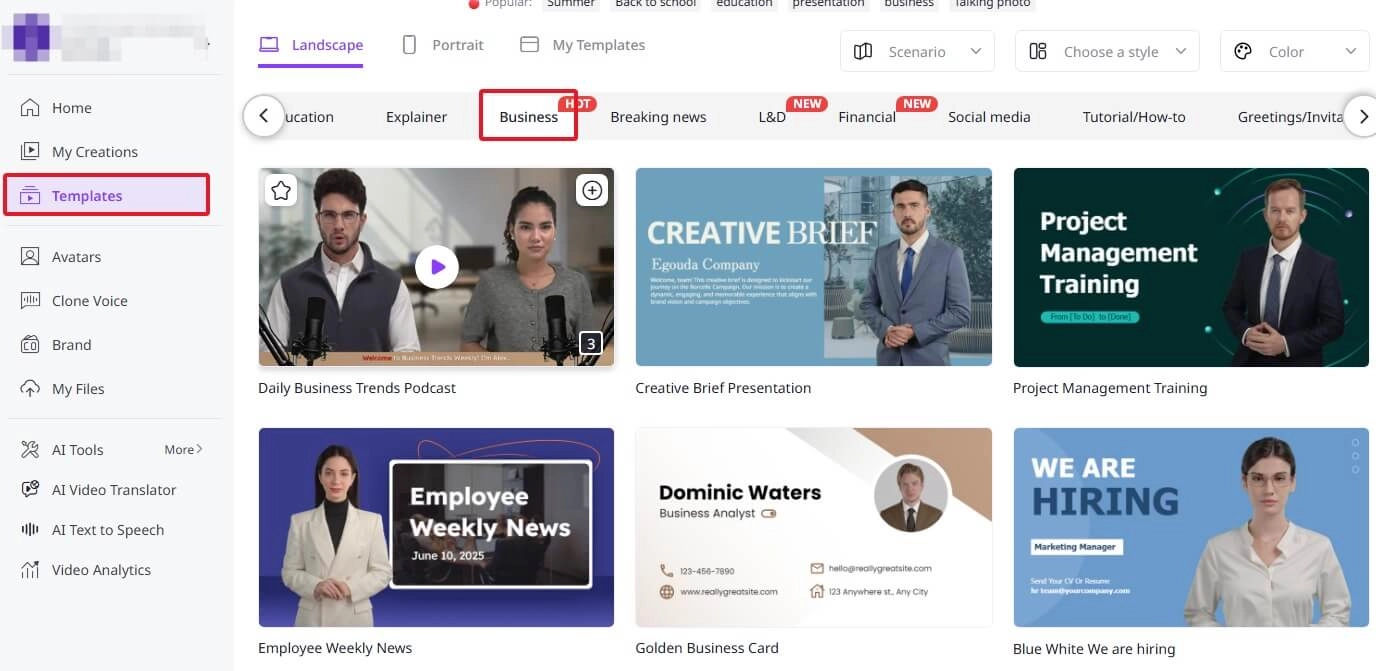
Step 3. Customize and Download
Edit your content using the handy features like TTS, conversational avatars, AI script, AI translation, etc. Generate and download your video.
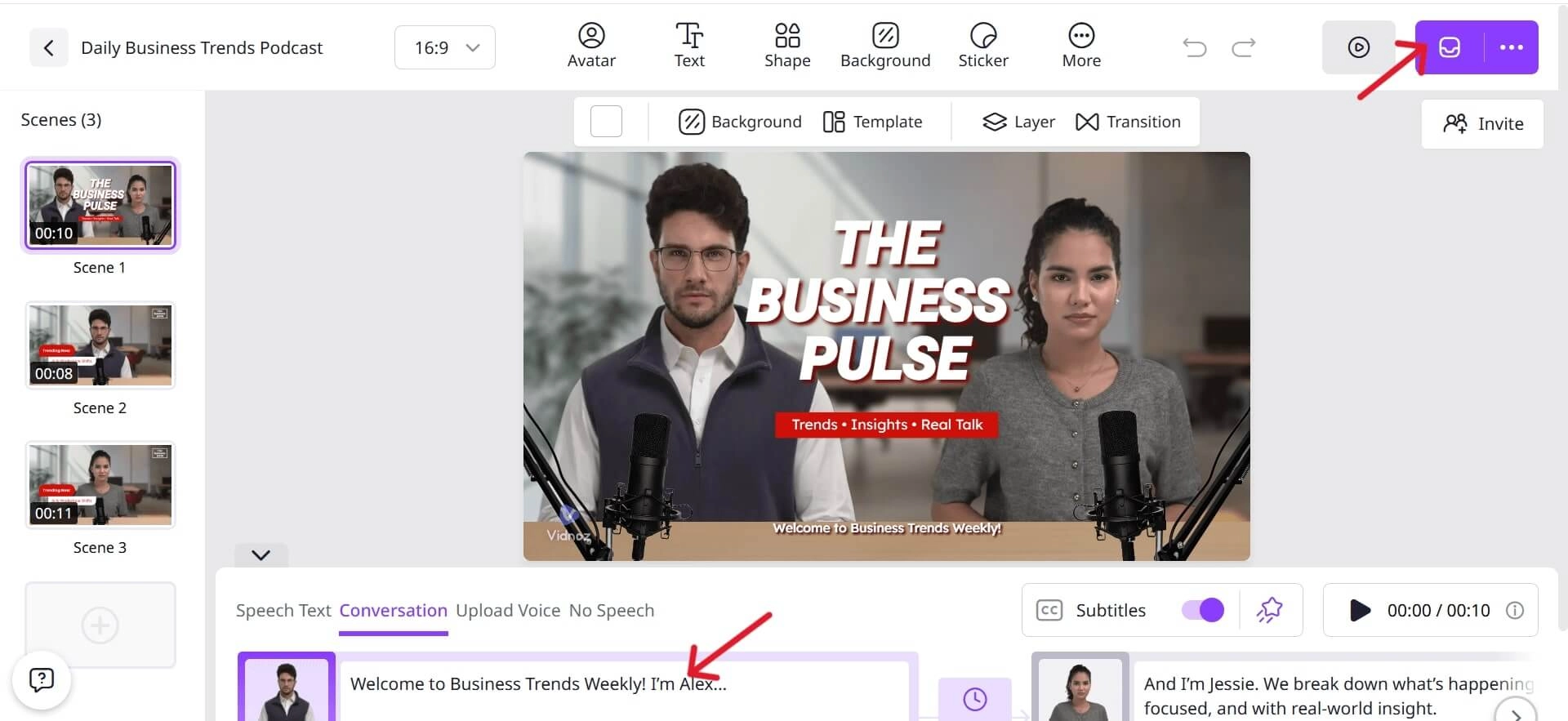
Besides, if you want to showcase and promote your products, you may also use the product avatars.
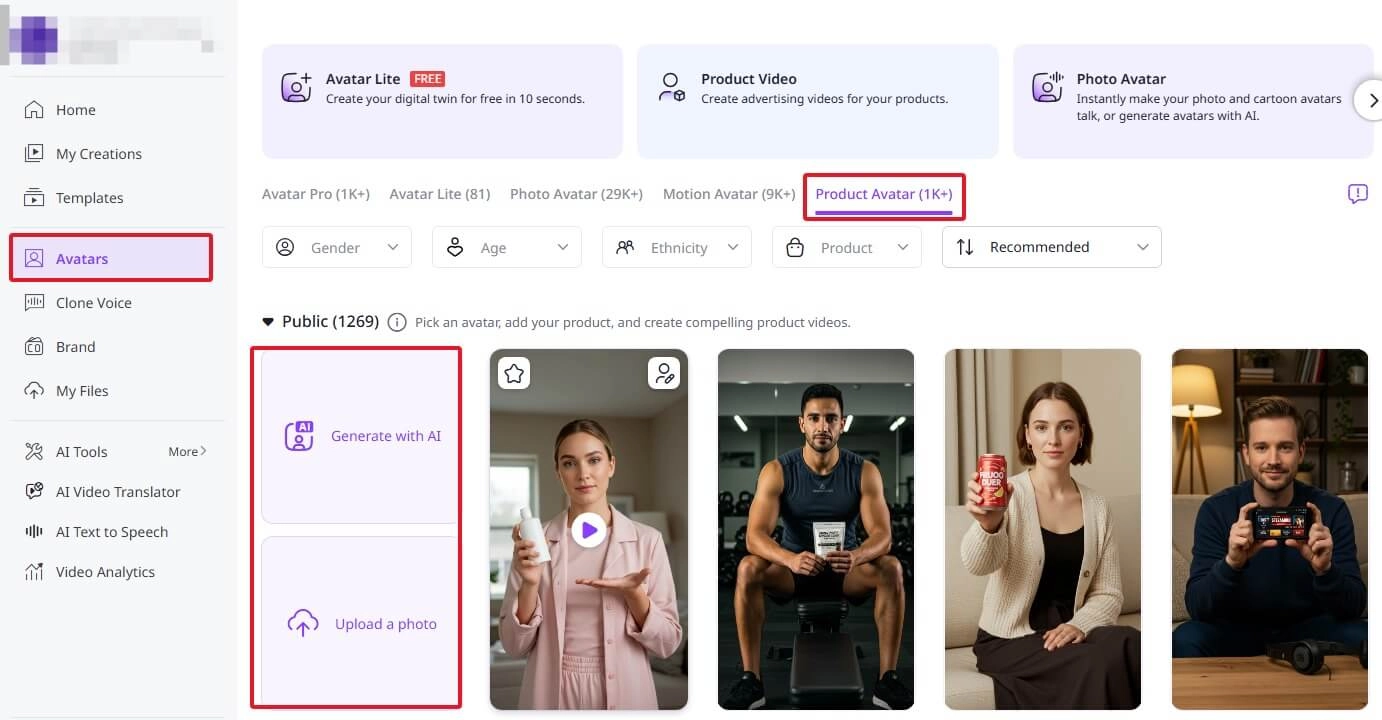
Step 1. Select or Create Product Avatar
After signing up for an account, go to Avatars > Product Avatar, upload your product image, or select from the avatar library to associate your offering with a lifelike avatar.
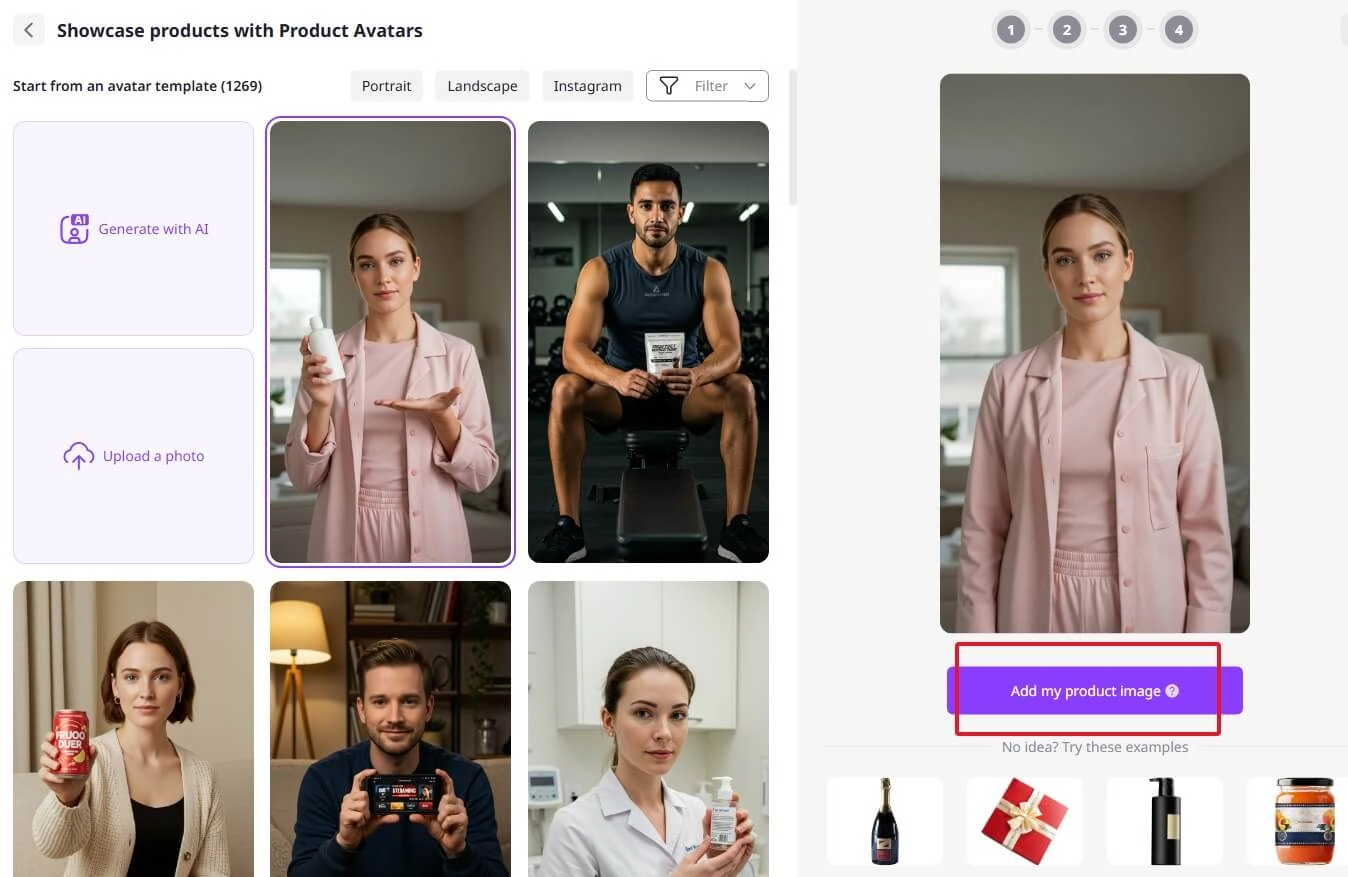
Step 2. Add Product
Add your product by uploading a product picture to turn image to video.
Step 3. Enter Script & Customize
Write or paste your scripts. Choose voice tone, lip sync settings, and adjust avatar facial expressions, background, or call-to-action. Click Download.
If you prefer, you can also use an AI video enhancer and more useful features to turn product messaging into vivid storytelling.
The Bottom Line
From streamlining billing with an AI invoice generator to boosting marketing impact through engaging video for sales, AI is reshaping how businesses operate from both downstream and upstream. In order to remain competitive, today discover the most powerful AI invoice generators and Vidnoz AI tools to open up smarter, quicker, and more professional methods of expanding your business.
Vidnoz AI - Create Free Engaging AI Video with Talking Avatar
- Easily create professional AI videos with realistic avatars.
- Text-to-speech lip sync voices of different languages.
- 2800+ video templates for multiple scenarios.