Coming up with a brand-new embroidery pattern could take tens of hours, and only a true artist would relate to that. For decades, embroidery lovers and artists have spent countless hours sketching and tracing countless thread combinations before finding the perfect design.
Turning a simple picture into a precise and colorful embroidery pattern has always been a time-consuming art. But with the help of an AI embroidery generator, you can create hundreds of new, exciting designs in just a few clicks.
- On This Page
-
What’s Embroidery & AI Embroidery Generator?
-
See How Others Create Embroidery Arts from Text & Images
-
Top 3 AI Embroidery Generators to Create Embroidery Patterns Online
1. Vidnoz AI Image Generator - Free Embroidery Pattern Creator from Text
2. Bylo AI - Combine Text-to & Image-to-Embroidery
3. NightCafe - Create Embroidery Patterns & Enhance
-
Static to Dynamic: Add More Magic to Your AI Embroidery Arts
How to Animate Your Embroidery Art?
-
Ideas to Create Embroidery Patterns Better
What’s Embroidery & AI Embroidery Generator?
Embroidery is the timeless craft of decorating fabric using an artistic approach. It’s not only about a thread and needle; it’s about your creativity to add texture and bring life to any design pattern.
There are three most common types of embroidery:
- Satin Stitch: Smooth and shiny stitch used to fill shapes with sleek finishes.
- Cross Stitch: A popular “X”-shaped pattern, often used for pixel-like designs.
- Chain Stitch: Decorative loops that give intricate texture and depth to patterns.
Now, an AI embroidery generator takes this art into the digital age. An AI embroidery pattern creator uses artificial intelligence to analyze images, colors, and shapes to automatically produce detailed embroidery designs ready for stitching.
Why Use an AI Embroidery Generator?
- Boost Efficiency: Create high-quality embroidery patterns in seconds without manual sketching.
- Fuel Creativity: Generate fresh ideas from text prompts or inspirations from images.
- Personalization: Adjust colors, stitches, and textures to match your unique embroidery style.
See How Others Create Embroidery Arts from Text & Images
Using an AI embroidery generator, users can effortlessly create embroidery patterns of any type by using any visual source or textual concept. For instance, an artist could input a prompt for "a detailed blue and gold mandala on black fabric with cross-stitch texture" and receive a ready-to-stitch pattern to work with. Here are some other inspiring ideas that you can try:
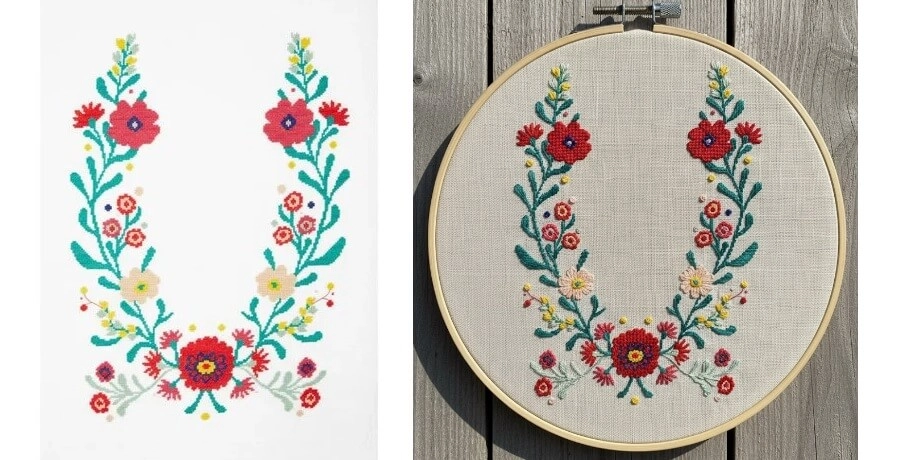
Example 1: Flower Frame Embroidery Art from Image
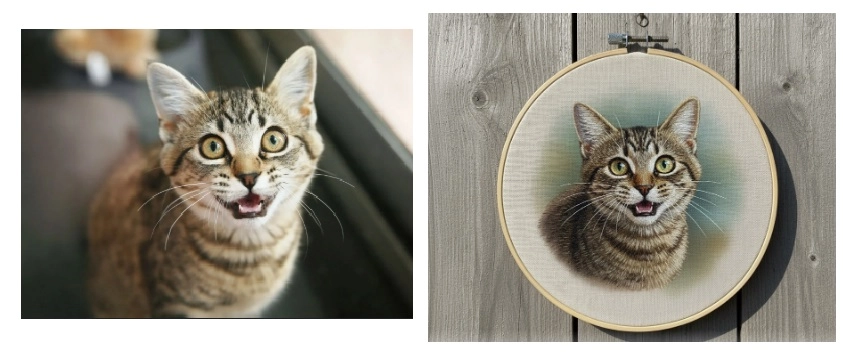
Example 2: Pet Embroidery Art from Image
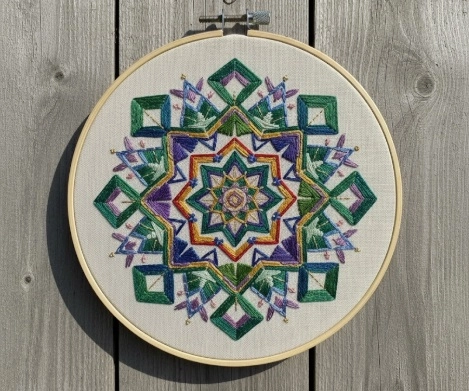
Example 3: Geometric Embroidery Art from Text
You can use a prompt like “lavender and berry embroidery wreath with geometric shape in white frame”.
Top 3 AI Embroidery Generators to Create Embroidery Patterns Online
The internet is now flooded with hundreds of AI embroidery generator tools, and finding the best one among them is really a hectic task. In this section, we’ll explore our top 3 AI embroidery pattern creator tools to help you create amazing embroidery designs.
1. Vidnoz AI Image Generator - Free Embroidery Pattern Creator from Text
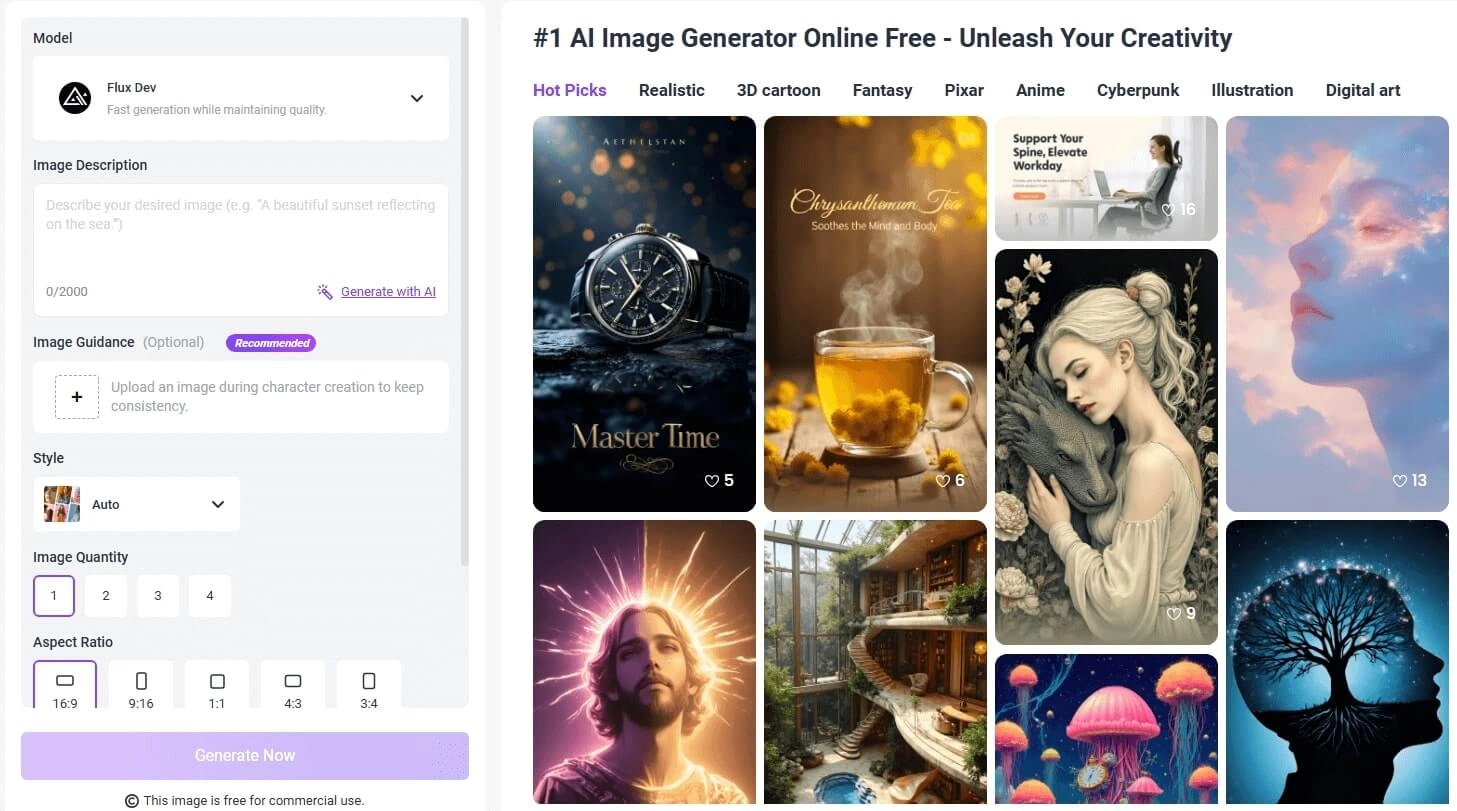
Among modern embroidery design tools, Vidnoz AI Image Generator stands out as a free, web-based embroidery pattern creator that transforms simple text prompts into stunning embroidery visuals. Powered by advanced diffusion models, it’s capable of creating vibrant, detailed patterns suitable for digital embroidery machines or artistic references.
Key Feature
- Free Image Generation from Text: It offers a simple, free-to-use interface that allows for the creation of intricate designs by simply typing in a detailed description of the desired embroidery pattern.
- High-Quality Results in 1 Click: The platform is designed for efficiency, generating multiple, high-resolution image options instantly, saving significant design time; perfect for detailed, professional embroidery artwork.
- Negative Prompts and Plentiful Styles: Users can refine their creations using negative prompts to exclude unwanted elements and select from a vast library of styles, including artistic, digital painting, and AI crochet aesthetics, which can be adapted for embroidery.
Cons:
- In order to get a premium 2K resolution image, you’ll need to buy the subscription.
- How to Create Embroidery Patterns from Text?
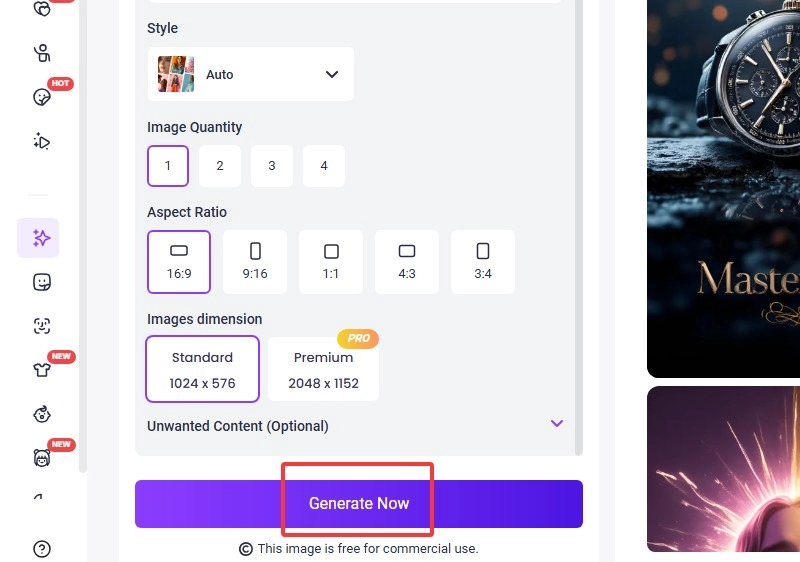
Here’s how to turn a picture into an embroidery pattern in just a few steps using Vidnoz AI Image Generator:
Step 1. Visit Vidnoz AI Image Generator.
Step 2. Enter your desired image description in the prompt field.
Step 3. Upload the image in the Image Guidance tab if you have a reference picture. Choose the style, image quantity, and aspect ratio as you prefer.
Step 4. Once satisfied with the tweaking, click on Generate Now.
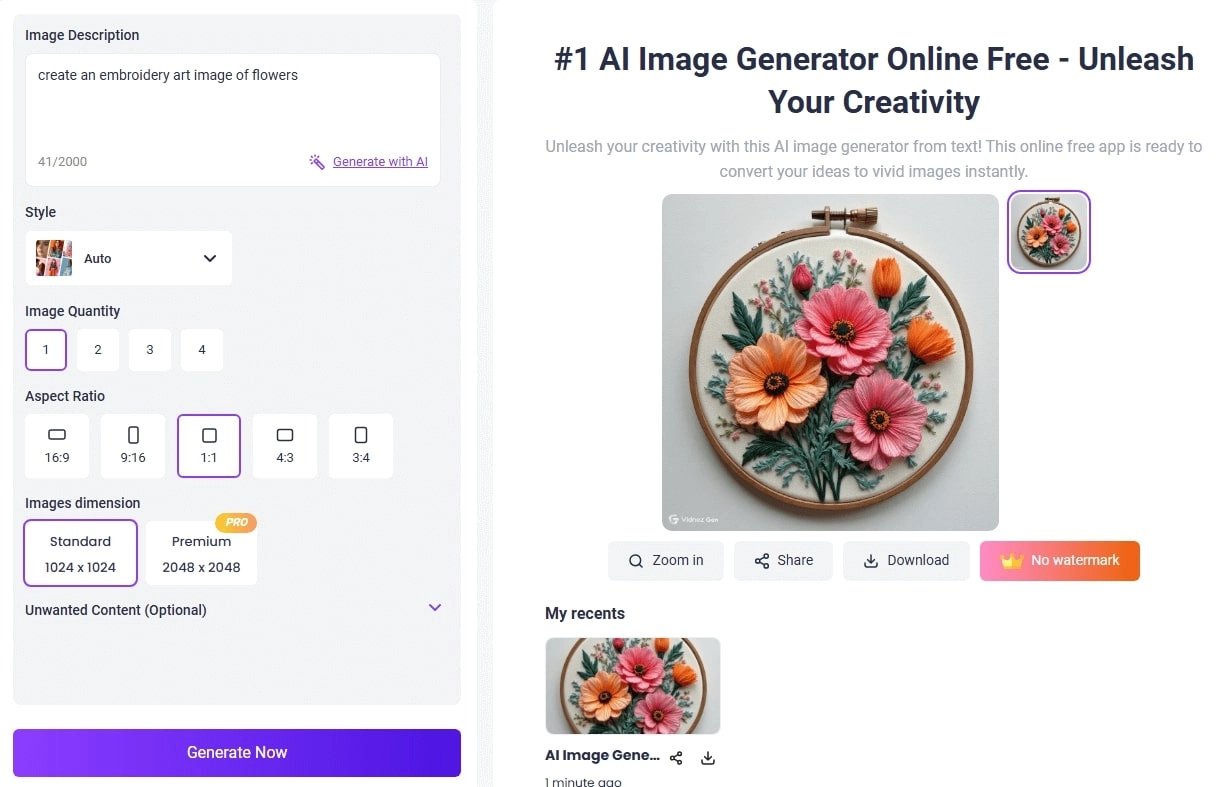
Here’s how the final image came out.
By uploading your picture and describing the styles you want, like hand-crafting style, you can easily turn photo into caricature.
2. Bylo AI - Combine Text-to & Image-to-Embroidery
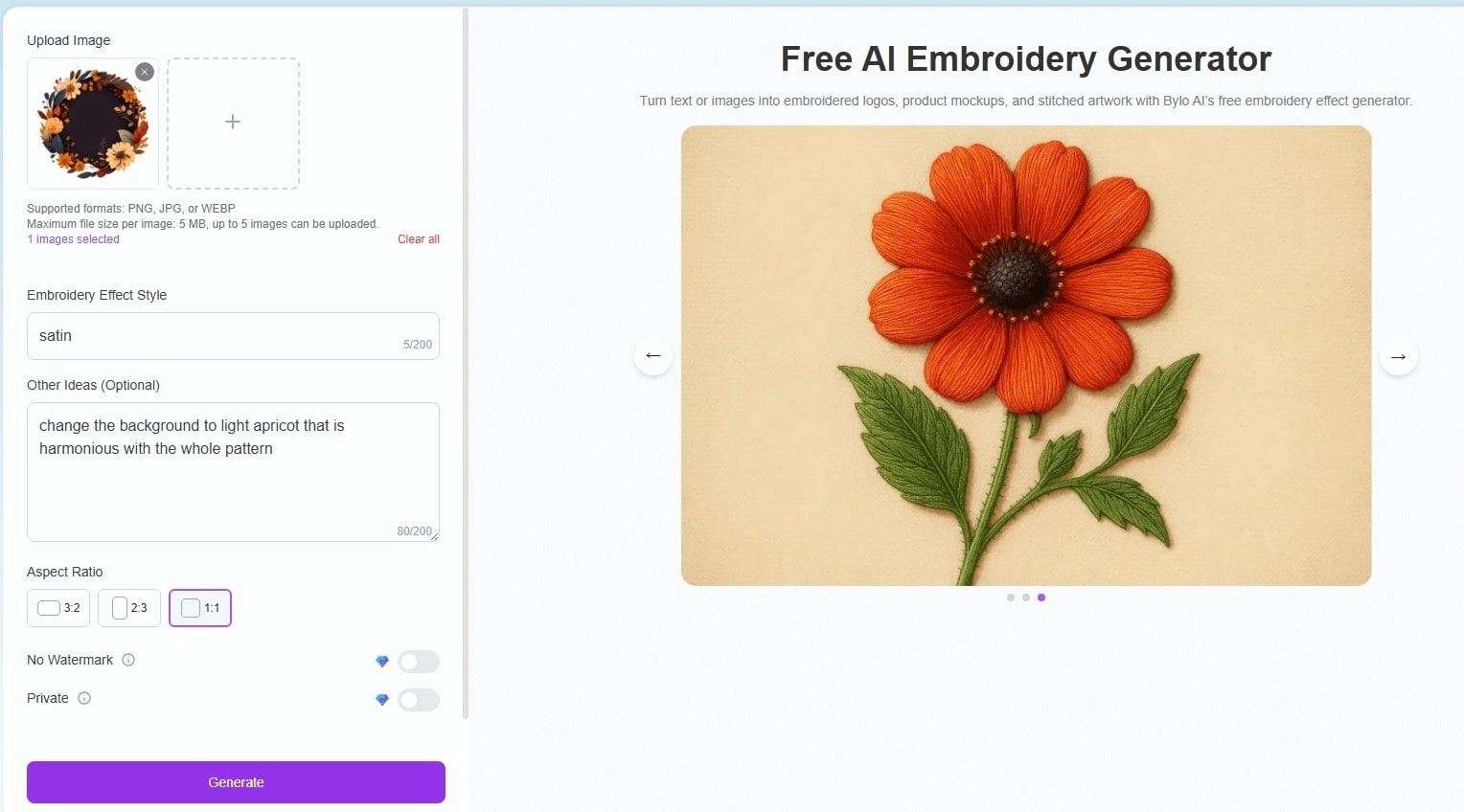
Bylo AI is another dedicated AI embroidery generator tool used to convert any image into an embroidery-pattern style. This tool could be the best image to embroidery conversion tool with a seamless approach to converting both textual and imagery prompts into incredible embroidery patterns that are easy to replicate if you want to make embroidery designs on a hoop.
Key Feature
- Both text and image to embroidery. Bylo AI offers dual functionality, serving as both an image-based and text-based embroidery design creator.
- Customizable Styles. Users can select from several preset embroidery styles, including cross-stitch, satin, or thread art modes, with which you can easily create natural AI texture.
Cons:
- The free version has a watermark on it.
- Your work is not private. The free version of the output might be shared in the community channels of Bylo AI.
How to Create Embroidery Patterns from Images & Text?
Here’s how to create and convert image to embroidery pattern using Bylo AI:
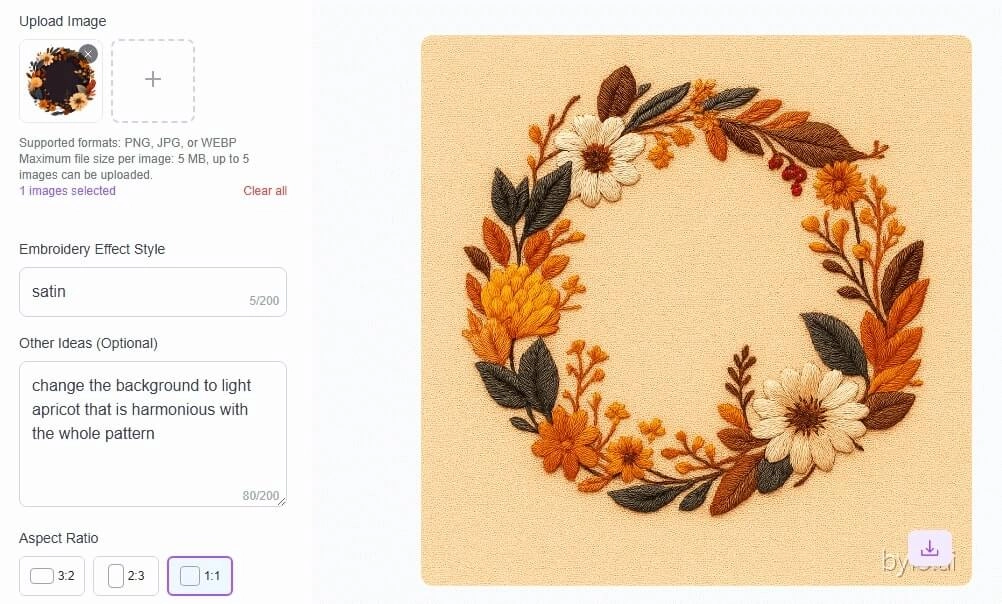
Step 1. Visit Bylo AI and click on Upload Image and upload the image.
Step 2. Then you need to provide the desired Embroidery Effect Style.
Step 3. In the Other Ideas section, enter extra details to help the tool understand what you want.
Step 4. Also, select the aspect ratio and click on Generate to convert image to embroidery.
3. NightCafe - Create Embroidery Patterns & Enhance
NightCafe, one of the best aesthetically pleasing tools out there, is also an excellent embroidery design creator. It allows users to generate artistic patterns that can later be transformed into embroidery-ready formats.
Key Feature
- It provides a Prompt Magic feature to further enhance your prompt.
- You get to choose different AI Models that help you polish your final output.
- Create up to 4 images and 5 different aspect ratio options.
Cons:
- Account registration is required before creating an AI design.
- You get a limited number of free bonus credits.
How to Create Embroidery Patterns & Enhance?
Here’s how you create embroidery patterns and enhance them using NightCafe.
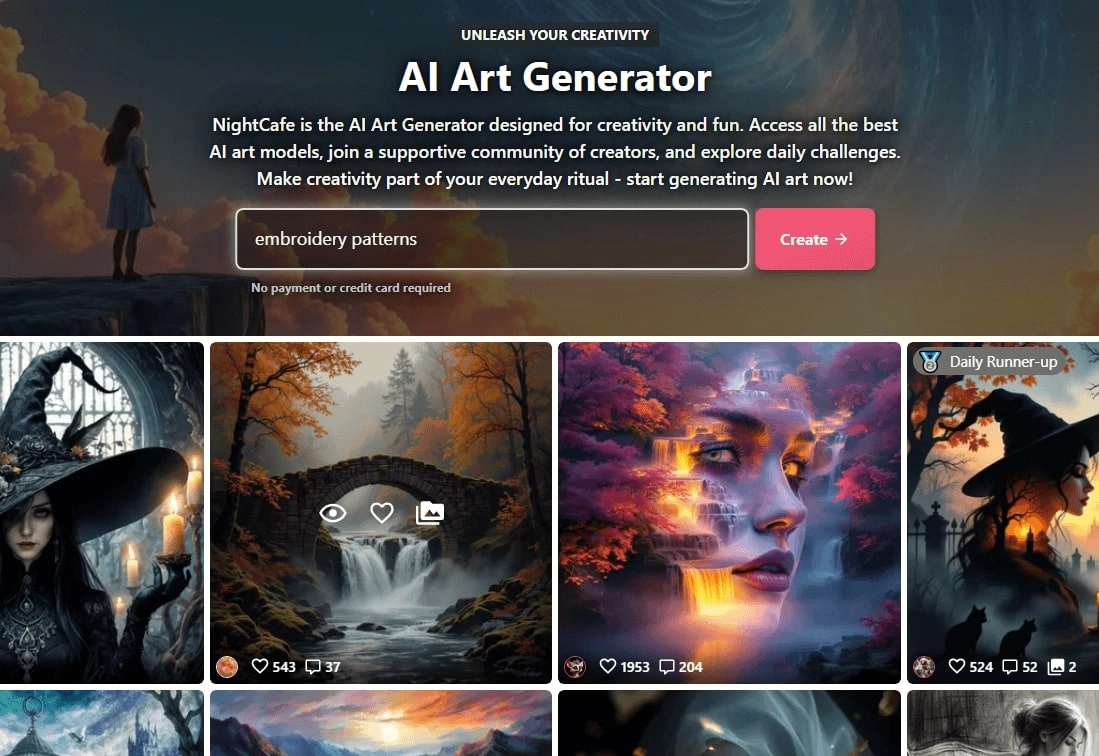
Step 1. Go to NightCafe and create your account. Once you register, you’ll get free bonus credits that you can use to create an image.
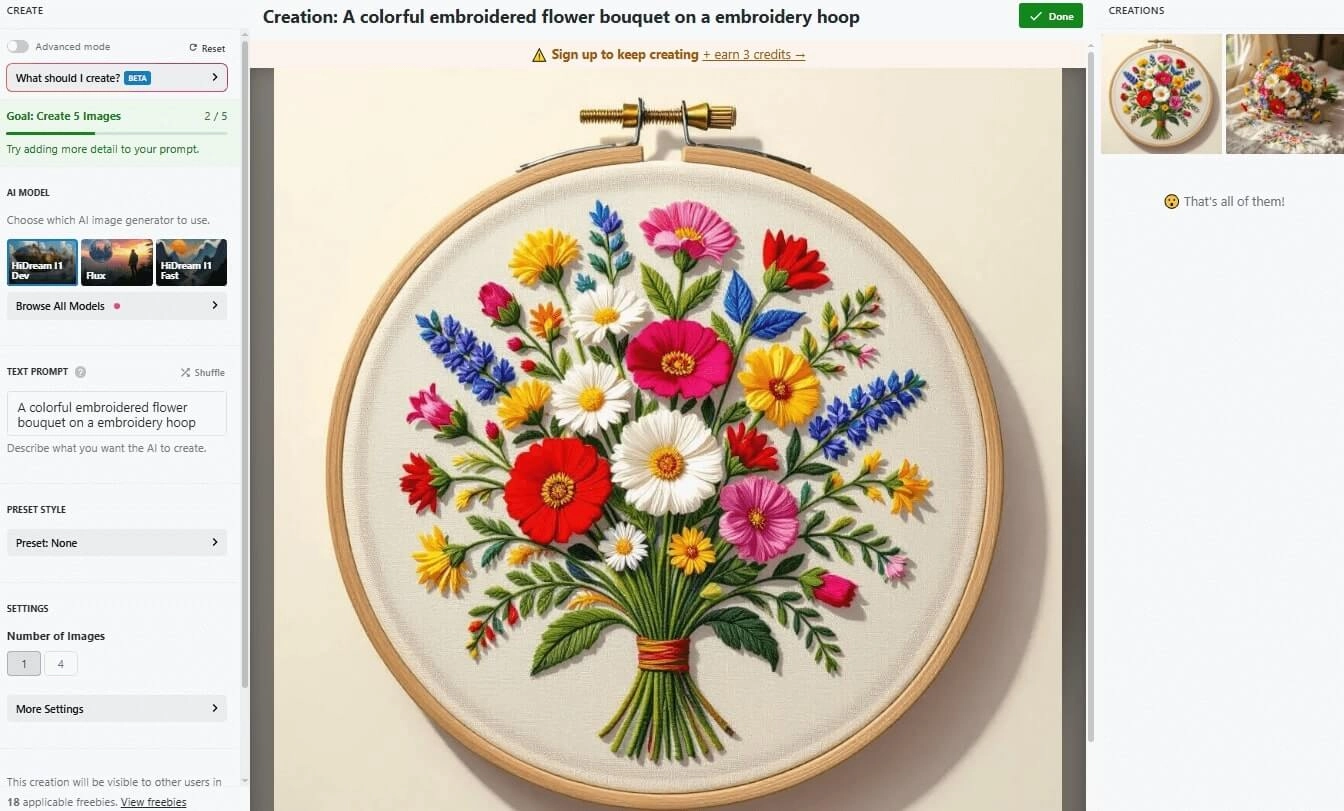
Step 2. Enter your prompt, and choose the relevant AI model.
Step 3. Choose the aspect ratio and click on Create.
Here’s how the final output of the prompt came out from NightCafe.
Static to Dynamic: Add More Magic to Your AI Embroidery Arts
Once you’ve designed your embroidery artwork, why stop at static images? Imagine bringing your threadwork to life with motion. That’s where Vidnoz Image to Video AI comes into play. This image-to-video AI tool enables you to transform your still embroidery designs into captivating animations. Here are some of the key features of the Vidnoz Image to Video AI tool.
Convert Image to Video AI Online - Free
- Create a video from an image quickly for free.
- Use various AI models to turn photos into videos.
- Download and share the AI-generated video at no cost.
Convert Image to Video
Key Feature
- Still Embroidery Art to Vibrant Animation Online: Intelligently animate a picture with AI technology. Stay just on the online platform, without any software, you can make embroidery patterns online.
- Smooth and Consistent Moves: This content-aware tool detects textures within your embroidery image and adds lifelike motion effects. It ensures natural lighting, shading, and flow for every animation, keeping threads and colors realistic.
- 1 Click & 1 Minute to Animate Your Embroidery Art: No need for complicated editing expertise; everyone can handle it effortlessly. No hours or days of work, it turns your artwork dynamic in seconds.
How to Animate Your Embroidery Art?
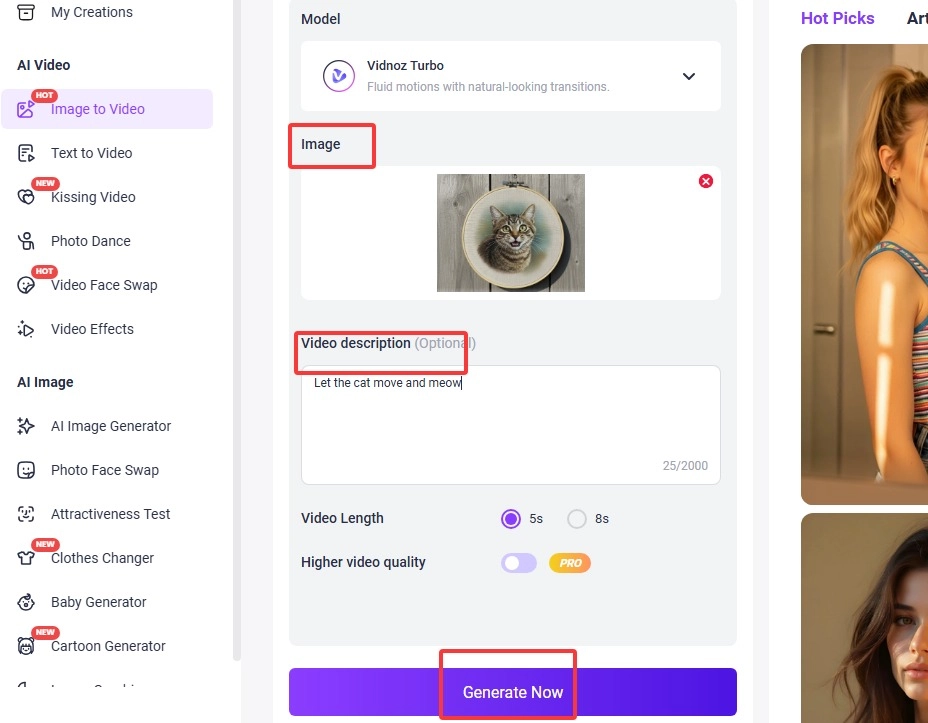
Step 1. Visit the Vidnoz Image to Video AI tool and upload the image.
Step 2. Select your preferred model. Vidnoz Turbo is the free one.
Step 3. Select the length of your video, either 5 seconds or 8 seconds.
Step 4. To give more specific details to Vidnoz AI, provide some additional information in the prompt box. Once done, click on Generate Now.
Check the result, share, and download.
Ideas to Create Embroidery Patterns Better
If you’re wondering what types of images or prompts work best, here are some creative ideas to explore.
Pictures Suitable for Image to Embroidery:
- Natural Objects: Plants, animals, landscapes, flowers.
- Geometric Patterns: Mandalas, symbols, and shapes.
- Cultural Designs: Folk art, ethnic motifs, and ancient emblems.
Worth-Trying Prompts to Create Embroidery Patterns:
- Floral dragon in gold thread
- Minimalist mountain embroidery on black fabric
- Butterfly lace embroidery design
The Bottom Line
With tools like Vidnoz AI Image Generator and Vidnoz Image to Video AI, turning your ideas into detailed stitch art has never been easier. Whether you want to create embroidery patterns from text or transform an image into a lively animated work, an AI embroidery generator can make it happen in just one click. Try out these tools today and bring your embroidery dreams to life.