Are you amazed by the stunning videos with beautiful filters and funny effects? Want to make your video stand out and go viral on TikTok, Instagram, YouTube, etc.? Here comes the best tool for you - Vidnoz AI. Learn how to add effects on a video online for free easily with Vidnoz AI right now!

- On This Page
Add Effects to Video Free Online with Vidnoz AI
Why is Vidnoz AI your top pick? As a premium free online AI video generator, Vidnoz AI supports various of advanced video editing features and top-tier AI generations. It’s rather simple to add multiple filters, background effects, creative animations, etc., to a video as you desire.

Vidnoz AI - Create Free Engaging AI Video with Talking Avatar
- Easily create professional AI videos with realistic avatars.
- Text-to-speech lip sync voices of different languages.
- 2800+ video templates for multiple scenarios.
More importantly, Vidnoz AI offers thousands of pre-designed video templates based on different topics, vivid digital AI text to speech avatars for you. It’s highly efficient to create a video with effects online free!
Let’s take a closer look at how to add effect in video with this tool.
How to Add Effects on a Video Online Free with Vidnoz AI
How can you add desired effects on a video for the best result? Here’s a detailed guide on how to add special effects to a video for free with Vidnoz AI.
Step 1. Click the button to go to Vidnoz AI online. Sign up free with your g-mail and log in.
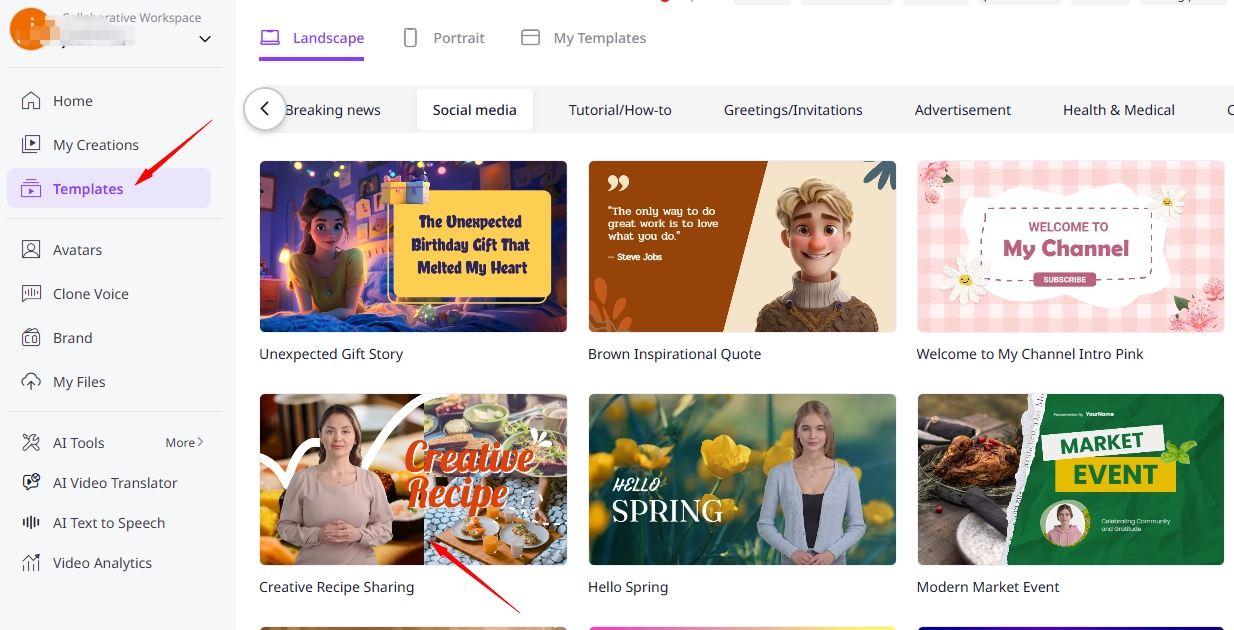
Step 2. Click “Templates”, find a video template you like, and click on “Use this template”.
Step 3. Add Filters to Video to Enhance the Visuals
To add filters to your video, select the background image, click the filter icon at the top of the task bar. Choose “None”, “High Definition” or other filters you like.

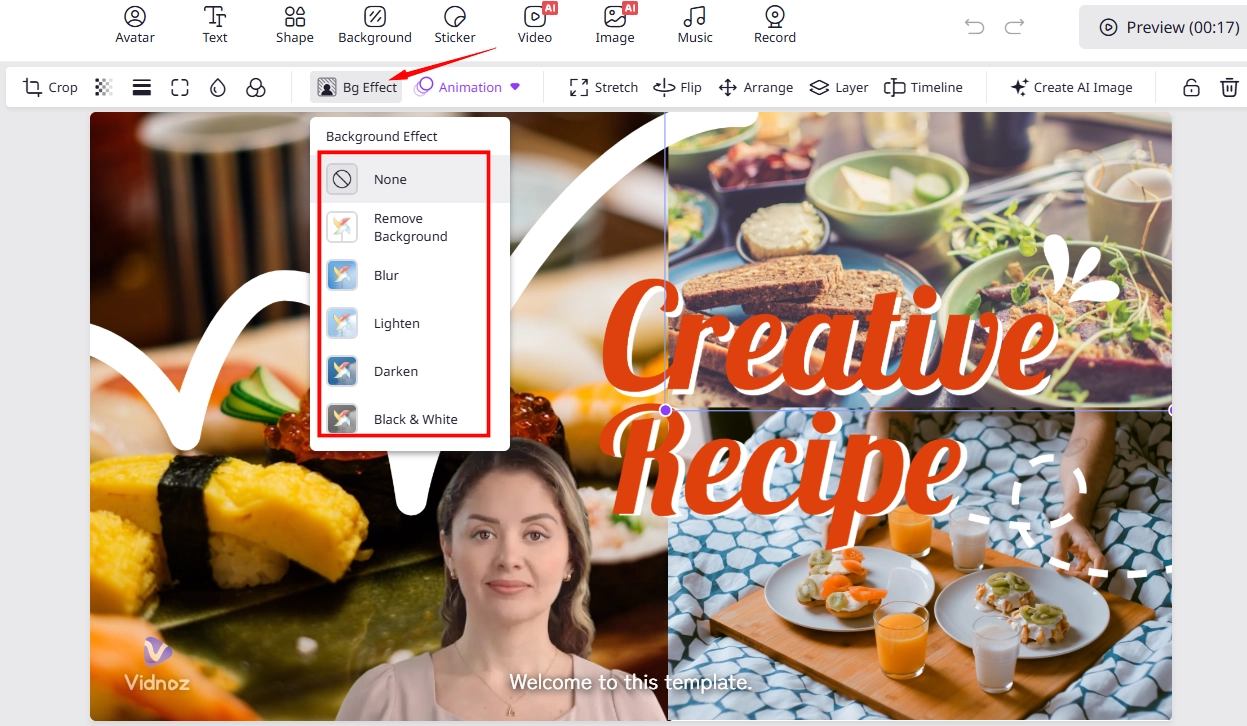
Step 4. Add Background Effects to Video As You Need
How to add background effects in video? Similarly, select the background image, click “Bg Effect”. Then pick a background effect you need, or you can even remove background.
Step 5. Put Animation Effects to Video for Better Engagements
Aside from the above filters and BG effects, you’re allowed to add interesting animations to the video.
Choose “Animation”, and you select from multiple types of animations, including basic, motion effects, and so on.
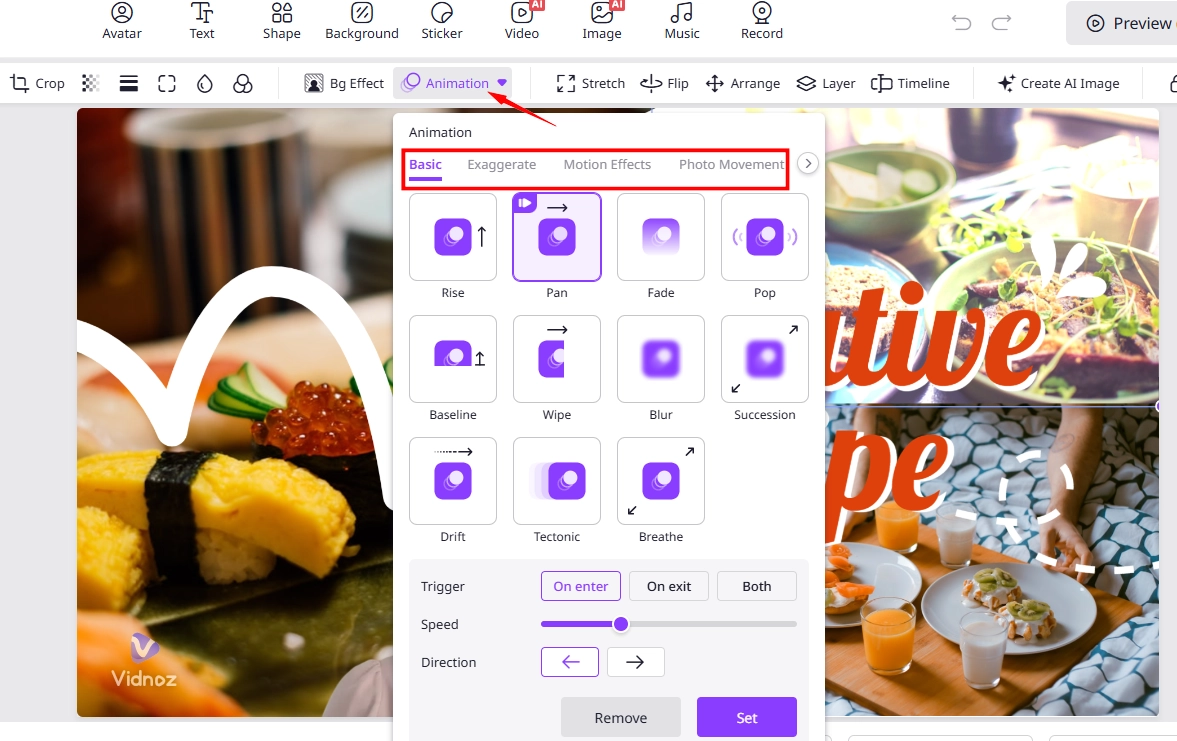
Step 6. Customize Animation Effects
Complete the settings of “Trigger”, “Speed”, and “Direction” as you need. After done, click “Set”.
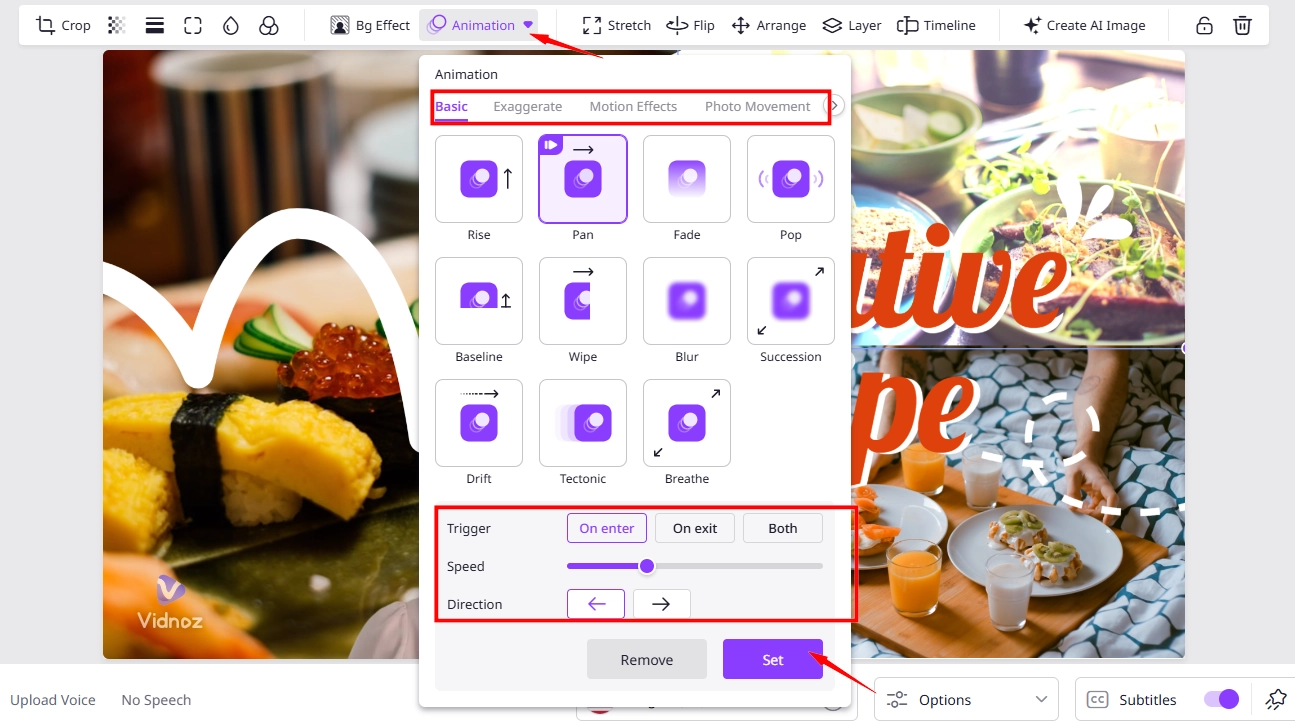
Step 7. Add the speech text and AI voice to dub your video if necessary.
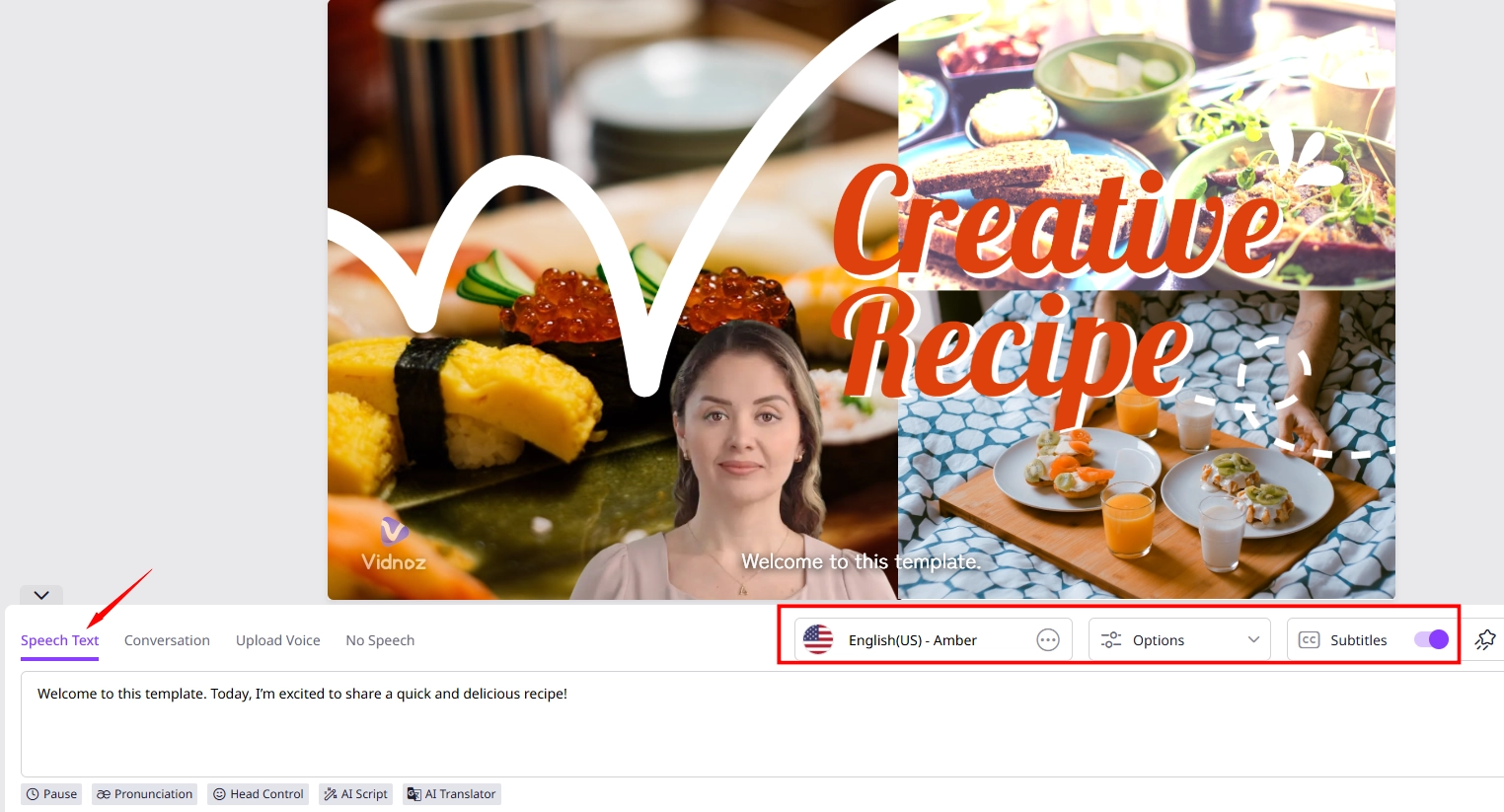
Step 8.Click “Generate” to check and export the final video result.

If you’d like to add effects to video online free without watermark, just upgrade to get a HD video without watermark or use a watermark remover tool.
That’s how to add AI video effects online free with Vidnoz AI. Simple, right? Just have a try now!
Vidnoz AI - Create Free Engaging AI Video with Talking Avatar
- Easily create professional AI videos with realistic avatars.
- Text-to-speech lip sync voices of different languages.
- 2800+ video templates for multiple scenarios.