Turn still images or text into dynamic videos in any style, with leading AI models readily. Try the smart AI video generator now - stunning, free, and instant!
Unlock Snowfall AI Trend: Create Stunning AI Snow Photos & Videos with Easy Prompts
Andrew Garcia
Updated on
SHARE THIS POST
Want to create stunning snowfall AI photos and videos? Learn the best tools, ready-to-use prompts, and steps to easily generate realistic AI snow scenes.
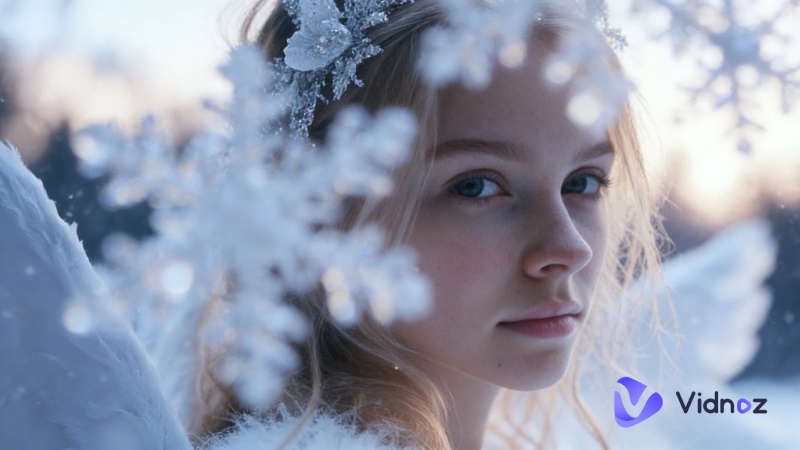
In recent months, AI-generated snow portraits have taken over social media. From dreamy K-drama-style collages to cinematic slow-motion snow short videos, these viral visuals look like professional snow photo shoot productions, yet many creators have not even touched the snow.
Want to create these frosty portraits but don’t know where to start? Worry not. In this blog, we will introduce the best snowfall AI tools for image and video creation. You can also find useful prompts and step-by-step instructions to craft your own viral winter masterpiece!
On This Page
What Is Snowfall AI? Things You Need to Know About This Trend
How to Create Stunning Snowfall AI Photos with AI Image Generator
Easy Guide to Make Stunning AI Snow Photos
8 Popular Snowfall AI Prompts You Should Try
1. Three-Frame Cinematic Winter Portrait
2. Two-Frame Aesthetic Snow Portrait
3. Angled View AI Snow Portrait
4. Front-Facing AI Snow Portrait
5. Tilted Upward Sky
6. Romantic Couple Portrait in Snowy Woods
7. Cute Cat Three-Frame in Winter Snow
8. Casual Selfie with Soft Falling Snow
Turn Snowfall AI Images into Cinematic Videos
How to Create Snowfall AI Videos with Vidnoz AI
FAQs About Snowfall AI Images and Prompts
Conclusion
What Is Snowfall AI? Things You Need to Know About This Trend
Snow AI refers to the viral trend of using artificial intelligence to add realistic, cinematic snow effects to photos and videos. The process to add snow to photo is rather simple; users can input a prompt or upload an image for creation. The created image will be transformed into enchanting winter scenes with falling snowflakes, frosty atmospheres, soft lighting, and natural depth.
However, why is AI snow photo content so popular? The appeal lies in its simplicity and realism. Anyone can create a professional-looking snow image without cameras, cold weather, or complex software. It’s fast and affordable, which is great for social media content creation. Currently, there are various types of snowfall AI photos, for instance, K-drama-style three-frame photo series that tell mini visual stories, romantic couple shots in snowy woods, playful pet portraits, and more.
How to Create Stunning Snowfall AI Photos with AI Image Generator
Now that you understand the trend, let’s move on to action. In this section, we will introduce the best tool for creating eye-catching winter visuals and provide clear steps to help you generate premium AI snow photo content in minutes.
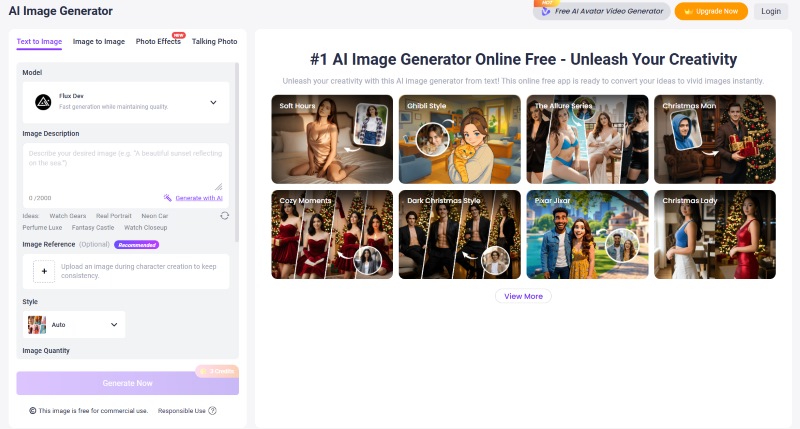
The standout solution is the Vidnoz AI Image Generator. It performs exceptionally well for snowfall AI creation. Developed with advanced AI models, the professional tool supports fast and high-quality snow image rendering for free. Even if you have never used a winter AI photo editor before, you can quickly produce studio-quality images without technical complexity.
Highlighted features of Vidnoz AI
Free to use, zero learning curve: You can instantly generate snow scene images free. No payment, no installation, and no complicated tutorials. It’s perfect for beginners to experiment with snowfall AI styles hassle-free.
Take full control with text prompt: Simply input your prompt in the image describer box for instant creation. From light snow flurries drifting to a dramatic snow background, Vidnoz AI can deliver the final image as you expected.
Image reference for guaranteed consistency: You can even upload a style reference to maintain consistent facial features, fashion details, or lighting mood, and export multiple AI snow photo variations with the same style.
Diverse styles and realistic snow effects: It lets you easily create snowfall AI photos with natural-looking snowflakes, believable snow background, and immersive frosty AI atmosphere. You can choose from multiple styles: Realistic, Cartoon, Fantasy, and more, for free creative experimentation.
Fast rendering, no endless waiting: Unlike many tools with long queues, your snow AI photos are generated within seconds; you can create multiple AI snow image variations instantly!
Easy Guide to Make Stunning AI Snow Photos
Vidnoz AI image generator is an excellent choice that offers premium-quality snowfall AI photos with truly free access. Now, let’s walk through the simple process step by step.
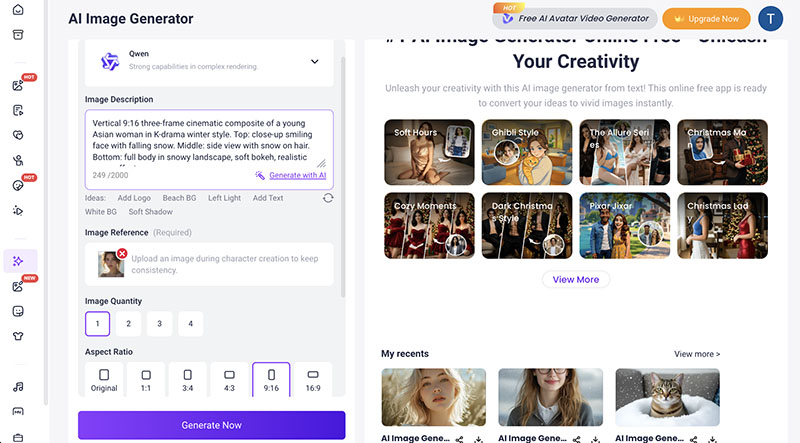
Step 2: Choose the Qwen Model on top. Then, upload the photo you want to transform and input the prompts about snowfall AI.
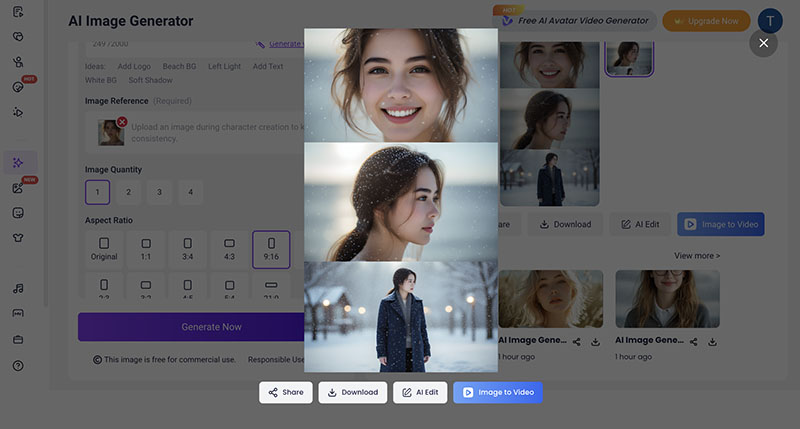
You can refer to this prompt example:Vertical 9:16 three-frame cinematic collage of a young Caucasian woman in K-drama winter style. Top: close-up smiling with falling snow. Middle: elegant side profile with snow-dusted hair. Bottom: full-body portrait in snowy landscape, soft bokeh, natural lighting, realistic snow effects.
Step 3: Adjust the output quantity and aspect ratio. Click on the Generate button, and your snow image will be read soon.
After generating the snow pic, Vidnoz’s winter AI photo editor allows you to further enhance the details. You can fine-tune snowflake density, adjust light intensity, etc. with its AI Photo Editor!
8 Popular Snowfall AI Prompts You Should Try
As you can see, a high-quality snowfall AI often comes down to prompt quality. Even the most advanced AI tool relies on clear and descriptive instructions to produce realistic output.
To help you achieve stunning results quickly, this section provides ready-to-copy prompt templates. Whether you are looking for a Gemini AI photo prompt or other creative inspiration, the following ideas are optimized for eye-catching winter visuals.
1. Three-Frame Cinematic Winter Portrait
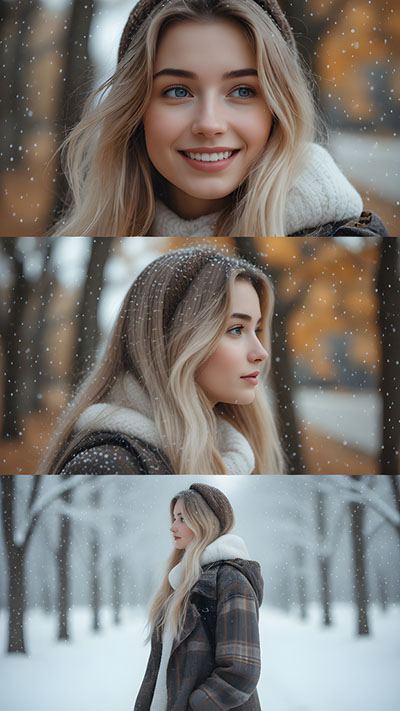
Create a vertical 9:16 three-frame cinematic collage featuring a young Caucasian woman in K-drama winter style. Top frame: close-up smiling with soft falling snow. Middle: elegant side profile with snow-dusted hair. Bottom: full-body portrait in a snowy landscape with soft bokeh, natural lighting, and realistic snowfall effects.
2. Two-Frame Aesthetic Snow Portrait
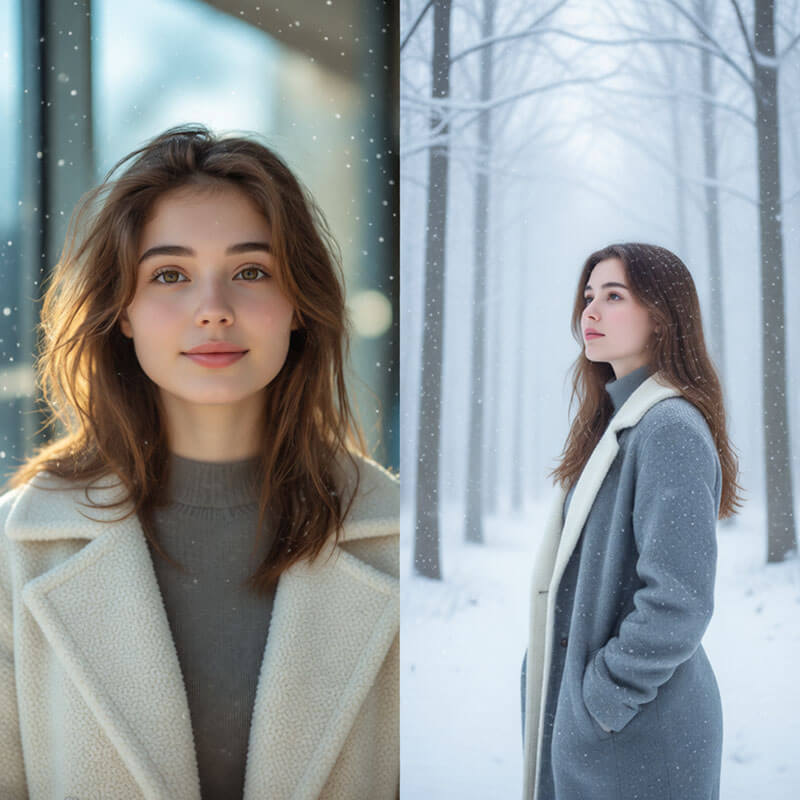
Design a two-frame aesthetic snow portrait of a girl wearing a cozy winter coat. First frame: front-facing view with gentle snowflakes drifting down. Second frame: looking away in a misty, snowy forest, pastel color tones, high-detail snow AI effects, and a dreamy winter atmosphere.
3. Angled View AI Snow Portrait
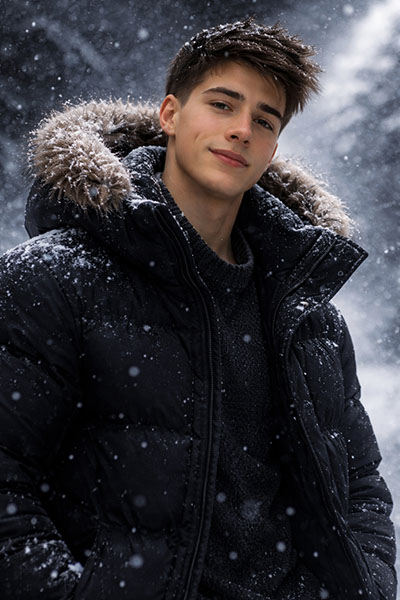
Generate a dramatic, angled 3/4 portrait of a man in a dark winter coat during heavy snowfall. Use cinematic lighting, textured snow background details, and sharp facial focus. Emphasize realistic snowflakes and a deep, immersive frosty AI mood for visual impact.
4. Front-Facing AI Snow Portrait
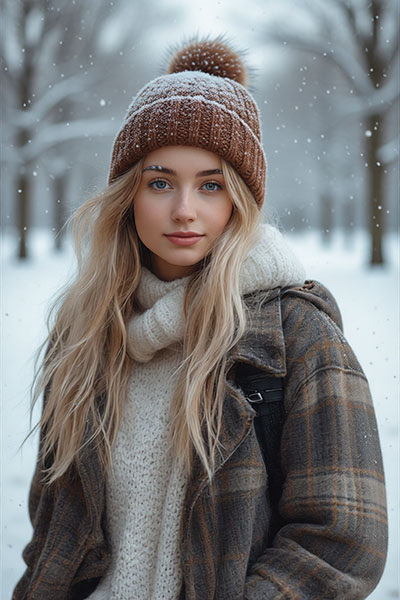
Transform the photo into a photorealistic winter park scene. Add falling snow and dress the subject in a warm coat and a woolen hat. Snow rests gently on her hair and eyelashes, creating a delicate, romantic atmosphere with soft lighting and natural winter tones.
5. Tilted Upward Sky
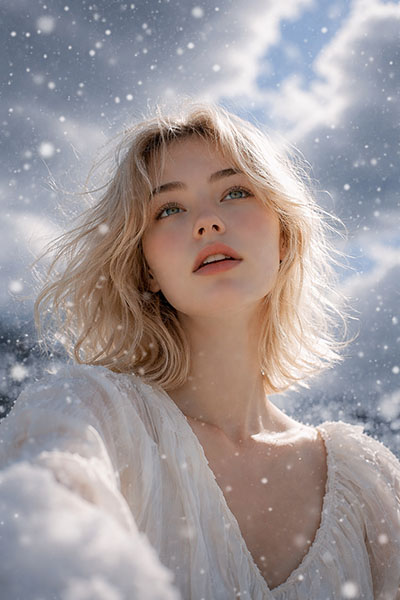
Create a cinematic composition of a person gazing upward at falling snowflakes against a dramatic, cloudy sky. Use natural lighting and a realistic snow scene image free style. Capture motion, depth, and emotional mood within the expansive winter sky background.
6. Romantic Couple Portrait in Snowy Woods
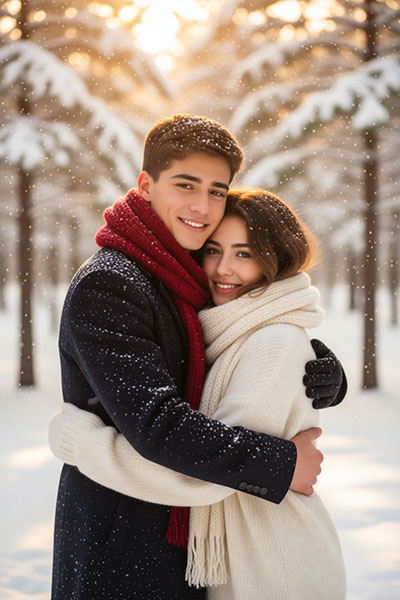
Place the couple in cozy winter outfits with scarves and let them embrace in snowy woods. Gentle snow falls around them and settles softly on their hair. Use warm color grading, K-drama romance style, detailed winter forest background, and emotional storytelling composition.
7. Cute Cat Three-Frame in Winter Snow
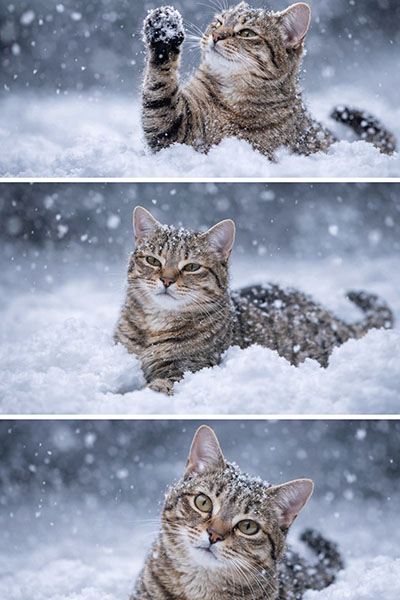
Produce an adorable three-frame winter sequence featuring a fluffy cat. First frame: playing with snowflakes. Second: sitting in a snow pile. Third: curiously staring at the camera. Highlight detailed fur texture, soft snowfall, and charming, realistic winter lighting.
8. Casual Selfie with Soft Falling Snow
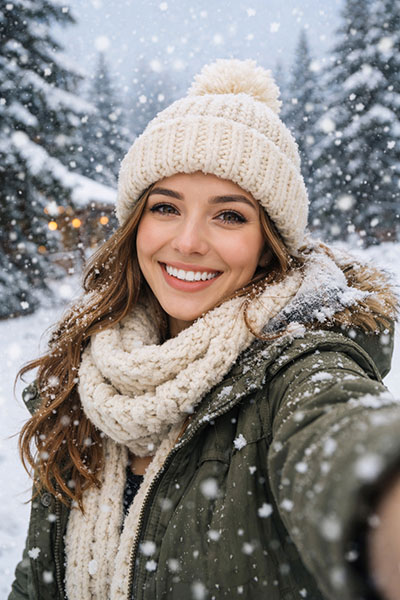
Generate a casual winter selfie outdoors with soft falling snow and a natural smile. Use a heavy snow background with realistic lighting and vibrant detail. The overall tone should feel authentic, cozy, and perfect for social media sharing.
Turn Snowfall AI Images into Cinematic Videos
While static snowfall AI images are beautiful, moving videos are definitely even more captivating! Just imagine the falling snow and emotional winter clips that feel straight out of a K-drama scene.
Here, Vidnoz Image to Video AI can help you take your AI snow photos a bit further. Simply upload your generated AI snow photo, and the free AI video generator will add realistic snow movement, gentle character animation, and cinematic camera effects, turning your snow pic into an eye-catching masterpiece!
How to Create Snowfall AI Videos with Vidnoz AI
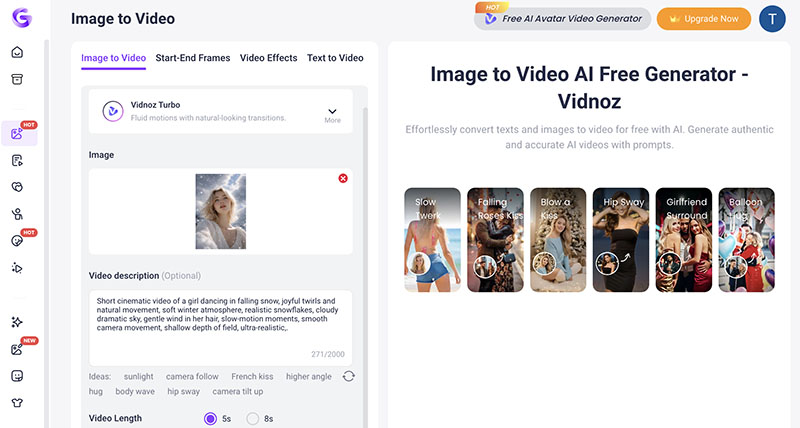
Step 1: Head to Vidnoz AI Image to Video. Choose a preferred AI model to begin with.
Convert Image to Video AI Online - Free
Create a video from an image quickly for free.
Use various AI models to turn photos into videos.
Download and share the AI-generated video at no cost.
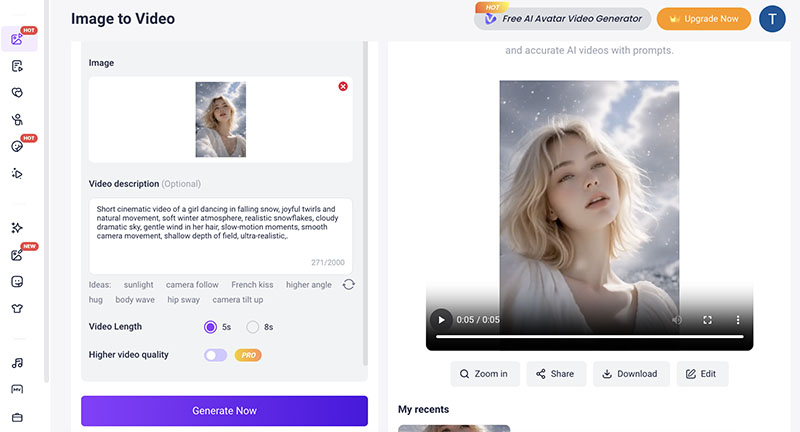
Step 2: Upload your generated Snowfall AI photo. Input the prompt to describe the animation effect. Set your preferred video length.
Step 3: Click on the Generate Now button, and the Snow AI videos will be done soon. You can preview and download the video if you are happy with it.
Want to make your snowfall AI photo sing and move rhythmically to music? Try the Vidnoz AI music video generator to convert it to a cinematic video in minutes for free.
FAQs About Snowfall AI Images and Prompts
Yes. Vidnoz allows commercial use, and the generated AI snow content is free for commercial purposes. You can confidently use your Snowfall AI images and videos for social media, marketing campaigns, and other purposes.
Yes. You can upload your personal image into the AI Image Generator or related tools to transform it into a realistic AI snow photo with natural snow background effects.
Your prompt needs to be specific about lighting, snow density, mood, camera angle, and style references. Clear and descriptive prompts can produce more realistic snowfall AI visuals. You can also add “cinematic,” “soft bokeh,” “K-drama style” to improve output quality.
Vidnoz AI processes images securely and does not publicly share uploaded content. Your data is always protected regardless of the content you create.
Conclusion
The snowfall AI trend is so popular, which produces magical winter content that performs well on social media. Want to create your own? It’s easy, with Vidnoz AI, the specific prompts introduced above, you can certainly create professional AI snow photos and videos in minutes. Just sign up for Vidnoz AI and generate your next snow AI masterpiece now!
Convert Image to Video AI Online - Free
Create a video from an image quickly for free.
Use various AI models to turn photos into videos.
Download and share the AI-generated video at no cost.
Andrew Garcia is a writer who focuses on the field of technology. He is committed to producing high-quality articles to help users solve their problems. He is working hard to discover and introduce the latest AI tools so that users can experience the joys of emerging technologies. Hope his articles can give you some aid.