Are you feeling overwhelmed by the Picrew avatar maker, too many styles, hidden licenses, and not even sure where to begin? You want an anime or fantasy PFP that actually looks like one, and you basically second guess every maker, every step, and every download.
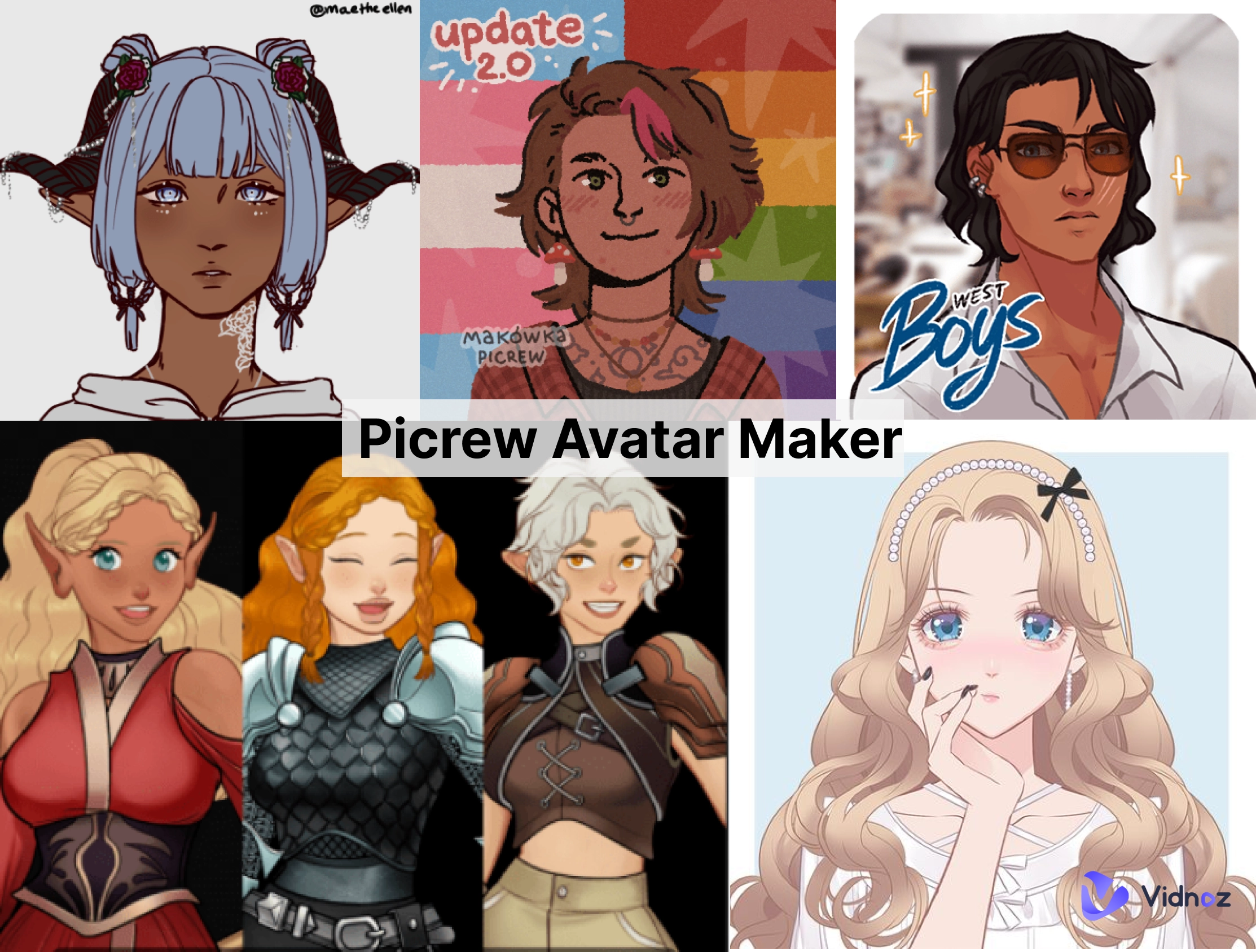
The guide will simplify it all: what Picrew is, how to select the right one, step-by-step customization on web and mobile, plus helpful suggestions for fantasy OCs and full body styles, and more!
So, let's get started.
- On This Page
-
What is Picrew Avatar Maker?
-
Discover the Most Hot Picrew Avatar/Character Artworks
2. Charming Game Character
-
How to Customize a Avatar with Picrew Avatar Maker Online
-
How to Create Stunning Avatars with Picrew PFP & OC Maker App
-
Full Review of Picrew Avatar Maker: Pros & Cons
-
Things You May Want to Know about Picrew Avatar Maker
1. Is Picrew Free to Use?
2. Can I Use Picrew Avatar Maker Commercially?
3. Is It Safe to Use Picrew Avatar Maker?
4. Can I Make a Picrew Avatar that Looks Like Myself?
-
Top 3 Picrew Avatar Maker Alternatives for You
3. Mega Anime Avatar Creator
-
Animate Your Picrew Avatar/Character with AI Talking Avatar
How to Get a Talking AI Picrew Avatar Online Free
What is Picrew Avatar Maker?
Picrew is a website, based in Japan, where artists will upload "image makers", basically modules for character creation of thousands of layered options (hair, eyes, clothing, accessories, effects, etc.). You get to mix and match parts to create your perfect avatar, whether for a social media profile, original character reference/OC, or game concept, etc.
Unlike AI cartoon generator tools, the Picrew is artist-made and template-based, which means when you are designing your avatar, the results are based on the artist who created the maker and their art style, licensing, and layers to choose from.
Main Features of Picrew Avatar Maker
- Wide range of artist-made "image makers" across anime, chibi, fantasy, aesthetic, and semi-realistic styles
- Fine-grained customization for facial features, hairstyles, poses, outfits, and backgrounds
- Downloadable PNGs sized for PFPs, banners, or printable references
- Maker-specific usage rules, often non-commercial; always check the license on each maker
Discover the Most Hot Picrew Avatar/Character Artworks
To spark ideas, here are popular directions people explore in 2026, great starting points whether you prefer "anime male Picrew avatar maker" styles or a "Picrew aesthetic avatar maker" vibe.
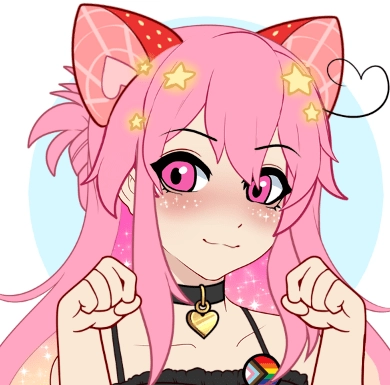
1. Pretty Anime Avatar
Soft palettes, glossy eyes, and pastel hair gradients, perfect for charming PFPs and slice-of-life OCs.
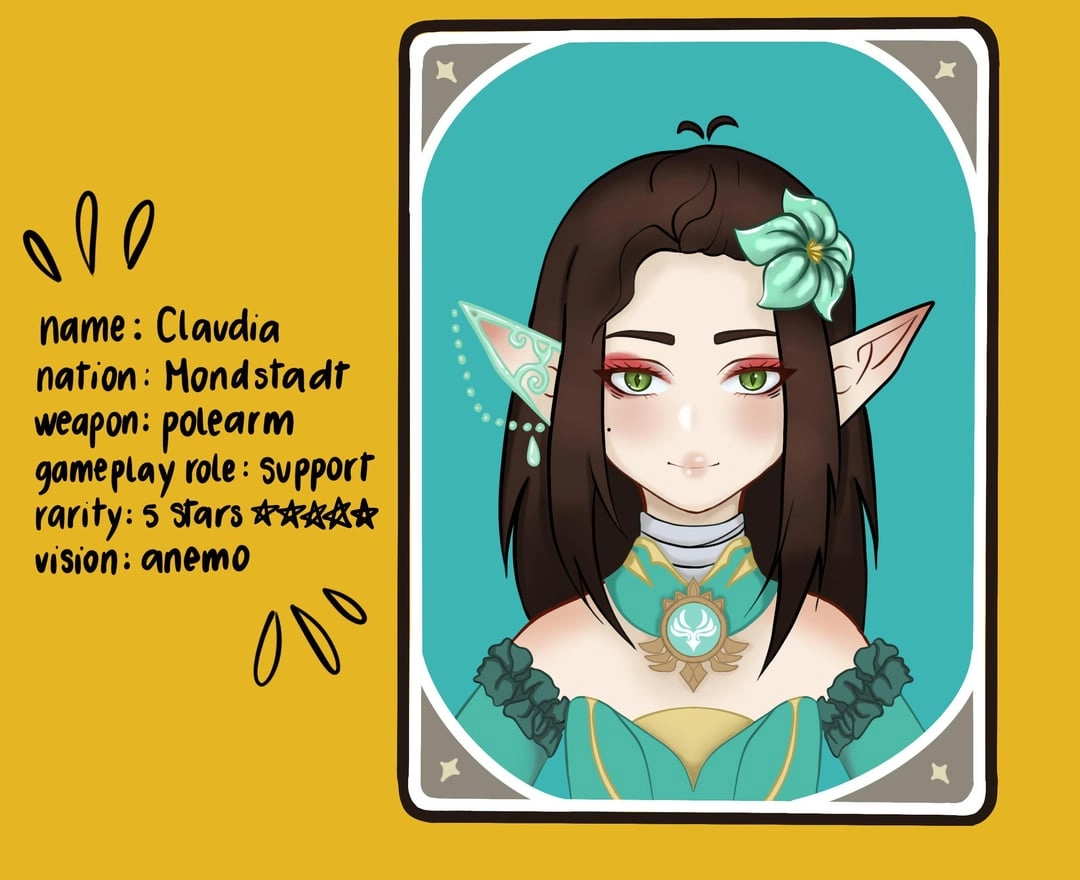
2. Charming Game Character
RPG-inspired looks with armor, cloaks, and emblems, ideal for "Picrew character maker fantasy" concepts.
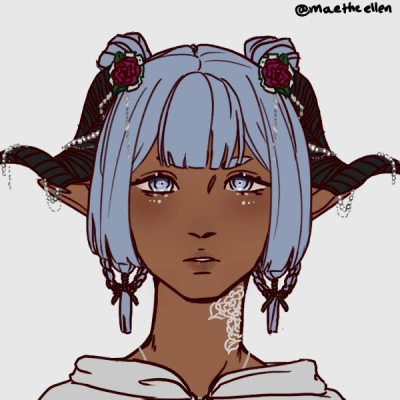
3. Fantasy OC
Elven ears, horns, otherworldly eyes, and magical effects, build out lore with accessories and backgrounds.
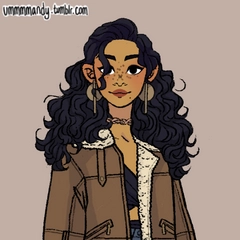
4. Personal PFP Avatar
Clean, centered framing, bold outlines, and crisp backgrounds, optimized for socials; try "Picrew PFP maker" styles.
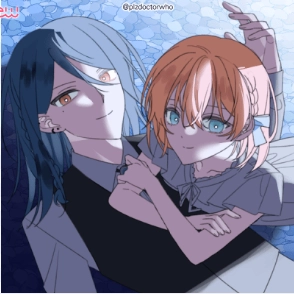
5. Romantic Couple
Coordinated palettes, matching outfits, and affectionate poses, great for celebrating milestones or anniversaries.
How to Customize a Avatar with Picrew Avatar Maker Online
Picrew's web tool is direct and fun, especially if you're searching specifically for an "anime male Picrew avatar maker" or a "Picrew aesthetic avatar maker" to match your vibe.
Use this sample maker to follow:
Step 1: Open the Picrew Avatar Maker
Go to Picrew.me and click “Start” to launch the avatar editor. You’ll see a blank character ready for customization.
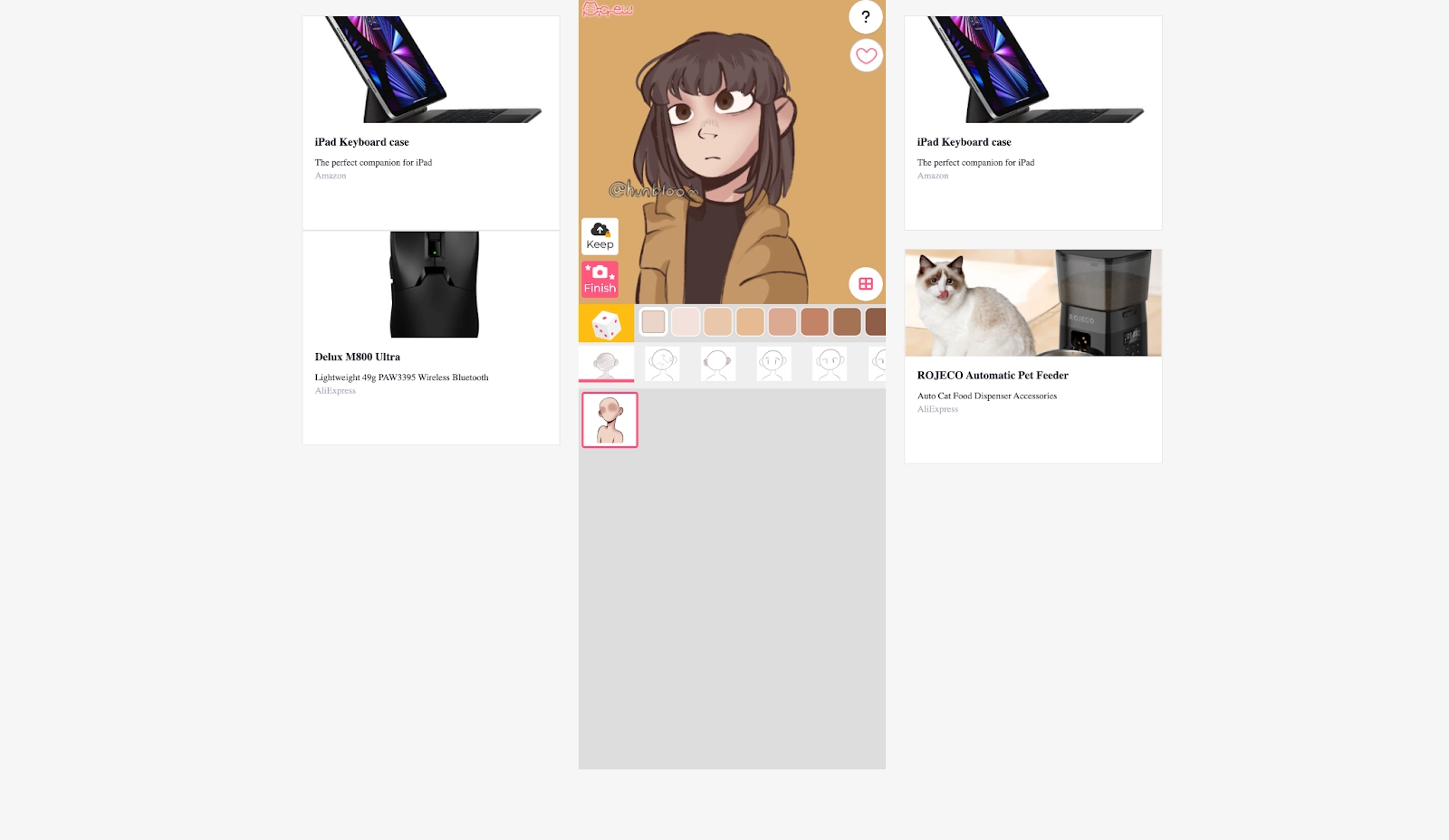
Step 2: Choose Your Base Look
Begin by selecting the skin tone, face shape, and basic features. This sets the foundation of your avatar. Experiment with subtle variations until it feels right.
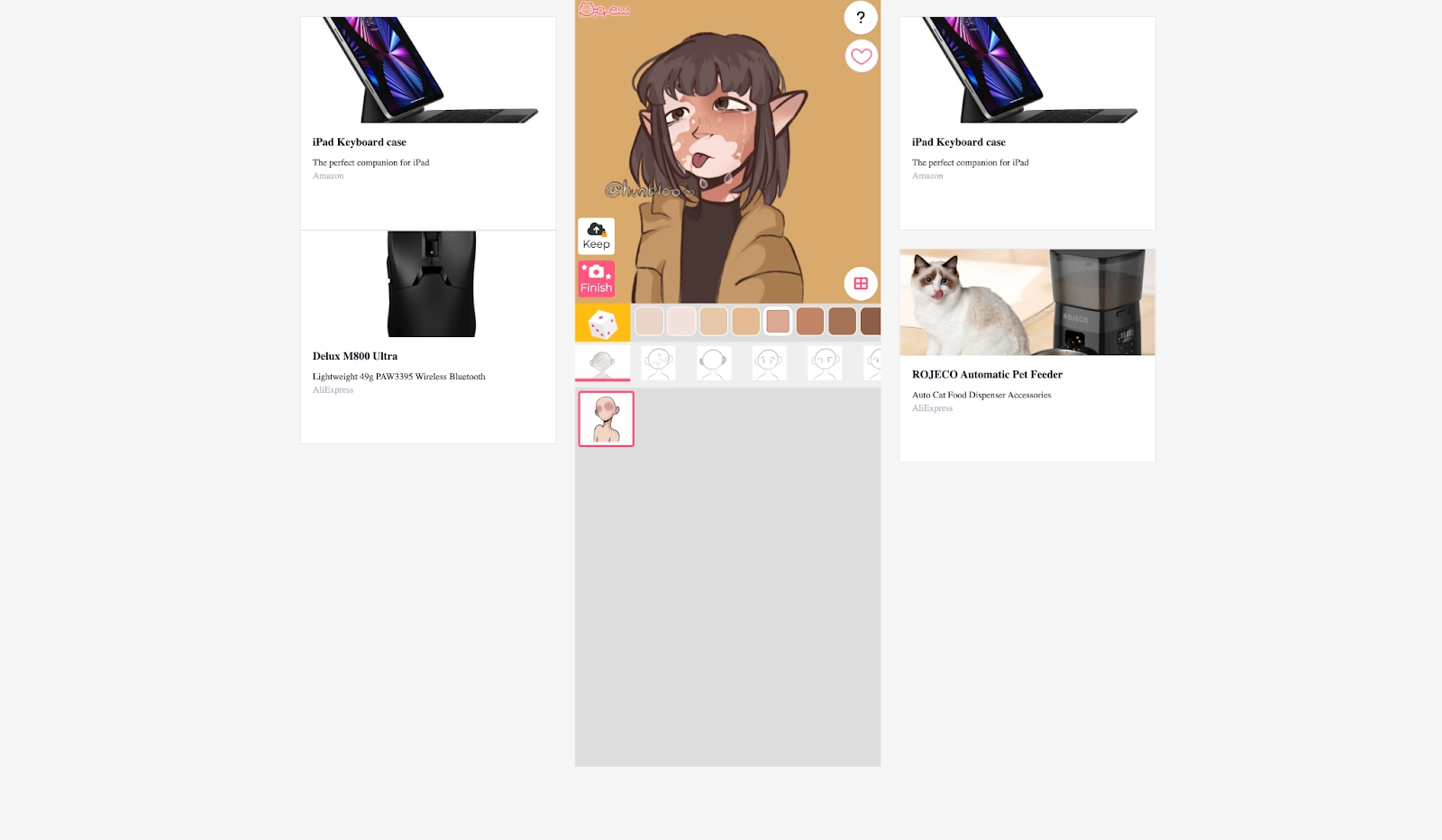
Step 3: Style the Hair and Face
Pick from a variety of hairstyles, eye designs, eyebrows, and mouth expressions. Use the color swatches to adjust hair and eye colors to match your personality.
Step 4: Dress Up and Accessorize
Explore different clothing styles, accessories, and props, from casual outfits to fantasy looks. You can mix and match items to express your unique vibe.
Step 5: Finalize and Download
Once satisfied, click “Complete” to generate your finished avatar. Download the image and use it as your profile picture, game icon, or creative post.
How to Create Stunning Avatars with Picrew PFP & OC Maker App
Prefer mobile? The official app brings the experience to your phone and supports both "Picrew OC maker full body" and portrait PFP formats. It's also convenient for "female Picrew avatar maker" looks on the go, or for quickly testing a "Picrew aesthetic avatar maker" palette.
For Android
Step 1. Download the Picrew PFP & OC Maker app from Google Play and open it.
Step 2. Browse the available image makers and tap one that matches your style.
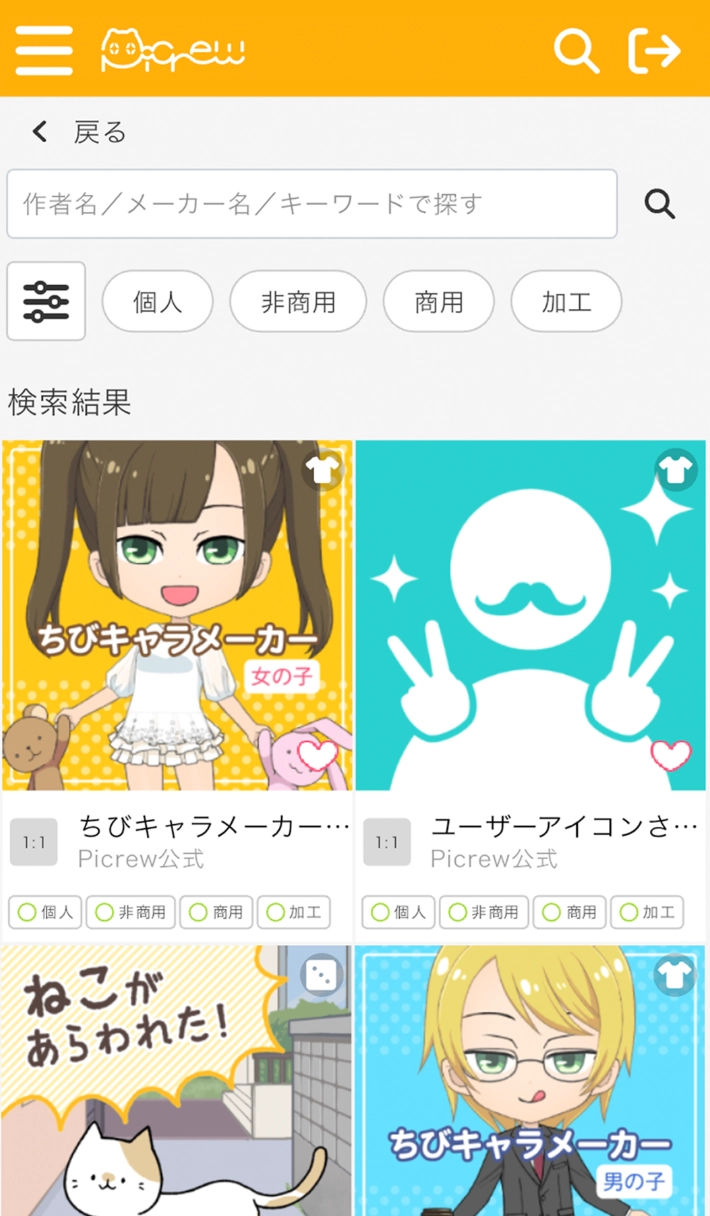
Step 3. Customize your avatar by adjusting facial features, hairstyles, clothing, and colors. When finished, tap Complete to save the image or use it as your profile picture.
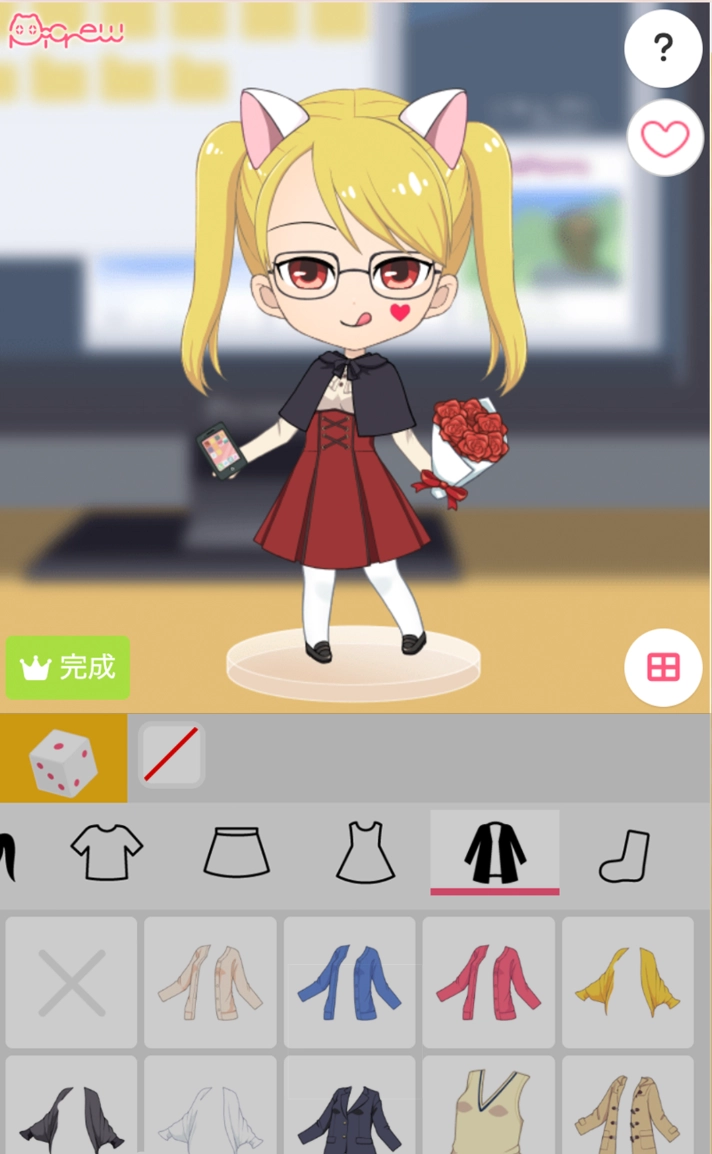
For iOS
Step 1. Install the Picrew OC Maker & PFP app from the App Store.
Step 2. Launch the app and select your favorite image maker.
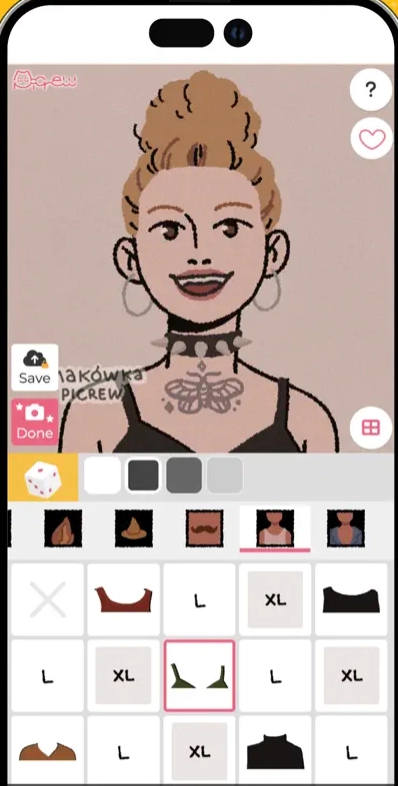
Step 3. Edit your character just like in the web version, tweak features, try new colors, and add accessories. Tap Finish to save or share your avatar.
Full Review of Picrew Avatar Maker: Pros & Cons
Picrew stands out because it translates artists' styles into friendly, modular creators, great for fans who want consistent, on-model results without drawing. If you need automation or video, you can pair Picrew avatars with a free AI video generator or text to speech avatar tools afterward.
How Can You Benefit from It:
- Artist-driven styles feel polished and cohesive
- Huge variety of makers spanning anime, chibi, aesthetic, and fantasy
- Fast workflow for PFPs, OC references, and concept boardsDownloadable, crisp PNGs suitable for social and print
- Works on web and mobile; simple enough for beginners
- Great for thematic sets (e.g., couple portraits, guild teams)
What Makes You Refuse to Use It:
- Usage permissions vary; many makers are non-commercial only
- Limited pose/body options per maker; not fully freeform
- No native animation or voice, requires external tools
- Not AI-generated; if you want generative freedom, you'll need an AI cartoon generator
Things You May Want to Know about Picrew Avatar Maker
1. Is Picrew Free to Use?
Yes. Browsing and using most makers is free. Some creators may add donation links or special rules, review each maker's notes.
2. Can I Use Picrew Avatar Maker Commercially?
Often no, unless the maker explicitly allows it. Each image maker has its own license. For business use, contact the artist or choose makers labeled for commercial use.
3. Is It Safe to Use Picrew Avatar Maker?
Picrew is widely used and generally safe. Always access via the official website/app and respect artist terms. Avoid uploading sensitive info. For baby-like edits, pair copies (not originals) with an AI baby face generator, if desired.
4. Can I Make a Picrew Avatar that Looks Like Myself?
Yes, choose makers with realistic proportions, tweak facial features, skin tone, hairstyle, and glasses. For extra flair, refine with filters or pair with an AI cartoon generator after export.

Vidnoz AI - Create Free Engaging AI Video with Talking Avatar
- Easily create professional AI videos with realistic avatars.
- Text-to-speech lip sync voices of different languages.
- 2800+ video templates for multiple scenarios.
Top 3 Picrew Avatar Maker Alternatives for You
1. Avachara
Browser-based avatar tool with a classic UI. Strong on facial options and apparel, quick to export for social PFPs or profile cards. Good if you want a lightweight, non-AI editor.

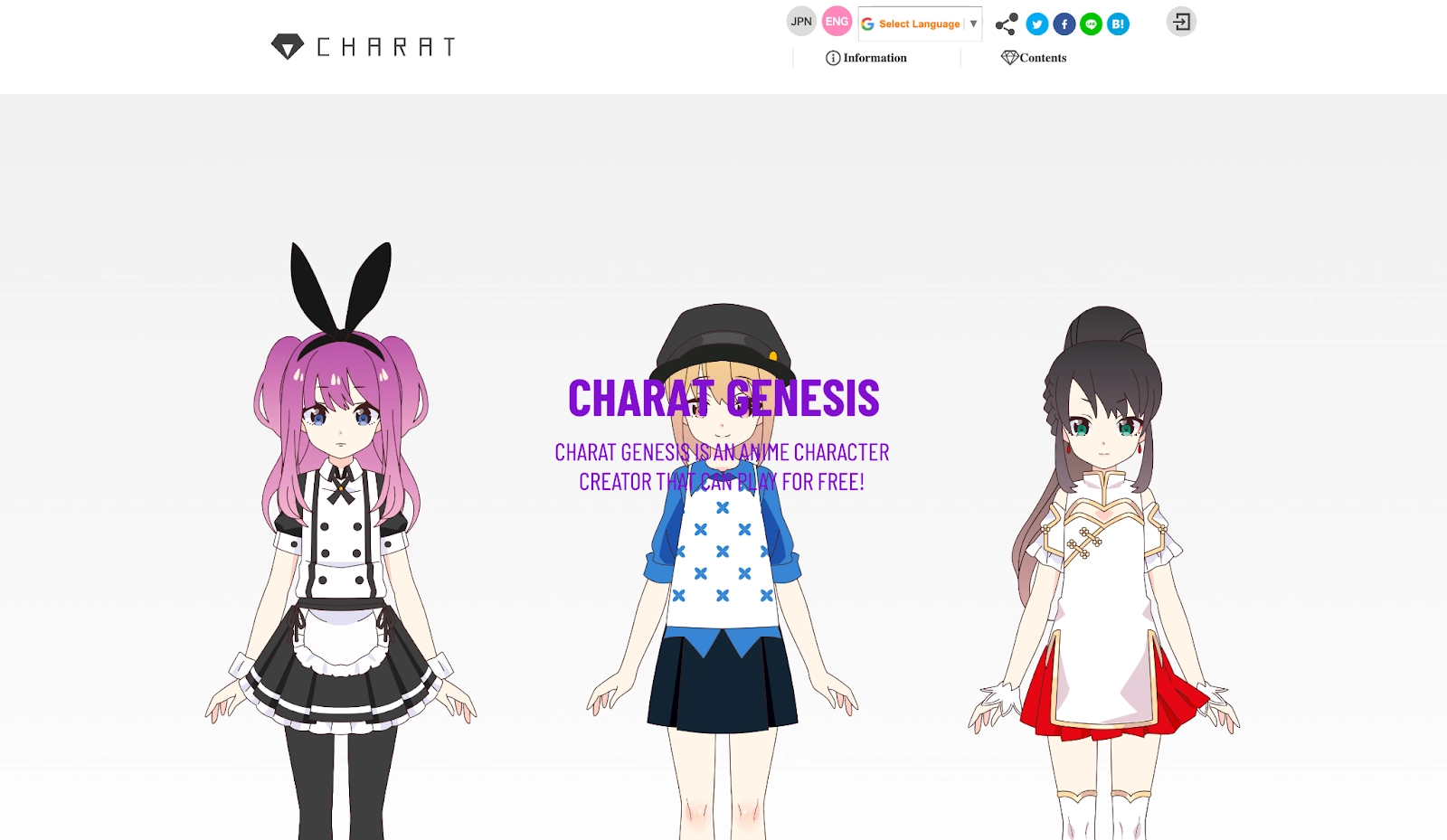
2. CHARAT GENESIS
Anime-style character maker with distinct art direction and robust color controls. Ideal for OC sheets and themed worlds when you want a different look from Picrew's makers.
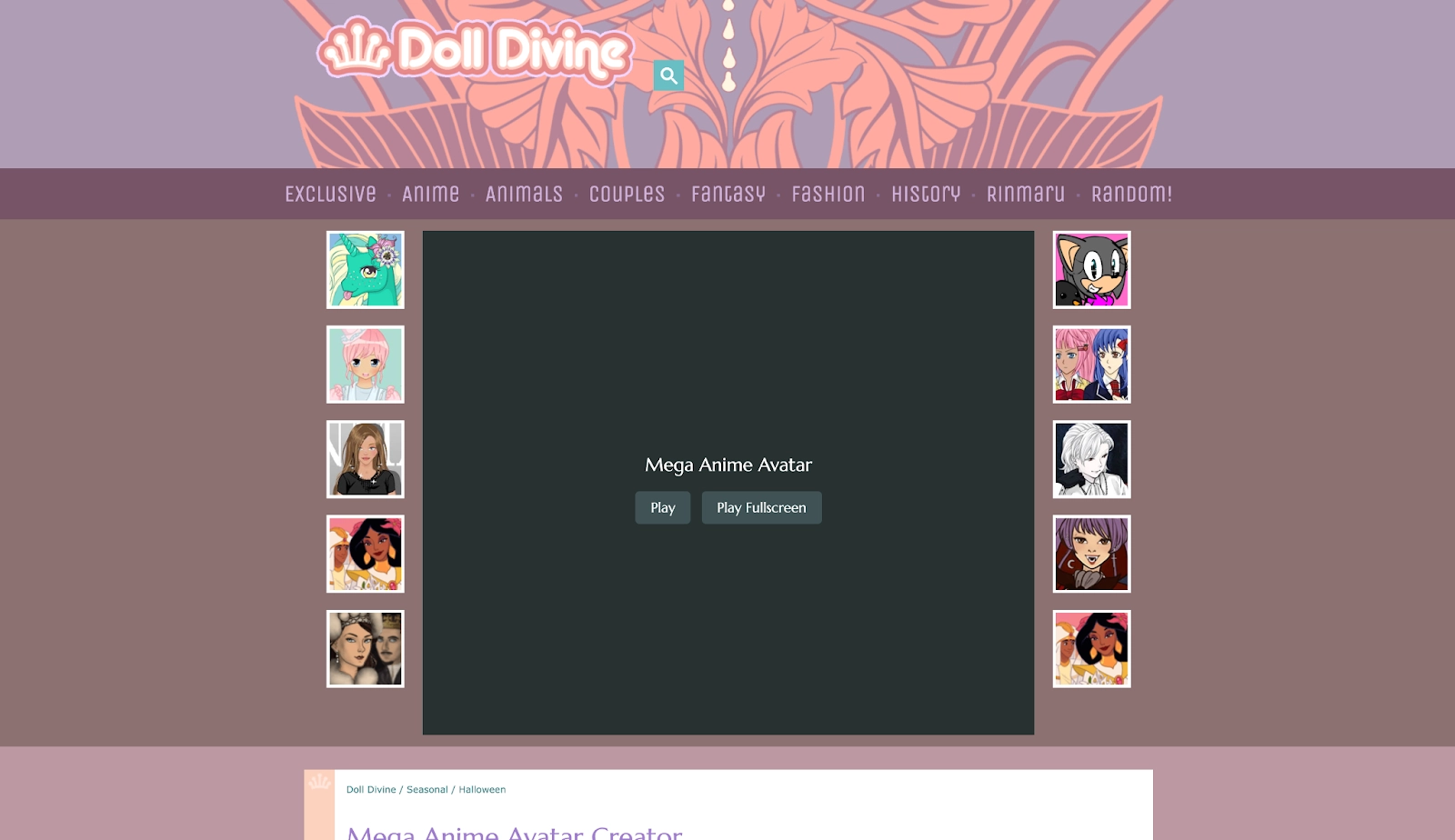
3. Mega Anime Avatar Creator
A classic anime avatar tool with numerous hairstyles, eyes, and outfits. Great for quick concepts and PFPs when Picrew's specific styles don't fit your project.
Animate Your Picrew Avatar/Character with AI Talking Avatar
If you want motion and voice, bring your static Picrew into an AI-driven talking head. We recommend Vidnoz Talking Photo for natural motion, precise AI lip sync, and voices. It pairs perfectly with text-to-speech avatar pipelines; you can even experiment with an AI celebrity voice generator to match a specific vibe. For scene assembly, consider a free AI video generator to stitch multiple moments into a narrative.
Create Your AI Talking Avatar - FREE
- 1900+ realistic AI avatars of different races
- Vivid lip-syncing AI voices & gestures
- Support 140+ languages with multiple accents
Main Features of Vidnoz Talking Photo
- Lifelike Talking Picrew Avatars Free: Upload your Picrew PNG and generate talking animations quickly.
- Anime Avatar Storytelling with AI Voices: Choose TTS voices with AI lip sync, including varied styles and languages; optional AI celebrity voice generator effects where permitted.
- Turn Picrew Avatar to Trendy Styles: Add filters, crops, and compositions to adapt PFPs, banners, or shorts.
- Customized Size, BG, Motion & Mood: Control aspect ratios, backgrounds, gestures, and expression intensity.
- Auto Subtitles & 100+ Languages: One-click captions with timing on Vidnoz, ready for social posts and accessibility.
How to Get a Talking AI Picrew Avatar Online Free
Step 1. Upload your Picrew PNG
Open Vidnoz Talking Photo and upload your avatar. Use transparent PNGs for cleaner cutouts.
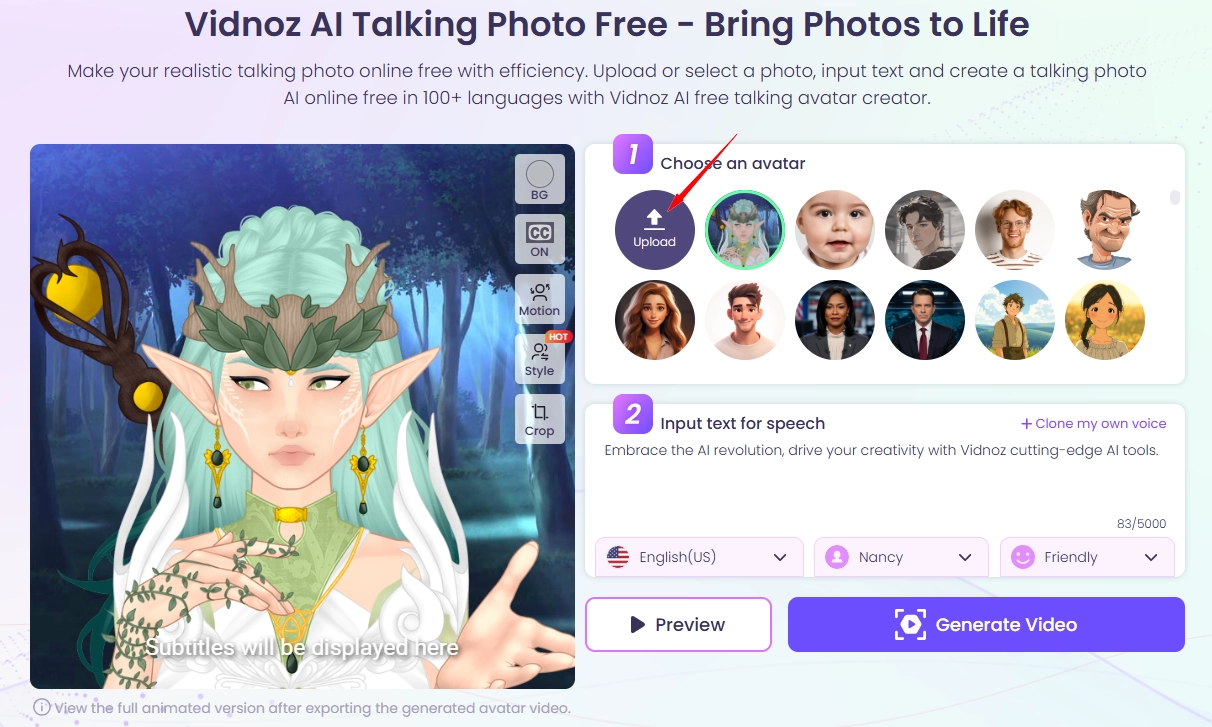
Step 2. Write Script and Pick Voice
Now you will have to write the script, select language, TTS voice or clone-approved voice, and tone for accurate mouth shapes. Customize the BG, motion and style if needed.
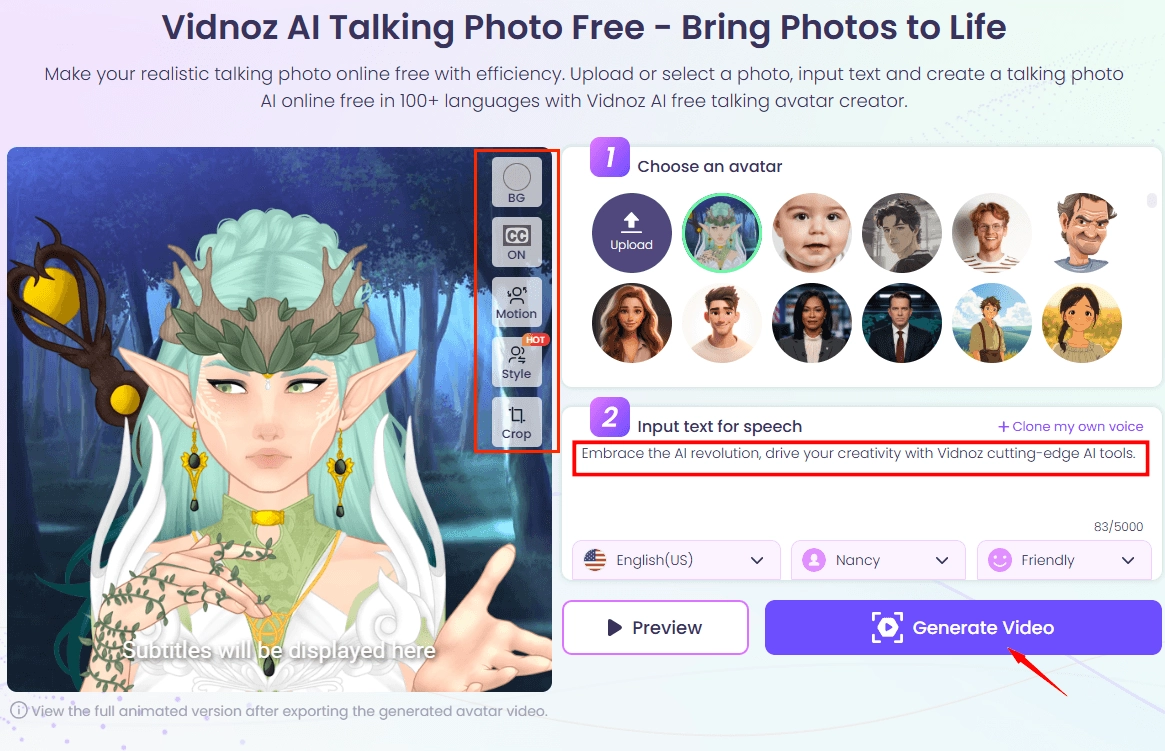
Step 3. Preview, style, and export
Once the video is ready, review it and make changes if needed. Combine scenes later with a free AI video generator if you're building a longer story.

If your story involves different ages or moods, try a separate AI baby face generator on a duplicate copy of your avatar to test variations, then animate the preferred version.
The Bottom Line
The Picrew avatar maker is a friendly, art-first way to craft anime, fantasy, OC, and PFP identities across web and mobile. To give your creations a voice and motion, try Vidnoz Talking Photo with text to speech avatar and AI lip sync, sign up free and start animating today.
Vidnoz AI - Create Free Engaging AI Video with Talking Avatar
- Easily create professional AI videos with realistic avatars.
- Text-to-speech lip sync voices of different languages.
- 2800+ video templates for multiple scenarios.





![Best Korean AI Profile Picture Generator Free & Online [2026]](https://www.vidnoz.com/bimg/korean-ai-profile-picture.webp)