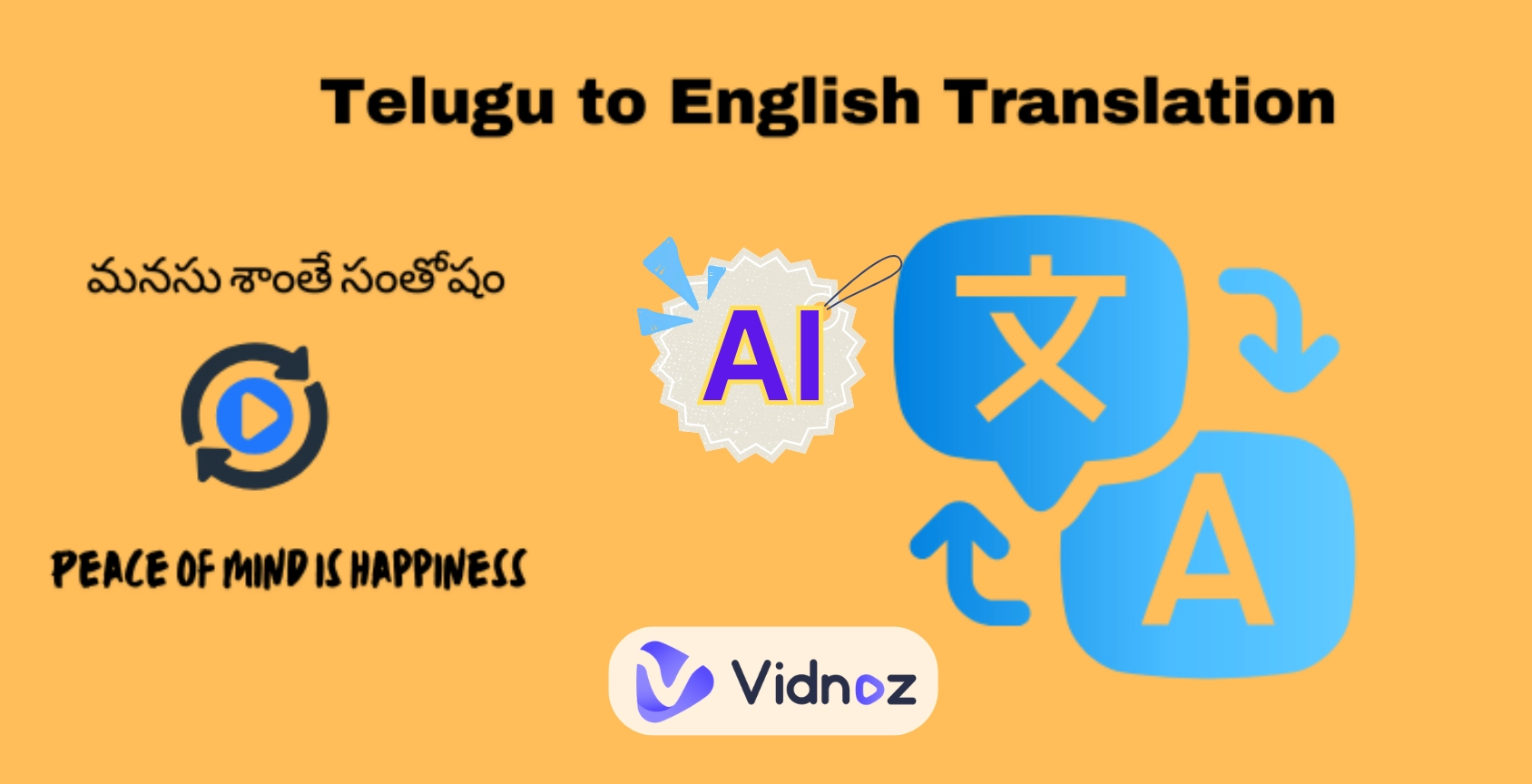
Want to expand a great video to the whole world without language barriers? This is where an MP4 translator comes in. It is able to translate MP4 to English and more global languages with no need of human dubbing and manual subtitling. Whether for educational tutorials, product promotions, or even international films, an online MP4 translator ensures accessibility, global reach, and authentic expression.
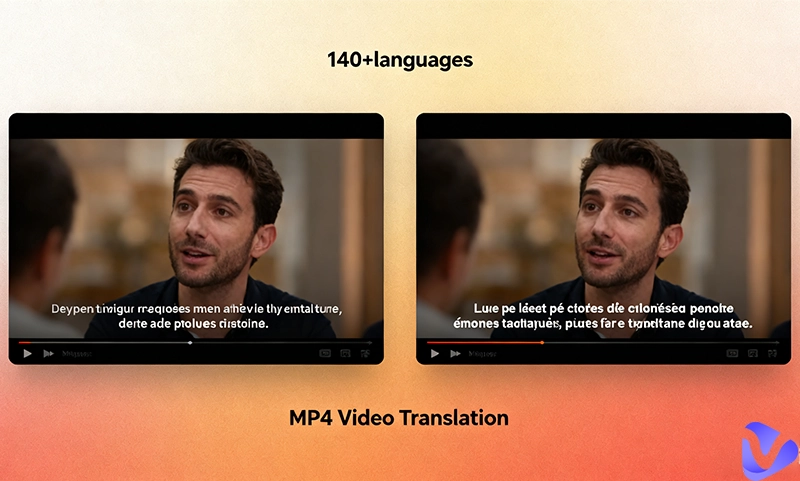
How to connect with the worldwide audience by translating your video easily and fast? Let’s make it simple to add subtitles, captions, or even dubbing via the best MP4-to-English translator now.
- On This Page
-
What Is an MP4 Translator & Why Translate MP4 to English?
-
3 Best MP4 Translators Translate MP4 Videos to English Online
Vidnoz AI Online MP4 Translator Interpret Any Language
Maestra AI MP4 Language Translator for Subtitles
VMEG MP4 to English Translator Dubbing for Videos
-
How to Translate MP4 Video to English
Tips for Accurate MP4 Language Translation
-
Translate MP4 Video Online vs. Offline
What Is an MP4 Translator & Why Translate MP4 to English?
What is an MP4 translator? In simple definition, an MP4 translator is a technical tool that has massive language models and an audio detector, enabling it to extract voice from a video and interpret it into the target language audio and subtitles.
As implied by its name, an MP4-to-English translator is to convert spoken and written content to English dubbing, captions, and subtitles in a selected MP4 video.
Why do people want to translate MP4 to English? English has the largest number of native and non-native speakers (about 1.5 billion) and is regarded as the common language in international communication and commerce. Thus, if you translate MP4 to English, you are able to maximize the video exposure and get increasing engagements on every social platform.
Besides, people there are wide use scenarios of a MP4 video translator, including
Education: It offers a chance for students and learners to understand foreign lectures, tutorials, and research materials and foster cultural communication.
Business: MP4 translators are essential for transnational corporations to train employees and reach out to global customers.
Entertainment: It's easy for social media content creators like YouTubers to grow international followers.
3 Best MP4 Translators Translate MP4 Videos to English Online
Finding the right MP4 translator online can be challenging. Before making a choice, you have to understand their key features, workflow, pricing, and most importantly, which is the best match with your demand. Here are three of the best tools to translate MP4 video to English, both free and paid.
Vidnoz AI Online MP4 Translator Interpret Any Language
When speaking of translation or interpretation, there is a golden rule that faithfulness, expressiveness, and elegance are basic and essential. Though it’s not to translate literature, the Vidnoz AI MP4 translator still makes an effort to practice this rule in translating MP4 to English and any other language. Whether it’s for education, training, promotion, entertainment, etc., the Vidnoz AI online MP4 translator analyzes the context and provides localized and accurate translation.
Translate Videos in One Click with AI - Free
- Instantly translate local files and video URLs in 1 minute.
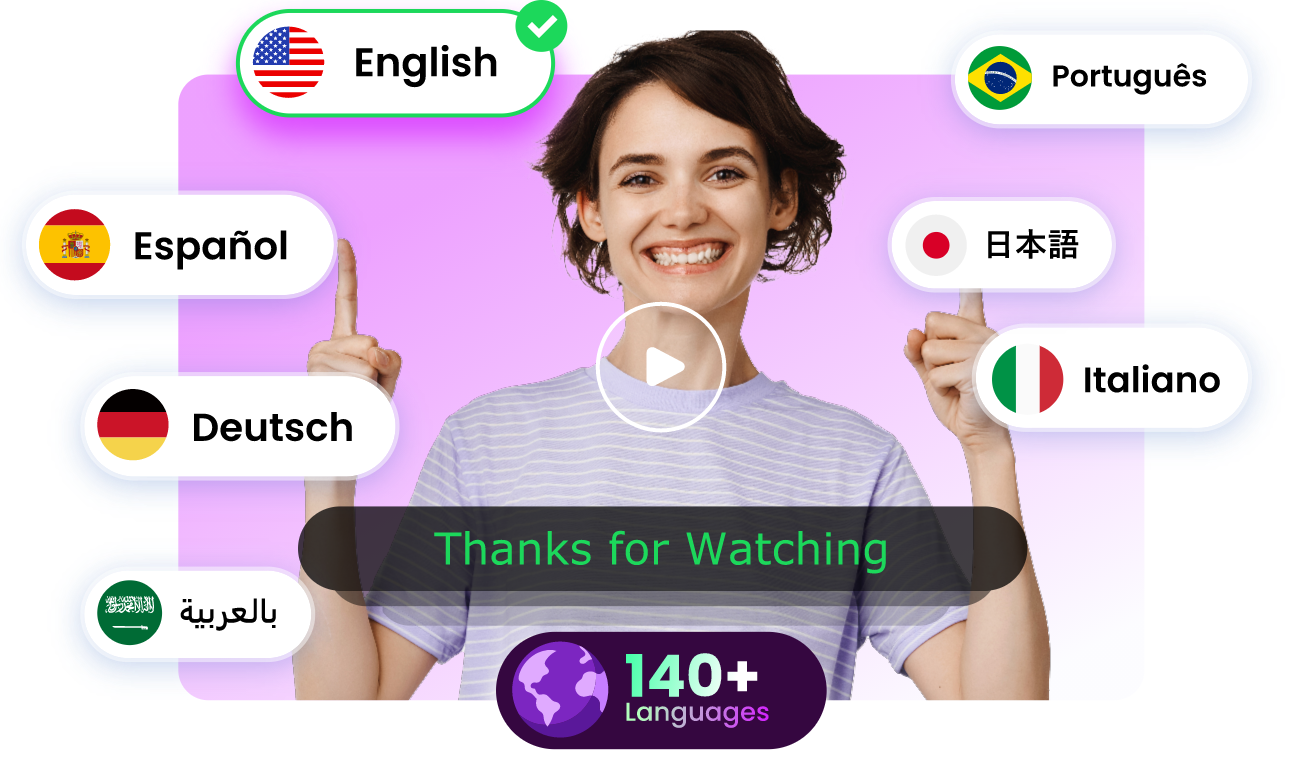
- Accurate translation in 140+ languages for global reach.
- Perfect lip sync and speech rate for authentic results.
Translate Video Now
Just by uploading a video in M4V, MP4, MOV, or WEBM format or through a YouTube video URL, no more than 500MB. Then, confirm the preference settings, and you can do some manual fine-tuning of the translation and timeline duration, if needed. with these steps, everyone is able to translate audio and subtitles into a wanted language.
The best of this MP4 language translator:
- Offers daily free trials for you to localize your videos into a big stage, reaching larger exposure and substantial profits.
- Has 140+ languages and buzzword translation updates and supports MP4 video translation in various realms, including education, social media, business, entertainment, and more.
- Equipped with an AI subtitle translator and the feature of manually proofreading subtitles to achieve a stable output quality.
- Support precise lip-sync and multiple voices for smooth voice-over interpretation, automated dubbing, transcribe subtitles, etc.
- Built-in AI voice cloning provides a synthetic replication of the original voice that is 95% highly accurate.
- Saves the cost of hiring a human translator and interpreter, and there's no need for redubbing.

As Vidnoz has a simplified way to translate content in videos, you can experiment with it to translate a song to English, interpret a movie, redub an interesting voice meme, or whatever you like.
Maestra AI MP4 Language Translator for Subtitles
Maestra AI offers an excellent and reliable way to translate MP4 to English or other languages. This MP4 translator works as an intelligent subtitle generator and translator that helps you break language barriers when dealing with videos, whether they are movies, tutorials, or AI music clips. Instead of manually typing subtitles, you can translate MP4 video online with just a few clicks.
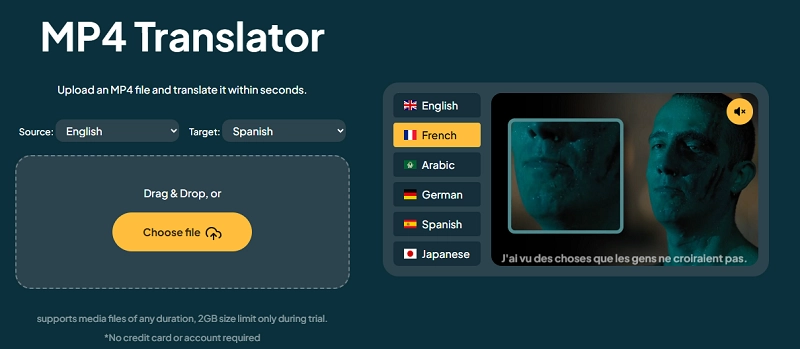
You just need to upload a video file of at most 2G size, and Maestra AI uses advanced speech recognition to detect the spoken language in your MP4 file. Next, after you choose the source and target language, it will automatically generate accurate subtitles and translate them into the language of your choice.
The best of this MP4 video translator:
- Accurate subtitle generation and translation for global audiences.
- Acts as a movie translator for films, documentaries, and shows.
- Supports creators in reaching international markets.
- Easy-to-use interface also with manual adjustments in auto-translated subtitles.
- Ideal for educators, marketers, content creators, and musicians sharing AI music videos.
This makes Maestra AI a powerful tool for anyone who needs seamless, multilingual subtitle support. However, there are drawbacks in that it only supports 29 languages and selectable AI voices for voiceovers, and it has no way to translate MP4 videos through URLs.
Also Read: Effortlessly Generate Text to Video with AI for FREE >>
VMEG MP4 to English Translator Dubbing for Videos
The third highly recommended MP4 translator is VMEG, which is a paid choice that needs a sign-up. It offers advanced dubbing features for creators who want more than just subtitles, making videos accessible worldwide. With this tool, you can easily translate MP4 to English or other languages while maintaining natural voiceovers. Unlike basic subtitle converters, this MP4 language translator provides good-quality dubbed audio, giving viewers a seamless experience as if the video was originally recorded in their language.
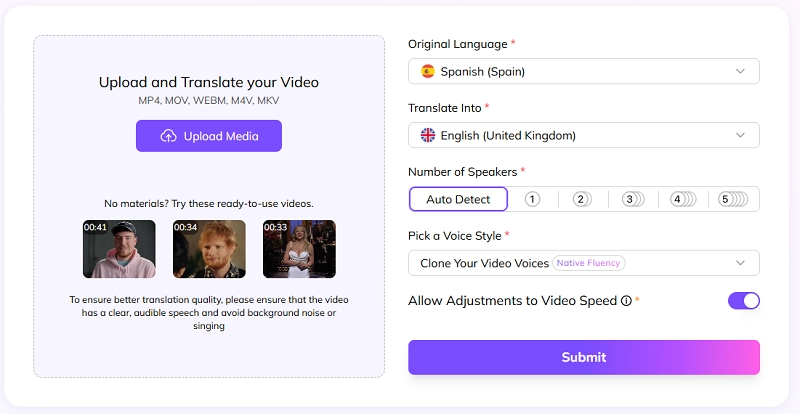
It has a straightforward process like the above two. Upload your video file, then select your original and target language, and let the AI recognize the number of speakers. Similarly, get a dubbed version and proofread and change subtitles as you wish. Apply the enhancements, and within minutes, you can translate MP4 video online for sharing with the whole internet.
The best of this MP4-to-English translator:
- AI-powered dubbing for natural voiceovers for at most 2 GB and 2 hours.
- Accessible in 170 languages and works with multiple formats: MP4, MOV, WEBM, M4V, and MKV.
- Great for educators, marketers, vloggers, and businesses to translate a YouTube video for expanding to international audiences.
- Provides personalized voice cloning to retain the original voice tone and style and emotion in MP4 video translation.
How to Translate MP4 Video to English
After browsing the overview of the 3 best MP4 translators, let’s take the MP4 video translator of the Vidnoz free AI video generator, for example. Here is the step-by-step process for how to translate an MP4 video to English online with AI automatically.
Step 1. Access Vidnoz AI Video Translator. Click on the button below to direct start MP4 video translation.
Translate Videos in One Click with AI - Free
- Instantly translate local files and video URLs in 1 minute.
- Accurate translation in 140+ languages for global reach.
- Perfect lip sync and speech rate for authentic results.
Translate Video Now
Step 2. Import the video file in the format of MP4 at a maximum size of 50 MB from your device.
Also, you can directly translate your published YouTube video by copying and pasting its URL to the blank. And remember to click the arrow to allow Vidnoz AI to scan the content.
Vidnoz AI supports M4V, MOV, and WEBM video formats as well.
Step 3. Choose the original language in this video and the language you want as the output language.
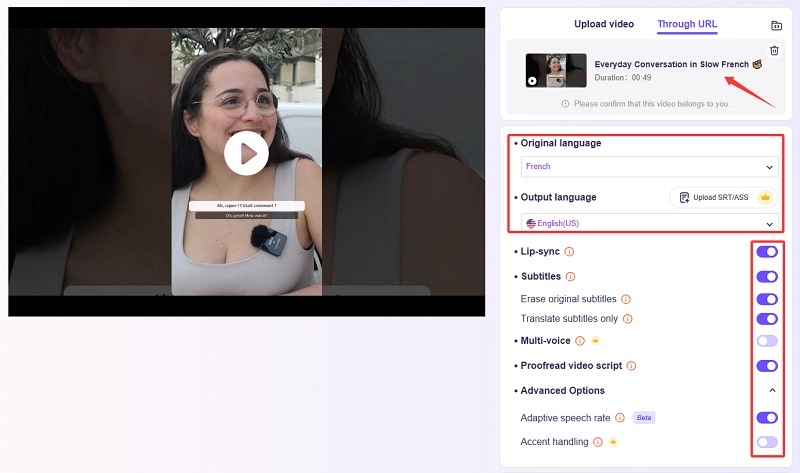
Tip: You can upload the target subtitles SRT/ASS file you’ve proofread for more accurate translation. Then Vidnoz AI will automatically do text-to-speech and voice cloning for the speakers in the video.
Step 4. Go to the detail setting to perfect the video performance.
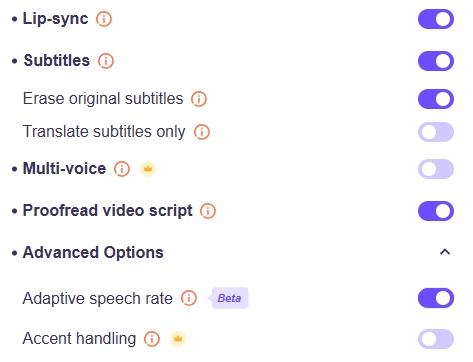
Here, you can
- Enable lip-sync to make the interpreted voice synchronize with the speaker’s lip motion.
- Agree to add translated subtitles, translate subtitles without voiceover, and retain the original English subtitles or not.
- Activate the multi-voice cloning translation if there is multi-user dialogue in the video.
- Enable the manual proofreading of the original and translated scripts to ensure the translation accuracy.
- Allow AI to adjust the speech rate to match the target language and ensure lip-syncing.
Step 5. Start the MP4 video translation. After AI transcribes the video in seconds, you’ll see an online subtitle editor where you can manually proofread the original and translated lines one by one.
Besides, you can add, merge, delete, and even change the time duration.
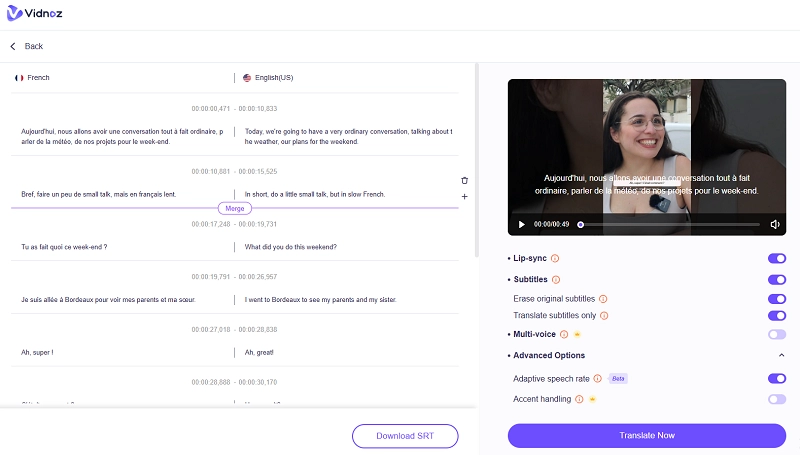
Step 6. Once you proofread all the subtitles, tap on Translate Now, and the Vidnoz AI MP4 translator will apply the subtitles for voiceovers or dubbing. You can download the subtitle file in SRT format if needed.
Step 7. Wait for several minutes, preview, and download the MP4 of the English-translated video for wide use.
Tips for Accurate MP4 Language Translation
Understanding how to translate a YouTube video via pasting a copied link on the Vidnoz AI MP4 translator, there are practical tips concluded to keep in mind.
- Use high-quality audio for clearer transcription.
- Choose tools with strong AI/ML accuracy.
- Manually double-check translations for context.
- For professional use, refine translations before publishing.
Translate MP4 Video Online vs. Offline
Which is better, an offline MP4 video translator or an online MP4 translator? Let’s learn details about them from their advantages and target user groups.
Online MP4 translators are faster for cross-platform users to process video translation anywhere, even without installation. It is great for students and creators who want quick results. More than that, there are options like the Evoto AI video translator, which can clone the original speaker’s voice with high accuracy. This ensures a natural interpretation with no requirement of extra time and money consumption.
Compared to online MP4 to English tools, offline MP4 video translation is much more secure, customizable, and supportive of large files. It is a good choice for businesses handling private content.
Both options are effective, but your choice depends on convenience versus privacy.
Conclusion
MP4 video translator turns the complicated, time-wasting, and money-consuming process into an extremely simple thing. Even if you don’t have much budget or enough translation experience, with these free online AI MP4 language translators, each of you can translate MP4 to English and other languages for education, business, and entertainment, etc. Especially the Vidnoz AI MP4 translator, with its 140+ language support, free online accessibility, and all-in-one streamlined workflow, your videos can reach out to global audiences easily and fast!