Your logo is the face of your brand, but a static image can only go so far. Using a logo animation creator elevates your branding by adding movement, vibrancy, and a polished feel.
With animated logos, you can boost recognition, engage audiences, and showcase your creativity; all without complicated design tools. With just a bit of animation, your logo feels alive and helps your business stand out in the crowd. In this article, we’ll share the best free online logo animation creator to help you animate your logo quickly and effortlessly.
- On This Page
-
Why You Must Use an Animated Logo?
-
Best Free Online Logo Animation Creators to Animate Your Logo
1. Vidnoz Image to Video AI – Turn Static Logo into Animated Online Free
2. Canva – Free Logo Animation Maker Online
3. LogoAI – Create Logo Animation AI for Free
4. 3DLogoLab – Online 3D Logo Animation Maker Free
-
Where Can You Apply Logo Animation?
Why You Must Use an Animated Logo?
Brands of every size are now treating animated logos as an essential part of their identity. By using a logo animation creator, you unlock several advantages:
- Boosts Brand Recognition: Animated logos stick in people’s minds more than static ones, making your brand easier to remember. Movement and creativity make your logo memorable, far more than a static design could.
- Captures Attention Quickly: Eye-catching movement stands out in busy feeds, whether on TikTok, Instagram, or YouTube. Using a logo animation creator makes it simple to design eye-catching logos that stand out.
- Conveys Professionalism: Just like using an AI animation photo or an AI 3D logo maker, an animated logo elevates your image. Whether you use an AI logo generator or a free online tool, it adds credibility.
- Versatile Across Platforms: Use it in presentations, websites, ads, or emails; certainly, animated logos fit everywhere. Tools like an AI 3D logo maker even allow you to create designs suited for multiple formats.
- Sets You Apart from Competitors: With animation, a logo instantly looks more stylish, original, and imaginative.
Best Free Online Logo Animation Creators to Animate Your Logo
Choosing the right tool to make logo animation can save time and money. Here, we’ve gathered the best online logo animation creator free options that balance creativity with usability.
1. Vidnoz Image to Video AI – Turn Static Logo into Animated Online Free
If you want your logo to reflect creativity and professionalism, Vidnoz is the platform to try. Among the many AI tools on Vidnoz, the Image to Video AI feature makes logo animation quick and effortless. It lets you upload a still logo and turn it into motion graphics in just seconds, and all for free. You can guide the animation style with text, which gives you a lot of room to be creative.
Convert Image to Video AI Online - Free
- Create a video from an image quickly for free.
- Use various AI models to turn photos into videos.
- Download and share the AI-generated video at no cost.
Convert Image to Video
Key Features of Vidnoz Image to Video AI
- Logo Animation Free Online: No downloads, no software. Upload directly to the browser and animate instantly.
- Create A Logo Animation by Prompt: AI understands your words—whether you want “glow effects” or “3D spin,” it makes it happen.
- High-Quality Logo Animation Export: Outputs MP4 videos in HD, ready for YouTube intros, social media ads, or pitch decks.
- Super Easy Logo Animation Creation in Seconds: Even without design experience, you can produce professional animations quickly.
- AI Integration: Combine results with the AI image combiner for more innovative creation.
How to Generate an AI Logo Animation Using Vidnoz
Step 1. Sign up on Vidnoz by clicking the button, go to AI Tools, then Image to Video.
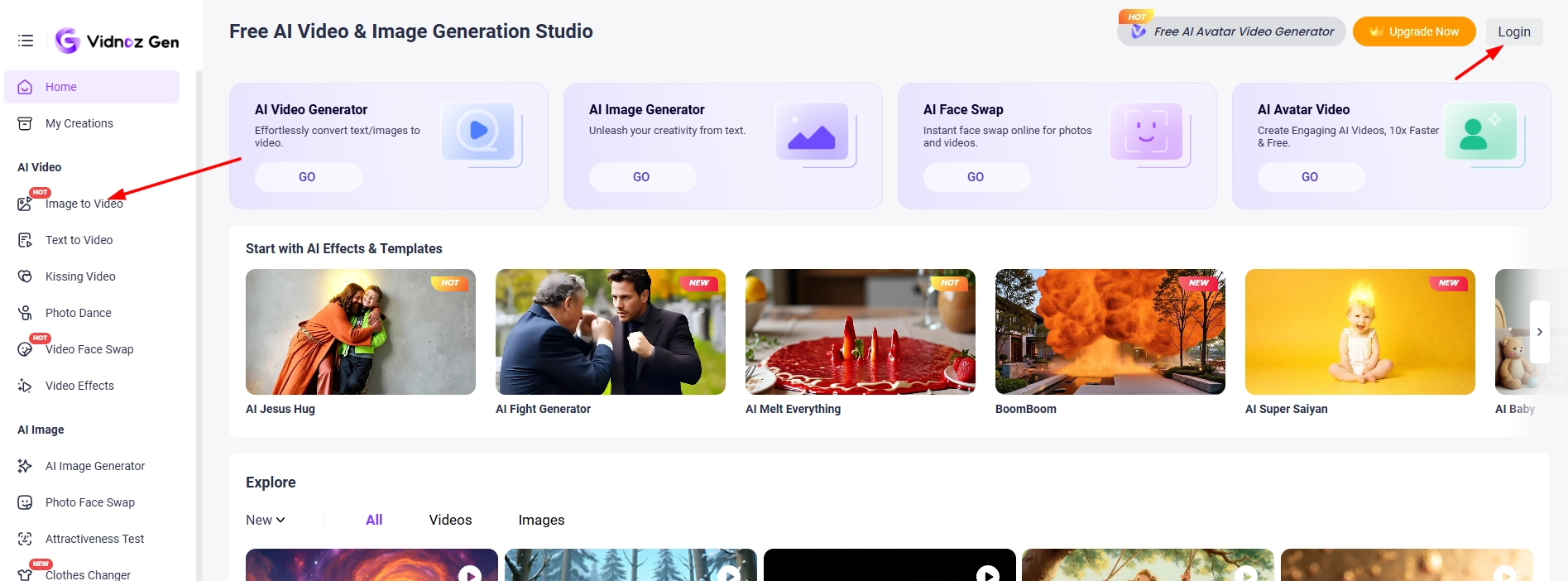
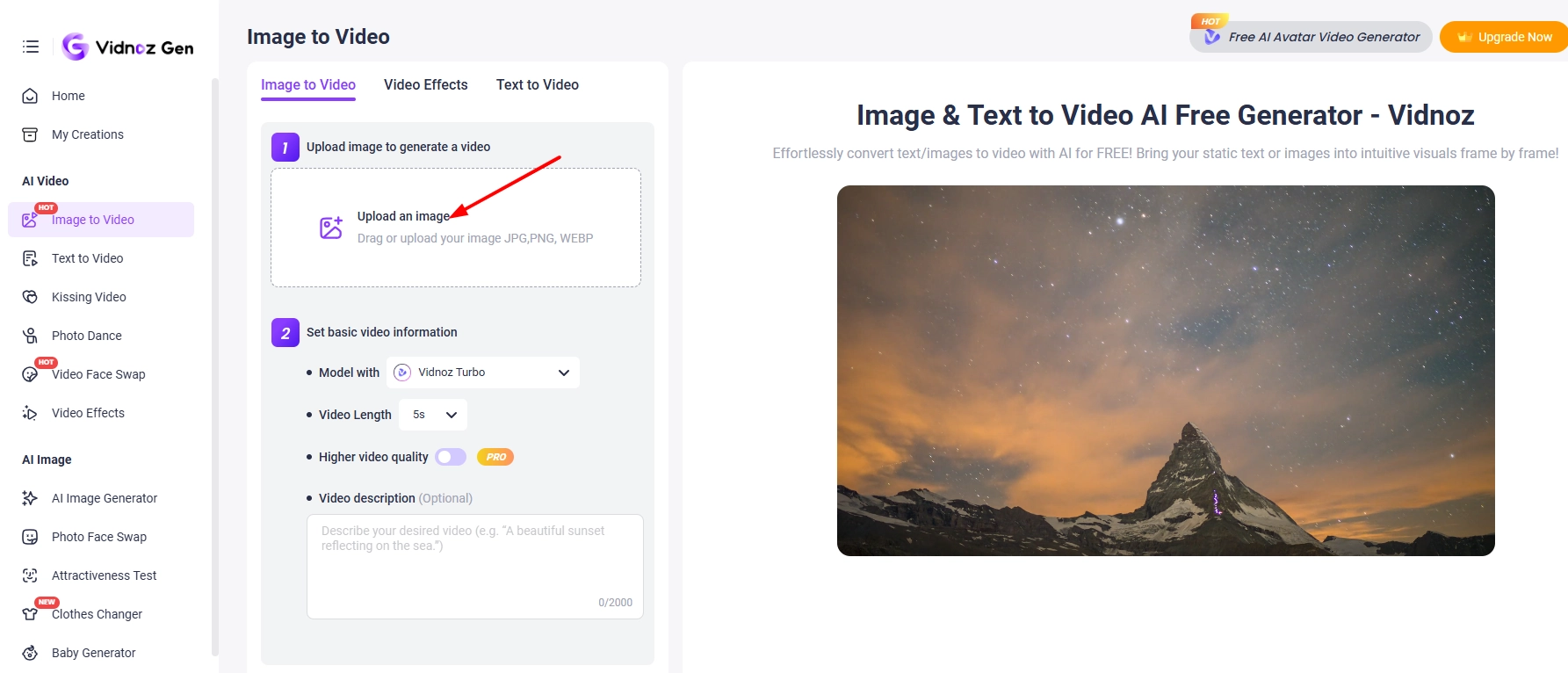
Step 2. Upload your static logo.
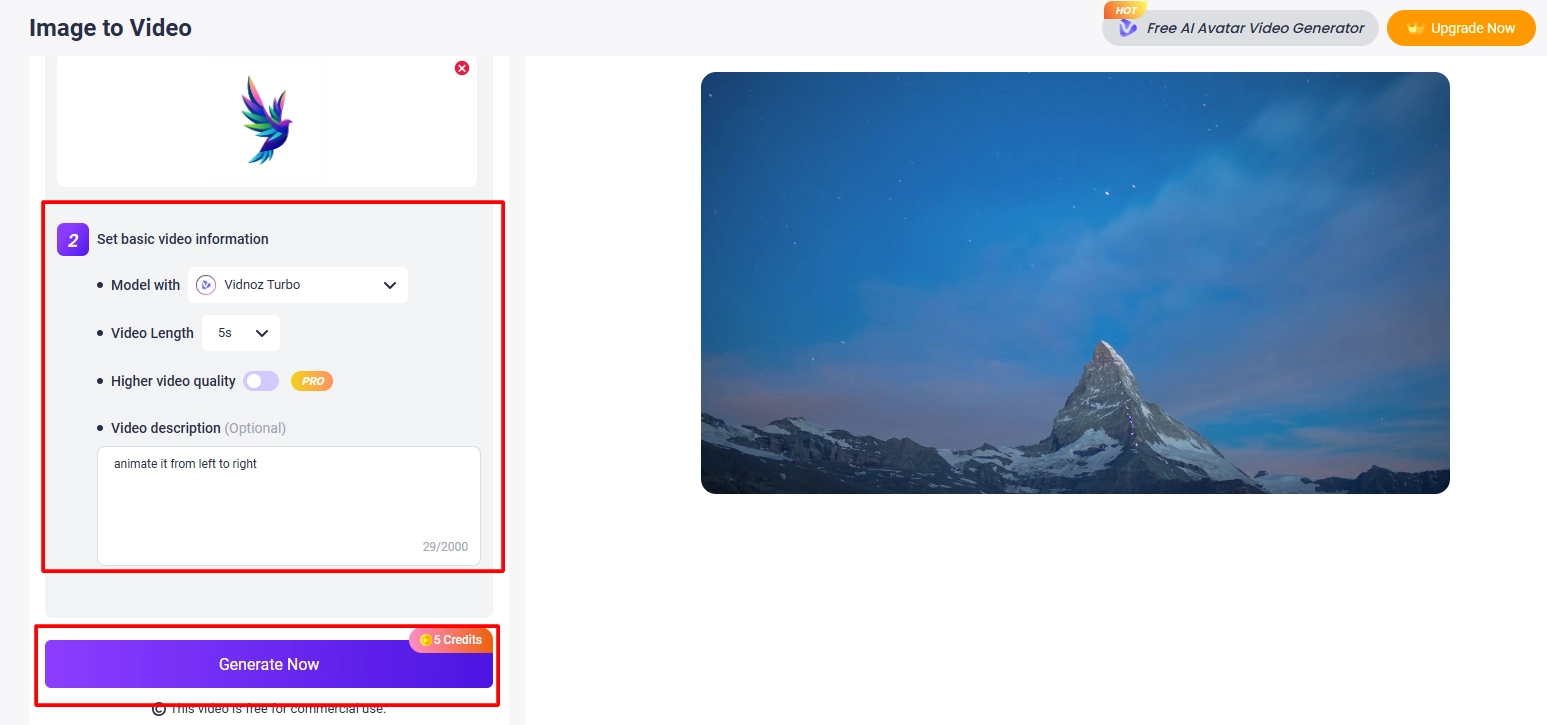
Step 3. Enter a prompt, tweak options, and click ‘Generate Now.’
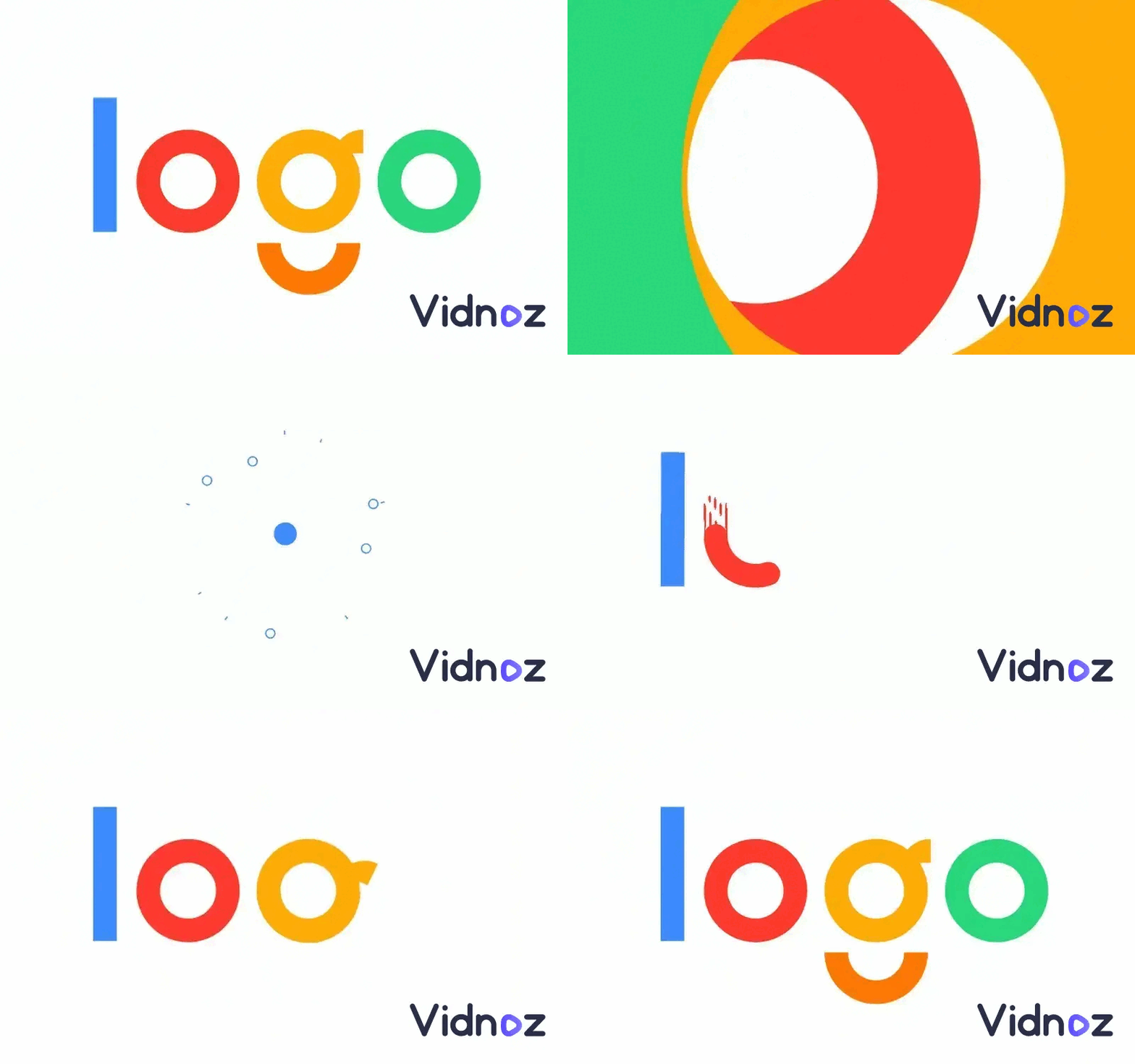
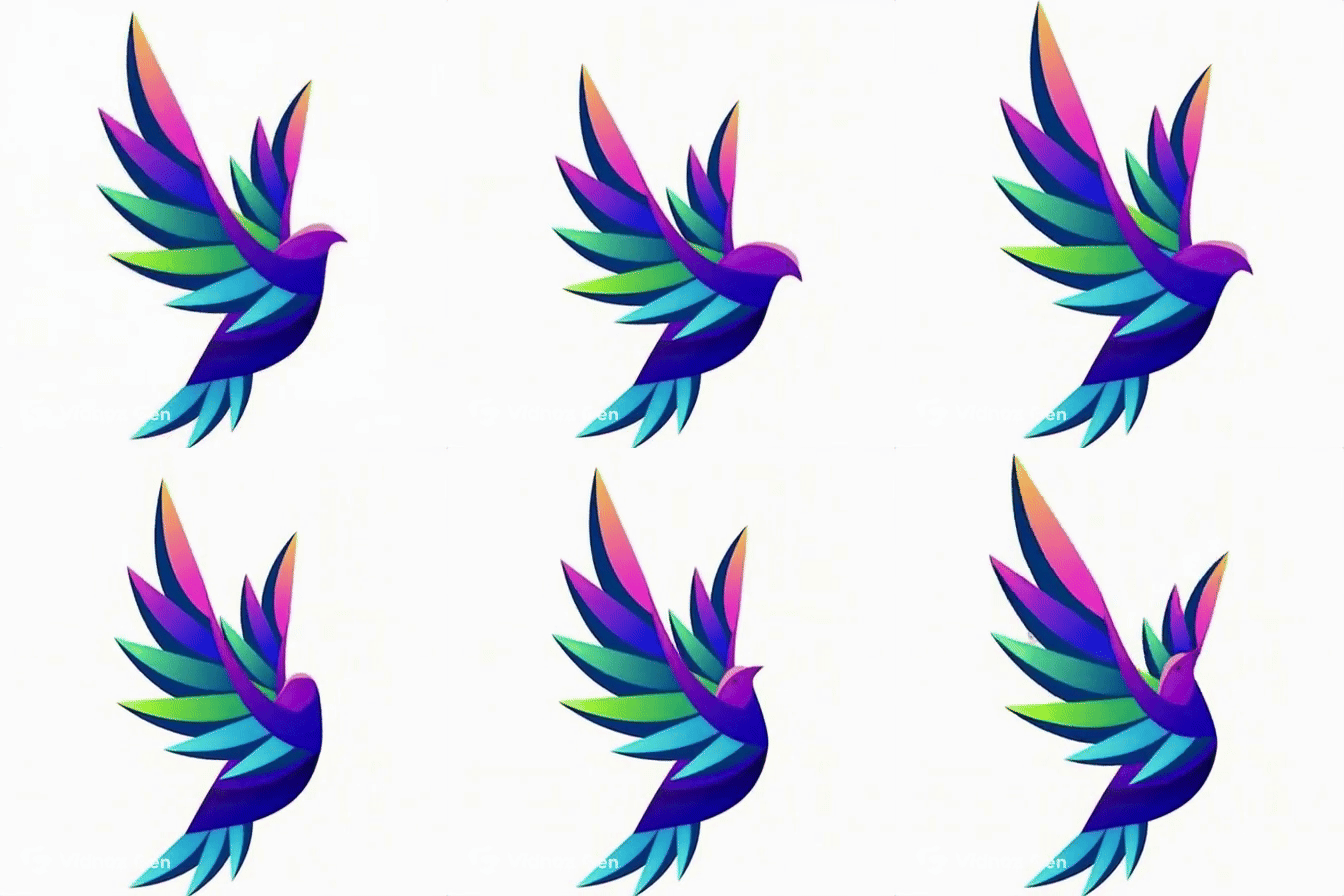
Here is the animated logo created by Vidnoz. You can use an MP4 to GIF converter to save it as a GIF.
2. Canva – Free Logo Animation Maker Online
Canva logo animation is one of the most popular online design tools, and its logo animation creator is perfect for beginners. Canva’s drag-and-drop setup lets anyone make logo animation quickly, no design background required. From stylish transitions to modern text effects, everything can be customized in just a few clicks.
Using Canva feels smooth and intuitive. I was able to upload a logo, choose from animated effects, and export the final design within minutes. For anyone on a deadline, Canva’s wide variety of templates and animations makes it a reliable option.
How to create an animated logo with it:
Step 1. Log in to Canva’s editor.
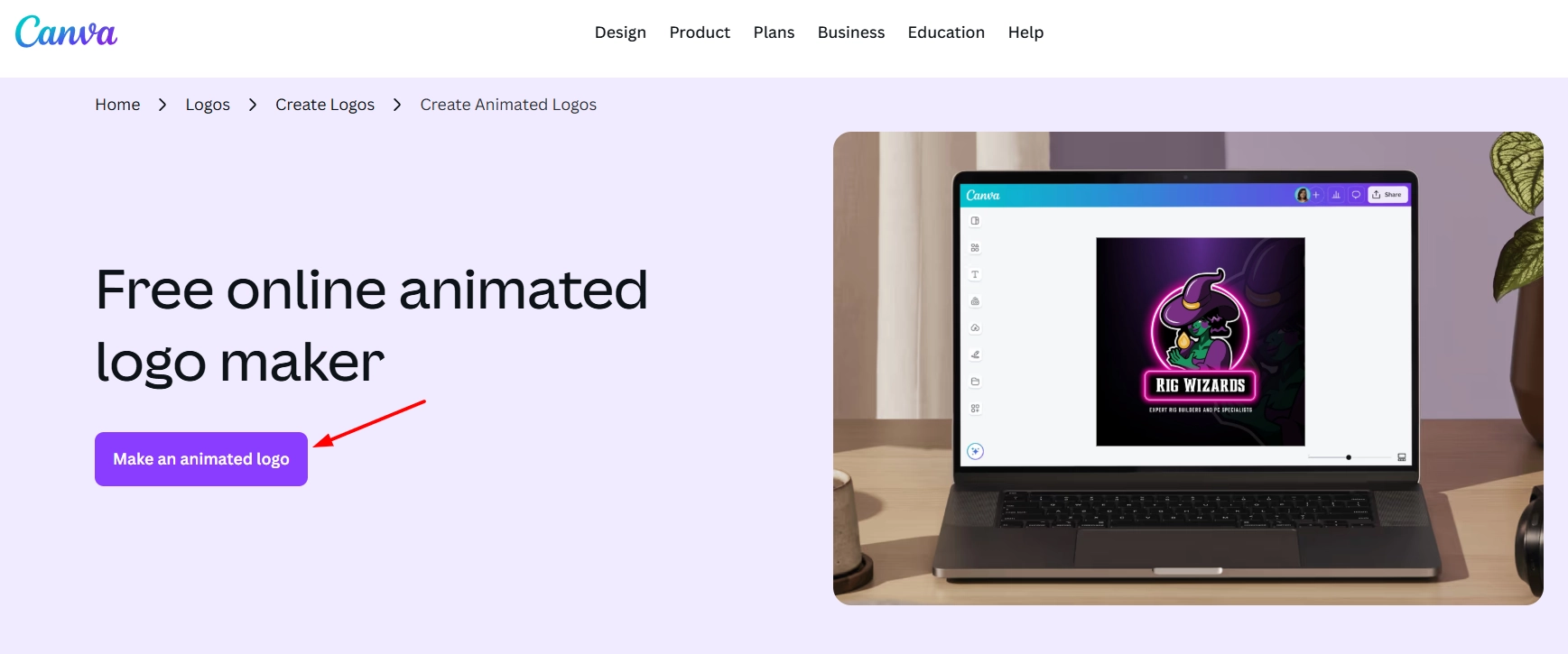
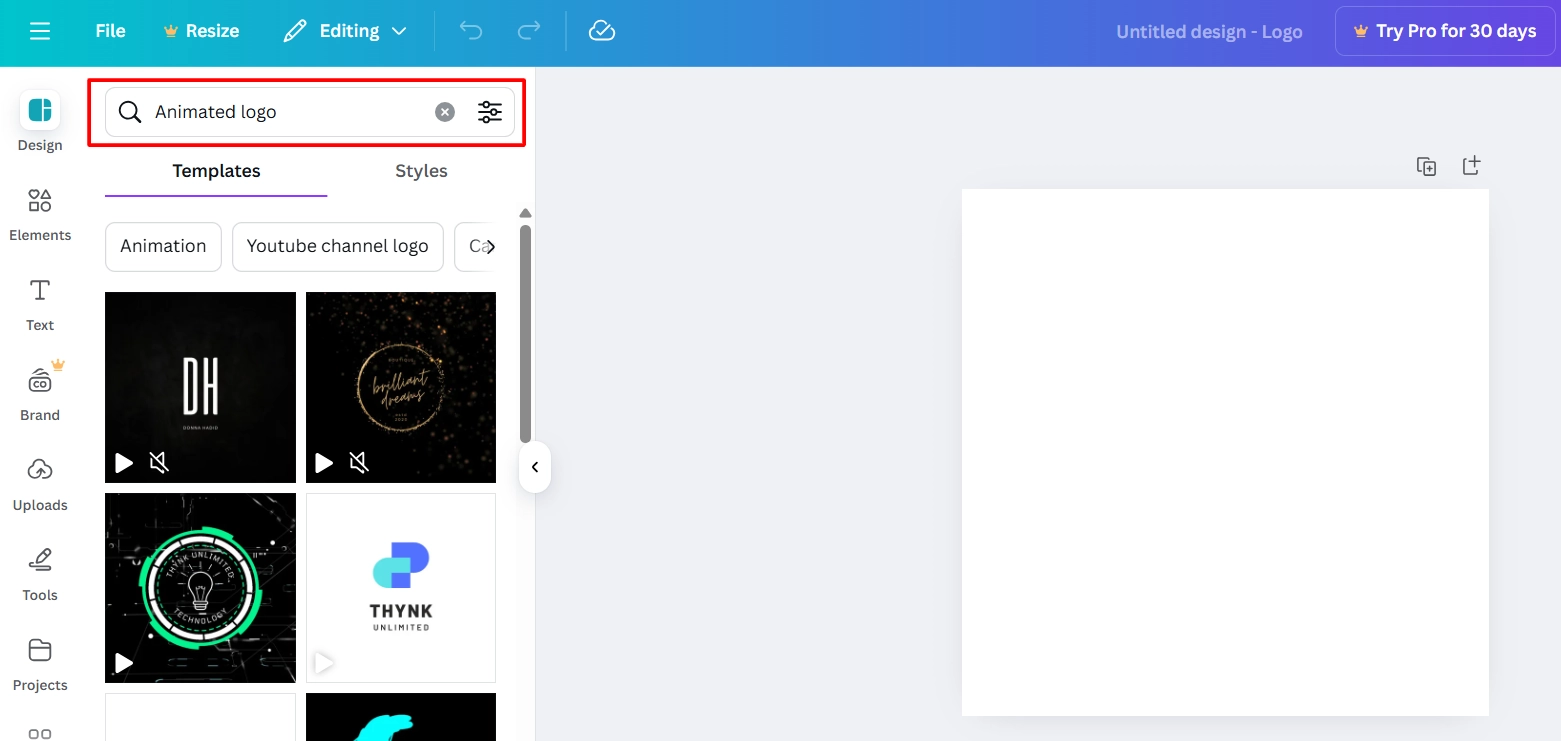
Step 2. From templates, search for “Animated Logo”
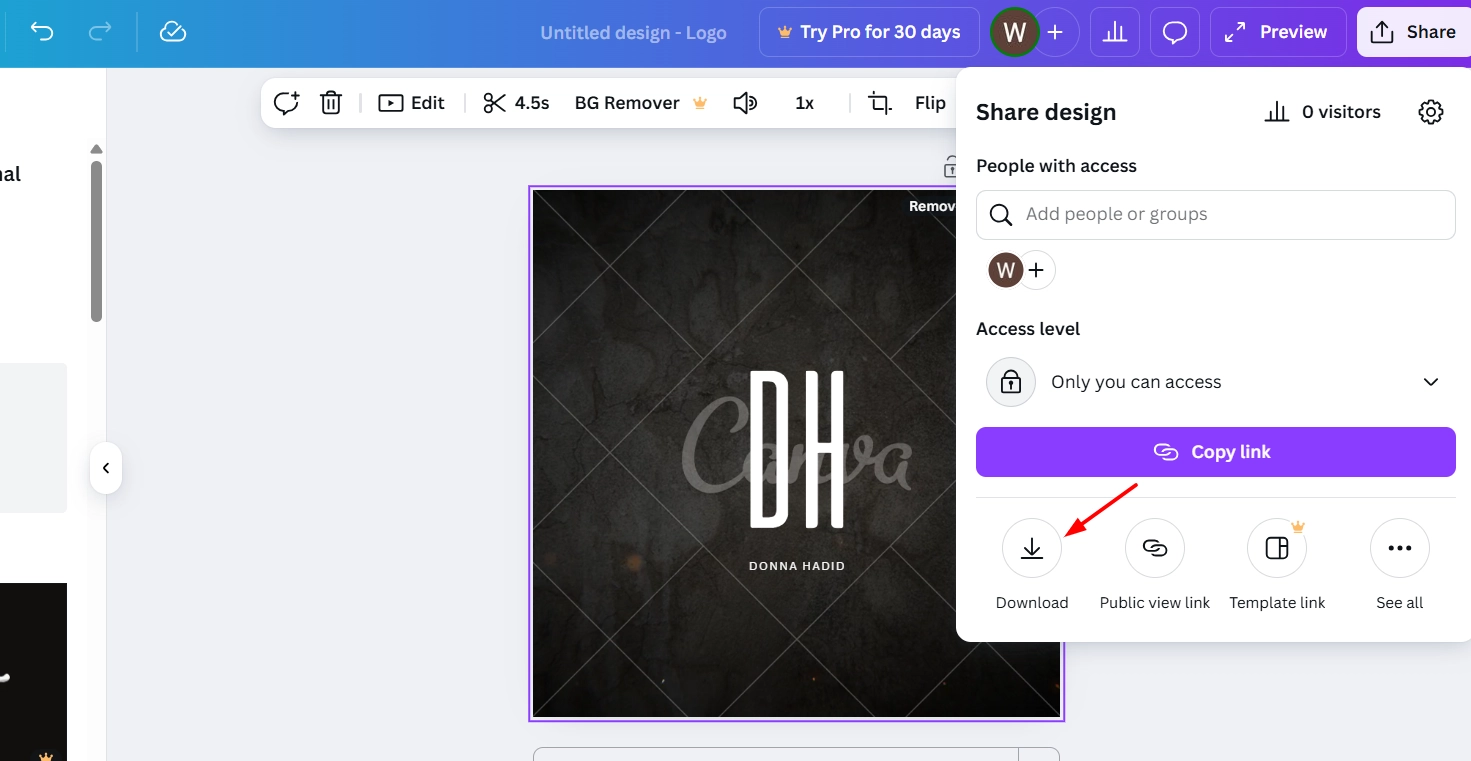
Step 3. Choose the desired animated logo and customize its timing, style, and download your animated logo.
Pros
- Wide range of animation effects
- Easy drag-and-drop editor
- Exports in multiple formats
Cons
- Limited customization compared to AI logo generator tools
- Premium animations require a paid plan
- Not as advanced as dedicated AI 3D logo maker solutions
3. LogoAI – Create Logo Animation AI for Free
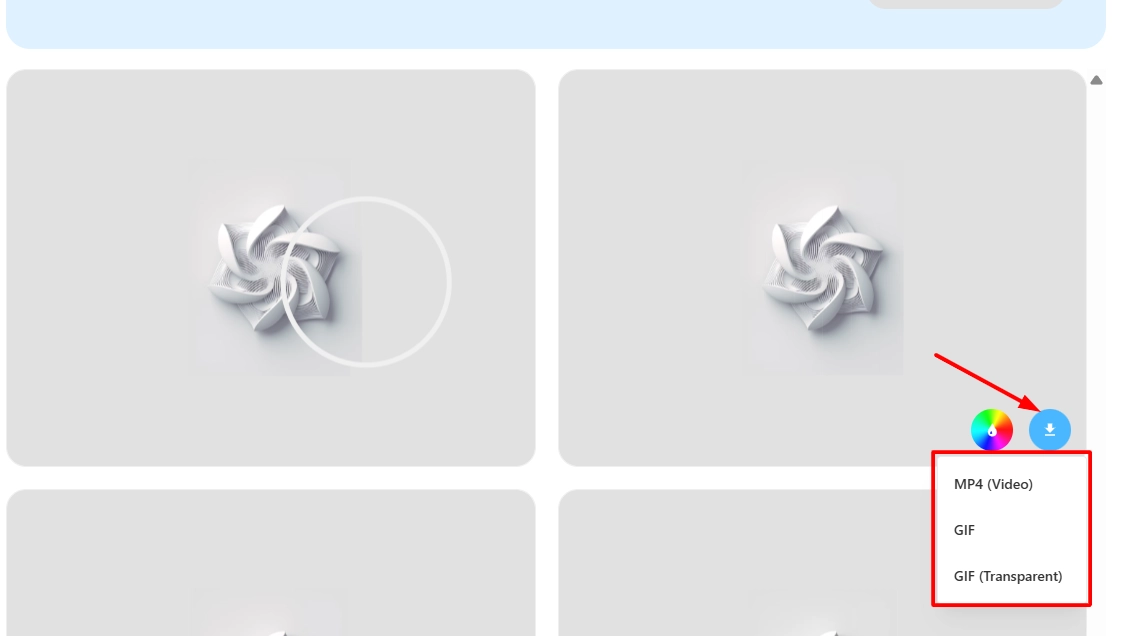
LogoAI is an AI-powered logo animation creator that makes turning static designs into motion graphics effortless. Unlike basic tools, LogoAI uses artificial intelligence to generate smooth animation effects tailored to your logo. You can export in MP4 or GIF format, with the option of transparent GIFs for presentations, websites, or social platforms.
The process of using LogoAI is fast and efficient. You only have to upload a PNG logo, apply animations, and instantly preview the results. Transparent export is a highlight, since it makes the logo animation fit seamlessly into different branding materials.
How to create an animated logo with it:
Step 1. Upload your image.
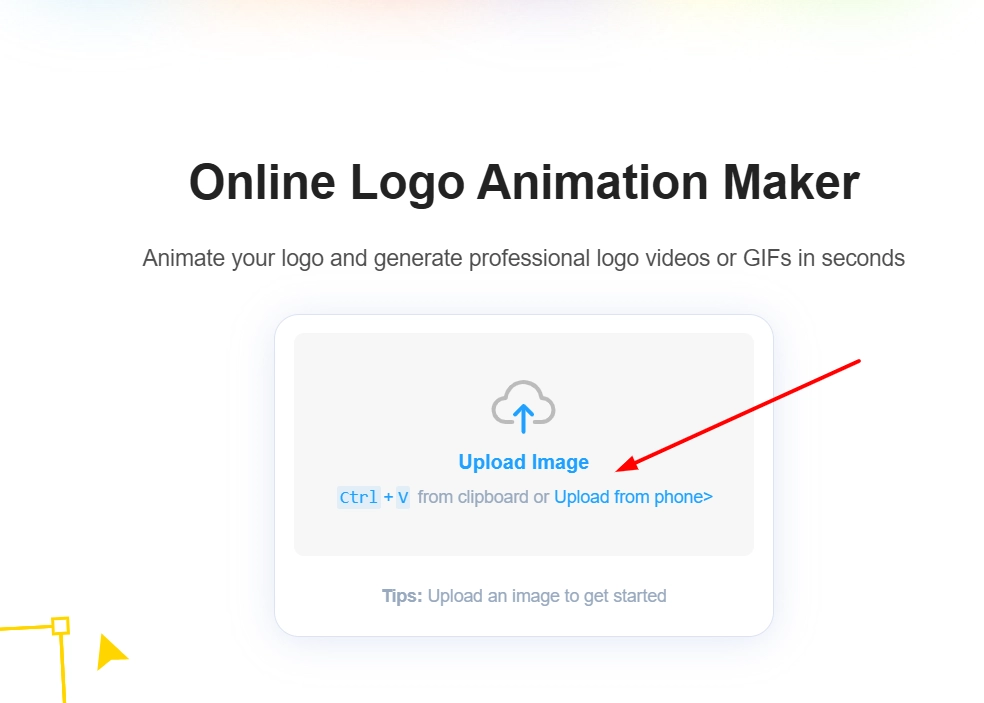
Step 2. Choose from AI-powered animation effects.
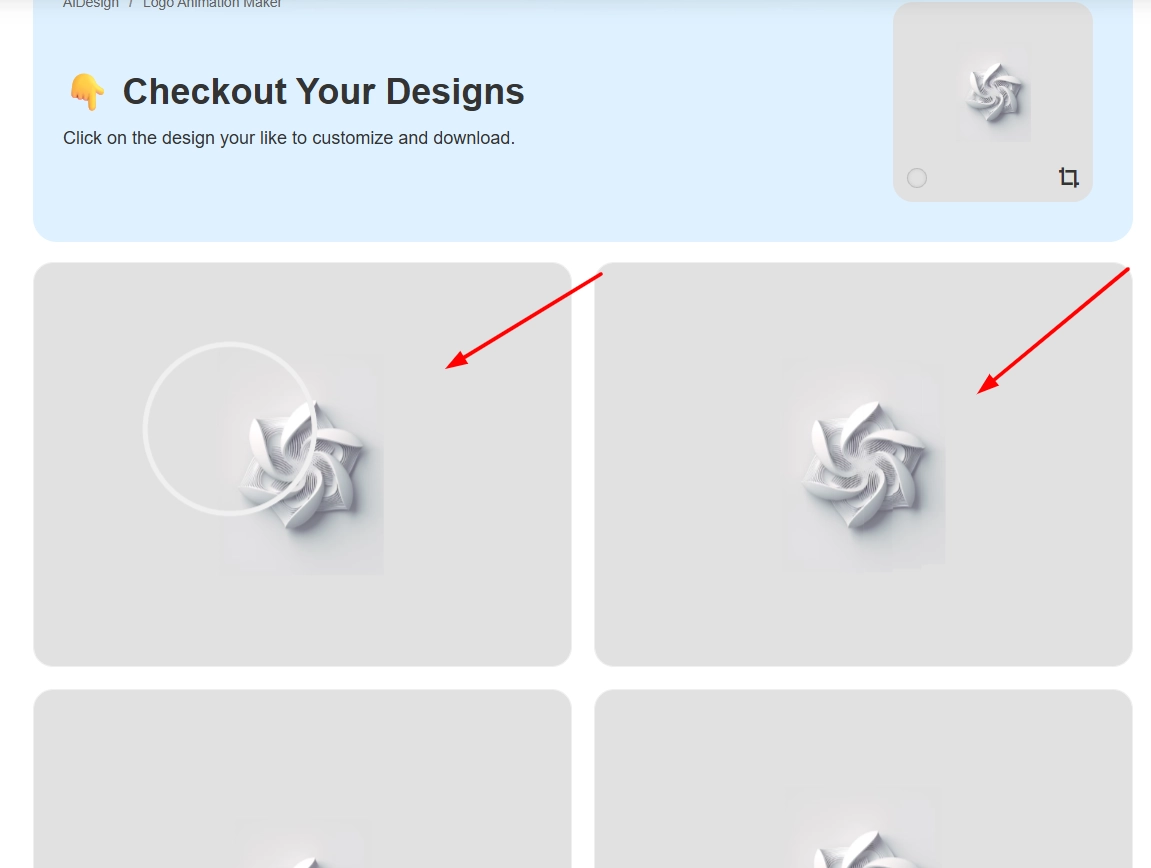
Step 3. Once you have chosen your AI animation, download it in your preferred format.
Pros
- High-quality animation output
- Transparent background support
- Designed for branding and marketing use
Cons
- Limited free downloads
- No advanced customization
- Some animations look similar
4. 3DLogoLab – Online 3D Logo Animation Maker Free
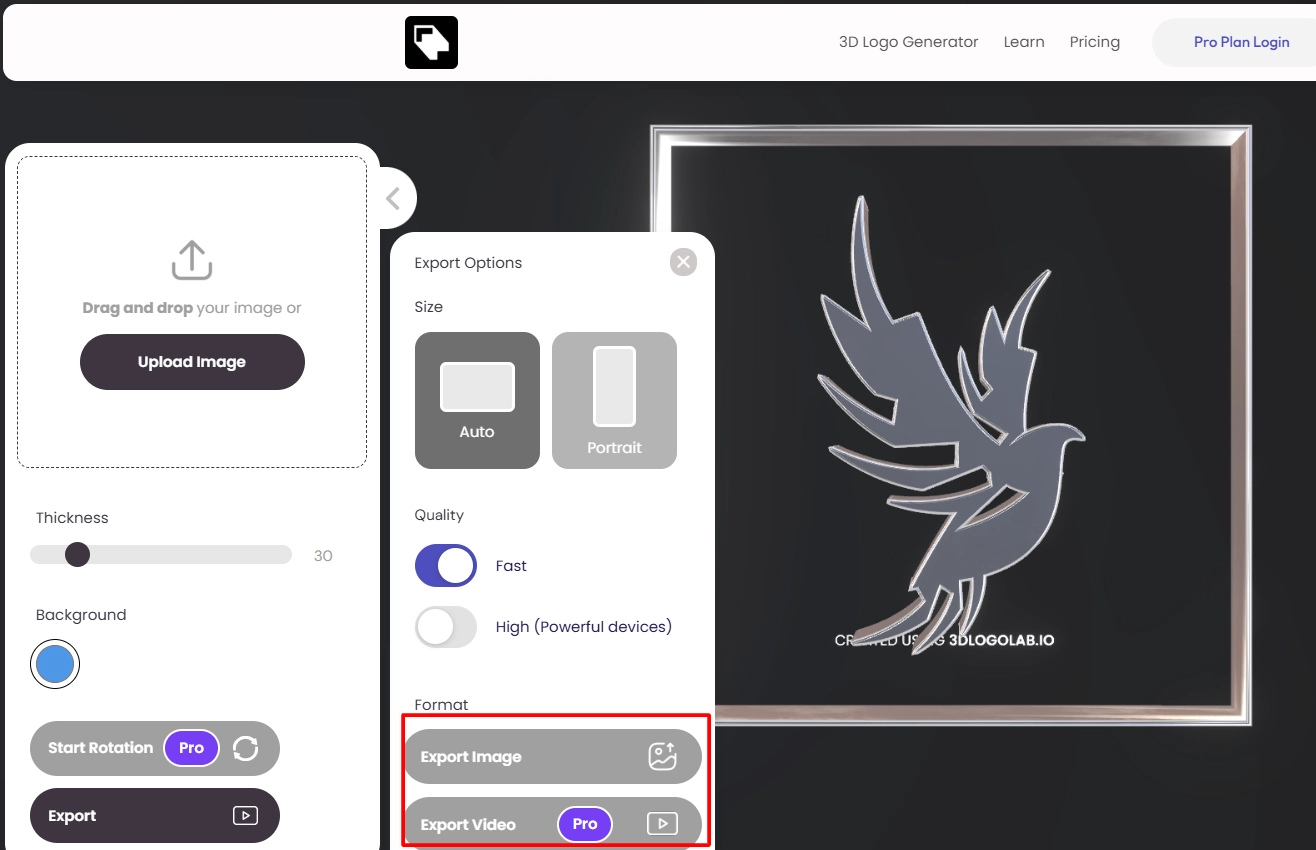
3DLogoLab is an online 3D logo animation maker free that allows businesses and creators to convert static designs into professional animated logos. The standout factor is its ability to create 3D logos fast; no expertise required. You can then style them with metallic or gradient textures for a sleek finish.
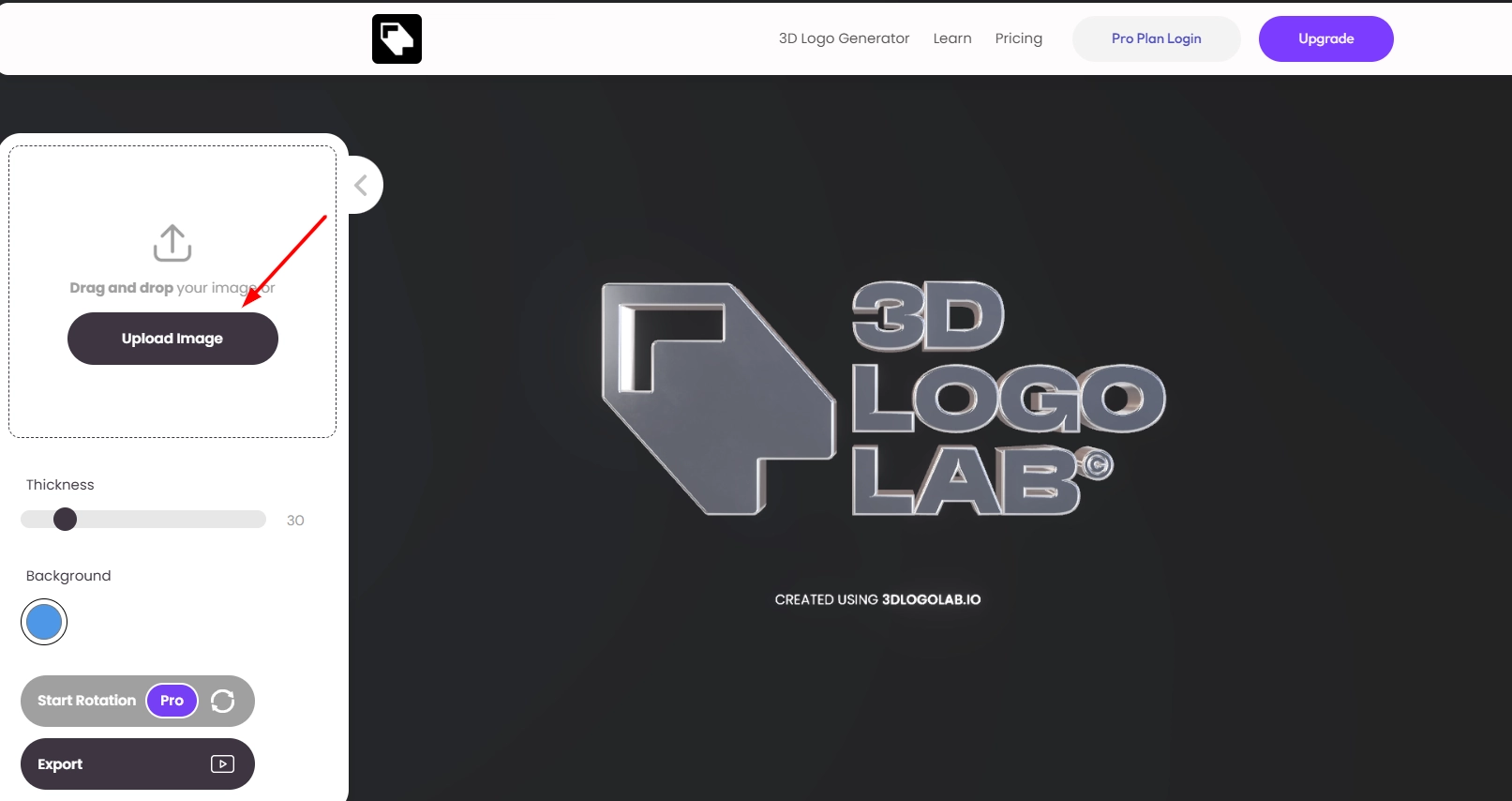
3DLogoLab is simple to use and provides instant previews. With easy controls, creators can adjust thickness, apply textures, and export as video, images, or even embed 3D models on websites. Its free plan offers unlimited logo generations with watermarks, while the premium upgrade removes restrictions and allows commercial use.
How to create an animated logo with it:
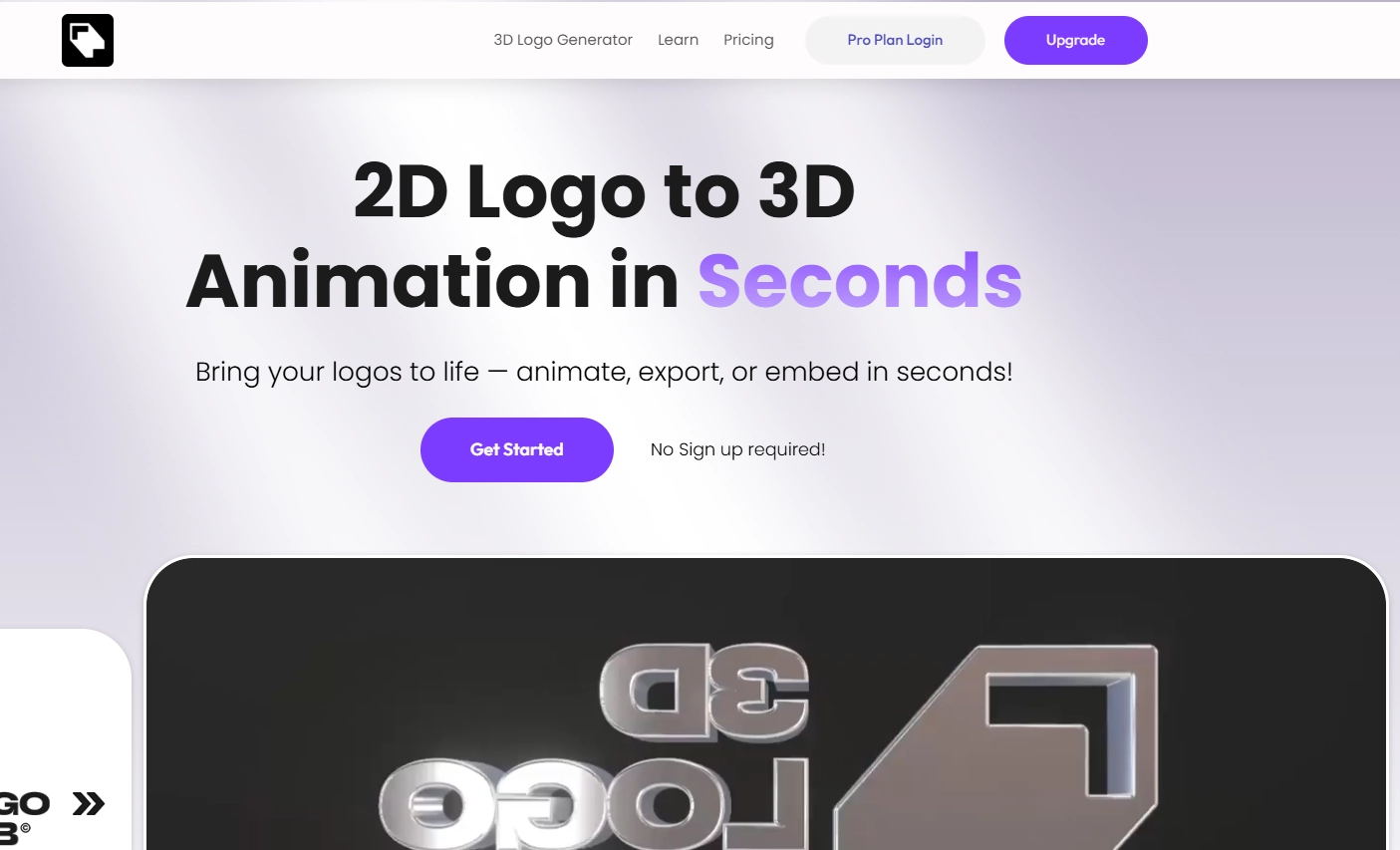
Step 1. Go to the website and get started instantly. No sign-up required.
Step 2. Upload your image and choose the 3D material and customize settings.
Step 3. Export as video, GIF, or interactive 3D format.
Pros
- Converts 2D logos into 3D instantly
- Embedding option for websites
- Logo animation free available
- Supports commercial upgrades
Cons
- Watermark on free outputs
- Limited design flexibility beyond preset materials
Where Can You Apply Logo Animation?
Sharing an animated logo on different platforms can greatly improve brand recall. With a logo animation creator, businesses can unlock new ways to showcase their identity.
Social Media Content: Animated logos instantly grab attention on platforms like Instagram, TikTok, and YouTube. They help posts and stories pop compared to plain static images.
Company Presentations: Adding an animated intro or outro to presentations conveys professionalism and strengthens corporate branding.
Websites: Placing a logo animation free version on landing pages can make websites more engaging and dynamic. It leaves a mark in the mind that keeps the brand top of mind.
Advertisements: Across online advertising and video marketing, an animated logo reinforces brand identity with a creative touch. Pairing it with tools like AI animation photo can enhance campaigns further.
Email Marketing: Animated logos in email headers or signatures add a polished and modern touch that improves click-through rates.
The Bottom Line
Animated logos are no longer a luxury; they have become a necessity for modern branding. Leading platforms like Vidnoz simplify the process of designing eye-catching animations that strengthen brand recall.
Businesses can stand out online with a logo animation creator, from ad campaigns to social posts. If you want an easy, free, and AI-powered solution, try Vidnoz today and bring your logo to life with unique effects.
Convert Image to Video AI Online - Free
- Create a video from an image quickly for free.
- Use various AI models to turn photos into videos.
- Download and share the AI-generated video at no cost.
Convert Image to Video