Turn still images or text into dynamic videos in any style, with leading AI models readily. Try the smart AI video generator now - stunning, free, and instant!
How to Remove Proof from Photo: Step-by-Step Guide [2026]
Lane Maxwell
Updated on
SHARE THIS POST
How to remove proof from photo for PC, moblie and Mac easily? Check out 4 free tools with step-by-step guides, as well as the best AI tools for easy image/video creation.
A photo proof is a stamped or watermarked image that aims to prevent the work from being used without authorization. You can often see them in downloaded stock photos, legal documents, and personal projects. Today, many people want to remove photo proof to get a clean version of the image. The only problem is how to remove proof from photo easily. Worry not. This complete guide will introduce 4 useful methods. Just read on to see how to remove proof from pictures and achieve flawless results every time.
On This Page
Why Remove Proof from Photo
How to Remove Proof from Photo Online Free [Best AI Method]
How to Remove Watermark from Photo Online with Vidnoz AI?
How to Remove Proof from Pictures Using Photoshop
How to Remove Proof Watermark from Photos with Photoshop?
How to Remove Proof Marks from Photos on Mobile
How to remove proof from pictures using PhotoDirector?
How to Remove Proof Watermark from Photo with Built-in Tools
How to remove proof from a photo with Preview on Mac?
Skip Proof Removal: Create AI Images with One Click
Make Your No-Proof Photos Move: Bring Static Images to Life
How to Convert Your No-proof Image to a Video?
Common Questions About Removing Proof Marks from Photo
The Bottom Line
Why Remove Proof from Photo
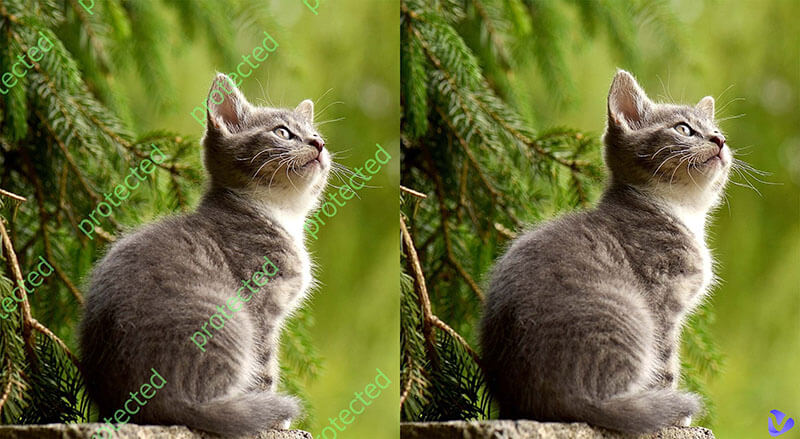
Proof marks, also known as proof watermarks or stamps, are temporary overlays; They may look like “PROOF,” logos, or text that appear on images, aiming to protect intellectual property. However, proof marks make photos unsuitable for final use, which can be rather frustrating.
Clean photos boost engagement, maintain brand consistency, and avoid legal issues when repurposing content. That’s why many people want to learn how to remove proof watermark from photo. So they can get clean pictures for presentations, client deliverables, e-commerce listings, or personal albums.
How to Remove Proof from Photo Online Free [Best AI Method]
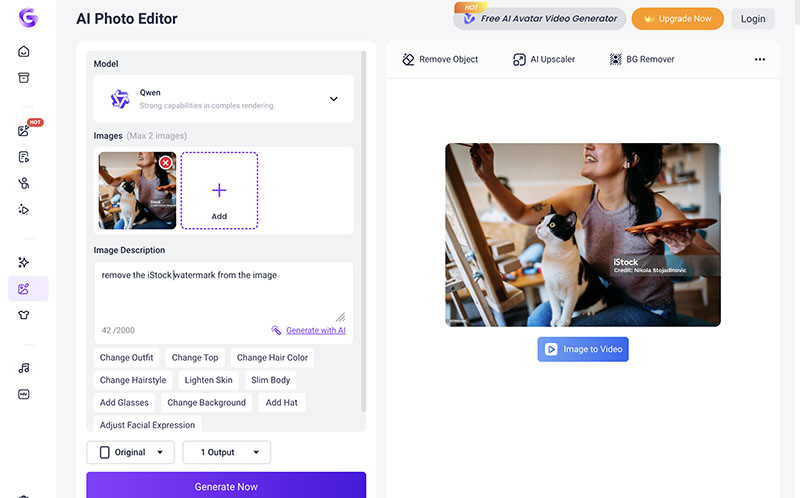
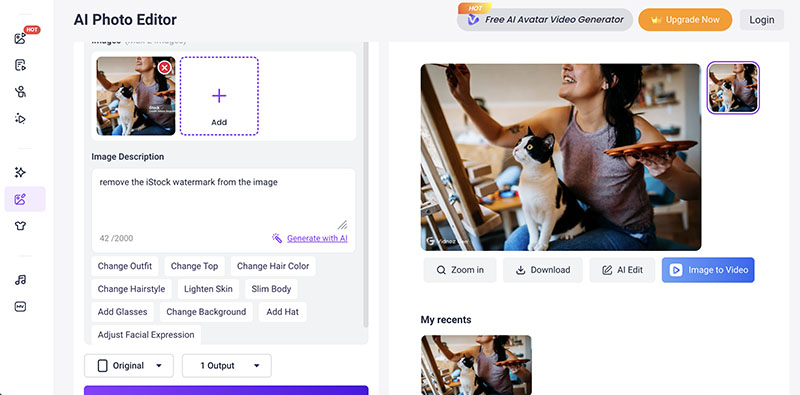
How to remove proof watermark from photo online free? Vidnoz AI Photo Editor is your best bet. Powered by advanced AI models like Kling, Banana Pro, etc., it can automatically detect and remove proof watermarks with simple prompts. Moreover, the tool will intelligently restore the background to maintain image quality. The entire process takes only a few seconds. ZERO editing experience is required!
How to Remove Watermark from Photo Online with Vidnoz AI?
Step 2. Upload a photo with watermark proof. Input a prompt to remove it. Adjust the aspect ratio and quantity.
Step 3. Click on the Generate button to get the clean result.
That’s how to remove proof watermark from photo. There are plenty of AI tools like Vidnoz AI, for instance, WatermarkRemover.io, and Inpaint. However, Vidnoz is so much faster and more convenient, which allows you to process the image with a simple prompt. The generated result is also cleaner without compromising quality.
How to Remove Proof from Pictures Using Photoshop
While AI tools are convenient enough, professional software like Photoshop gives you more precise control over details. You can not only remove proof watermarks but also edit the image as you like. With its sophisticated features like smart selection and Content-Aware Fill, you can remove complex proof watermarks more easily.
How to Remove Proof Watermark from Photos with Photoshop?
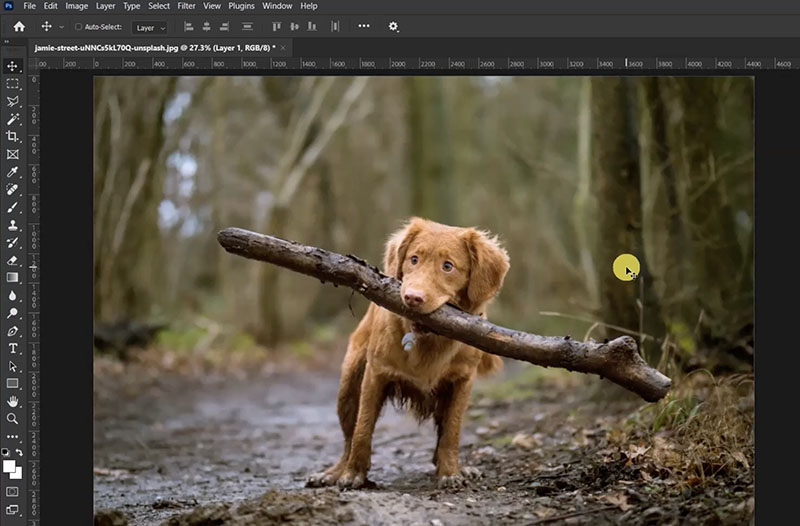
Step 1. Open the image in Photoshop. Duplicate the layer by pressing Ctrl + J to work safely without damaging the original.
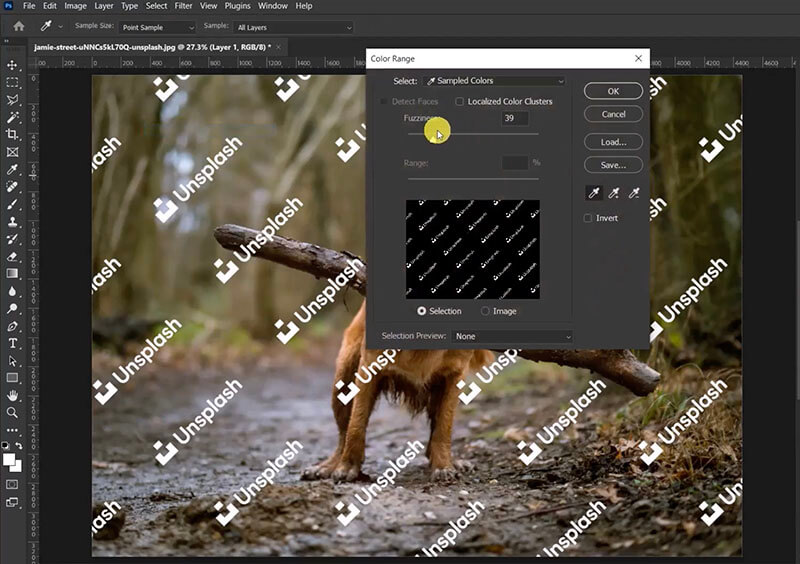
Step 2. Go to Select > Color Range. Use the eyedropper to sample the color of the proof mark, then fine-tune Fuzziness until only the watermark is selected, and click OK.
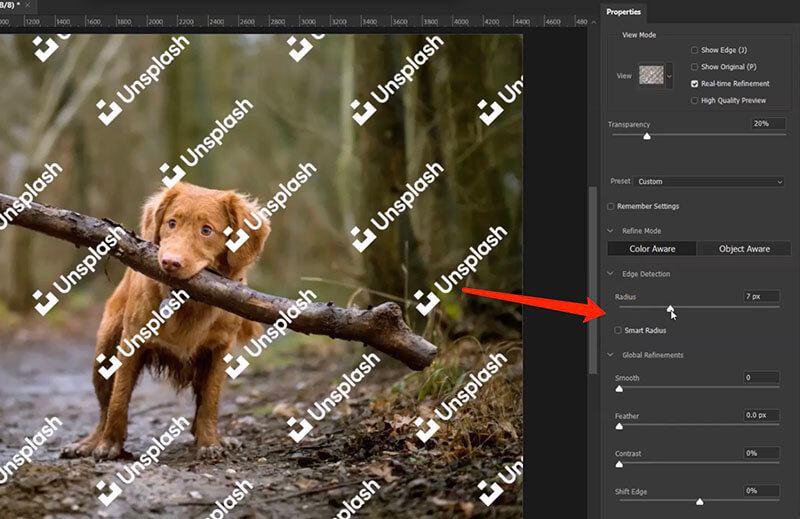
Step 3. Go to Select > Select and Mask. Set Radius, Feather. Contrast, and Shift Edge. Choose Output to Selection, and click OK.
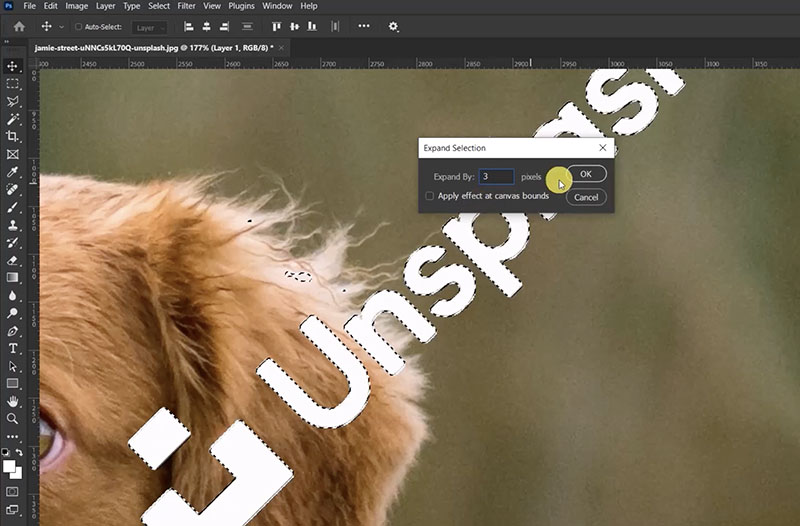
Step 4. Expand the selection: Select > Modify > Expand, set to 3 pixels, and click OK.
Step 5. Go to Edit > Fill, choose Content-Aware, and click OK. Photoshop fills the area seamlessly in seconds.
Pros
Professional precision
Works on any kind of watermark
A suite of image editing tools available
Cons
Desktop software installation
Steep earning curve
Takes time and effort
How to Remove Proof Marks from Photos on Mobile
Now you know how to remove proof from photo files on your desktop. So can you make it on mobile? The answer is YES. All you need is a dedicated image editor, and PhotoDirector is the one that comes in handy. Compatible with iOS and Android, the popular AI-powered image editor offers useful features that make proof removal easy. It’s also a convenient all-in-one editor when you need quick results directly from your phone.
How to remove proof from pictures using PhotoDirector?
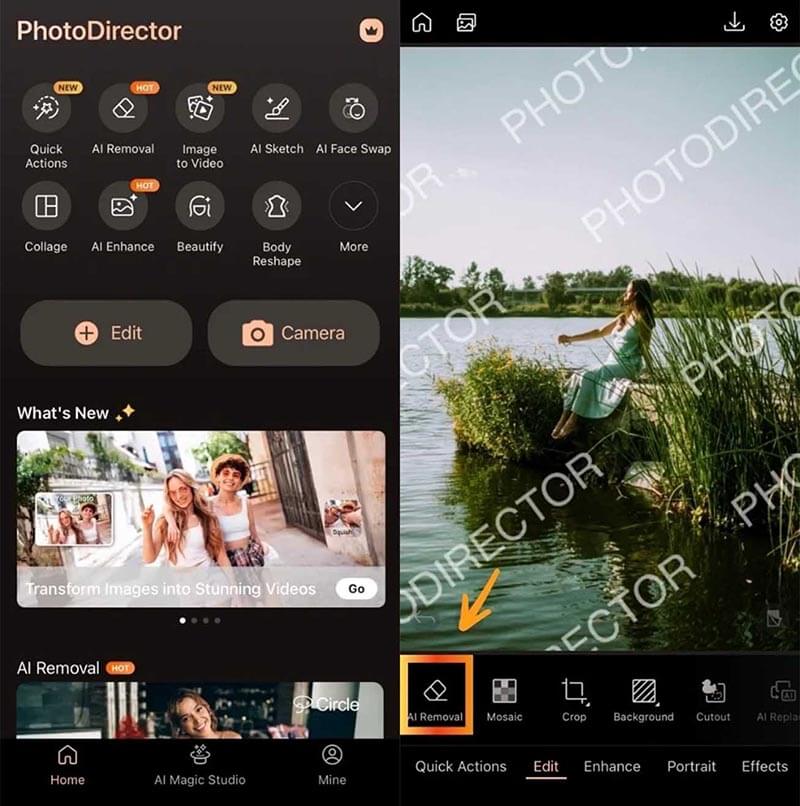
Step 1. Open the app, and choose the photo from your gallery.
On the editing screen, tap the AI Removal tool at the bottom. The AI will try to detect the unwanted proof mark automatically.
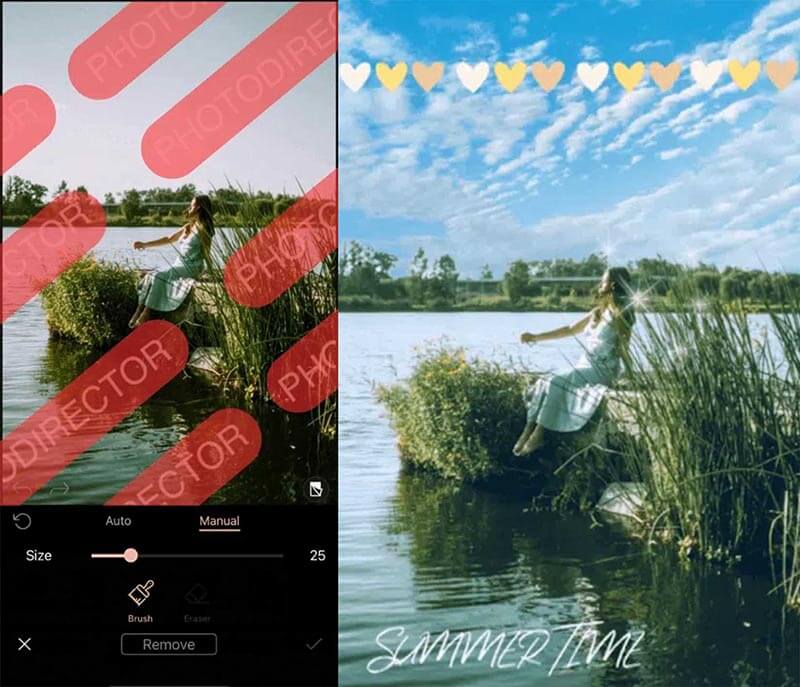
Step 2. If the automatic detection misses parts of the watermark, switch to Manual mode. Use the adjustable brush to carefully paint over the proof mark.
Step 3. After selecting the unwanted area, apply the AI removal tool. The AI will erase the proof mark and reconstruct the surrounding background.
Pros
Fast on mobile with AI
Simple and intuitive interface
Proof mark removal on the go
Cons
The free version has limits
Less accurate on very complex backgrounds
How to Remove Proof Watermark from Photo with Built-in Tools
If the watermark proof happens to be in the corner, you can easily remove it with the built-in editors on your PC or Mac. For instance, the Clipchamp on Windows and the Preview on Mac. The method is pretty simple; you can just crop it to get rid of the watermark proof or use stickers to cover it.
How to remove proof from a photo with Preview on Mac?
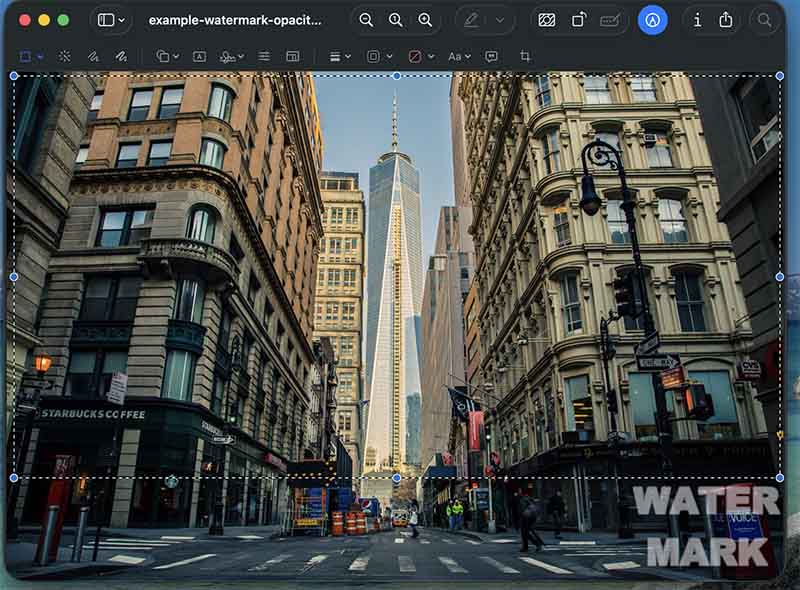
Step 1. Open the photo with the Preview. Click the Pencil icon in the top right to enter editing mode.
Step 2. Use the Rectangle selection to crop the image and get a clean one without the watermark proof.
Step 3. Paste the selection into the clipboard or anywhere to save it.
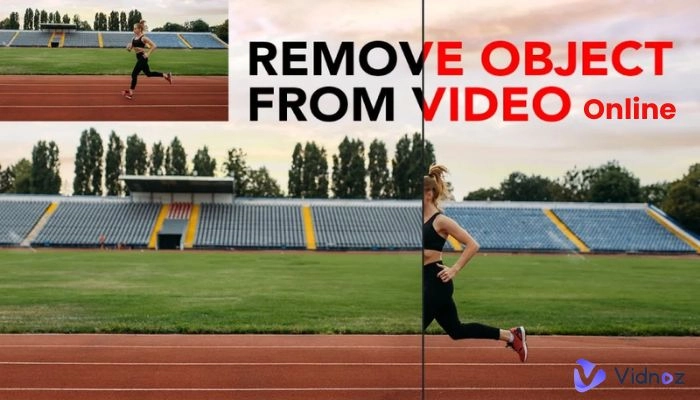
For Windows, you can use the built-in Clipchamp for cropping. The tool is also an excellent video object remover if you want to crop out unwanted elements in a video.
Pros
Completely free, no downloads
Quick for simple watermarks
No editing skills are required
Cons
Limited precision on complex backgrounds
May leave slight artifacts
Not ideal for professional work.
Skip Proof Removal: Create AI Images with One Click
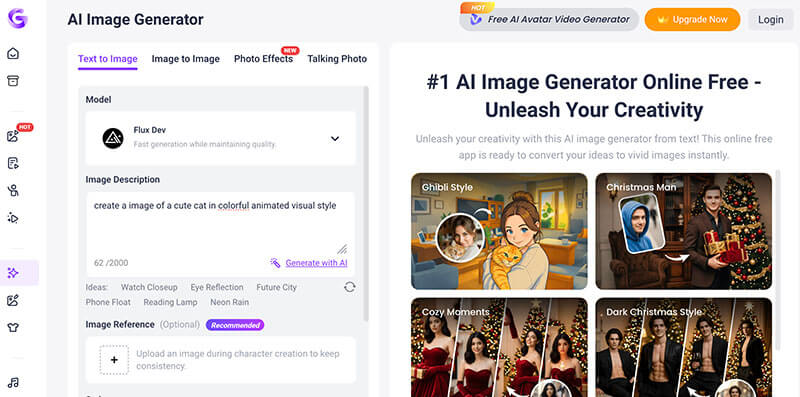
How to remove proof from photo files? The previous sections have covered 4 useful methods that work. Instead of complicated editing and removal, you can just create a brand new image without any proof marks using Vidnoz AI Image Generator. This allows you to skip the process and is great for creating images for commercial purposes. Here’s how.
Step 1. Open Vidnoz AI Image Generator and choose an AI model to begin with.
Convert Image to Video AI Online - Free
Create a video from an image quickly for free.
Use various AI models to turn photos into videos.
Download and share the AI-generated video at no cost.
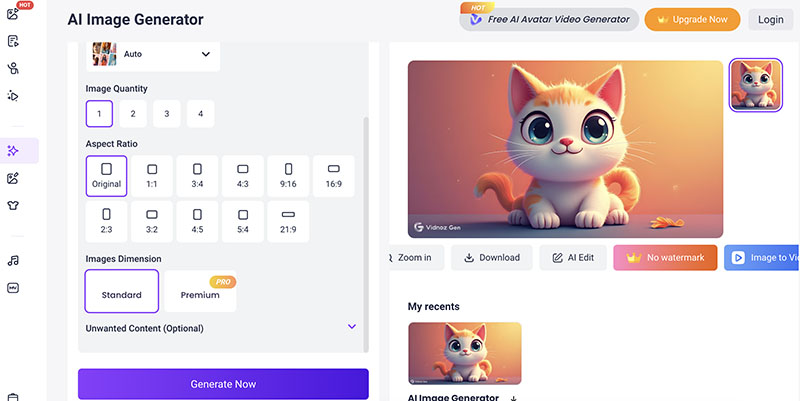
Step 2. Describe the image you want. Upload an image for reference if needed.
Step 3. Adjust the aspect ratio, image quantity, and style as you see fit. Click on the Generate button to create an AI image with ease.
That’s it. With Vidnoz, there’s no need to learn how to remove proof from pictures because you can simply create a new one easily from scratch! Meanwhile, it’s also the best free AI video generator that can turn your image into vivid videos. Want to learn more? Check out the next part!
Make Your No-Proof Photos Move: Bring Static Images to Life
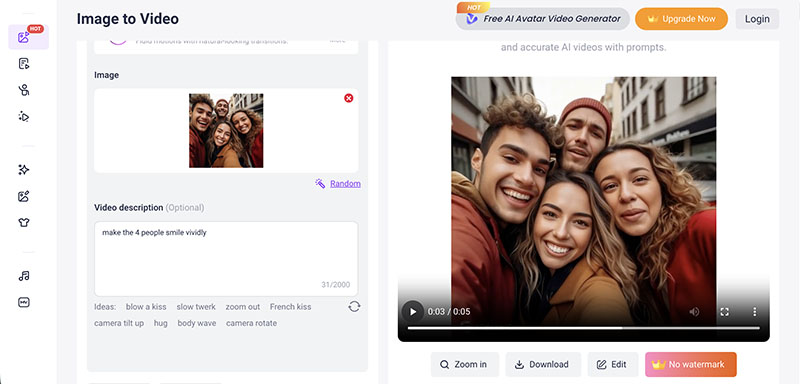
Vidnoz AI is not limited to no-proof photo creation. It’s also a powerful image to video AI generator that can bring your static photos to life. Enabled by models like Seedance, Google Veo, etc., the AI video generator analyzes your image and intelligently animates it with realistic motion and cinematic transitions.
Vidnoz also supports text to video AI generation. This means you can simply type a short description, such as a scene, character action, or anything else, and the AI will automatically generate a complete video from your text prompt!
How to Convert Your No-proof Image to a Video?
Step 1. Open the Vidnoz Image to Video AI Generator.
Step 2. Upload a no-proof image. Input a few words to describe the transformation you want.
Step 3. Select the video length and video quality. Click on the Generate button to convert it into videos.
Common Questions About Removing Proof Marks from Photo
If you have read this far, you should now know how to remove proof from pictures easily. Still have doubts? Here are some frequently asked questions for clarification.
It depends on the situation. Removing them from images you don’t own or have permission to edit may violate copyright or usage terms. Always make sure you have the right to modify the image.
The method is similar to a normal watermark. You can use the tools introduced above and follow the same steps.
Yes. Many online AI watermark remover tools can remove proof marks while preserving image quality. For instance, Vidnoz AI Photo Editor is a solid choice that is easy to use, and it delivers brilliant results quickly.
You might need an AI image editor to process photos in bulk. Most AI-powered tools can batch process the task efficiently.
You can use a dedicated Sora watermark remover. This type of tool analyzes the video frame by frame and automatically fills the marked area using AI inpainting technology.
The Bottom Line
How to remove proof from photo files? The previous sections have covered the 5 powerful tools. As you can see, Vidnoz AI is surely the simplest way to remove proof watermarks. You just need to upload the image and enter a prompt to clean it in one click. With Vidnoz AI, you can not only create no-proof images, but also transform your photos into vivid AI videos effortlessly. Just give Vidnoz AI a try and turn your images into clean visuals for free now.
Convert Image to Video AI Online - Free
Create a video from an image quickly for free.
Use various AI models to turn photos into videos.
Download and share the AI-generated video at no cost.
Lane Maxwell is an experienced technology industry editor specializing in providing users with actionable advice and insights. Her articles have helped millions of readers find solutions easily.








![Best 5 Tools for How to Remove Backgrounds from GIFs - [Detailed Steps Included]](https://www.vidnoz.com/bimg/remove-backgrounds-from-gifs.webp)