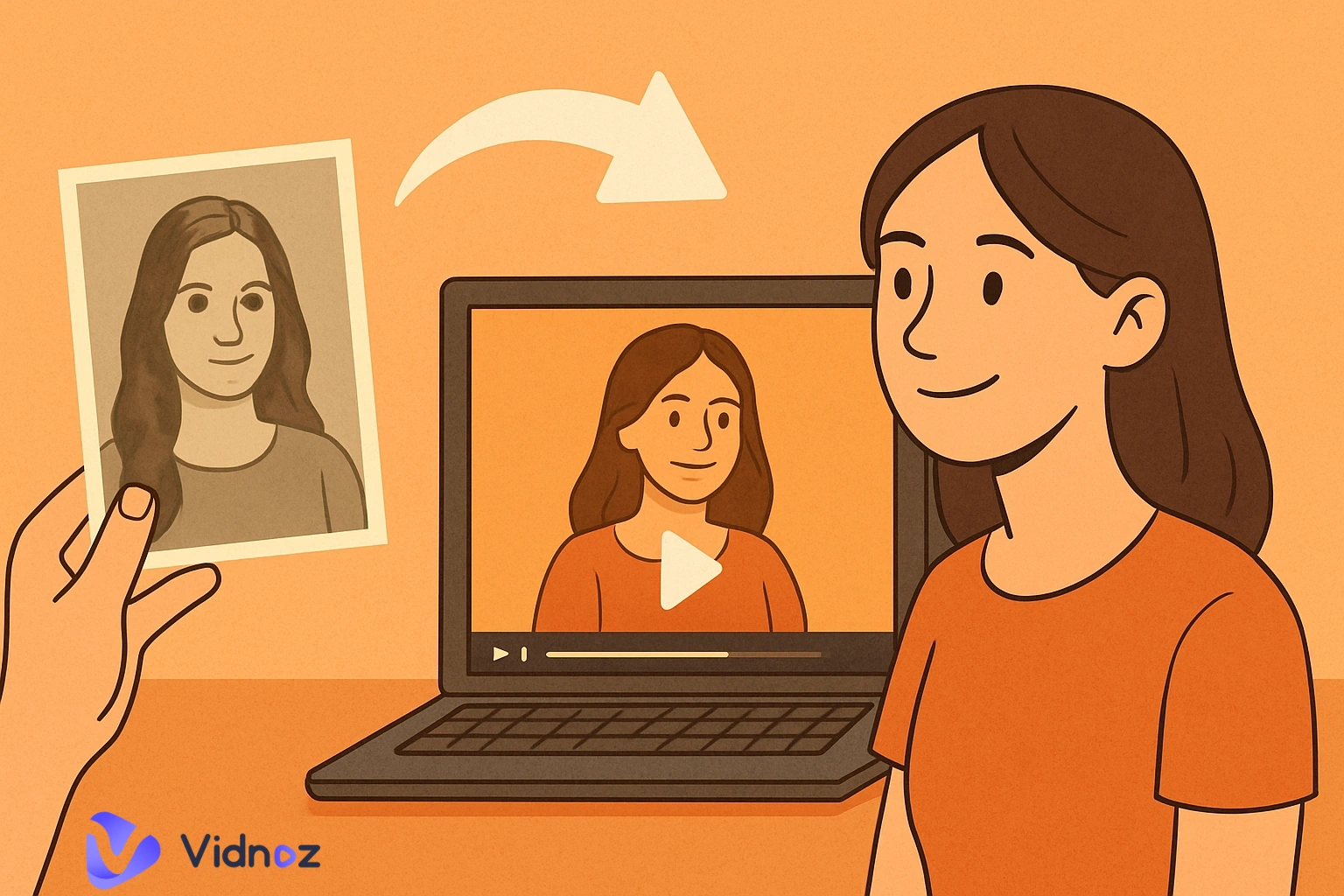
Do you wish to recreate historical events or people in video format for entertainment or instructional purposes? Then, using modern online tools is the perfect way to create AI history content. Among numerous choices, you can rely on Vidnoz AI as an exceptional and comprehensive tool suitable for both beginners and experts. It helps you generate hyper-realistic history videos using text or image prompts, free of cost. Let’s explore this unique concept of how to make AI history images or videos with easy-to-understand steps.
- On This Page
-
AI Historical Content Types
-
How to Make AI Historical Images? Revive History in Seconds
-
How to Make AI History Videos? Step-by-Step Guide
Step 1. Write script for the history video
Step 2. Create visual assets for the historical video
Step 3. Animation and video editing
Step 4. Generate The AI History Video Now
-
How to Make AI Historical Stories?
AI Historical Content Types
AI can support the generation of diverse types of historical content, each unique in its own way. Let’s skim through these content types in the context of a great ai history maker:
- AI historical images: Visualize portraits of specific historical figures, historical scenes, or locations based on textual descriptions.
- AI historical videos: Tell history stories through videos with narrated explanation.
- AI historical stories: Summarize and tell history via text, using different tones to suit different audiences. It can be used to create history books or scripts for audiobooks.
How to Make AI Historical Images? Revive History in Seconds
Are you considering how to make AI history in a spectacular way? The answer is simple. Work with Vidnoz AI image generator, an authentic and easy-to-use AI history maker. It offers users plenty of unique features, including numerous image styles to choose from, high-quality output, and free image generation every day. The produced output is also free for commercial use. So, unleash your creativity by converting your ideas into vivid historical images using this latest AI online platform.
You can use this great tool to create historical AI images by following these basic steps:
Step 1 Write a prompt
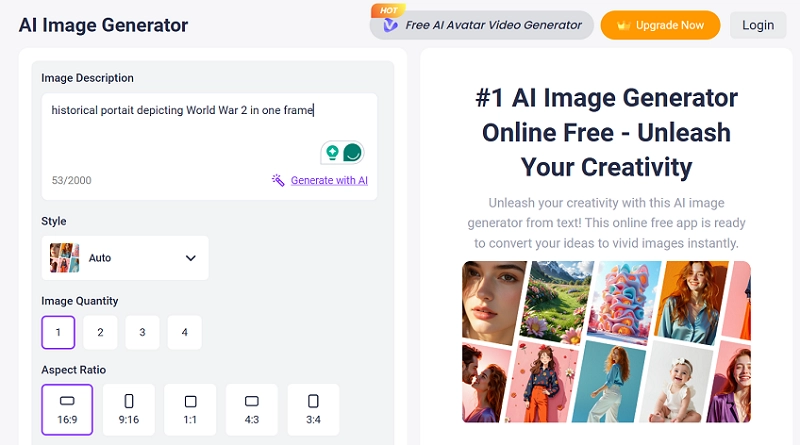
The most important step is to write a detailed and clear text prompt. This is because the prompt input determines the image output, ensuring you receive the desired AI-generated image. You can try to write one prompt by yourself, like the one written in the above image, in simple words with no extra description. You get the following image with the above simple prompt.
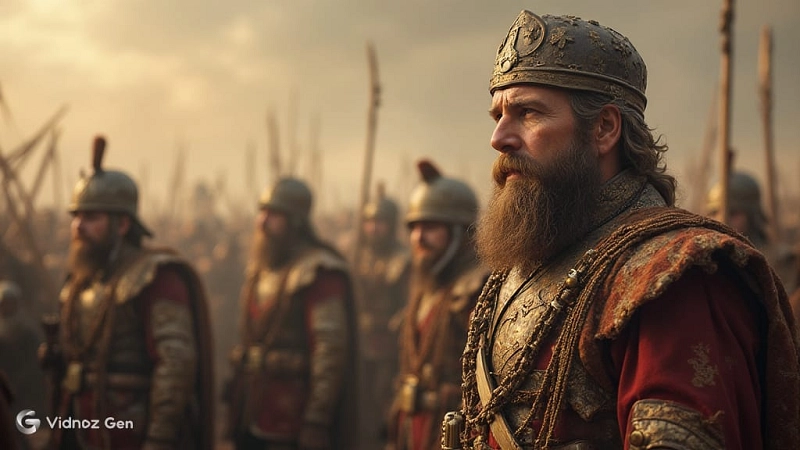
However, using an AI prompt generator, like ChatGPT, can help redefine the same prompt, improving the overall outlook of your created image. ChatGPT offers valuable additions that you might not be able to imagine on your own, such as the fine details added to the text prompt.
Step 2 Customize the image generation settings
After adding the text prompt, you must select the ‘Style’ of your desired AI historical image. Vidnoz offers numerous choices to its users, making selection a fun prospect. Also, set the Image Quantity, Aspect Ratio and Images Dimension features from the available choices. You may also describe ‘Unwanted Content’ as an optional input about things you don’t wish to see in the final results, such as a grainy image or use of dark colors.
Step 3 Generate AI history images now
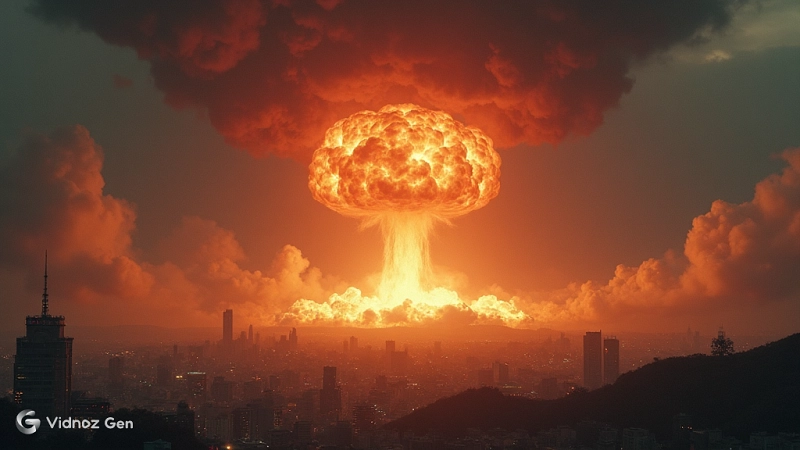
Clicking the ‘Generate Now’ button gives you the ultimate AI generated historical scene or portrait of your choice. Take a look at the hyper-realistic image below, created using this amazing free tool.
How to Make AI History Videos? Step-by-Step Guide
Once, it seemed far-fetched to create AI historical content. The arrival of advanced tools, such as those provided by Vidnoz AI, has made this historical image or video creation process quite easy and readily achievable. You can easily learn how to make AI history videos. Just follow the simple steps described below:
Step 1. Write script for the history video
You can write the script for your AI historical video yourself or use LLM (Large Language Model) tools, such as ChatGPT, to conduct research and generate a compelling script. You can even instruct the AI feature on what kind of script you want added to your video. It can be narrative, almost like storytelling, or in a conversational tone.
Step 2. Create visual assets for the historical video
You can generate amazing historical content in the form of images, as mentioned in the heading explained above. You can also create AI historical clips with Vidnoz AI image-to-video tool. It can turn static images into dynamic videos. Just upload an image and write a prompt. The AI will automatically animate the image. Ensure you add a detailed video description along with selecting the video length and type of model to work with.
Convert Image to Video AI Online - Free
- Create a video from an image quickly for free.
- Use various AI models to turn photos into videos.
- Download and share the AI-generated video at no cost.
Convert Image to Video
Step 3. Animation and video editing
With the historical AI image and clips, you can create a historical overview video through the Vidnoz free AI video generator. It is a powerful history maker AI with immense offerings, making it ideal for studio-quality content creation. Some key features of this useful tool are:
- Free historical video templates.
- AI text-to-speech (one person or conversational) with voiceover facility for singular or plural persons.
- Realistic AI avatars, where you can choose from the preset avatars or even create a historical avatar from an image to narrate the whole story.
- Highly cost-effective, with free and premium versions available.

Vidnoz AI - Create Free Engaging AI Video with Talking Avatar
- Easily create professional AI videos with realistic avatars.
- Text-to-speech lip sync voices of different languages.
- 2800+ video templates for multiple scenarios.
Let’s explore its detailed steps below:
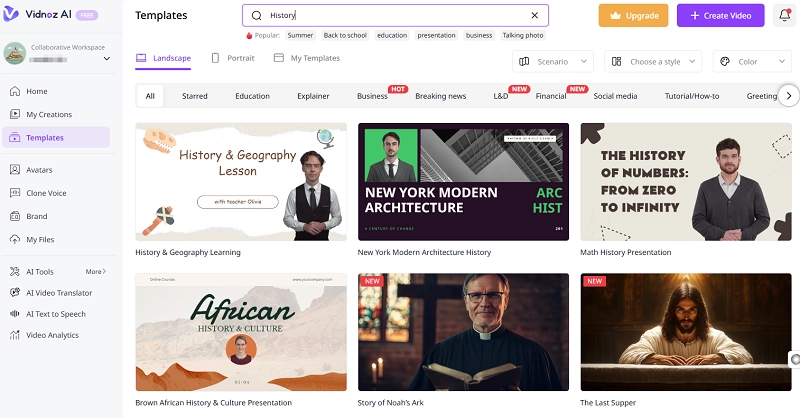
1# Click on the ‘Create A Video’ button. It will take you to the page shown below. Here, search for the historical video template from the left side option.
2 # Select one template and upload the visual assets from step 2 explained above onto this tool.
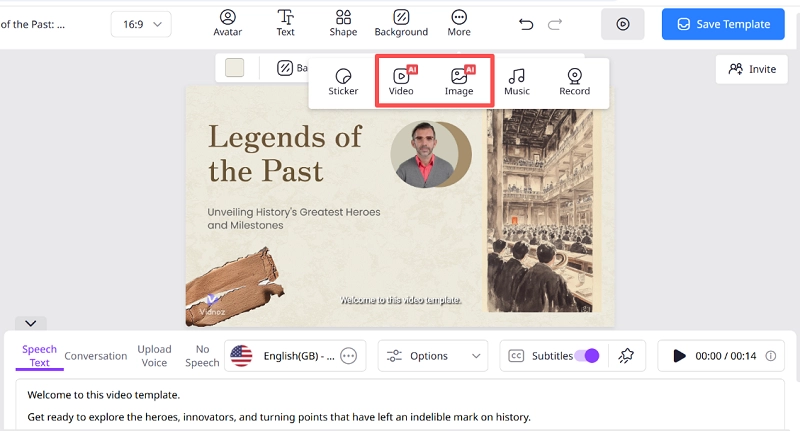
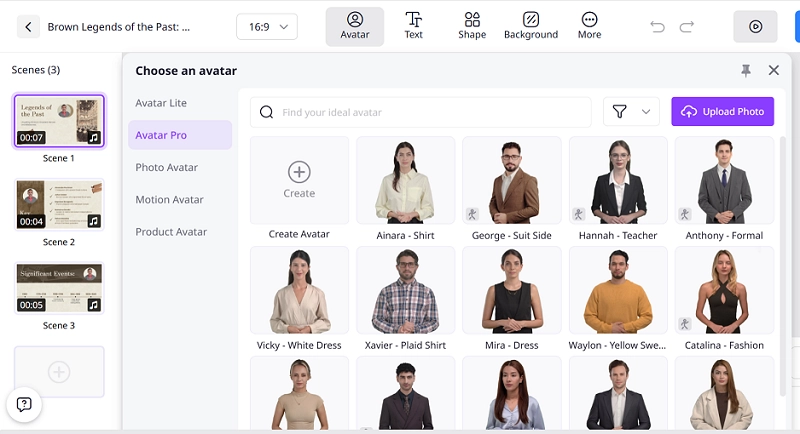
3 # Copy and paste the script of step 1 to generate voiceover for your AI historical video. You can also change your video host by clicking the Avatars option mentioned above, which offers a variety of interesting avatars to choose from.
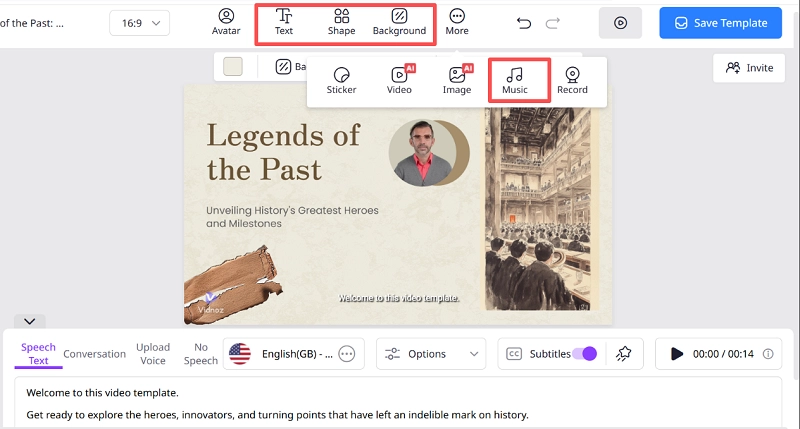
4 # Add final touches to the video. Fill in the details, such as uploading background music, font style, background, and adding stickers. You can select details about the voice accent and tone style from the three dots option below the uploaded content box. You can also adjust the voice pitch, volume, and speed to suit your preferences.
Step 4. Generate The AI History Video Now
Generate and then download and share your history-related content on your social media pages.
How to Make AI Historical Stories?
You can easily create AI-generated historical stories using an effective AI chatbot like ChatGPT. It can help you summarize the historical stories you want. The key to a great output is to communicate correctly and thoroughly with the chatbot. You have to tell it what type of content you wish to generate. For example, if you wish to tell some historical stories to little kids, you want the story to be interesting and easily understandable. Therefore, you should instruct ChatGPT to create content with such a tone and wording in your script prompt.
Conclusion
Connect strongly with the past by reimagining long-gone events through what-if simulations. Just enter a detailed text prompt in the Vidnoz AI image-to-video creation tool. You will get high-quality outputs that inspire viewers and spark curiosity among your sharers. So, bring history to life by leveraging online AI tools. Vidnoz's AI Video Generator also helps keep the past alive by re-enacting content based on your visual and text inputs. Stop wondering how to make AI history and go for it by diligently following the steps explained in this thorough guide!