Turn still images or text into dynamic videos in any style, with leading AI models readily. Try the smart AI video generator now - stunning, free, and instant!
Explore the Dead Person AI Video Maker - Meet the Dead Again via AI Video & Voice Generation
Andrew Garcia
Updated on
SHARE THIS POST
Learn how to create AI video of dead person. Simply prepare a video or audio recording of a deceased person and reunite with your beloved using AI cloning.
A new era is emerging, where technology seeks to digitally make the dead speak, and even bring them back to life before your eyes!
The tremendous advancements in AI video generation and natural language processing have granted people the ability to “break the constraints of time.” Now, the latest dead person AI video maker offers people a chance to meet their departed loved ones and friends face-to-face once again. At the same time, voice cloning can miraculously recreate those familiar voices, hearty laughter, and comforting words. The dream of talking to deceased loved ones online free has undoubtedly become a reality.
This practice remains controversial, as while it allows people to maintain emotional connections with the departed, it also raises concerns about the nature of identity, memory, and the continuity of human existence. However, the unique opportunities it offers are tangible. Are you seeking ways to make cherished voices, figures, and other impressions eternal? Then take a look here.
On This Page
Discover the Secrets of Dead Person AI Video Maker & Voice Cloner
Best Dead Person AI Video Maker to Revive Your Memories
Vidnoz AI Avatar Solutions - How to Create AI Video of Dead Person
Best 4 AI Recreated Deceased Voice Apps Free
1. Vidnoz AI Voice Clone - Reproduce the Voice of Your Beloved
How to Clone AI Voice of Dead Person
Extra Tips: Transform Voice of Deceased Person to AI Model
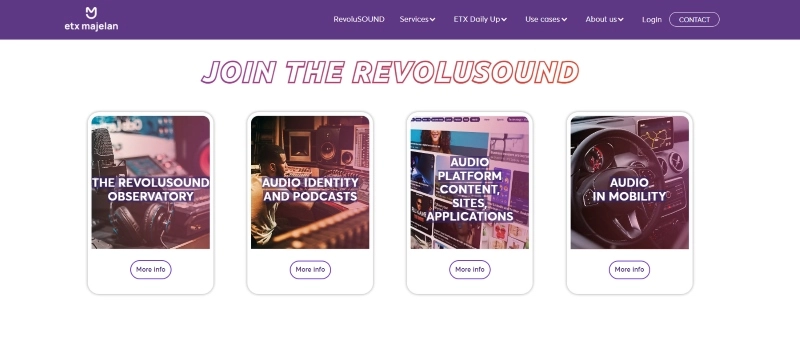
2. ETXStudio
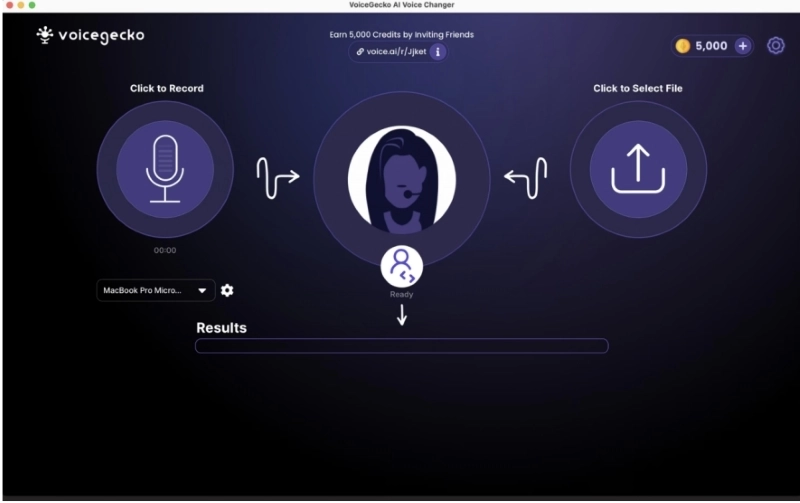
3. Voice AI
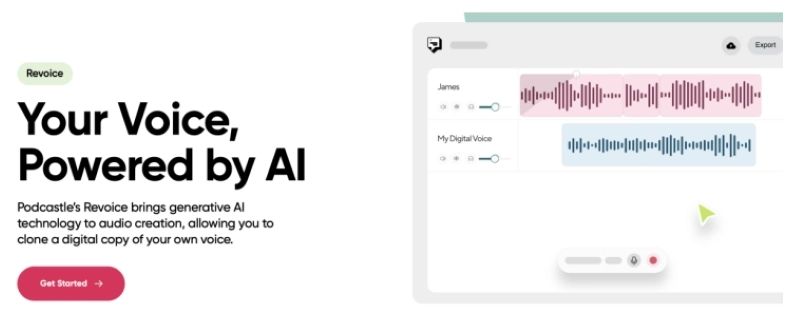
4. Podcastle.ai
Warmth Brought by Death Person AI Video Maker
Conclusion
Discover the Secrets of Dead Person AI Video Maker & Voice Cloner
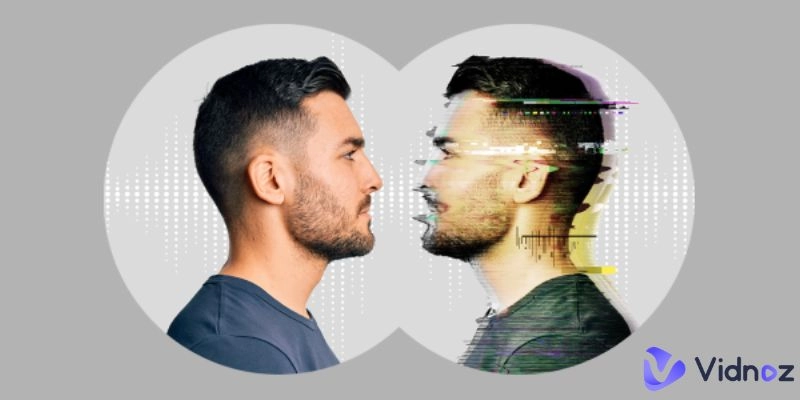
AI technology has made it possible to bring back the voices and visuals of loved ones like never before. Using advanced machine learning and video synthesis, a death person AI video maker can recreate the likeness and mannerisms of someone who has passed away. By analyzing existing video clips and photos, AI will reconstruct facial expressions, gestures, and even speech movements to generate lifelike videos.
At the same time, voice cloning remains a core part of the experience. There are many recreate deceased voice apps free to choose from. These systems study sound patterns from old recordings to produce a digital voice that sounds strikingly real.
Together, these technologies open doors to preserving memories in dynamic new ways—but they also raise important ethical questions. Issues around consent, privacy, and respectful usage are at the heart of ongoing debates. As we explore the potential of AI to reconnect with the past, it’s essential to navigate its power with empathy and responsibility.
Best Dead Person AI Video Maker to Revive Your Memories
Vidnoz has broken new ground with its voice reproduction technology, allowing users to hear from those who've left us. But that's not all - this comprehensive AI platform is taking the emotional reunion a step further by generating the visual presence of a deceased person now. With its advanced AI Avatar and voice features, Vidnoz has pioneered a way to craft AI video of deceased loved ones, even if they're no longer with you - sharing moments, mannerisms, and even humor that only they possessed.
Vidnoz AI - Create Free Engaging AI Video with Talking Avatar
Easily create professional AI videos with realistic avatars.
Text-to-speech lip sync voices of different languages.
2800+ video templates for multiple scenarios.
Vidnoz AI Avatar Solutions - How to Create AI Video of Dead Person
Vidnoz's AI Avatar technology opens up new opportunities for how to create AI video of dead person. As long as you still have the visual data of your deceased loved one, whether it's a photo or a video, Vidnoz can generate a realistic AI avatar with real expressions and movements to recreate the deceased's voice and appearance.
Step 1: Prepare visual data and head over to Vidnoz.
First, please collect as much visual data related to the deceased as possible in advance. Both photos and videos can be used to create AI avatar and AI video of deceased loved ones. It is better to have a clear front face of the person in the photos and videos, which gives better results. After that, click the button below to go to Vidnoz Workspace
Step 2: Create an avatar model
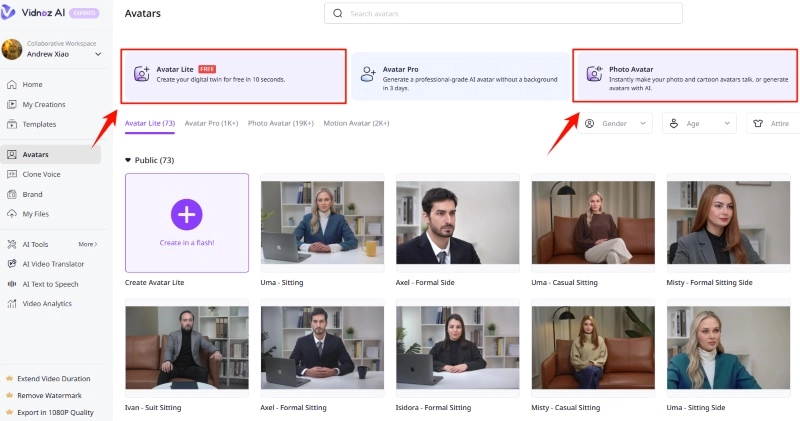
Select Avatars tab in the left side bar, and then choose the appropriate mode based on the data you have on hand.
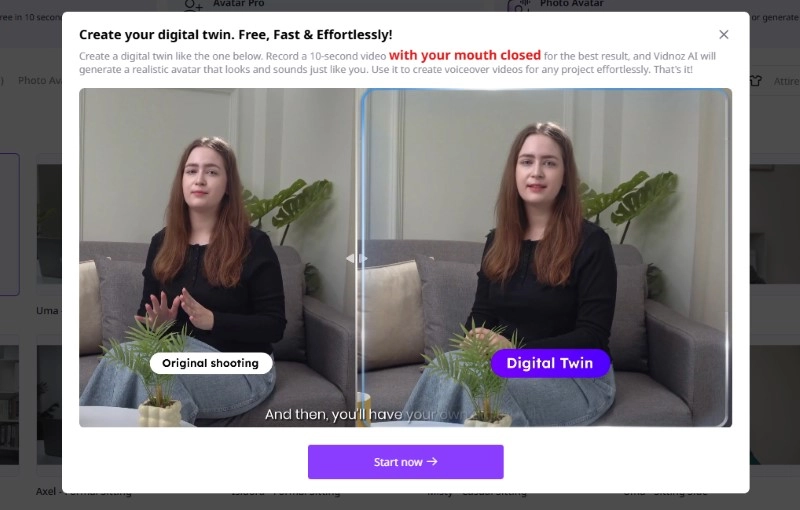
If you have a video of a deceased loved one, then you can use the customization feature of Avatar Lite. Avatar Lite's customization feature allows you to create AI Avatars with real expressions, mouths, and motions, while maintaining a realistic background.
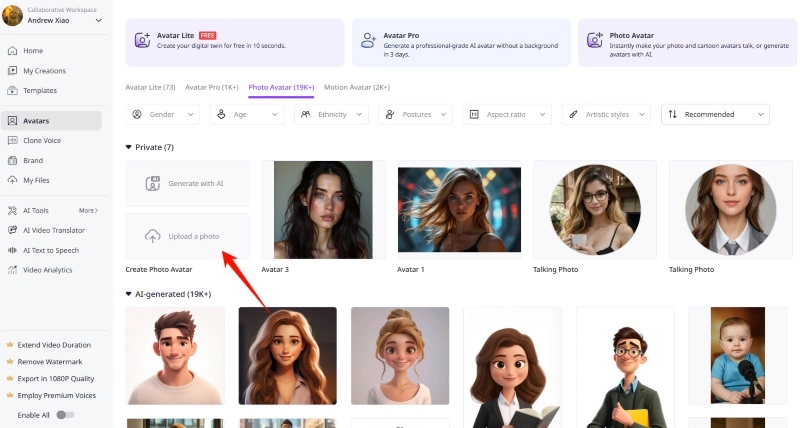
If you only have a few photos, then you can use Photo Avatar, a feature that allows static photos to speak in seconds.
Step 2-1: Avatar Lite
Select the Avatar Lite feature and follow the prompts in the window to upload your prepared video of the deceased and complete the follow-up.
The AI can analyze and create a 3D avatar from the deceased person's face. To achieve accurate rendering, this process typically involves reconstructing detailed facial features.
Step 2-2: Photo Avatar
If no video exists, you can simply upload a photo of the deceased and get ready to make it into a Talking Photo.
Step 3: Configuration and customization for AI video of dead person
When you've completed step 2 and have uploaded a photo or the custom Avatar Lite has been generated, you can select it to create a video.
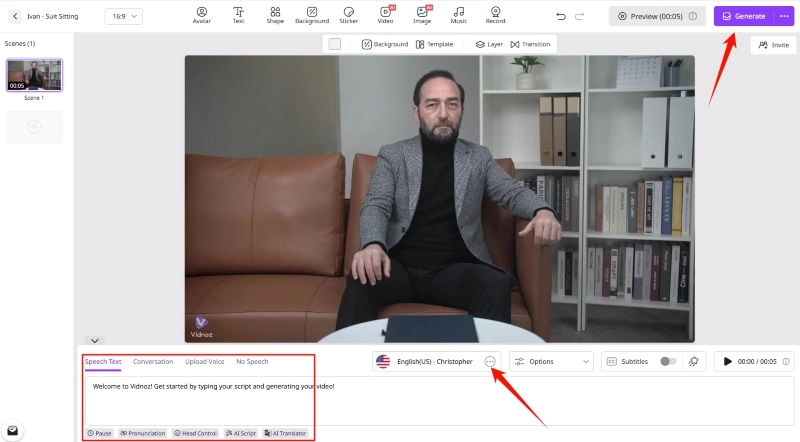
Select the AI Avatar you generated to create the video. Then, find the Voice option in the editor and select your previously trained AI voice model to ensure consistency between voice and image.
Customizing the speech text and fine-tuning parameters such as speed, pauses, etc. may also be needed to make the avatar's voice more realistic. Then, Vidnoz's AI lip-sync technology can render your AI video of dead person with matching lip-sync.
Step 4: Generate Your AI Video of Deceased
Once you've finished making all the adjustments, click the Generate button in the top right corner to generate an AI video of your departed loved one.
Test the avatar before using in specific contexts to ensure the visual representation and voice timing are as accurate as possible. To achieve the desired result, it may take several tries. Eventually, you will be able to get a realistic video of your deceased loved one and give it as a gift to your family members, they will be surely touched when they see it.
In summary, using Vidnoz's AI Avatar feature to make a dead people AI video with their own faces involves collecting visual and voice data, creating a 3D avatar model, and integrating voice to create a realistic representation of the deceased person. This method offers a unique way of preserving memories and developing deep interactions with loved ones who have passed away, and brings psychological comfort and healing to the living.
Best 4 AI Recreated Deceased Voice Apps Free
No need to wait any longer, for now, here are 4 best AI voice generator for deceased person, you can choose one of them to reproduce the voice of your beloved one.
1. Vidnoz AI Voice Clone - Reproduce the Voice of Your Beloved
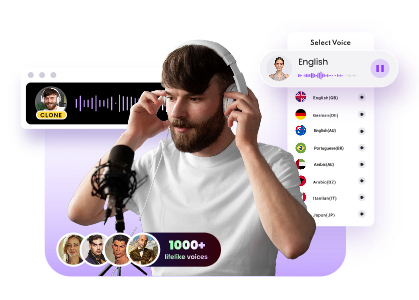
Vidnoz's latest AI Voice hub offers a number of brilliant features including AI Voice Clone, Text to Speech, Audio to Text, and more. With this free tool, you will be able to obtain the AI voice of dead person in a moment by just uploading a recording of a deceased person. Hearing the voice of a departed loved one again and gaining inner comfort will be within reach. In the field of AI acoustics, this recreate deceased voice app free from Vidnoz will be your best partner.
Clone Anyone’s Voice with AI - Free
Make realistic voices of famous people and characters.
Clone anyone's voice to create personalized voiceovers.
Free & Simple to Use: This AI voice generator for passed loved ones offers a well-designed and intuitive interface, so you don't need to worry even if you are inexperienced.
High-Quality Cloning Effect: Vidnoz accesses ElevenLabs' voice cloning model, ensuring that every AI voice generated by this death person speaking app has a realistic effect.
Customization Options for Accuracy: In the editor, you can adjust parameters such as language, speed, pauses, etc. with Vidnoz's customization features to further enhance the accuracy of the cloned voice.
Recreate Warm Moments: The significance of technology is highlighted here. With real voices of the departed cloned by AI, you can hear the voices of your elders again, or your grieving children can hear their loved ones tell them stories again. Either way, AI can bring some warmth.
How to Clone AI Voice of Dead Person
If you just need to clone the voice of the deceased and get a piece of the deceased's AI audio, then this tool is perfectly adequate.
Step 1: Prepare a recording of the dead person you want to clone in advance. You can choose a recording of a phone call with the deceased, or extract audio from some video, etc. You can do some pre-processing, such as removing redundancy through editing and only keeping the voice of the deceased. The higher and purer the audio quality, the better the cloning will be.
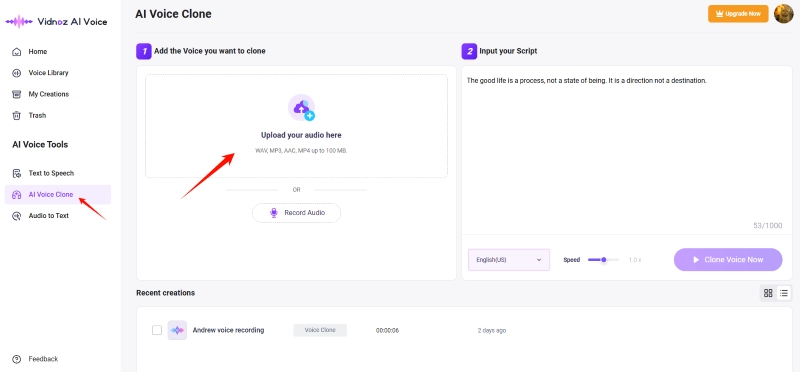
Step 2: Click the link here to enter the Vidnoz AI Voice hub. Then, select the AI Voice Clone tab in the left sidebar.
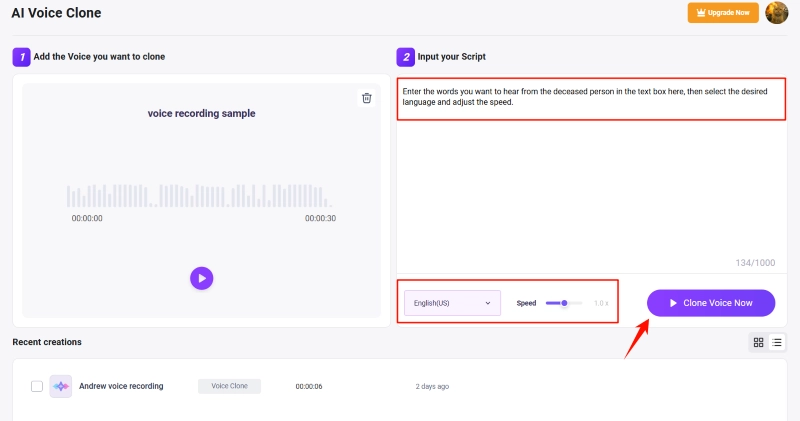
Step 3: In the operation area, upload your pre-prepared audio file of the deceased. Once uploaded, enter the words you want to hear from the deceased person in the text box on the right, then select the desired language and adjust the speed. When everything is ready, click the Clone Voice Now button to directly start your free AI voice cloning of deceased person.
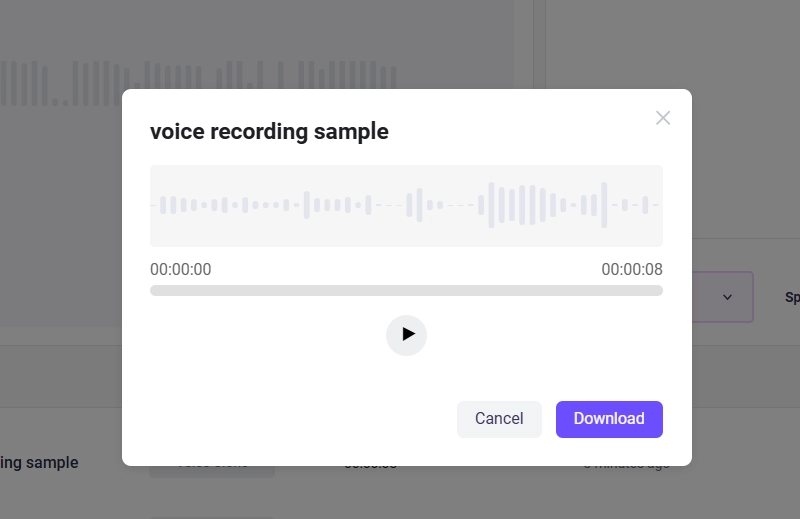
Step 4: Wait for a while, this AI voice generator for dead person can be finished cloning, you can preview the AI-generated voice here, and download the audio to use.
Pros
Save time: quickly create unique voices for different uses.
Creative ability: ability to adapt the voice to different circumstances.
Accessibility: Provides the voice of an absent person for various recordings.
Improved accessibility: makes communication easier for people with vocal disabilities.
Commercial Potential: Possibly used in advertisements and stories.
Cons
Network conditions can affect its generating speed.
Legal regulations may limit its use.
Price:
Totally Free
Extra Tips: Transform Voice of Deceased Person to AI Model
Trust that the AI voice clone combined with the TTS pattern will already fulfill most of your needs for recreated deceased voice. However, if you want to go a step further and use AI voice to death person AI video maker, create AI deceased loved ones videos with realistic visual and sound effects, or even talk to dead loved ones online, then training an exclusive AI voice model is a good choice.
Step 1: Click the button below to sign up for Vidnoz with your regular email account to prepare for the follow-up.
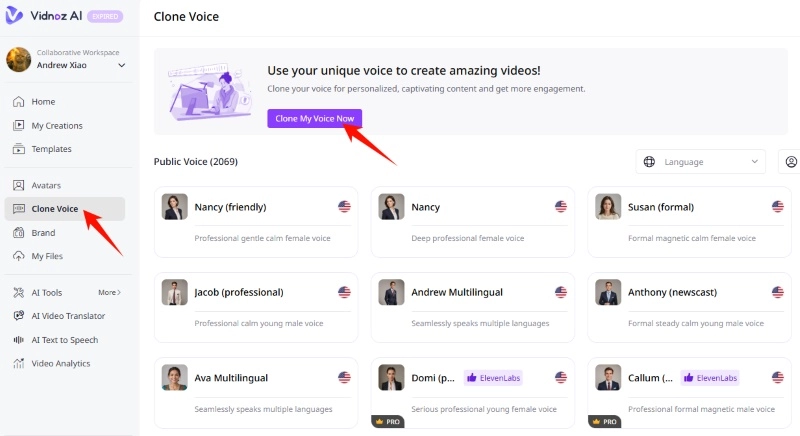
Step 2: After signing up, you will be redirected to Workspace, click on Clone Voice option in the left sidebar. Then click on Clone My Voice Now button.
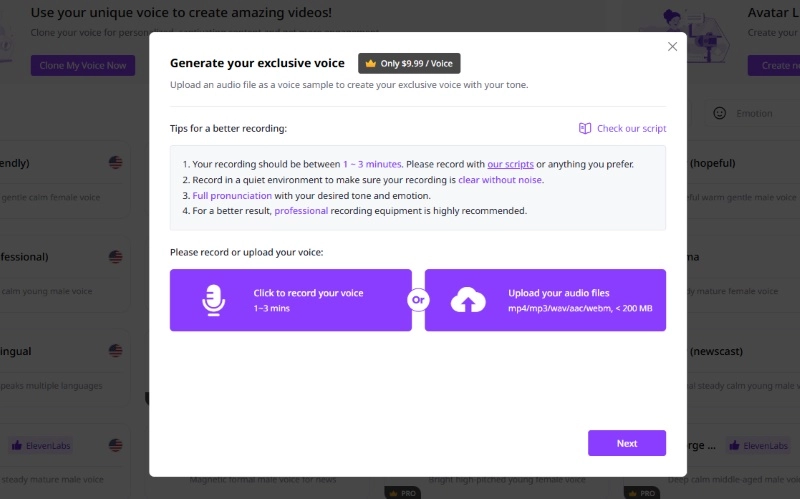
Step 3: Upload your pre-processed audio of the deceased in the pop-up window and continue.
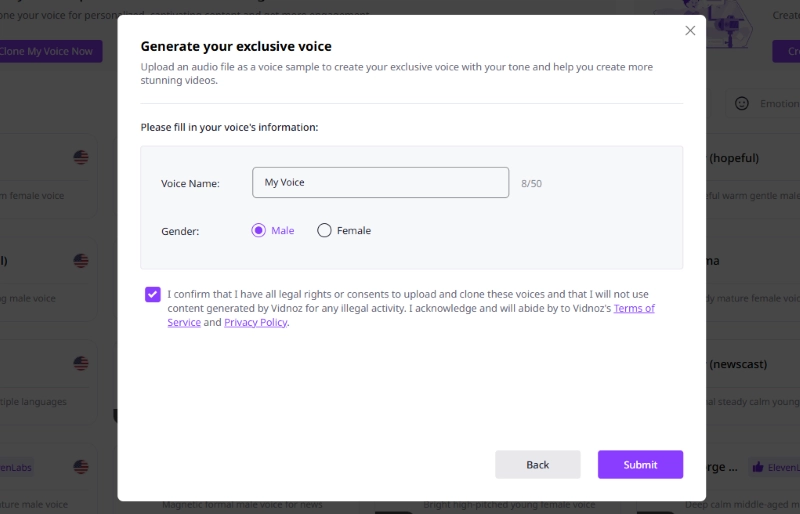
Step 4: Fill in your voice's information. Then, follow the instructions in the pop-up window to finish the subsequent operations and pay. Vidnoz will then automatically train a realistic AI voice model based on the recordings you upload. You can use it when creating videos.
2. ETXStudio
ETXstudio is a comprehensive software suite that includes comprehensive audiovisual content creation tools. She has skills in recording audio, advanced video editing, adding special effects, editing, sound mixing and publishing on various platforms.
Usage steps:
After installing the software, launch ETXstudio to enter the main interface.
Recording and editing: Select audio or video recording, edit, add effects, transitions and multimedia elements.
Export and Publish: Export and publish your creation in various formats to talk to dead loved ones online free!
Pros
A variety of audio and video editing tools.
The ability to perform advanced editing and add special effects.
Great flexibility in export possibilities to different formats.
An easy-to-use interface for both novice and advanced users.
Frequent updates with new features.
Cons
A tough initial learning curve for beginners.
It requires sufficient hardware resources to be used smoothly.
Rate:
ETXstudio offers paid plans that provide full access to all advanced features of the software and a free basic version with limited features. Prices differ depending on subscription options.
3. Voice AI
Voice AI is an innovative platform that offers advanced audio processing and speech synthesis capabilities. It allows a text to become natural speech with a variety of voices and accents, making it suitable for using as an AI voice generator for dead persons. Additionally, to improve sound quality, it offers voice recognition tools, audio transcription and advanced processing features.
Usage steps:
1. Create a new account: Access your personal dashboard by registering with Voice AI.
2. Convert text to audio file: Copy or enter text, select a voice, change settings and create an audio file.
3. Voice recognition and transcription: Import an audio file, let Voice AI transcribe it to text, and edit it as necessary to make the dead speak.
Pros
Make a speech synthesis with different voices and accents.
Accurate voice recognition instruments.
Easy ability to transcribe and edit audio files.
Advanced audio customization options.
Easy integration into applications and platforms.
Cons
The user interface can be difficult to understand for beginners.
A learning curve is required for some complex settings.
Subscription Plan :
In order to meet user needs, Voice AI offers different pricing plans, ranging from free subscriptions that offer basic features to premium plans that offer advanced features for a paid subscription.
4. Podcastle.ai
Hosted and broadcast on Podcastle.ai, a user-friendly platform. Features like live recording, episode management, basic audio editing, and voice cloning.
Usage steps:
1. Create an account: Log in to your dashboard after registering.
2. Upload or record audio, and include metadata to talk to death.
3. And then launch the cloned voice.
Pros
An easy to use user interface.
All the features for creating podcasts.
Monetization opportunities for creators.
Effective use of social networks.
Responsive user support.
Cons
A limited audio edition.
The possibility of improving the management of analysis and listening statistics.
Price
Podcastle.ai prices vary depending on the subscription plans, ranging from the Basic subscription which is free, the Storyteller subscription at 11.99 euros, the Pro subscription at 23.99 euros up to the Business subscription offering options tailored to your needs.
Warmth Brought by Death Person AI Video Maker
Thanks to modern advances in AI, the emotional bonds between people and the deceased are particularly strengthened by voice cloning and photo-animation techniques. These advances allow for unprecedented preservation of memories and communication with people who have passed away.
AI voice replication is undoubtedly a revolutionary way to relieve shared moments. Digitally replicating the voice of a deceased person through existing recording samples can enable the deceased to speak again.The similarity that AI deceased voices have can bring solace and emotional closeness, thus creating emotional continuity and allowing the living to relive those precious moments.
And now, sophisticated algorithms can even generate AI videos of the deceased. An AI video generator for dead person transforms the faces of the dead into digital beings, allowing the smiles, blinks, and emotional expressions of those who have passed to be recreated in dynamic form. By bringing memories frozen in images to life, this approach brings visual and emotional connections, strengthening ties to memories and shared experiences.
Create Your AI Talking Avatar - FREE
1900+ realistic AI avatars of different races
Vivid lip-syncing AI voices & gestures
Support 140+ languages with multiple accents
By preserving the unique characteristics and intimate aspects of deceased people, these modern AI advances transcend the boundaries of mortality. They extend the emotional connection between people and the deceased, providing a way to speak to dead, maintain their presence, share their emotional legacy, and comfort those who continue to cherish their memory.
Conclusion
Thanks to technological advances such as voice cloning, talking avatars and photo animation brought about by AI, the preservation of memories and the emotional connection with the deceased has undergone a revolutionary change. These free AI tools for “resurrecting” dead relatives add extraordinary warmth to our relationship with memory, thus extending and preserving emotional interactions with those who have left us. Start to revive your memories using dead person AI video makers like Vidnoz, providing a source of comfort and reminiscence for those who continue to cherish the memories of the departed.
Remember, advances in AI do not replace the reality of lost loved ones, but offer an innovative and respectful way to preserve their emotional legacy.
Vidnoz AI - Create Free Engaging AI Video with Talking Avatar
Easily create professional AI videos with realistic avatars.
Text-to-speech lip sync voices of different languages.
Andrew Garcia is a writer who focuses on the field of technology. He is committed to producing high-quality articles to help users solve their problems. He is working hard to discover and introduce the latest AI tools so that users can experience the joys of emerging technologies. Hope his articles can give you some aid.