Turn still images or text into dynamic videos in any style, with leading AI models readily. Try the smart AI video generator now - stunning, free, and instant!
Make Hip Sway Dance Videos with Anyone You Can Think of
Kevin Hart
Updated on
SHARE THIS POST
Make your favorite hip sway dance online free here. Just upload a photo to get a perfect dance video with anyone you like now!
Hip sway dance is gaining popularity with its sexy moves and rhythmic music around the world. Lots of cover videos and virtual characters’ hip sway dancing are prevailing on the internet all of a sudden. So, wondering how to make one by yourself to catch some attention? But struggling to learn those moves and video editing? Or you just want to let someone you know dance without making them do that in real life? Here are 3 proven methods to make hip sway dance videos online free without learning dancing.
The 3 mainstream methods are: using AI hip sway video templates and uploading your image, uploading your own videos as templates, and using an AI hip sway video generator. Check them one by one below:
On This Page
1# Make Hip Sway Dance Video with Templates
2# Upload Your Hip Sway Dance Video to Create
3# Fotor AI Sway Dance Video Generator
Popular Hip Sway Dance Ideas
Anime Hip Sway Dance
Movie Character Hip Sway Dance
Celebrity Hip Sway Dance
Animal Hip Sway Dance
Hip Sway Dance Music
The Bottom Line
1# Make Hip Sway Dance Video with Templates
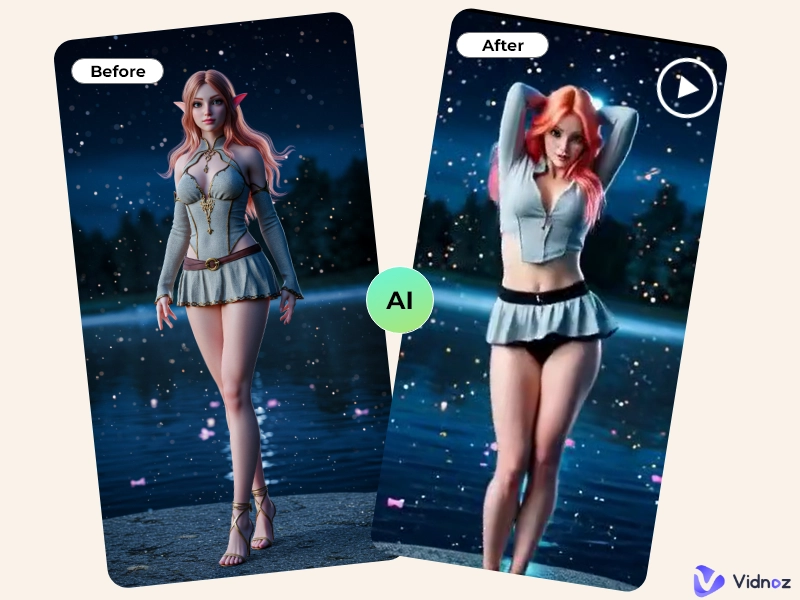
Hip sway dance videos can be created by AI in this part. You just need to upload a photo of someone’s full body, and AI will make that person dance smoothly. Having any doubts? Check a sample video first:
How about that? You can make yours effortlessly with Vidwud AI Dance Generator, too. This powerful free AI photo dance tool can help you create fabulous dance videos like the one shown above. Just uploading a photo will be fine, no sign-up or subscription. Here are the detailed steps:
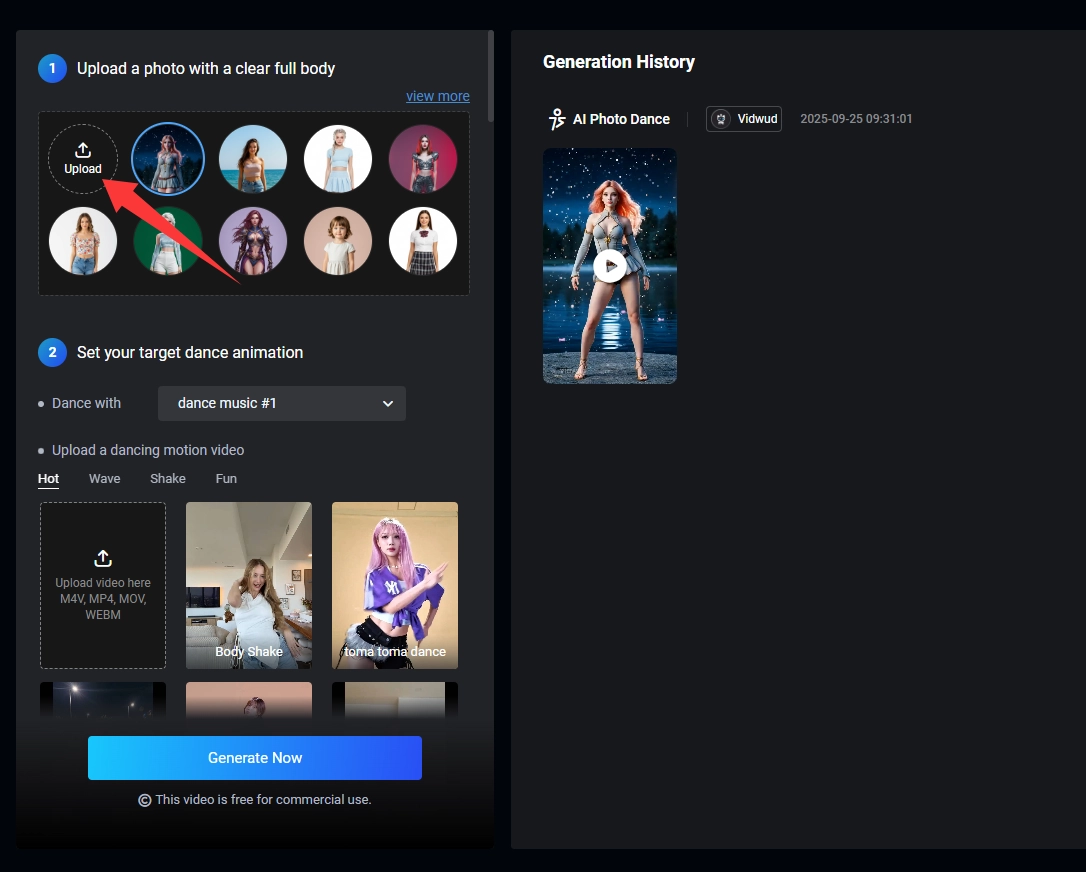
Step 1. Go to Vidwud AI Dance Generator.
Step 2. Upload a photo with a clear full body or select one from the photos prepared for you.
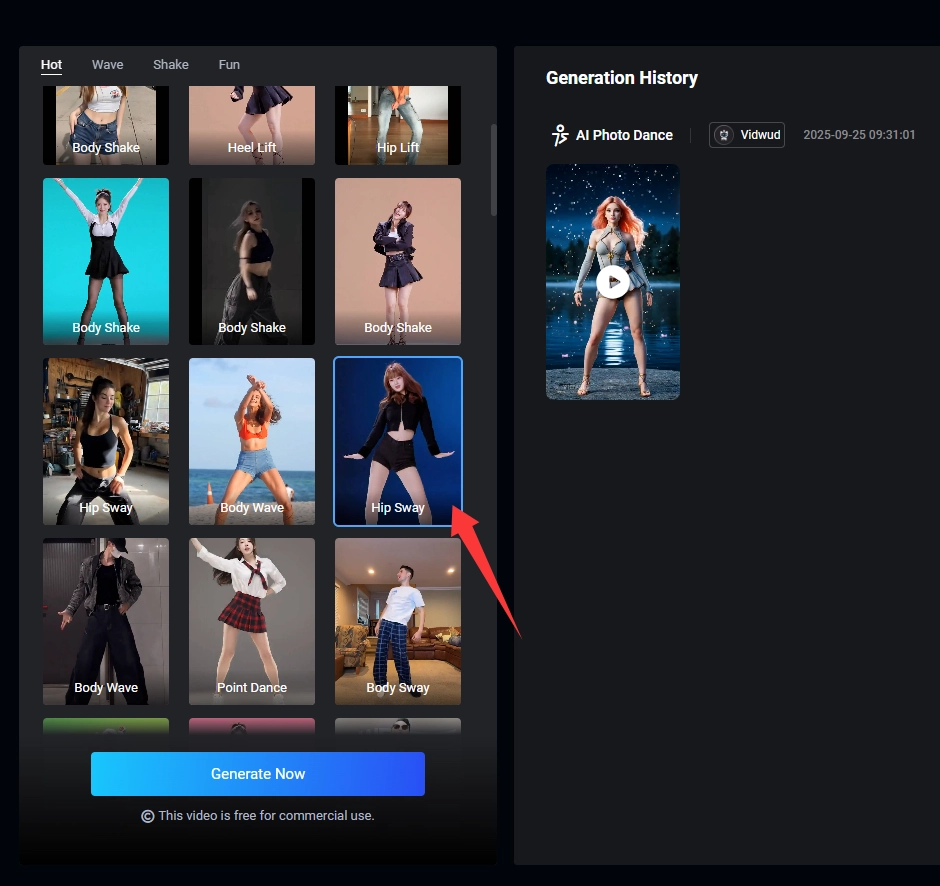
Step 3. Scrolling down a little bit and selecting Hip Sway.
Step 4. Click Generate Now and then check the dance video.
You can preview the video or download it directly.
Vidwud AI Dance Video Generator prepares you with dance music for videos. If you want to use yours, choose No BGM.
2# Upload Your Hip Sway Dance Video to Create
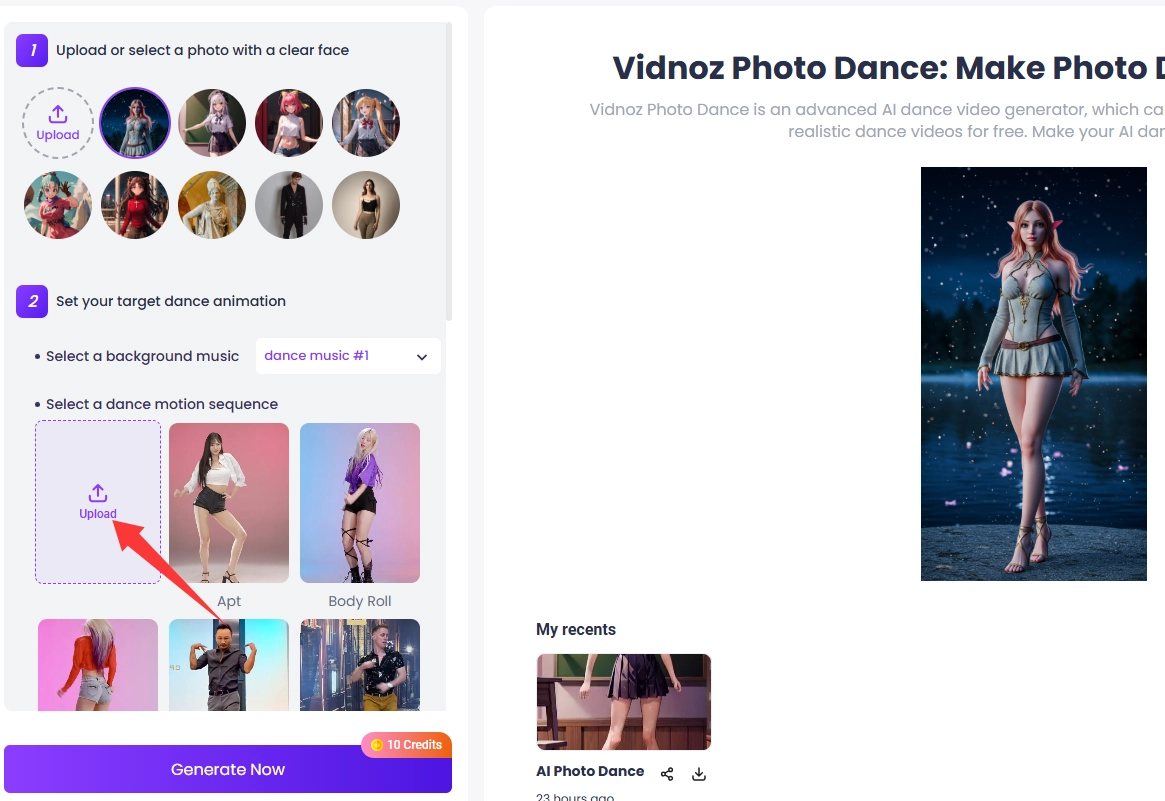
The second method is for people who are not satisfied with those template dances. You can upload your favorite hip sway dance and make it the reference for videos. The tool you need to use is Vidnoz AI Dance Generator. The steps are similar to the tool mentioned above: upload a photo, select a BGM, and then, do not select a dance motion, but click Upload to select your hip sway dance video. Last, click Generate Now, and the tool will analyze the video you upload and make your picture dance immediately.
The character you upload will dance exactly the same as the one in the reference video. You can download it for further edits.
This is a sample video generated by the method mentioned above.
3# Fotor AI Sway Dance Video Generator
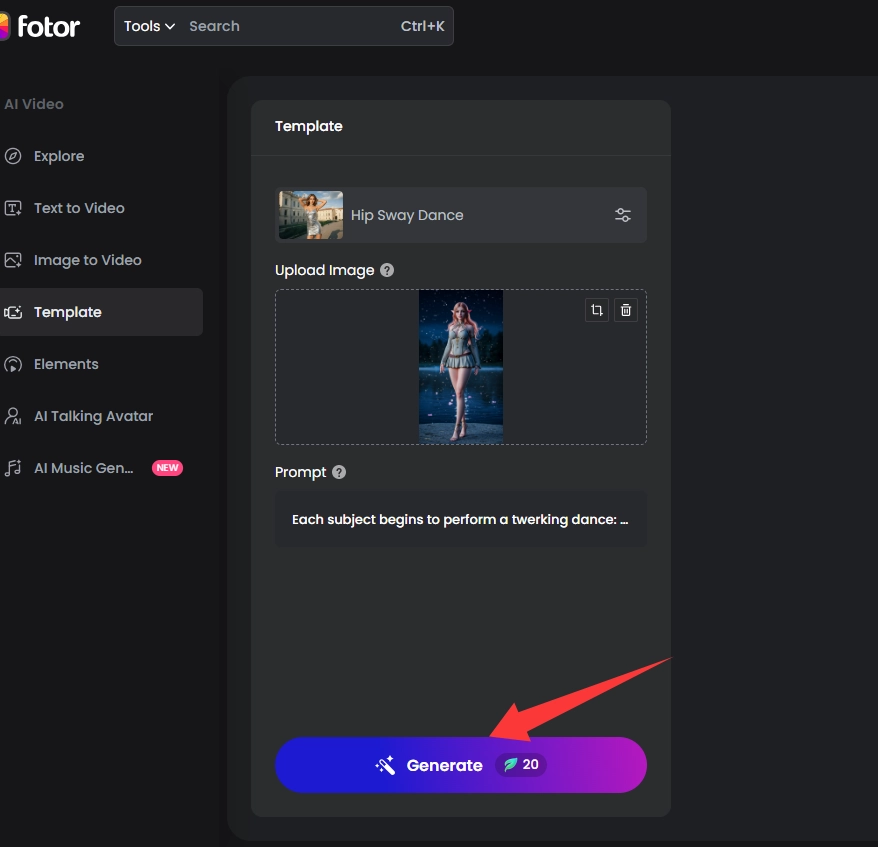
Besides the 2 tools mentioned above, Fotor also has an AI sway dance generator. Unlike the 2 tools mentioned above, it requires a sign-up and 20 credits to generate an AI hip sway dance video. Credits can be acquired by subscription or daily check-in. 5 consecutive days of check-in will earn you 20 credits for one generation.
Here’s how you can make use of it:
Step 1. Go to Fotor AI Sway Dance Video Generator.
Step 2. Click Make AI Sway Dance.
Step 3. Upload your image and you can edit prompt to make your video more specific.
Step 4. Click Generate and wait for a few seconds.
Here a sample video by this tool:
From Fotor AI Hip Sway Dance Generator website.
If you don’t have enough credits for the generation, you can also visit its Rewards Center, where credits can be earned by sharing Fotor with friends, writing reviews, publishing posts, and more.
That’s all about the AI sway dance generator. Choose the best one for you to create now! Wait, please don’t leave. Hot sway hip hop dance ideas and music are prepared for you below. Keep reading!
After learning about 3 tools above, here are some hip sway dance ideas for you to go viral on the internet. You can use virtual characters like anime figures, celebrities, or even animals to create entertaining hip sway dance videos.
Anime Hip Sway Dance
Naruto, Goku, Nezuko, or any character you like, all dancing together. You are able to make it happen with the hip sway dance generators mentioned above.
Movie Character Hip Sway Dance
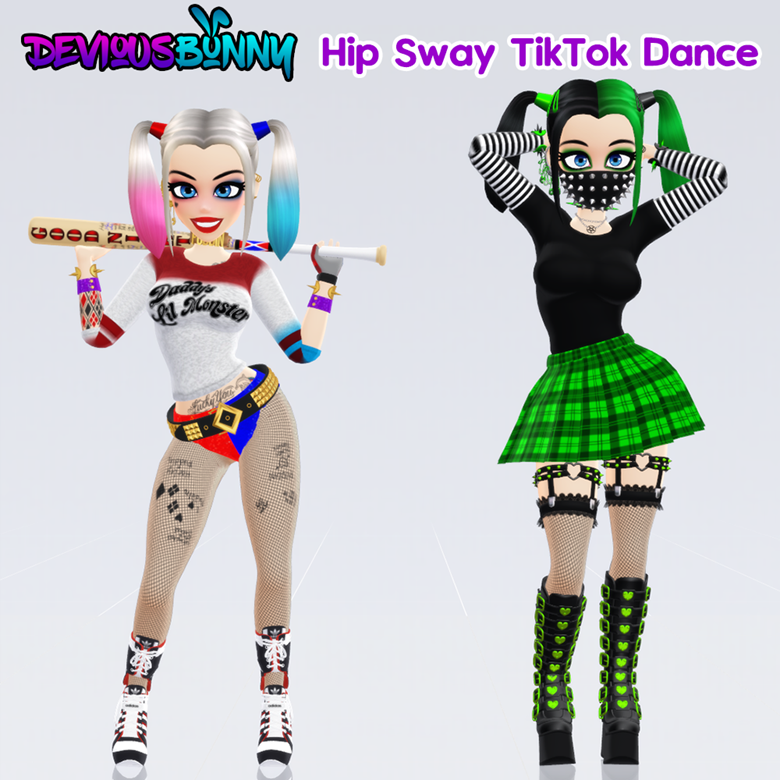
Let your favorite movie characters, like Harley Quinn, perform hip sway dances.
From https://ko-fi.com/s/166a890f30.
Celebrity Hip Sway Dance
Make celebrities who do not often dance in front of people put on a show! Just like the Rock below.
From the fotor_app Instagram account.
Animal Hip Sway Dance
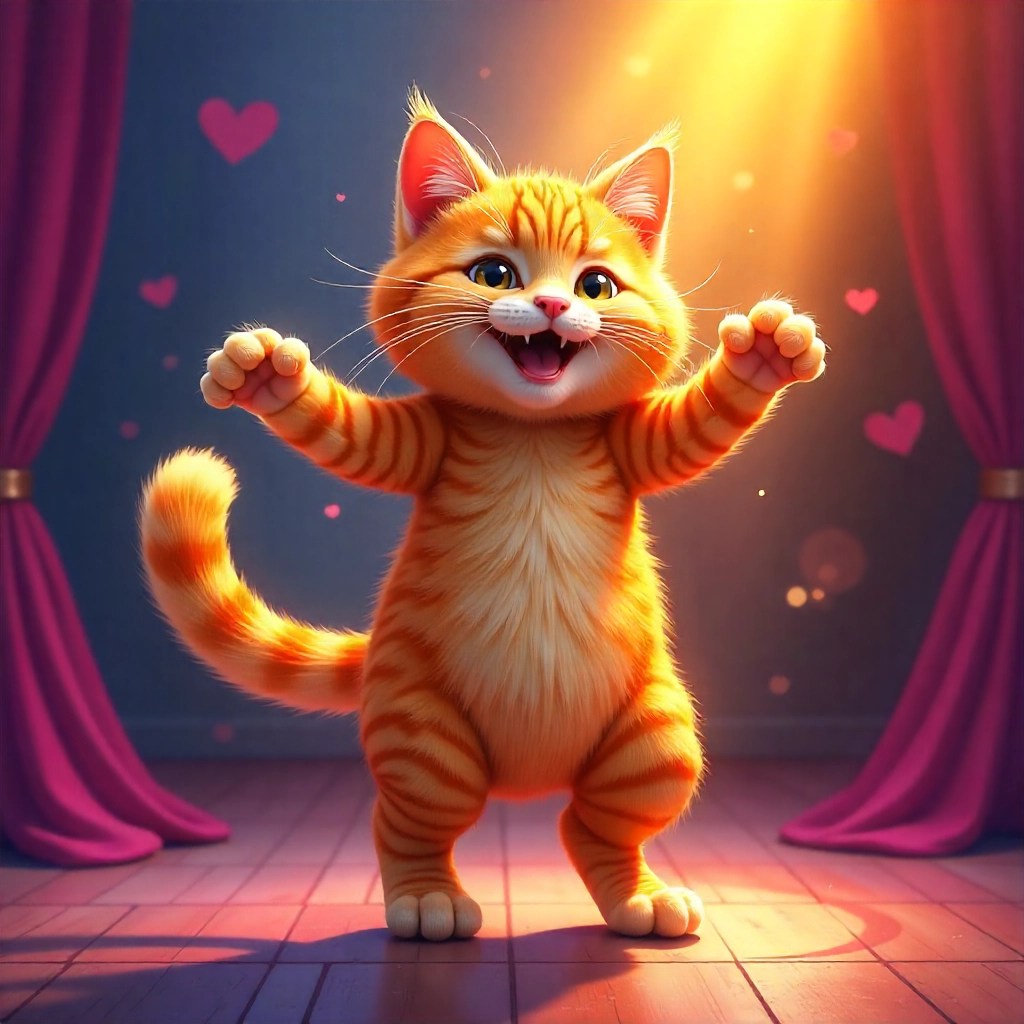
Animal hip sway dance videos, such as dance cat, dog, rabbit, etc. can be interesting too.
That’s all about AI hip sway dance ideas. Unleash your imagination with the tools recommended above right away.
Hip Sway Dance Music
The global popularity of hip sway dance should contribute to a song that is the most famous background music for that dance - 2 Phút Hơn by Pháo. The beautiful rhythm perfectly matches the hip sway dance and offers an immersive experience. For that case, here’s an MP3 audio of this song for you to apply to your hip sway videos. You can apply it to those No BGM hip sway videos for better performances, of course, personal use only.
You can also use an AI music generator to customize BGM that only belongs to you.
The Bottom Line
All about hip sway dance has been introduced above. You can now select one video generator to create amazing dance videos or download background music for generated videos. Last, the second Dance Video Generator by Vidnoz AI is recommended to you again. It has a special reference video feature and many dance templates for users to choose from. Go to this online free tool and start creating right away!
Vidnoz Photo Dance - AI Make a Photo Dance FREE
Create a smooth AI dance video from a photo.
Animate a photo with diverse dance moves.
Generate and download the video for free in seconds.
Kevin Hart is an experienced editor for Vidnoz focused on tech blog writing. Familiar with all kinds of video editing software on the market, specializes in composing posts about videos. All the topics he chooses are aimed at bringing more benefits to users.