Since the integration of AI and artistic creation, a variety of tools have emerged. From text-to-video conversions to the generation of videos from images, people are ceaselessly uncovering new modalities in video creation—tools are becoming more accessible, and efforts are being directed toward achieving results that are increasingly realistic and natural.
Amid this process of constant exploration and breakthroughs, a tool with a new operational model has emerged. AI Motion Brush offers an unprecedented experience. But, what exactly is Motion Brush, anyway? Among all the different creative programs out there, what makes this one special? Let's unveil the mystery of Motion Brush together.
- On This Page
-
Meet AI Motion Brush Today
-
Explore Top 3 Mainstream AI Motion Brush Tools
-
How to Dynamize Your Image with AI Motion Brush
-
Best Alternative to AI Motion Brush: Transform Your Image at Zero Cost
Simple Guide to Use Vidnoz AI Image to Video
Meet AI Motion Brush Today
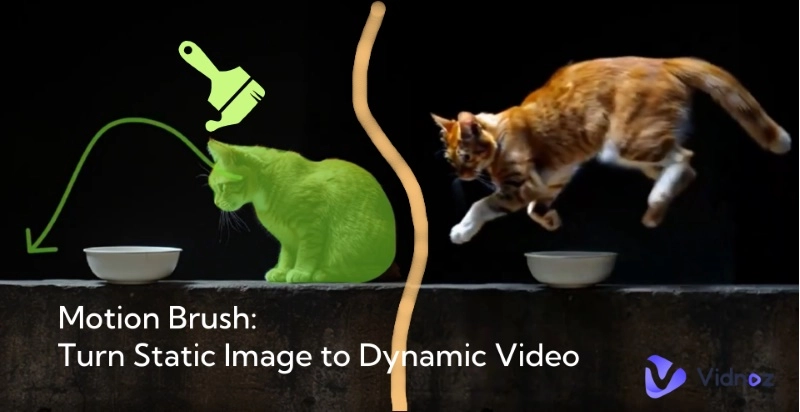
AI Motion Brush, as the name suggests, is essentially an innovative AI tool that allows users to apply dynamic effects to specific parts of a static image through simple "brushing" operations. Users can set the direction of motion for each area separately, enabling elements in the image to move as intended, making the generation of dynamic effects more controllable.
Combined advanced AI technology with image processing algorithms, Motion Brush intelligently identifies and analyzes the brushed areas, extracting their feature information. Then, through deep learning models trained on vast amounts of dynamic data, it predicts reasonable motion trajectories and ways for the elements in those areas. The underlying algorithm meticulously analyzes the physical properties of an image, accounting for variations in lighting conditions and the interactive dynamics between elements, thereby ensuring that the resulting motion effects are not only fluid and lifelike but also adhere to real-world logic.
Explore Top 3 Mainstream AI Motion Brush Tools
Runway Motion Brush
Runway Motion Brush is undoubtedly a leader in this field. As a key feature of Gen-2, it enjoys high visibility and a broad user base. Its operation interface, being simple and intuitive, allows even novice users to get started swiftly; when it comes to functionality, platforms like Runway offer precise area painting and a rich array of motion parameter adjustments, with continuous updates and upgrades to enhance performance. A notable example is Multi Motion Brush: it enables users to employ multiple brushes to work on different areas simultaneously, where each brush can independently select discontinuous elements and adjust parameters individually—this significantly elevates both the efficiency and controllability of dynamic creation in complex scenes.

For example, Multi Motion Brush allows users to use multiple brushes simultaneously on different areas, with each brush able to select discontinuous elements and adjust parameters independently, greatly enhancing efficiency and control in complex dynamic creations.

Kling AI
Kling’s AI video generation model has gained significant attention over the past year. Users can enable the Motion Brush feature in its Image to Video tool. Beyond mere automation, Kling AI empowers users to breathe life into static images—simply by sketching motion paths to animate specific elements, whether it’s making a character wave or stand, drastically streamlining the animation workflow.
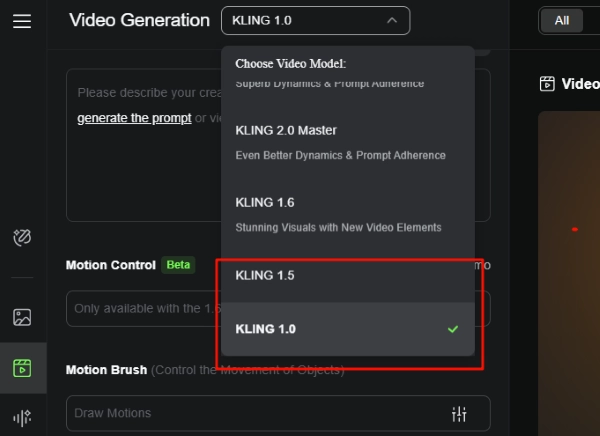
In terms of brush settings, its maximum brush size reaches 50 pixels, allowing users to adjust flexibly for different element sizes and detail levels. It also supports keeping certain areas static, providing more creative freedom. However, currently, only KLING 1.0 and 1.5 support Motion Brush, with more advanced models unavailable.

Kaiber Motion Brush
As the core component of Kaiber Motion 3.0 upgrade, the Motion Brush function launched by Kaiber AI realizes the transformation of static images into dynamic art products through a breakthrough algorithmic architecture. The tool not only gives a realistic sense of hierarchy and fluidity through high-precision motion simulation, but also significantly shortens the time-consuming part of traditional animation production by using an intelligent Select Segments system - for example, to optimize the quick selection of ocean ripples or cloud movements. With the intelligent Select Segments system - for example, quick selection optimization for ocean ripples or cloud motion - the time-consuming process of traditional animation production is significantly reduced, especially for commercial projects that require efficient delivery.
Whether it's for a professional project or a personal creation, Kaiber Motion Brush offers unparalleled control and artistic freedom! However, it’s worth noting that the feature’s access is somewhat buried and may take some time to locate.
How to Dynamize Your Image with AI Motion Brush
AI Motion Brush excels in its simplicity and controllable motion direction. Kling is chosen as an example below, and its steps may help you if you are still a bit confused:
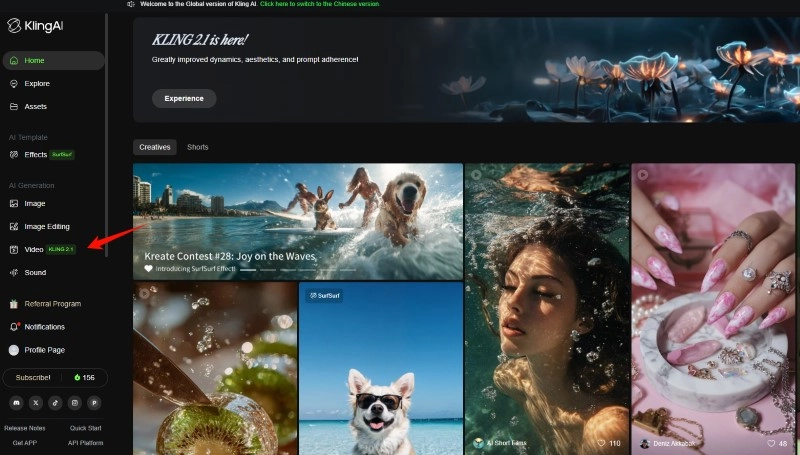
Step 1: Go to the corresponding tool page—in this case, Kling AI. Then select the Video Generation option in the tool.
Step 2: Choose the Image to Video mode and upload the image you want to add motion effects to.
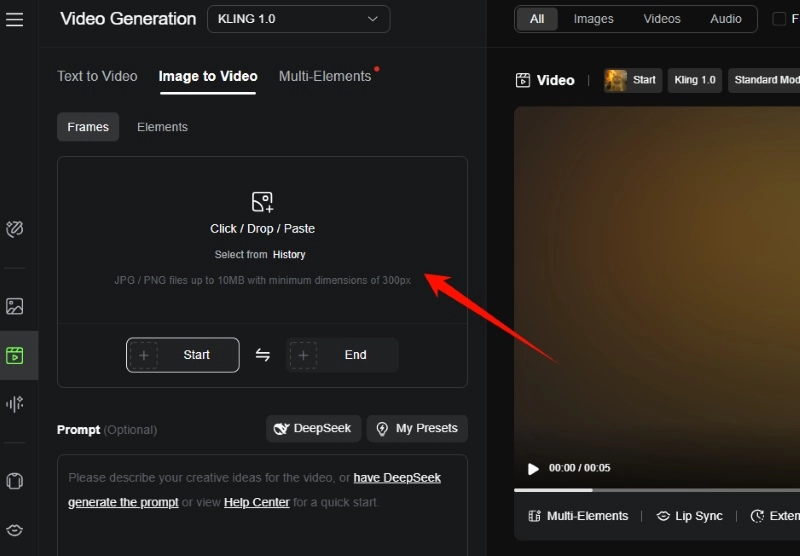
Then, select Motion Brush in the customization area.
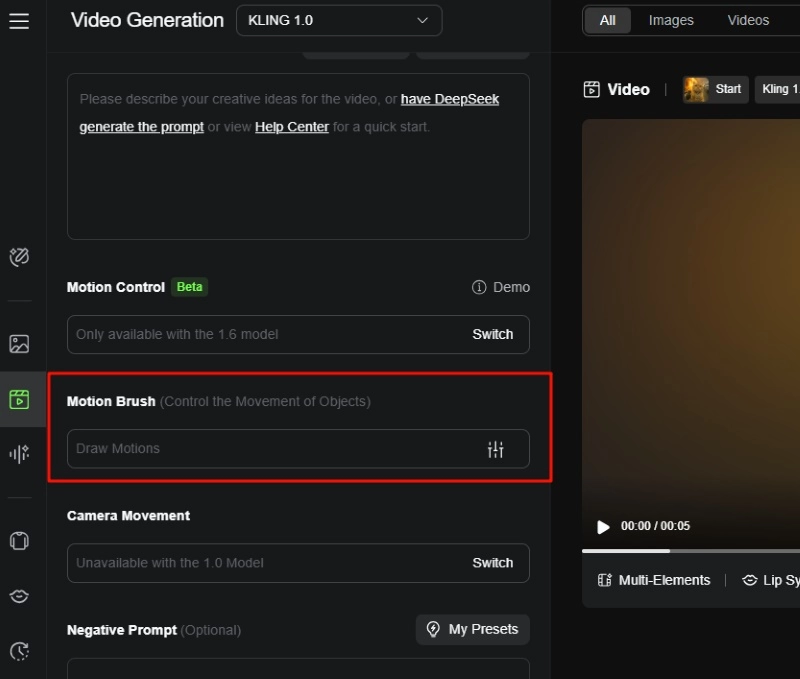
If you’re using Kling AI, make sure to set the video generation model to KLING 1.0 or 1.5 in advance.
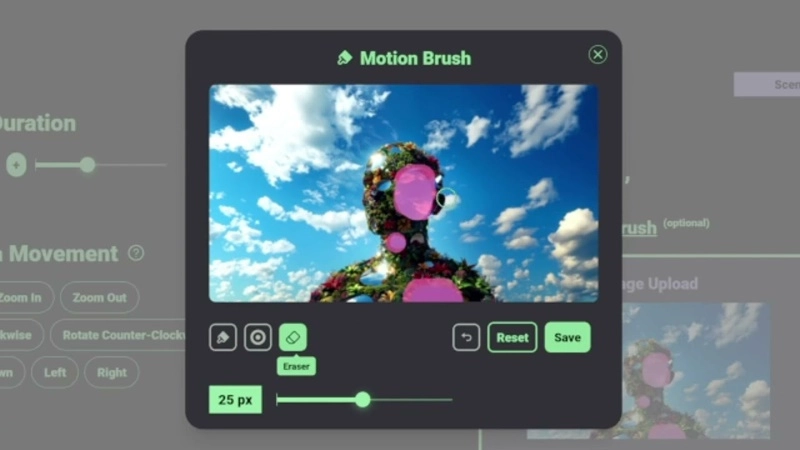
Step 3: In the editing interface, you can adjust the brush size, brush over elements, and specify the motion direction. Kling AI allows you to set up to 6 motion areas. And, you can also specify the area that remains stationary.
If you’re unsatisfied with the brushed or set areas, you can use the eraser or undo the operations. Once done, click Confirm.
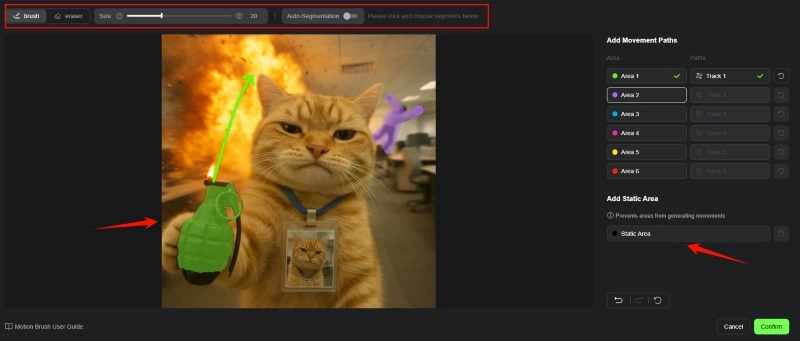
Step 4: At this point, you can select Generate. Moreover, you can also adjust Prompt, Camera Movement and other options to get better video results.
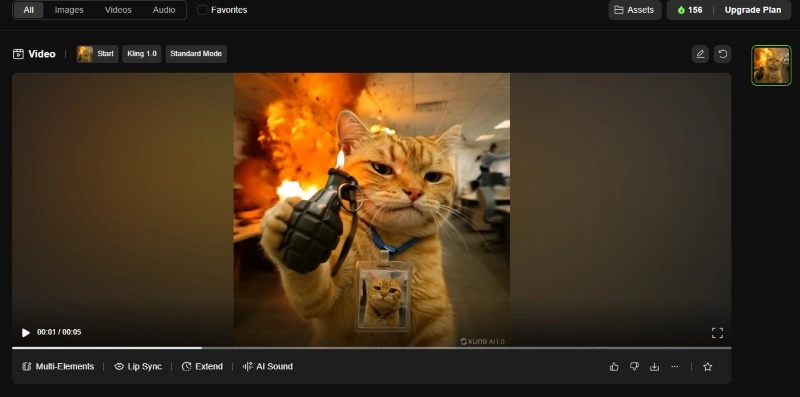
Step 5: Wait a few seconds, and your content will be successfully generated and saved in Assets. You can choose to download it or publish it to Kling’s creative community.
Best Alternative to AI Motion Brush: Transform Your Image at Zero Cost
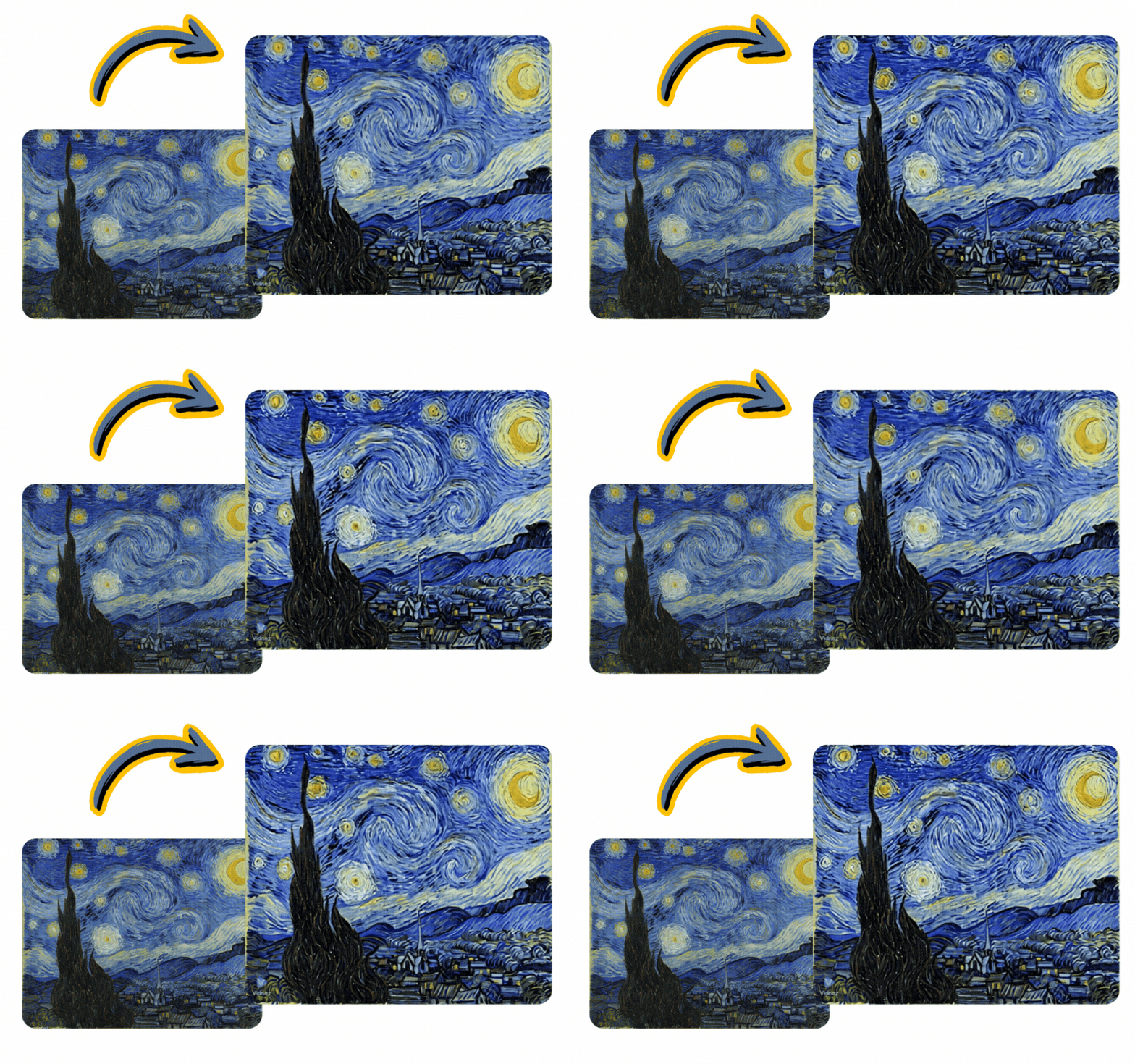
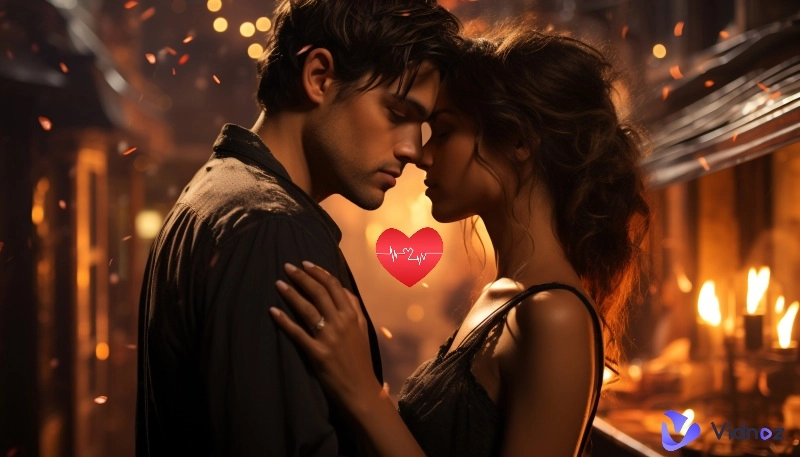
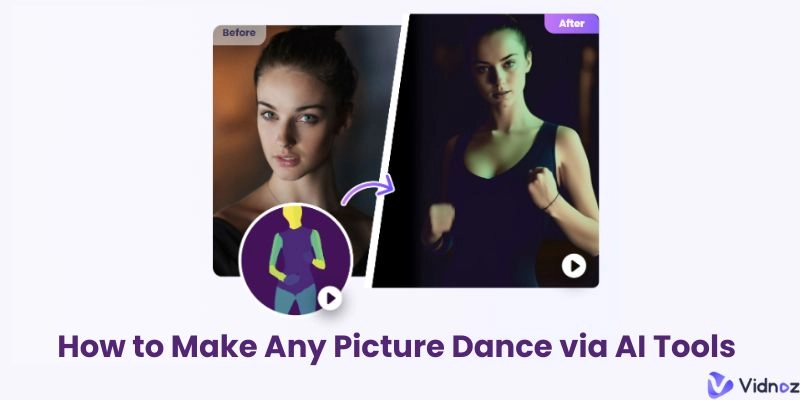
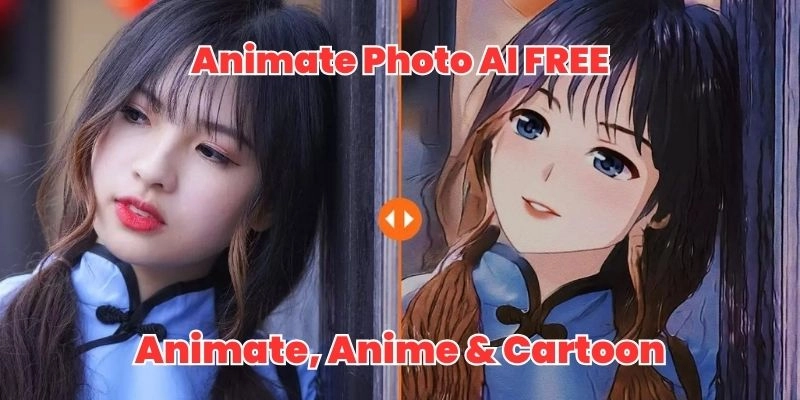
If you frequently browse social media, you’ll notice that AI-created video content has become very common. However, what holds most people back from taking the first step is "credits." Paying upfront without knowing the outcome can feel daunting. Fortunately, Vidnoz Image to Video tool now allows you to achieve image dynamization effects without spending a dime.
Convert Image to Video AI Online - Free
- Create a video from an image quickly for free.
- Use various AI models to turn photos into videos.
- Download and share the AI-generated video at no cost.
Convert Image to Video
The core highlight of Vidnoz Image to Video AI tool is its ability to transform static images into captivating dynamic videos with a single click. You can adjust the video duration and customize effects through the video description. For higher video quality, you can also upgrade to Vidnoz’s Ultra or Max models. With Vidnoz, creators can unleash their creativity and enjoy the fun of AI Motion Brush without paying.
Simple Guide to Use Vidnoz AI Image to Video
Step 1: Go to the Image to Video tool page under Vidnoz Gen and upload the image you want to transform.
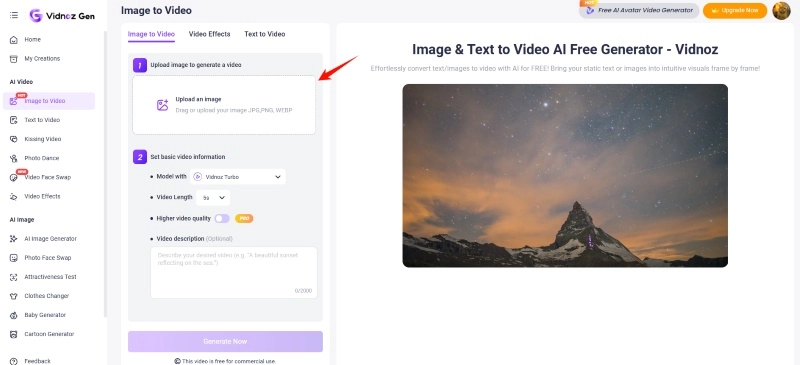
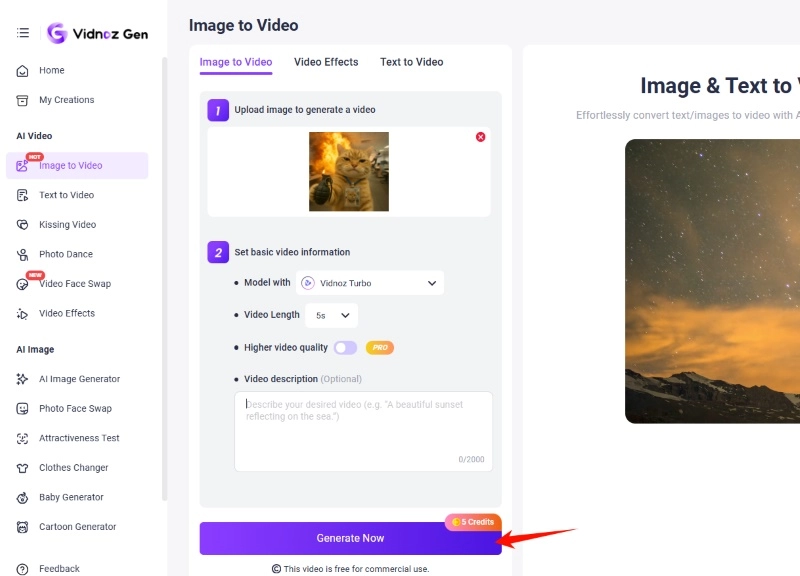
Step 2: In the operation area, adjust the options and description as needed, then click Generate Now.
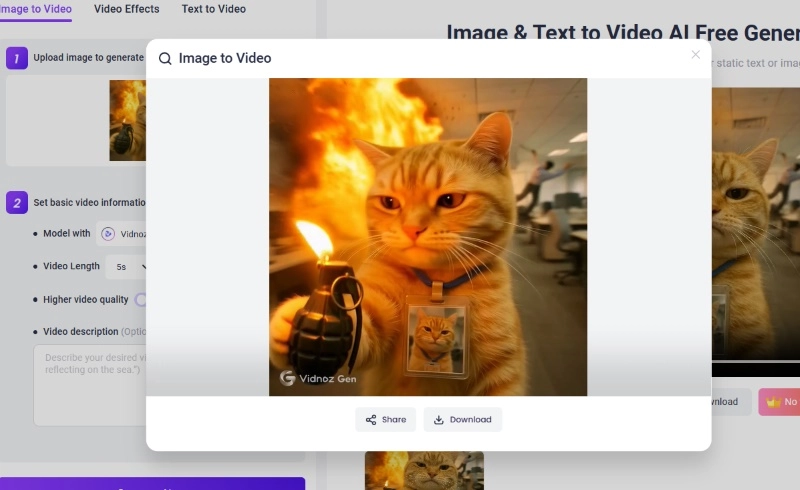
Step 3: The AI will automatically process your image and generate the corresponding result. You can preview and download it on the page.
As a comprehensive platform, Vidnoz also offers a free AI video generator for further editing. Users can crop, resize, and customize elements like music and text, adding a personalized touch to their videos.
Conclusion
AI Motion Brush, as a cutting-edge visual creation tool, achieves more accurate motion simulation effects and, at the same time, is constantly evolving to achieve even better quality and realism. If you’d like to try it yourself, feel free to choose tools like Kling AI or Runway Motion Brush. You can also confidently register for Vidnoz and experiment with its Image to Video tool. Whether it’s realistic photos or abstract artworks, these AI tools are ready to bring your ideal effects to life.
Convert Image to Video AI Online - Free
- Create a video from an image quickly for free.
- Use various AI models to turn photos into videos.
- Download and share the AI-generated video at no cost.
Convert Image to Video






![Top 7 Free Hailuo AI Alternatives for AI Video Creation in 2026 [Updated]](https://www.vidnoz.com/bimg/hailuo-ai-alternative.webp)
