



Google Classroom AI Detector: 5 AI Content Checker Free
How to use the AI detector on Google Classroom? This post recommends 5 practical Google Classroom AI detectors that can help you check students’ submissions.
Don’t know how to detect the AI rate of your students’ submissions? You must be bothered about the misuse of ChatGPT, which does students a favor and deals superbly with their assignments.
The first thought of you is not a third-party AI content detector, but the default feature built inside Google Classroom. Yet such a type of function is not seen inside Google Classroom, except the Originality Report, a function that only reflects the uncited and copied content in students’ submissions. No worries, this guide will let you know 5 free and handy Google Classroom AI detectors to seize the sneaky escapers.
- On This Page
- Any Google Classroom AI Detector? The Originality Report
- Google Classroom AI Detector - AI Rate Checker
- Google Classroom AI Detector - Chrome Extension
- Google Classroom AI Detector - GPT 4 Detector
- Google Classroom AI Detector: ChatGPT Can Detect Too
- Google Classroom AI Detector: Manual Traces of AI-Generated Content
- Bonus Tip: AI Teaching Material Generator - Vidnoz Education Slideshow VideoConclusion
-
Any Google Classroom AI Detector? The Originality Report
Google Classroom is not built with any AI content detector. Users have this wrong assumption, possibly since the similar feature ‘originality report’, a feature that focuses on uncited text and copied content, and is unable to detect any AI-generated content.
The Overview of Google Classroom’s Originality Report Function:
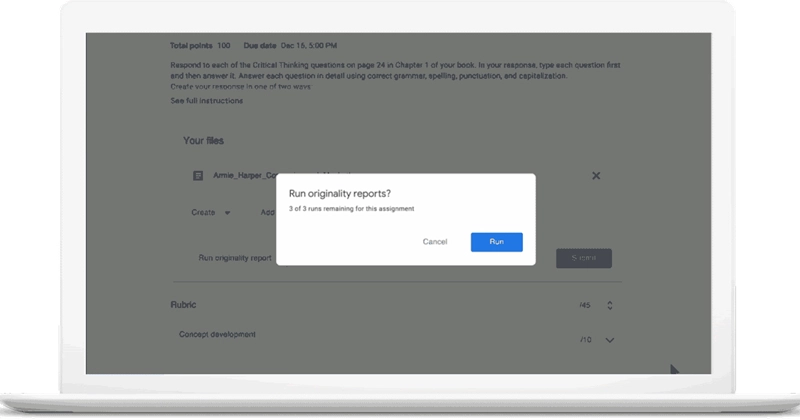
Google Classroom Originality Report does an automatic scan on students’ submissions, working on all types of mainstream formats, ranging from Microsoft Word, PowerPoint, Excel, PDF, Images, or Google Docs, Google Sheets, etc. The Originality Report function is backed up by billions of web pages, doing fast searching and matching to quickly sift copied content out from your students’ homework.
This function is unable to deal with AI-generated content, given that AI-generated text is usually high-quality paraphrases with authentic references to solid information. So if you wish to give your students’ homework a 360-degree inspection, you need the following 3 tools.
Google Classroom AI Detector - AI Rate Checker
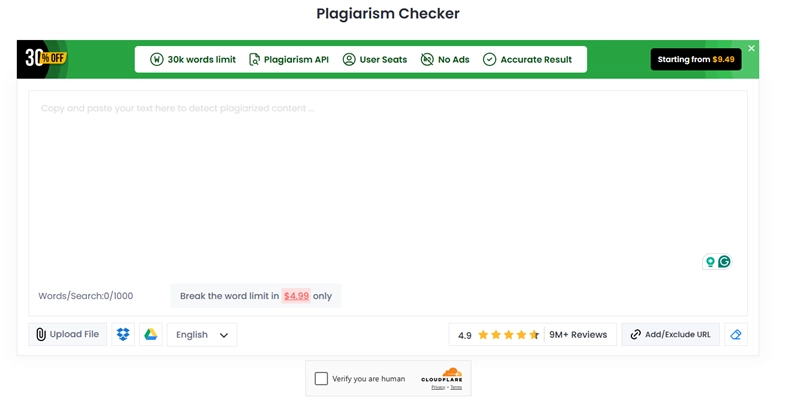
Free online AI plagiarism checker, allowing users to check 1000 words per time, and giving users authentic analysis based on a strong database. This free website allows users to do unlimited content detection. The flaws are evident though. Each time you try this AI content checking, you need to finish the verification and skip advertisements to get access to the free services.
One thing worth noticing is that this tool offers strict AI traces analysis, helping you to dig into sophisticatedly paraphrased AI text. If you have doubts over your students’ Word document but cannot come to a verdict on the AI rate, this tool is a must-try. Use this free website by visiting the URL below:
https://smallseotools.com/plagiarism-checker/
Google Classroom AI Detector - Chrome Extension
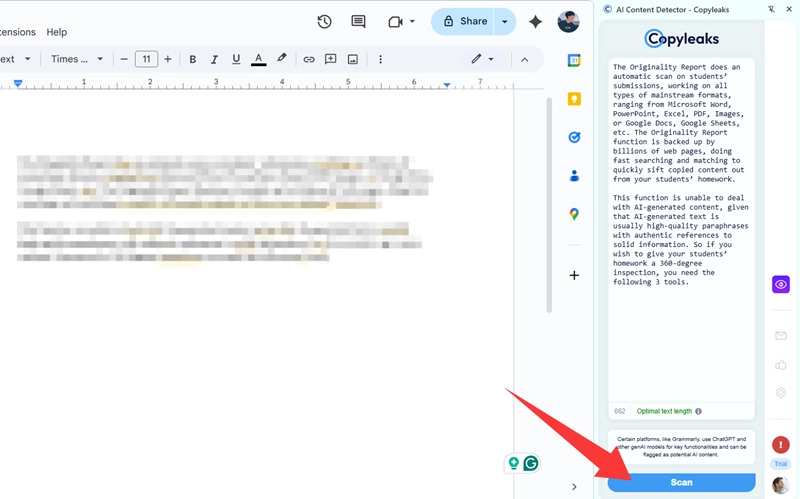
Check Copyleaks, the convenient AI content detector on Chrome Extension. Being a free extension based on a webpage, users can easily access this floating icon and launch an AI check whenever they want to.
Hold the mouse to select a paragraph and hit a floating icon to check the AI rate directly. The second way is to copy and paste a chunky paragraph into the blank bar and hit the ‘Scan’ button to get a full analysis.
The advantage of this extension is that word count does not limit users; you can copy and paste a lengthy article each time and get quick results. Use this free website by visiting the URL below:
https://copyleaks.com/ai-content-detector
Google Classroom AI Detector - GPT 4 Detector
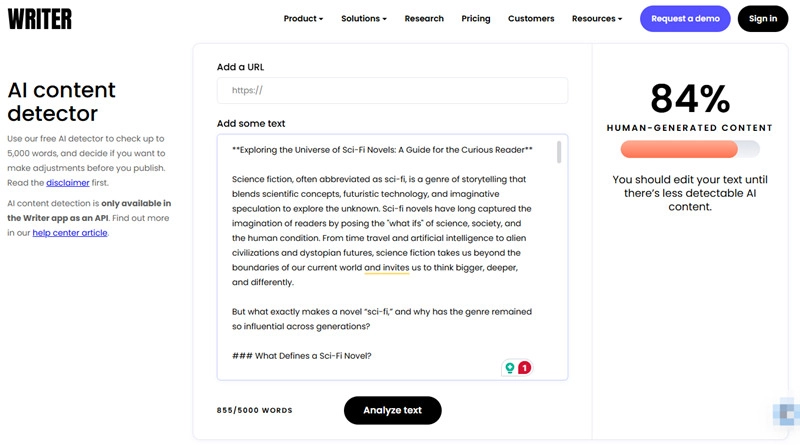
Aiming to cope with the cutting-edge GPT-4 generated AI content, writer.com adopts the same sophisticated AI database to train its AI content checker. So far, this free website is a 100% free tool, allowing users to upload 5000 words each time and give quick feedback in almost 30 seconds. Your uploaded content will be given a score based on the percentage of AI traces.
The whole process is smooth and instant, with no interruption of verification steps or advertisements. Just upload and check your result to see if your students use ChatGPT-4 to finish their assignments.
The only deficit of this website is that it does not support Word or PowerPoint; you need to do a simple conversion to extract the content and paste it to this site to do an AI content detection. Use this free website by visiting the URL below:
https://writer.com/ai-content-detector/
Google Classroom AI Detector: ChatGPT Can Detect Too
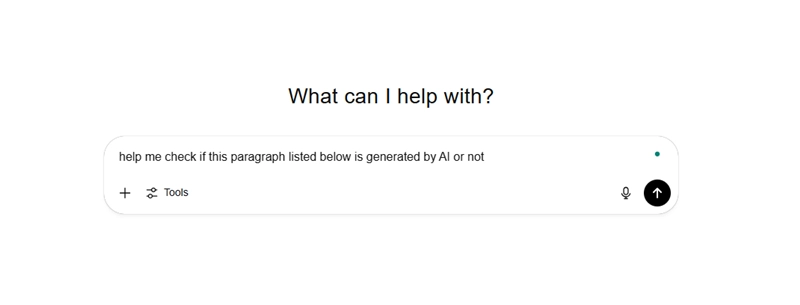
ChatGPT can both be a producer and a checker itself. Use the right prompt in ChatGPT, and it can let you know if there is AI-generated content in your submissions. Here you can refer to a sample line of prompt to turn ChatGPT into an AI content detector: 'Help me check if AI generates this uploaded document.' After a quick analysis, ChatGPT will let you know if any of the content you offered concludes its work. The good part of ChatGPT is that it can do unlimited content detections for you, all for free. The bad part is that the analysis may not be as accurate as you presume.
Google Classroom AI Detector: Manual Traces of AI-Generated Content
Actually, many tellable signs can be observed to help humans detect AI-generated content.
1. Repeated expressions
If you noticed some overly repeated expressions or statements, then those are evident clues of AI.
2. Overly formal expressions
AI tends to take formal expressions and avoid casual and daily sentences that students tend to use.
3. Very structured content
AI always writes a logical and clear structure before giving you the final answer. If you notice a student’s submission is super organized, then it is possible that the work is done by AI.
4. Shallow information, lacking deep context
If an assignment tends to be superficial and talks in a shallow way.
5. Neutral and emotionless expressions
AI speaks in a robotic way. If you find the content reads like written emotionlessly, then it is possible done by AI.
6. Abrupt in consistency
AI tends to omit the interjunctions. If you feel two parts are separated unnaturally, then be aware it is AI’s work.
7. Blunt use of common knowledge
AI usually gives wrong information, especially in the area of common sense.
If you quickly scan your students’ submissions and find these easily noticed traces, then you should be aware that AI can help with his/her homework.
Bonus Tip: AI Teaching Material Generator - Vidnoz Education Slideshow Video
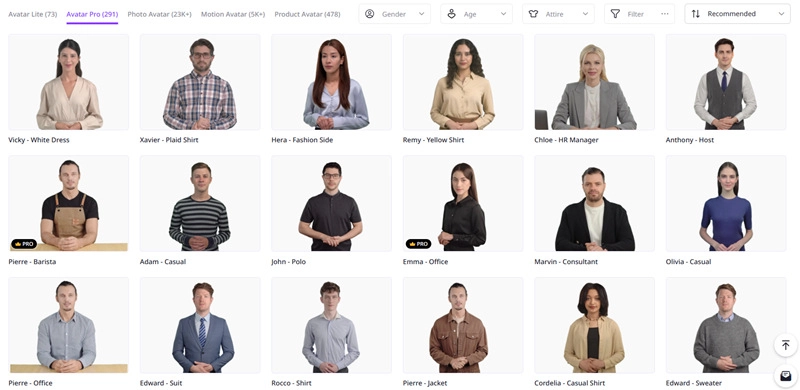
Vidnoz is a pioneer AI video generator that aims to relieve education workers' burden. Providing hundreds of teaching templates to demonstrate lessons and courses, Vidnoz hires thousands of decent digital teachers to present your virtual classes. You can customize the content and let Vidnoz's digital avatar do lip-synced text to speech. Match the avatars with appropriate voice and accent to suit your region. Vidnoz also offers a resourceful language gallery for multi-lingual situations.
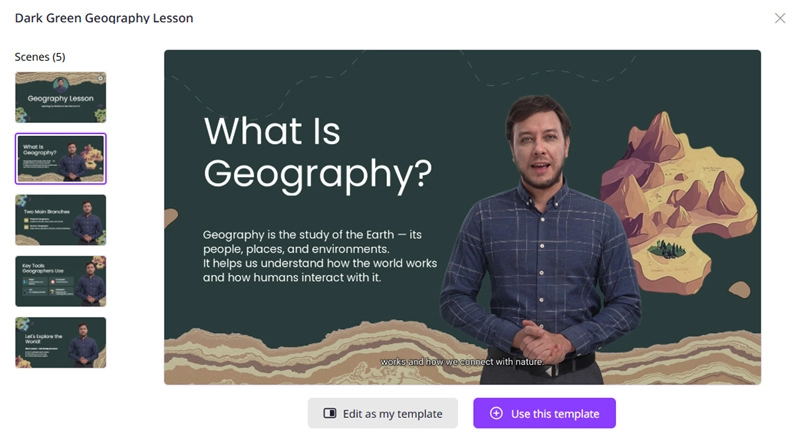
The exquisitely-designed AI teaching video template frees you from manual drawings and arrangements. All you need to do is make a slight adjustment to the pre-set content, and Vidnoz will handle the rest of the work for you. The outcome is perfect for a fun intro video before lessons, or an intact online lesson for remote learning.
Now hit the button below to enter Vidnoz's Video Generator! Every day users get 15 free seconds of time, collecting them and make your own educational video for free!
Conclusion
This post explains that there is no Google Classroom AI detector built within this platform; the only function Google Classroom provides is the Originality Report, which deals with uncited content and copied content. This feature cannot detect AI-generated text, and this task should be designated to professional AI content detectors. This post introduces 5 free online AI content detectors, which accurately analyze and extract AI-generated text from uploaded documents. Please feel free to try them. Check more AI tools to do image and video creation. Vidnoz is your best toolkit, covering all filters, lenses, to do transformations across portraits and videos.


Gary Henderson
Gary Henderson once was the most-viewed writer under Quora's 'screen recorder' catagory. You can still find him professionally solving people's puzzles that related to videos, screenshots and gaming.
