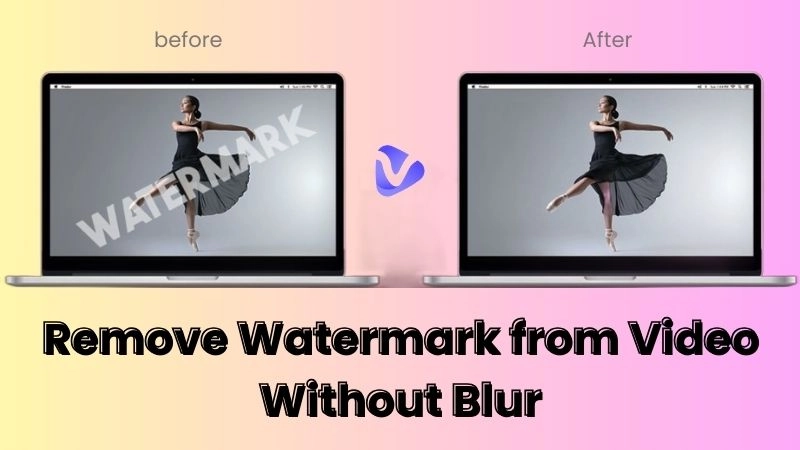
Sometimes you find the perfect GIF online, but it contains an unwanted logo or watermark overlay. Instead of discarding it, you can use a GIF watermark remover to clean it up in seconds. Online AI tools make it easy to erase logos from animated images without complicated editing. In this guide, we’ll explore several GIF watermark remover online free tools that help remove watermarks quickly using either AI or traditional editing methods.
- On This Page
-
GIF Watermark Remover AI - Auto Remove Logo
-
GIF Watermark Remover - Vidnoz Free Online Video Editor
How to Erase Watermark from GIF Images with Vidnoz Online Video Editor
-
GIF Watermark Remover - VideoPlus Online Remover No Login
-
GIF Watermark Remover - Kazi AI No Quality Loss
-
GIF Watermark Remover - Aspose 100% Free Logo Remover
GIF Watermark Remover AI - Auto Remove Logo
AI technology has dramatically simplified image and animation editing. A modern GIF watermark remover AI analyzes each frame in a GIF animation and intelligently removes unwanted elements such as logos or text.
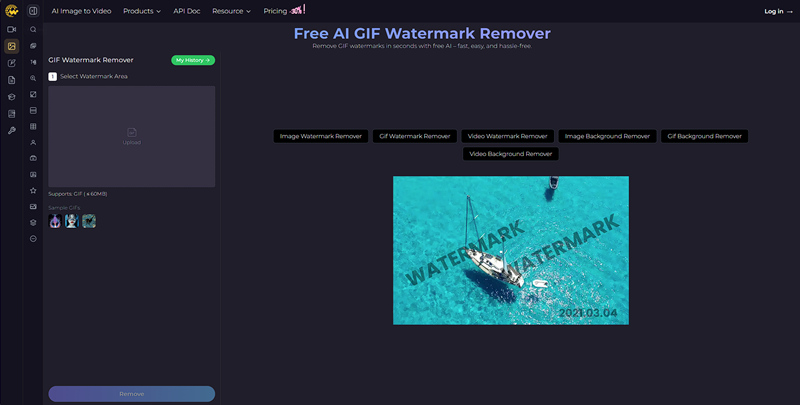
One tool that offers this functionality is Supawork’s AI watermark remover.
This platform automatically scans the GIF and identifies the watermark region. The AI then reconstructs the surrounding pixels so the removed section blends naturally with the rest of the animation. Compared with manual editing, this method saves time and reduces visible editing artifacts.
When you work with both GIFs and videos, similar AI-powered tools are available. For example, the video eraser tool can remove unwanted objects or watermarks from video content. Likewise, the tool to remove watermark from video works well when you need to clean branding or logos from recorded clips.
For users who frequently edit animated media, an animated gif watermark remover powered by AI is often the fastest solution because it processes every frame automatically.
Pros
- AI automatically detects watermark areas
- Removes logos across multiple animation frames
- Fast online processing
- Beginner-friendly interface
Cons
- Free usage limits may apply
- AI detection may fail on complex patterns
- Requires an internet connection
- Output resolution may be limited in the free version
GIF Watermark Remover - Vidnoz Free Online Video Editor
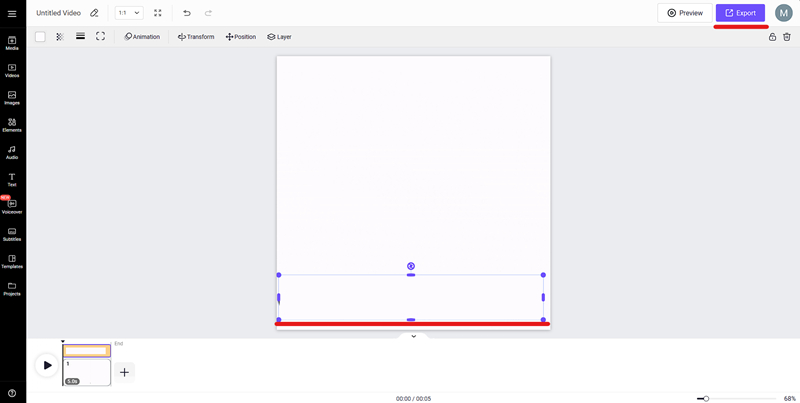
Another effective approach is to use an online editor that allows you to cover or replace the watermark area. The Vidnoz Online Video Editor works as a flexible GIF watermark remover by allowing users to overlay graphics or text on top of existing watermarks.
Instead of removing the watermark directly, the editor lets you hide it by placing a sticker, shape, or new graphic over the original mark. This technique works well when the watermark is located in a corner or consistent position throughout the animation.
Because the editor runs entirely online, there is no need to install additional software. Users can upload their GIF file, edit it, and export the finished version quickly.
Vidnoz also provides several useful tools for enhancing animated images:
With these features, Vidnoz functions as more than a simple GIF video watermark remover; it becomes a full editing toolkit for GIF content creation.
How to Erase Watermark from GIF Images with Vidnoz Online Video Editor
Step 1. Upload Your GIF
Open the Vidnoz Online Video Editor and upload the GIF file containing the watermark.
Step 2. Locate the Watermark Area
Scrub through the timeline to find where the watermark appears and ensure it remains consistent across frames.
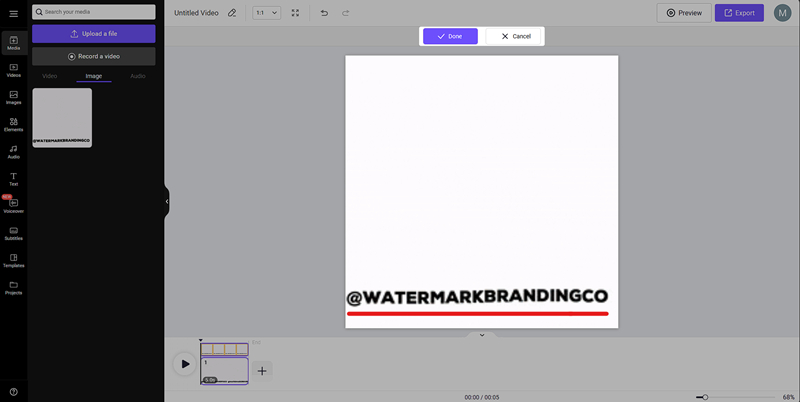
Step 3. Add a Cover Element or Crop
Insert a shape, sticker, or new graphic to hide the watermark. Resize and position the element carefully so it blends naturally with the animation. Or you can simply crop the element out.
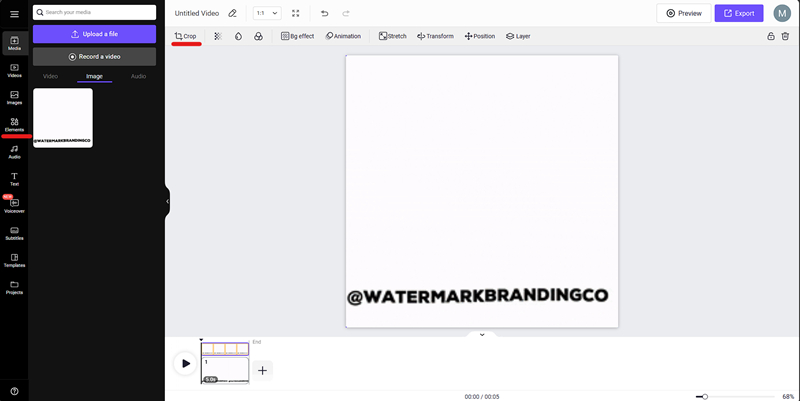
Step 4. Export the Edited GIF
Preview the edited file and export it once the watermark is successfully hidden.
Pros
- Completely browser-based editing
- Multiple creative editing tools
- Works with both video and GIF files
- Integrated with other Vidnoz AI tools
Cons
- Watermark is covered rather than erased
- Requires manual adjustments
- Advanced exports may require you to log in
- Large GIF files may take longer to process
GIF Watermark Remover - VideoPlus Online Remover No Login
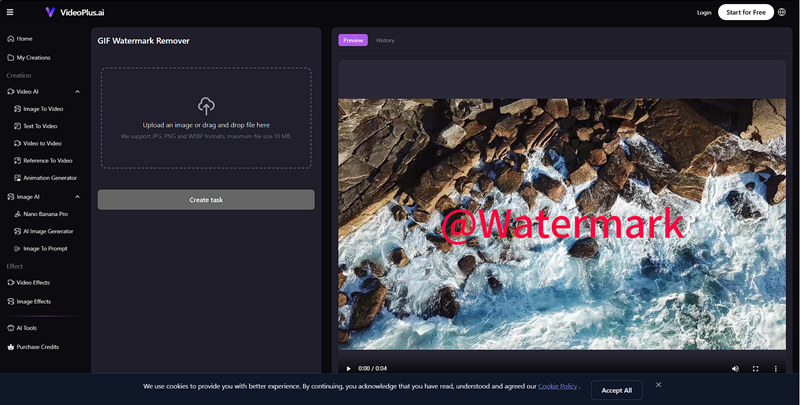
If you prefer a quick tool without creating an account, VideoPlus offers a simple GIF watermark remover online free service.
This online tool allows users to upload a GIF, select the watermark region, and remove it automatically. The interface is designed for speed and simplicity, making it suitable for users who only need basic editing functionality.
Because it works entirely within the browser, users can start editing immediately without registration. For casual creators or social media users, this GIF video watermark remover provides a fast way to clean animated images.
Pros
- No login required
- Simple drag-and-drop interface
- Fast watermark removal process
- Supports animated GIF files
Cons
- Limited editing tools
- File size restrictions
- Output quality may vary
- Processing speed depends on server load
GIF Watermark Remover - Kazi AI No Quality Loss
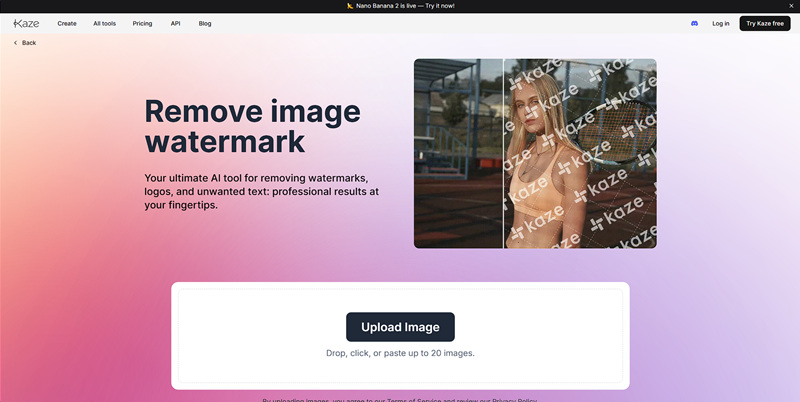
Kaze AI Watermark Removal Tool is another solution designed to preserve the quality of the original animation.
This platform uses machine learning algorithms to reconstruct the background after removing logos or text overlays. Unlike simple cropping methods, the system analyzes the surrounding pixels and fills the removed area naturally.
The tool is particularly helpful when you need an animated GIF watermark remover that keeps the visual quality intact. Since many GIF files contain multiple frames, maintaining consistent quality is important for smooth playback.
Pros
- AI-assisted watermark removal
- Maintains GIF resolution and quality
- Easy drag-and-drop workflow
- Works entirely online
Cons
- Free processing limits
- AI results depend on watermark complexity
- Large files require longer processing time
- Some advanced features may require a subscription
GIF Watermark Remover - Aspose 100% Free Logo Remover
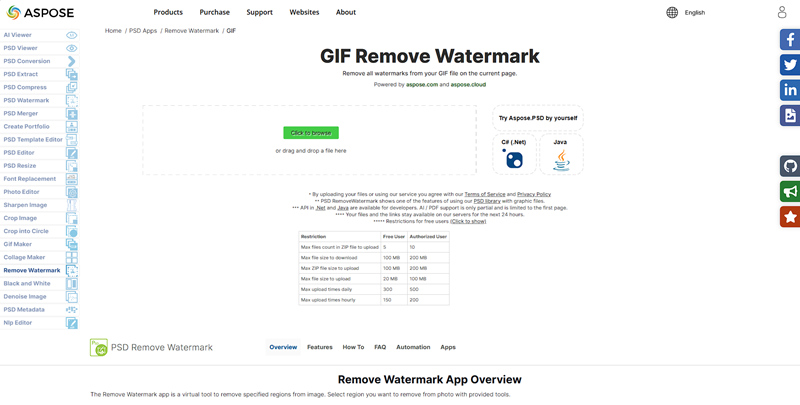
The Aspose GIF watermark remover is another practical option for removing watermarks from animated files.
Aspose provides a straightforward browser-based tool designed to remove logos from several image formats, including GIF. Users simply upload their animated file, mark the watermark area, and let the system process the removal automatically.
Because it’s a web-based platform, the tool works across different operating systems and browsers. The Aspose GIF watermark remover is especially useful for users who want a completely free solution without installing any software.
Pros
- 100% free tool
- Supports GIF file format
- Works directly in the browser
- Simple interface for beginners
Cons
- Manual watermark selection required
- No advanced AI detection
- Limited editing controls
- Processing large GIFs may take longer
Conclusion
A reliable GIF watermark remover can help you quickly eliminate unwanted logos and text from your animations. Whether you choose AI-powered solutions or manual editors, today’s tools make GIF editing easier than ever. For a flexible editing environment with additional creative tools, try Vidnoz Online Video Editor and explore its AI-powered features to enhance and customize your GIFs.
Convert Image to Video AI Online - Free
- Create a video from an image quickly for free.
- Use various AI models to turn photos into videos.
- Download and share the AI-generated video at no cost.
Convert Image to Video







![Best 5 Tools for How to Remove Backgrounds from GIFs - [Detailed Steps Included]](https://www.vidnoz.com/bimg/remove-backgrounds-from-gifs.webp)