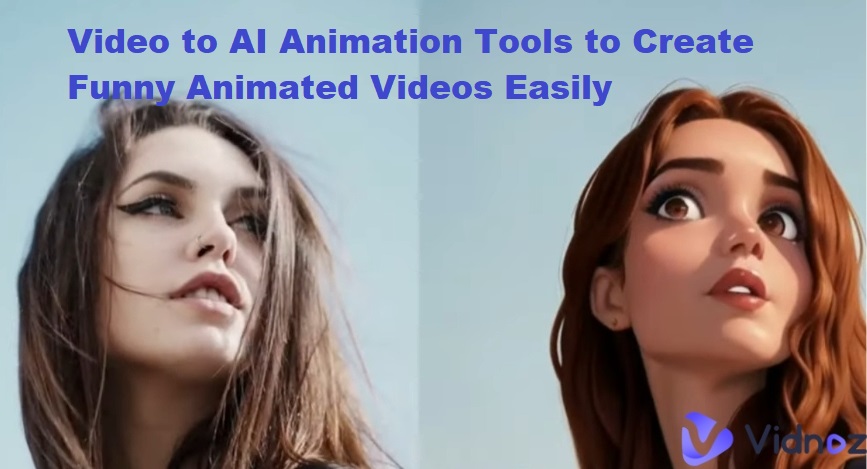
Raw footage often appears choppy or laggy due to its low frame rate. Today’s viewers crave ultra-smooth motion—but most videos are still shot at just 24 or 30 FPS. That’s where AI frame rate increase tools come in. By increasing the frame rate to 60 FPS, you can easily transform low-FPS, jerky footage into smooth, cinematic-looking videos. In this article, we will introduce the 3 best AI frame interpolation online free methods for your video that help you automatically enhance motion and detail to make your footage look crystal clear.

- On This Page
-
What Happens After an AI Frame Rate Increase?
-
AI Frame Rate Increase – TopazLabs
-
AI Frame Rate Increase – 60 FPS Converter
-
AI Frame Rate Increase – One Click Converter
-
Bonus Tip: Smooth AI Video Generator (Vidnoz Gen)
What Happens After an AI Frame Rate Increase?
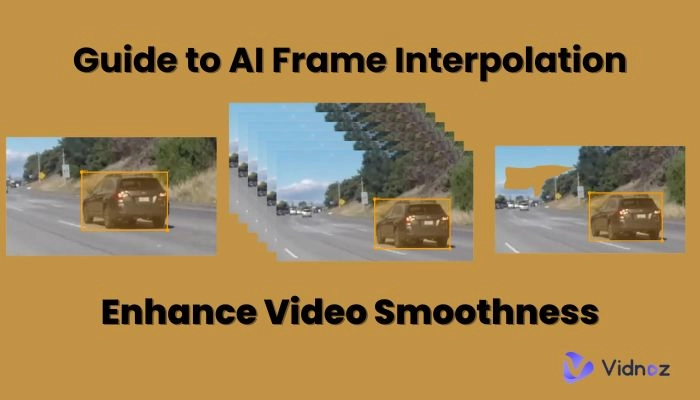
An AI frame rate increase is a process of generating additional frames between the original ones to make the motion smoother. This process is called AI frame interpolation. AI frame interpolation software simulates natural movement by filling in the gaps your camera didn’t capture. The AI analyzes motion patterns, objects, and scene context, predicts how the movement or transitions would naturally occur, and interpolates new frames accordingly to create a smoother sequence.
After applying an AI frame rate increase, users typically notice:
●Smooth Playback: AI helps eliminate choppiness or jitter from low-FPS video by generating interpolated video frames, ensuring smoother transitions, particularly in fast-moving scenes.
●Improved Slow-Motion Effects: AI-generated frames minimize tearing or stuttering movement while slowing down the video.
●Visual Sharpness: You will see sharper visuals as frame blending minimizes ghosting.
●Enhanced Immersion: Video FPS increaser upscales recorded footage for a more responsive and visually clean result, which is ideal for gaming, vlogs, or cinematic footage.
The latest AI video smoother free tools can boost 24 FPS footage up to 60 FPS or even 120 FPS without visible distortion. While the results vary across tools, most top-performing AI frame interpolators deliver over 95 % motion accuracy with minimal flicker.
AI Frame Rate Increase – TopazLabs
The first AI frame interpolation online free solution to consider is TopazLabs, one of the industry’s most trusted tools for frame interpolation and video upscaling (up to 8K). This video fps increaser uses advanced motion analysis and neural networks to predict in-between frames with cinematic precision. With three different AI frame interpolation models — Apollo, Chronos, and Aion — this tool handles motion interpolation, reduces jitter, smooths choppy playback, and stabilizes shaky footage. You can adjust the video frame rate online to improve the resolution of your video.
Key Feature
- Supports frame rate boosting up to 120 FPS.
- AI models for stabilization, deblurring, and frame enhancement.
- Batch processing for multiple videos.
- Modern yet simple interface.
- Smooths out motion naturally.
- Effortlessly unblur low-quality footage.
- Enhance the detail and clarity in your videos
Pricing:
Topaz offers a free trial; the Topaz Studio costs around $37/mo.
Steps to Use:
Step 1. Open the TopazLabs Frame Interpolation tool, sign in, and import your source video.
Step 2. Choose the resolution, preset, and desired output frame rate boost (60 or 120 FPS) to AI frame rate increase.
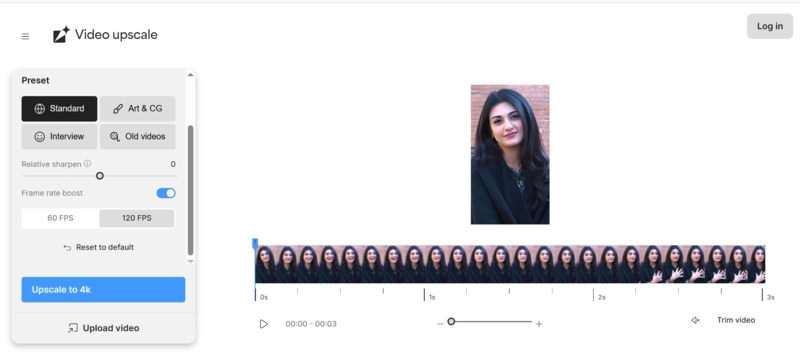
Step 3. Click ‘Export’ to render the video.
Verdict:
TopazLabs delivers professional-grade results for creators who value quality and precision. Although this video smoother AI free tool is more suitable for advanced users due to cost and system requirements.
AI Frame Rate Increase – 60 FPS Converter
Another great option to increase frame rate of video online is Media.io’s 60 FPS Converter. This free AI Video Frame Rate Increaser allows you to convert videos to 30 FPS, 60 FPS, and 120 FPS, depending on your needs. This tool utilizes artificial intelligence to add extra frames between existing frames and enhance your videos for smoother playback and better visual quality. In addition to the 60 fps converter AI free, Medio.io also offers tools, including image-to-video, text to video AI, video resizer, video enhancer, and more.
Key Feature
- Convert videos to 2x and 4x FPS in one click.
- Works directly in your browser – no downloads.
- Advanced algorithms increase frame rates smoothly, minimizing artifacts.
- Every feature is easy to navigate with an intuitive interface.
- Free basic plan with optional HD upgrades.
- Supports various video formats.
Pricing:
The starting price of the standard plan is US$6.99/mo.
Steps to Use:
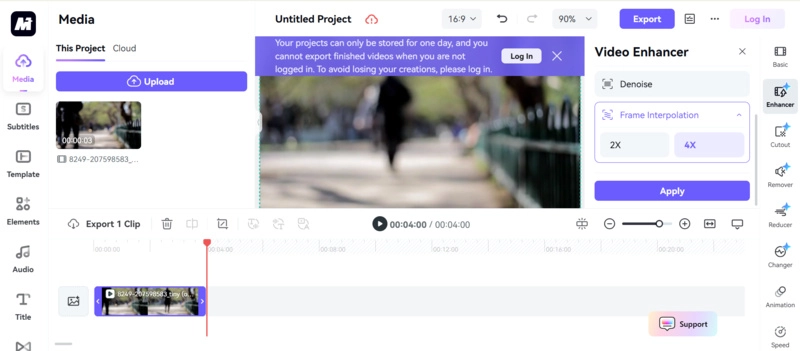
Step 1. Upload your jittery video to Media.io’s Frame Rate Converter page.
Step 2. Click the ‘Frame Interpolation’ option and select the preferred FPS value (2x / 4x).
Step 3. Click ‘Apply’ and wait for AI processing. Download the smoothed-out clip by clicking the ‘Export’ option.
Verdict:
This AI frame interpolation online free tool is fast, reliable, and ideal for quick projects. The downside? Limited file size and video length limits can be a problem for free users.
AI Frame Rate Increase – One Click Converter
The Videobolt FPS Converter is a straightforward, no-install web app that makes the AI frame rate increase process effortless. Designed for creators on the go, it uses automatic AI prediction to generate extra frames between motions. This FPS tool controls your video's pace precisely with smooth and realistic motion. Using this tool, you can enhance video smoothness for free without having an account in one click. Videobolt is also a free AI video generator app, where you can find free templates to make catchy videos.
Key Feature
- Simple drag-and-drop interface.
- This video smoother AI free converts clips up to 60 FPS.
- Optimized for social-media-length videos.
- Free to smooth out videos that appear grainy.
- Fix choppy footage with one click.
- No registration required for short videos.
Pricing:
The starting price of the Lite plan is $14.99 per month
Steps to Use:
Step 1. Open Videobolt FPS Converter, and click the ‘Upload’ icon to upload your jittery video.
Step 2. Choose the target FPS and click the ‘Change FPS & Download’ button to increase frame rate of video online.
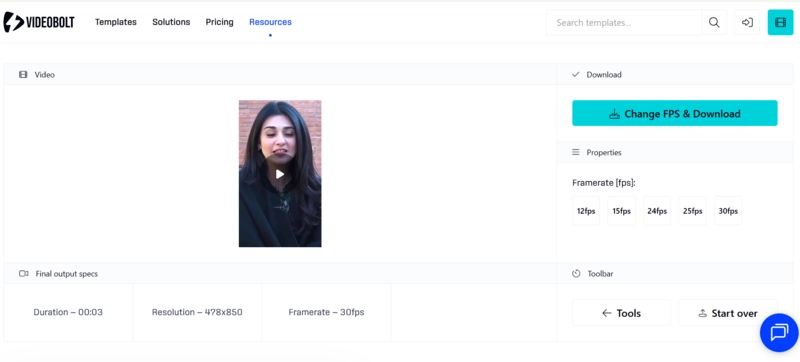
Step 3. Wait for a few seconds, and your result will be downloaded automatically with no watermark.
Verdict:
If you want to increase video fps online free without complications, Videobolt is the quickest solution. While it’s not as flexible as Topaz or Media.io, it’s great for casual users and short clips.
Bonus Tip: Smooth AI Video Generator (Vidnoz Gen)
For users who want both frame interpolation and video creation, Vidnoz Gen is an all-in-one AI solution for image and video creation. This smoothest AI video generator can generate realistic talking videos, animations, and image-based videos using intelligent frame blending. It automatically generates enhanced video with smooth and natural movements. You can either start by uploading your images or describe your video in text to create stunning and professional-looking videos.
Why Choose Vidnoz Gen?
- Integrates the AI frame rate increase technique to ensure smooth output.
- Generates talking avatars and animated characters with realistic motion.
- Fully online; no downloads or technical skills needed.
- Supports 1080p and 2K HD rendering.
- Offers endless free video templates.
- Converts text and images to video effortlessly.
Steps to Use Vidnoz Gen:
Step 1. Go to Vidnoz Gen and open the AI Video Generator.
Step 2. Upload your visuals, which you want to convert into a video with smooth transitions, or type your text.
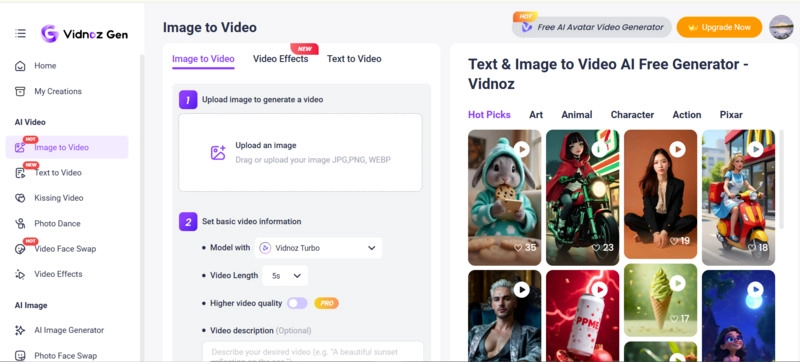
Step 3. Click ‘Generate Now’ and let AI process and blend frames automatically to deliver seamless video playback. Once you have done so, export your video.
Pro Tip:
You can enhance your animated images using Vidnoz AI Image to Video, or create ultra-smooth transitions with the AI video generator app.
Conclusion
The AI frame rate increase technology has made frame interpolation effortless for everyone — from creators to casual editors. Whether you prefer a 60 FPS converter AI free online tool or a high-end software, the result is the same: smoother, more dynamic videos.
If you want the easiest, most efficient workflow, try Vidnoz Gen, which combines powerful AI motion interpolation with creative generation — giving your videos a professional touch in minutes.
Convert Image to Video AI Online - Free
- Create a video from an image quickly for free.
- Use various AI models to turn photos into videos.
- Download and share the AI-generated video at no cost.
Convert Image to Video