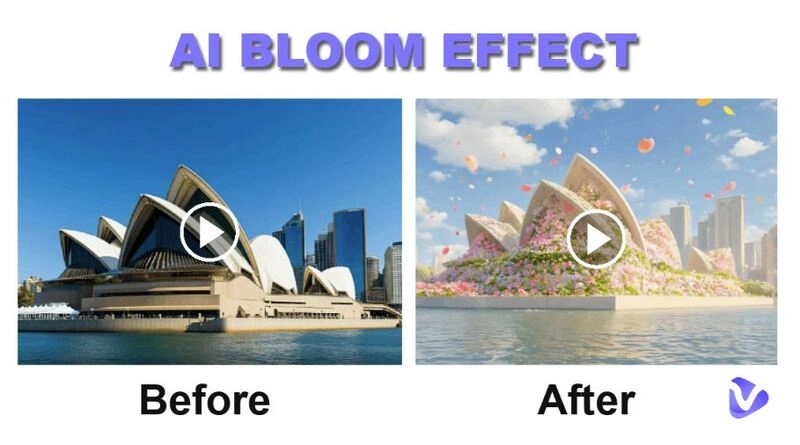
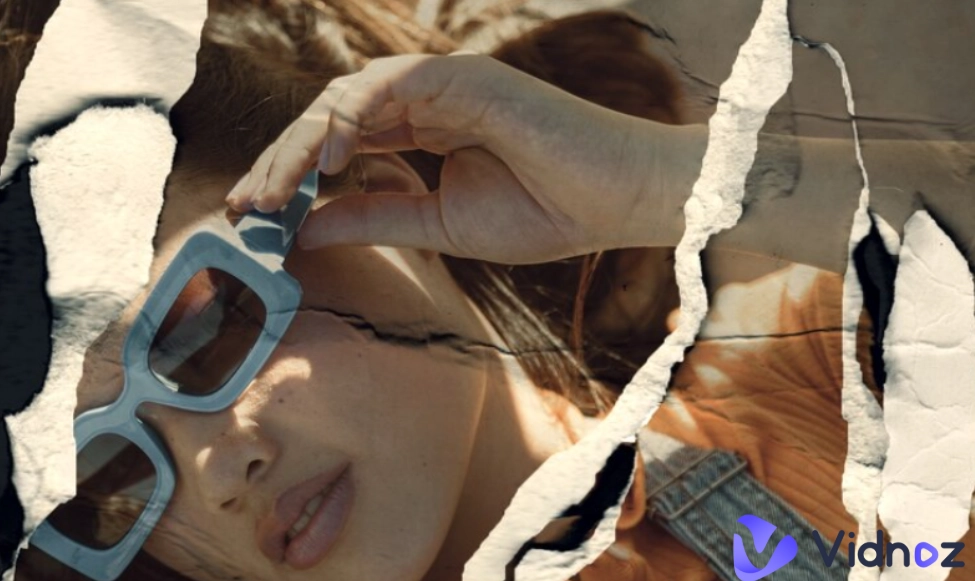
Adding transition effects during scene changes is a simple yet powerful way to improve video flow without extra editing work. Smooth, well-timed transitions help bridge clips naturally, reducing abrupt cuts and creating a more cohesive viewing experience. When used correctly, they elevate the overall production quality and storytelling, making videos look more professional, visually appealing, and engaging.
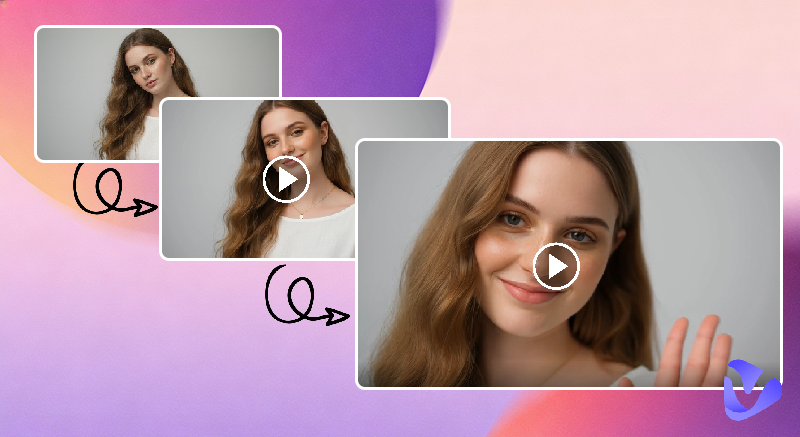
In this article, we will introduce different AI video transition tools, from beginner-friendly options to more automated AI transition solutions. You will learn what each tool offers and how it can help you create smooth, eye-catching transition effects for your clips and images.
- On This Page
-
Different Types of AI Video Transition Generators
-
Free AI Transition Maker: Turn Pictures into Videos
How to Apply AI Video Transition From a Simple Image
-
Online Video Editor: Quick Video Transition Effects Between Scenes
How to Add a Transition Between Scenes in a Video
-
AI Video Transition Maker: Add Cinematic Transition Between Clips
How to Blend Two Video Clips with an AI Transition
-
Why Video Transitions Matter
Different Types of AI Video Transition Generators
AI transitions can be created in several different ways, depending on the level of automation and creative control you need. Today's AI-powered tools go beyond simple effects, offering multiple approaches to help creators produce smooth, visually appealing transitions with less manual editing
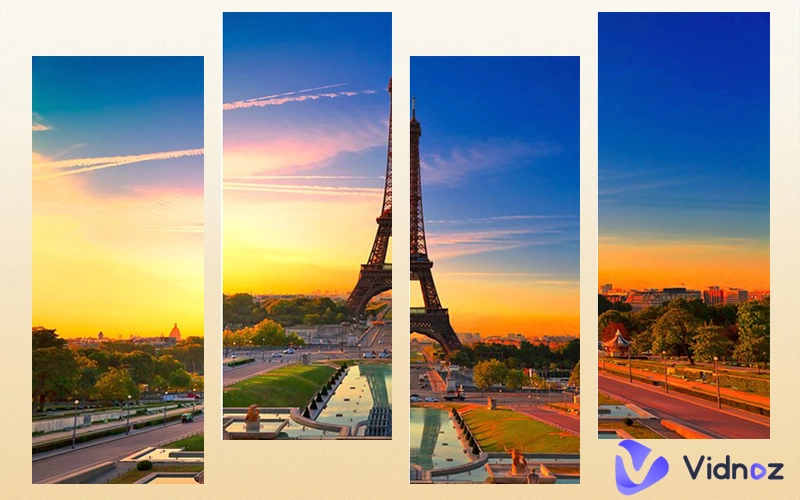
The first and most common method uses traditional transition effects between video scenes. These include familiar options like fade-ins, fade-outs, dissolves, blurs, slides, zooms, and wipes. While you still need to add a transition between two clips manually, AI enhances the process by offering more creative, ready-to-use effects and blending them smoothly into your existing footage.
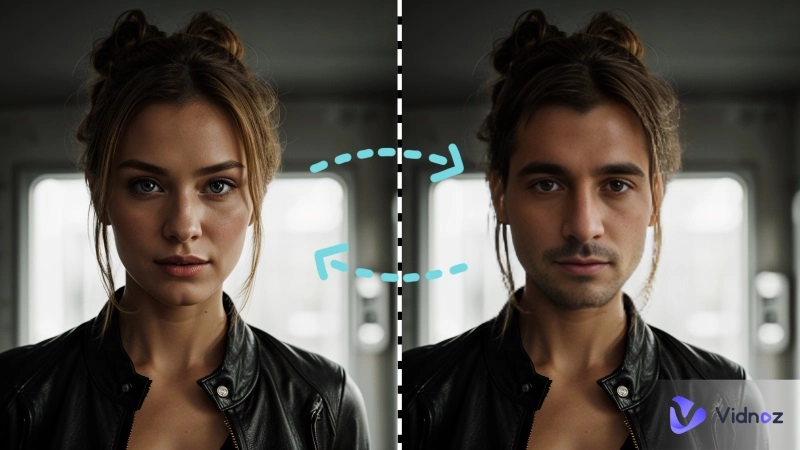
The second approach focuses on more advanced, cinematic transformation effects. Instead of simply transitioning between two clips, these tools create new video content from text or images, allowing one scene to smoothly transform into another.
The third method is the most AI-driven and flexible. Users upload two video clips and describe the desired transition using text prompts. The AI then interprets the prompt and generates a brand-new transition video that connects the clips naturally.
Let's dive into each example of AI transition tools one by one.
Free AI Transition Maker: Turn Pictures into Videos
Adding AI transitions to your pictures is one of the easiest ways to bring photos to life. With stylized visual effects applied to one image or between images, AI can create smooth motion and visual flow without requiring complex editing skills.
Convert Image to Video AI Online - Free
- Create a video from an image quickly for free.
- Use various AI models to turn photos into videos.
- Download and share the AI-generated video at no cost.
Convert Image to Video
Vidnoz Image to Video AI is a powerful tool that lets you create custom transition effects with ease. You can choose from a variety of ready-made AI video transition effects for quick results, or upload your own images and guide the transition using simple text descriptions.
Key features:
- Unlimited free AI transition creation
- Supports single-person shots, two people, or group photos
- Applies transition effects to animals, cartoons, and objects
- Includes ready-to-use transitions, from realistic and creative to magical styles
- Easy to use, with no editing skills required
How to Apply AI Video Transition From a Simple Image
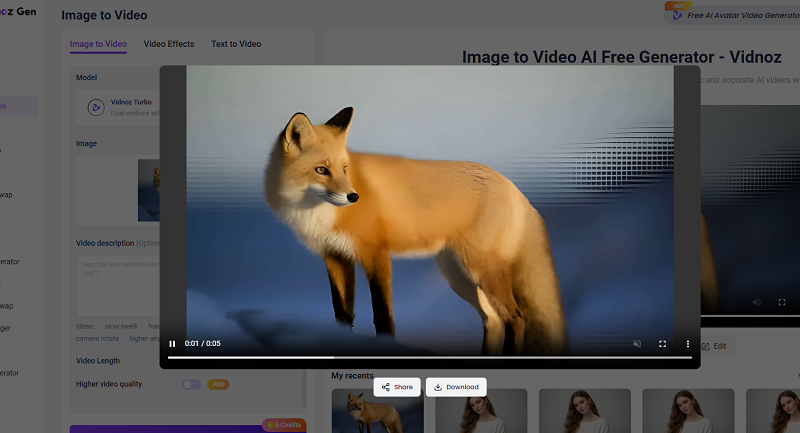
The Vidnpz AI video transition maker currently supports turning a single image into an animated video with a striking AI transition effect. Follow the steps below to add an AI transition to your photo with Vidnoz:
Step 1. Visit Vidnoz AI Image to Video.
Step 2. You have two ways to add natural motion to your image:
- Under the Image to Video tab, upload or drag and drop your image in JPG, PNG, or WEBP format into the image box. Write a short description of the transition effect you envision.
- Under the Video Effects tab, click the Change button to select your favorite transition effect, then upload an image in JPEG, PNG, or WEBP format.
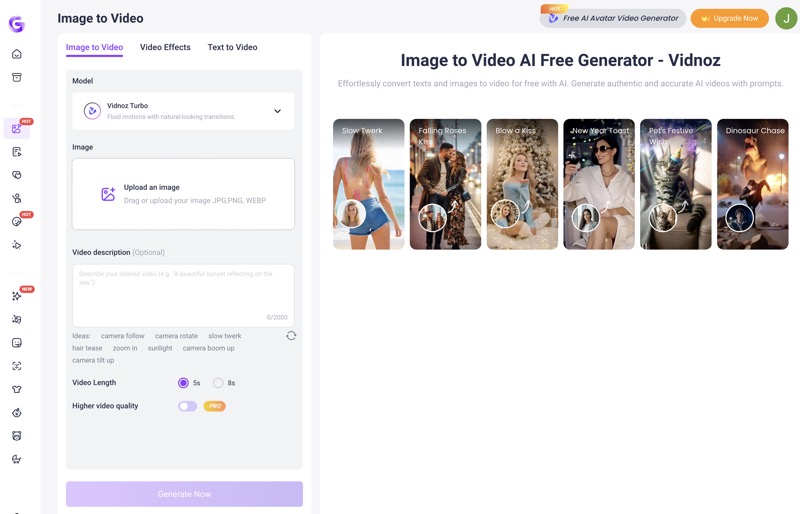
Step 3. Click Generate Now and wait while Vidnoz AI processes your video.
Step 4. Preview and download the image brought to life with the added transition effect.

If you want to create an AI transition between two images, you will need to use dedicated AI transition tools such as Hailuo AI.
Online Video Editor: Quick Video Transition Effects Between Scenes
All online video editing tools provide basic transition effects, which are easy to apply and work well for smoothing scene changes. While they may be limited in style and customization, basic transitions are still useful for everyday projects.
Vidnoz AI Video Generator is an all-in-one video creation platform powered by AI features such as AI avatars, AI templates, text-to-speech, and more. Vidnoz includes a free video editor that offers a selection of video transition effects. These transitions make it easy to smoothly connect two scenes with a few clicks.

Vidnoz AI - Create Free Engaging AI Video with Talking Avatar
- Easily create professional AI videos with realistic avatars.
- Text-to-speech lip sync voices of different languages.
- 2800+ video templates for multiple scenarios.
How to Add a Transition Between Scenes in a Video
Step 1. Log in to Vidnoz AI Video Generator.
Step 2. Start your video creation by starting a blank canvas and uploading your own video clips. Alternatively, you can begin with one of Vidnoz's ready-made video templates.
Step 3. Select a video scene and click Transition in the top overlay.
Step 4. Pick the transition effect you want to apply.
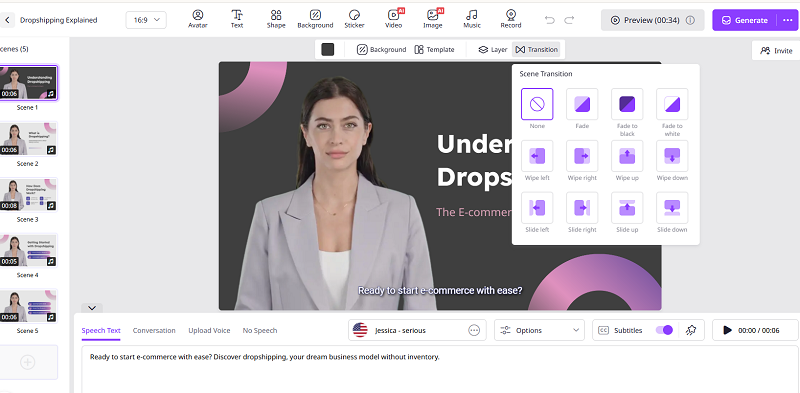
Step 5. Click Generate and find your new video with the added transition in the My Creations folder.
AI Video Transition Maker: Add Cinematic Transition Between Clips
Besides basic video transitions, you can seamlessly blend two video clips together with cinematic effects for a more professional look. With AI-powered transition effects, VEED AI transition allows you to connect two video clips using preset effects or custom text prompts, even if the clips are visually unrelated. Unlike traditional slideshow-style transitions, VEED’s AI-powered effects are bold, creative, and highly stylized, delivering unexpected, cinematic results that make your videos stand out. Unfortunately, VEED AI transitions are not free to use.
How to Blend Two Video Clips with an AI Transition
VEED’s AI transition generator does not support adding transitions between long videos. Your clips must be under 5 seconds each, and you can use no more than two clips at a time. The tool can also detect the audio in your footage and automatically add matching sound effects to complete your video.
Step 1. Log in to VEED and go to the video creation center. Upload the two video clips you want to add a transition between.
Step 2. Click the video preview on the right to open the video editing screen, then select AI Transitions.
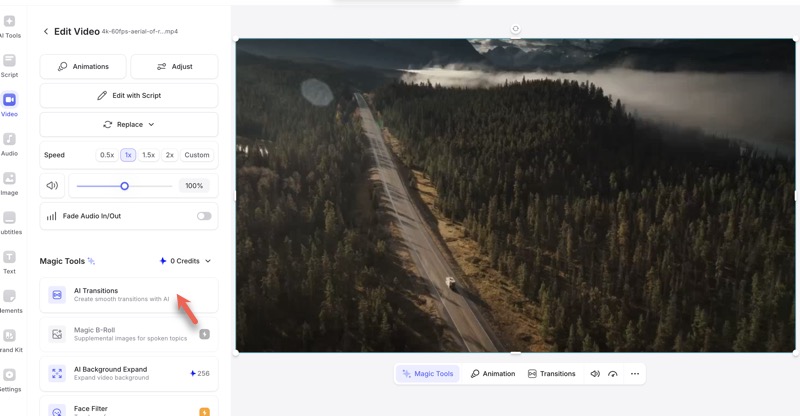
Step 3. Choose a preset AI transition effect or click Create New AI Transition to design a custom one.
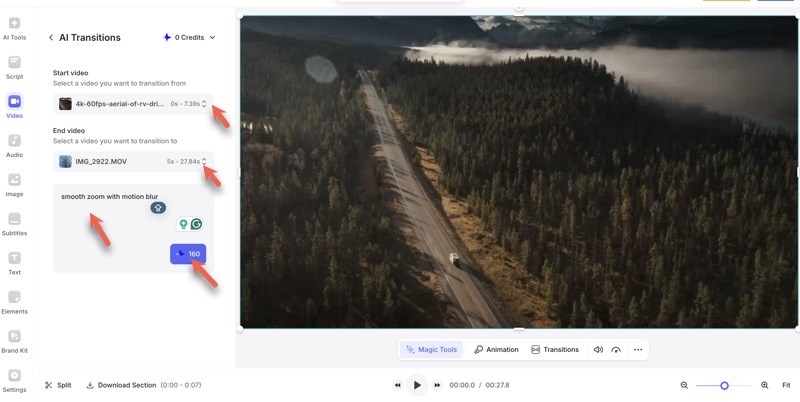
Step 4. Select the start and end videos, then describe the transition you want.
Step 5. Click the blue button to generate the transition, which will show how many credits are required.
Why Video Transitions Matter
Video transitions are essential for keeping viewers engaged and creating high-quality videos. Here is why it is important to use transitions at the right time and choose the right ones for your video.
- Carefully applied transitions help control the pace of your video, making longer content easier to watch and reducing viewer fatigue.
- They can also highlight key moments by slowing down, fading, or adding a creative effect before an important scene. You signal to viewers that something noteworthy is happening, which helps them better understand your story.
- Transitions guide viewers smoothly from one scene to the next, clarifying changes in time, location, or topic and making your narrative easier to follow.
- Even simple, consistent transitions can make your video feel more polished and intentional, elevating its overall production quality and giving it a professional look.
The Bottom Line
In short, if you want a fast and easy workflow, Vidnoz’s AI transition effects and built-in video editor transitions are great choices. If you prefer more creative freedom and customization, Vidnoz's image to video transition maker and VEED AI transition generator are better choices. Even better, Vidnoz is completely free.
These tools make it easy to bring photos to life with smooth motion, depth, and eye-catching transitions. They are perfect for slideshows, social media posts, business presentations, and storytelling videos, helping you create polished, professional-looking content with less effort.
Convert Image to Video AI Online - Free
- Create a video from an image quickly for free.
- Use various AI models to turn photos into videos.
- Download and share the AI-generated video at no cost.
Convert Image to Video







![Moving Photo Effect with AI: How to Make a Still Image Move [5 Ways]](https://www.vidnoz.com/bimg/moving-photo-effect.webp)