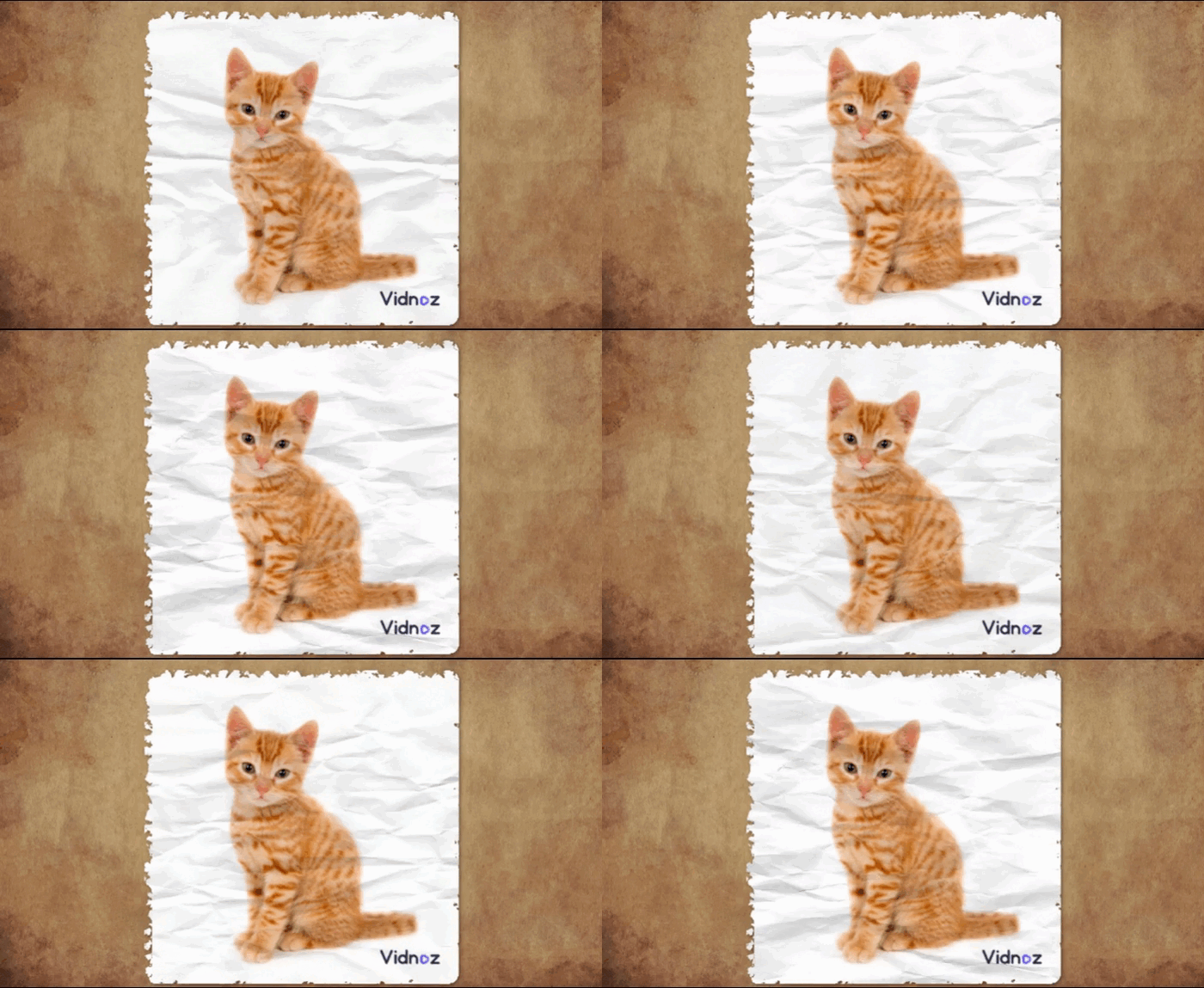
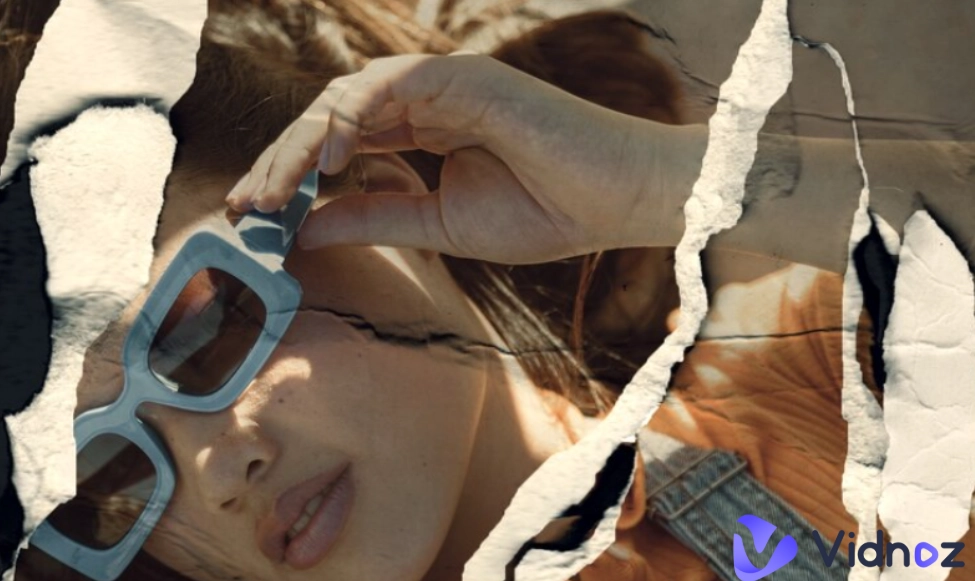
The torn paper effect has become one of the most stylish ways to give a unique look to images. With the torn paper effect, users can add a raw and handmade charm to any photo, making themselves experience the feeling like they are going through a very old scrapbook or collage.
Whether you are designing posters, social media, or digital artwork, this textured effect can transform an image into something striking. In this guide, you will learn 3 practical ways to add the torn paper effect to images online, using tools that are easy to access and quick to learn.
- On This Page
-
3 Sites to Explore Images with Torn Paper Effects
-
Method 1. Manually Create Torn Paper Effect Image with Photoshop
How to Make an Image with Torn Paper Effects?
-
Method 2. Add Pre-Designed Torn Paper Effects to Photos
1. Picsart: Turn Your Image to One with Paper Texture
2. Canva: Types of Torn Paper Image Templates
-
Method 3. Convert Photos to Animated Torn Paper with Paperanimator
-
More Online Tools for Stunning Image Conversion
1. Animate a Photo with AI Image to Video Generator
2. Make the Photo Talk Like a Real Man
3 Sites to Explore Images with Torn Paper Effects
Before designing from scratch, it would be wise to look at some images already developed with the torn paper effect. Let’s explore several online platforms that offer a wide range of torn paper images, textures, and editable image templates that users can customize.
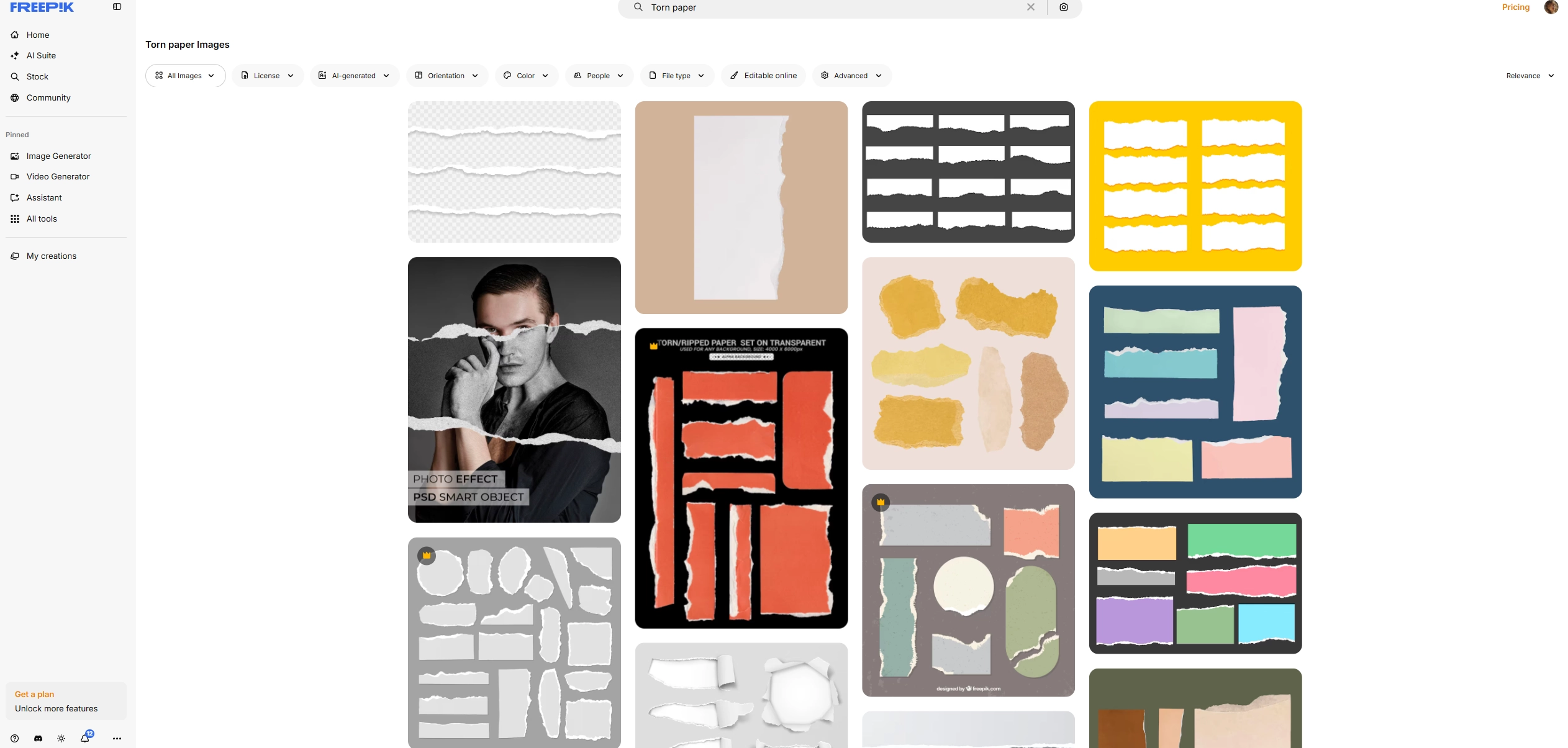
✦ Freepik: Freepik provides an extensive library of design materials, including hundreds of images with the paper torn effect. Users can download realistic paper textures, ripped notebook pages and collage-style edges to use in their projects without much image editing process.
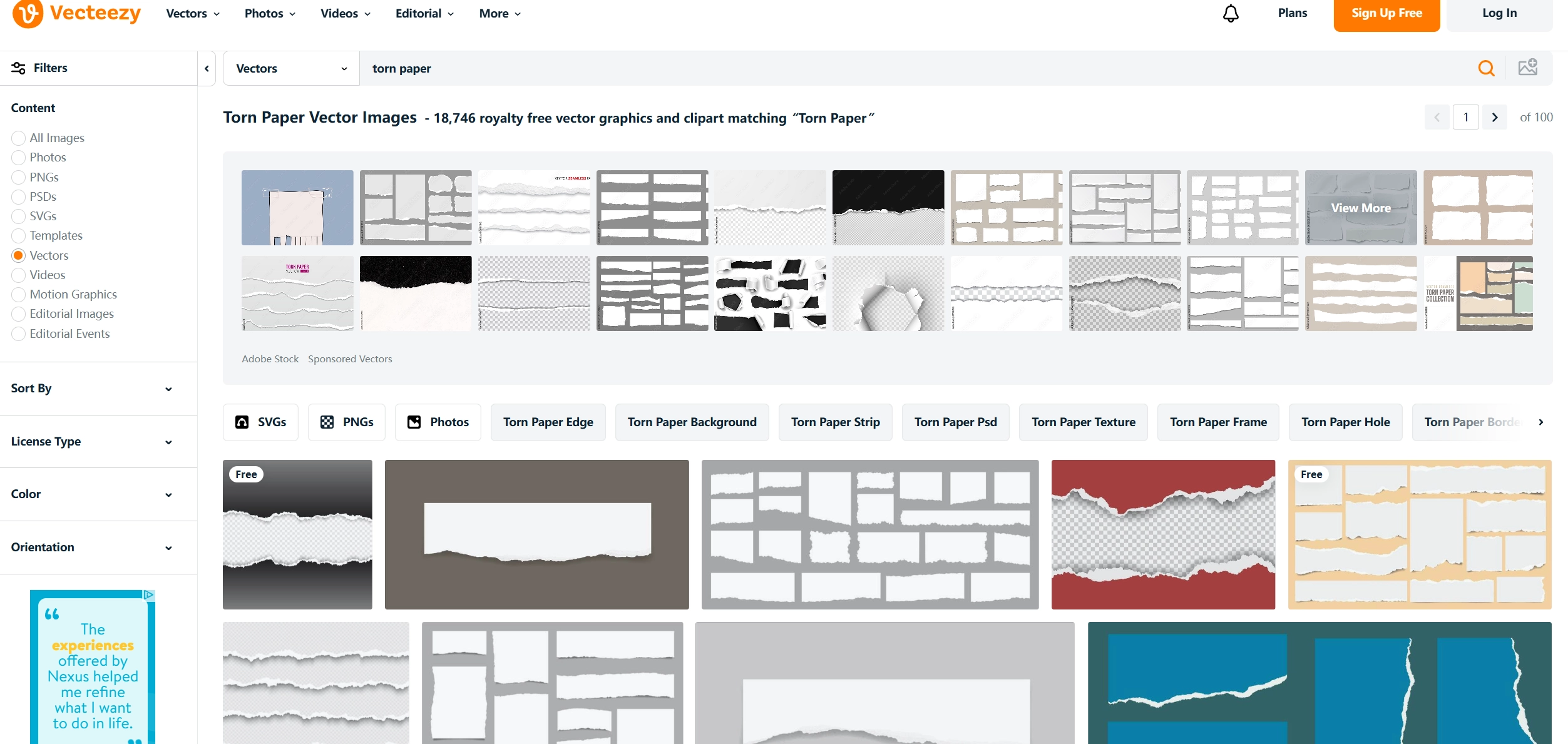
✦ Vecteezy: Vecteezy is another platform from where users can view and download images with the torn paper effect. It stores over 18,000 results related to the torn paper effect.
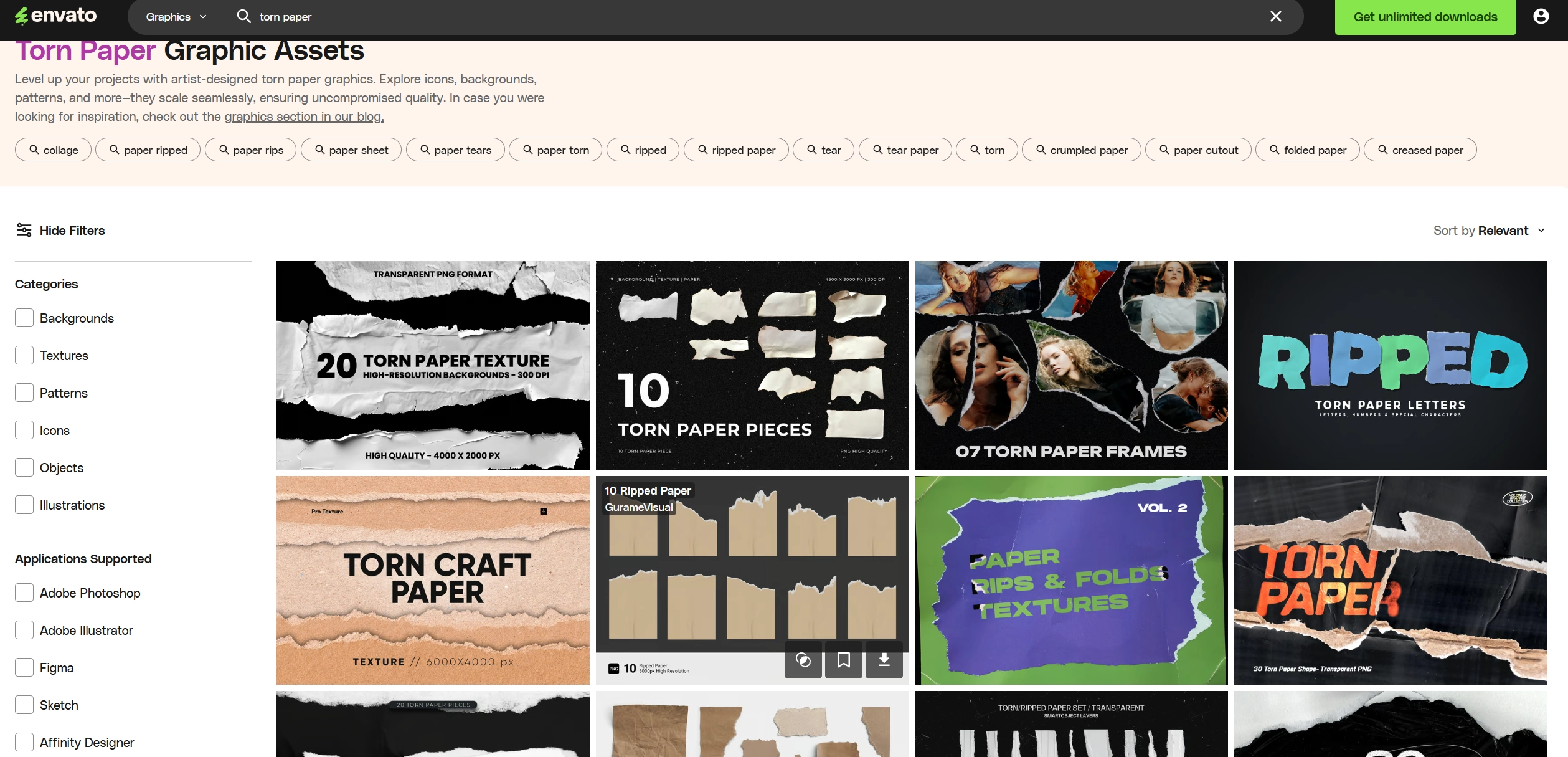
✦ Envato: Envato offers users thousands of assets related to the torn paper effect. Users can explore the vast collection of torn paper icons, backgrounds, patterns and more, all from one place.
Vidnoz AI - Create Free Engaging AI Video with Talking Avatar
- Easily create professional AI videos with realistic avatars.
- Text-to-speech lip sync voices of different languages.
- 2800+ video templates for multiple scenarios.
Method 1. Manually Create Torn Paper Effect Image with Photoshop
If you want to create an image with the torn-paper effect from scratch, it’s going to take some serious torn paper effect photoshop skills. But the result in the end will usually be better in your eyes, for it’s a completely custom design and not pre-made. This method allows users to refine each detail of the image, manually with extreme precision.
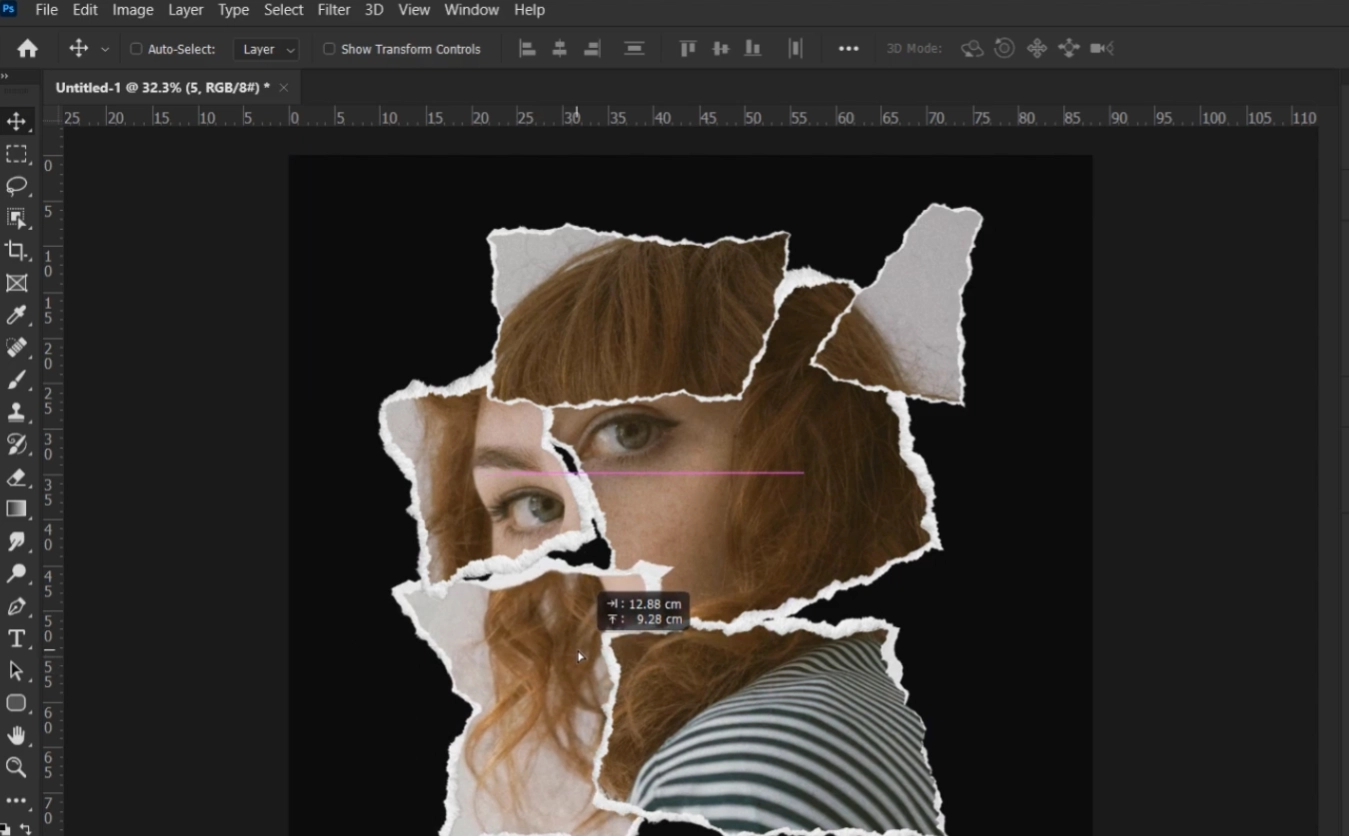
For users who prefer a hands-on approach, Photoshop offers the freedom to build the torn paper effect from scratch. With its layering tools and brush options, users can shape every detail themselves, achieving a result that looks natural and tactile. The paper edges, layer styles and clipping can be done exactly how you want it as long as you have the skills to do it.
How to Make an Image with Torn Paper Effects?
Follow these steps to add torn photo effect to an image with Adobe Photoshop:
Step 1. Open your image in Photoshop, then duplicate the background layer.
Step 2. Use the Lasso tool to outline a jagged edge across the section you want to tear. Right-click and choose “Layer via Cut” to separate that area from the rest of the target image.
Step 3. Apply a drop shadow to the torn layer for a sense of depth, then adjust the blend mode to “Multiply”.
Step 4. To create the white fibrous edge typical of torn paper, please add a new layer and lightly paint along the border with the brush. If you want the result more realistic, you can overlay a subtle paper texture on top and lower its opacity until it blends naturally.
Method 2. Add Pre-Designed Torn Paper Effects to Photos
If you prefer faster results, you can use pre-made templates and stickers. Online tools like Picsart and Canva provide ready-to-use paper tear effects that save time.
1. Picsart: Turn Your Image to One with Paper Texture
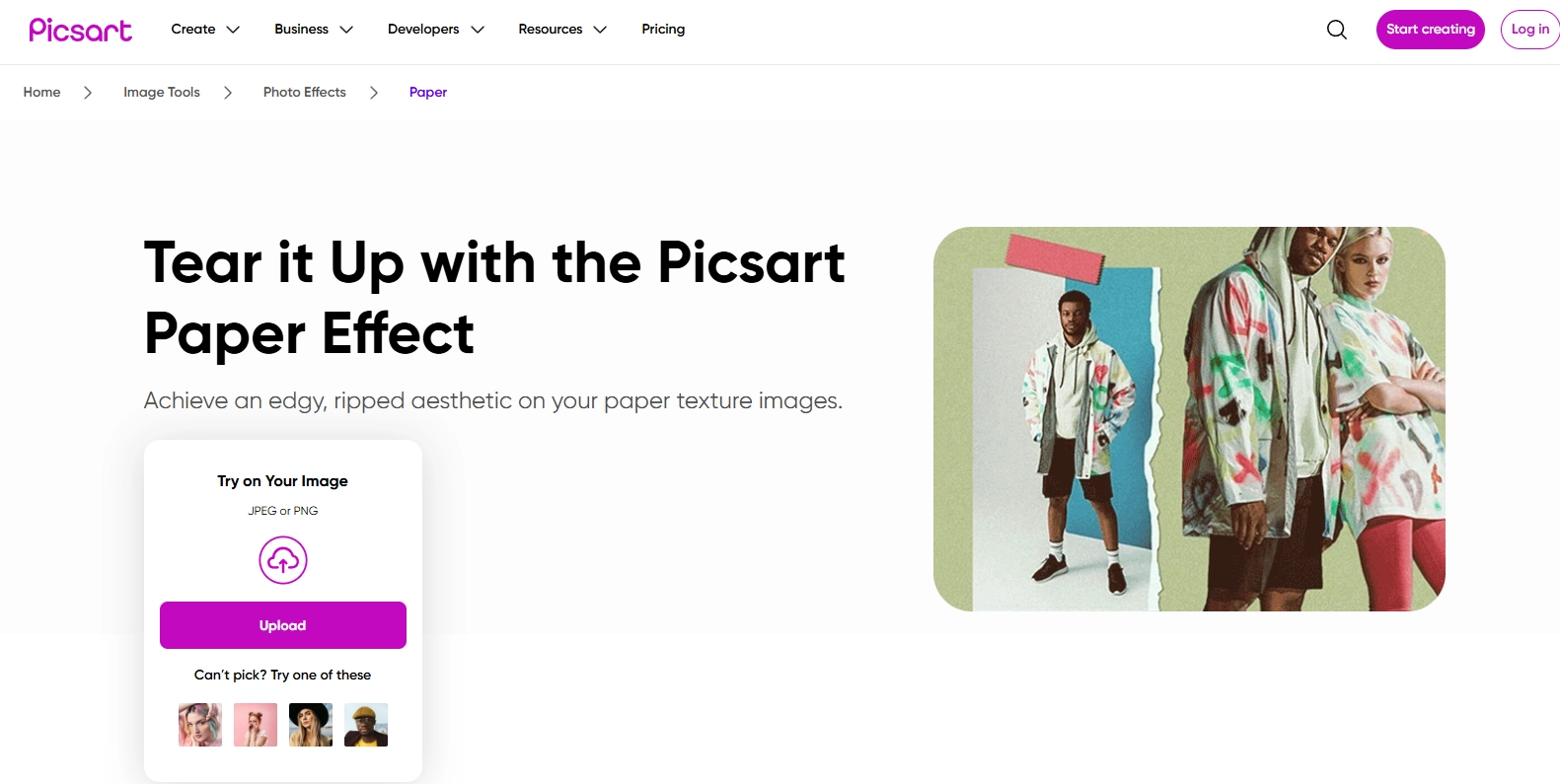
Picsart provides a dedicated section for torn paper and collage effects. Within the “Paper” category, users can find realistic ripped textures and stickers that can instantly transform the photo. Besides, users are also allowed to add text, filters and other decorative layers to personalize the design.
Key Feature
- A variety of realistic torn paper effects are available.
- Simple drag-and-drop image editing.
- Supports layering, filters and text adjustments.
2. Canva: Types of Torn Paper Image Templates
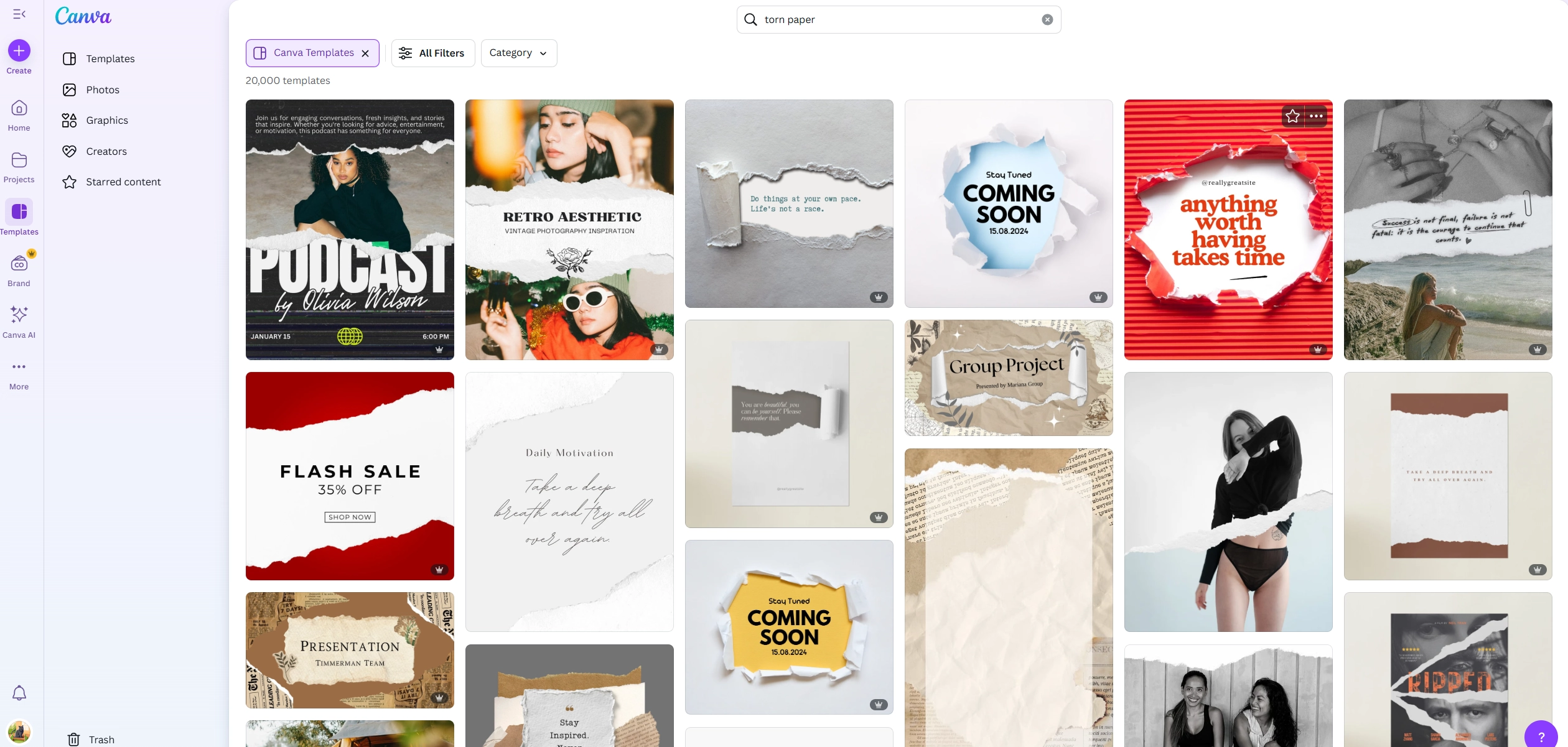
Canva is an advanced graphic designing platform that offers multiple templates with built-in torn edges, perfect for social media posts. Each template can be customized with image creation, giving users full creative control without starting from zero. Instead of using pre-built templates, users can also design a torn paper effect image from scratch with this online photo editor.
Key Feature
- Large selection of torn paper image templates.
- Fast and simple image editing through an online interface.
- Access to both free and premium graphic elements.
Method 3. Convert Photos to Animated Torn Paper with Paperanimator
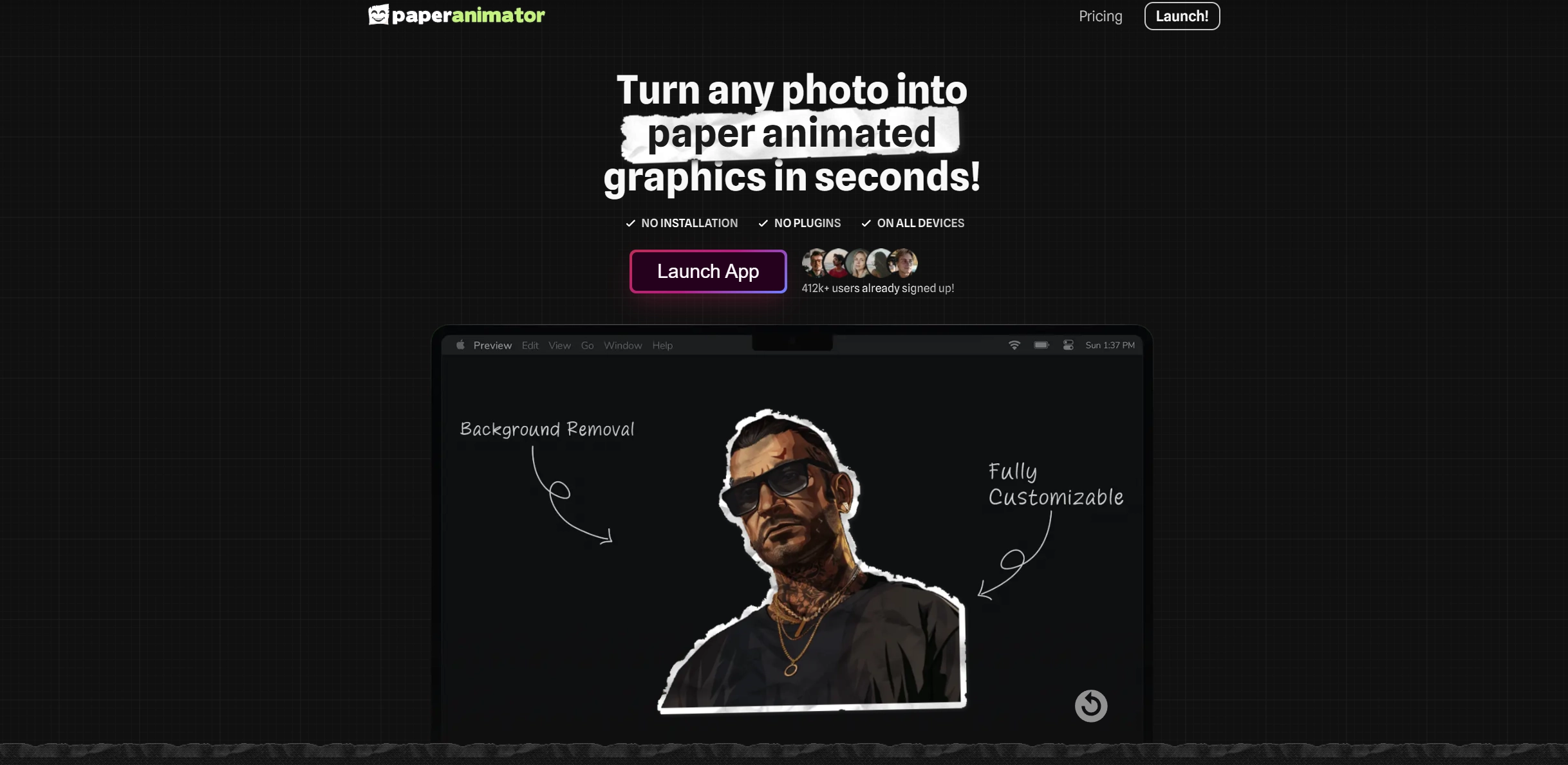
Want more cool ripped paper effects? Paperanimator is a simple online tool that adds motion to your paper design. It transforms a still image into a short animation where the paper looks like a torn one. It also allows users to customize the image on a deeper level, they can adjust the edge thickness, intensity, detail, animation size, style and movement. There is also a built-in AI background remover with which users can extract the cutout of a specific object or person from the image.
Vidnoz AI - Create Free Engaging AI Video with Talking Avatar
- Easily create professional AI videos with realistic avatars.
- Text-to-speech lip sync voices of different languages.
- 2800+ video templates for multiple scenarios.
More Online Tools for Stunning Image Conversion
Torn paper effects can only turn images to scrapbook or collage style. If you want to try other image conversions, here are 2 AI image to video generators you can try.
1. Animate a Photo with AI Image to Video Generator
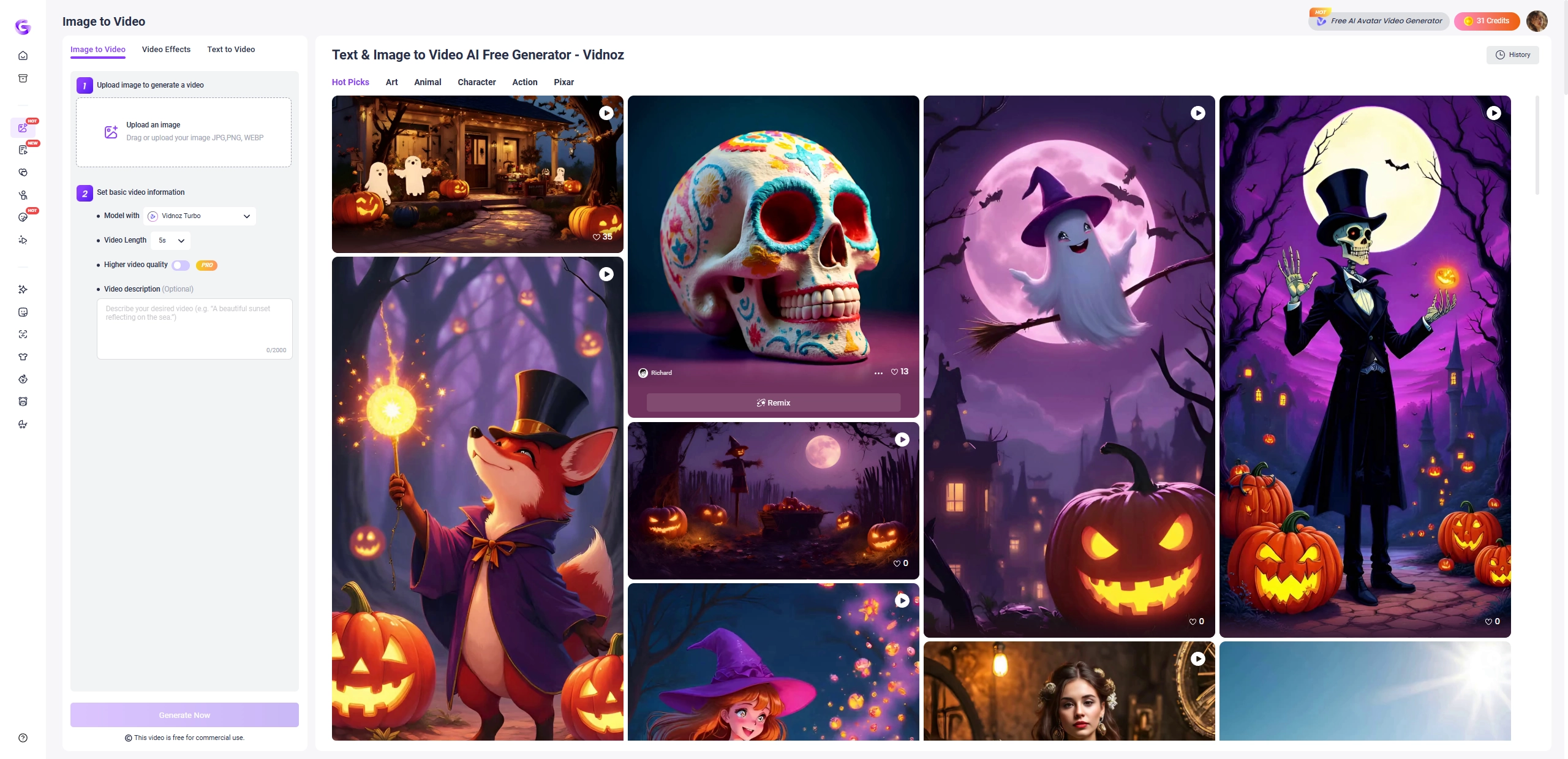
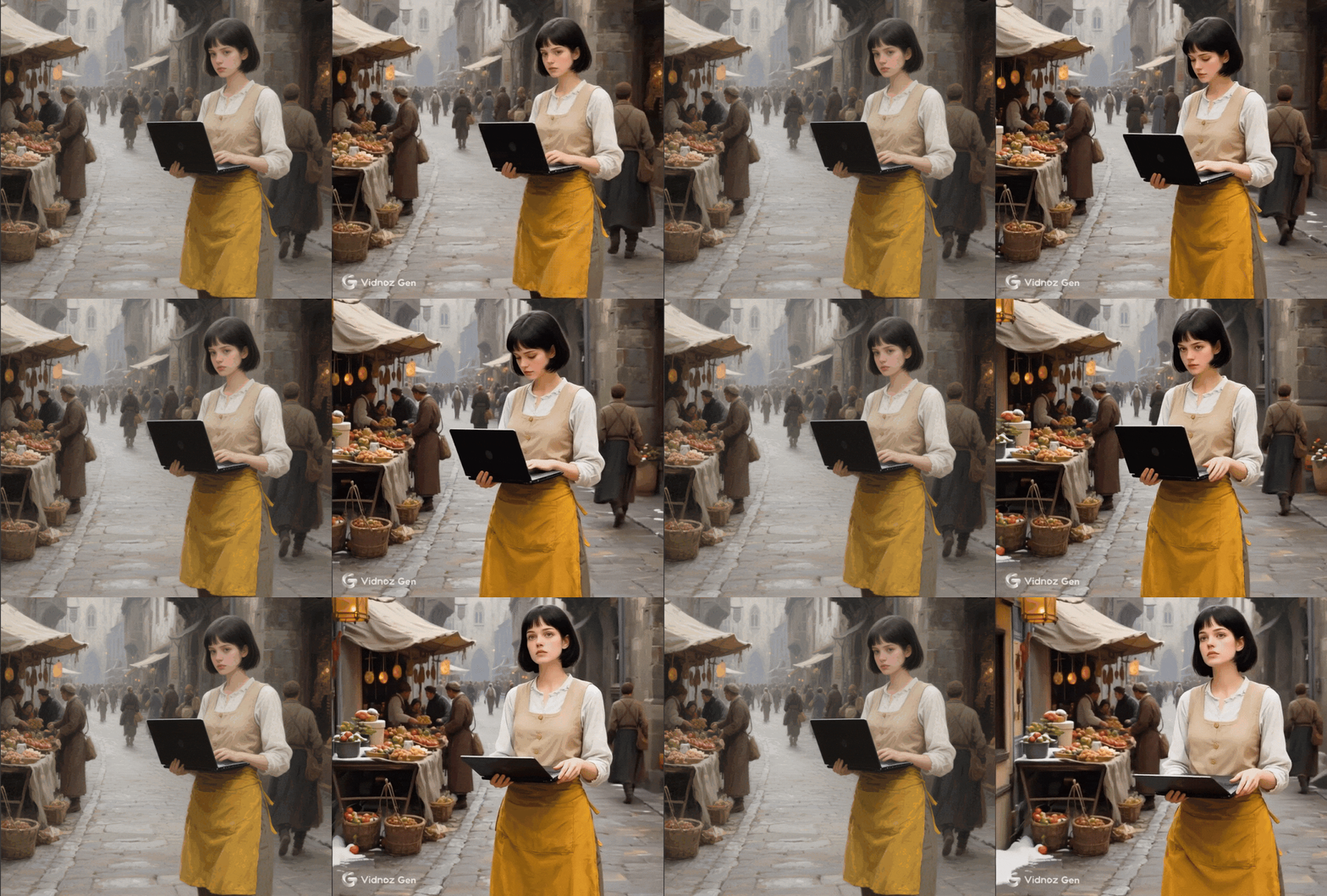
Vidnoz AI Image to Video Generator allows users to turn static images to funny videos. After uploading your photo, choose an AI video effect then the AI will automatically animate it in minutes. There are diverse AI video effects such as the AI Squish trend and Microwave filter trend that are free and simple to try. Besides, users can also turn an image to their ideal video from a detailed prompt.
Result:
2. Make the Photo Talk Like a Real Man
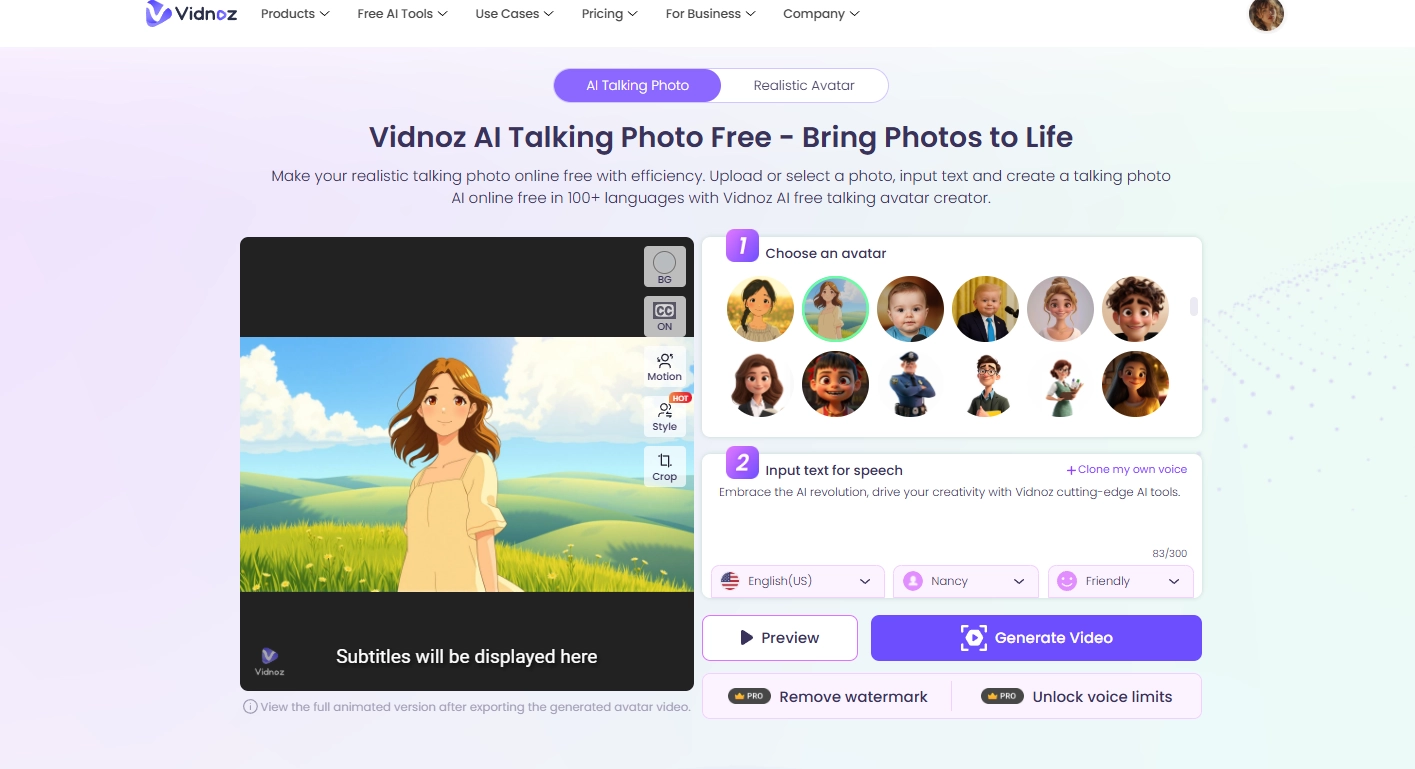
What if you can make an image talk as a real man? With the Vidnoz AI talking photo, users can get a talking photo with natural AI lip syncing. In the clear and bright interface, diverse languages, emotions and AI voices are provided for high-quality video results. Simply upload the target images and set the details, then they can get their dreaming videos with ease.
Result:
Conclusion
With the torn paper effects, users can give any photo a collage look. In this article, diverse online tools are introduced. Users can create an image with paper tear effect using Photoshop; get quick results with preset paper torn effect in Canva or Picsart; and bring images to life with Paperanimator and Vidnoz AI. Each method has its own charm.
Vidnoz AI - Create Free Engaging AI Video with Talking Avatar
- Easily create professional AI videos with realistic avatars.
- Text-to-speech lip sync voices of different languages.
- 2800+ video templates for multiple scenarios.