Turn still images or text into dynamic videos in any style, with leading AI models readily. Try the smart AI video generator now - stunning, free, and instant!
The Complete Guide to AI Redraw Image: From Local Edits to Creative Rebirth
Andrew Garcia
Updated on
SHARE THIS POST
Learn how AI redraw works! This guide covers all kinds of AI redraw image features from local edits, object removal to outpainting. Try it for free now.
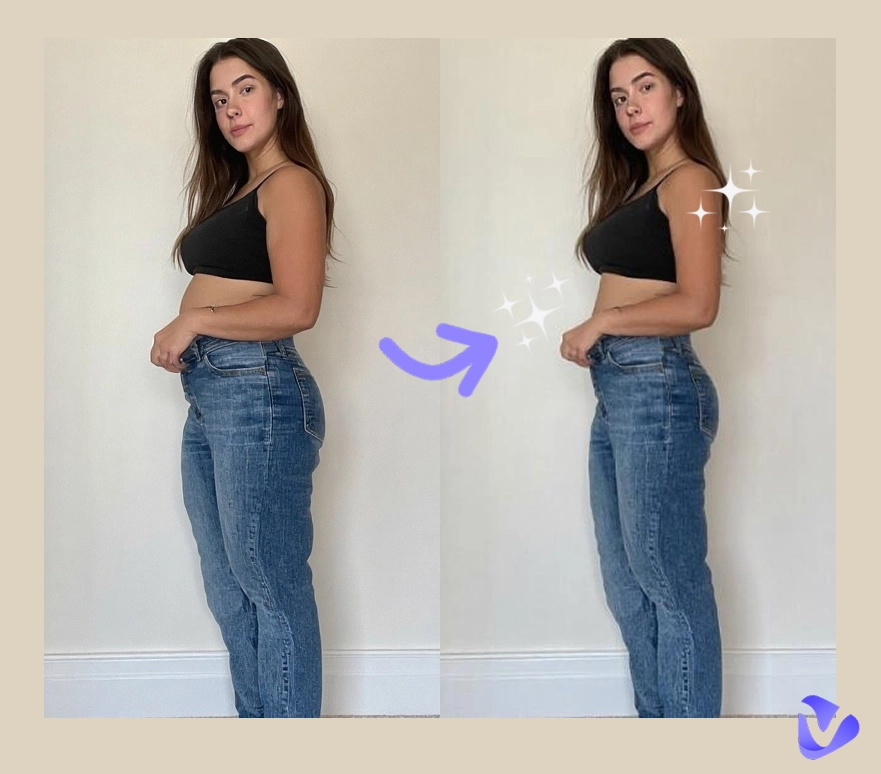
Do you have a nearly perfect photo that's ruined by one small detail—a random stranger photobombing the background, an awkward wrinkle in your clothes, or a moment where your eyes were closed? In the past, this meant the entire photo was unusable. But now, AI redraw technology gives you a second chance: with just a few brushstrokes and simple descriptions, you can make those unsatisfying parts disappear and transform them into exactly what you wanted.
This technology can truly breathe new life into those regrettable moments. If you're not yet familiar with it, this article will unveil the mysteries of AI redraw image, from core concepts to practical tutorials.
On This Page
What is AI Redraw Image?
Top AI Redraw Image Tool You Should Try: Vidnoz AI Photo Editor
Why Choose Vidnoz AI Photo Editor for AI Redraw?
How to Create Stunning Works with AI Redraw
Take Your Creations to the Next Level with AI Redraw
Redraw Your Photos into Any Style with Vidnoz Image Generator
Add Dynamic Effects to Redrawn Images with Image to Video
Transform Photos with AI Avatars to Enhance Your Storytelling
FAQs About AI Redraw Image
Conclusion
What is AI Redraw Image?
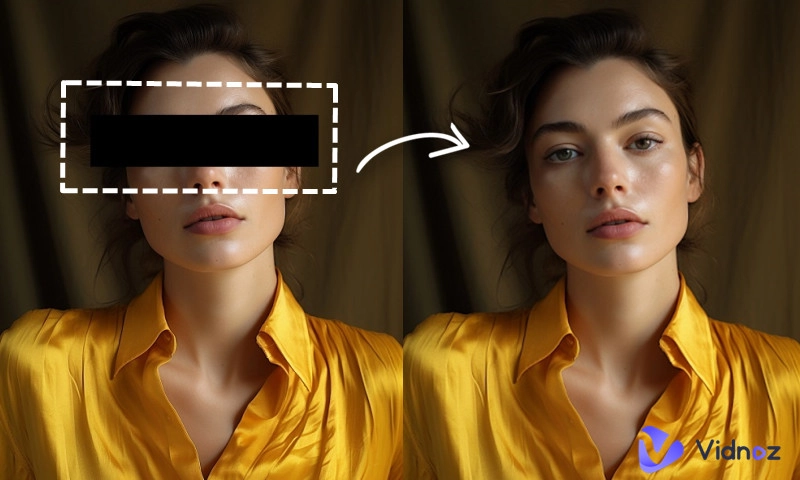
AI redraw refers to the use of AI to selectively edit or redraw specific areas of an image while keeping the rest of the image completely unchanged.
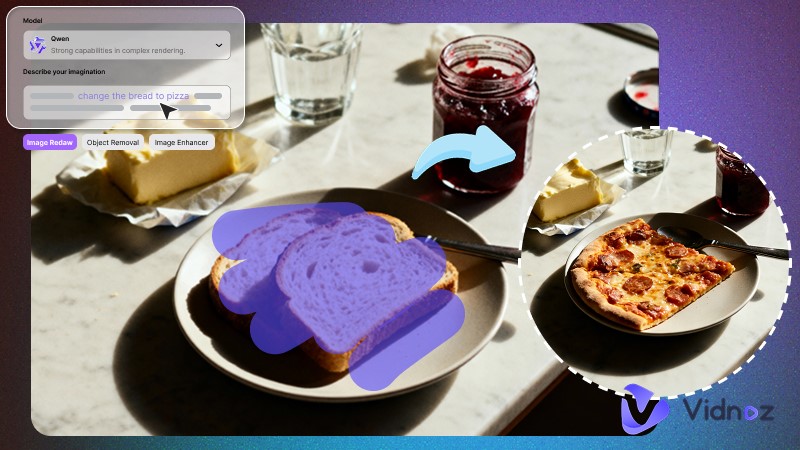
Users simply brush over the areas they want to redraw, describe the desired effect with text prompts, and the AI intelligently regenerates the selected regions based on the original image. Thanks to this workflow, its applications are remarkably versatile:
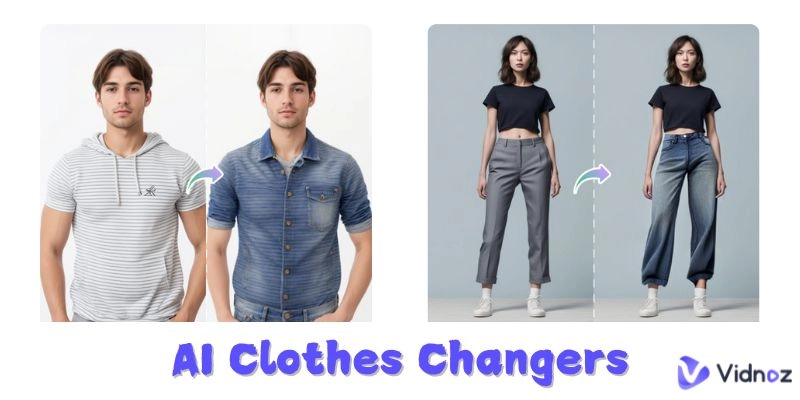
Local Image Redrawing: Modify specific elements within an image, such as changing clothes, altering hair color, or adjusting expressions.
Object Removal: Erase unwanted content, like removing watermarks, clearing passersby, or fixing imperfections.
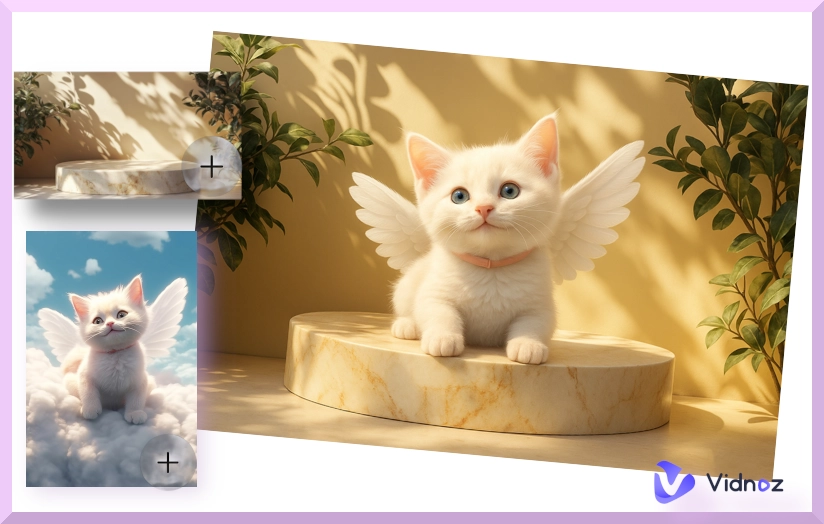
Prompt-Based Editing: Change scenes based on semantic understanding, such as "keep the person unchanged, change the background from beach to snowy mountains."
Outpainting: Extend the canvas boundaries to expand the imagination beyond the original frame.
Top AI Redraw Image Tool You Should Try: Vidnoz AI Photo Editor
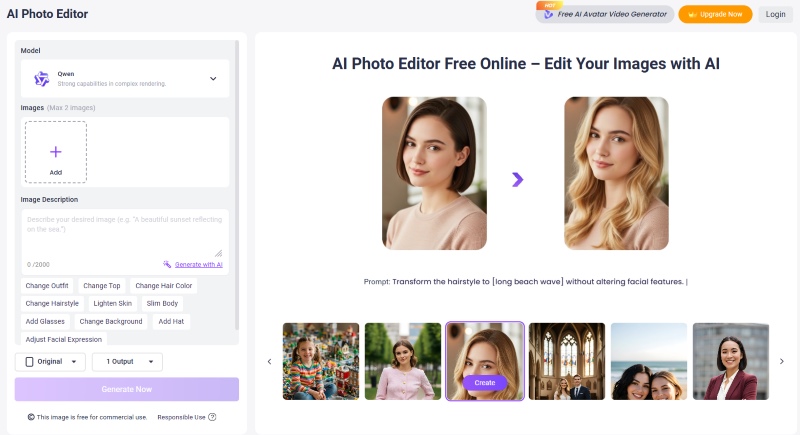
Among the many AI redraw tools available, Vidnoz AI Photo Editor delivers truly impressive results. As an AI redraw free tool, it allows you to precisely modify unsatisfying images through simple text prompts and supports brushing over objects for intelligent removal. Whether you want to "turn black hair into blonde" or "erase that trash can in the background," it accomplishes the task in seconds—completely free and with no registration required.
Moreover, Vidnoz AI Photo Editor is more than just a redraw tool; it's an all-in-one AI image processing hub that integrates generation, editing, enhancement, and expansion capabilities. With its powerful features and seamless integration with the Vidnoz ecosystem, it's absolutely a tool you shouldn't overlook.
Why Choose Vidnoz AI Photo Editor for AI Redraw?
Professional-Grade Output Quality: Whether it's detail texture, light transitions, or color accuracy, images generated by Vidnoz rival professional software. Even with significant modifications, the redrawn areas blend perfectly with the original, leaving no trace of editing.
Precise Natural Language Understanding: Vidnoz AI Photo Editor excels at understanding everyday language instructions. You don't need to learn complex technical terms—just describe your desired effect in simple words, and the AI accurately captures your intent and executes it, allowing you to edit every detail with precision.
Intelligent Object Removal: When you need to remove distracting elements from your photos—such as objects, watermarks, text, or background strangers—simply brush over the target and the AI Image Remover will automatically identify and intelligently remove it, perfectly filling in the background to create a seamless result.
Free All-in-One Image Processing Hub: Beyond local redraw, Vidnoz integrates a powerful suite of tools including AI image extender, image enhancement, one-click background removal, and AI style transfer—all available for free without registration. You can complete everything from basic repairs to complex expansions here, without switching between multiple software applications.
Seamless Ecosystem Integration: This is Vidnoz's most unique advantage. Images you've redrawn in AI Photo Editor can flow seamlessly into Vidnoz's Image to Video tool with one click, elevating you from static image editing to dynamic visual storytelling.
How to Create Stunning Works with AI Redraw
If you've never tried AI redraw before, don't worry. These optimized AI tools feature intuitive interfaces that are simple to use—even beginners can get started quickly.
Below, we'll use Vidnoz AI Photo Editor as an example to demonstrate a complete AI redraw process.
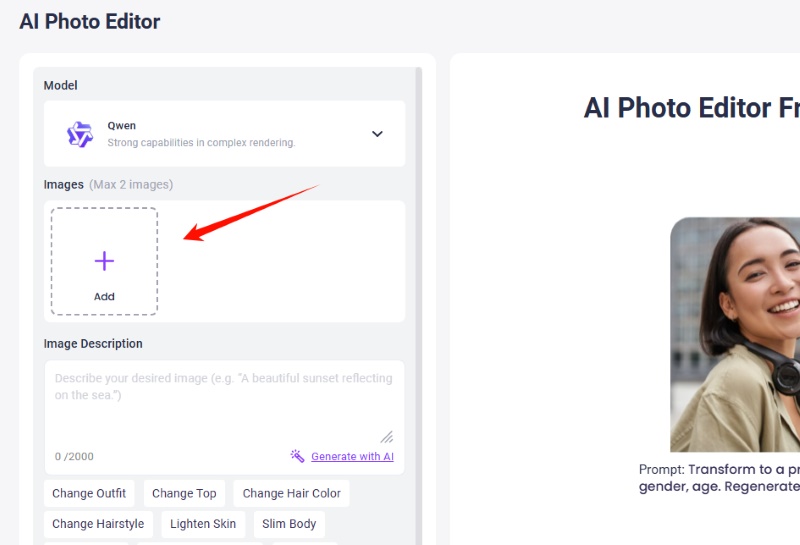
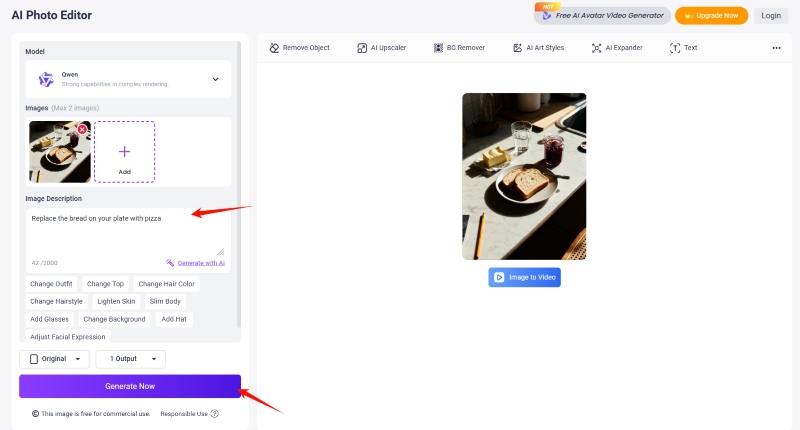
Step 1: Open the Vidnoz AI Photo Editor in your browser. Click the upload area and import the photo you want to edit. Vidnoz supports various common formats including JPG, PNG, and WEBP.
Step 2: After the image uploads, use clear language in the text input box to describe what you want to replace and the effect you want the AI to generate.
The more specific your description, the more precise the AI's generation results. Your prompts can include details about colors, materials, atmosphere, lighting, and more. If you're unsure how to write effective prompts, you can upload example images showing your desired effect to an AI image describer to help you craft precise prompts.
Step 3: Adjust the number of images to generate and their aspect ratio. After confirming your settings, click "Generate Now."
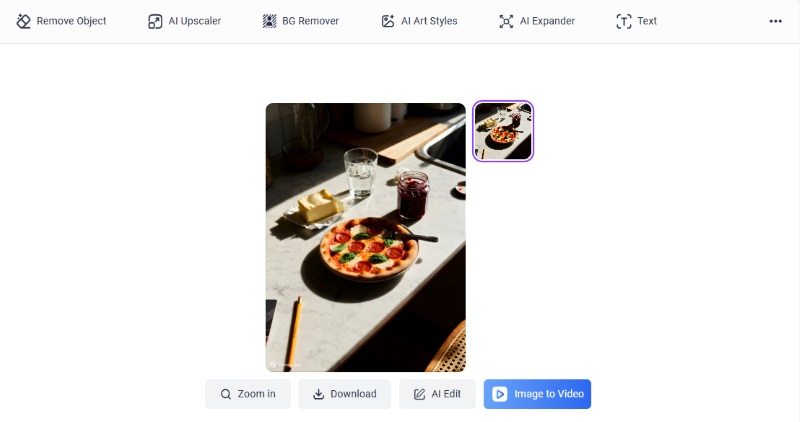
Step 4: Wait a few seconds to preview the results. If you're satisfied, click "Download" to save the image locally.
For even more refined results, you can generate multiple versions and select your favorite, or perform secondary redraws on areas that still need improvement.
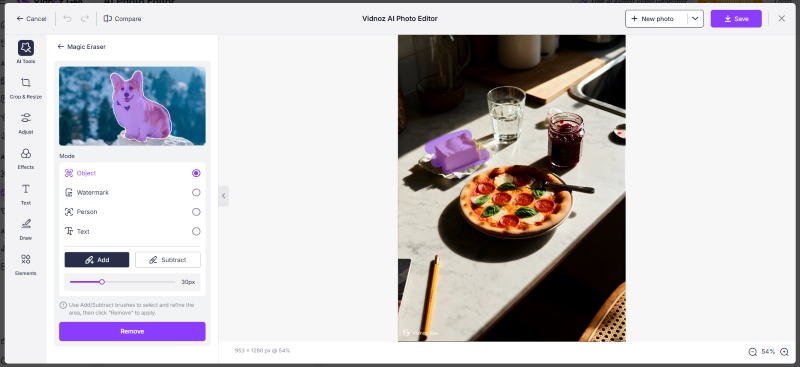
If you need to remove objects from photos with AI, the process is slightly different but even simpler. Vidnoz AI's Object Remover feature allows you to precisely brush over the elements you want to remove with a paintbrush tool, then click "Remove" to eliminate them.
The final result seamlessly integrates with the original image in terms of color, lighting, and texture. You can directly open up a further dynamic creation with Vidnoz's free AI video generator.
Take Your Creations to the Next Level with AI Redraw
A perfectly redrawn image is undoubtedly satisfying and surprising. But within the Vidnoz ecosystem, your creation can go even further. Now you can bring your images to life and tell stories in more impactful ways.
Redraw Your Photos into Any Style with Vidnoz Image Generator
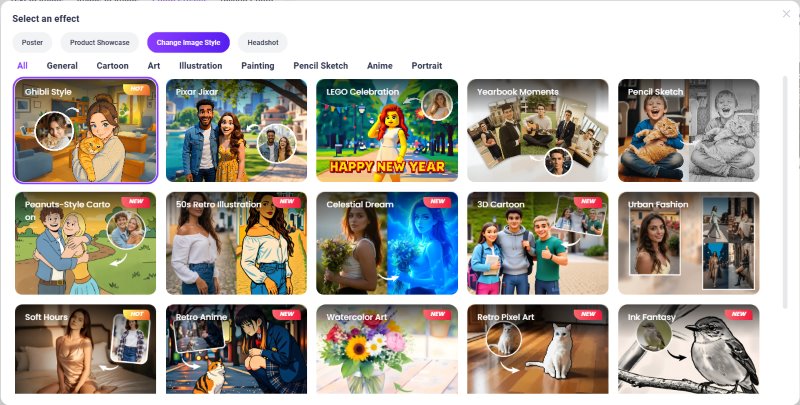
Beyond redrawing, Vidnoz offers the AI Image Generator, which does more than just create images from scratch. Its powerful Photo Effects mode lets you transform your AI-redrawn photos once again.
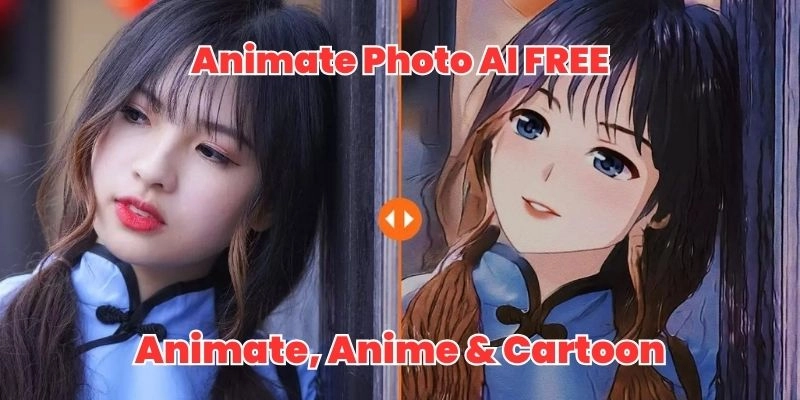
You can turn them into eye-catching product displays or convert them into any artistic style you desire—from watercolor illustrations to cyberpunk aesthetics, from Ghibli animation to 3D rendering. Your images have infinite possibilities.
Add Dynamic Effects to Redrawn Images with Image to Video
Enter the tool, upload your redraw, describe the desired dynamic effect in text, and AI will generate a short, cinematic video for you in seconds. That's the Image to Video from Vidnoz.
Convert Image to Video AI Online - Free
Create a video from an image quickly for free.
Use various AI models to turn photos into videos.
Download and share the AI-generated video at no cost.
Those slow camera pans, wind-blown hair, and flowing fabric that once required time-consuming filming and professional editing are now effortlessly created with AI. AI Image to Video is dynamically "redrawing" static images, helping your creations stand out in social media feeds.
Transform Photos with AI Avatars to Enhance Your Storytelling
Take it a step further with Vidnoz's AI Avatar feature—turn your photos to avatars, then let your digital avatar deliver any story with emotion and expression.
Whether it's sharing creative inspiration and techniques, introducing products, or conveying brand values, adding a talking head to your videos dramatically closes the distance with your audience. It's the ultimate tool for building deeper connections and elevating content quality.
Create Your AI Talking Avatar - FREE
1900+ realistic AI avatars of different races
Vivid lip-syncing AI voices & gestures
Support 140+ languages with multiple accents
FAQs About AI Redraw Image
Maintaining consistency is one of the key challenges in AI redraw. To achieve this, you can use tools that support "reference" functions. Vidnoz supports uploading reference images to lock in character features. Additionally, you can clearly describe the features to preserve in your prompts, such as "keep the person's face, hairstyle, and clothing unchanged."
Absolutely! AI redraw is an ideal tool for restoring old photos. For localized damage like scratches, creases, or stains, you can input "repair damage" and let the AI fill in the gaps. For overall blurriness or fading, you can combine Vidnoz's image enhancer and colorization features. Vidnoz's all-in-one tool chain makes it easy to breathe new life into precious old photographs.
Images generated using Vidnoz AI Photo Editor can be freely used for both personal and commercial purposes.
However, if the base image you're redrawing is itself protected by copyright and used without authorization (such as photos taken by others or images featuring well-known IP characters), the resulting image may still lead to copyright infringement. We recommend using your own photos or images you own the rights to as a base.
This depends on the usage context. If modifications are only for personal learning or appreciation, it generally does not constitute infringement. However, if you distribute the modified images or use them for commercial purposes without obtaining authorization from the original copyright holder, it may constitute infringement.
Conclusion
From restoring a disappointing photo to creating a series of stunning visual stories, AI redraw is reshaping the way we interact with images. Now, it's your turn. Join Vidnoz and use every precise description and brushstroke to transform those regrettable moments into something extraordinary.
Convert Image to Video AI Online - Free
Create a video from an image quickly for free.
Use various AI models to turn photos into videos.
Download and share the AI-generated video at no cost.
Andrew Garcia is a writer who focuses on the field of technology. He is committed to producing high-quality articles to help users solve their problems. He is working hard to discover and introduce the latest AI tools so that users can experience the joys of emerging technologies. Hope his articles can give you some aid.