Are you thinking of creating a music video of your own? Thinking of budgeting issues? Forget all these worries and create your own MV with the best free AI online tools out there. Music video generation was never that easy before!
Vidnoz AI is one such name, which is free of cost and doesn’t require you to be an expert in video editing. It offers a free AI music video editor with numerous features to back its seamless performance and high-quality results. You can also explore Vidnoz AI’s other AI tools to customize your music video regarding sound, avatars, and video effects. Let’s explore how you can get the perfect MV created with the best AI music video editor free.
- On This Page
-
The No.1 AI Music Video Editor - Vidnoz AI
#AI Music Video Generator for Quick MV Creation
#AI Video Generator for Professional MV Customization
-
How to Create Stunning Music Videos with Vidnoz AI Music Video Editor?
#How To Quickly Create A Surprising Music Video?
#How To Generate A Highly Customized Music Video?
-
Advanced Music Video Edition: More Powerful Vidnoz AI Tools for MV Preparation
The No.1 AI Music Video Editor - Vidnoz AI
Looking for an impressive AI video editor for41 music videos? Vidnoz AI is a powerful AI music video editor, with immense features. It is free of cost and offers a user-friendly interface. It will become your top go-to music editor software for two key reasons: it enables quick music video generation and offers highly customized MV creation.
#AI Music Video Generator for Quick MV Creation
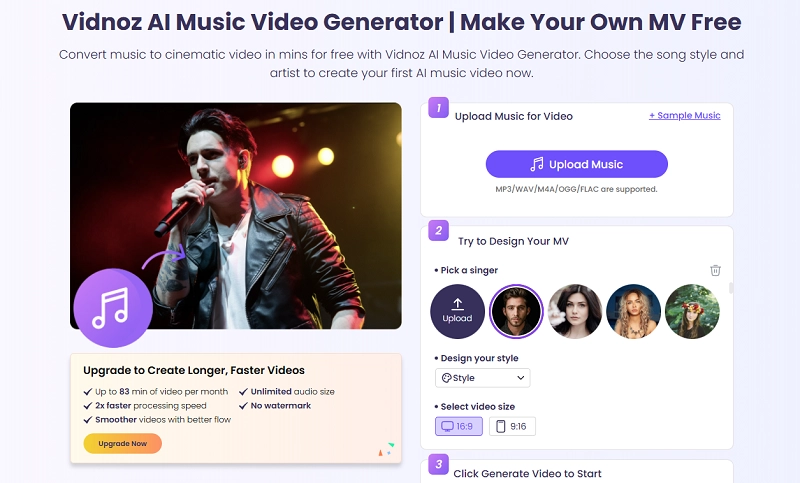
Vidnoz AI provides an AI music video generator tool that quickly generates music videos in seconds. Get a cinematic video of your desired style and music within minutes with this great software. The generated AI music video is free for commercial use. You need credits to generate an MV. The best thing is to upgrade to the premium feature to create longer music videos.
Some distinct features of this tool are as follows:
- Easy-to-use interface with high efficiency.
- Only need the music and a photo of the singer to generate an MV.
- Multiple music formats are supported (MP3/WAV/M4A/OGG/FLAC)
- Supports 17 types of music to choose from, including Pop, Rock, Classical, Jazz, Country, etc.
#AI Video Generator for Professional MV Customization
The AI music video generator does not allow you to customize the details of the MV. So, if you would like to create a more professional and detailed music video, you can use the free AI video generator of Vidnoz, meaning you can create a music video from text, image, or a video.
Vidnoz AI - Create Free Engaging AI Video with Talking Avatar
- Easily create professional AI videos with realistic avatars.
- Text-to-speech lip sync voices of different languages.
- 2800+ video templates for multiple scenarios.
It is a versatile tool that offers a great AI video creation process. No need for a microphone, actors, or camera. Use this free online tool to create fast and free videos. Simply paste your text, set your preferences, and you will get the perfect video within minutes. It also offers a perfect lip-syncing AI facility where the chosen avatar can perfectly match your script with great lip movement and natural tones, pitches, and gestures.
Such a generated music video will perfectly meet your global audience's needs by massively reducing your music video creation cost. You don’t have to be a tech genius or an expert video editor to use this Vidnoz tool because of its user-friendly interface.
The numerous key features of Vidnoz AI video generator are:
- AI video templates of different ratios
- Realistic AI voices with emotions to add voiceover to the music video
- 1830+ voiceover choices in 140 global languages
- Optional AI avatars with advanced lip-syncing
- A large number of images and video stock in the media library
- A perfect AI image or video generator for music materials
How to Create Stunning Music Videos with Vidnoz AI Music Video Editor?
Creating a music video that stuns your audience with its perfection has been made easy with Vidnoz AI music video editor free. You can use this tool in two ways: for a quick music video creation or for a deeply customized one.
#How To Quickly Create A Surprising Music Video?
The Vidnoz AI Music Generator can help you create a studio-perfect music video in no time. The quick process and the excellent results will amaze you with this tool’s efficiency and seamless usage. Just follow these basic steps:
Step 1 Upload music for your video. Multiple formats are supported here, including MP3/WAV/M4A/OGG/FLAC. Cut the audio clip with a scissors symbol offered here, up to the time limit you want added in your MV.
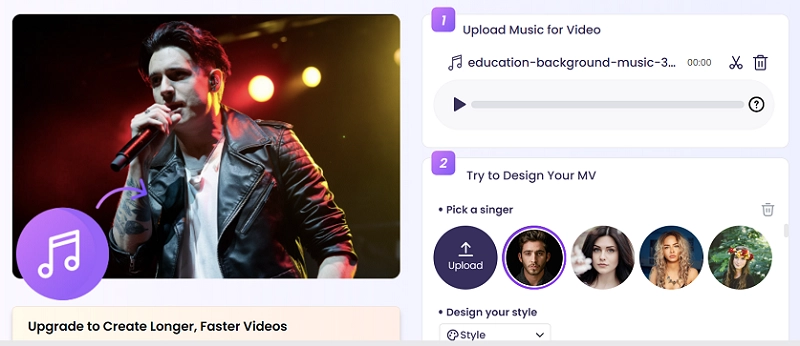
Step 2 Now, select the design of your MV. Pick a singer from the offered choices or upload one of your own choice. Also, select the video style from the available 17 styles and the video size ratio.
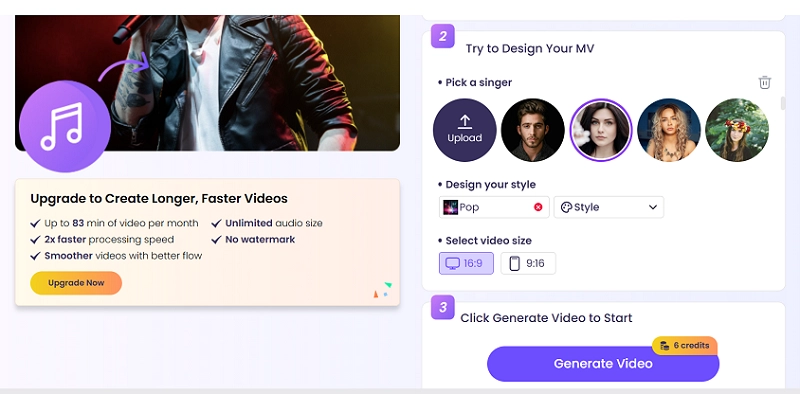
Step 3 Click on ‘Generate Video’ to produce your desired MV.
#How To Generate A Highly Customized Music Video?
You can create a highly customized music video easily using the Vidnoz free AI video generator. You don’t need to download any software or require any expert editing skills. It is a very easy-to-use online tool that makes video editing accessible even to beginners. Follow the steps below to start your journey to perfect music video generation.
Step 1 Create a free account on Vidnoz. It’s completely free. You can either Sign Up with an email ID or Sign In with your Google, Facebook, LinkedIn, Microsoft, or SSO email IDs. The process is very simple.
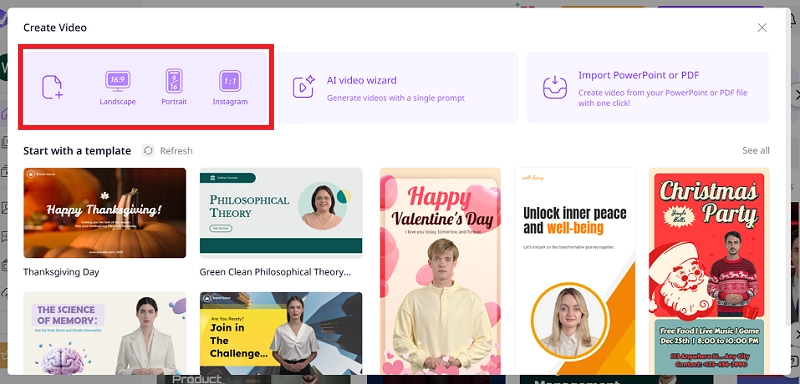
Step 2 Click on the ‘Create A Video’ option. You can choose from the offered aspect ratios of the video: 16:9, 9:16, and 1:1. Each ratio generates a video for a specific platform.
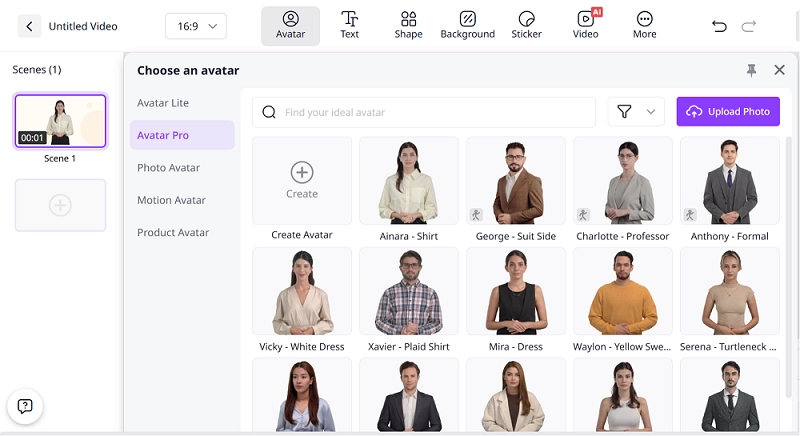
Step 3 Choose or create an AI avatar for your music video if you wish to. You can just delete the default AI avatar if you don’t need one.
Step 4 Change the background and upload your music, image, and video to edit and enrich your music video. If you feel like you don’t have enough materials, no need to worry. You can search from the provided stocks or simply generate one with AI.
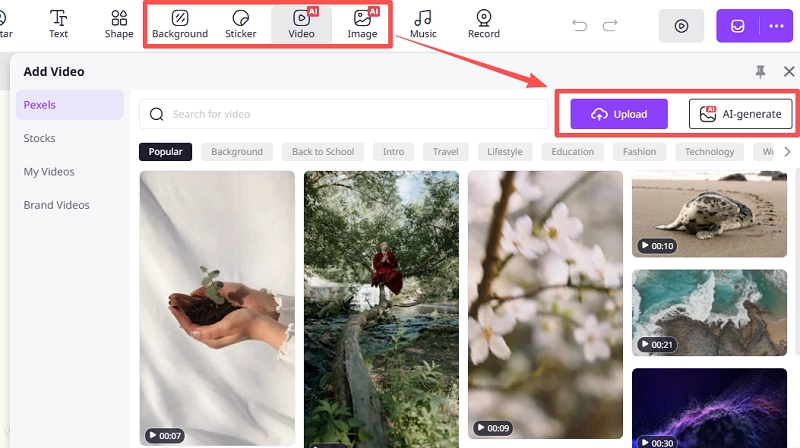
Step 5 (Optional) You can upload your voice for an emotional voiceover or even generate speech with an AI voice to make the MV more touching. The uploading feature supports several formats (MP3, WAV, OGG, M4A) up to 200MB. The voice recording feature allows a free recording up to 60 seconds.

Advanced Music Video Edition: More Powerful Vidnoz AI Tools for MV Preparation
Apart from the above AI tools, Vidnoz AI offers many other AI tools, some of which you can use to create unique materials for your music video. It makes for a perfect editing process of a music video.
#AI Music Generator
You can use Vidnoz AI music generator to create AI background music for your music video. Just enter the type of music you want in the Instrumental section. You may also use the Prompt Library for possible suggestions. The ‘Songs with Lyrics’ section allows music creation with your desired lyrics and song title. You only need to select the music genre, mood, and instrument choice.
#AI Dance Photo
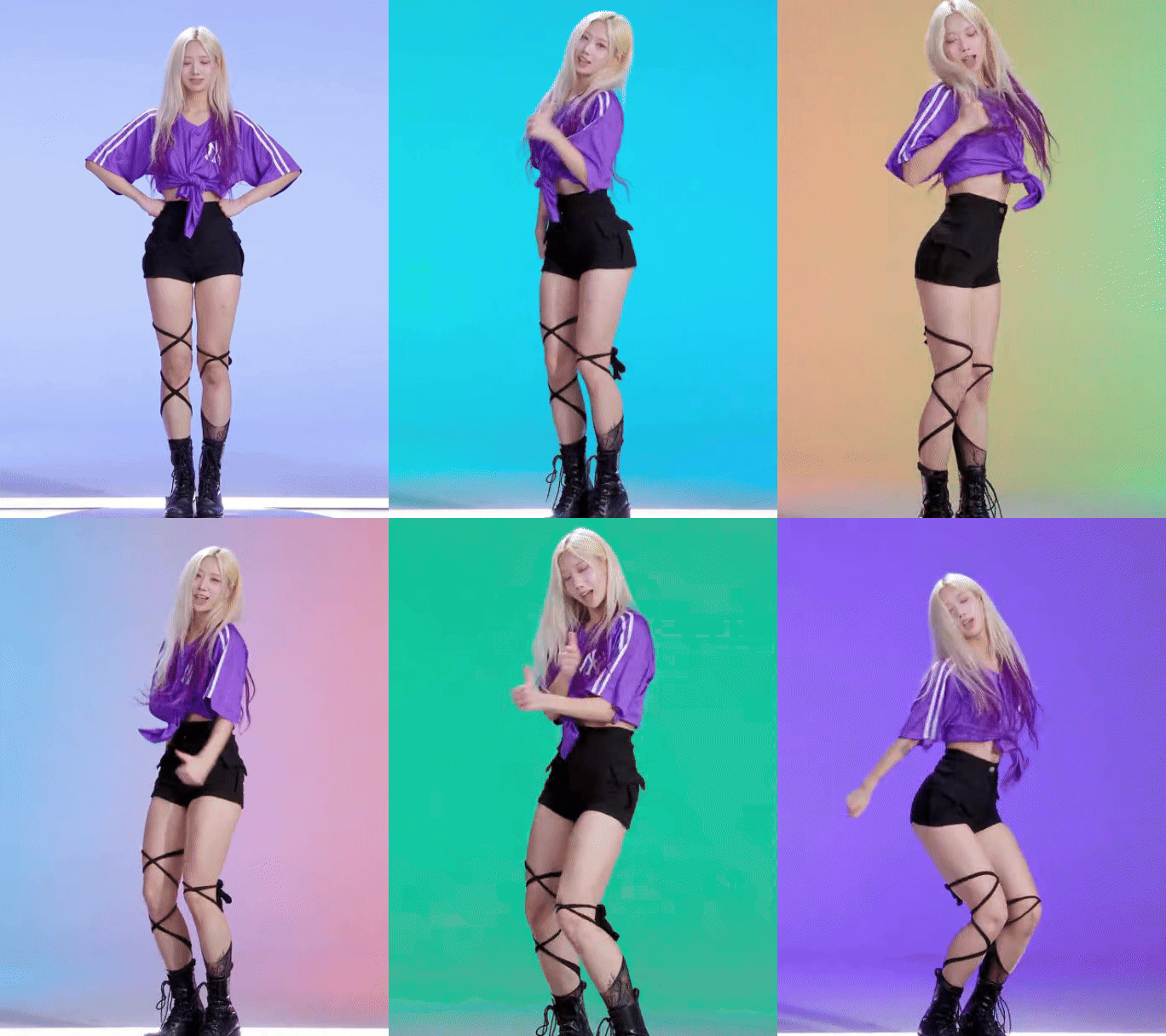
Generate viral dancing movements for your music video using the Vidnoz AI Dance Photo tool. The dance motion sequences are highly consistent and seamless in their motions. It’s free and doesn’t require you to download any software or subscribe to any plan to use it. You also get dancing movements with a synchronized music track feature.
#AI Image to Video
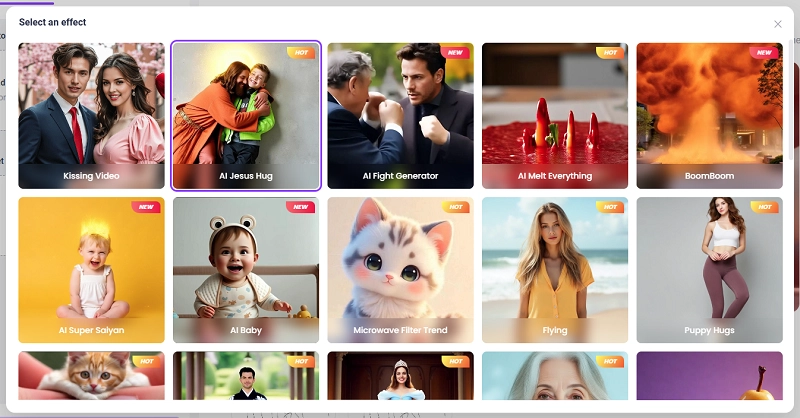
You can use the Vidnoz AI Image to Video tool to make your music video look high-tech and impressive by adding eye-catching video effects. The choice of video effects is immense, with each effect offering a smooth rendition. Over time, Vidnoz AI continues to add more and more interesting video effects to this AI tool, making selection a challenging process.
Conclusion
Thus, music video creation is now within the reach of every individual, thanks to AI music video editor. You can also incorporate AI effects in sound and dance motions to your video through Vidnoz AI’s other tools. It is a comprehensive set of tools provided online to users for a great MV generation process. The result is a cinematic-quality output in the shape of a music video. So, if you have not used Vidnoz AI before, now is the time to try it as an outstanding AI video editor for music videos.
Convert Image to Video AI Online - Free
- Create a video from an image quickly for free.
- Use various AI models to turn photos into videos.
- Download and share the AI-generated video at no cost.
Convert Image to Video