Do you enjoy music and want to create your own one but don't know how to do it? Well lucky for you since you can make your imagination come true with the help of AI. Whether you're an amateur music creator or a game developer weaving soundscapes, an AI music mixer gives you studio-quality results with ease, no need to spend hours on complex softwares.
Whether you are making beats in your bedroom or designing atmospheric soundtracks for games, these AI music mixers free online save time and effort. In this article, we’ll introduce the 3 best AI music mixers that you can use for special music right away.

- On This Page
-
What Is an AI Music Mixer?
-
Benefits of Using AI Music Mixer Online
-
3 Best AI Music Mixers in 2026
1. Unchainedmusic: One-Click for Professional AI Music Mixing
2. Cryo-Mix: Instantly Make Rhythmic Music Track with Effects
3. Roexaudio: Create Balanced AI Music Mix with Precise AI Analysis
-
More Online AI Tools to Inspire Your Music Generation
1. Design Royalty-Free Music with Vidnoz AI Music Generator
2. Create Stunning Song Covers with Diverse AI Voice Models
What Is an AI Music Mixer?
An AI music mixer is a tool that can blend music tracks and create new music. It analyses the properties of each track, then balances levels, EQ and space automatically. No need for deep audio engineering skills, the AI will produce a studio-level AI music mix in a short time.
Unlike traditional music mixing, which often requires deep musical knowledge and hours of testing, an AI music mix delivers professional results with just a few clicks.
Benefits of Using AI Music Mixer Online
Using an online AI music mixer for free brings several advantages that make it appealing to both beginners and professionals:
1. Cost-Effective Solutions: No need for costly studio time or software.
2. Time-Saving Working Process: Music mixing happens in minutes, not hours.
3. Stable Quality: AI ensures high-quality results across multiple projects.
4. Multiple Types of Genre: Works with diverse genres like pop, hip-hop, indie, rock, EDM and more.
5. Accessible Anywhere: Compatible with laptops, tablets and smartphones.
Vidnoz AI - Create Free Engaging AI Video with Talking Avatar
- Easily create professional AI videos with realistic avatars.
- Text-to-speech lip sync voices of different languages.
- 2800+ video templates for multiple scenarios.
3 Best AI Music Mixers in 2026
These AI-powered platforms help people get professional music mixing results right in the browser. Whether you need quick one-click music editing or detailed feedback on your mix, each tool brings something unique to the table.
|
AI Music Mixers
|
Output Quality
|
Compatibility
|
Free or Not
|
|
Unchainedmusic
|
Balanced, master mixes
|
Browsers
|
Free with option of paid account.
|
|
Cryo-Mix
|
Strong vocal and instrumental balancing
|
Browsers
|
Free and Premium
|
|
Roexaudio
|
Analytical mix checks and enhancements
|
Browsers
|
Free and Paid tier
|
Let’s discuss each AI music mixer free online in detail below.
1. Unchainedmusic: One-Click for Professional AI Music Mixing
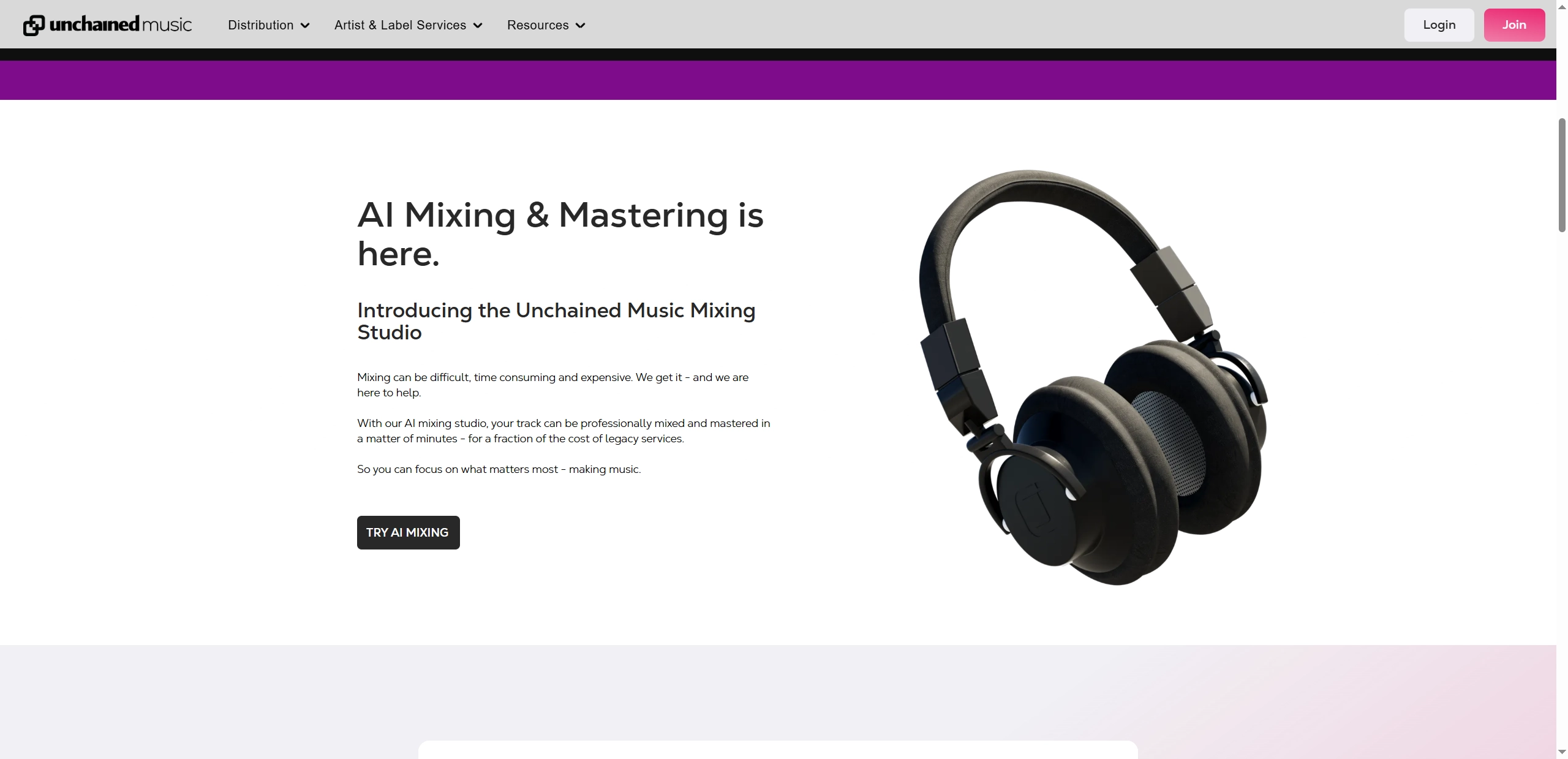
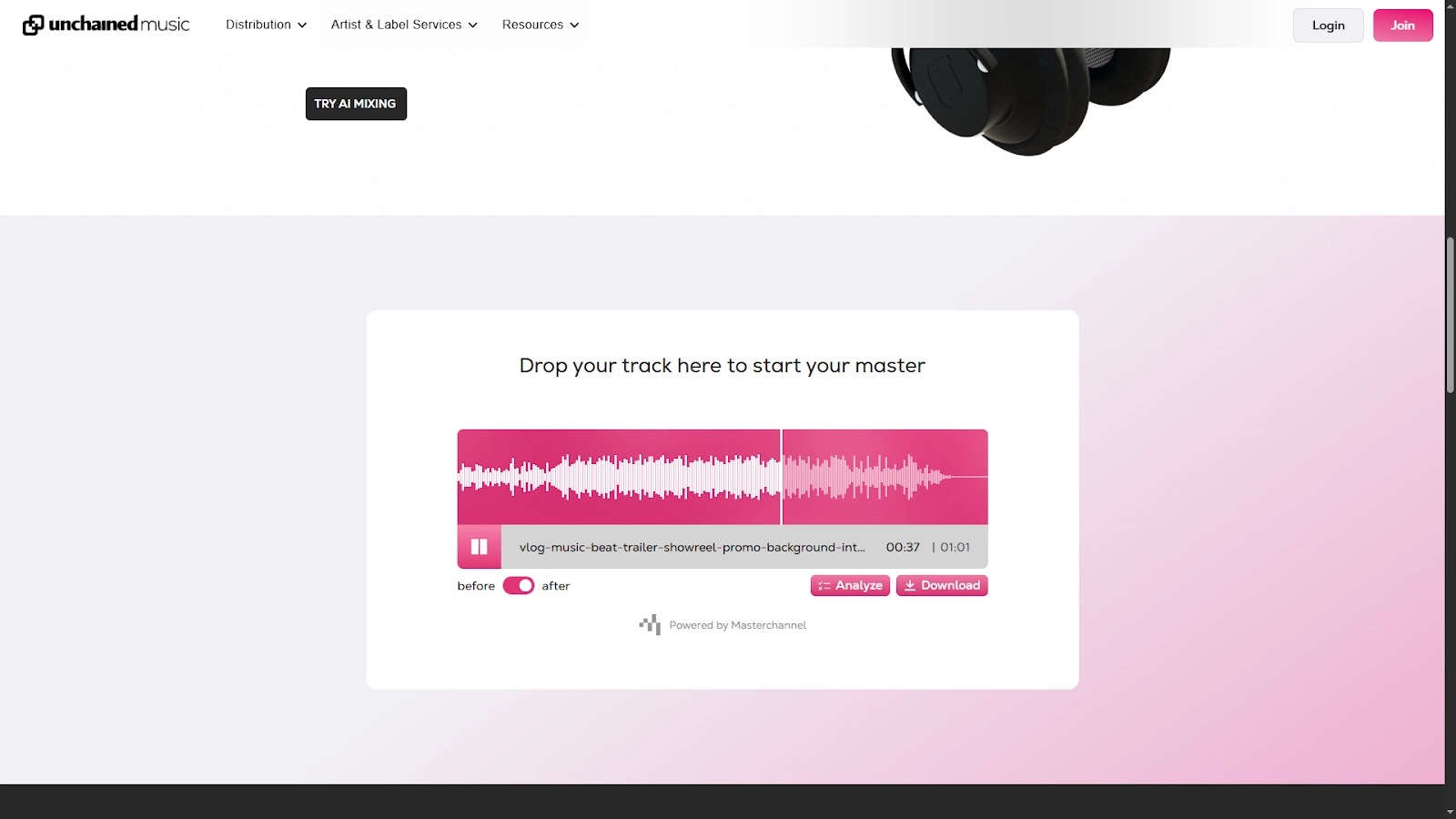
Unchainedmusic is a free AI music generator that helps you mix music in just a few clicks. Instead of spending weeks learning complex software, you can simply upload the target track and let the AI music mixer handle the work. It provides services to develop many genres of music such as Pop, Rock, Hip Pop etc. One of its best touches is the side-by-side preview that lets you hear the raw version against the finished music mixing result.
Pros
- One click for high-quality music mixing.
- Multiple music genres are supported.
- It supports before and after preview.
Cons
- The free tier provides limited options.
- Stable Internet is required for music mixing.
Steps to Use Unchainedmusic AI Music Mixer:
Step 1. Visit the Unchainedmusic site, turn to the music mixer function.
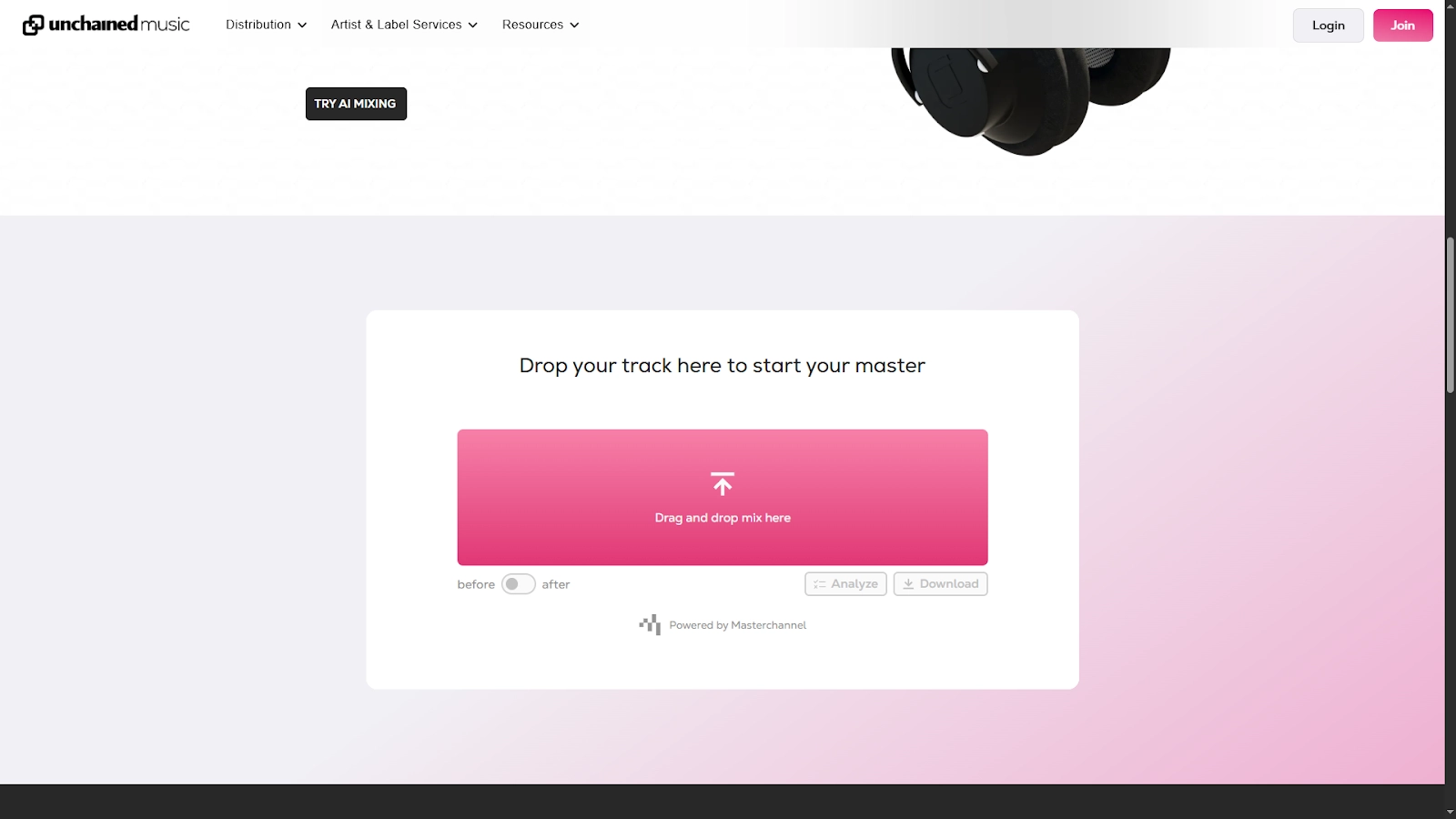
Step 2. Upload the music that you want to remix and wait for the upload to be complete.
Step 3. Once the AI has finished remixing, you can listen to the mixed music, compare it against the original one. Then download the new music on you device.
>> Do you want to make your own music with AI? Try Vidnoz Free AI Music Generator
2. Cryo-Mix: Instantly Make Rhythmic Music Track with Effects
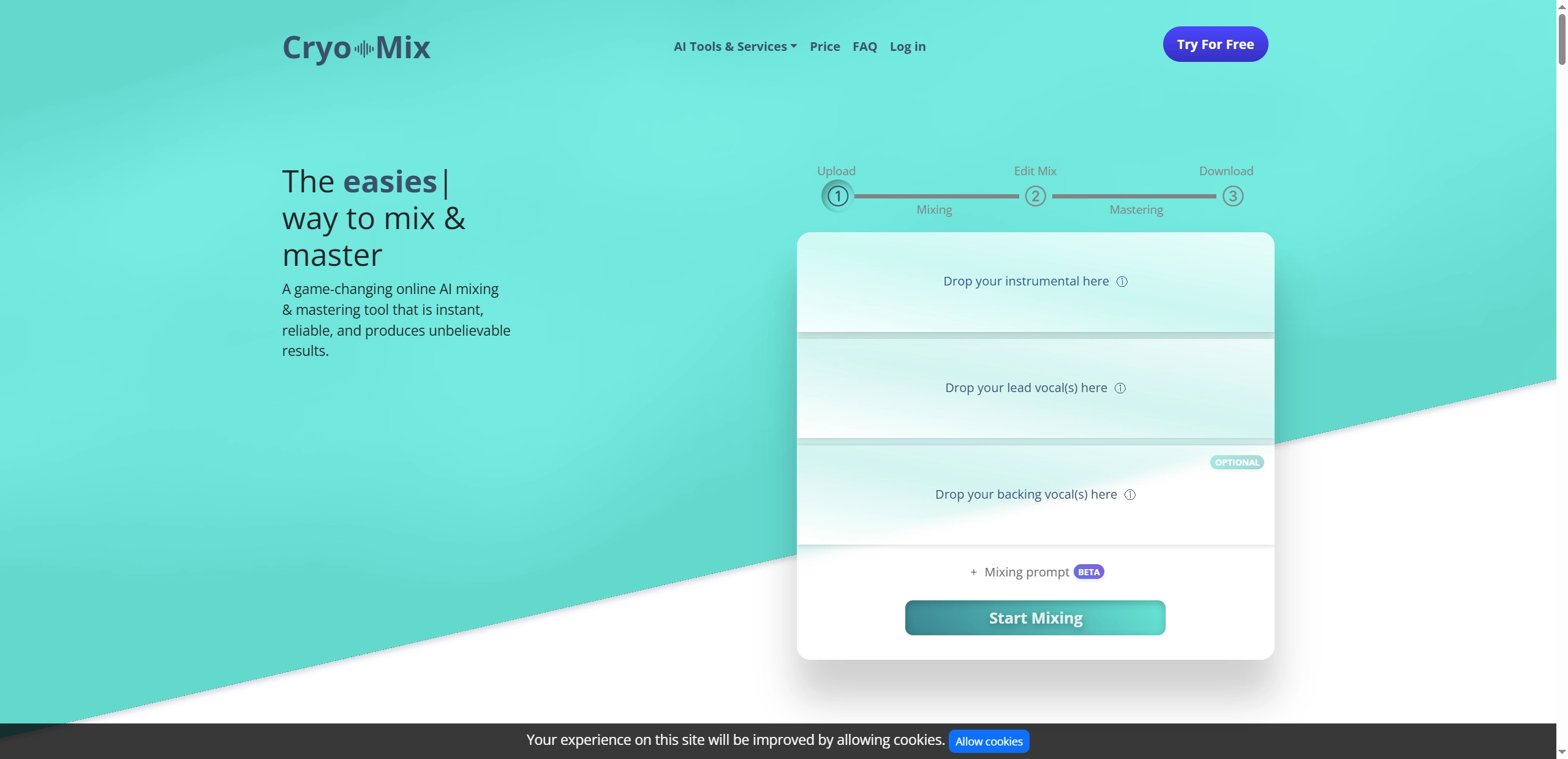
Cryo-Mix is especially handy when you’re working with multiple vocal layers and instrumentals. The AI music mix generator doesn’t just mix everything in the music together. It allows users to guide the process with short mixing prompts like “warm vocals” or “punchy bass”, making the mixes more personal compared to other automated tools. Unlimited storage is included too, which means you can keep multiple projects without having to clear space. Simply open the site, drop in your music files, add AI prompts, then you can get a new track and save your finished version.
Pros
- Prompt-based AI music mixing process.
- Unlimited project storage.
- It provides intelligent advice for music mixing.
Cons
- Limited music mixing customization.
- Some features are limited in the free version.
Steps to Use Cryo-Mix AI Music Mixer:
Step 1. Go to the cryo-mix music mixer site.
Step 2. Upload the target instrumental, vocal(s) and backing vocal(s), then describe the kind of music you’d like. Press the “Start Mixing" button for the AI music mixing.
Step 3. Wait for the AI to finish mixing the music.
Step 4. After it’s done, you can listen to and download the music.
3. Roexaudio: Create Balanced AI Music Mix with Precise AI Analysis
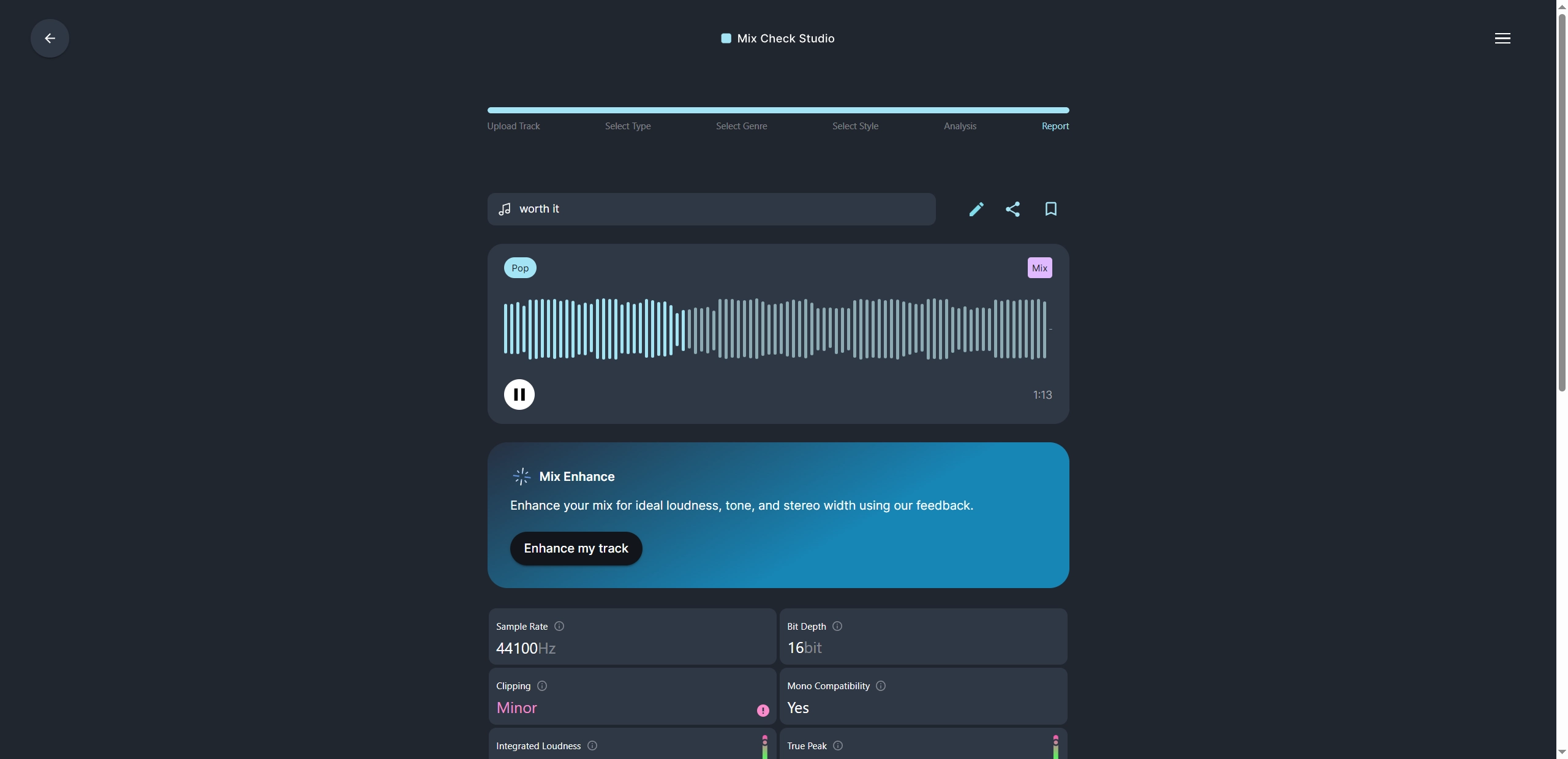
Roexaudio works as a complete AI music remixer that can not only give you a finished track, but also runs a full check on your audio, reviewing factors like sample rate, bit depth and mono compatibility. You can easily get a polished music track and also a better understanding of where your mix can improve. Getting started is straightforward: upload your track, pick a style, then you can let the AI update the music mix.
Pros
- Detailed feedback for music check.
- It supports WAV, FLAC and MP3 files.
- Adjust the AI music mixing result according to your preference.
Cons
- Tracks only can be less than 30 minutes.
- Requires sign-up to enhance the track after analysis.
Steps to Use Roexaudio AI Music Mixer:
Step 1. Go to the Roexaudio AI Music Mixer and Upload your track.
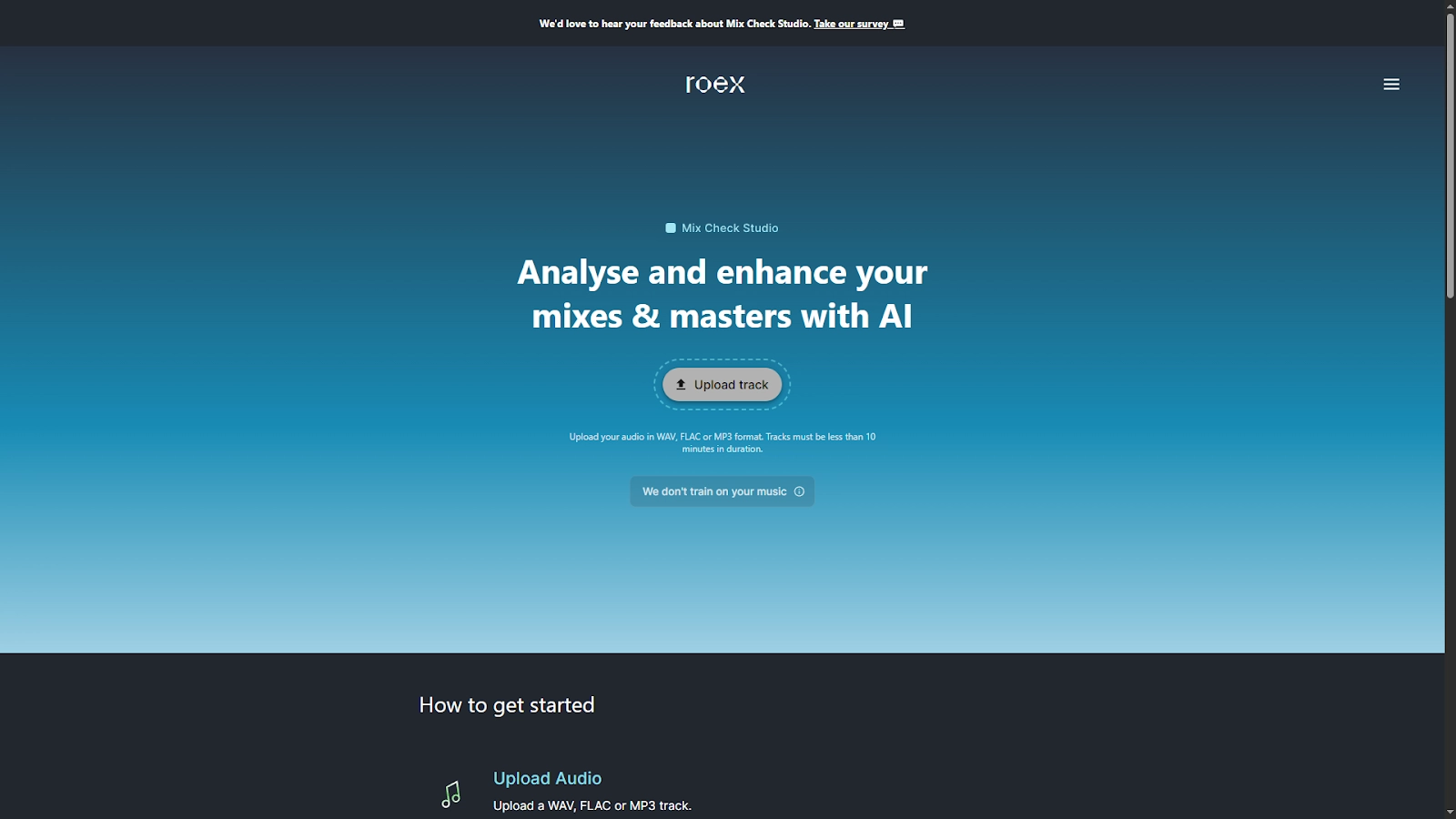
Step 2. Select if your track is a mix or a master, then choose the genre and style of the target track.

Step 3. The AI will start analysing your track and give you a report at the end.
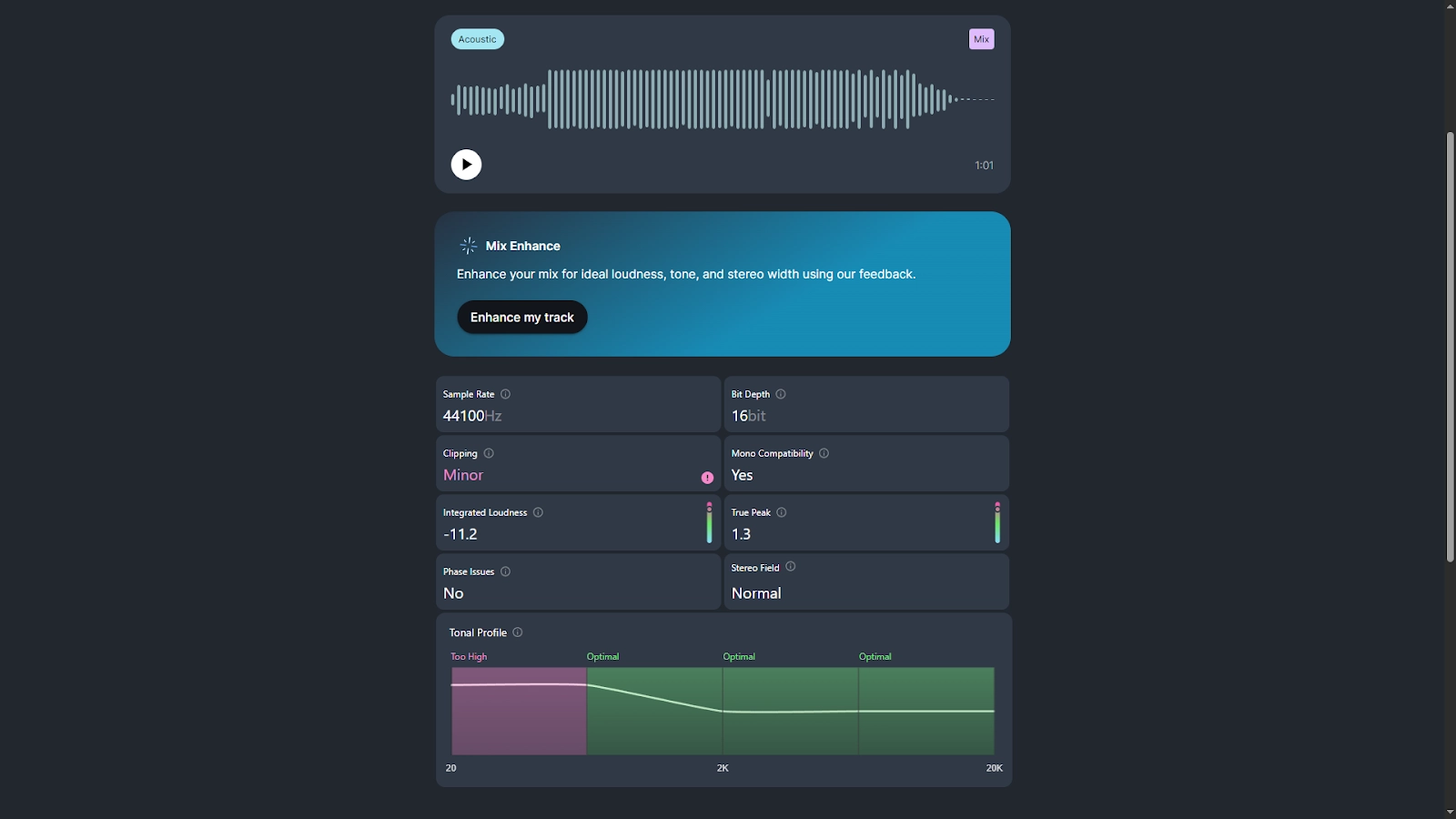
Step 4. You can then enhance your original track after analysis.
More Online AI Tools to Inspire Your Music Generation
Apart from creating new music with an AI music mixer, you can also generate your own music from scratch with the help of AI tools. Here are some tools to help you create unique music online for free.
Vidnoz AI - Create Free Engaging AI Video with Talking Avatar
- Easily create professional AI videos with realistic avatars.
- Text-to-speech lip sync voices of different languages.
- 2800+ video templates for multiple scenarios.
1. Design Royalty-Free Music with Vidnoz AI Music Generator
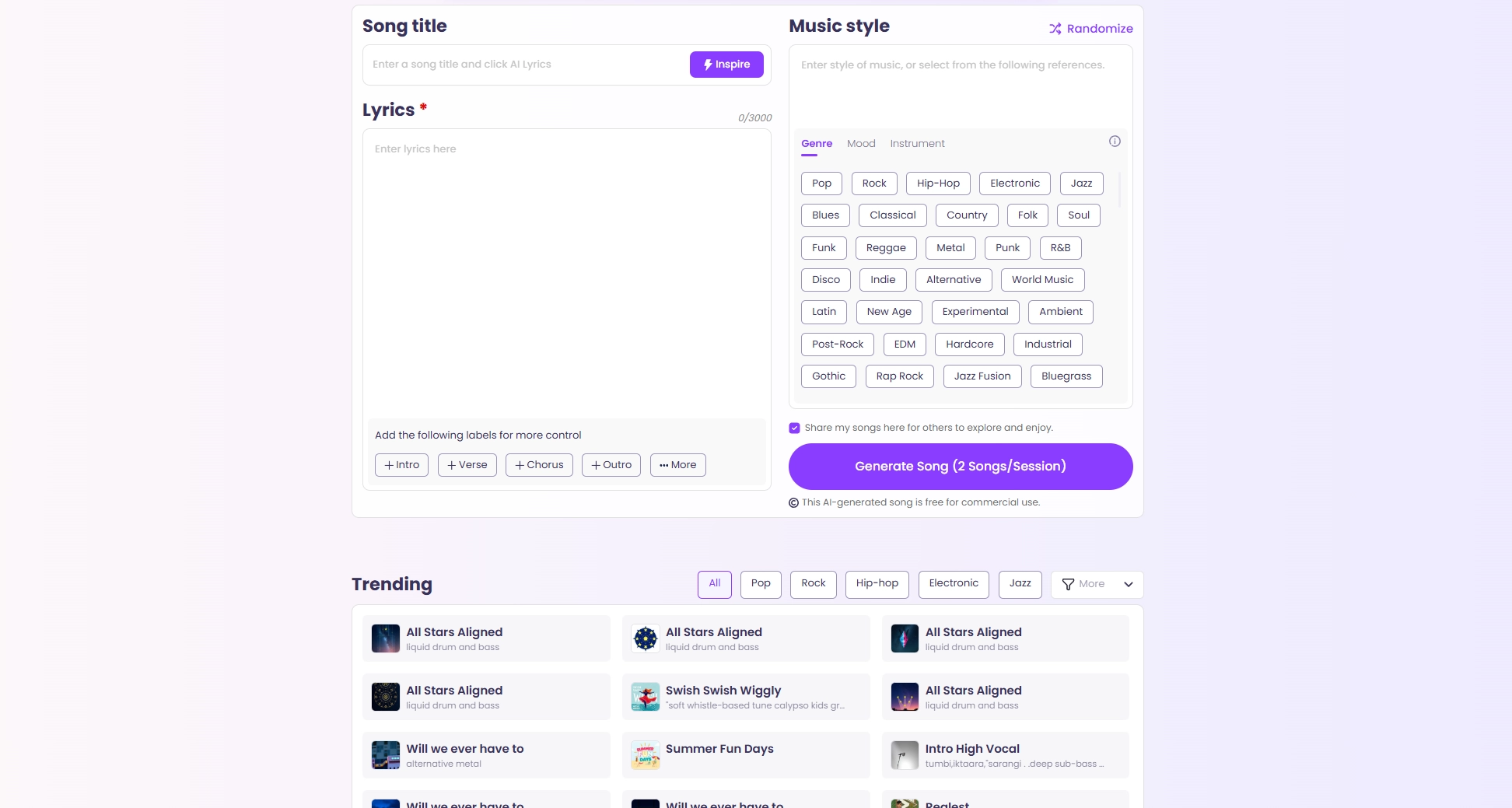
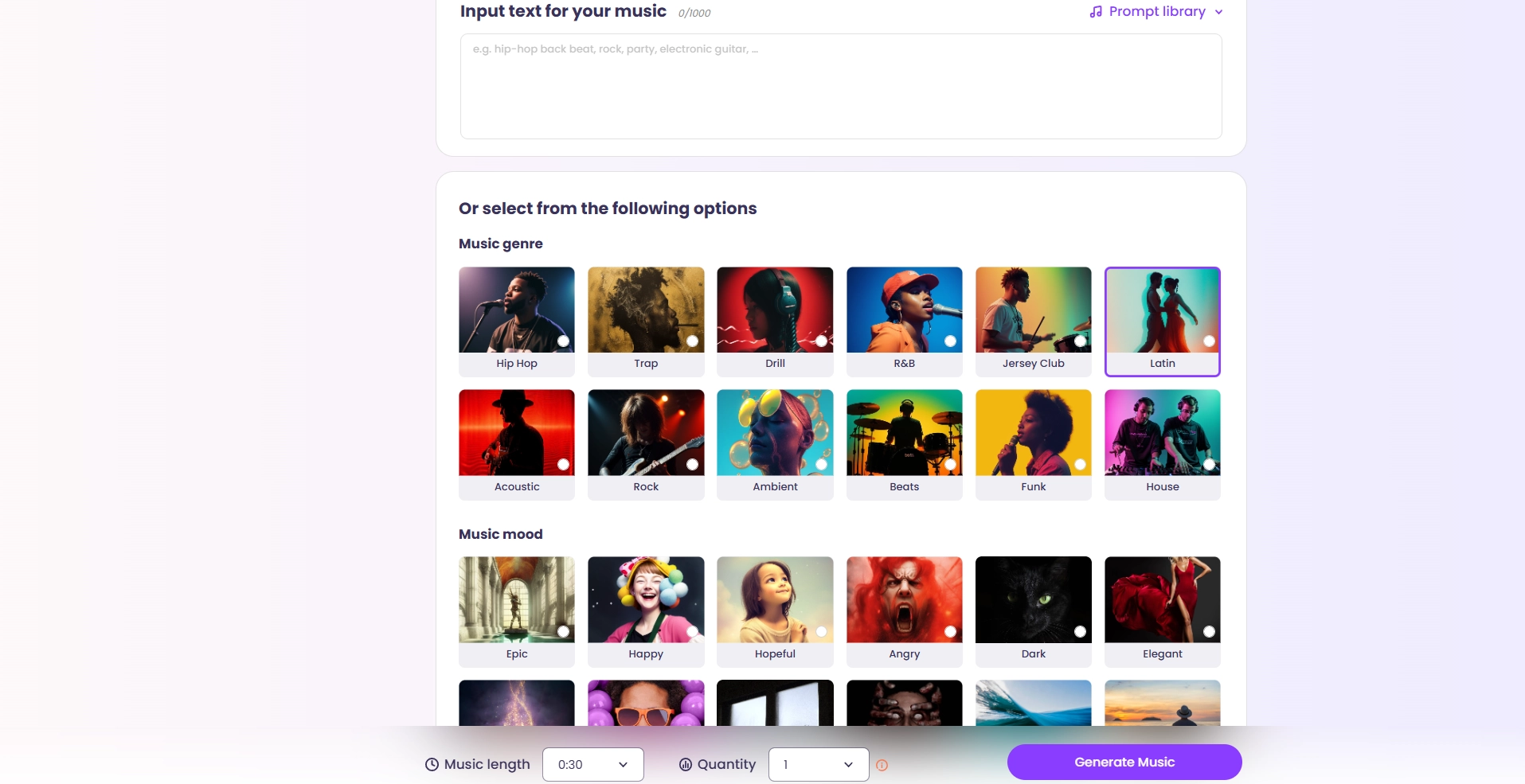
Vidnoz AI Music Generator is built for users who want to make unique AI music products without any limitation. Users of Vidnoz AI can not only create instrumental music and songs with lyrics but also complete AI music videos by clicking a few buttons. It’s very simple to use, you just need to choose a style, set the mood or theme, and then you can get your ideal AI music within seconds.
Key Feature
- Instrumental music, songs with AI-written lyrics and AI music videos can be created.
- Multiple music genres, moods and themes are provided.
- It supports randomized AI song generation.
- Diverse trending AI songs are shared for inspiration.
★ How to Make an AI Instrumental:
Follow the steps to create an AI instrumental music.
Step 1. Turn to the Vidnoz AI music generator, select “Instrumental”.
Step 2. Add the texts for your music, pick music genre, mood and theme.
Step 3. Set the music length and quantity.
Step 4. Click “Generate Music” to generate your own AI instrumental music.
★ How to Make an AI Songs with Lyrics:
Here are the simple steps to make your own AI songs with lyrics.
Step 1. Choose “Song with Lyrics” in the main page of the Vidnoz AI music generator.
Step 2. Add the song title, lyrics and music style. Choose the genre, mood and instrument you want for your AI song.
Step 3. Click “Generate Song” to make your own AI song.
★ How to Make an AI Music Video:
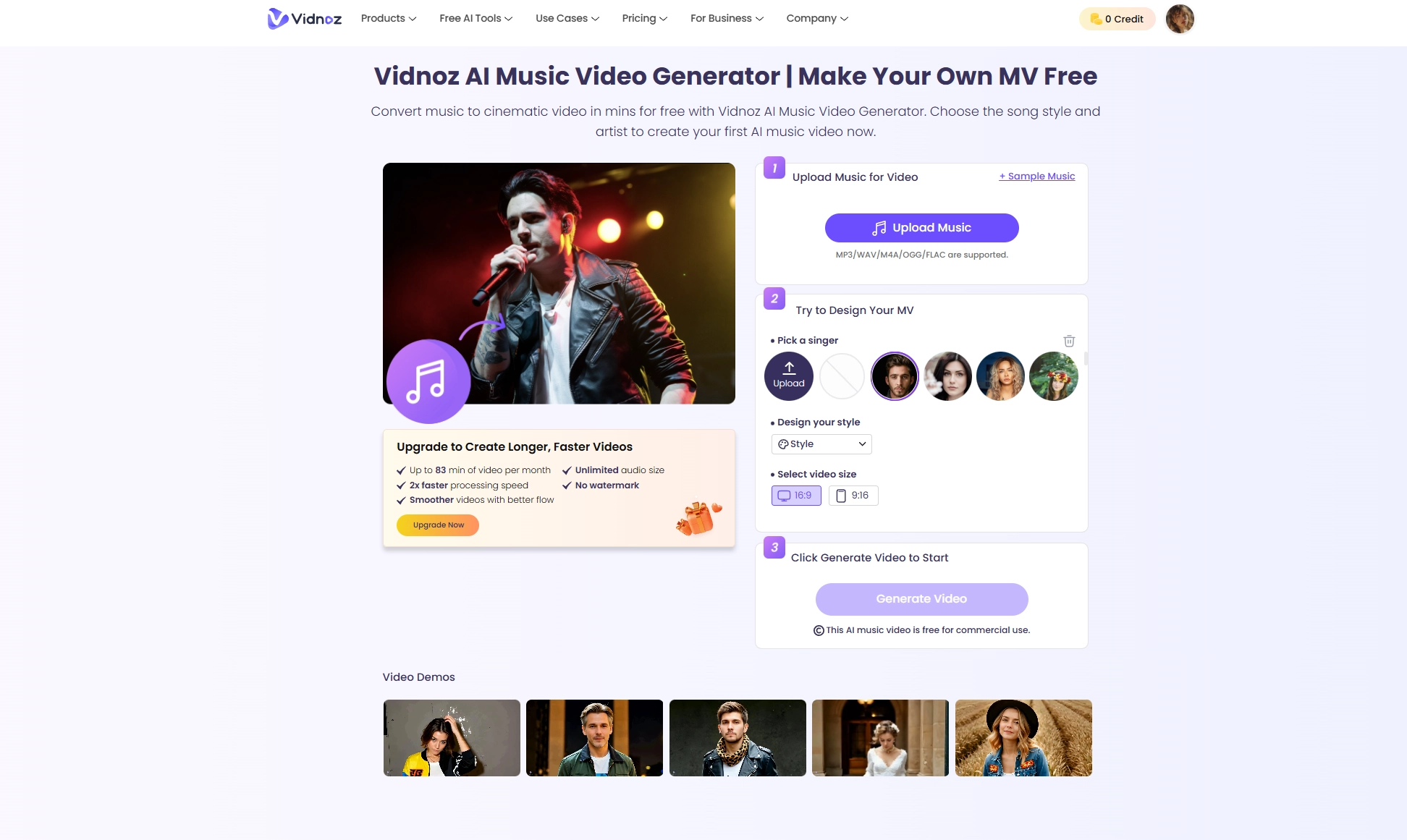
How can you design your own AI music video with AI? Read on and learn how to do it with Vidnoz AI music video generator.
Step 1. Open the AI music video generator, upload your own music or use a sample music. It supports MP3, WAV, M4A, OGG and FLAC files.
Step 2. Select a singer, style and video size.
Step 3. Click “Generate Video” to let the AI make your music video. It can be free for commercial use.
2. Create Stunning Song Covers with Diverse AI Voice Models
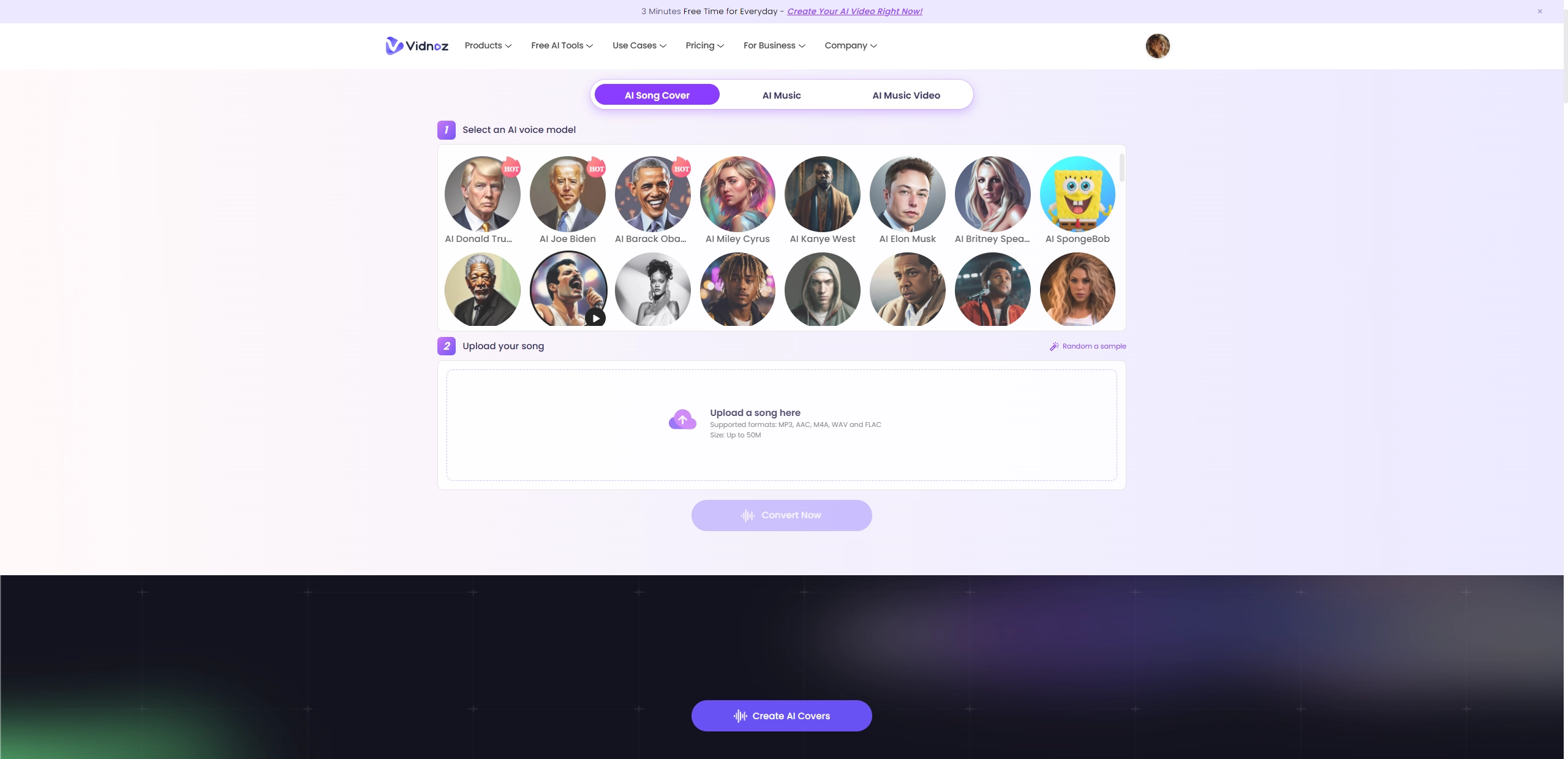
Vidnoz AI song cover maker lets you hear songs in a completely new way - making AI song covers with diverse preset AI voice models. You can simply upload a song, pick from several AI voice models, and in just a few seconds you can get an AI song cover. files up to 50 MB are fine. Since the process is quick, you can run the same song through different voices and compare the results without waiting around.
Key Feature
- Diverse AI voice options are available.
- Multiple file format support, like MP3, AAC, WAV, M4A and FLAC.
- It supports files up to 50 MB.
Conclusion
The AI music mixer has made music production much simpler than ever. Unchained music helps polish a song instantly, Cryo-Mix gives you the option to guide the mix with prompts, and Roexaudio digs into the details with technical feedback. Besides, Vidnoz AI music generator allows you to make your own AI instrumental music, AI songs with lyrics and AI music videos from scripts. Whether it’s a rough demo, a soundtrack or a cover for fun, the AI music mixers free online make the process faster and easier while still leaving room for creativity.
Vidnoz AI - Create Free Engaging AI Video with Talking Avatar
- Easily create professional AI videos with realistic avatars.
- Text-to-speech lip sync voices of different languages.
- 2800+ video templates for multiple scenarios.