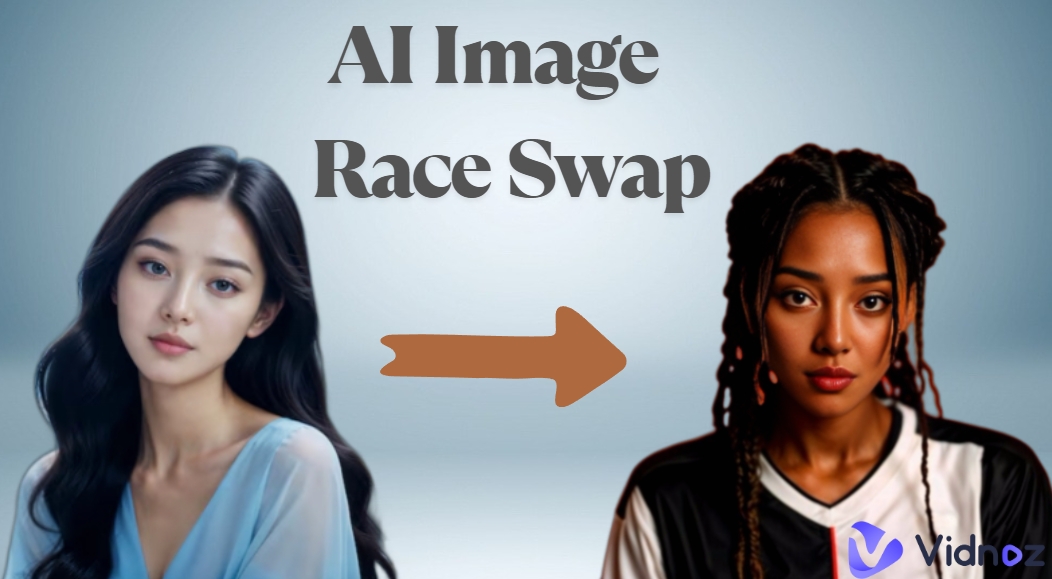
Have you ever wondered how much your appearance would change if you were born in another country? Make this a reality with an AI image race swap tool! Gone are the days when you had to spend hours editing images on Photoshop, as AI-powered filters and AI generated race swap tools are here to save your day.
Packed with web tools to mobile apps developed with cutting-edge technology, our list provides some of the most advanced race swap AI tools on the market.
- On This Page
-
Why Is AI Image Race Swap Trending Online
-
Way 1. Try TikTok Filter for AI Image Race Swap
-
Way 2. Enjoy AI Image Race Swap with 5 AI Image Editors
1. Pincel: Change Race in an Image from Prompts
2. Seaart AI: An Easy-to-Follow AI Image Race Swapper Online
3. Gradient Photo: A Multi-Functional AI App to Swap Face Race
4. Vidnoz Gen: Transform Race in Images with AI Effects
5. Vidwud: Replace Image Face to One in Another Ethnicity
-
Make AI Generated Race Swap Photos Talk Naturally with a Free AI Tool
Why Is AI Image Race Swap Trending Online
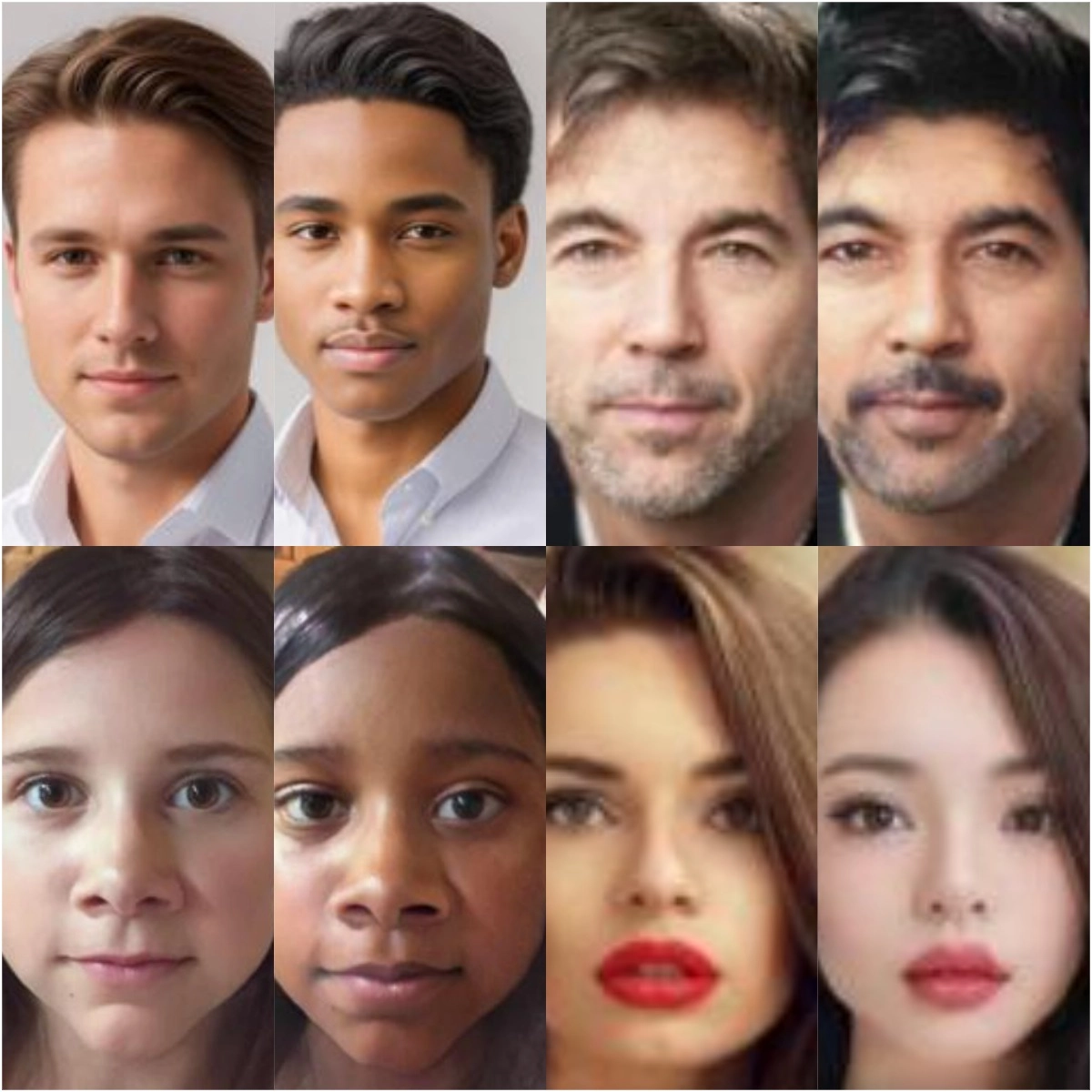
It sounds funky and might get anyone to wonder what AI Image race swap is at first glance. Even though it sounds strange, the functions of such AI image race swap tools are made even simpler with advanced AI technology. In a simple word, such tools will analyze the uploaded photo and tweak your features until you change races.
Every race has its unique features, and the apps will tune into them to fiddle around. You can swap your race to anything you wish as long as you tweak the correct features with the correct intensity! But this complexity is what makes manual tweaking difficult, which is where our apps come in, as they will automate the entire process. Just simply upload a photo and watch the magic happen!
Funny Game: What Country Do I Look Like? 4 Apps to Guess Your Ethnicity by Face >>
Way 1. Try TikTok Filter for AI Image Race Swap
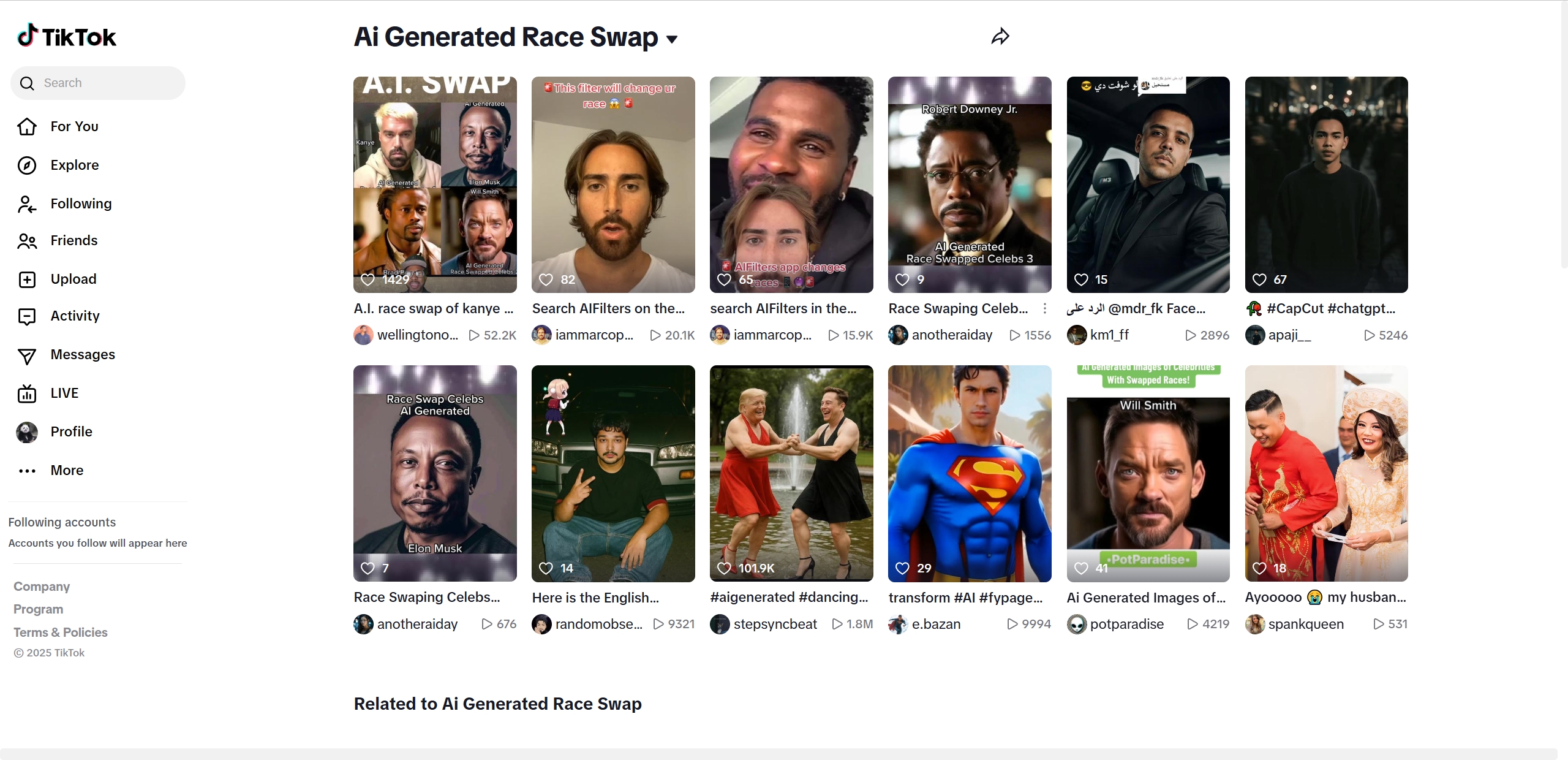
Nothing truly beats TikTok when it comes to filters, and this is no different to use! TikTok AI image race swap filter has been trending for years, and we doubt it’ll ever go down. The hype behind the AI TikTok filter is its simplicity, as the user only has to click a few buttons to apply it. The filter applies instantly, switching your ethnicity to another of your choosing! The race swap AI filter isn’t the only one on the platform, as TikTok is loaded with everything from eyebrow filters to those that let you mimic your favorite Simpsons character.
Pros
- TikTok is completely free to download and use.
- The AI image race swap filter is instantaneous.
- Multiple AI filters are available for users to choose from.
Cons
- Community-made filters can be a bit iffy when functioning.
Way 2. Enjoy AI Image Race Swap with 5 AI Image Editors
Are filters not your first choice? Here are 5 amazing AI-powered image editors that will allow you to flip through races like pages in a book. To keep things accessible, we’ve prioritized free software and those with amazing trials.
1. Pincel: Change Race in an Image from Prompts
Available on: Online
Price Plan: $19/month for the Creator; $79/month for the Premium; $199/month for the Restless version.
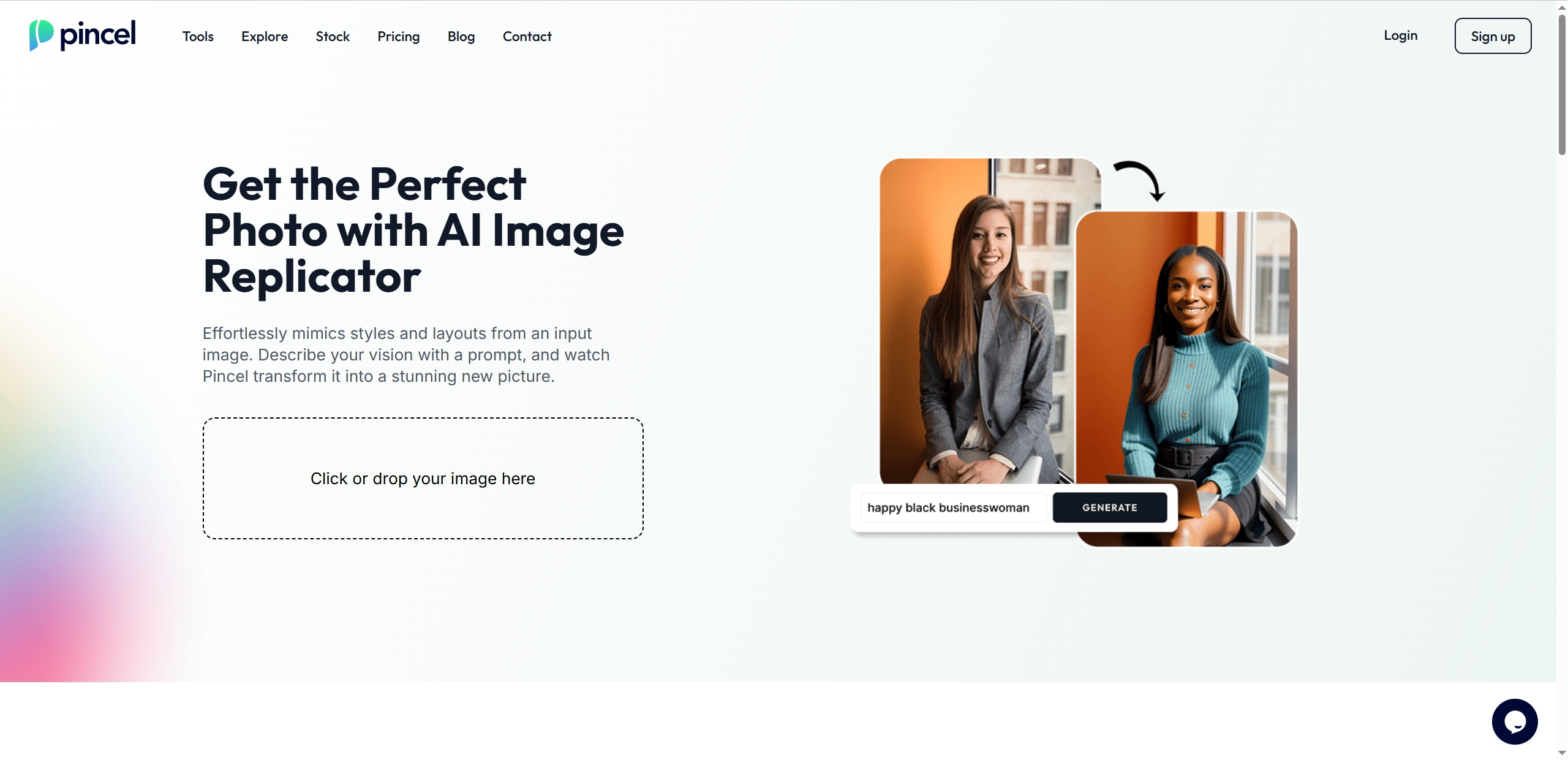
Pincel AI photo editing tools has gained a significant amount of traction over the past year due to its simplistic nature. This AI image race swap tool follows a two-step method where the user uploads an image of themselves along with a prompt. The prompt will direct the AI into doing what’s needed, and the output can be downloaded. No messing about with selection of tools, as the AI will analyze your image and change your race for you.
Pros
- Simple flow allowing anyone to use the tool.
- No editing skill is required as the AI will handle everything for you.
- Completely driven through prompts.
Cons
- Lower level of control over the end result due to complete automation.
2. Seaart AI: An Easy-to-Follow AI Image Race Swapper Online
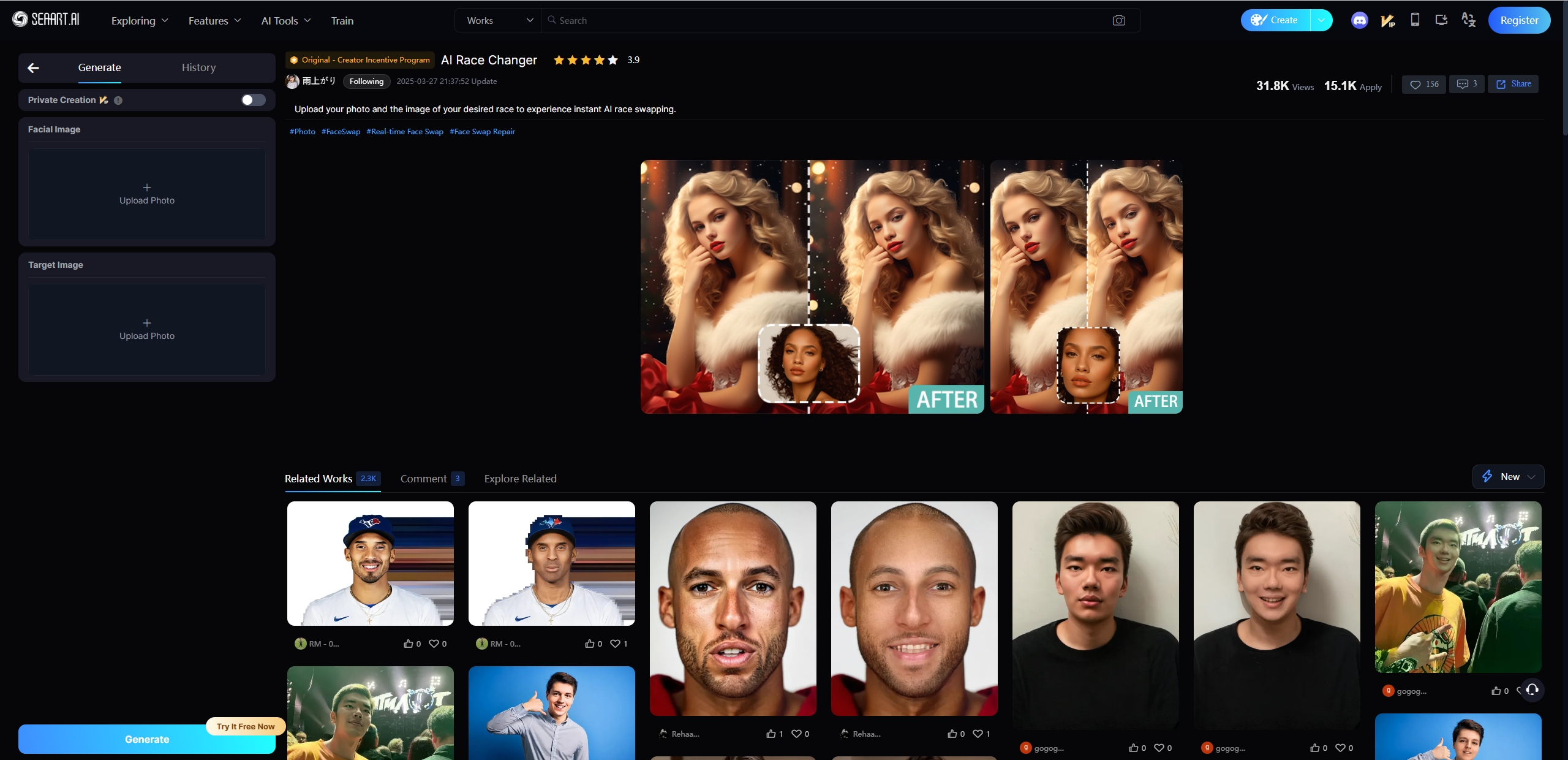
Available on: Online
Price Plan: Free to 99 USD/month
Seaart AI is another versatile tool for changing AI image race. This AI race swap tool is designed for editing images based on users’ needs. The tool is quite similar to face morphs, where the user needs to provide both a featured image and a target image. The AI will pick up traits from the target image and add them to the featured image. There are no prompts needed, as the AI will simply refer to the target image for key traits.
Pros
- It is completely automated and requires no inputs.
- The tool is completely free to use within limits.
- Massive collection of AI tools are available.
Cons
- he tool sometimes glitches if the features in the target image aren’t clear enough.
3. Gradient Photo: A Multi-Functional AI App to Swap Face Race
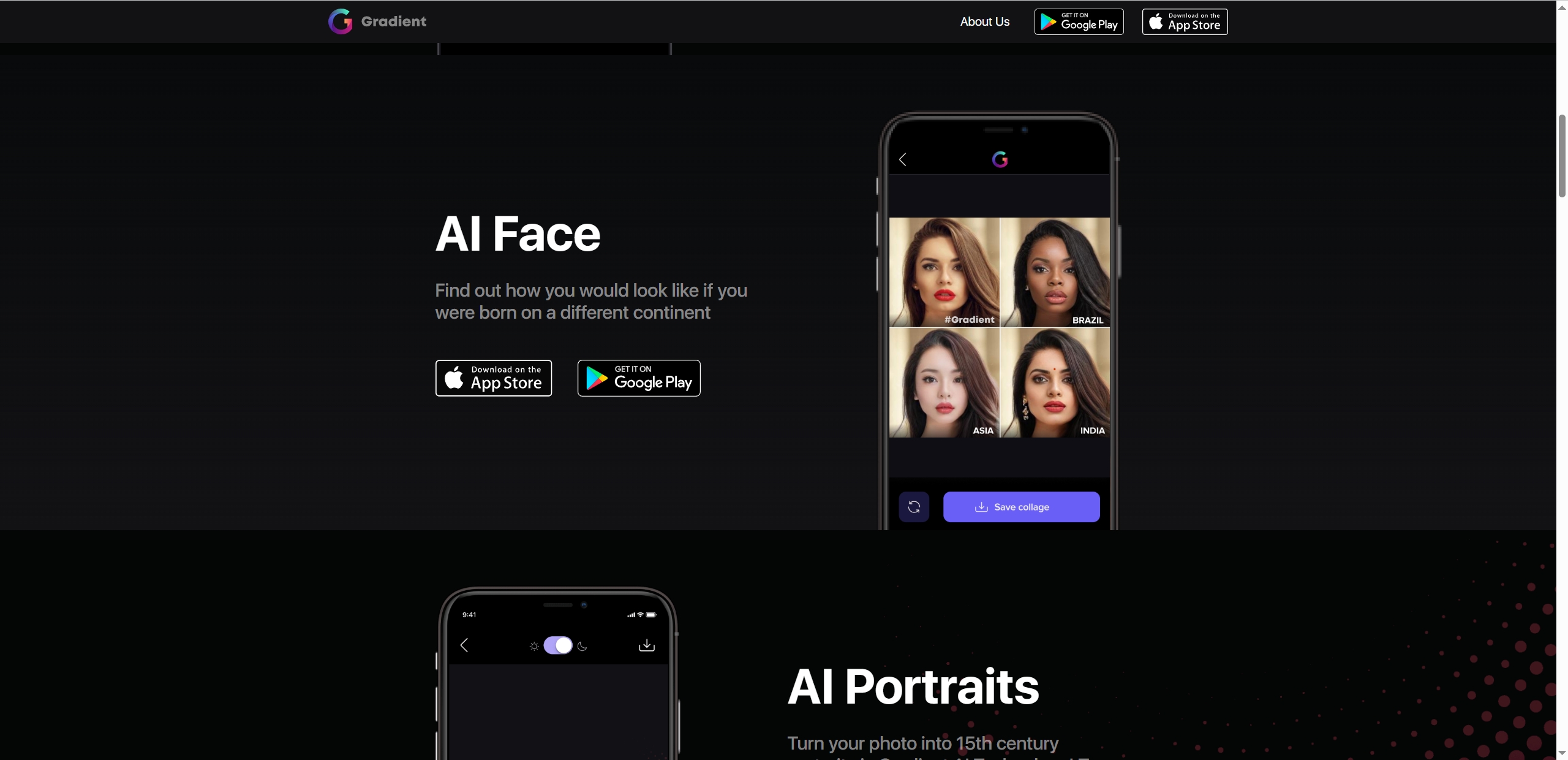
Available on: IOS and Android.
Price Plan: Free to 9.99 USD/Weekly
Gradient Photo is not a single tool but a comprehensive platform that hosts a wide range of AI tools for its users. Its ethnicity check will be our primary focus today, as it allows you to get an estimate of what race you belong to. But, the neat part comes later as the app can adjust your image, allowing you to see how you’d look as a different race! Gradient Photo is packed with extra tools for you to try out later.
Pros
- Available on both IOS and Android.
- It is packed with extra tools for you to explore.
Cons
- There might be slight blurring in the image when the race changer is activated.
4. Vidnoz Gen: Transform Race in Images with AI Effects
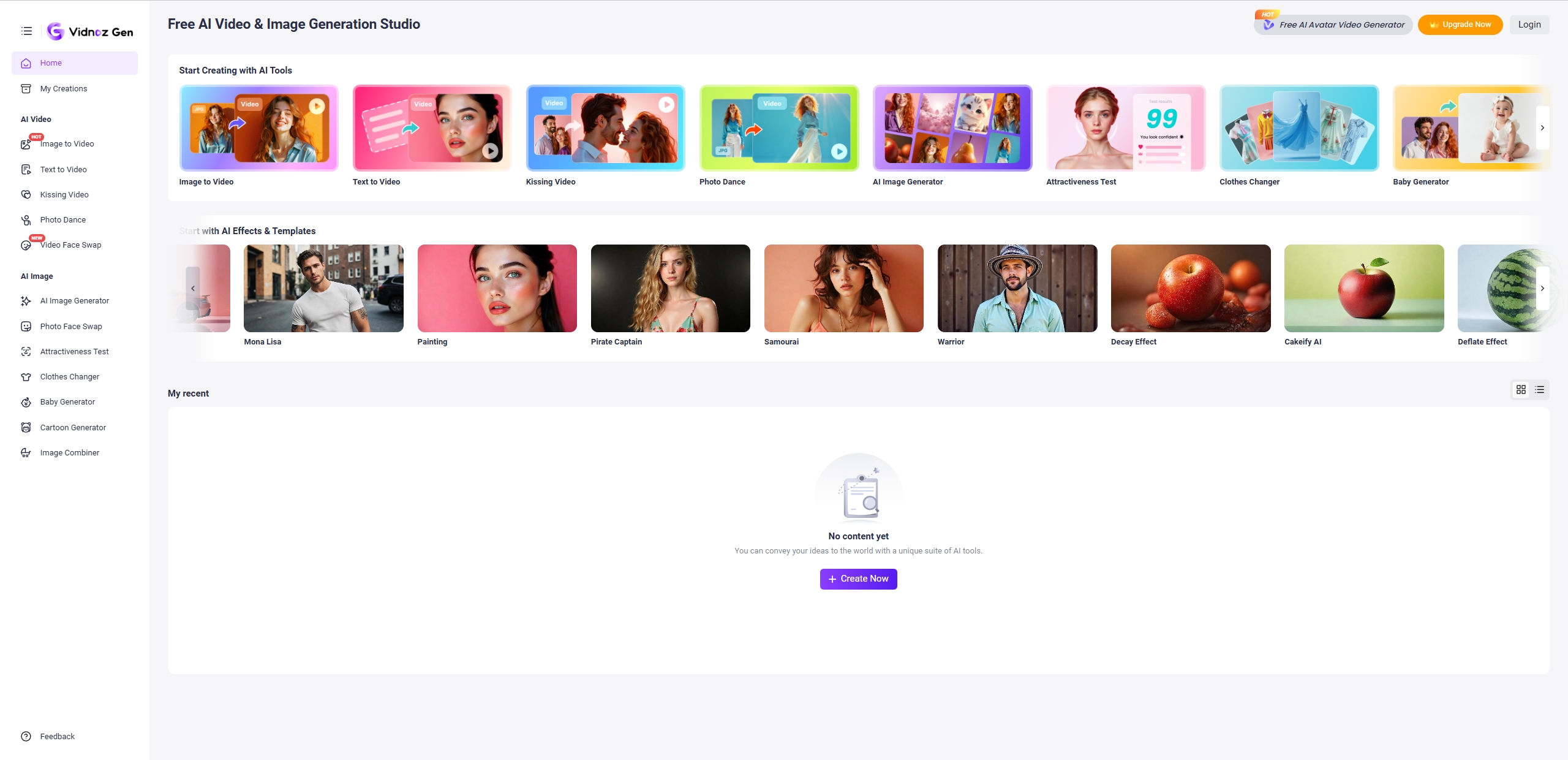
Available on: Online, iOS and Android devices.
Price Plan: Free to use.
The Vidnoz AI platform continues to top our lists! The Gen AI tool is proving to be one of the most reliable AI platforms in the modern era, dishing out some of the most sought-after tools on the Internet. The Vidnoz Gen is packed with features just like the rest, and the most surprising part is that the funny AI video effects, like Microwave filter, Jungle filter, AI baby filter, etc. The Jungle effect allows you to transform yourself into a digital Tarzan! Have you ever wondered how you’d look swinging from vine to vine? This AI race swap tool is the perfect solution as it’s packed with even more AI tools for you to experience.
Vidnoz AI - Create Free Engaging AI Video with Talking Avatar
- Easily create professional AI videos with realistic avatars.
- Text-to-speech lip sync voices of different languages.
- 2800+ video templates for multiple scenarios.
Pros
- Completely free to use diverse AI video effects.
- It is a part of the Vidnoz ecosystem, boosting its legitimacy.
- Instant generations with minimal effort.
Cons
- Minimal race options to change into.
5. Vidwud: Replace Image Face to One in Another Ethnicity
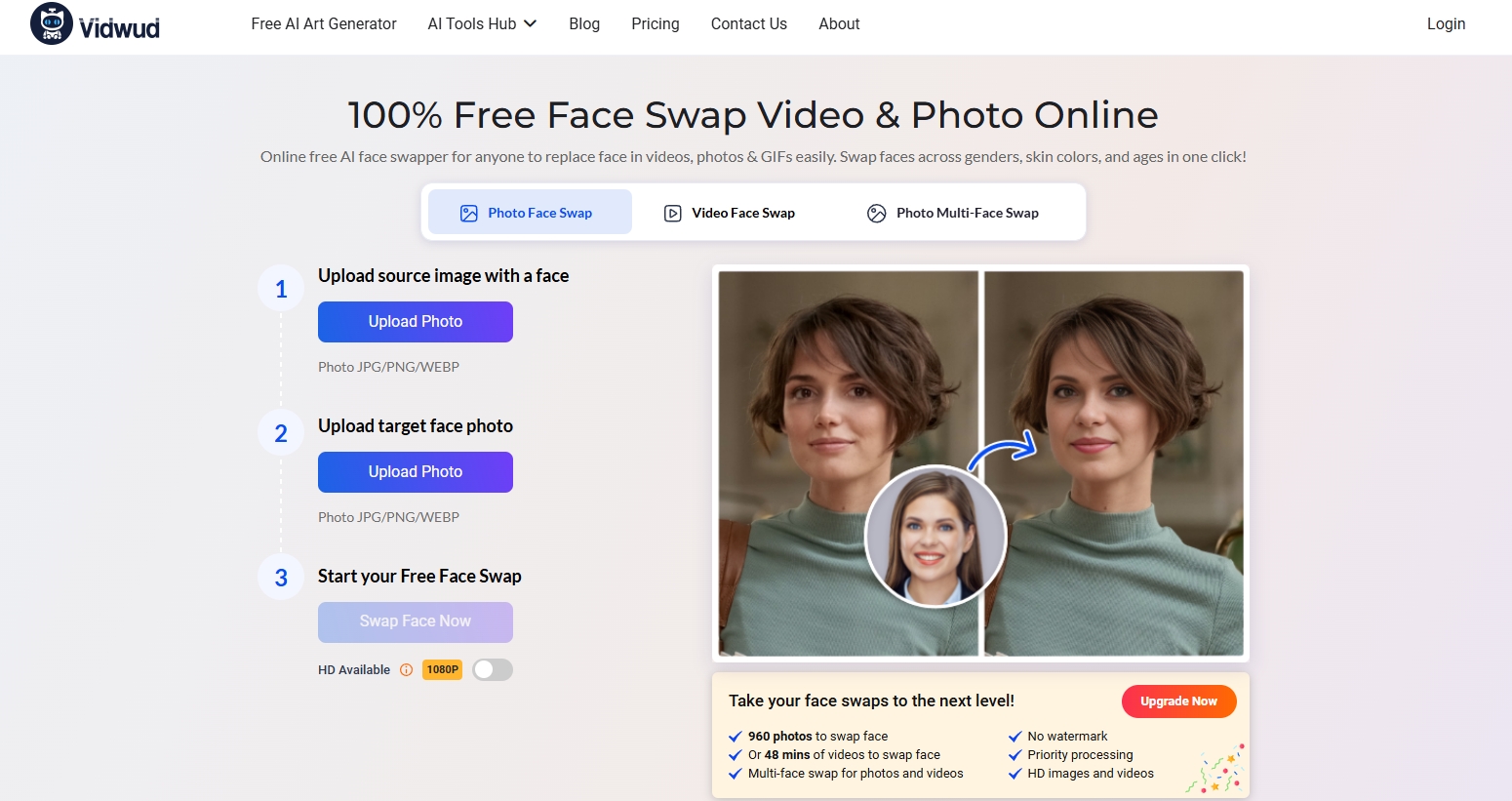
Available on: Online.
Price Plan: Free to use.
Vidwud is a photo/video face swap tool that works quite similarly to the others in its category. But the reason why we picked Vidwud over the rest is due to its uncanny ability to retain the features within the target photo, allowing users to have fun with even AI celebrity race swap. Most swap tools will use AI to merge two images, which in turn will reduce the intensity of the target. But Vidwud manages to retain those critical features that successfully allow it to swap the race of the individual featured in the source image.
Pros
- Vidwud skillfully retains the features present within the target image.
- Supports both images and videos.
- Supports multiple and video face swap.
Cons
- There will be blurring results with an unstable Internet.
Make AI Generated Race Swap Photos Talk Naturally with a Free AI Tool
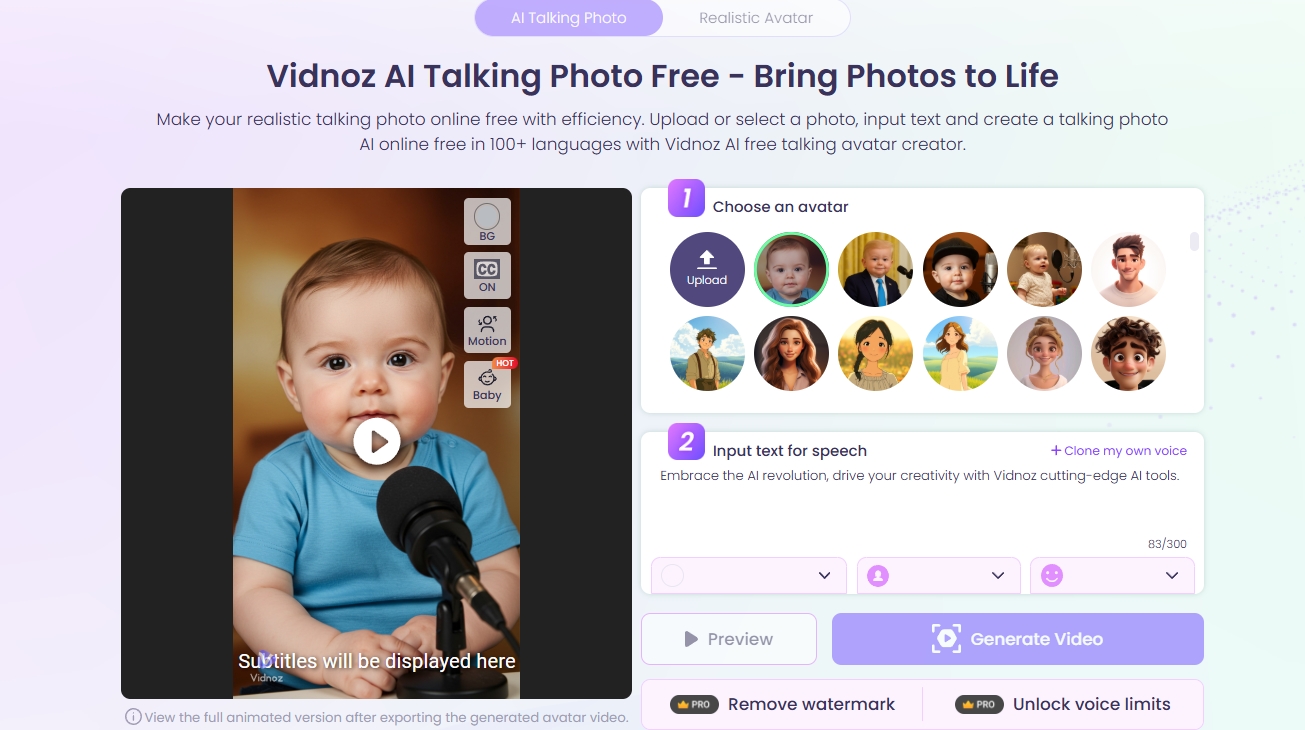
On to your bonus! Now that you know how to swap races using either one of the AI image race swap tools listed above, we decided to amp up your AI game with a fantastic tool from Vidnoz AI. Vidnoz AI Talking Photo is an image animation tool that will perfectly turn an image to a video with advanced lip syncing technology. This will allow you to create a seamless animation and audio combination that mimics a talking person. It’s the perfect way to animate your newly AI generated race swap image!
Key Feature
- Easily animate photos with high accuracy and seamless lip syncs.
- Talking Photo works fastly, allowing a transcription in seconds.
- It supports multiple languages, tones, and speakers.
- It is 100% free to use.
How to Make an AI Generated Race Swap Photo Talk?
Follow the steps below to make an AI generated race swap photo talk with Vidnoz AI talking photo tool.
Vidnoz AI - Create Free Engaging AI Video with Talking Avatar
- Easily create professional AI videos with realistic avatars.
- Text-to-speech lip sync voices of different languages.
- 2800+ video templates for multiple scenarios.
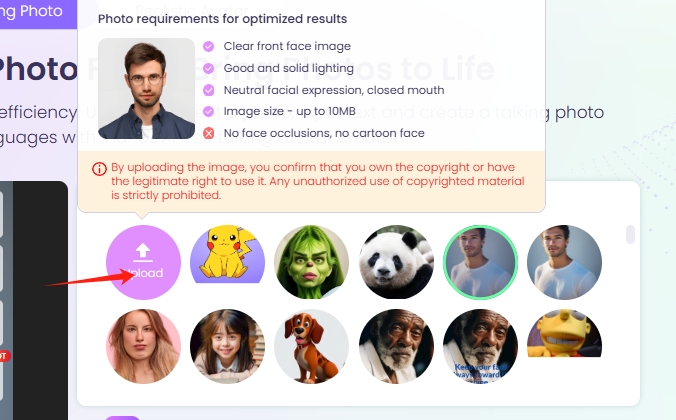
Step 1. Open the Vidnoz Talking Photo tool, click “Upload” to select the AI generated race swap photo from your devices.
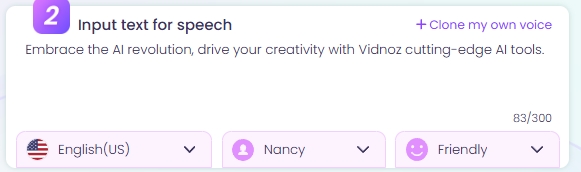
Step 2. Enter the target text for speech.
Step 3. Customize the settings, including languages, voices and emotions. You can even clone your voice for text to speech.
Step 4. Click “Generate Video” to make the race swapped image talk naturally.
The Bottom Line
Race swapping can be a challenging process that requires image editing skills. In the post, we recommended the best AI image race swap tools with advanced technologies. It’s fun to mess around with AI image race swap tools, such as TikTok and Pincel AI. With such AI tools, you can avoid worrying about any mistakes. Besides, to level up the AI creation, the Vidnoz AI Talking Photo is shared to convert the AI generated race swap image to a talking video with clicks. Pick out the best one for you from the list and start race swapping for fun!
Vidnoz AI - Create Free Engaging AI Video with Talking Avatar
- Easily create professional AI videos with realistic avatars.
- Text-to-speech lip sync voices of different languages.
- 2800+ video templates for multiple scenarios.