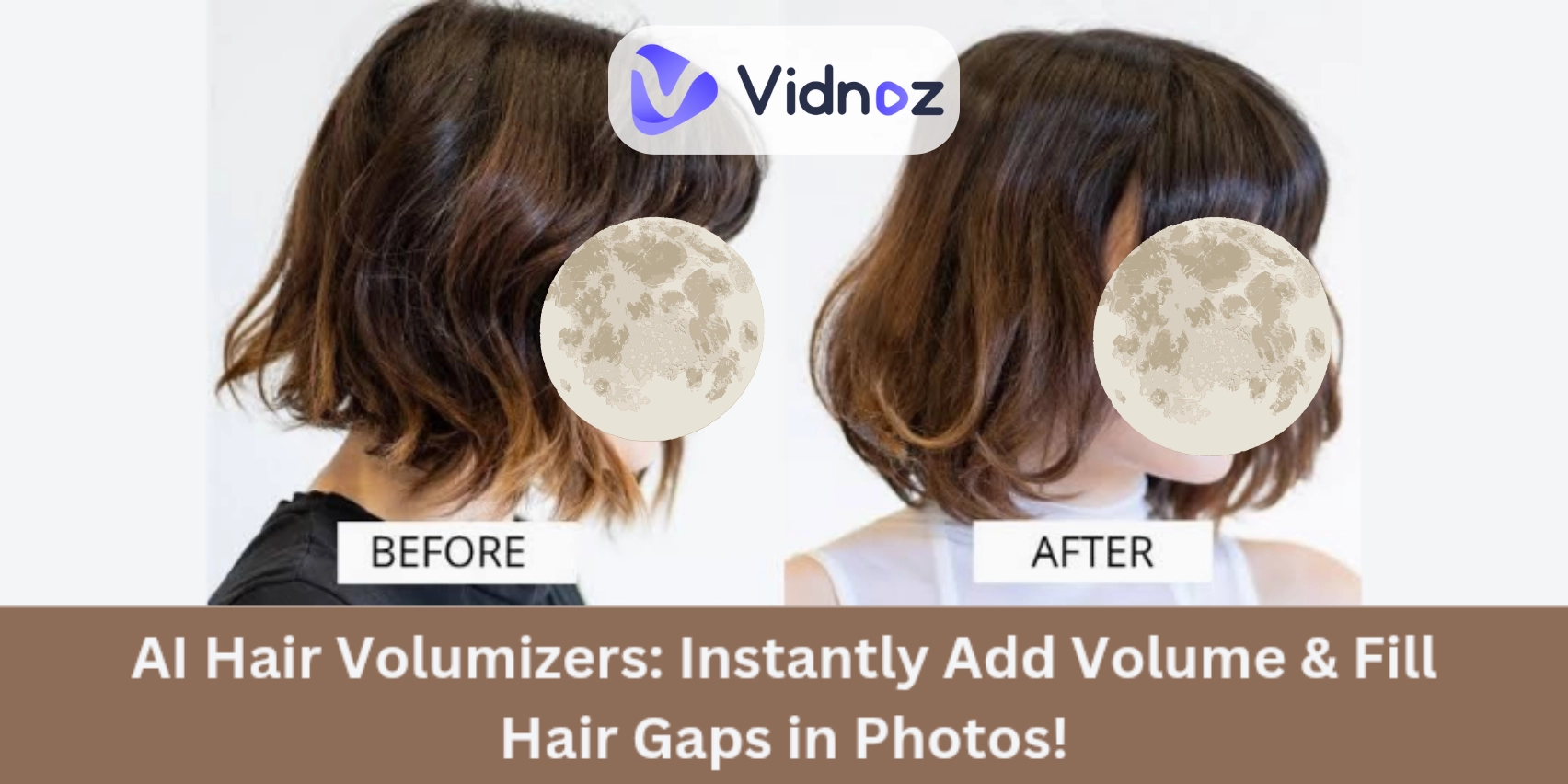
Have you ever looked at a photo and thought, “My hair looks too flat!” or “I wish my hair looked thicker here.” The truth is, hair doesn’t grow fuller in just a few seconds, but photos can make thin hair look even thinner. That’s where an AI hair volumizer becomes a game changer.
These smart tools will make your hair look naturally fuller in photos. Instead of spending hours styling or worrying about lighting, you can use a hair volumizer online to instantly fix flat or thin spots. Whether it’s for social media selfies, LinkedIn headshots, or even dating app profiles, AI can give your pictures a big confidence boost! Can’t wait to have a try? Let’s explore now!
- On This Page
-
What is an AI Hair Volumizer?
-
Why Use an AI Hair Volumizer?
-
5 Best AI Hair Volumizers to Add More Hair to Your Photos
1. YouCam Makeup: Hair Volumizer Online for Anyone
2. HairBoost: AI Hair Volume Maximizer Specialized for Men
3. Pokecut: Brush to Customize Hair Volume in Photos
4. RetouchMe: Increase Your Hair Volume in Photos Like a Pro
5. Evoto AI Hair Editor: Naturally Add Hair Volume in Photos
-
Bonus: Take AI Photos with Full Hair Volume!
How to Make a Photo with Fuller Hair Volume?
What is an AI Hair Volumizer?
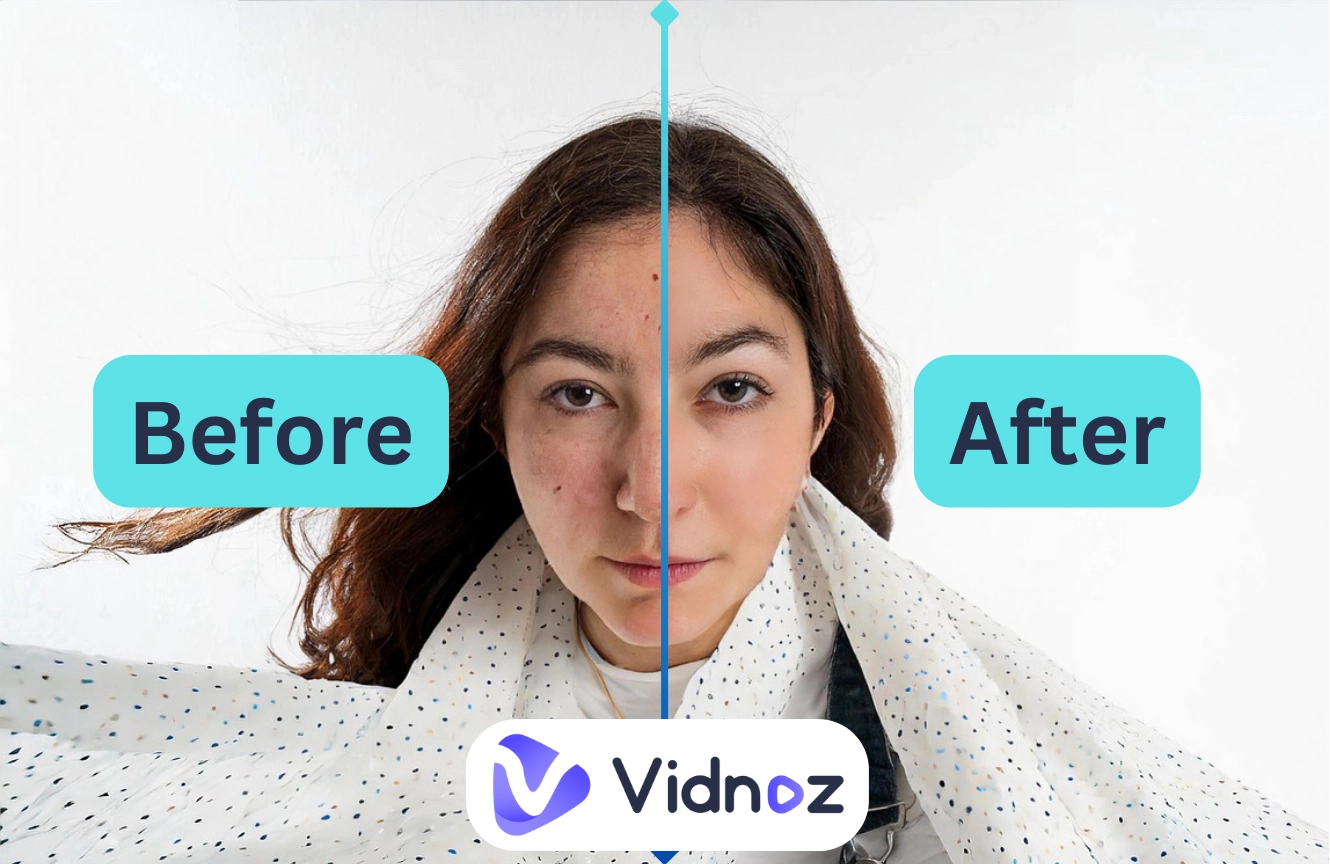
Instead of applying creams, sprays, or extensions, an AI hair volumizer works well in changing your hair statues. This tool is a kind of AI image retouching tool that specifically adds body, thickness, and natural fullness to your hair in photos (or even in videos).
How it works:
-
The AI scans your picture to understand your face shape, hairline, and hair texture;
-
It identifies areas where your hair looks flat or where gaps show through;
-
It then “fills in” those spots with realistic digital hair strands.
Unlike old-fashioned photo edits, you won’t see fake-looking patches or obvious edits. The added hair volume looks extremely natural because it blends well with your real hair color, highlights, and shadows.
Why Use an AI Hair Volumizer?
Here are some 3 reasons why people are turning to these tools:
>> Get Instant Fuller Hair Volume Effect: Growing real hair takes months (or even years). But sometimes you just need a quick fix, like before posting a selfie or sending a profile picture. With an AI hair volumizer, you can add realistic fullness in seconds.
>> Polish Personal Avatars: Your profile picture is the first thing people notice online. Whether you’re updating your social media pictures, creating a dating profile, or uploading a professional LinkedIn headshot, fuller hair volume helps you look more polished and put-together.
>>Customize a Natural Hair Volume: You’re in control of how much volume you add. Want just a subtle lift? Or a dramatic transformation? These tools let you adjust the “fullness” so the results look natural, not overdone.
5 Best AI Hair Volumizers to Add More Hair to Your Photos
Now, you know how AI hair volumizers work, let's now discuss 5 best tools that you can try to shine in your photos. Let’s get started:
1. YouCam Makeup: Hair Volumizer Online for Anyone
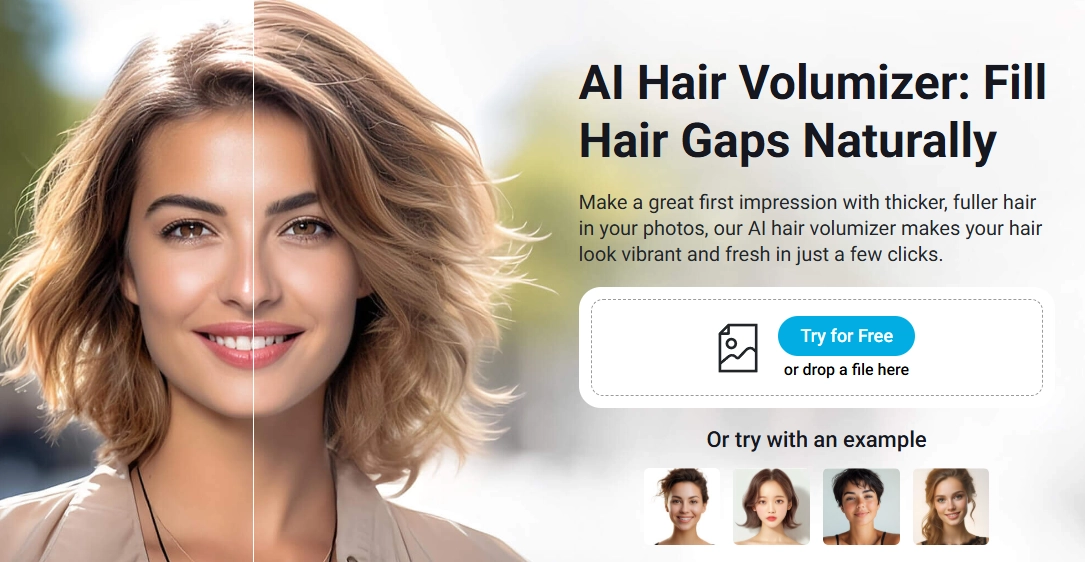
YouCam Makeup app is one of the most popular portrait retouching tools. Among its many features, it has a hair volumizer online tool that lets you make your hair look fuller in just a few steps. You don’t need advanced editing skills; the AI does all the heavy lifting for you.
- How it works for hair volume:
The tool automatically detects your hair outline and lets you increase thickness. You can adjust the volume until you find the perfect balance.
Anyone who wants a fast, flexible, and easy solution for upgrading selfies or profile photos.
Pros
- A wide variety of photo-editing tools beyond just hair volume.
- Instant results, no need for professional editing skills.
- Works on both mobile apps and online web versions.
Cons
- Some advanced features require a premium plan.
- An internet connection is needed for the online version.
How to Add Hair Volume in a Photo (Step by Step):
Step 1.Download the YouCam Makeup app or visit their website directly;
Step 2.Upload the photo you want to volume up the hair;
Step 3.Go to the “hair editing” section and select the volumizer tool.
Step 4.Use the slider to increase or decrease the volume.
Step 5.Preview the look and adjust until you’re happy.
Step 6.Save and download your upgraded photo.
The edited photo looks polished, with fuller, shinier hair that blends naturally with your face.
2. HairBoost: AI Hair Volume Maximizer Specialized for Men
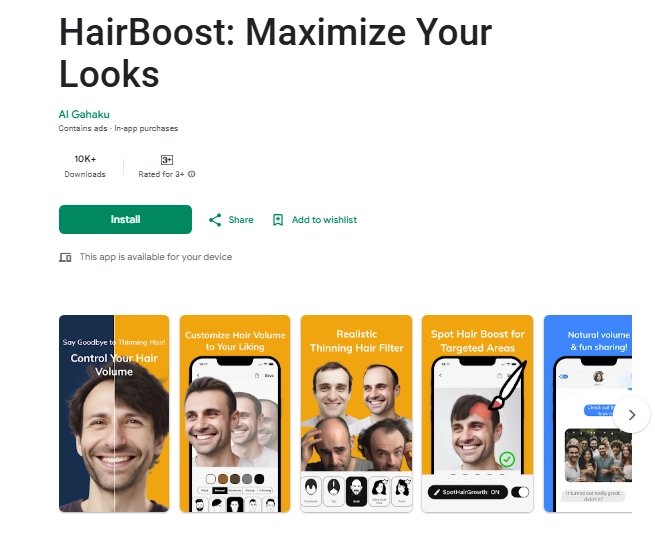
While many beauty apps focus on women’s hairstyles, HairBoost is designed especially for men. This AI hair volumizer makes short or medium hairstyles look thicker and sharper, which is perfect for men who want to look professional or confident in photos.
- How it works for hair volume:
HairBoost scans your photo and strengthens your hairline and crown area, where thinning usually shows most. It gives a natural boost without looking fake.
Men who want realistic, masculine-looking hair volume enhancements for social media or professional headshots.
Pros
- Designed especially for men’s hairstyles.
- Easy-to-use interface with clear options.
- Creates natural-looking volume, not overdone results.
Cons
- Limited hairstyle variety compared to broader apps.
- Available mainly on mobile, so not as flexible for desktop editing.
How to Add Hair Volume in a Photo (Step by Step):
Step 1.Download the HairBoost app from Google Play;
Step 2.Open the app and upload a photo of yourself;
Step 3.Select the AI hair volumizer tool;
Step 4.Choose the level of thickness or density you prefer;
Step 5.Check the result and make small refinements if needed;
Step 6.Save and share your photo.
Hair looks denser and sharper, making men’s photos look more confident and well-groomed. The results look natural enough that no one will catch that you used an app.
3. Pokecut: Brush to Customize Hair Volume in Photos
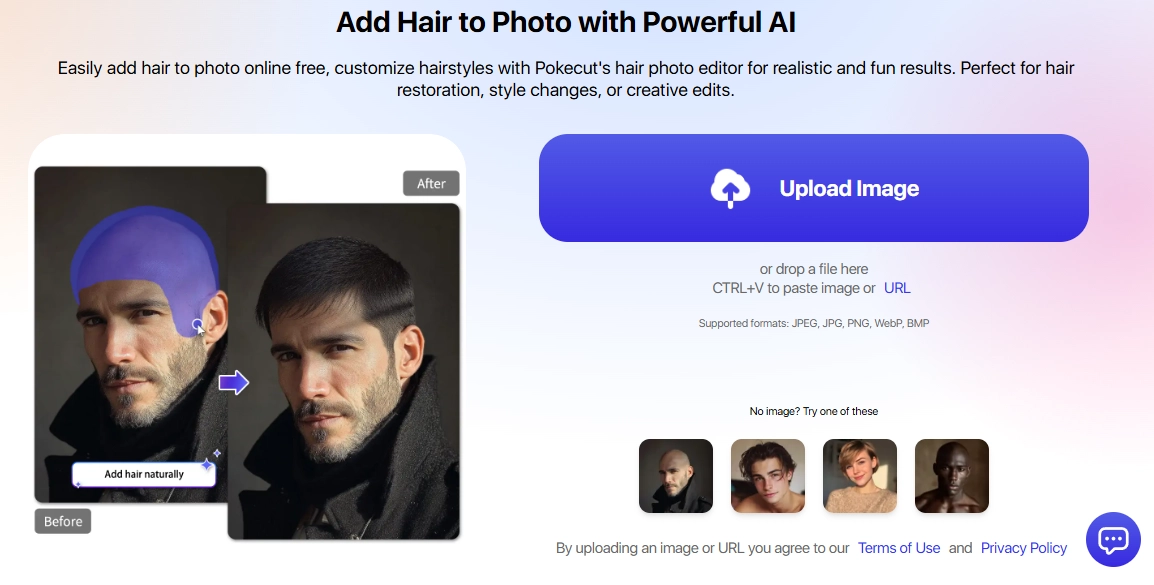
Pokecut is an AI editing tool that gives you more control over your hair volume. Instead of just one-click results, it lets you “paint” or brush the areas where you want to add hair to photo. This means you can target specific thin spots, like the crown, sides, or hairline and leave other parts untouched.
- How it works for hair volume:
The AI responds to the areas you brush and fills them in with natural-looking hair.
People who want to carefully control hair volume in certain parts of a photo.
Pros
- Customizable brush tool for precise editing.
- Works well for detailed fixes.
- Free version available for basic edits.
Cons
- Requires more manual work compared to fully automatic apps.
- Some advanced results will require you to buy a premium plan.
How to Add Hair Volume in a Photo (Step by Step):
Step 1.Open Pokecut in your browser;
Step 2.Upload your photo;
Step 3.Select the AI Replace → Add Hair option;
Step 4.Use the brush to mark the areas where you want more volume;
Step 5.Apply the effect and preview the change.
The final result shows balanced hair with volume exactly where you want it. This tool is perfect if you’re choosy about details and want maximum control.
4. RetouchMe: Increase Your Hair Volume in Photos Like a Pro
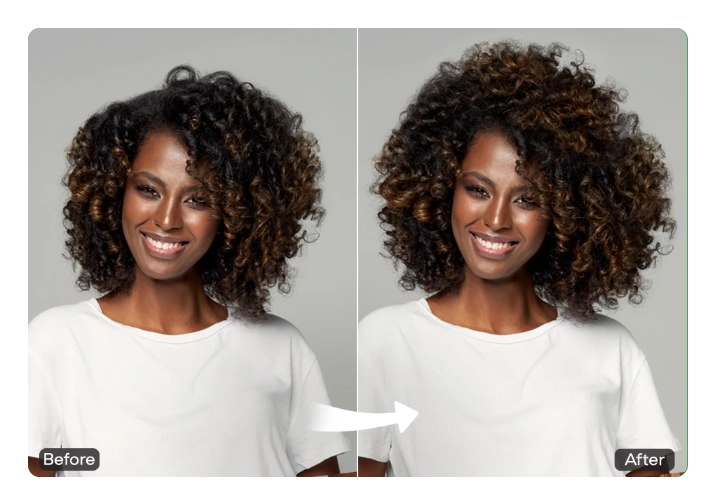
RetouchMe is different from other apps because it uses real designers along with AI. That means when you request more hair volume, professionals make sure the final photo looks as natural as possible. It’s like hiring an online retoucher, but much faster and cheaper.
- How it works for hair volume:
You upload a photo, select “add hair volume,” and send the request. A professional retoucher adjusts your hair using AI-assisted tools and sends you the edited picture back within minutes.
People who need polished, professional-looking photos.
Pros
- Professional-level results.
- Very natural hair volume effect.
- Works for all hairstyles, long, short, curly, or straight.
Cons
- Not instant, edits can take a few minutes to hours, depending on demand.
- Requires small credits or payments per photo.
How to Add Hair Volume in a Photo (Step by Step):
Step 1.Download the RetouchMe app or go to the website;
Step 2.Upload your picture;
Step 3.Choose the Add Hair Volume option from the menu;
Step 4.Submit your request;
Step 5.Wait for the editing team to enhance your photo;
The finished photo looks like it came from a professional shoot. The added hair volume is subtle yet powerful, making your whole appearance look cleaner and more polished.
5. Evoto AI Hair Editor: Naturally Add Hair Volume in Photos
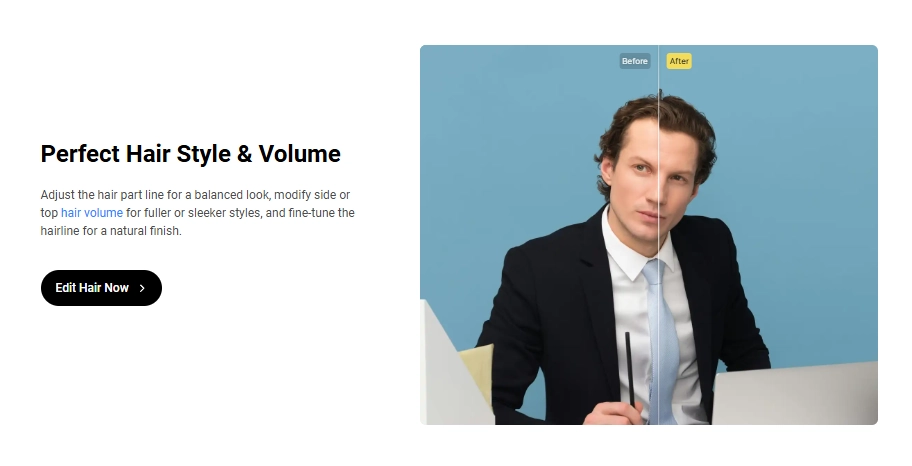
Evoto is a powerful AI photo editor that focuses on realistic hair edits. Its hair volumizer feature adds volume in a natural way, blending perfectly with your hair’s texture, highlights, and color. Unlike some apps, Evoto is designed for both everyday selfies and professional photography edits.
- How it works for hair volume:
You simply upload a photo, select the hair editing feature, and the AI automatically enhances hair volume. You can then fine-tune the look with sliders to make it subtle or dramatic.
Content creators and professionals who want top-level editing.
Pros
- High-quality results for natural hair volume.
- Advanced editing beyond just volume (color, shine, etc.).
- Works wonderful for both men and women.
Cons
- Requires a desktop download.
- Some features may feel advanced for casual users.
How to Add Hair Volume in a Photo (Step by Step):
Step 1.Download and install Evoto on your computer.
Step 2.Upload your photo.
Step 3.Go to the AI Hair Editor section.
Step 4.Adjust the hair volume, shine, and style using the sliders.
Step 5.Preview and fine-tune the result.
The result feels like a salon-fresh look. Your hair gains natural thickness, smooth texture, and shine that's perfect for professional or creative projects.
Bonus: Take AI Photos with Full Hair Volume!
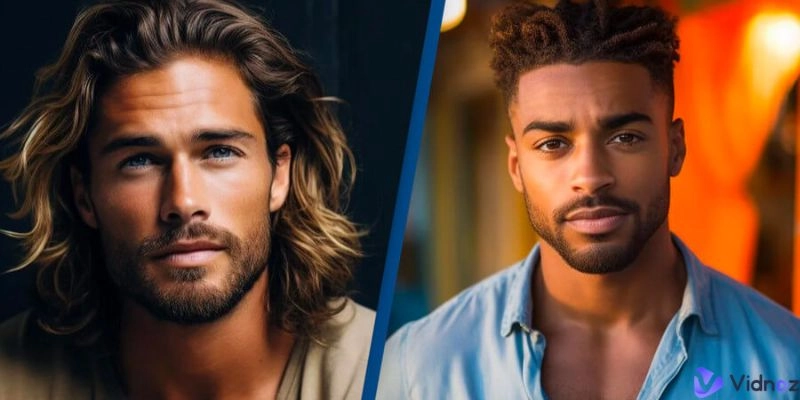
Editing photos one by one can be time-consuming. And sometimes, no matter how much you adjust, thin hair still shows in photos. This is where AI photo generators come in; they let you create brand-new photos with full hair volume from the start. One great option is the Vidnoz AI Headshot Generator:
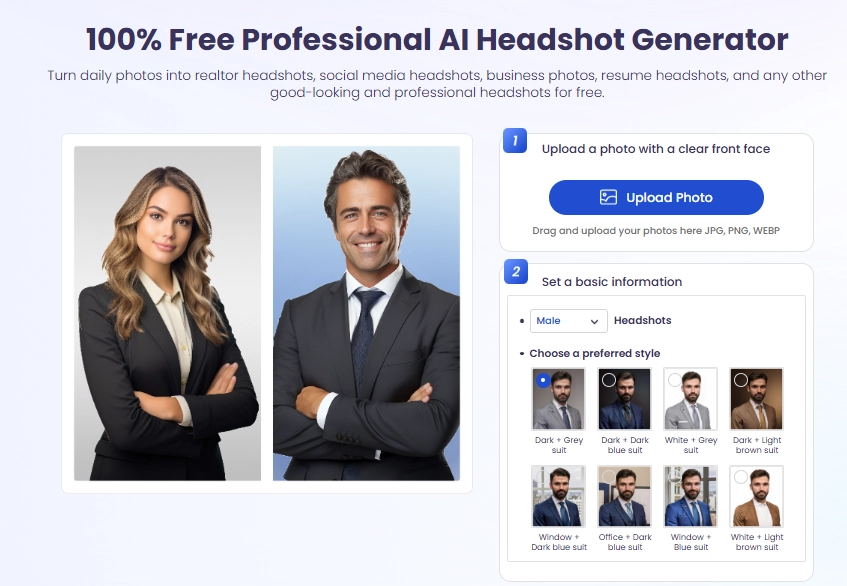
Key Feature
- No need to snap a new photo every time.
- No manual adjustments, AI does the work.
- Templates for both men and women.
- Batch generation for creating multiple photos at once.
- Unlimited styles and results.
How to Make a Photo with Fuller Hair Volume?
Step 1.Go to the Vidnoz AI website.
Step 2.Upload your base photo.
Step 3.Select a template that give you fuller hair volume.
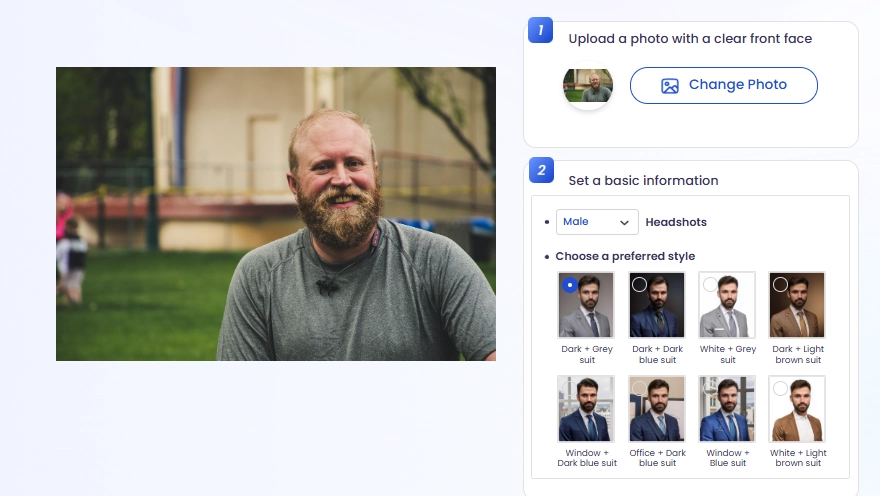
Step 4.Generate your new AI photos in seconds!

You get ready-to-use professional photos with naturally fuller hair. This is perfect if you need new headshots, social media images, or professional portraits in bulk. You can review the results and download the most appealing ones for totally free!
Wrap-Up
An AI hair volumizer is one of the simplest ways to upgrade your photos instantly. Whether your hair looks thin, flat, or uneven, these tools can add natural volume in seconds. From YouCam Makeup for everyday selfies to Evoto for professional-level edits, there’s a solution for everyone.
If you want to save time, tools like Vidnoz can even generate new photos with more hair volume from scratch. So why wait for your hair to grow out in real life? Try one of these hair volumizers today and see how much more confident your photos can look!