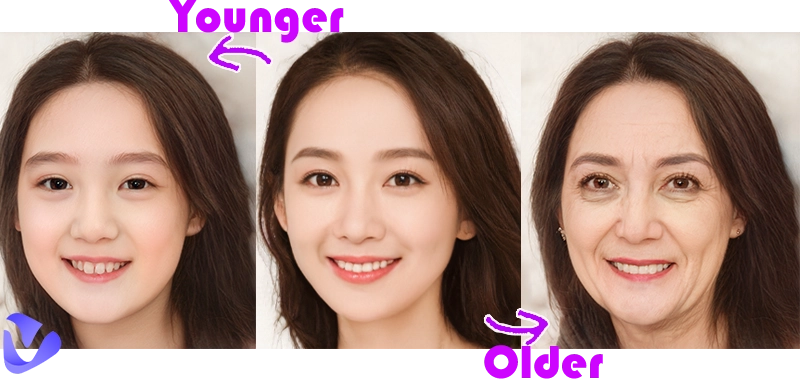
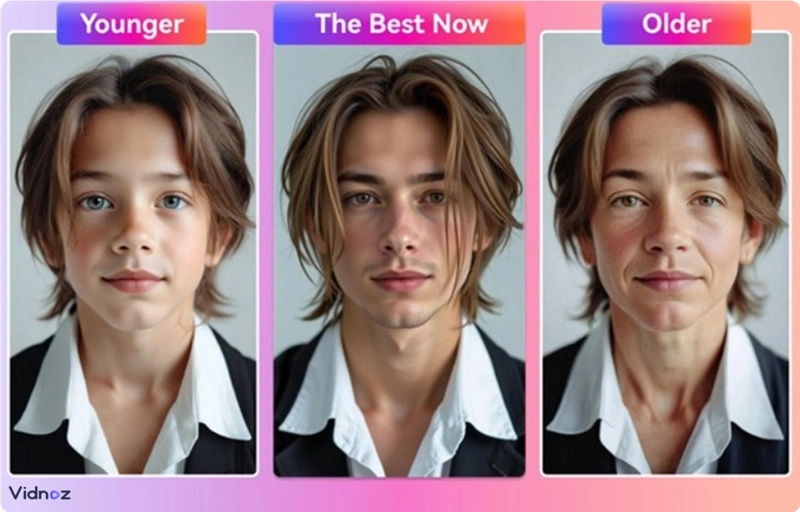
The rise of AI growing up filters has made it easier to see how faces change over time. These smart tools use artificial intelligence to generate age progression images that look incredibly real. By uploading a single photo, you can instantly view transformations from a baby’s possible adult face to an elder’s gentle aging features. The results are fascinating, emotional, and add more fun to share. Whether it’s for personal curiosity, entertainment, or creative projects, these filters help people visualize growth, maturity, and even how pets might age beautifully over the years.
- On This Page
-
AI Growing Up Filter: What Age Progression Is Available?
-
AI Growing Up Filter: Create Aging Videos with Vidnoz Gen
-
AI Growing Up Filter: Middle Age Filters with Picwand.ai
-
AI Growing Up Filter: Teenagers to Elders with Media.io
How to Use Media.io AI Filter:
-
AI Growing Up Filter: Customized Age with Bylo.ai
How to Use Bylo.ai Age Filter:
AI Growing Up Filter: What Age Progression Is Available?
The AI growing up filter has become a fun way to explore different life stages digitally. Whether you want to see how your baby might look as a teenager or what your elderly version could be, AI makes it possible with accuracy. Here are some popular age progressions people often try:
Baby Grow Up: The AI grow up baby filter shows how infants might appear at different ages, satisfying parents’ curiosity about their child’s future look.
Children to Elders: This AI grow up for kids feature helps parents visualize long-term growth and development through decades.
Middle Age Filter: With AI age progression, adults can see how they might appear at 40 or 50 years old.
Pet Grow Up Filter: Yes, even pets get their version of AI grow up online filters that show adorable aging transformations.
AI Growing Up Filter: Create Aging Videos with Vidnoz Gen
Vidnoz Gen is a creative online tool that helps users make AI-generated aging videos. It smoothly transforms your face from one age to another in motion. With this AI growing up filter, you can turn still images into realistic time-lapse videos perfect for social media or family fun. The tool is easy to use and works directly in your browser without downloads.
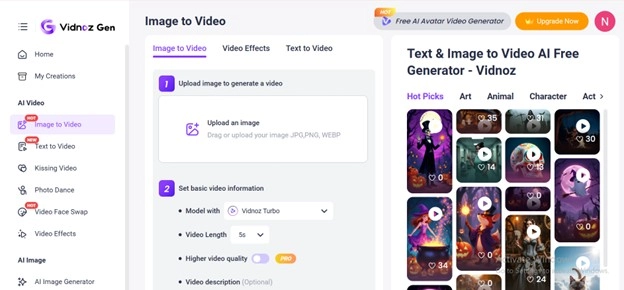
How to Use Vidnoz Gen:
Step 1: Go to the Vidnoz Gen AI page. Upload a portrait photo with a clear face.
Step 2: Choose the “AI aging” video filter. This tells the AI to generate progressive age changes in motion.
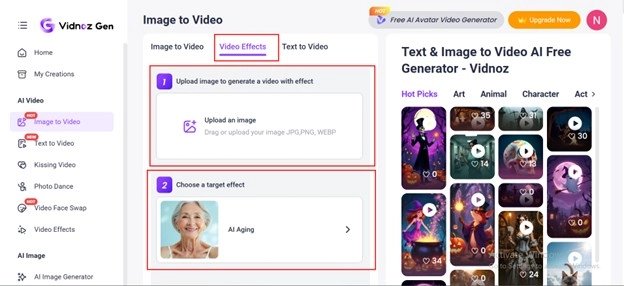
Step 3: Adjust the timeline and select desired age ranges. You can show smooth transitions from baby to elder or middle age.
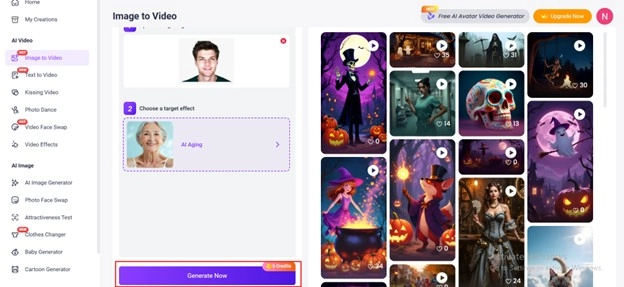
Step 4: Click “Generate Now” and wait a few moments. Download or share your realistic AI growing up video once it’s processed.
Why Users Prefer Vidnoz Gen
- Creates lifelike AI growing up videos with smooth transitions.
- Works online without any software installation.
- Generates HD-quality clips suitable for sharing.
- Trusted by creators worldwide using Vidnoz tools.
You can also try other Vidnoz features like the AI video filter, social media video maker, and AI aging filter for more creative options.
AI Growing Up Filter: Middle Age Filters with Picwand.ai
Picwand.ai offers a powerful AI growing up filter that creates realistic middle-aged versions of your face. It’s a great choice for people who want to visualize how they’ll look between their 30s and 50s. The platform uses AI age progression to add subtle features like wrinkles, maturity, and realistic texture without distortion. It’s simple, free to try, and works on any photo.
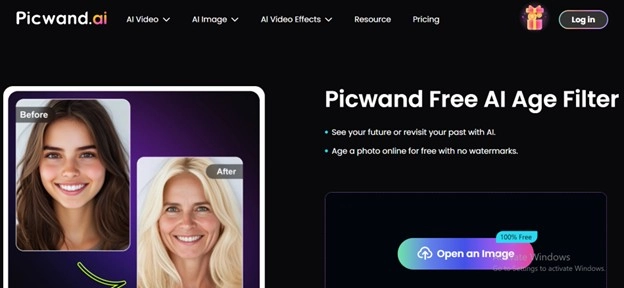
How to Use Picwand.ai:
Step 1: Open the Picwand age filter website. Click “Upload Image” and select a clear portrait photo.
Step 2: Choose the “Middle Age” option. The AI prepares to render your face in your middle years.
Step 3: Wait for the filter to process your image. It usually takes less than a minute to generate realistic results.
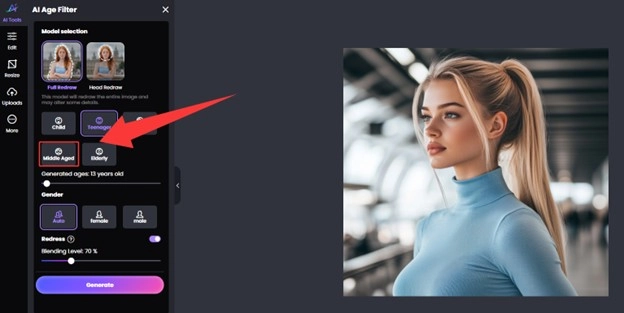
Step 4: Download or share your aged version. Compare it side-by-side with your current photo for fun.
Picwand.ai is ideal for exploring age changes naturally. It’s simple, accurate, and a favorite among users who enjoy realistic AI grow up transformations.
AI Growing Up Filter: Teenagers to Elders with Media.io
Media.io provides a fast and reliable AI growing up filter that lets users see how they might look from their teen years to senior stages. Its AI grow up online system uses smart facial recognition to ensure age transitions look natural. Many people use it to visualize their aging process, create digital art, or just for entertainment.
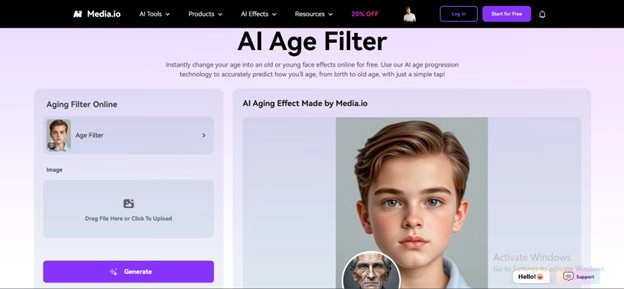
How to Use Media.io AI Filter:
Step 1: Visit the Media.io AI age filter link. Click on “Upload” and add your selfie or portrait photo.
Step 2: Choose the “Teen to Elder” option. This filter shows your progression from youth to old age.
Step 3: Let the AI analyze and process the image. The system uses advanced face-tracking to generate accurate changes.
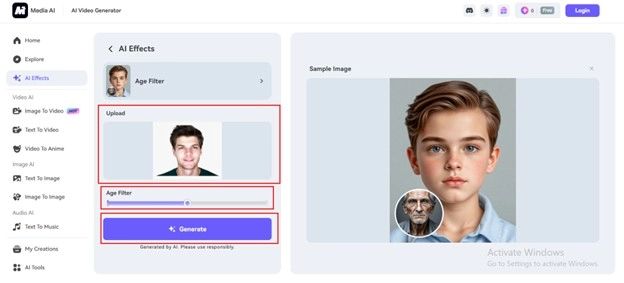
Step 4: Download or preview your result. You can save it, share it online, or even turn it into a video.
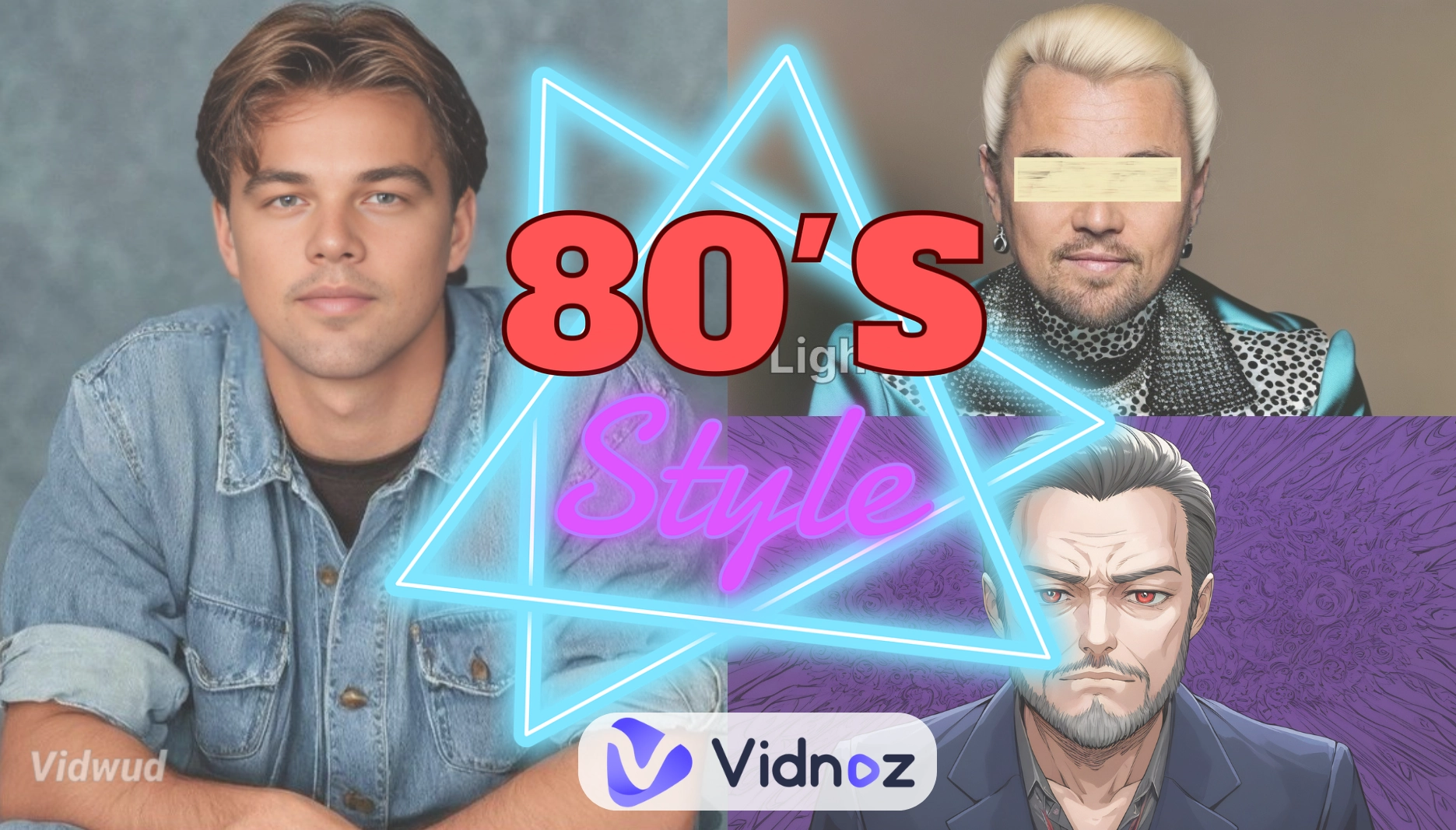
Media.io’s AI growing up filter is quick, realistic, and a great way to visualize long-term age progression. Combine it with Vidnoz’s 80s AI filter for a vintage touch.
AI Growing Up Filter: Customized Age with Bylo.ai
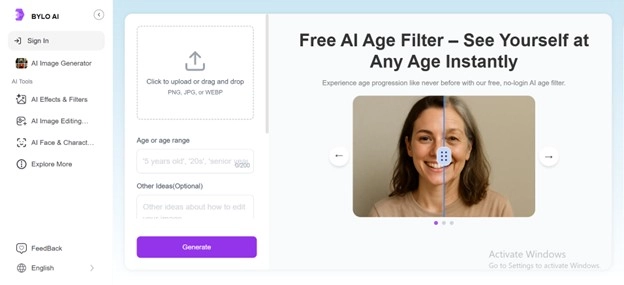
Bylo.ai gives users total control over age customization. Unlike other platforms, you can manually set the exact age for example, 10, 30, 50, or 70 years old and let the AI render how you’d look. This feature is perfect for users who want specific AI age progression results or to experiment with different timelines. The process is easy and fully browser-based.
How to Use Bylo.ai Age Filter:
Step 1: Open the Bylo.ai website and go to the age filter section. Click “Upload” and add your chosen image.
Step 2: Enter the age you want to see. You can select any number to create a customized growing up result.
Step 3: Click “Generate” and let AI process the image. The system uses realistic rendering to visualize facial aging.
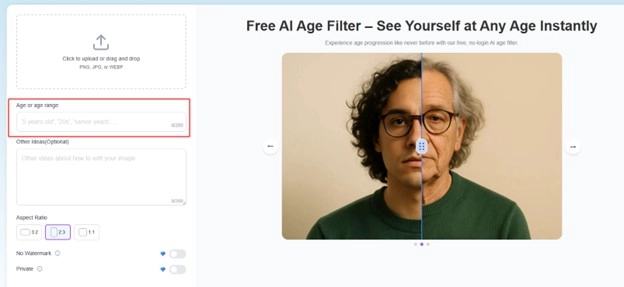
Step 4: Review and download your future look. You can experiment with different ages to see each transformation.
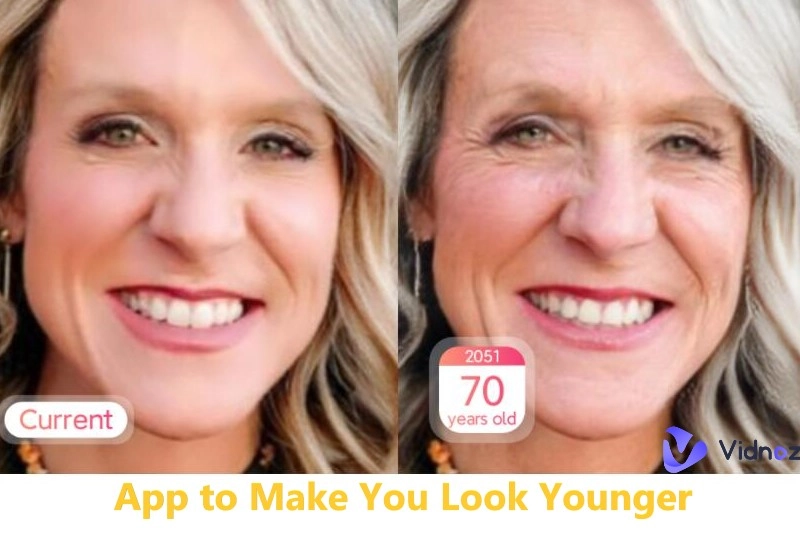
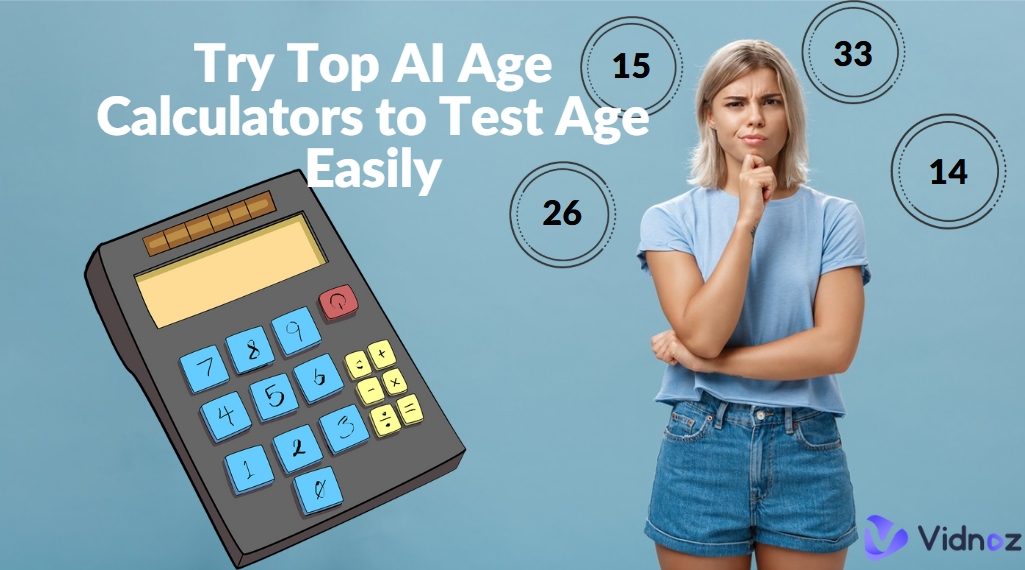
Bylo.ai’s AI growing up filter makes it simple to control your aging process. You can even test younger looks using tools like app to make you look younger or estimate your real age using AI age calculator. If you want something creative, try the teenage filter for fun results.
Conclusion
AI growing up filters have changed how people explore the concept of time and aging. They turn simple photos into emotional, fun, and creative experiences by showing how faces evolve through different life stages. From AI grown baby transformations to lifelike middle-age and elder filters, these tools let users to visualize their growth and cherish memories in a unique way. Whether you’re satisfying curiosity, creating content, or simply enjoying digital creativity, these filters make it meaningful. For the most realistic and enjoyable results, try Vidnoz Gen the best tool to create stunning AI growing-up videos effortlessly.
Convert Image to Video AI Online - Free
- Create a video from an image quickly for free.
- Use various AI models to turn photos into videos.
- Download and share the AI-generated video at no cost.
Convert Image to Video