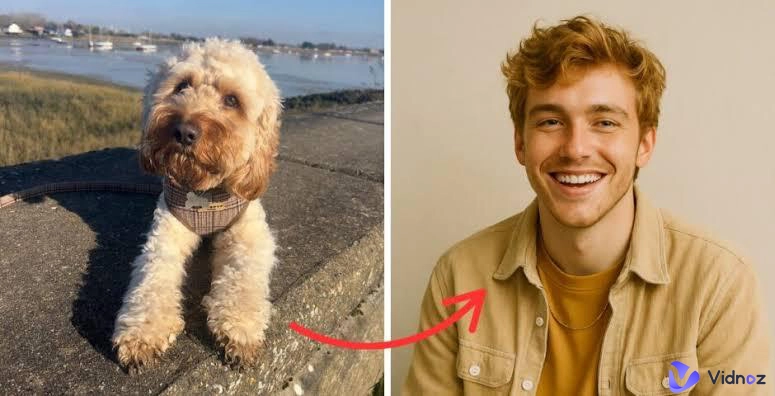
You've probably seen the AI gender swap video trend sweep your feeds with friends flipping appearances, creators testing characters, and brands playing with identities in fun ways. Now with the right AI gender swap video generator, you can transform your face and style into the opposite gender with realistic detail. Whether you're curious or just looking for a laugh to share with friends, this guide will teach you how the tech works and which tools let you create a gender swap video online for free. Stick around for quick steps and a bonus age-filter idea you can try today.
- On This Page
-
How Does AI Gender Swap Video Work? Why Trendy?
-
Top 4 AI Gender Swap Video Generators to Change Your Gender
Vidqu Face Swap: Make AI Gender Swap Video with Face Swap Video
Media.io - Free Online Gender Swap Video Effect
Clipfly AI Gender Swap - Turn Your Photo into Fun Gender Swap Video
Bylo AI Gender Swap - Upload Photo & Input Prompt of the Gender Swap Photo
Remaker - AI Video Gender Face Swap Online
-
Bonus: What Will I Look Like When I'm Older?
How to Use Vidnoz AI Age Filter
How Does AI Gender Swap Video Work? Why Trendy?
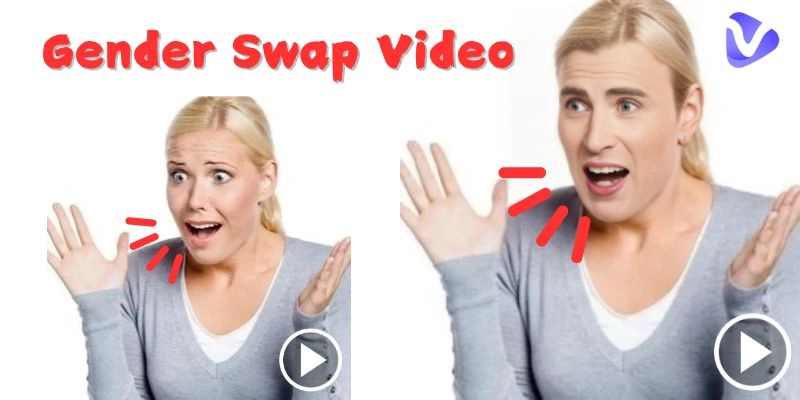
An AI gender swap video contains your re-rendered face to present a different gender expression. AI gender swap video generator tools use facial recognition and deep learning models to analyze your face, map out its features, and then apply transformations that match a different gender. It is more than just a gender swap video filter or gender swap video effect, as it adjusts facial contours, skin texture, hairstyle, and even expressions to make the change appear natural in motion.
Why is it everywhere? First, it's pure play with low stakes, high laughs. Second, social media plays a major role as platforms like TikTok, Instagram, and YouTube thrive on short, shareable clips that spark curiosity. The gender swap video filter allows you to step into another version of yourself and showcase it online. It's playful, humorous, and in many cases surprisingly realistic.
Top 4 AI Gender Swap Video Generators to Change Your Gender
Many people search for instructions on how to do gender swap filter on TikTok, YouTube, or Instagram. But these platforms don't offer a native gender-swap effect. You create the look with an external gender swap video effect tool. Let's walk through the top five male to female transition AI gender swap video generator platforms.
-
Vidqu Face Swap: Make AI Gender Swap Video with Face Swap Video
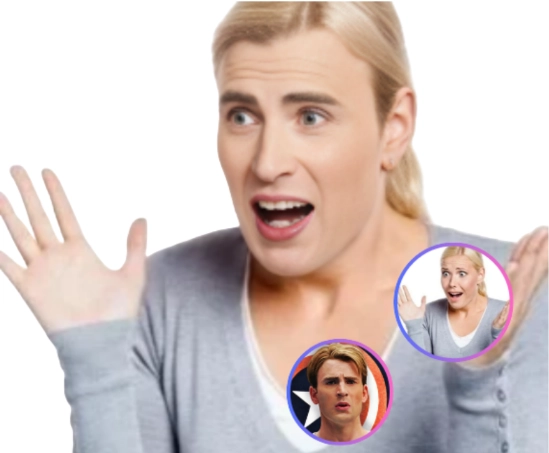
Vidqu doesn't use a native AI gender swap video filter. Instead, it relies on precise face-swapping with a clear, step-by-step workflow, making it ideal when you want a bespoke clip rather than an auto-generated template. You can swap gender with photos, videos, and even GIFs, so quick memes and looping reveals are just as easy as longer edits, making it a perfect option if you are looking for how to do gender swap filter on TikTok or any other social media platform.
Steps to Make Gender Swap with Vidqu
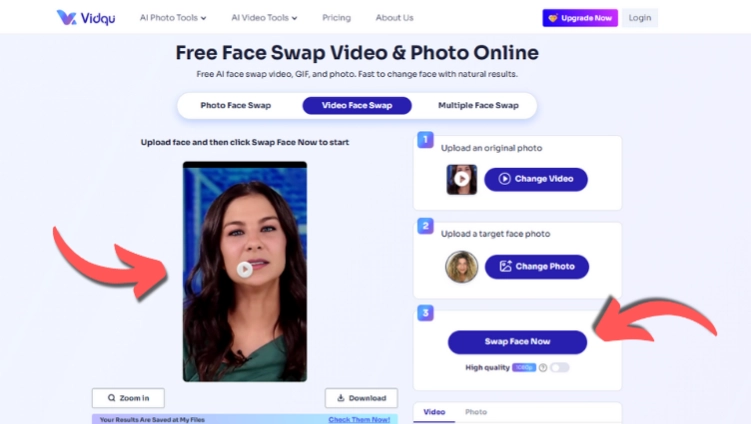
Step 1. Visit Vidqu website, go to the Video Face Swap page. First you need to visit Vidqu Video Face Swap page and ensure the video you want to swap gender with is well-lit and not heavily occluded.
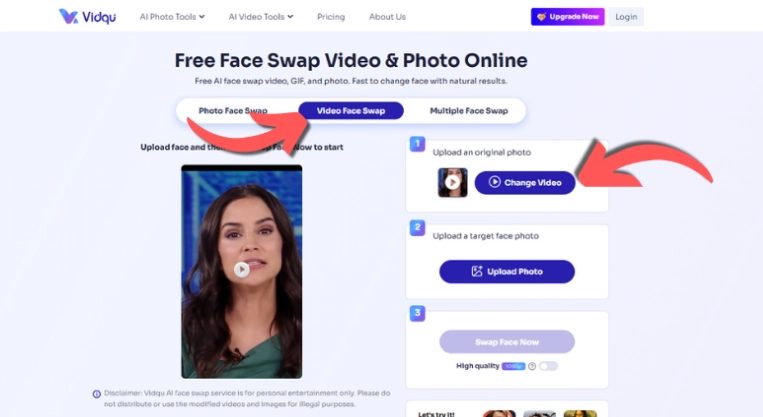
Step 2. Add an opposite-gender photo. Then, upload a face photo that you want to make gender swapped. Better with a similar angle, as it enhances realism.
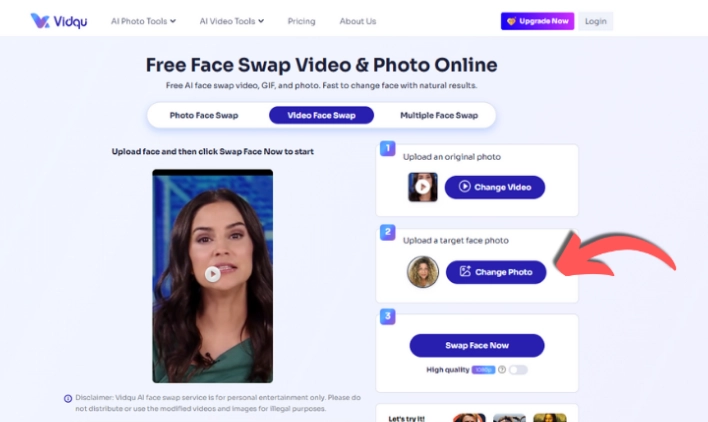
Step 3. Hit Swap Face Now. Check the AI gender swap video preview and export.
Pros
- Clear three-step flow with fast previews for iterative work.
- Solid tracking that keeps expressions consistent across frames.
- Good results on everyday lighting without heavy tuning.
-
Media.io - Free Online Gender Swap Video Effect
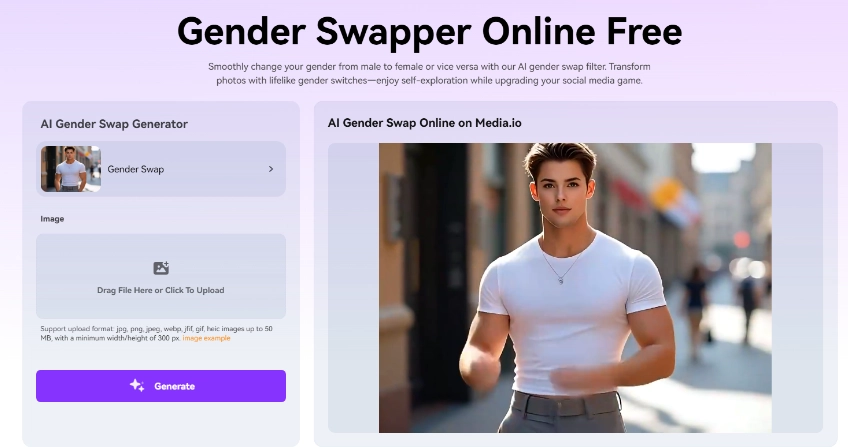
Media.io prioritizes convenience. You can choose the AI gender swap video effect, upload your image, and let Media.io do the heavy lifting. It is ideal when you need to create a gender swap video online quickly for a one-off post. There's no big learning curve, and the interface guides you toward share-ready outputs from the start. You can upload JPG, PNG, JPEG, WEBP, JFIF, GIF, or HEIC files up to 50 MB. What’s more, it also has gender detector feature so you can easily detect others gender by their voices.
Pros
- Creates a realistic gender swap video filter effect.
- Straightforward controls for newcomers.
- Fast for creating short clips.
Cons
- Requires sign-up and credits.
- Does not take videos as inputs for swaps.
-
Clipfly AI Gender Swap - Turn Your Photo into Fun Gender Swap Video
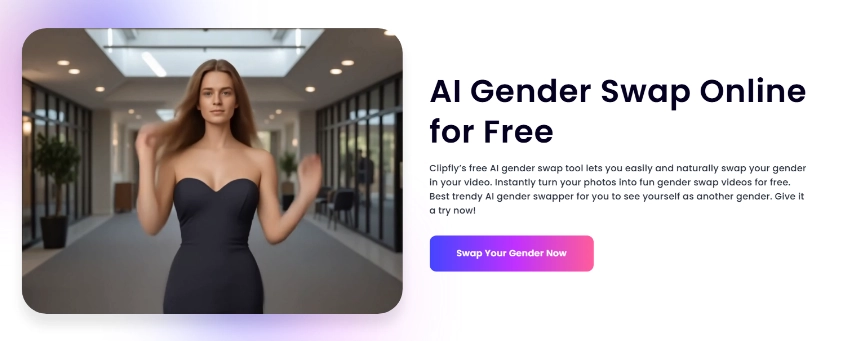
Clipfly takes a single portrait and turns it into a short, animated AI gender swap video. Upload a clear face shot, select the gender swap video effect template for male-to-female or female-to-male conversion, and let the AI gender swap video generator create natural head turns, blinks, and subtle expressions.

Vidnoz AI - Create Free Engaging AI Video with Talking Avatar
- Easily create professional AI videos with realistic avatars.
- Text-to-speech lip sync voices of different languages.
- 2800+ video templates for multiple scenarios.
Pros
- Photo-to-video flow is quick and beginner-friendly.
- Provides an option to remove or change the background.
- Can add auto background music in AI gender swap video.
Cons
- Limited credits after forced sign-up.
- Only accepts image inputs for the AI gender swap video.
-
Bylo AI Gender Swap - Upload Photo & Input Prompt of the Gender Swap Photo
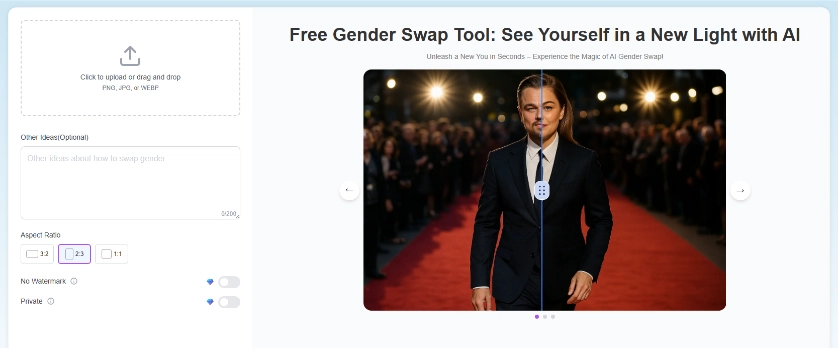
Bylo adds a prompt-driven layer to your looks. Simply upload your photo, describe what you want, and Bylo translates the idea into a convincing result. While it's photo-centric, think of Bylo as a concept engine that helps you ideate styles and then composite or animate later. As an AI gender swap video generator companion, it's a powerful way to explore styles before you commit to a full clip.
Pros
- Prompts make creative direction easy.
- Strong for style exploration and mood boards.
- No sign-up required for gender swap video effect.
Cons
- Does not create video outputs.
- Realism depends on matching angles and lighting.
-
Remaker - AI Video Gender Face Swap Online
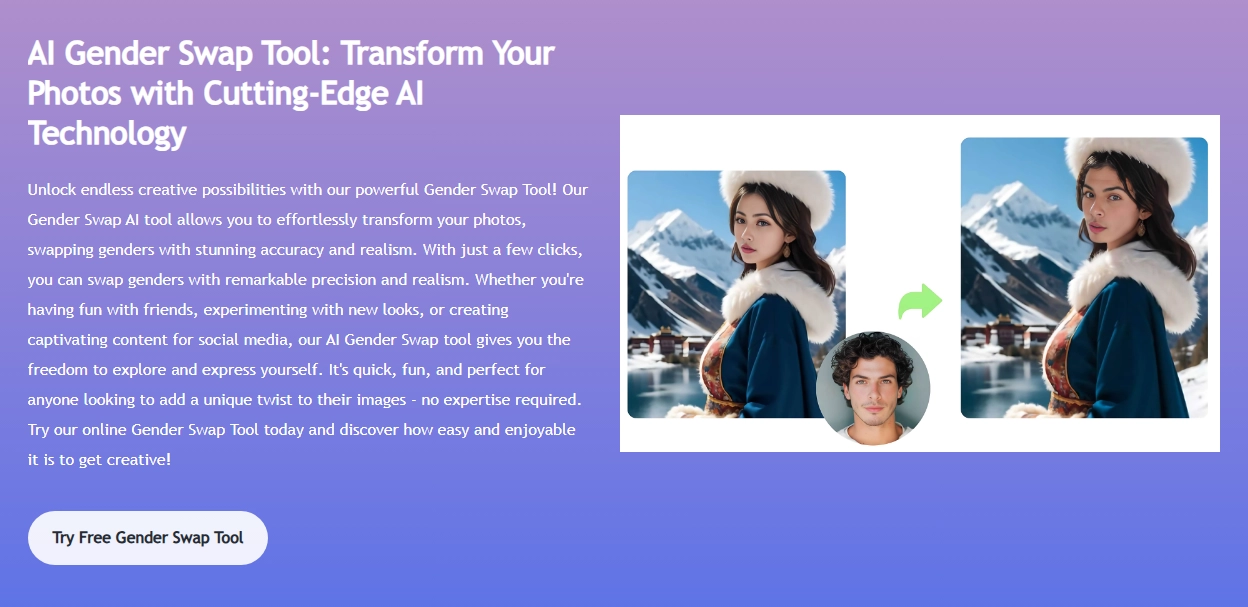
Remaker focuses on speed and automation, so you can effortlessly create an AI gender swap video from a video without juggling timelines or complicated settings. It provides additional options, such as cropping a segment before processing, HD swap modes, and separate paths for multi-face or batch projects.
Pros
- Daily free credits are sufficient for multiple swaps.
- Create high-quality results without buying a subscription.
- Upload a video up to 30 mins or 500 MB.
Cons
- Sign up is required to create gender swap video online.
- Low-res, dim, or off-angle footage will look less convincing.
Bonus: What Will I Look Like When I'm Older?
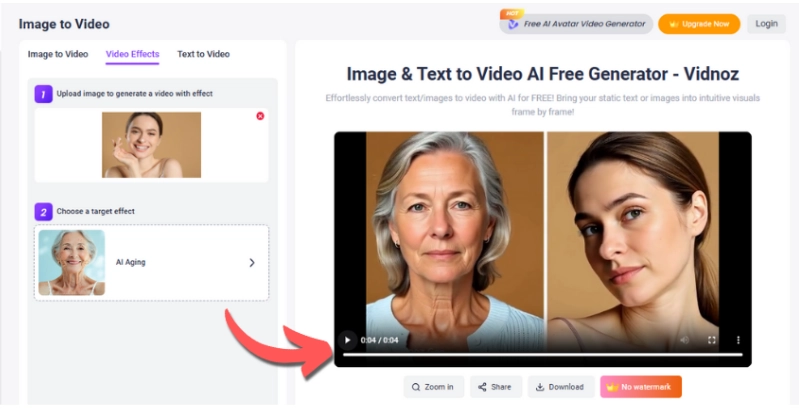
If you are interested in finding out what is the gender swap filter on TikTok, Instagram, or any other platform, then you should also consider the AI age filter, which can be just as much fun. An AI age filter takes your current portrait and projects an older version of you, complete with wrinkles, gray hair, and softer contrast, without altering your original file. It's great for future-self gags, storyboard time-jump scenes, and character looks.
Try Vidnoz AI Age Filter for quick, convincing transformations online. It preserves lighting and facial structure so the transformation feels believable on video.
How to Use Vidnoz AI Age Filter
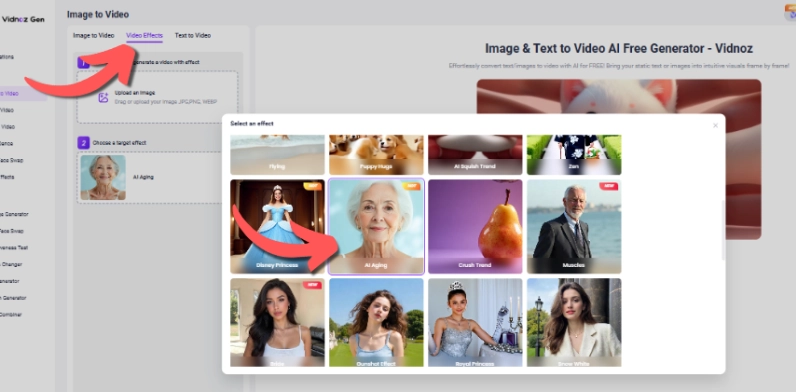
Step 1. Open Vidnoz Image to Video, select Video Effects, then choose AI Aging for the target effect.
Step 2. Upload a well-lit photo with a forward-facing head pose. Avoid wearing heavy sunglasses or covering your hair.
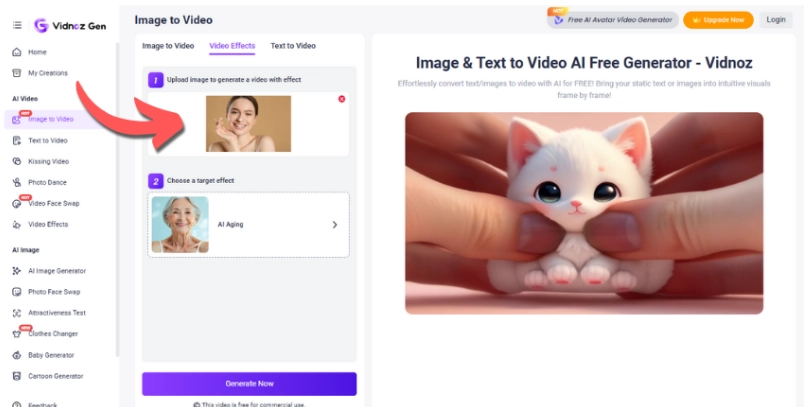
Step 3. Click 'Generate Now', check the preview, and export your clip when satisfied.
The Bottom Line
You now understand what is the gender swap filter on TikTok or any other platform is and how AI gender swap video technology works, why it's popular, and which tools best suit different needs. Vidqu is a steady pick for longer clips, Media.io and Remaker help you create AI gender swap video online fast, Clipfly turns stills into motion, and Bylo sparks concept ideas you can animate later. When you want to jump timelines, the Vidnoz AI Age Filter is a fun bonus to see your future self and round out your next story.