Stuck on a track? Maybe you can consider re-arrange the chord progression. A good set of chords is the heart of any song, it provides the emotional underpinning of a song, its structure, and tone, and it can be a well that dries up. Fortunately, you do not need to wait until it hits anymore. An AI chord progression generator can instantly break through creative blocks, helping you craft memorable music in minutes.
This article explores 5 AI tools that will help to create inspirational chord progression, let’s dive in!
- On This Page
-
What is an AI Chord Progression Generator?
-
5 AI Chord Progression Generators to Inspire Your Harmonic Creation
1. Vidnoz AI Music: Generate Well-Structured AI Chord Progression for Free
2. Chord Create: Input Conception to Make Enjoyable AI Chord Progression
3. ChordChord: Add Dynamic Chord Progression to Instrumental Music
4. ChordSeq AI: Extend Simple Clips into Smooth Chord Progression
5. Landr Composer: Make AI Chord Progression That Fits Your Music Theme
-
How to Make a Beautiful Chord Progression with AI? [3 Solutions]
Solution 1: Create Chord Progress from Ideas
Solution 2: Create Chord Progression from Melody
Solution 3: Create Chord Progression by Extending Clips
What is an AI Chord Progression Generator?
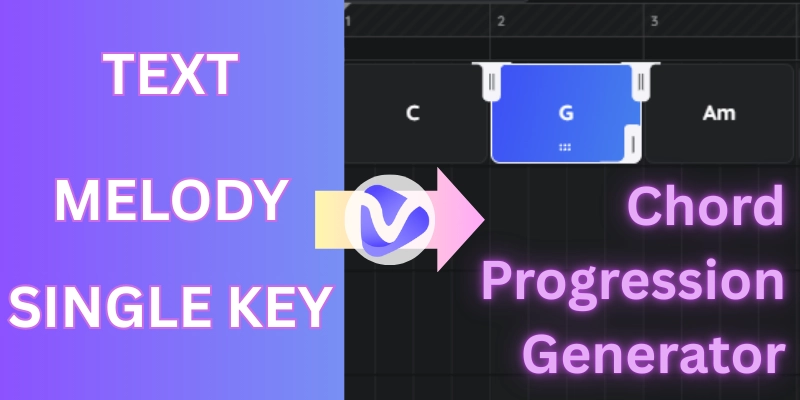
An AI chord progression generator is a smart tool that uses AI to create new and interesting chord sequences. Imagine it to be a musical helper who has an encyclopedic knowledge on the theory of music. You give it a prompt such as a mood, genre, or an initial key and the AI draws upon an infinite amount of musical patterns and rules to create a harmonic progression that suits your need.
AI chord progression generators shatter the creative blocks of novices and offer an alternative point of view to the experienced producers, and saves countless hours of trial and error.
5 AI Chord Progression Generators to Inspire Your Harmonic Creation
Having understood the power of these tools, it is time to run through five of the most effective AI-powered generators that are currently on the market.
1. Vidnoz AI Music: Generate Well-Structured AI Chord Progression for Free
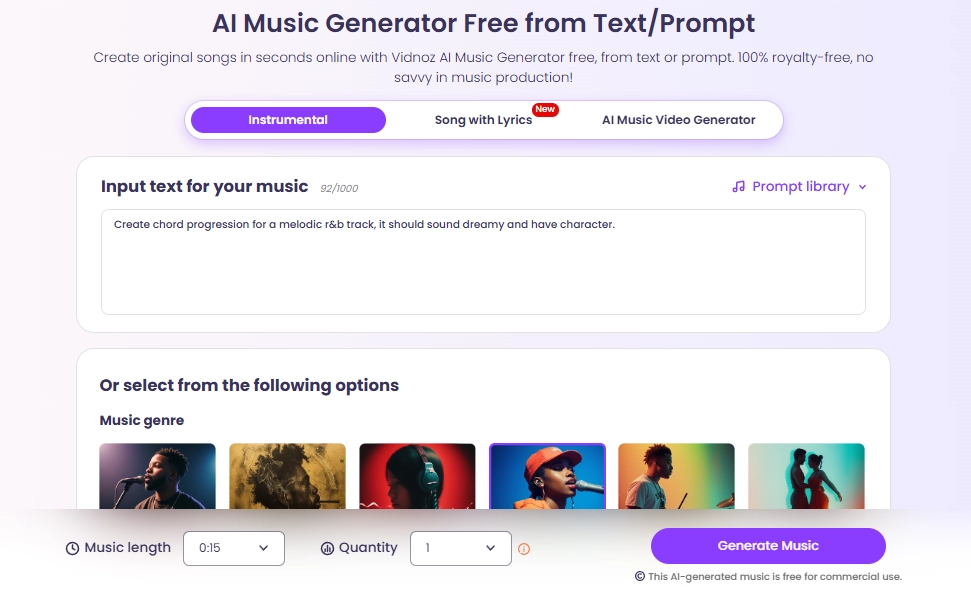
Vidnoz AI music generator is a simple and convenient instrument that can create curated chord progressions. It operates by using your text prompts regarding a preferred style of music, mood or topic and outputs a full musical composition complete with a well-formed chord progression.
Other than chords, it is also able to produce complete instrumental tracks as well as different sound effects. It’s best for beginners, professional composers, and producers looking for a quick and effective AI chord progression generator free of charge to kickstart an idea.
Generally, this online tool is geared towards generating genre-specific chord progressions which sound smooth and can be applied straight out of the box.
Pros
- Completely free to use for generating chord progression.
- The intuitive system is great for every user.
- Generates chords, full tracks, and songs with vocals.
Cons
- Limited deep customization of individual chord voicings.
- Output chord progression in Audio only (no midi option).
2. Chord Create: Input Conception to Make Enjoyable AI Chord Progression
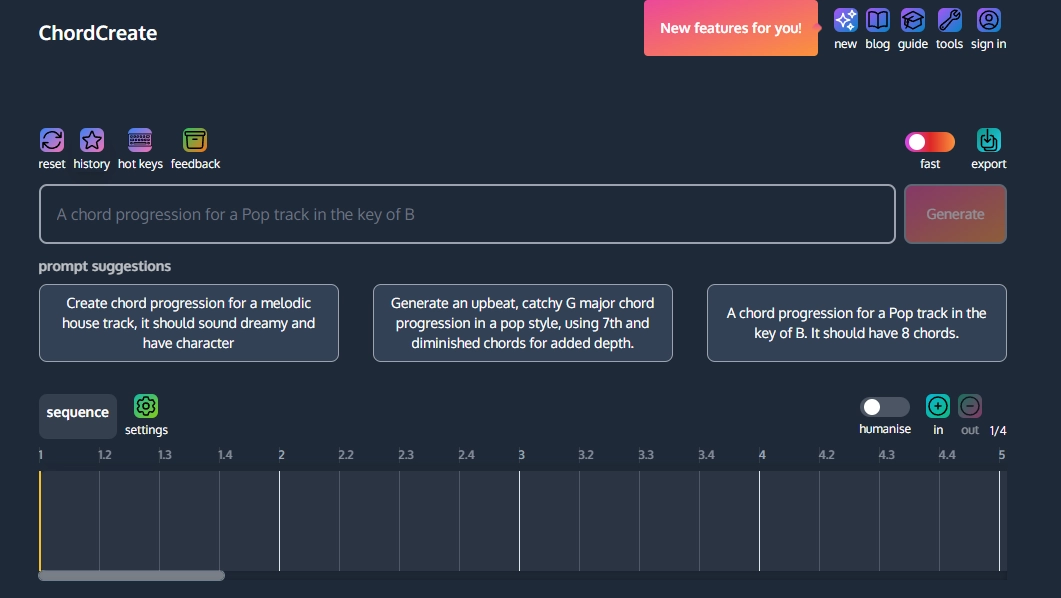
ChordCreate is a brand new and clever tool which intelligently interprets your written words into playable harmony. Following a text-to-song model, it presents you with how the generation process takes place and then gives the final chord progression in the form of a clean interactive music sheet.
Besides, its options of keys and the feature to humanise chord progressions make it ideal for songwriters and students who would like to see how musical ideas directly translate to theory and notation.
Pros
- AI-generated chord progression will export to a music sheet directly.
- Users can make customizations on the final chords.
- Offers MIDI and WAV export options for use in your DAW.
Cons
- Generate chords with Piano in default(no other instrument).
- The AI's interpretation of vague text prompts can be inconsistent.
3. ChordChord: Add Dynamic Chord Progression to Instrumental Music
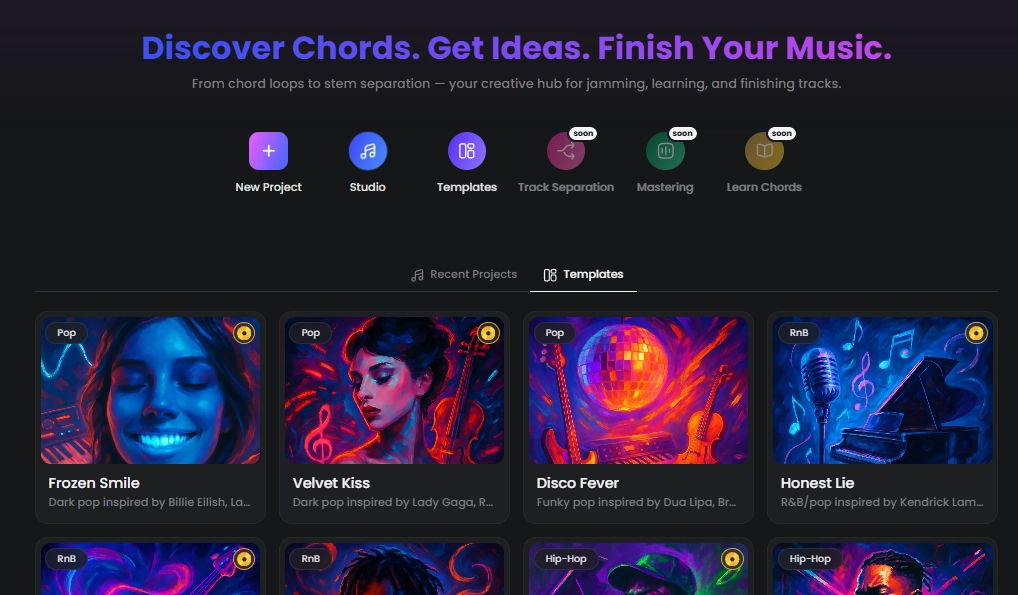
This automatic chord progression generator allows you to create random chord progressions from your song. Or if you’re tired of composing new chords, you can scale music creation by using those templates. For deep songwriting personalizations, you can modify every chord, alter the rhythm and instrumentation, and even layer a simple melody.
It is most suitable to pop and electronic music producers who want to compose an emotional song with harmonious chord progression.
>> Make a stunning music video for your song in a minute!
Pros
- Offers premade chord progression templates.
- Allows detailed customization of each chord, including inversions.
- Create chord progressions with specific instruments.
Cons
- The free version has limitations on features and session length.
- Chord generation is very basic and less developed.
4. ChordSeq AI: Extend Simple Clips into Smooth Chord Progression
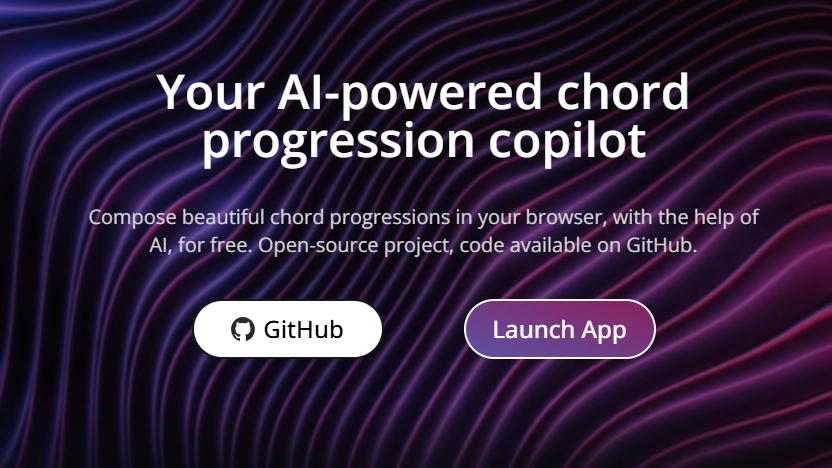
ChordSeq AI is designed to have a very specific, powerful use case. It takes a little musical seed and intelligently, rationally grows it into a full progression. It works by analyzing harmonic relationships within your initial 2 or 3 chords and then suggests musically logical ways of continuing the sequence.
It is a game changer in breaking the hated 8-bar loop syndrome. Other options are the possibility to adjust the desired length and emotional curve of the chord progression. It is good for producers who have an initial chord with which to work, but require assistance in evolving it into a full sequence.
Pros
- Expands existing chords to full chord progression.
- AI will give unexpected chords for inspiration.
Cons
- Generate chord progressions from existing chords;
- No many options to customize the chord.
5. Landr Composer: Make AI Chord Progression That Fits Your Music Theme
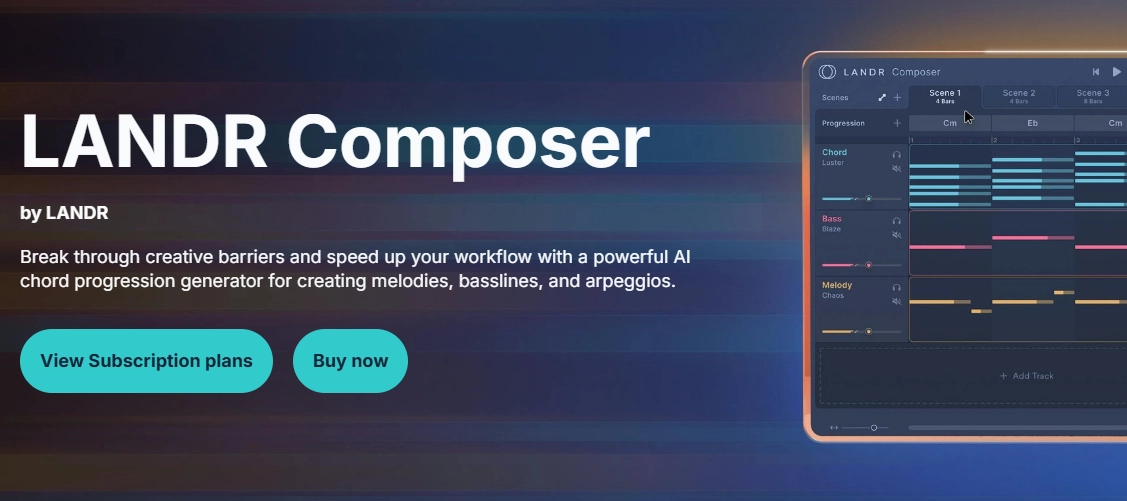
The Landr Composer is a pro-level tool that easily fits into your existing songwriting workflow. It is a VST/AU plugin and used inside your digital audio workstation (DAW). It is capable of producing harmonious chord progressions that are smartly aligned to the key and theme of your project at hand. Landr Composer proposes several progressions that you can simply drag and drop right into your session as MIDI. It has also got adjustable moods and complexity sliders.
It’s best for serious producers and artists who want a powerful AI chord progression generator integrated directly into their professional music production environment.
Pros
- Integrates directly into your DAW for a smooth workflow.
- Musically tasteful AI suggestions for natural chord progression generations;
- MIDI drag-and-drop functionality is incredibly efficient.
Cons
- Requires an expensive subscription($1,600/mo).
- Not a standalone tool for on-the-go chord use.
- Complicated for simple projects and beginners.
How to Make a Beautiful Chord Progression with AI? [3 Solutions]
In this part, we will show you specific steps on making AI chord progressions. There are 3 ways- from ideas, from “hum”, and from simple chord clips.
Solution 1: Create Chord Progress from Ideas
If you only have a mood in mind, using a text-based AI chord progression generator to bring concepts to life! We will use the Vidnoz AI music generator as an example:
Step 1.Navigate to the Vidnoz AI Music Generator.
Step 2.Type a description of the music you want.
For example: "A soulful, melancholic piano chord progression in A minor for a cinematic scene."
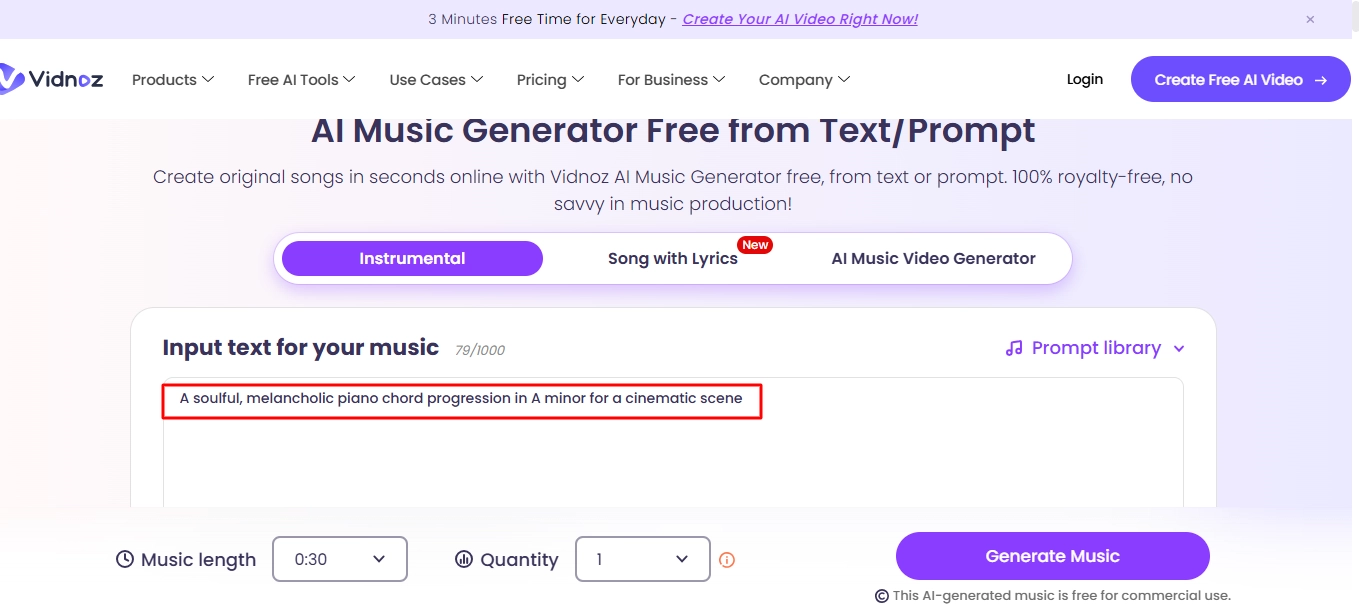
Step 3.Select the desired duration, quantity and click "Generate Music."
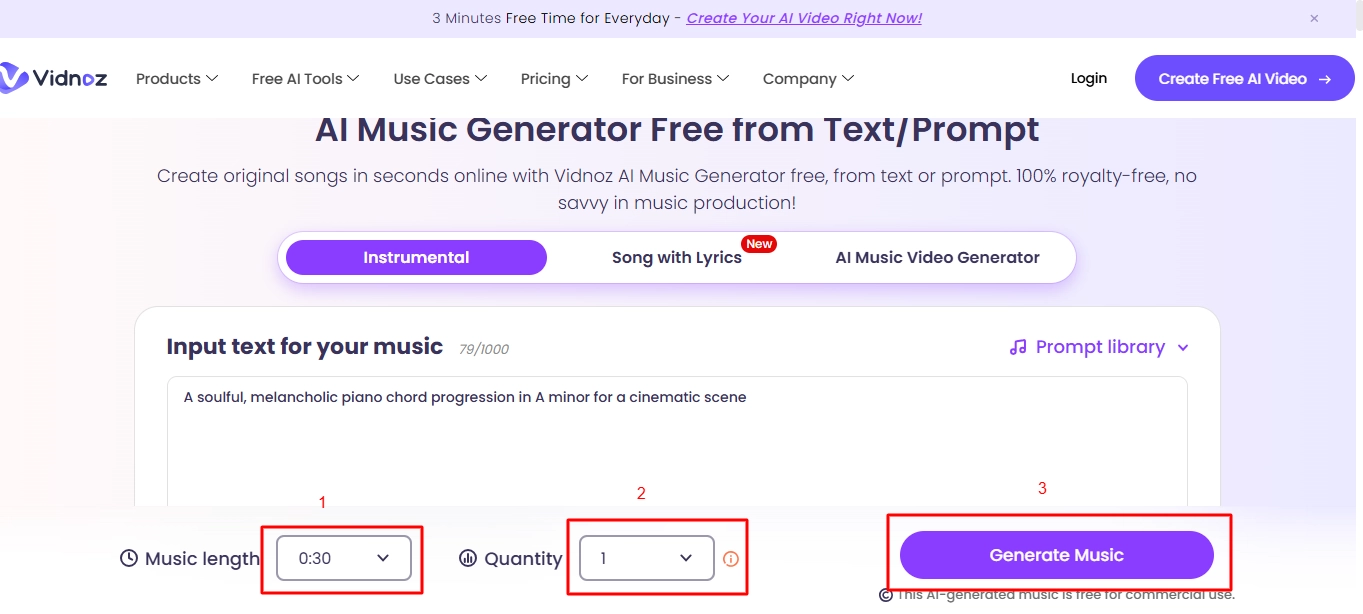
The result is a thematically appropriate audio clip where the chords provide a rich, emotional foundation that perfectly matches your description.
Vidnoz Free AI Music Generator
Free to generate & download for commercial use!
- 100+ combinations of musical styles, moods and themes
- Turn your texts into songs and music videos
- AI to create an original song with your lyrics
Create Music with AI
Solution 2: Create Chord Progression from Melody
We will use ChordChord for example:
Step 1.Open the ChordChord and upload your demo;
Step 2.Manually input your melody notes into the simple sequence at the top.
Step 3.Click the "Export" button. The AI will create a chord progression that harmonizes with your melody.
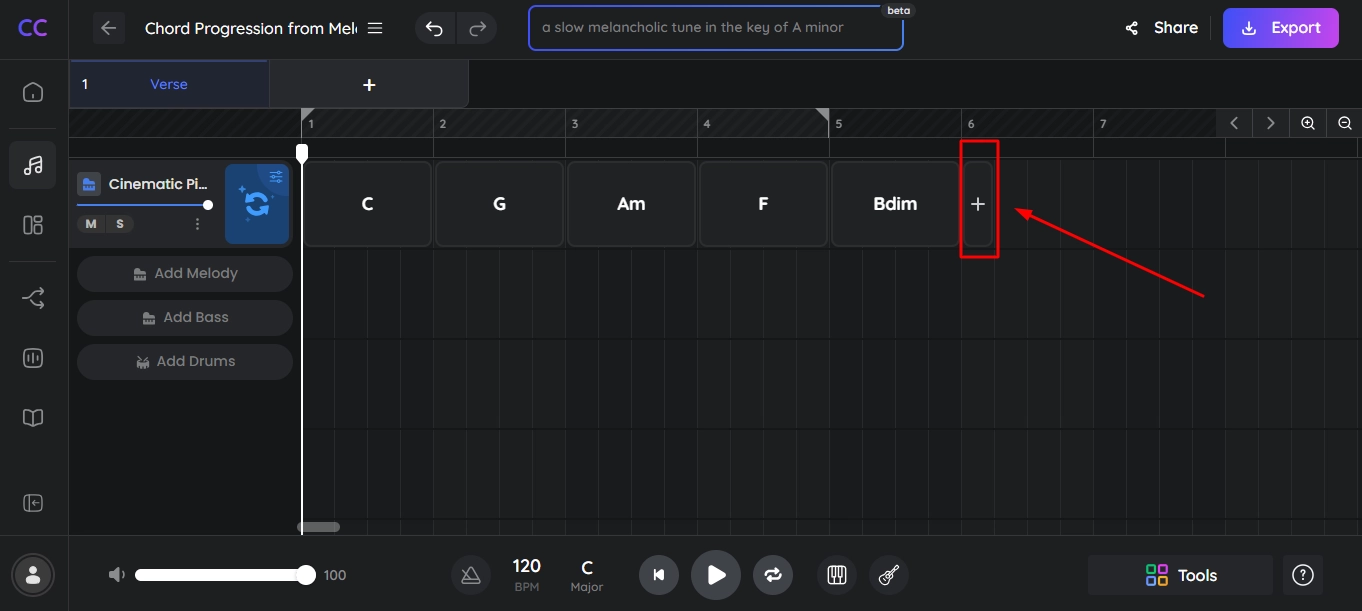
ChordChord effectively creates a standard but solid chord progression that locks in perfectly with the input melody.
Solution 3: Create Chord Progression by Extending Clips
We will use ChordSeq AI for example:
Step 1.Go to the ChordSeq AI.
Step 2.Input your starting chords and add AI suggested chord one-by-one
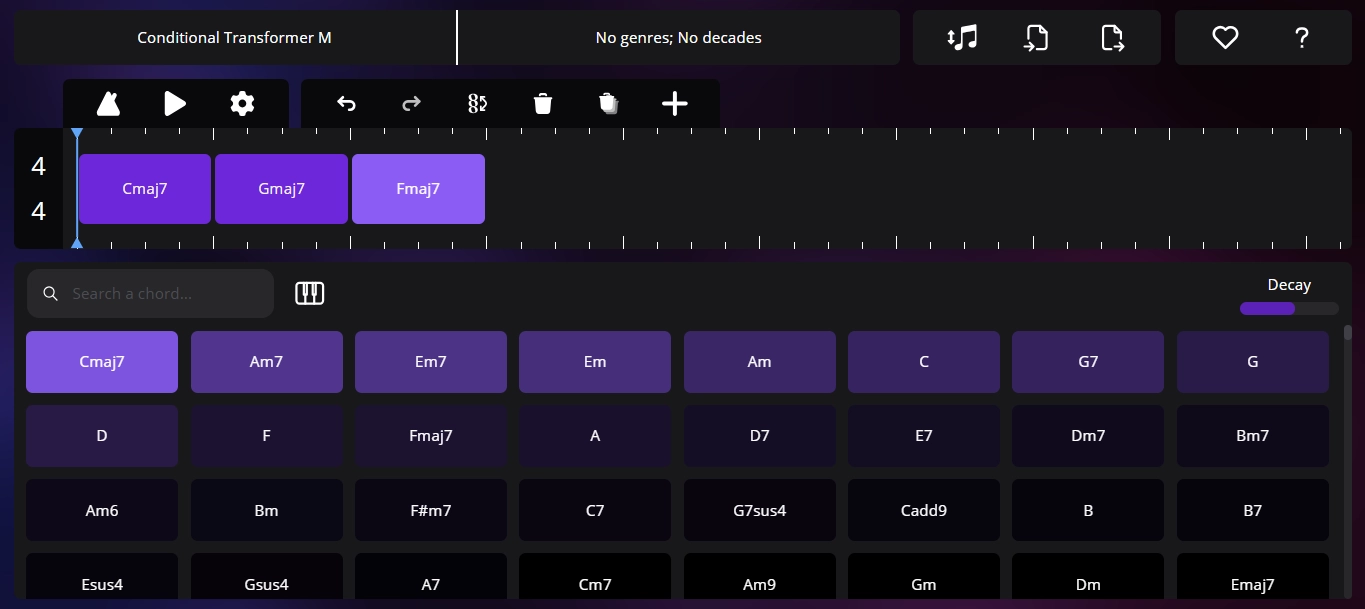
Step 3.Save and Export the chord progression
ChordSeq AI provides creative and musically intelligent continuations, often suggesting chords you might not have considered, breaking you out of your usual habits on music composing.
Conclusion
Simply put, an AI chord progression generator is a fantastic way for musicians to get unstuck now. When there is no longer a challenge to come up with the most fitting chord progression, you can focus more on exploring music. From Vidnoz brings your music imagination to life, to get complete chord progression from a simple key, the 5 AI tools in this post may be your creative partner which provide inspiration.
Having stared at an empty project long enough? It is time to start working on your next piece of music with AI!









![Find a Song by Humming - Hum to Search [Apps & Guide]](https://www.vidnoz.com/bimg/vd---hum-to-search.webp)