Have you ever had a catchy melody stuck in your head with no idea what it’s called? It’s frustrating when you can’t recall the song by name or lyrics. Luckily, technology now lets you find a song by humming the tune.
In this guide, you’ll learn how to search for a song by humming a few notes into your device. We’ll explore Google popular hum to search feature and other free hum to search apps that help identify that earworm melody. By the end, you’ll not only know how to use Hum to search tools to find songs but also discover a bonus tip on creating your own music with AI.
- On This Page
-
-
How Does Hum to Search Work?
-
Most Efficient Method to Hum to Search Songs Accurately: Google Hum to Search
-
Still Didn’t Find the Song? Try Other Free AI Alternative Tools!
Free Online Hum to Search: AHA Music
Hum to Search App: YouTube Music
-
Tips to Improve Success Rate
-
Bonus: Create Free AI Songs from Text/Prompts With Vidnoz AI Music Generator
How to Create AI Songs with Vidnoz AI
How Does Hum to Search Work?
Before diving into the apps, it helps to understand how to search a song by humming actually works behind the scenes. Modern hum to search technology uses machine learning to recognize a song based on its distinct melody. Google describes a song’s melody like a unique fingerprint, even if you hum off-key or without instruments, the core tune has an identifying pattern. When you hum, the AI song finder removes any details like your voice timbre or background noise, converting your humming into a numeric sequence that represents the melody. It then compares this melody “fingerprint” against a huge database of songs from around the world in real time. If there’s a match, it suggests songs with similar melodic fingerprints.
In short, the AI listens to what you hum (the relative pitch pattern) rather than how well you sing. This is why you don’t need perfect pitch to use hum to search, the system focuses on the tune itself, not your singing skills.
Most Efficient Method to Hum to Search Songs Accurately: Google Hum to Search
When it comes to finding a song by humming, the most efficient method is Google Hum to Search. This feature is built into the Google app on Android and iOS, so you don’t need any special software.
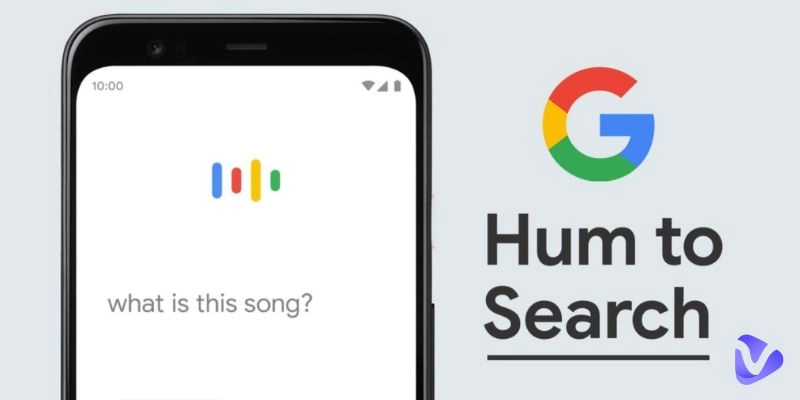
The Google Hum to Search Song feature lets you tap a “Search a song” button (or ask “What’s this song?”) and then hum a melody to identify it. Google’s AI will analyze your humming and suggest matching song results.
Using Google Hum to search is straightforward. Follow these steps to hum and search for your song:
Step 1. Open the Google app and tap the microphone in the search bar. You can also say, “What’s this song?” to start the feature hands-free.

Step 2. Tap Search a song, then hum, whistle, or sing your melody for about 10–15 seconds. Try to keep a steady rhythm and reduce background noise for better accuracy.

Step 3. Review the list of matches (Google shows a match % for each). Tap the best match to preview and confirm, then open it in your preferred music app.

If Google finds a match, you’ve successfully used the Google Hum to Search feature to name that tune! In many cases, it works remarkably well, even if your humming isn’t perfect.
Tip: If your first attempt misses, hum a different part of the melody and try again. The Google Hum to search system listens for the melodic “fingerprint,” so a clearer phrase often seals the match.
Still Didn’t Find the Song? Try Other Free AI Alternative Tools!
Sometimes, even Google might not pinpoint the song you have in mind, especially if it’s a very obscure tune or your humming was a bit off. Don’t worry, there are other free AI-powered Hum to search apps and web tools you can try. In this section, you’ll discover two great alternatives: AHA Music and YouTube Music. Each of these can help you hum to search songs using the same concept of melody matching.
Free Online Hum to Search: AHA Music

AHA Music is a free online tool (and browser extension) that helps you identify songs by sound, including the ability to find a song by humming online. It uses ACRCloud’s audio fingerprint database of over 100 million tracks to match your hummed tune. In practice, AHA Music compares the melody you hum against this vast library to find the closest match. The best part is that you don’t need to install an app; you can use AHA right in your web browser.
Here’s how you can use AHA Music as a hum to search song tool:
Step 1. Go to the AHA Music website (aha-music.com) on a device with a microphone (your computer or phone browser).
Step 2. Click the “HUM/SING” button on the site. If prompted, grant microphone access, then hum or sing the tune that’s stuck in your head. Try to hum clearly for at least 10 seconds so the system can capture the melody.
Step 3. Wait for AHA Music to analyze the melody. It will process your hummed audio and then display the song that best matches your tune. If it finds multiple close matches, you’ll see a list of possible songs to check. Click the result to confirm if it’s the song you were looking for.
AHA Music’s advantage is its large music database and simplicity. It’s an efficient way to hum to search song without installing anything. (If you’re a Chrome user, AHA also offers a browser extension for quick access.)
Hum to Search App: YouTube Music

Image from chromeunboxed.com
Another excellent alternative is the YouTube Music app, which now includes a built-in hum to search feature. YouTube Music has a hum to search option (introduced in 2024) that works just like Google’s version. It uses the same melody-matching AI, and once a song is identified, you can play it or add the AI music mashup to your playlist immediately.
Here’s how you can use YouTube Music as a hum to search song tool:
Step 1. Open the YouTube Music app on your phone. Tap the Search (magnifying glass) icon at the top of the screen.
Step 2. Tap the special Hum icon that appears next to the microphone in the search bar. (On some versions, you might simply tap the microphone and the app will prompt you to hum.) Now hum or sing the melody into your device for around 10 seconds.
Step 3. Check the results. After listening, YouTube Music will show a list of song matches that best fit your hummed melody. Tap the song result to play a preview and see if it’s the tune you had in mind. If it is, you can play the full song or view the lyrics in YouTube Music.
YouTube Music is a convenient app to hum to search app if you already have it installed, you can hum to find the song and start listening to it immediately.
Vidnoz Free AI Music Generator
Free to generate & download for commercial use!
- 100+ combinations of musical styles, moods and themes
- Turn your texts into songs and music videos
- AI to create an original song with your lyrics
Create Music with AI
Tips to Improve Success Rate
Finding a song by humming isn’t an exact science; it may take a couple of tries to get it right. Here are some tips to improve your success rate with any hum to search tool:
- Hum clearly and consistently: Hum the melody in a steady, clear manner so the app can pick up each note.
- Stay in tune: You don’t need perfect pitch, but try to follow the song’s tune so the melody is recognizable.
- Minimize background noise: Use a quiet environment; background sounds can interfere with the recognition.
- Hum a longer sample: Hum for at least 10–15 seconds to give the AI enough data to identify the song.
- Try multiple times or methods: If it doesn’t work the first time, hum a different part of the song or whistle the melody and search again.
By following these tips, you’ll increase the likelihood that the hum to search song tool of your choice will find that elusive track.
Bonus: Create Free AI Songs from Text/Prompts With Vidnoz AI Music Generator
Besides identifying songs, AI can also help you create music. AI music generators turn text or prompts into songs; you simply describe the music type and what you want to include in the song, and the AI composes a unique track. The best part is that you can produce music without any instruments, and also the results are royalty free.

One of the best tools for this is the Vidnoz AI Music Generator. Vidnoz is a free AI video generator that also creates songs in seconds from your text input. No musical experience is needed; just enter a prompt and let the AI do the rest. You’ll get a custom music clip that matches your description.
How to Create AI Songs with Vidnoz AI
Step 1. Visit the Vidnoz AI website and go to the Music Generator website and create your account.
Step 2. Enter a prompt and generate. Type a description of the song you want (e.g., “upbeat piano melody”) and hit the generate button. The AI will create a short track based on your prompt.
Step 3. Listen and download. Once the AI finishes, listen to the preview and download an MP3 file.
The Bottom Line
Technology has made it easier than ever to identify music and even create it. If you’ve got a tune stuck in your head and can’t name it, tools like Google Hum to Search, AHA Music, and YouTube Music’s hum search feature are ready to help. With a quick hum to search, you can solve those musical mysteries that used to linger for days. Remember to hum clearly and use our tips to improve your chances, and you’ll be saying “aha!” when the song title pops up. And don’t forget to have some fun with AI music creation; with platforms like Vidnoz AI, you not only know how to search a song by humming, but you can also create your own songs from scratch. Give these hum to search tools and AI music generators a try, and you’ll never be far from the music you love!