Are you tired of trying video-to-cartoon or anime converters online? We understand it is time consuming and a waste of resources when you need help finding the right fit!
How to convert video to cartoon online free? This guide lists 5 AI video to cartoon converters that can easily help you convert video to cartoon or anime free online. Let's get into detail!
- On This Page
-
Why Convert Video to Cartoon or Anime Online Free?
-
#1. Media.io AI Video to Animation Converter Online Free
How to Convert Video to Animation AI Free with Media.io?
-
#2. Melobytes Fast Video to Anime Converter Online Free
How to Convert Video to Anime Online Free Without Login on Melobytes?
-
#3. Wondershare AILab Video Cartoonizer Needs Login
How to Turn Video to Cartoon Online with AILab Video Cartoonizer?
-
#4. Upscaler AI Video to Cartoon Converter for Each Frame
How to Convert Video to Cartoon Online Free Without Sign up Automatically?
-
#5. Unboring Video to Animation Converter
How to Convert Video to Cartoon with Unboring in Any Style?
-
How to Convert Video to Cartoon or Anime Online Free?
-
AI Cartoon Video Generator For Easy Anime Creation
-
Related FAQs on Video to Cartoon Converter Online Free
Why Convert Video to Cartoon or Anime Online Free?
Before diving into the reasons to transform video to cartoon or anime. Let’s figure out what a video-to-cartoon converter is first. It is a tool that uses artificial intelligence and algorithms to analyze every video frame and add artistic effects on them, turning real-life video clips into animated, cartoon, or anime-style visuals. Thus, most tools are the combination of video to anime converter and video to cartoon converter.
Next, learn about the key reasons why you should convert video to cartoon or anime style:
- Enhance the existing creativity: When you convert videos to cartoon or anime style, it enhances the creativity of the original video.
- Revitalize old or low-quality footage: You can explore the options and opportunities to convert old or low-quality footage old or low-quality footage from video to anime or cartoon. Thus, it will add more texture and bring back memorable memories.
- Avoid legal issues: By converting real-life footage to a cartoon style, you avoid facing any copyright or portrait infringement problems. Thus, your conversion will stay unique.
Last, choosing a tool to convert video to cartoon or anime online free is the most convenient and economic way for all beginners to test results before being a subscription member. Are you interested in knowing the best video to cartoon converters online that are available for free? Here's a quick list:
Let's discuss these video to anime converter free online tools in detail!
#1. Media.io AI Video to Animation Converter Online Free
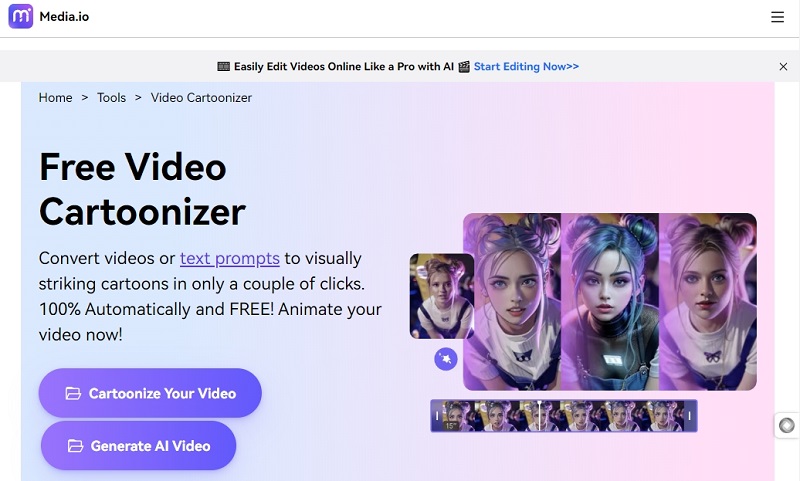
Media.io's Video Cartoonizer can convert video to animation AI free. It is one of the best choices for converting videos to cartoons online for free and is easily accessible. This video to cartoon converter AI free tool provides high-quality video to anime/cartoon content with vivid actions and expressions, enhancing the quality.
Site: https://www.media.io/ai/video-to-anime
>> Try the free AI Cartoon Generator to Convert Any of Your Photos to Anime Style
Key Feature
-
It can be used entirely online.
-
Uses AI technology to convert video to cartoon online free
-
It helps to provide realistic animations.
-
It has an anime video editor that can tune the images as required.
Pricing
-
Free Trial (available for free)
-
Standard: US$ 6.99 /month (billed US$83.99 annually)
-
Premium: US$ 12.99 /month (billed US$155.88 annually)
How to Convert Video to Animation AI Free with Media.io?
Step 1. Access its video-to-anime tool and follow the guideline to upload a video in MP4 or MOV format. Do not exceed 30 seconds.
Step 2. It has a fixed resolution of 720P, and you can choose a preferred style from the supported 11 options, such as Pop Art, Cute Anime, GPT Anime, Chibi, and more.
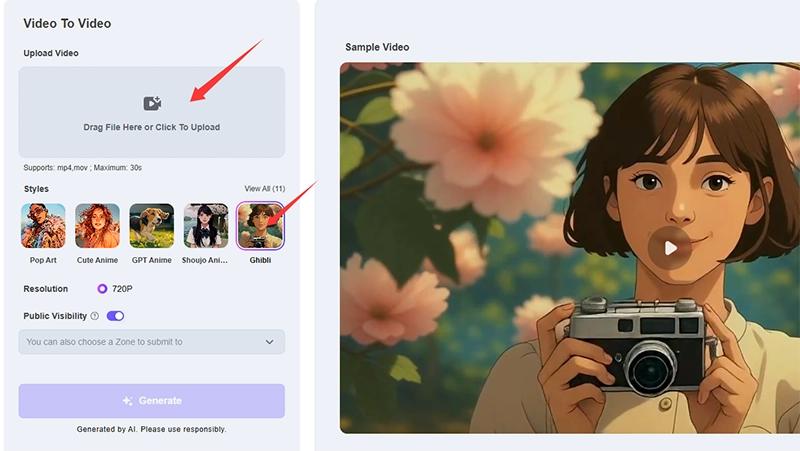
Step 3. Confirm if you want to submit to a zone like the Nano Banana Zone.
Step 4. Once you click on the Generate button, it will ask for sign-up. For new users, it gives 3 free credits, and you can use the credit to convert video to anime in any style you want.
However, you’d better choose a small-size video for testing because the credits charged vary with the file size. For example, it charges 3 credits for a video of 578 KB, while 28 credits for 1.85 MB.
#2. Melobytes Fast Video to Anime Converter Online Free
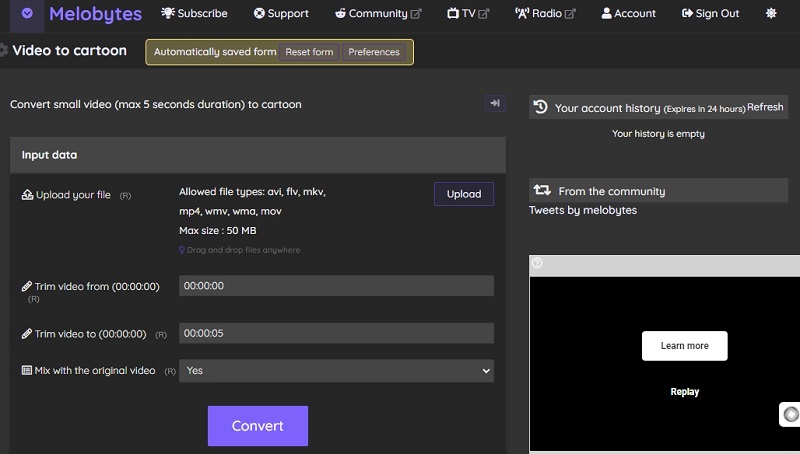
Unlike other video to cartoon converter free tools, Melobytes provides a user-friendly interface for converting only short video clips (up to 5 seconds) into cartoons. However, it supports options of file formats such as AVI, FLV, MKV, MP4, WMV, WMA, and MOV (has the ability to support a maximum size of 50 MB only).
Site: https://melobytes.com/en/app/video2cartoon
Key Feature
-
Perfect for converting only small video footage of about 5 seconds to cartoon style.
-
Supports many file types and diversifies the choices.
-
It provides a user-friendly interface.
-
Drag-and-drop functionality.
-
It consists of video trimming and mixing with original video options.
Pricing: Melobytes Video Cartoonizer is available for free to use but only supports short videos.
How to Convert Video to Anime Online Free Without Login on Melobytes?
Step 1. Go to the free video-to-anime converter. Simply upload your video in file types of AVI, FLV, MKV, MP4, WMV, WMA, or MOV. And it supports a max file size of 50 MB.
Step 2. You set the time point of the start and the end to extract the clip you want to convert to anime or the whole video.
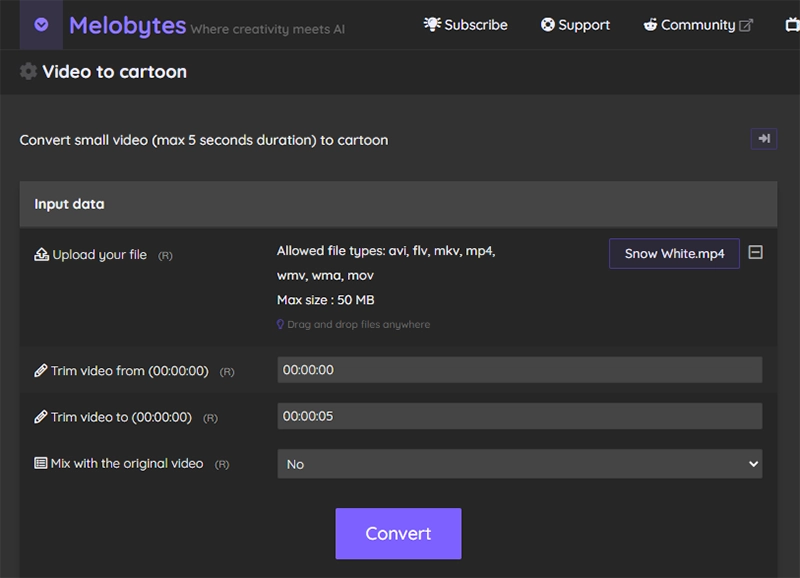
Step 3. Decide whether to mix with the original video during conversion or not. If yes, it will add a little reality to the transformed anime video.
Step 4. Finally, start to convert the video and wait for a while; you can preview and freely download the converted anime video without a watermark.
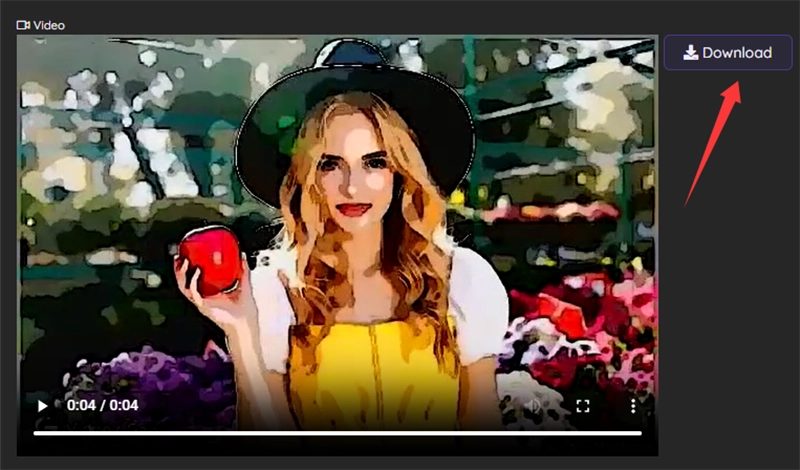
Notice: The anime style is fixed.
#3. Wondershare AILab Video Cartoonizer Needs Login
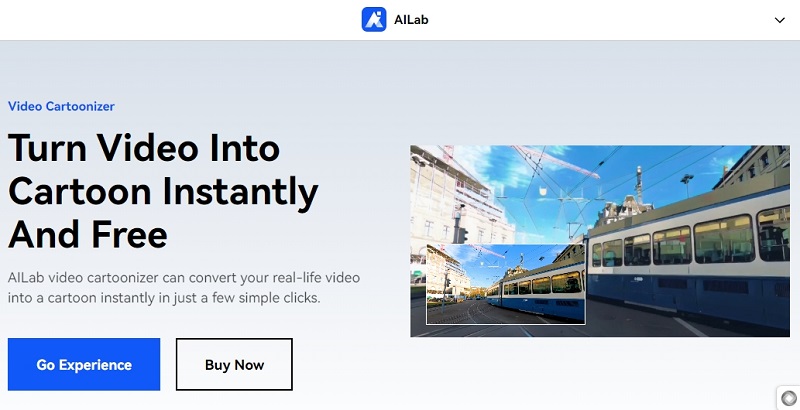
AILab Video Cartoonizer is one of the significant tools for converting video to cartoon in a few clicks. The free video to anime converter provides fully automatic cartoonization with a wide range of under-HD (high-definition) solutions.
Site: https://ailab.wondershare.com/app/general/editor/video?id=295&&code=vct&&fileType=video
Key Feature
-
Automatic cartoonization uses AI to convert the original footage into cartoon style.
-
Advanced cartoon effects are used to enhance the quality of the visuals.
-
High-definition output is provided to overcome low-quality outputs and bring value to users.
Pricing:
- 3 Minutes: US $9.9 (US$3.3/Minutes)
- 60 Minutes: US $129 (US$2.15/Minutes)
- 240 Minutes: US$389 (US$1.62/Minutes)
- 360 Minutes: US$539 (US$1.497/Minutes)
How to Turn Video to Cartoon Online with AILab Video Cartoonizer?
Step 1. Head to the AI Lab video cartoonizer with the provided link. Only through it will you get a free trial; otherwise, you need to log in and recharge for credits.
Step 2. Upload your video and wait for an automatic process.
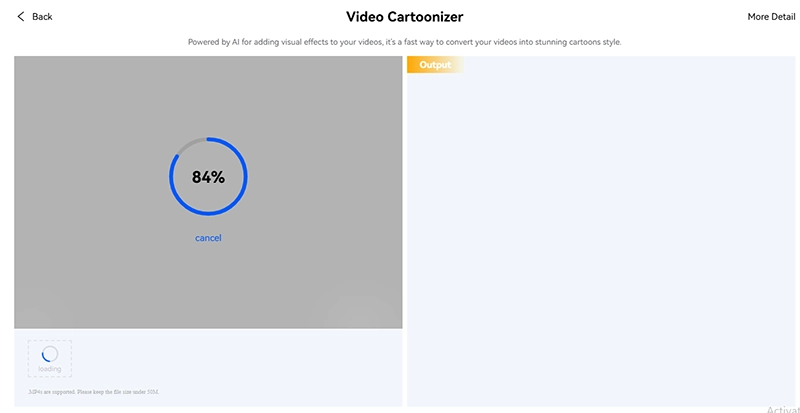
Step 3. It utilizes AI to add cartoon visual effects to your videos. After a few minutes, it will quickly converts your videos into stunning cartoon style.
#4. Upscaler AI Video to Cartoon Converter for Each Frame
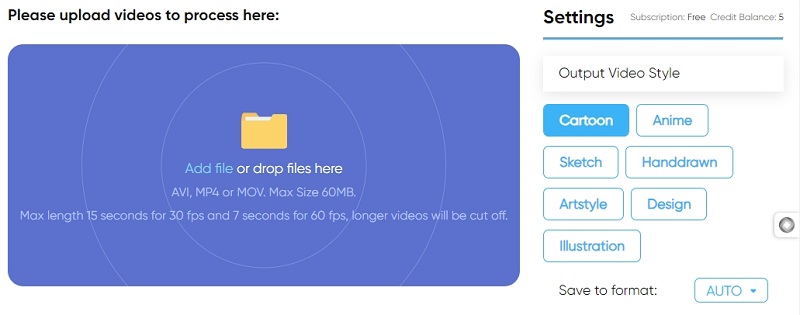
Upscaler AI Video Cartoonizer is another powerful online video to animation converter that helps convert video to cartoon online free effectively. It supports various options, such as converting videos to cartoons, anime, and painted cartoons. Hence, it is the best video-to-cartoon converter for video-to-cartoon creativity.
Site: https://imageupscaler.com/video-cartoonizer/
Key Feature
-
Provides various cartoon styles, such as anime, classic, and painted cartoons.
-
It uses advanced cartoonization options such as separating CNNs for face and background cartoonization.
-
It has a user-friendly interface to process videos of 30-120 seconds (2 minutes).
Pricing (pricing model consists of individual, business and pay-as-you-go models). Under the individual pricing plan, here is an overview:
- Free trial and frequent free credits tasks
- Starter plan: 50 Credits for $6 per month
- Premium plan: 500 Credits for $25 per month
- Premium Plus plan: 1000 Credits for $29 per month
How to Convert Video to Cartoon Online Free Without Sign up Automatically?
Step 1. Locate the ImageUpscaler’s video cartoonizer tool. It has 5 free credits for your first try and no sign-up. You can add a video or drop it to the workspace.
Step 2. Set your output video style, like cartoon, anime, sketch, hand-drawn, art style, design, and illustration.
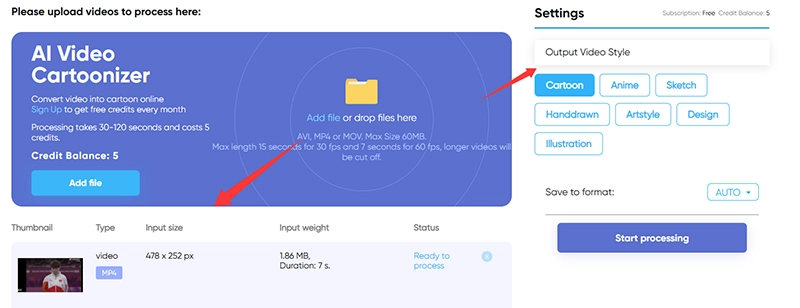
Step 3. Click "start process", and it will convert video to cartoon within 30 to 120 seconds.
Step 4. Preview and free download it to your local storage. If you want more free trials, you can sign up to get 6 credits instantly.
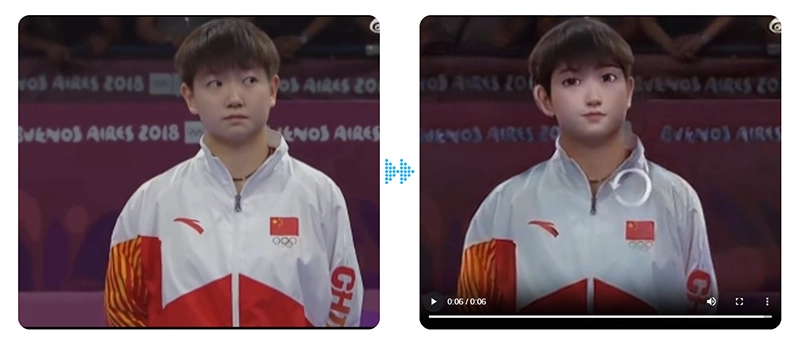
Notice: It supports AVI, MP4, and MOV formats, up to 60 MB. The accepted max length is 15 seconds for 30 fps and 7 seconds for 60 fps, and the longer video part will be cut off.
#5. Unboring Video to Animation Converter
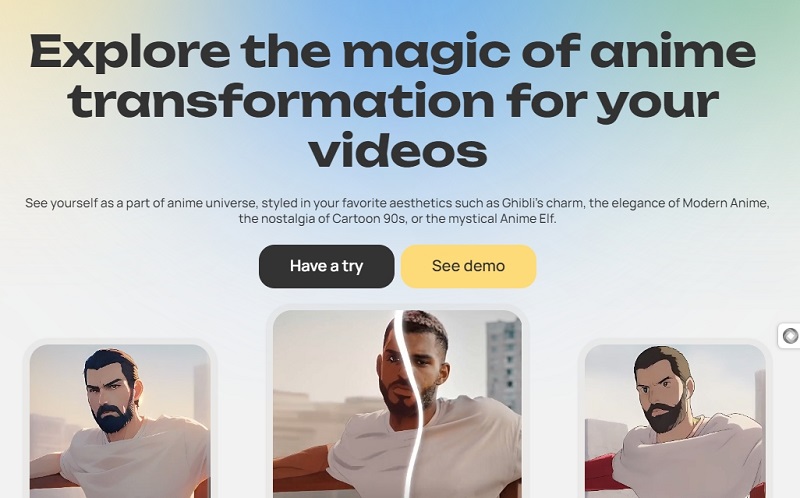
Unboring, powered by Reface AI, which featured an effective video to cartoon converter online free option. This cartoon video generator can convert video to cartoon online free in 57 stunning styles. Hence, you can choose from various options, such as Ghibli's charm, Modern Anime's elegance, 90s nostalgia, and more.
Site: https://reface.ai/unboring/features/cartoon-video-maker
Key Feature
-
Consists of 57 stunning styles for conversions.
-
It has a user-friendly interface to quickly pick a style, upload your video, and convert video to animation AI free at your fingertips!
-
AI technology is used to ensure quality and detailed output.
Pricing (pricing model based on tokens):
- Basic plan: $7.58 per month
- Premium plan: $9.99 per month.
How to Convert Video to Cartoon with Unboring in Any Style?
Step 1. Load the cartoon video maker page of Unboring, and here you can directly upload a video.
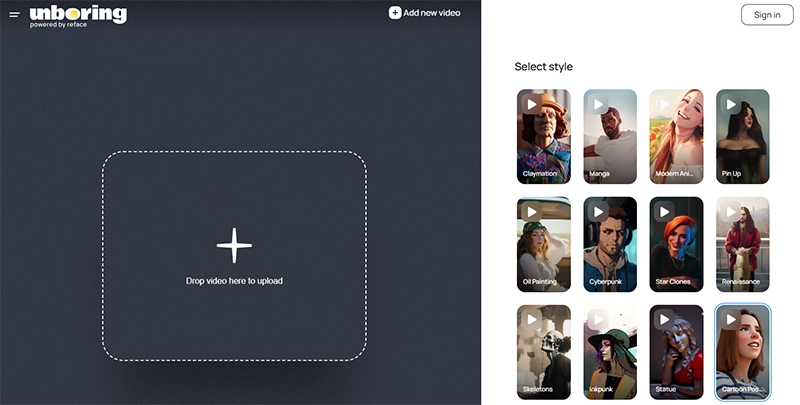
Step 2. Select a cartoon style from 57 choices.
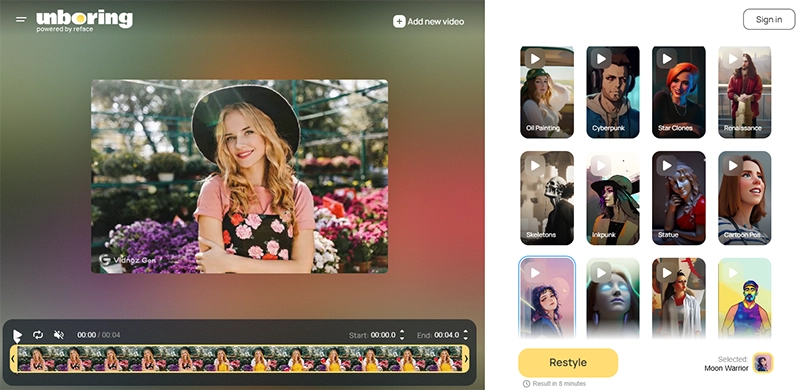
Step 3. Click on the Restyle button, and it asks you to sign up and purchase a subscription.
Step 4. Once you’re done, you’ll get the video converted to a selected cartoon style in 8 minutes.
Also Read: Bring Anime to Real Life with Free AI Tools Online>>
How to Convert Video to Cartoon or Anime Online Free?
Here's step-by-step guidance on how you should convert video to cartoon style while you turn video to cartoon:
Step 1: Choose the suitable video to cartoon converter online free.
When picking a video-to-cartoon converter, you need to consider whether it has the features you need, an in-built editor (if required), the length of your video and the pricing plans.
Step 2. Upload the original video.
Make sure the chosen video-to-cartoon or anime converter supports the length of the video.
Step 3. Choose the style.
You may have comprehensive options, such as painted cartoons, classic cartoons, anime styles, and more.
Step 4. Process the transformation.
Now, give the tool some time to complete the processing work according to your requirements.
Step 5. Download and share the animated video.
Tada! You can now play the converted video, download it, and share it!
AI Cartoon Video Generator For Easy Anime Creation
We looked around for many normal video to cartoon video converter online free options to convert videos to cartoons or anime. Vidnoz AI is another free AI video generator that can help you create AI cartoon videos from cartoon or anime pictures.

Vidnoz AI - Create Free Engaging AI Video with Talking Avatar
- Easily create professional AI videos with realistic avatars.
- Text-to-speech lip sync voices of different languages.
- 2800+ video templates for multiple scenarios.
Key Feature
-
Cartoon scene creation: You can create an engaging cartoon scene based on the images you upload while ensuring a professional output.
-
Realistic voiceover: It supports 830+ natural voices in various types of accents as per your requirements.
-
Easy and quick video creation: Its user-friendly interface helps you create quick videos. Hence, Vidnoz will be your go-to option if you need an efficient tool for video conversions.
So, what are you waiting for? Explore these fantastic features at Vidnoz now!
Related FAQs on Video to Cartoon Converter Online Free
1. How to Convert a Real Video into a Cartoon Version?
Most video to cartoon converters online make it simple. You usually need to upload a video, pick your preferred cartoon style, and let the rest to AI.
2. How Does AI Work to Achieve Video to Cartoon Transformation?
By adopting deep machine learning models, AI will analyze video frames and identify colors, edges, motions, and map the features of the input video to user defined cartoon style frame by frame. Extra adjustments will also be applied for a better visual effect.
3. Which Type of Video Content Is Suitable for Video to Cartoon Conversion?
You’re free to apply cartoon styles to any type of content. For better results, it’s advisable to import a video with clear objects, consistent lighting, as well as an uncluttered background.
4. Is there Any Limit on the Duration with These Video Cartoonizers?
Based on the online video-to-cartoon converter and the selected pricing plan, the supported video length can range from a few seconds to several minutes.
5. Can I Convert a Photo to Cartoon Online for Free?
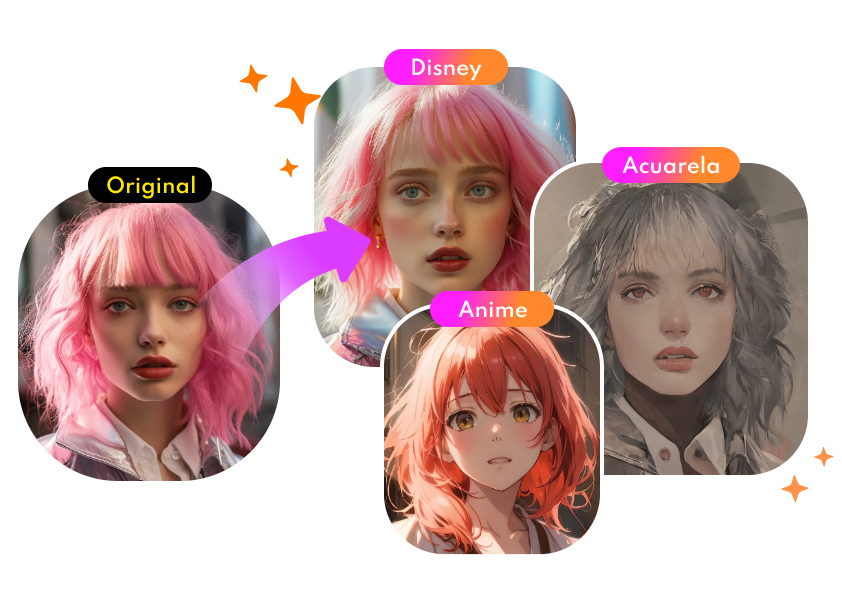
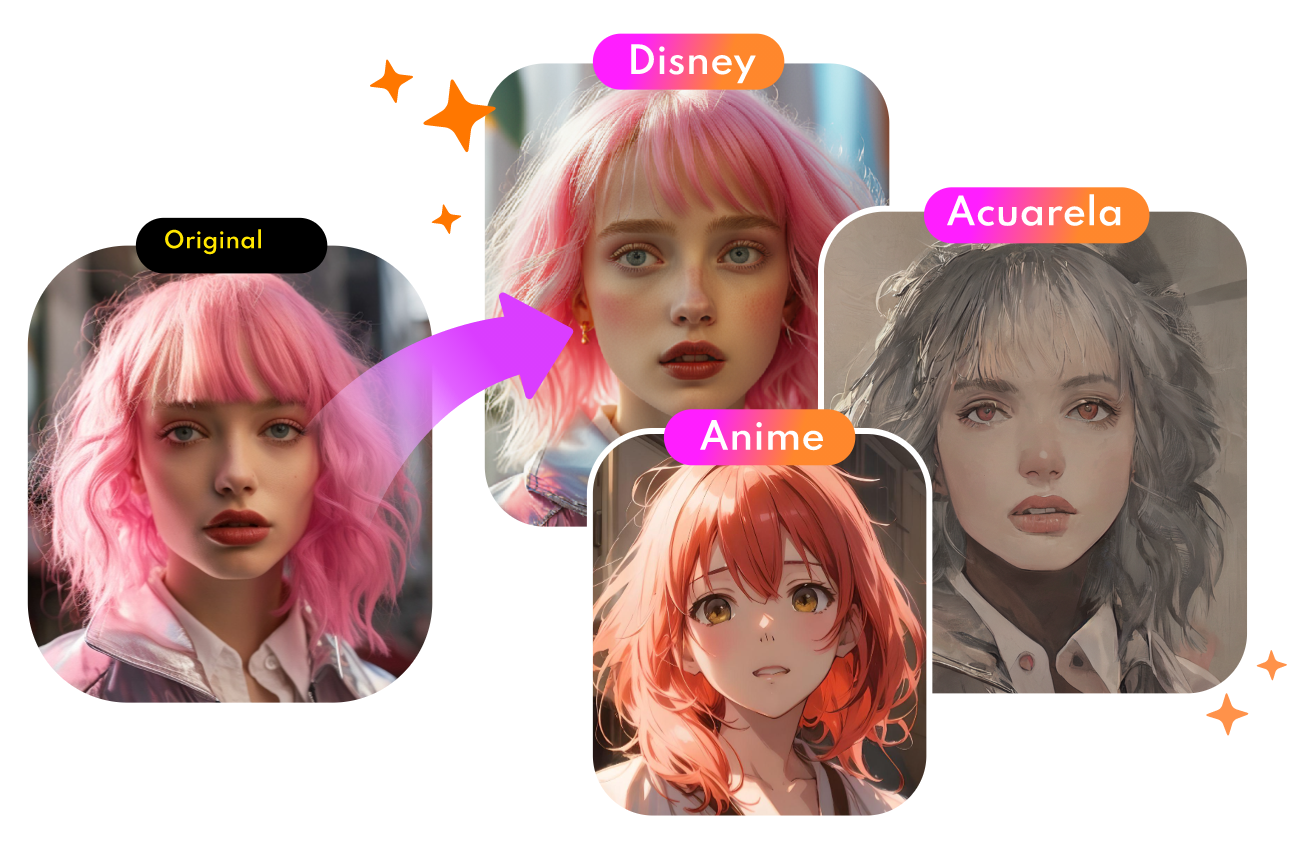
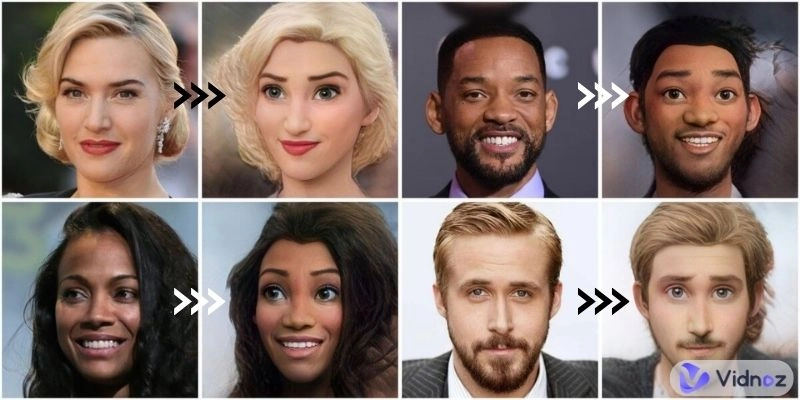
Yes. There is a wide selection of AI cartoon generators that you can use to create eye-catching social media profiles, post images, banner images, etc. Vidnoz AI Cartoon Generator is a nice option. Experience the creative free AI style transfer:

Convert Photo to Cartoon - FREE
- Convert any photo into a high-quality cartoon version for free. Choose from a variety of styles. Instant and Natural!
Turn Photo into Cartoon
Conclusion
In conclusion, even though there are many video-to-cartoon converters, finding the right one can be daunting. That's where our six leading suggestions for video to anime converter free come in handy.
However, while choosing the ideal one to convert video to cartoon online free, remember your essential requirements and find the one that fits.
We hope this guide was helpful for you in finding the right video to use as a cartoon or anime converter!






![Top 6 Free AI Anime Filter Makers to Convert Image to Anime [Apps and Online Tools]](https://www.vidnoz.com/bimg/featured-image-for-ai-anime-filter.webp)