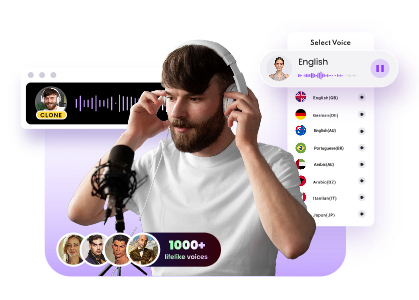
Looking to transform your voice instantly while gaming, streaming, or making content? A real time AI voice changer free can help you sound completely different in seconds. Whether you want a robotic tone, cartoon-like voice, or a realistic gender swap, online AI voice changers use advanced AI to modify voices on the fly.
In this 2026 review, we break down the top 5 real time AI voice changer apps based on quality, features, and ease of use—so you can pick the one that suits your needs best.
![Top 5 Real Time AI Voice Changers [2026 Review]](https://www.vidnoz.com/bimg/vd---real-time-ai-voice-changer.webp)
- On This Page
-
-
What is Real Time AI Voice Changer
-
Top 5 Real Time AI Voice Changers Review [Pros & Cons]
Voice.ai – Offers Wide Range of Voices to Create Custom Realtime Voices
PlayHT – Provides High-Quality AI Realtime Voices
Voicemod – Free Real Time AI Voice Changer Software for PC & Mac
Dubbing AI – AI Realtime Voice Changer for Gamers and Streamers
Vidnoz AI Voice Changer – Free Voice Clone & Text to Speech Voice Changer
-
How to Use Realtime AI Voice Changer to Set Up
Step 1: Choose Your Voice Changer Tool
Step 2: Install and Set Up
Step 3: Start Using Your New Voice
-
FAQ about Real Time AI Voice Changer
Q: Is there a real-time voice changer for iPhone?
Q: What is the most realistic AI voice changer?
Q: How to change voice in a real-time call?
What is Real Time AI Voice Changer
A real time AI voice changer free is a software tool that uses artificial intelligence to modify your voice instantly as you speak. Unlike traditional voice changers that require pre-recorded audio, a realtime AI voice changer free processes and transforms your voice live, allowing you to sound different during calls, gaming sessions, or live streams.
This technology works by capturing your voice through a microphone, processing it using AI-based algorithms, and then generating an altered version in real time. A real time voice changer that uses AI can mimic many accents, genders, or characters and provide natural-sounding voice conversions with minimal lag.
Top 5 Real Time AI Voice Changers Review [Pros & Cons]
Now that you understand what an AI real time voice changer is and how it works, it’s time to explore the top tools, including funny voice generators and meme voice tools available in 2026. Each voice changer offers unique features, voices, and compatibility options—so choosing the right one depends on your specific needs. Let’s dive into the top 5 and see what sets each AI real time voice changer apart.
-
Voice.ai – Offers Wide Range of Voices to Create Custom Realtime Voices

Image from voice.ai
Voice.ai is a powerful real time AI voice changer designed for gamers, streamers, and content creators. What makes this platform stand out is its extensive voice library, so you can choose from hundreds of pre-made voices, from celebrities to streaming avatar characters, or train their voice models using AI. This makes it ideal for anyone looking to personalize their sound and stand out in live conversations or recordings.
As an AI realtime voice changer, Voice.ai delivers low-latency performance with impressive voice realism. Whether you're role-playing or protecting your identity online, this AI voice changer real time free tool provides creative freedom with minimal setup.
Pros
- Huge library of voices with customization options
- AI training for unique voice creation
- Supports major communication and streaming platforms
Cons
- Requires a high-performance PC
- Some advanced features locked behind a paywall
-
PlayHT – Provides High-Quality AI Realtime Voices

When we want our voice to sound natural yet completely different in real time, PlayHT is a go-to solution. This free AI realtime voice changer focuses on delivering ultra-realistic, studio-quality, soothing voices powered by advanced text-to-speech and voice synthesis technology. It’s trusted by professionals and creators who care about voice clarity.
PlayHT switches between voices instantly, offering lifelike tones that sound human—not robotic. This is why it stands out among real time AI voice changer tools. Its clean interface and cloud-powered processing mean you don’t need a powerful PC to enjoy premium results. Whether you're storytelling, streaming, or editing audio content, this AI voice changer real time tool helps you sound exactly how you want.
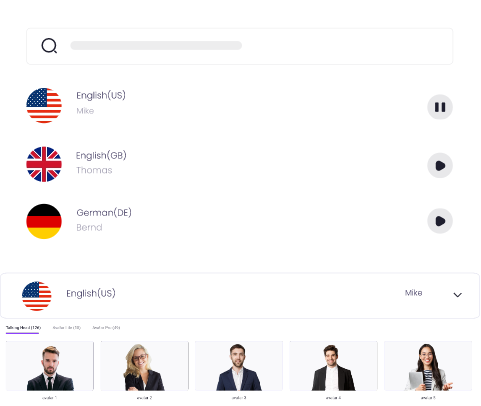
Create Text-to-Speech AI Voices - FREE
Make natural voice text to speech in various languages, accents, and ethnicities. Try it free now!
Pros
- Extremely realistic and very high-quality voices
- Easy-to-use interface with fast setup
- Cloud-based processing reduces hardware needs
Cons
- Limited free version
- Fewer real-time custom voice options compared to competitors
-
Voicemod – Free Real Time AI Voice Changer Software for PC & Mac

Voicemod is one of the most popular and user-friendly real time AI voice changer tools available for both Windows and macOS. It’s completely free to get started and offers a fun, interactive way to change your voice on the go. Whether you're streaming, gaming, or chatting online, Voicemod lets you transform your voice using a wide range of AI-generated effects with just a few clicks.
The best thing is its ease of use and high-quality voice filters. This free realtime AI voice changer supports integration with apps like Discord, Twitch, Zoom, and OBS. It also includes the VoiceLab feature, allowing you to build your own custom voices for even more creativity. As a lightweight AI realtime voice changer, it runs smoothly on most PCs and Macs.
Pros
- Free to use with great starter features
- Compatible with most major platforms
- Custom voice creation via Voicelab
Cons
- Some voices require payment or subscription
- Not ideal for professional-grade voice needs
-
Dubbing AI – AI Realtime Voice Changer for Gamers and Streamers

Dubbing AI is a fun and easy-to-use AI real time voice changer made especially for gamers and streamers. It lets you change your voice live while you’re playing or chatting—no editing needed. Whether you want to sound like a celebrity or just hide your real voice, this app for voice changing give you a bunch of cool voices to try with just one click.
It works smoothly during live streams or voice chats. You can even use it as an iPhone voice changer in real time free, which is great if you're gaming or streaming from your phone. The best part? The voices sound clear, and there’s no annoying delay.
Pros
- Great for live gaming and streaming
- Easy to use with instant voice changes
- Works on both PC and iPhone
Cons
- Fewer voices than some other apps
- Limited custom voice options for now
-
Vidnoz AI Voice Changer – Free Voice Clone & Text to Speech Voice Changer

Vidnoz AI Voice Changer is a free tool that lets you change your voice in fun and creative ways. It works as an AI-free clone tool and also gives you cool features (copying a voice) and text-to-speech (turning typed words into a voice). You can sound like someone else or make your text talk in different voices.
This AI voice changer runs online, so there’s no need to download anything. You can pick from lots of voices or upload your own audio to make a custom voice. It’s great for making videos, voice messages, or just having fun with real time voice conversion.
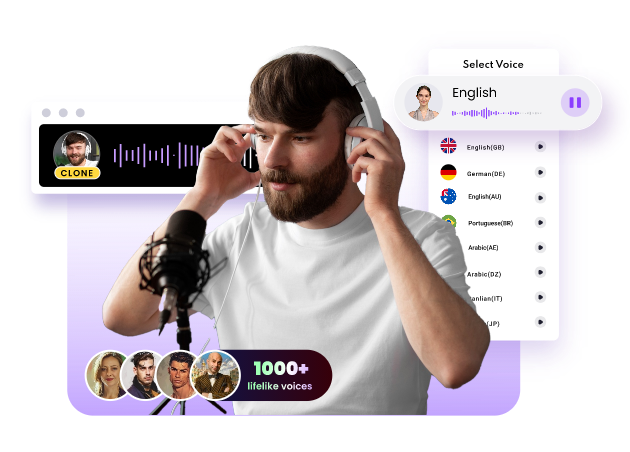
Clone Anyone’s Voice with AI - Free
Make realistic voices of famous people and characters.
Clone anyone's voice to create personalized voiceovers.
Support 2000+ languages and accents.
Change Voice Now
Pros
- Completely free
- Clone voices and turn text into speech
- Works online, no download needed
Cons
- Needs good internet to work smoothly
How to Use Realtime AI Voice Changer to Set Up
Now that you know about the different real time AI voice changer tools available, let’s walk through the general steps of setting up a realtime AI voice changer and creating a custom voice. These steps can be applied to most voice changer tools, helping you get started quickly.
Step 1: Choose Your Voice Changer Tool
First, pick a real time AI voice changer that fits your needs. You can choose from tools like Voicemod, Dubbing AI, or PlayHT, depending on what features you need (like text-to-speech or voice cloning).
Clone Anyone’s Voice with AI - Free
Make realistic voices of famous people and characters.
Clone anyone's voice to create personalized voiceovers.
Support 2000+ languages and accents.
Change Voice Now
Step 2: Install and Set Up
Download and install the software if necessary. For online tools, simply sign up and log in. Then, connect your microphone and select the desired voice or effect from the available options.
Step 3: Start Using Your New Voice
Activate the AI realtime voice changer and start speaking or typing. Your real time voice conversion will happen instantly, and you’ll be able to use your new voice for gaming, streaming, or content creation!
FAQ about Real Time AI Voice Changer
Q: Is there a real-time voice changer for iPhone?
Yes, tools like Dubbing AI and Voicemod offer iPhone voice changer real time features, allowing you to change your voice during calls or live chats on your phone.
Q: What is the most realistic AI voice changer?
Tools like Vidnoz AI, PlayHT, and Voice.ai provide some of the most realistic AI realtime voice changers, offering high-quality voice effects and real-time processing.
Q: How to change voice in a real-time call?
To change your voice in a real-time call, simply install a real time AI voice changer app, set it up, and connect it to your calling app. The tool will modify your voice during the call.
The Bottom Line
To wrap it up, AI real time voice changers are awesome tools that let us change our voices instantly, whether we’re gaming, streaming, or just having fun. With options like Dubbing AI for iPhone voice changer real time or tools like PlayHT and Voice.ai, we have a lot of choices to try out. These real time AI voice changers make voice conversion smooth and realistic, making it easy for us to sound like anyone or anything. So, why not give it a try and start creating your own unique voices today?




![Best Auto Lip Sync Generators for Animation, Avatar, Translation & Video [Free & Accurate]](https://www.vidnoz.com/bimg/best-auto-lip-sync-tools.webp)