You've seen breathtaking, wide-angle landscapes, but due to camera limitations, it's hard to capture them all in one shot. Yet, on popular social platforms, those stunning panoramic images seem effortless—how do they do it? The secret many creators use is photo stitching—combining multiple shots from different angles into one seamless image or captivating collage.
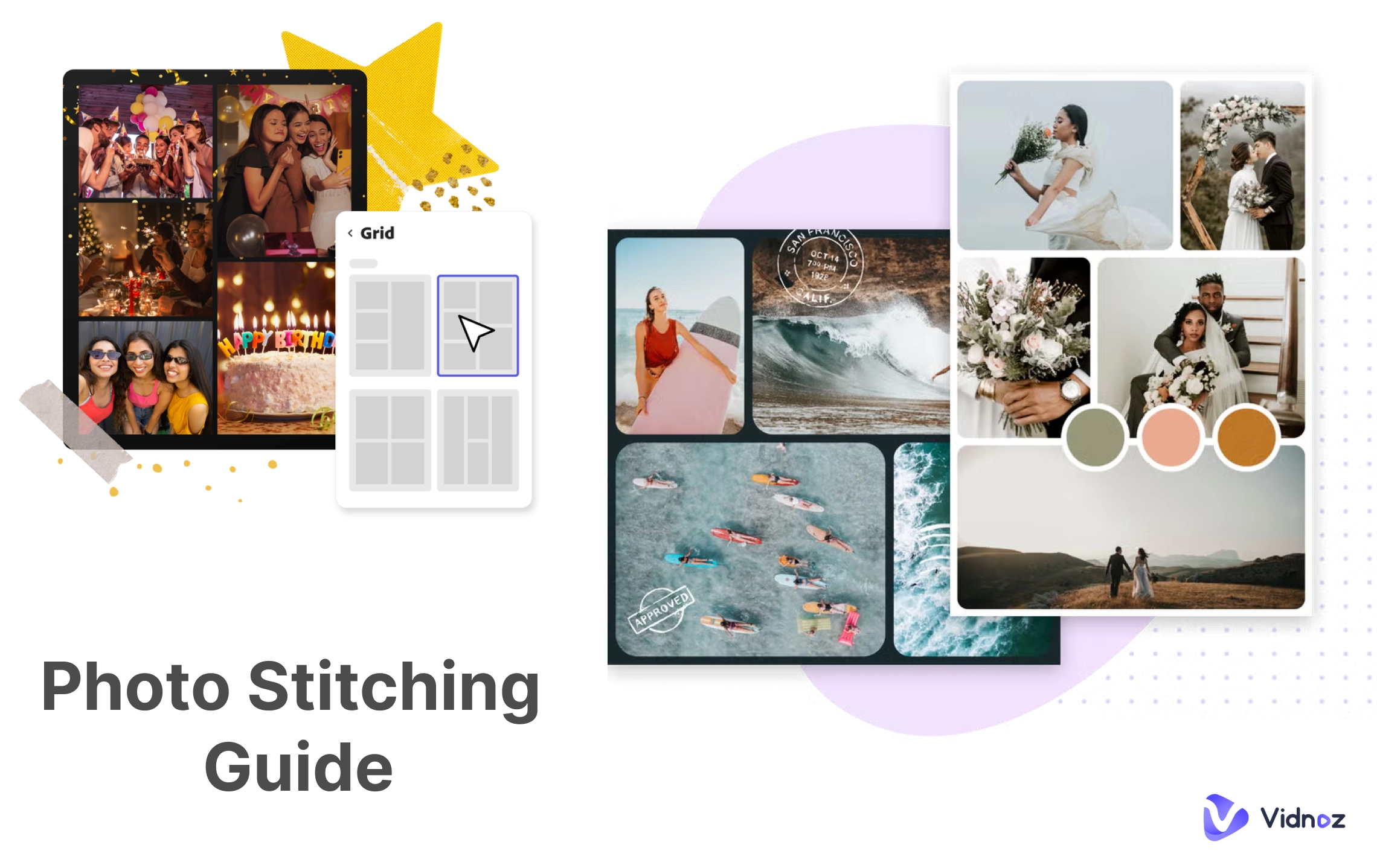
This guide handpicks 6 of the best desktop and online photo stitcher tools, with key feature highlights and step-by-step instructions to help you achieve perfect panoramas and collages from start to finish.
- On This Page
-
What is Photo Stitching?
-
Two Main Types of Photo Stitching
Stitching Collage Pictures: Merge Photos Together into a Masterpiece
Panoramic Stitching Photos: Expand View with an Ultra-Wide Panorama
-
How to Stitch Photos with 4 Best Free Photo Stitcher Online
1. Fotor - Free Online Pic Stitch Collage Maker
How to Stitch Photos Online with Fotor
2. PhotoJoiner - Easy-to-Use Photo Collage Editor
How to Create Photo Collages with PhotoJoiner
3. insMind AI Photo Stitcher - Stunning Visual Arts
How to Stitch Photos Together with insMind
4. Pixelied - Stitch Pictures Online Free Instantly
How to Combine Photos Together with Pixelied
-
How to Get Photo Stitching for Panoramas on Desktop
1. Create HDR Panoramas from Pictures with PTGui Stitcher
How to Get Panoramic Stitch Photos with PTGui Stitcher
2. Automatically Stitch Photos to Panorama with PhotoStitcher
How to Get Panoramic Stitch Photos with PhotoDirector
-
Create Stunning Photo Slideshow Video with AI Online
How to Create Photo Slideshow Videos with Vidnoz AI:
What is Photo Stitching?
Photo stitching refers to the process of stitching pictures together using software, either automatically or manually.
More specifically, it combines multiple photos taken from different angles or positions into one wide-view panorama or stitched collage photos, often used for landscapes, city skylines, selfies, or interior space displays.
Two Main Types of Photo Stitching
In practice, stitching photos usually produces two main types of results. This section briefly explains each type and includes realistic examples that fit the scene.
Stitching Collage Pictures: Merge Photos Together into a Masterpiece
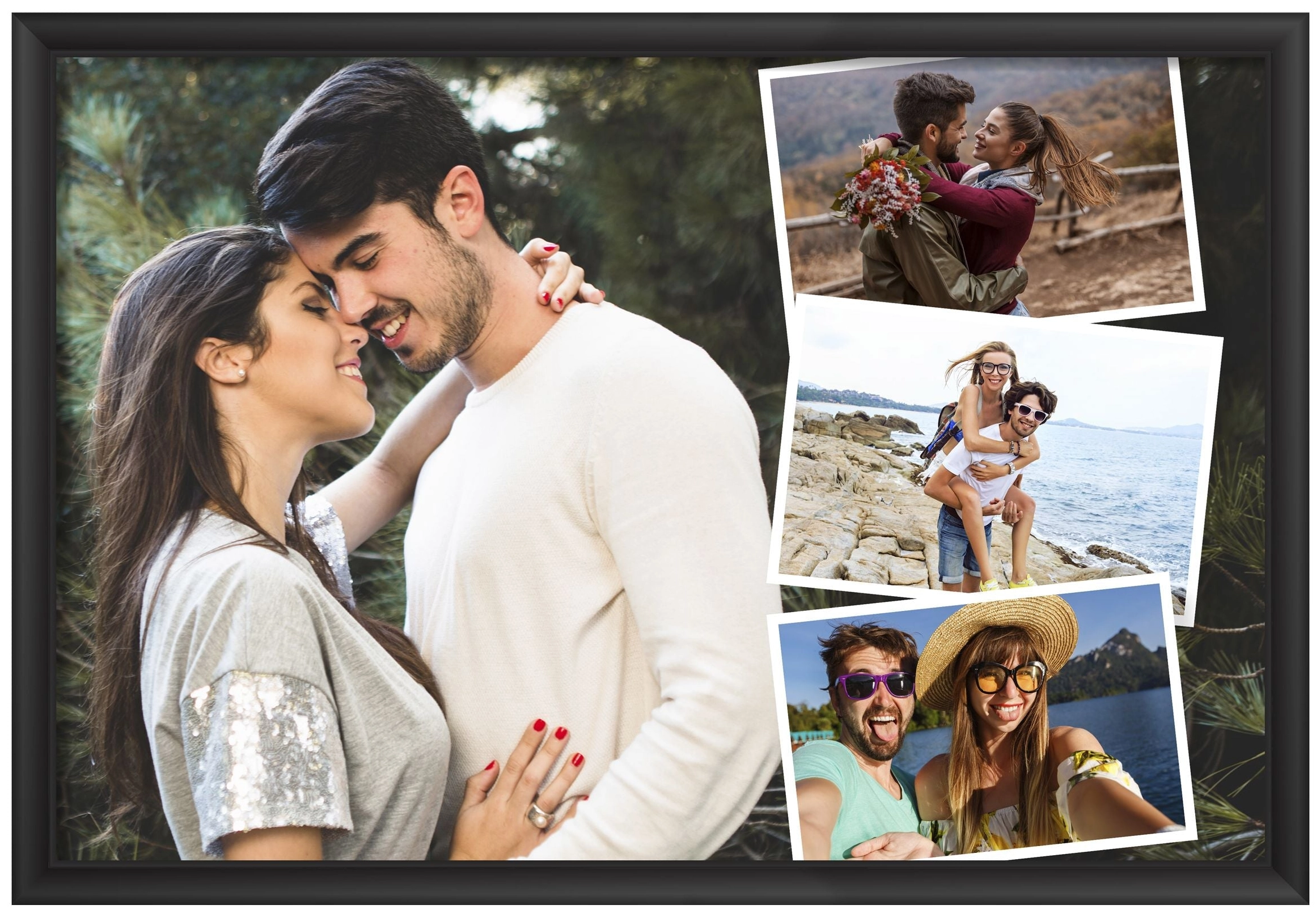
This method combines multiple photos with a shared theme into one complete collage. For instance, you can merge shots from different spots during a trip, or stitch several selfies into a stylish three-grid image. It's an efficient way to share or store more visuals in fewer files.
Example: Creative Selfies & Photographs Collage
If a platform limits how many photos you can post, merge multiple angles of your selfies into one stitched image for a more dynamic presentation.
Panoramic Stitching Photos: Expand View with an Ultra-Wide Panorama
While collage stitching focuses on artistic composition, panoramic stitching photos aims to extend the field of view.
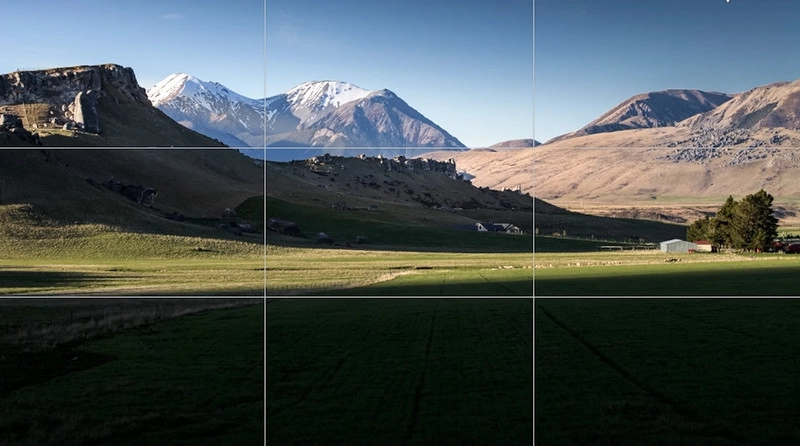
It seamlessly connects shots of the same location from different positions, creating a wide panoramic image that mirrors what the human eye can see. Perfect for landscapes or architecture.
Example: Landscapes Stitch Extension
For example, use a photo stitcher to combine images of mountain scenery from all sides into one immersive panorama.
How to Stitch Photos with 4 Best Free Photo Stitcher Online
Want to turn your materials into masterpieces like the examples above? Here are 4 tools that will help you with stitching pictures online.
1. Fotor - Free Online Pic Stitch Collage Maker
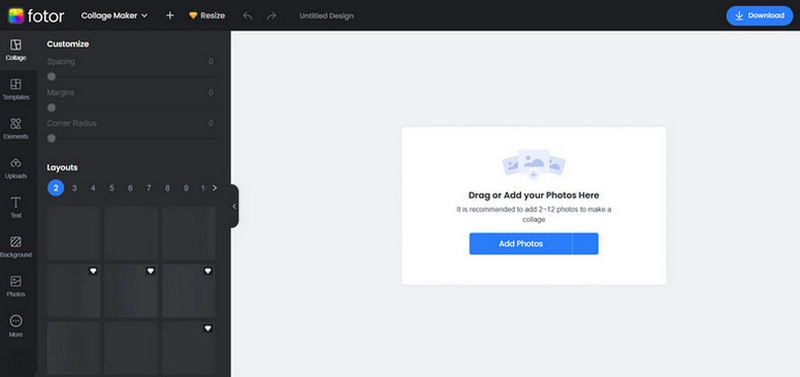
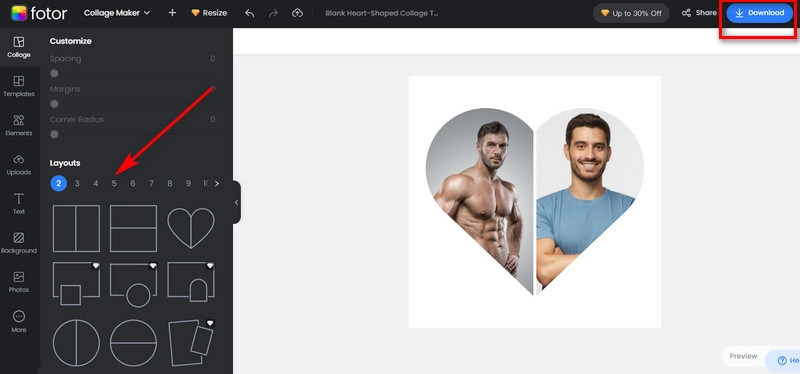
Fotor is a photo stitcher online free tool that offers various frames and layouts, allowing you to combine multiple photos horizontally or vertically into one image. It’s a wonderful collage maker that collects your stunning photos in one frame.
What You Like:
- Photo stitching is free.
- Offers many fun preset collage frames.
- Supports custom adjustments for frame presets.
What You Dislike:
- Some collage templates are locked in the free version.
- Can not adjust the output image size.
Customer Review: Most users love its ease of use and diverse template selection.
How to Stitch Photos Online with Fotor
Step 1. Launch Fotor panorama stitcher online. Click Add Photos to upload your images.
Step 2. Choose a template from the Layouts section.
Step 3. Adjust the size and position. Click Download.
2. PhotoJoiner - Easy-to-Use Photo Collage Editor
Want to create vibrant collages for Facebook or Instagram? Try PhotoJoiner.
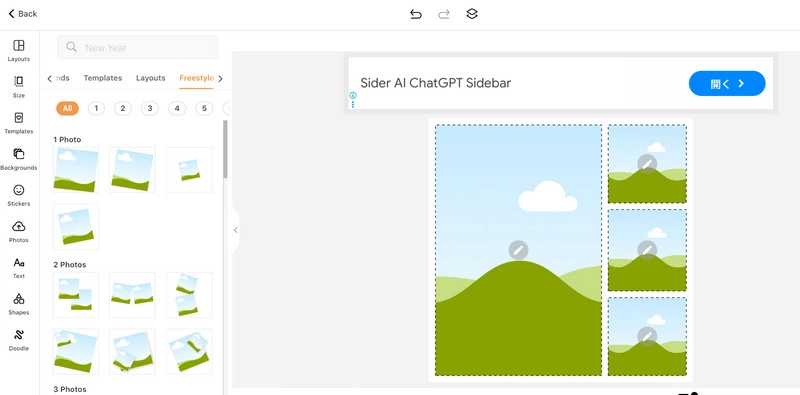
This online photo stitching tool not only supports combining multiple images but also offers thousands of free templates, backgrounds, stickers, and filters.
What You Like:
- Thousands of collage materials available.
- Easy to use—create in just seconds.
- Supports doodling.
What You Dislike:
- Has obvious ad windows.
- Cannot customize output settings.
Customer Review: The stickers and doodling features very helpful for making trendy collage.
How to Create Photo Collages with PhotoJoiner
Step 1. Open PhotoJoiner.
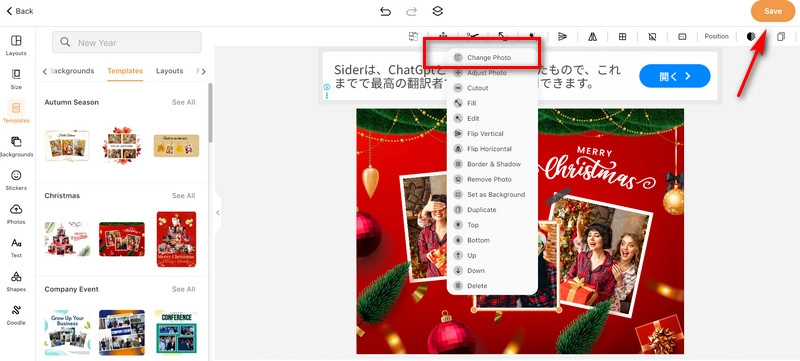
Step 2. Select a layout. Click the image area to open the Edit menu. Select Change Photo to add your images.
Step 3. Adjust positions and add doodles or stickers. Click Save.
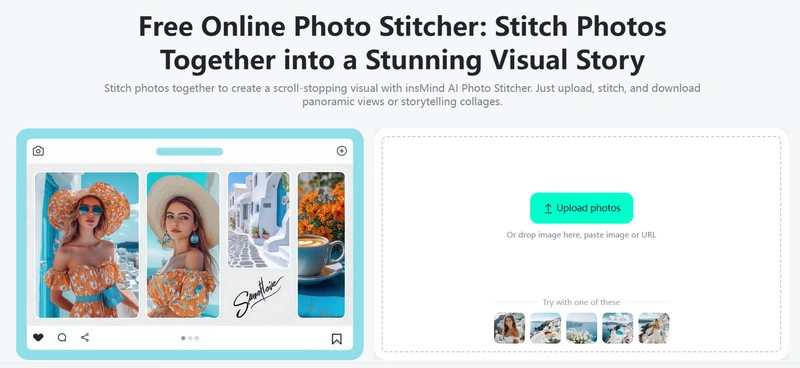
3. insMind AI Photo Stitcher - Stunning Visual Arts
insMind AI Photo Stitcher offers many personalized features to help you fine-tune every detail of your stitched photos—spacing, margins, corner radius, opacity, etc. This the best go-to online photo stitcher for short video lovers.
What You Like:
- Every detail is customizable.
- AI-powered optimization.
- A wide variety of stickers and background presets.
What You Dislike:
- Free version outputs images with watermarks.
- Many showcased frame styles are not applicable to collages.
Customer Review: The AI image combiner's precise editing extremely useful.
How to Stitch Photos Together with insMind
Step 1. Launch insMind AI Photo Stitcher. Click Upload Photos to add your images.
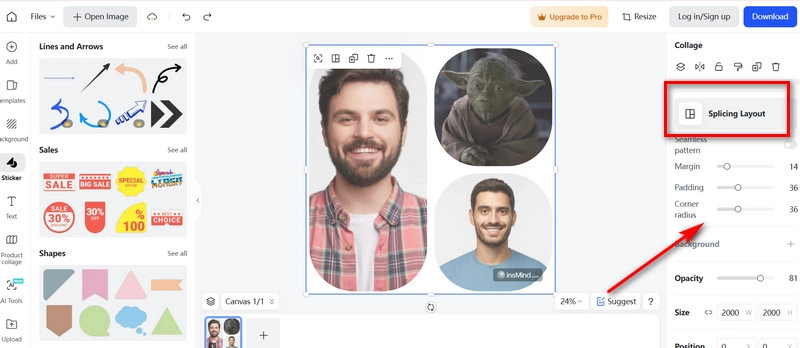
Step 2. Click to bring up the Collage menu. Press Splicing Layout and select a layout.
Step 3. Adjust the parameters of the collage. Click Download.
4. Pixelied - Stitch Pictures Online Free Instantly
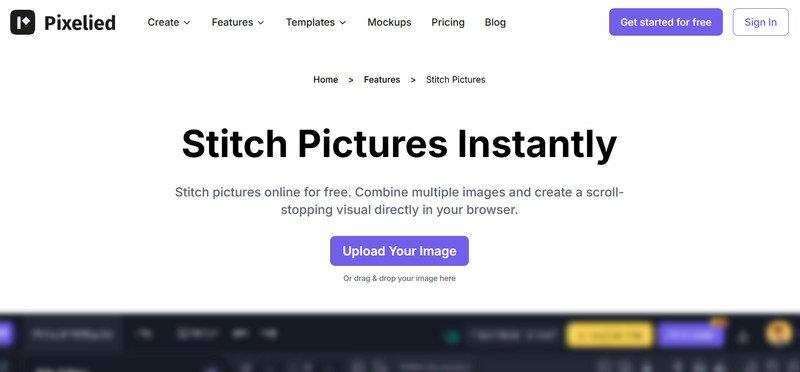
How to stitch photos together without limits? Try Pixelied. This online tool lets you manually customize collage layout. You can enhance it with shadow effects and blended color schemes.
What You Like:
- Adjust blur, shadows, and opacity for every element.
- Access various free stickers and background images.
- Customize color blending schemes.
What You Dislike:
- Runs slow at times.
- No ready-made collage templates.
Customer Review: Its flexibility makes it easy for beginners to get started.
How to Combine Photos Together with Pixelied
Step 1. Open Pixelied and click Upload Your Image.
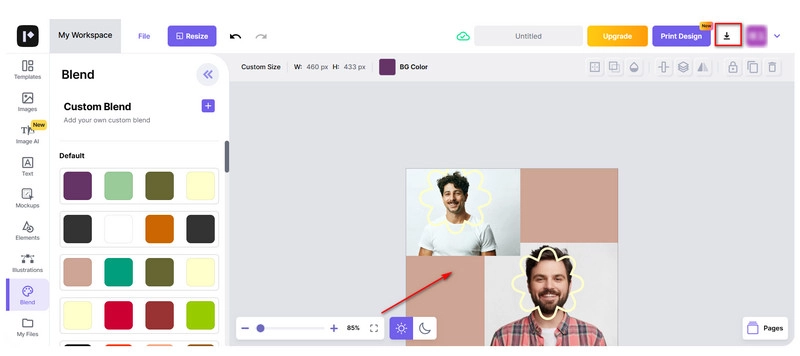
Step 2. The workspace will appear—drag and drop images onto the canvas.
Step 3. Adjust positions and set display elements. Click the download icon.
How to Get Photo Stitching for Panoramas on Desktop
Do you need more capabilities like 3D panoramas? Try two of the best stitching photo software in this section.
1. Create HDR Panoramas from Pictures with PTGui Stitcher
PTGui Stitcher takes desktop photo stitching to the next level—you can produce not only a stitched image but a gigapixel panorama made from even hundreds of pictures.
Main Features:
- Merge images into several-meters-wide panoramas.
- Generate HDR-rendered panoramas.
- Create stereographic projections such as the little planet effect.
Operating Systems: Windows, Mac, Linux
Price: $222/year
Who It's For: Users who need to create immersive spatial panoramas.
How to Get Panoramic Stitch Photos with PTGui Stitcher
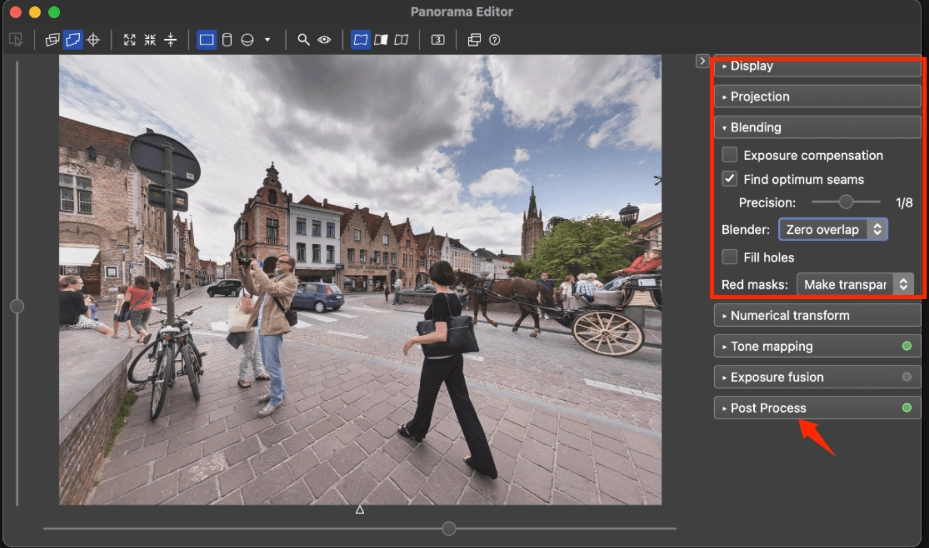
Step 1. Get PTGui Stitcher. Click Load Images to add the photos you took.
Step 2. Set up the Lens and Camera.
Step 3. Adjust the display effect. Click Post Process > Save.
2. Automatically Stitch Photos to Panorama with PhotoStitcher
PhotoStitcher can combine fragments into a panorama and automatically fill in missing pixels to ensure smooth transitions.
This photo stitch program tries to deliver complete results with minimal effort.
Main Features:
- Aligns photos taken from different perspectives into a panorama.
- Merges scanned image fragments into one large picture.
- Supports planar, cylindrical and spherical projections.
Operating Systems: Windows, Mac
Price: $29.99
Who It's For: Users who want to stitch multiple fragments automatically.
How to Get Panoramic Stitch Photos with PhotoDirector
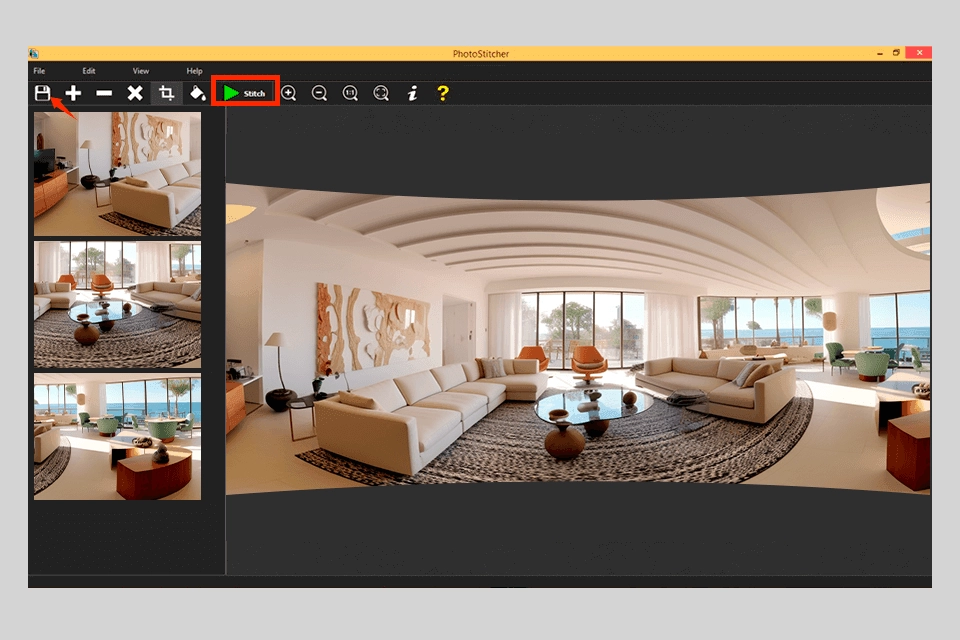
Step 1. Apply photo stitcher downloading. Click + to upload your images.
Step 2. Click Stitch. Set your preferred display mode and resolution.
Step 3. Make adjustments, and click Save As to export.
Create Stunning Photo Slideshow Video with AI Online
Already have your beautiful panoramic photos?
Take it further with a paper animator style and turn them into a real travel story — complete with scenic photo transitions, narrated by a vivid digital human, and enhanced with elegant background music.
With Vidnoz Free AI video generator, you can easily create captivating AI slideshows with photos online free.

Vidnoz AI - Create Free Engaging AI Video with Talking Avatar
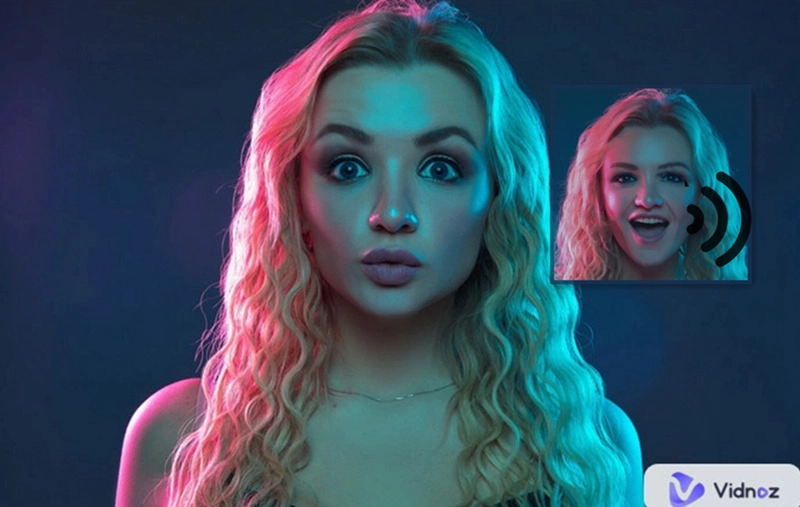
- Easily create professional AI videos with realistic avatars.
- Text-to-speech lip sync voices of different languages.
- 2800+ video templates for multiple scenarios.
Key Highlights of Vidnoz AI:
- Display Multiple Photos in AI Slides: Seamlessly switch between multiple photos within one slideshow video, with smooth transitions and dynamic text pop-ups.
- Add Text/Sticker/BGM: Customize with text, stickers, and background music to enrich your template.
- Vivid Digital Avatars: Add lifelike avatars with synced lip movements, AI voiceovers, and captions for immersive storytelling.
- Delicate Pre-designed Templates: Ready-to-use Vidnoz templates with preset styles, fonts, stickers, and avatars.
- Free to Download & Share: Export in high quality or share directly to Facebook, X, TikTok, and more.
How to Create Photo Slideshow Videos with Vidnoz AI:
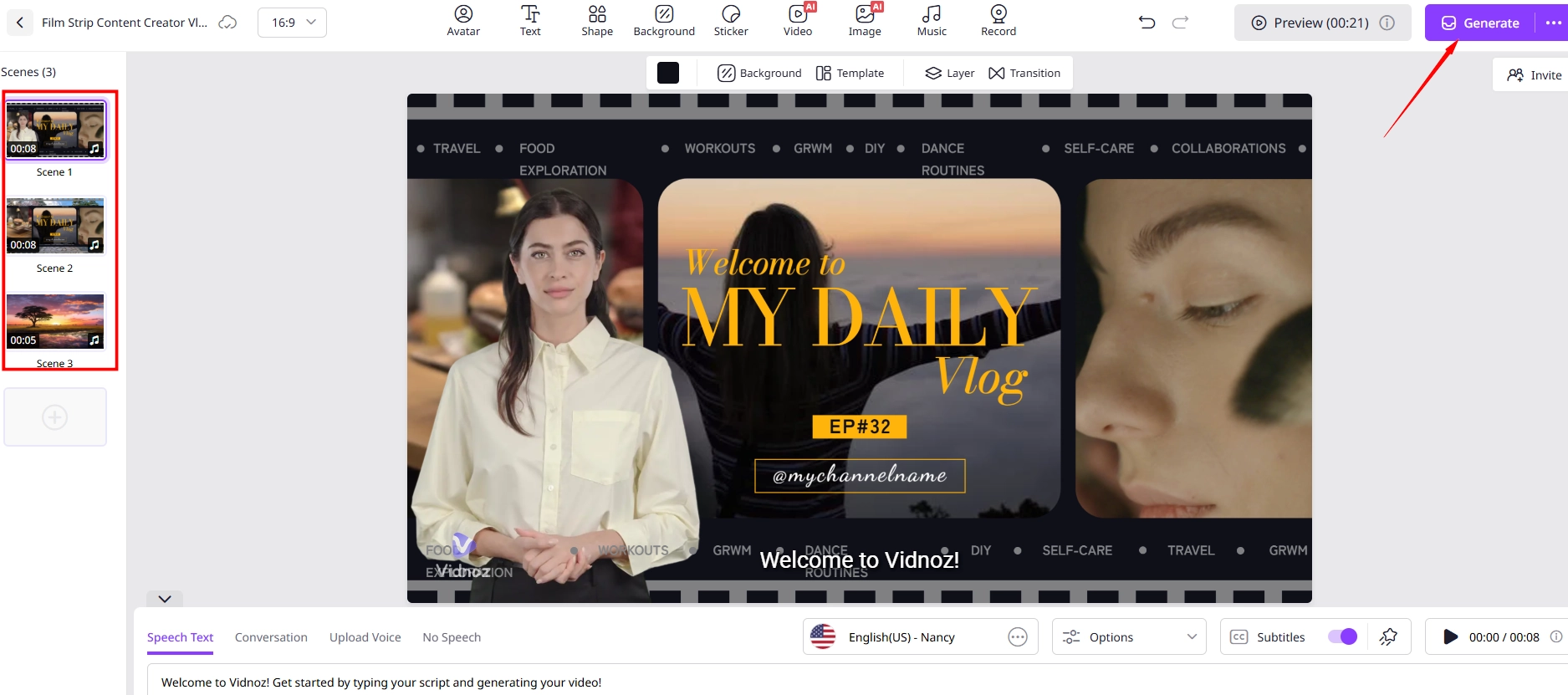
Step 1. Launch Vidnoz AI video generator and choose a template.
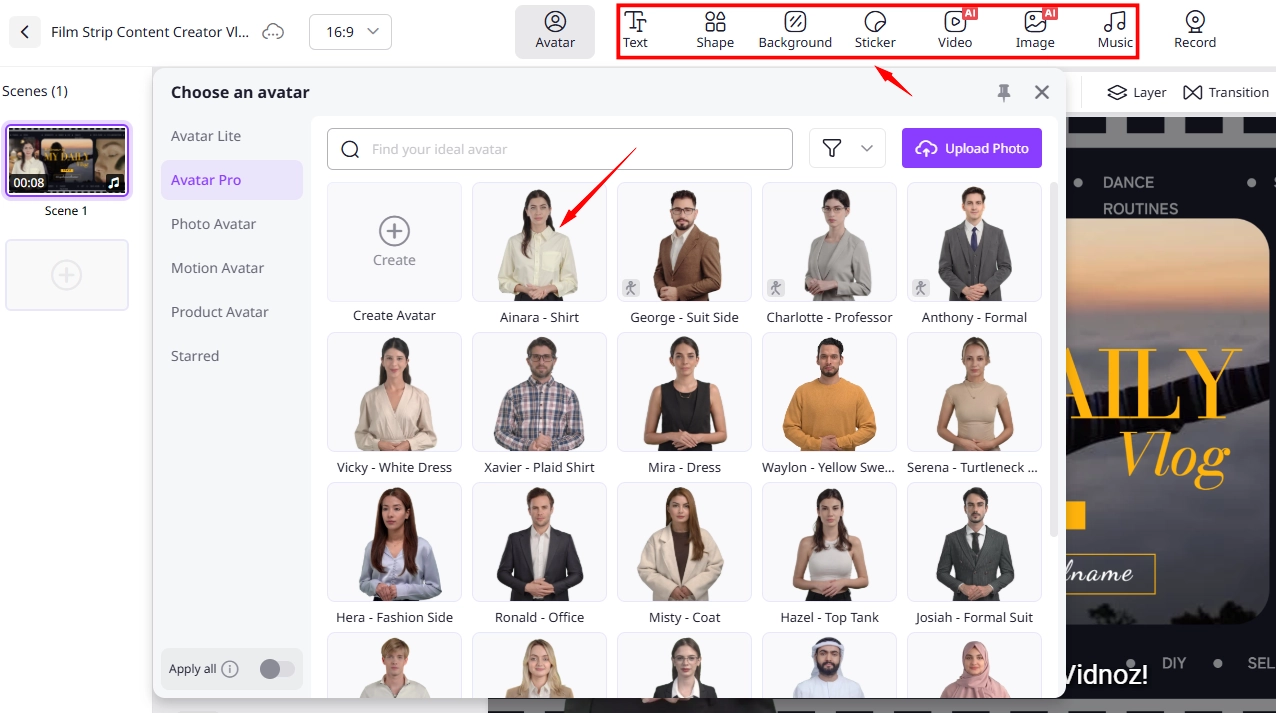
Step 2. Click on the video preview window, then go to Background > Upload to add an image.
- Click "Avatar" to insert a digital storyteller avatar, text boxes, or stickers, and adjust their styles.
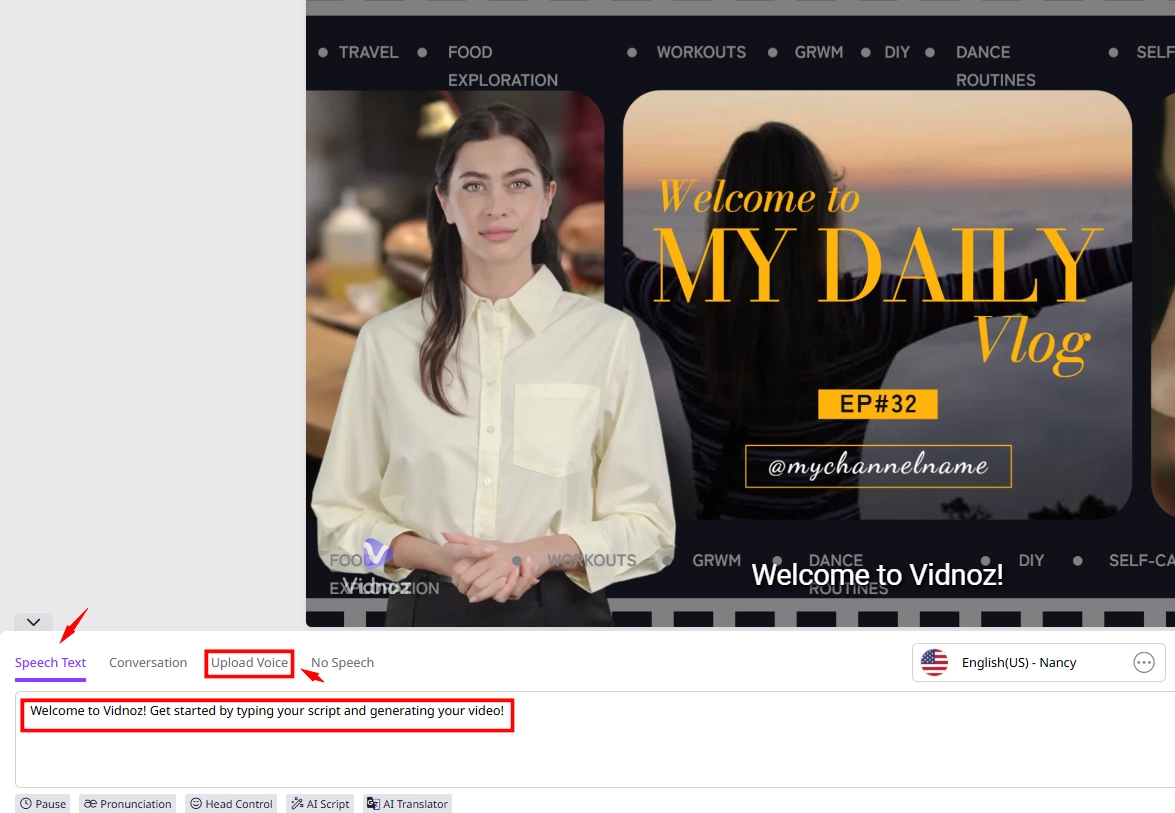
- Input your script in Speech Text or click Upload Voice to upload your recorded audio.
Step 3. Switch to the next scene, upload another image, and repeat Step 2 to create a new segment.
Repeat for each scene, then preview and click Generate to get your full video.
Tips:
Vidnoz has even more fun features waiting for you!
Text to Video AI: Don’t feel like making videos manually? Prepare detailed text instructions, choose background music and a narration voice. Vidnoz will quickly create a stunning video.
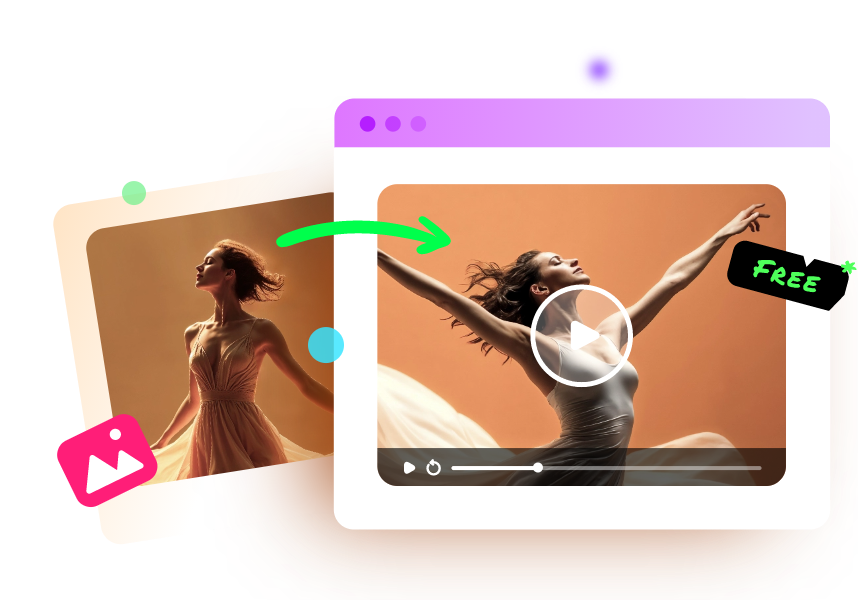
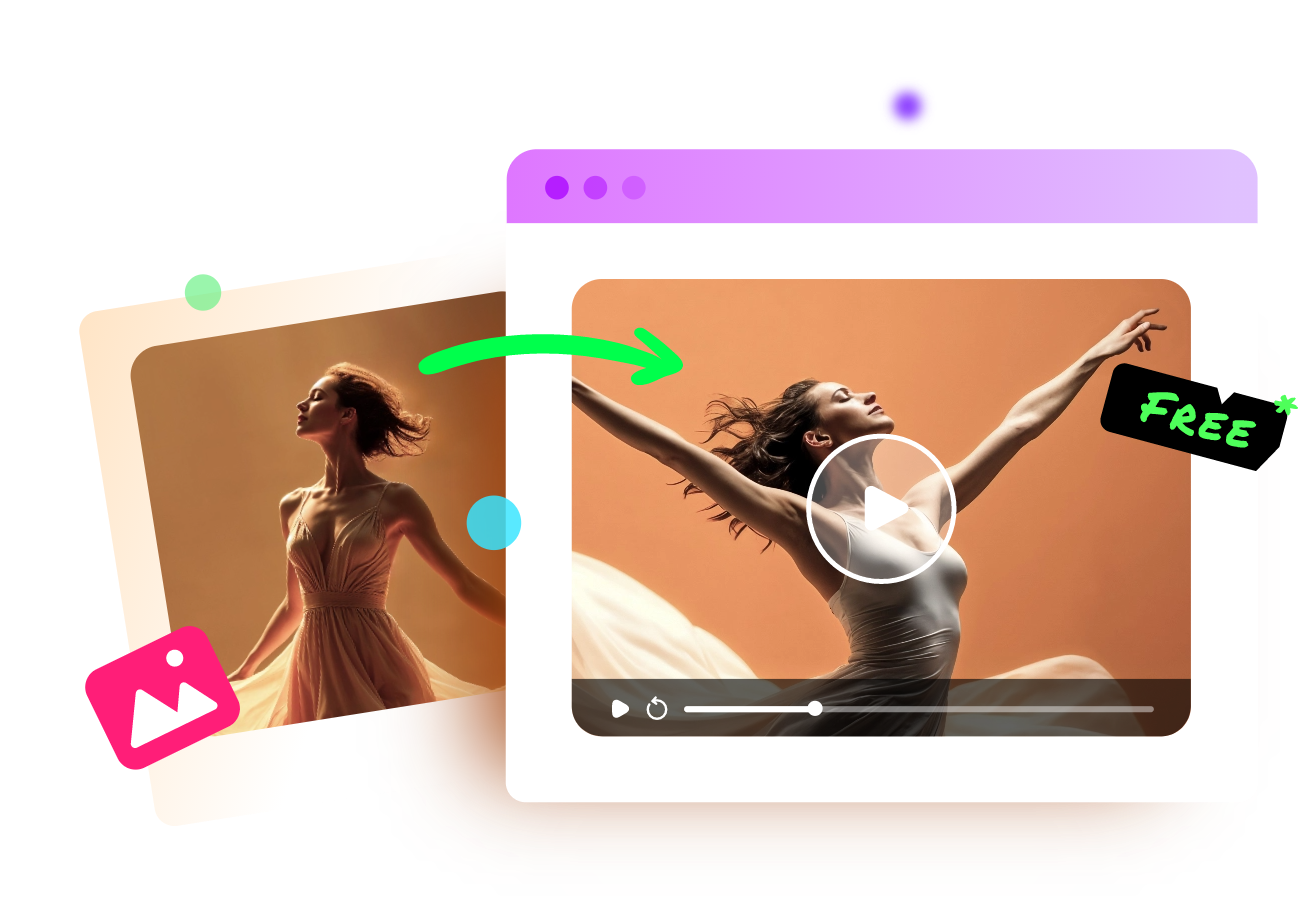
AI Dance Generator: Try Vidnoz Photo Dance AI. Pick the music, select a dance template, and watch yourself dance without actually lifting a finger.
Vidnoz Photo Dance - AI Make a Photo Dance FREE
- Create a smooth AI dance video from a photo.
- Animate a photo with diverse dance moves.
- Generate and download the video for free in seconds.
Make a Photo Dance Now
The Bottom Line
Upload your image fragments, set the layout, and instantly create beautiful photo stitching results with the 6 tools above.
Then, elevate your panoramas using Vidnoz AI—add narration, music, and effects to craft engaging travel or landscape videos.
It’s free, fast, and simple—log in and start creating today!
Vidnoz AI - Create Free Engaging AI Video with Talking Avatar
- Easily create professional AI videos with realistic avatars.
- Text-to-speech lip sync voices of different languages.
- 2800+ video templates for multiple scenarios.