If the camera in your video always stays on one scene, your audience will easily get bored and tired. To break up the monotony of the footage, try adding some B-roll footage.
However, finding usable B-roll footage is no easy task. This article provides a practical guide to three reliable free video download websites and four powerful AI b-roll video generators, complete with detailed step-by-step instructions to help you create more dynamic videos efficiently.
- On This Page
-
What Is B-roll Footage?
-
A-roll vs. B-roll: What’s the Difference?
-
Why You Use B-roll Footage in Videos?
-
3 Best Websites to Download Free B-roll Videos
Pexels - HD B-roll Videos & Photos Download
Envato - B-roll Stock Video for Any Categories
Freepik - Free B-roll 4K Stock Videos & Animations
-
Top 4 AI B-roll Footage Generators to Create Remarkable Videos
Kapwing - Fill in Your Video with B-roll Automatically
Vidnoz AI - Superb AI Video Generator with HD B-roll
Opus.pro - Add Stunning AI B-roll with Perfect Visuals
Veed.io - Create AI B-roll Videos that Sparkle on Social Media
-
How to Shoot Great B-roll Footage on Your Own
2. Choose a clean and suitable place
3. Take advantage of angles
4. Keep shooting. The more, the better
What Is B-roll Footage?
Let's start with the most basic concept. This section will mainly explain what B-roll footage is.
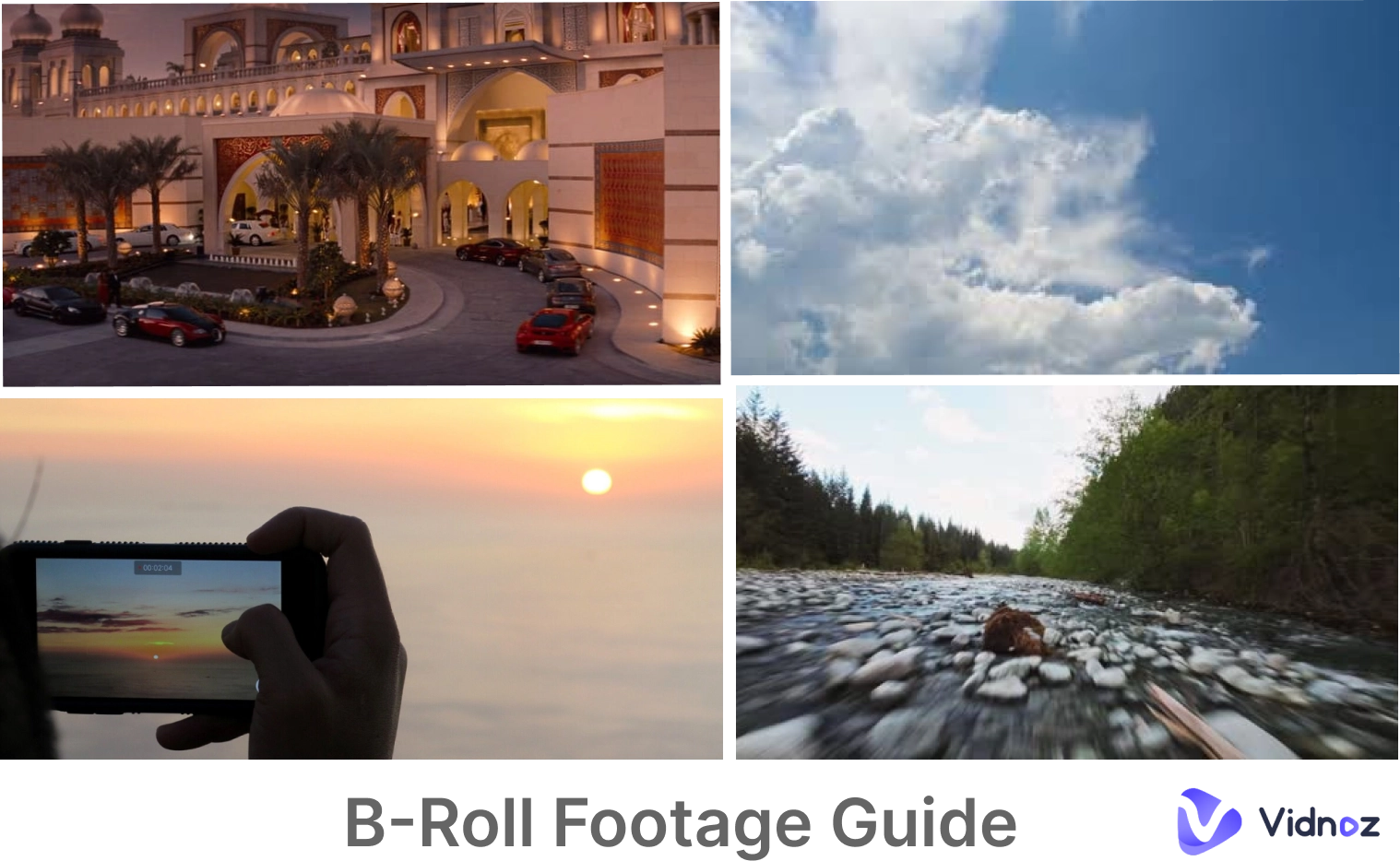
In video production, two types of footage are typically used: A-roll and B-roll. B-roll footage generally refers to supplementary material that does not include the main subject of the shoot. Editors typically intercut it with an A-roll—the main footage—to add depth to the film and break up monotony.
Common types of B-roll footage include: transition shots, establishing shots, transition shots, and insert shots.
A-roll vs. B-roll: What’s the Difference?
A few words are not enough to fully explain the difference between A-roll and B-roll footage.
A-roll refers to the main storyline of the video, especially the shots that contain dialogue and major events.
B-roll footage is used to supplement the story with auxiliary shots interspersed between the A-roll and usually has no real meaning.
Let's take a video of President Obama being interviewed as an example.
If the video focuses on close-ups of President Obama’s face during the interview, that portion is A-roll. When the camera cuts to wide shots of the interview environment or the interviewer’s face, those shots belong to B-roll footage.

Why You Use B-roll Footage in Videos?
As briefly mentioned earlier, the B-roll is primarily used to break up the monotony of the camera shots, add transitional effects, and draw the audience's attention to more details, thereby enhancing their understanding of the story.
In narrative films, B-roll shots such as opening establishing shots or city exteriors can establish the setting and time of the story, creating the atmosphere of the story's opening without the need for additional narration.
In documentaries, the role of the B-roll is even more prominent. If the entire video consists of the interviewer or interviewee standing still and speaking directly to the camera, viewers will quickly become bored.
When you want to fill in some details or transition naturally to the next segment, the B-roll is the most effective tool. Additionally, B-roll can also mask awkward pauses, stutters, and other issues.
3 Best Websites to Download Free B-roll Videos
When making your own film, you can shoot the main footage first and then create the B-roll. These clips don't require the main actors, so you can easily find free resources online. Here are three of the best B - roll footage free download websites:
Pexels - HD B-roll Videos & Photos Download
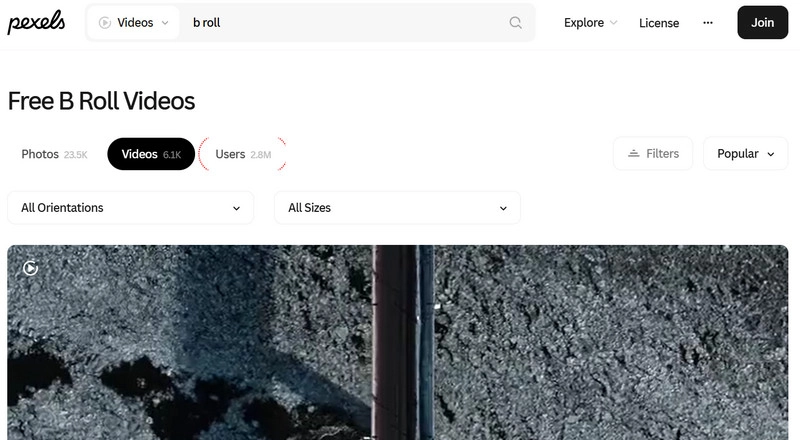
Pexels is one of the most reliable sources for free B roll videos. It offers over 6,100 videos and 23,500 images for you to use. After obtaining the resources, you can use image to video AI to create the B-roll you want.
Main Features
- Sort materials by vertical, horizontal, or square aspect ratios.
- Homepage highlighting popular and latest B-roll videos
- Resize materials to Canva for size adjustments.
Envato - B-roll Stock Video for Any Categories
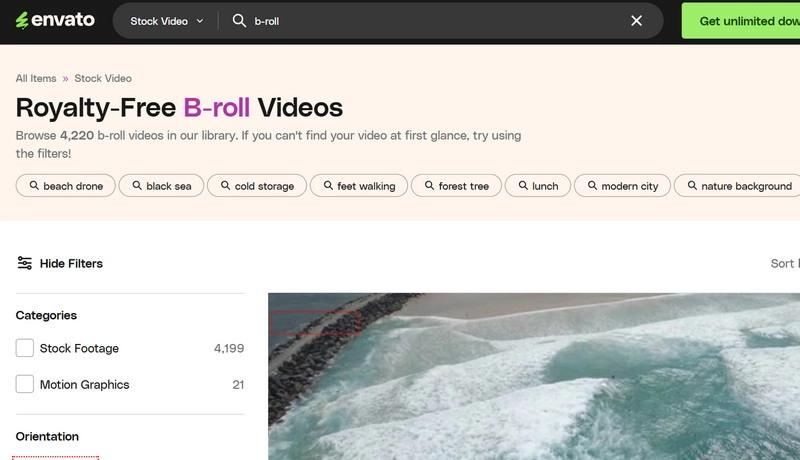
Envato offers a wide range of free B-roll videos in various categories, covering different scenarios such as documentaries, commercials, and short films.
Main Features
- Supports keyword search to quickly locate the B-roll footage you need.
- Filter by image orientation, resolution, frame rate, duration, and footage attributes.
- Provides a “Find Similar” feature to help you discover footage with a consistent style.
Freepik - Free B-roll 4K Stock Videos & Animations
Freepik offers an increasing number of B-roll video clips. Its materials are very standard, making them ideal for beginners to use for creative or commercial purposes.
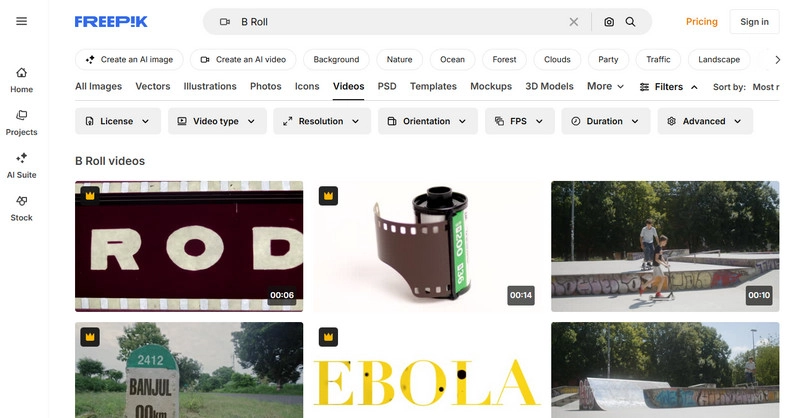
Main Features
- Filtering by license type, video type, resolution, orientation, frame rate, and duration.
- Adjusting result diversity to control the range of variation in B-roll materials.
- Add keywords and exclude keywords.
Top 4 AI B-roll Footage Generators to Create Remarkable Videos
If you already have a clear vision in mind, you can use an AI B-roll generator to turn your ideas into reality. Here are four of the best options available:
Kapwing - Fill in Your Video with B-roll Automatically
Upload your video to the Kapwing AI B roll generator, and it will quickly scan the video and generate the most suitable high-quality B-roll footage to enrich your video.
What You Like:
- Supports previewing of generated B-roll.
- All operations can be completed on a single page.
- Supported by iStock, Pexels, and Pixabay.
Pricing: $16/Month
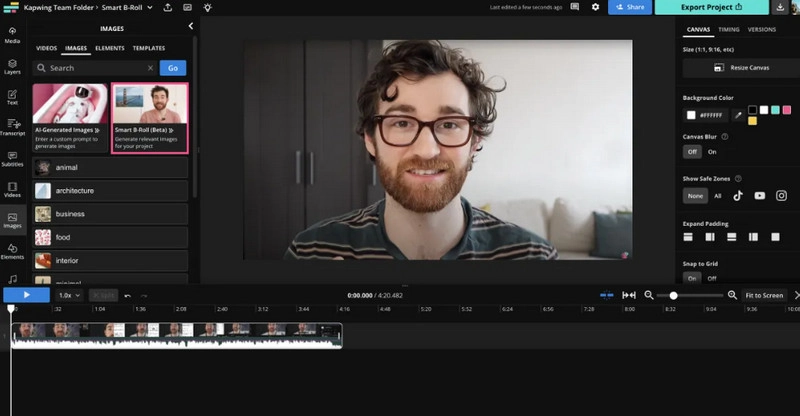
How to Make B-roll Footage with Kapwing
Step 1. Upload your shoot video. Open the Subtitles > Auto-subtitles.
Step 2. Choose Images > Smart B-Roll.
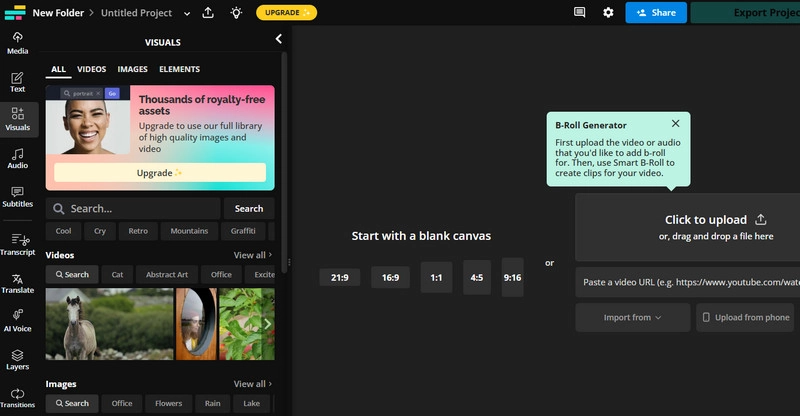
Step 3. Modify your video and export it.
Vidnoz AI - Superb AI Video Generator with HD B-roll
If you need to create B-roll videos with voiceovers or virtual characters speaking, Vidnoz AI B roll video generator is undoubtedly an ideal choice. This text to video AI also supports converting text into voiceover tracks in a variety of styles and voices.

Vidnoz AI - Create Free Engaging AI Video with Talking Avatar
- Easily create professional AI videos with realistic avatars.
- Text-to-speech lip sync voices of different languages.
- 2800+ video templates for multiple scenarios.
What You Like:
Popular Pexel B-roll Videos for Free
Access a vast library of free, high-quality B-roll footage from Pexels, then enhance it effortlessly with Vidnoz's built-in video effects. Create professional-grade videos—all at zero cost.
HD Resolution Stock B-rolls for Any Scene
Videos generated with Vidnoz AI come in stunning high definition, capturing every detail with clarity. The output looks like it belongs in a cinematic 4K production, suitable for any scene.
AI Narrators with Lifelike Moves & Emotions
Vidnoz AI lets you add a talking photo online free into your video. These AI-generated avatars feature realistic facial expressions and natural movements, perfect for dynamic, engaging presentations.
One-Stop Video Host, Edit & Share as You Desire
Once your video is ready, this free AI video generator makes it easy to share across online platforms directly from the site. Use the built-in editor to refine your content, or download your video with just one click.
What You Dislike:
- The work process will be affected by internet speed.
- 3-minute generation length limit for free users.
Pricing: $19.99/Month
How to Make B-roll Footage with Vidnoz AI
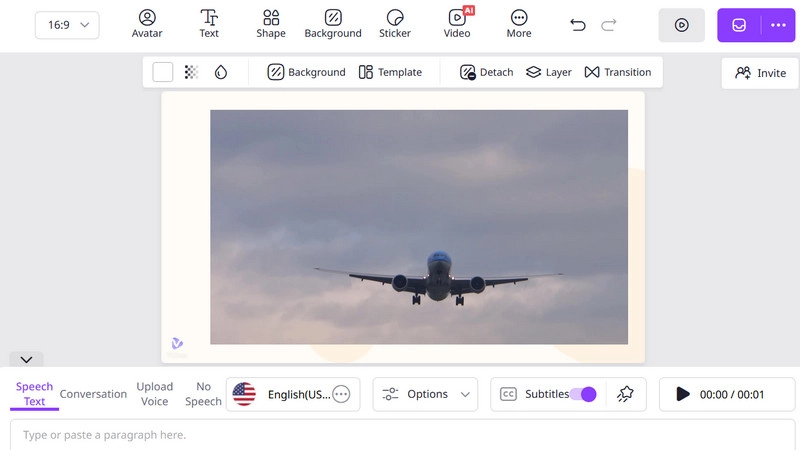
Step 1. Open Vidnoz AI. Choose Video on the top side. Click Pexels, and search for the B-roll you need.
Step 2. Apply the B-roll. Enter the narration you want to add in the text box below, then adjust the voice, volume, and language.
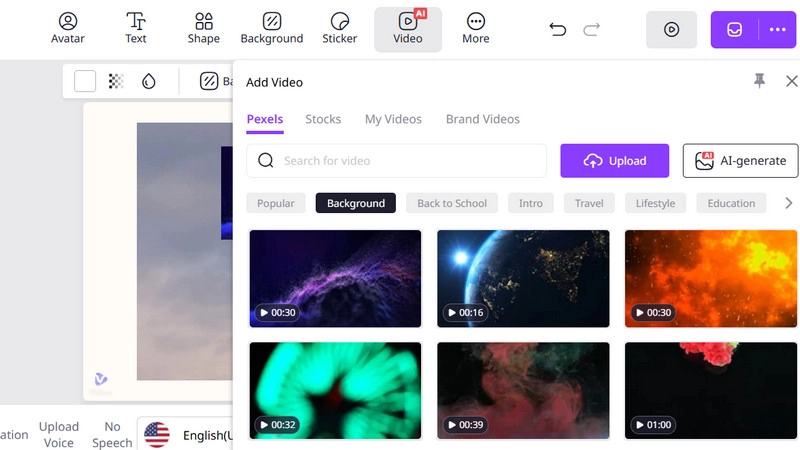
Step 3. Edit the video as you like. Finally, click Generate.
Opus.pro - Add Stunning AI B-roll with Perfect Visuals
If you're looking for a funny video maker that can add B-roll to your TikTok videos with a single click, Opus.pro is worth a try.
What You Like:
- Generate in seconds.
- Automatically add visual effects that match your style.
- Generation can be completed with a single click.
What You Dislike:
- Free users can only generate 3 videos per day.
- Some features are only available to Pro users.
Pricing: $14.59/Month
How to Make B-roll Footage with Opus.pro
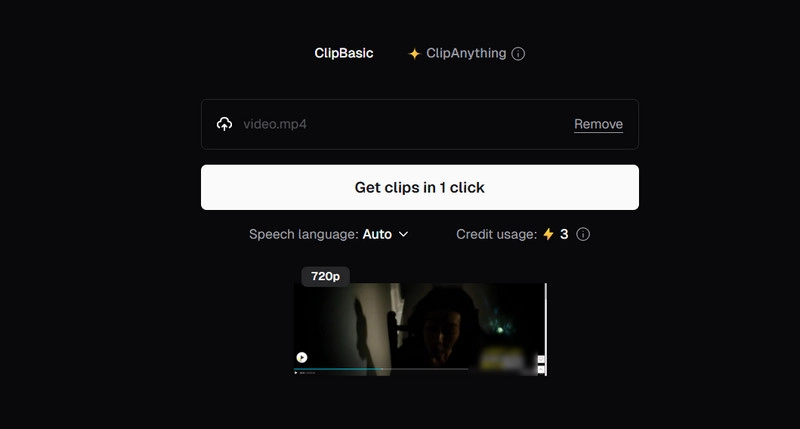
Step 1. Upload your video or enter the video link.
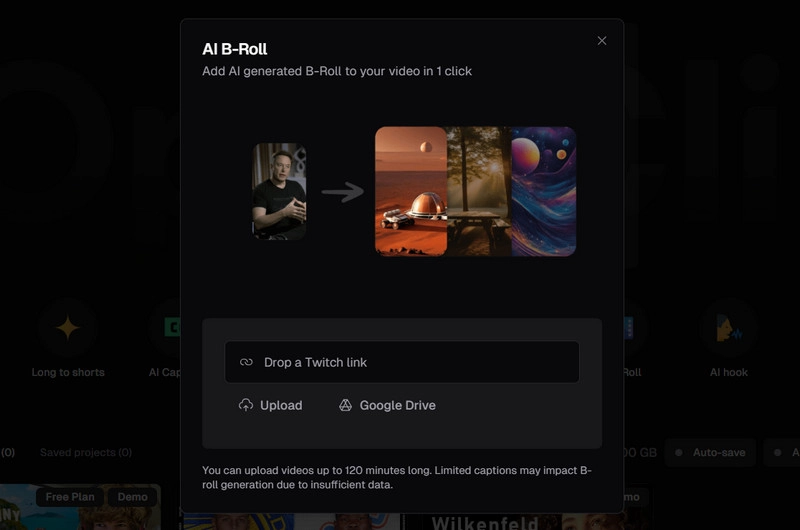
Step 2. After uploading, click Get clips in 1 click. Select the type of video and your goal.
Step 3. Preview the generated result. Click Save to storage to download it.
Veed.io - Create AI B-roll Videos that Sparkle on Social Media
Veed.io AI B roll generator free is an expert in handling social media videos. It can quickly extract key information from your video footage to create and edit B-roll videos.
What You Like:
- Share your creations on Facebook, Instagram, and YouTube.
- AI recommends suitable shots based on your needs and materials.
- Provides a smart eye contact tool.
What You Dislike:
- The export quality of the free version is low.
- Sometimes there are lag issues.
Pricing: $`12/Month
How to Make B-roll Footage with VEED.io
Step 1. Click Upload a video to add your file.
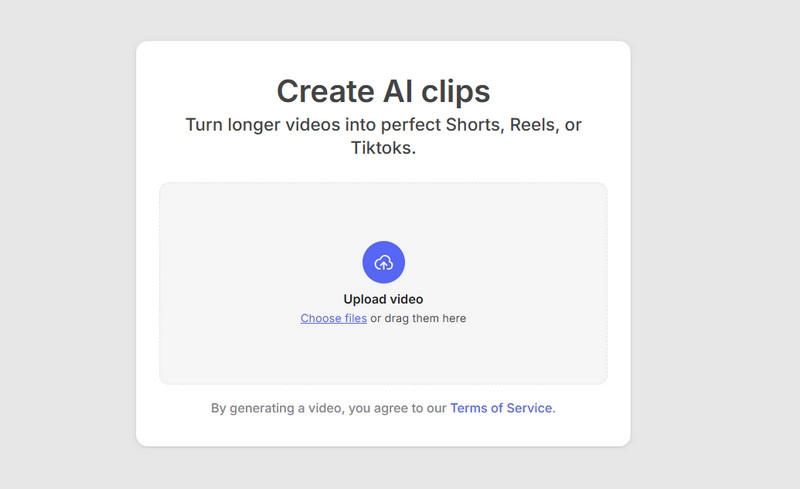
Step 2. Set the Size, Video Goals, Subtitle Style, and length.
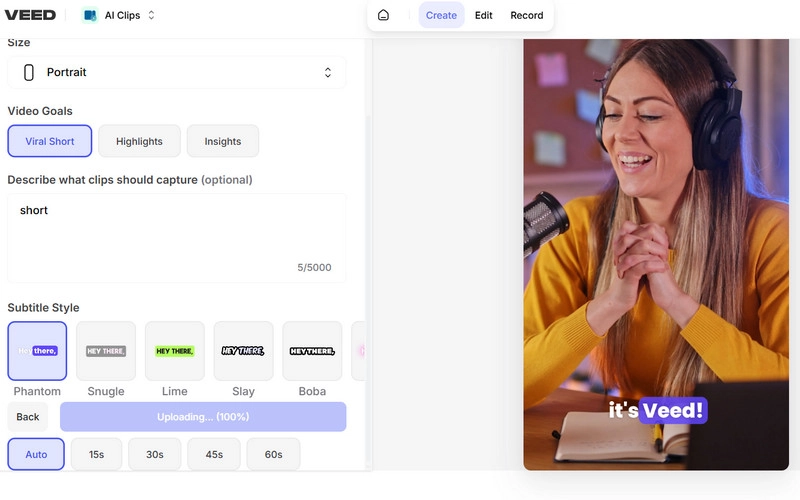
Step 3. Preview the result and export it.
How to Shoot Great B-roll Footage on Your Own
If you prefer to do it yourself, you can manually shoot B-rolls. Here are some practical tips to help you.
1. Make a plan ahead
Before shooting begins, create a simple shooting plan based on the story you want to tell, including specific scenes and the order in which the shots will be taken.
2. Choose a clean and suitable place
The B-roll footage should be clean and crisp. Before shooting, you should thoroughly examine the scene and keep the frame as clean as possible, free of distracting objects.
3. Take advantage of angles
When shooting, try out different angles and distances. Multiple perspectives can make your film look more profound and appealing.
4. Keep shooting. The more, the better
When shooting Roll B, it is a good idea to shoot more footage than you need. The more footage you shoot, the more options and creative freedom you will have in post-production and editing.
The Bottom Line
Preparing B-roll footage is not difficult. Once you understand its purpose and meaning, you can start creating. If you want to quickly obtain a B-roll, try the free resource sites and four AI generators recommended in this article. Among them, Vidnoz AI offers the most comprehensive features and the highest level of creative freedom. Give it a try today!
Vidnoz AI - Create Free Engaging AI Video with Talking Avatar
- Easily create professional AI videos with realistic avatars.
- Text-to-speech lip sync voices of different languages.
- 2800+ video templates for multiple scenarios.





![Make a Video for Your Girlfriend: Free & Fast [2026]](https://www.vidnoz.com/bimg/video-for-my-girlfriend.webp)