Art can often look complex, but some of the most beautiful work comes from simplicity. A one-line drawing generator allows you to create stunning minimalist art with just a single stroke. Instead of spending hours practicing hand drawing, AI technology can instantly turn words or images into continuous line artwork. With these tools, anyone can create portraits, animals, plants, or abstract shapes in a clean and elegant style. This article explains what one-line drawings are, why they are unique, and introduces the best free AI tools to help you start creating today.
- On This Page
-
What Are One Line Drawings?
-
Best Free AI One Line Drawing Generators: Text to Continuous Line Art
Vidnoz AI One Line Drawing Generator
CGDream Free AI One Line Art Generator
-
OpenArt AI One Line Drawing Generator from Photo
-
Funny Try: Turn Still One Line Drawing into Lively Videos
What Are One Line Drawings?
A one line drawing is a type of artwork made using a single continuous stroke. The artist places the pen or brush at one point on the page and never lifts it until the drawing is complete. This means the entire piece is made from one flowing line. It is also known as continuous line drawing or single line art.
The power of one line drawings comes from their minimalism. Instead of filling in shading or details, the artist conveys the essence of the subject through curves, turns, and smooth transitions. The rule is to capture maximum emotion and clarity that too without breaking the line. This makes each piece feel both modern and expressive.
For example:
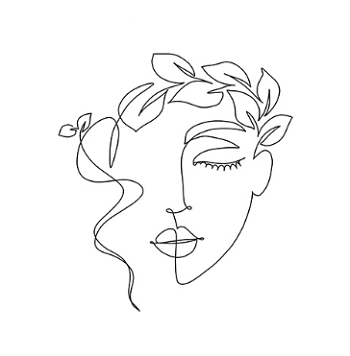
- One line portrait: These are popular because a human face can be reduced to its most essential outlines. The result is abstract but still recognizable.
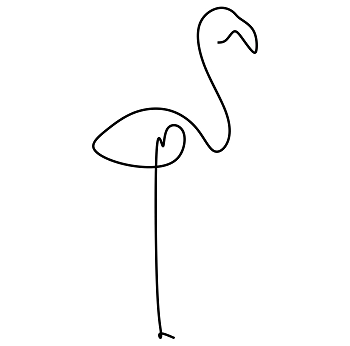
- One line animal: Cats, dogs, birds, and fish are often drawn in this style, showing their unique shape in a simple way.
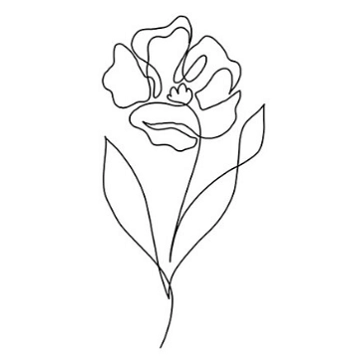
- One line plant: Flowers, trees, or leaves can be represented using single flowing strokes that resemble natural growth.
Because of their clean style, these drawings are used in tattoo designs, brand logos, posters, and interior decoration. With AI, you no longer need to master the technique yourself. Instead, you can describe what you want or upload a photo, and the tool will transform it into continuous line art instantly.
Best Free AI One Line Drawing Generators: Text to Continuous Line Art
Thanks to technology, now creating minimalist art is a walk in the park for everyone. A one line drawing generator free platform uses AI to give the single-stroke style images easily. Some tools let you type text, while others allow you to upload an image and watch it transform into a sketch. Here are the top options you can try.
Vidnoz AI One Line Drawing Generator
Vidnoz AI Image Generator is one of the most flexible tools for creating line art. Now you can turn your words into images. You can try different styles for one line art creation. You do not need to create an account to use it, which makes it quick and accessible.
You can select the style, adjust the aspect ratio, and generate multiple versions at once. But that’s not it, you will also find a number of other AI-powered image tools by Vidnoz to make more advanced edits, such as AI image combiner, background remover, and image extender. These advanced capabilities make Vidnoz one of the most useful platforms.
Key Features
- Works directly in the browser without requiring sign-up.
- Generates different styles including AI one line drawing.
- Lets you adjust image size, aspect ratio, and other visual settings.
- Supports multiple results at once so you can choose the best version.
Pricing (1 credits taken/1 image generation):
|
Plan
|
Monthly cost
|
Credits
|
Key Features
|
|
Free
|
$0
|
Limited
|
Basic use, 1 GB storage
|
|
180 Credits
|
$9.99
|
180
|
Full tools, HD, no watermark
|
|
500 Credits
|
$23.99
|
500
|
Faster, unlimited storage
|
|
800 Credits
|
$24.99
|
800
|
All features, best value
|
How to Create One Line Drawing Art with Vidnoz:
Step 1 Write a Prompt – Be clear about the style you want. For example: “continuous one line drawing of a young woman’s face in minimalist style” or “single line sketch of a dog in profile view.” Using the keywords “one line drawing” in your text ensures the AI focuses on this style.

Step 2 Choose Settings: Select the aspect ratio (such as square or landscape) and the style filter for line art. You can also set how many images you want generated in one click.
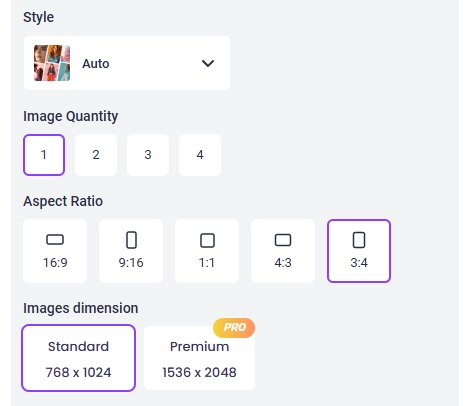
Step 3 Generate and Save: After pressing generate, Vidnoz creates different versions. Review them and download the one that best fits your vision.
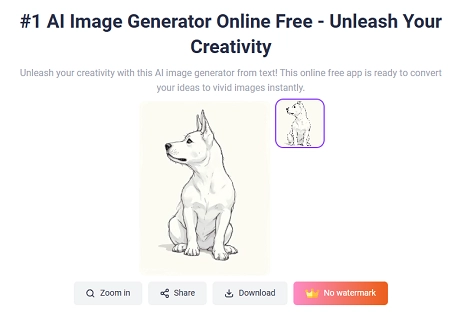
Vidnoz is easy to use and gives you professional-quality single-line drawings within seconds.
CGDream Free AI One Line Art Generator
CGDream is another AI image generator that specializes in one line art. What sets it apart is the availability of editing features that let you refine the results after generation. You can adjust line thickness, apply filters, and smooth out edges to make the drawing look closer to your taste.
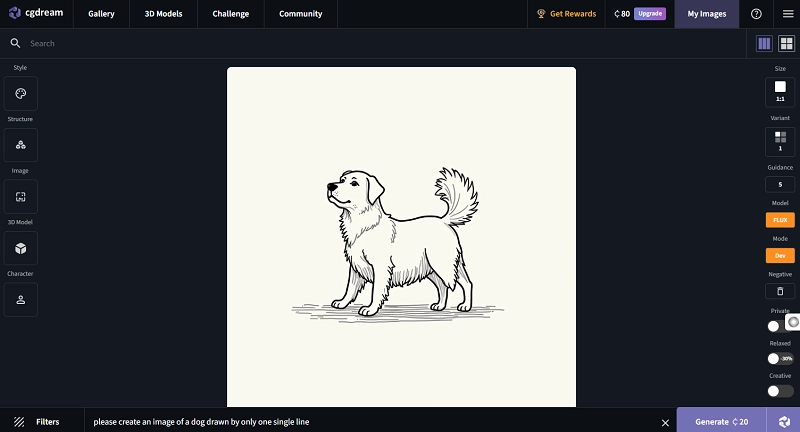
This tool also provides several creative options. You can generate concept art and stylized sketches as well. However, its line art generator is one of the most effective features to get clean and minimal illustrations. CGDream also lets you upload guide images or 3D models to shape the final output. Its interface is straightforward, but it still offers customization through filters, aspect ratio settings, and editing options.
Key Features
- Generates one line art instantly from text prompts or uploaded images.
- Advanced filters to adjust style, smoothness, and aspect ratio.
- Option to add guide images or 3D models for more accurate results.
- Built-in editor to refine, remix, and enhance drawings after generation.
- Quick processing powered by diffusion-based AI models
Pricing (4 credits taken/1 image generation):
|
Plan
|
Monthly Cost
|
Credits per Month
|
Key Features
|
|
Free
|
$0
|
3,000
|
100 credits/day, basic generation priority, limited history, no commercial use
|
|
Basic
|
$10 ($8/yr)
|
10,000
|
Unlimited daily use, private mode, commercial use allowed, 3D model generation
|
|
Pro
|
$30 ($24/yr)
|
40,000
|
Higher priority, 4 variations, 4 concurrent generations, commercial use, relaxed mode
|
|
Premium
|
$60 ($48/yr)
|
90,000
|
Highest credits, 5 concurrent generations, full features, 30 challenge submissions
|
OpenArt AI One Line Drawing Generator from Photo
OpenArt is a flexible one line drawing generator from photo and text. You can create AI one line drawing from a prompt or upload photo references to guide the style, subject, and composition. The generator is beginner friendly, private by default, and offers themed starters like Face, Animal, Abstract, and Flower to help you move fast. OpenArt also provides prompt tips, a style palette, and an active community for ideas. You can generate unlimited images on several basic models for free, and new accounts receive a limited set of trial credits to test premium features. This mix makes OpenArt a strong option if you need a continuous one line drawing generator for portraits, logos, posters, or social posts.
Key Features
- Text to one-line art and photo to one-line art with reference uploads.
- Beginner friendly workflow with themes, prompt book, and style palette.
- Private creations with easy save, share, and download.
- Broad toolset beyond line art: image editing, image to video, sketch to image, QR, upscale, and more.
Pricing:
|
Plan
|
Monthly cost
|
Credits
|
Key Features
|
|
Free
|
$0
|
40 trial credits
|
Private creations, 4 parallel generations
|
|
Essential
|
$14/seat
|
4,000/month
|
One-click stories, videos, premium models
|
|
Advanced
|
$29/seat
|
12,000/month
|
Bulk creation, advanced training, history search
|
|
Infinite
|
$56/seat
|
24,000/month
|
Priority support, high-volume creation
|
|
Team
|
$34.9/seat
|
12,000/seat
|
Shared credits, team roles, asset migration
|
How to Use OpenArt for One Line Drawings from Photos:
Step 1 Write your prompt.
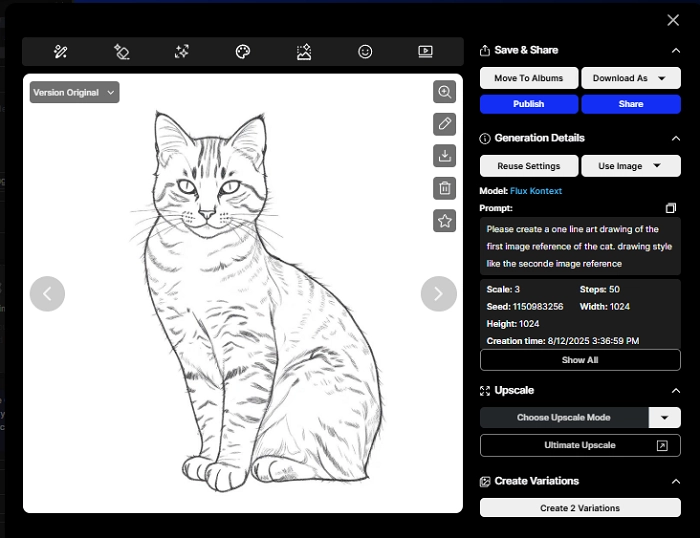
Be clear about subject, style, and line quality. Example: “Please create a single line art drawing based on the first reference image of the cat. Refer to the second image for the painting style.” Include phrases like “one line drawing,” “single continuous line,” and “minimalist outline” to steer results.
Step 2 Upload image references.
Add one to four images. Use the first as the primary subject photo and the others for style or pose cues. This works well for a one line face drawing generator workflow, pet portraits, or product outlines.
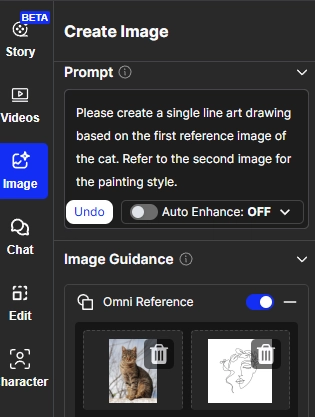
Step 3 Adjust settings and generate.
Choose theme (Face, Animal, Abstract, Flower), set complexity, line thickness, aspect ratio, and variations. Generate, review options, then refine with the editor or re-roll until you get the look you want. Save and download the final art.
Funny Try: Turn Still One Line Drawing into Lively Videos
Once you have created your favorite one line art, you might want to see it come alive. With Vidnoz AI Image to Video, you can easily animate your drawings and turn them into engaging short clips. This free tool converts images into videos with smooth motion, vivid colors, and no watermarks. You can also choose from over 30 premade styles, add music or text, and resize the output for platforms like TikTok, YouTube, or Instagram. It is a simple and fun way to give your AI one line drawing extra life and share it with your audience.
Conclusion
A one line drawing generator makes it easy for anyone to create minimalist art. Whether you use Vidnoz, CGDream, or OpenArt, each tool gives you unique ways to experiment with text prompts or photo references. Vidnoz is simple and quick for generating multiple variations. CGDream is great for editing and refining details. OpenArt is the best choice if you want to turn real photos into continuous line art.
Whether you need a one line face drawing generator for portraits, a continuous one line drawing generator for creative logos, or simply want to try AI one line drawing for fun, these free tools let you bring your imagination to life with one smooth stroke.





![[48+ Prompts] 4 Free Anime AI Art Prompt Generators to Apply](https://www.vidnoz.com/bimg/cover-of-ai-anime-art-prompts.webp)
![AI Dark Fantasy Art Trends, Process & Tools You Must Know [Ultimate Guide]](https://www.vidnoz.com/bimg/ai-dark-fantasy-art.webp)
