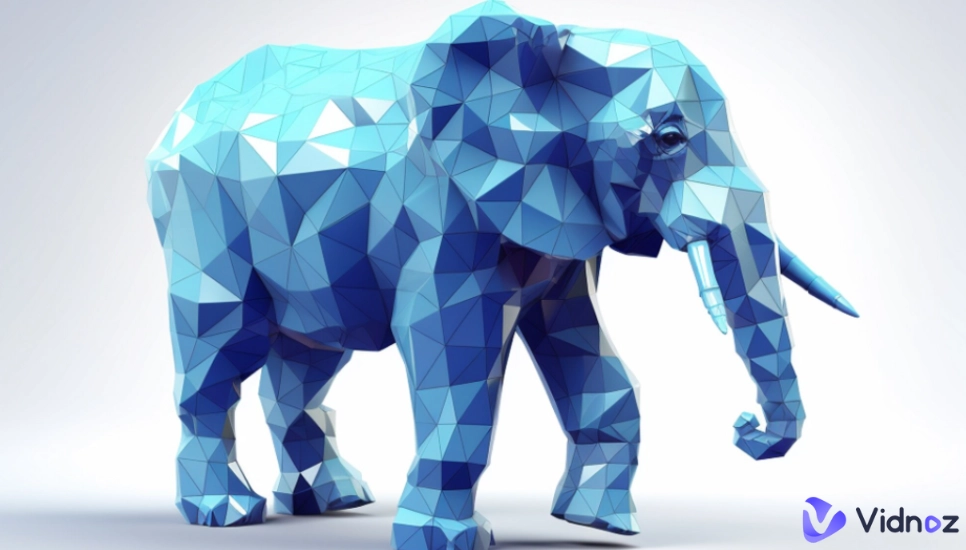
Looking for an easy way to make cool and geometric art? Low poly art is a popular art style for games and posters. With the best AI low poly art makers, users no longer need to be an expert artist to turn any photo into low poly art in minutes.
So, how can you create low poly art? This article will introduce the 6 best low poly art maker apps that will make anyone an easy low poly artist who are able to effectively design their own polygon art and low poly 3d models.
- On This Page
-
What Is Low Poly Art?
-
How to Create Low Poly Art?
2 Common Types of Low Poly Art Makers
-
4 Best AI Low Poly Art Creators to Turn Photos into Low Poly
1. Bylo AI: Design Low Poly 3D Models with Images or Texts
2. Pincel: Convert Your Photo to Low Poly Art Style Instantly
3. BeFunky: Make Specialized Images with AI Poly Art Effects
4. Low Poly Editor Photo FX: Craft Low Poly Renderings on Mobile Devices
-
Top 2 Text to AI Low Poly Art Makers Online
1. Openart: Top-Level Text to Low Poly Art Image Maker
2. Vondy: Answer the Given Questions to Make AI Poly Portrait
-
Bonus! Make Your Low Poly Art Move with Free AI
What Is Low Poly Art?
Low poly art is a type of digital art with geometric polygons online, with multi-dimensional and angular look characteristics. Initially developed for early 3D gaming due to technical constraints, low poly art has evolved into a sought-after aesthetic for modern design projects, game assets, and even artistic expressions.
How to Create Low Poly Art?
Creating low poly artwork traditionally required manual editing in graphic software, where artists would painstakingly place individual polygons—a time-intensive process demanding considerable skill. AI low poly art generators have now transformed this process to allow professional and amateur artists to create professional-quality polygon art within minutes.
2 Common Types of Low Poly Art Makers
Here are 2 main types of low poly art makers online for image generation.
★ Generate low poly art from texts: This type of low poly art maker allows users to create original artwork through text prompts. Simply type what they want to see, such as "a fox made of triangles" or "geometric mountain landscape," and the AI image generator will generate completely new low poly 3D models or scenes.
★ Turn the image into low poly art: This tool focuses on transforming existing photographs into polygon art. Upload any photo, from portraits to objects, then the AI low poly art maker automatically analyzes and converts the image into a geometric online image.
Vidnoz AI - Create Free Engaging AI Video with Talking Avatar
- Easily create professional AI videos with realistic avatars.
- Text-to-speech lip sync voices of different languages.
- 2800+ video templates for multiple scenarios.
4 Best AI Low Poly Art Creators to Turn Photos into Low Poly
An AI low poly art maker can be quite helpful for users who want to get a stunning geometric image without any image editing skill. Here are the top 4 AI low poly art creators from photos you can check out.
1. Bylo AI: Design Low Poly 3D Models with Images or Texts
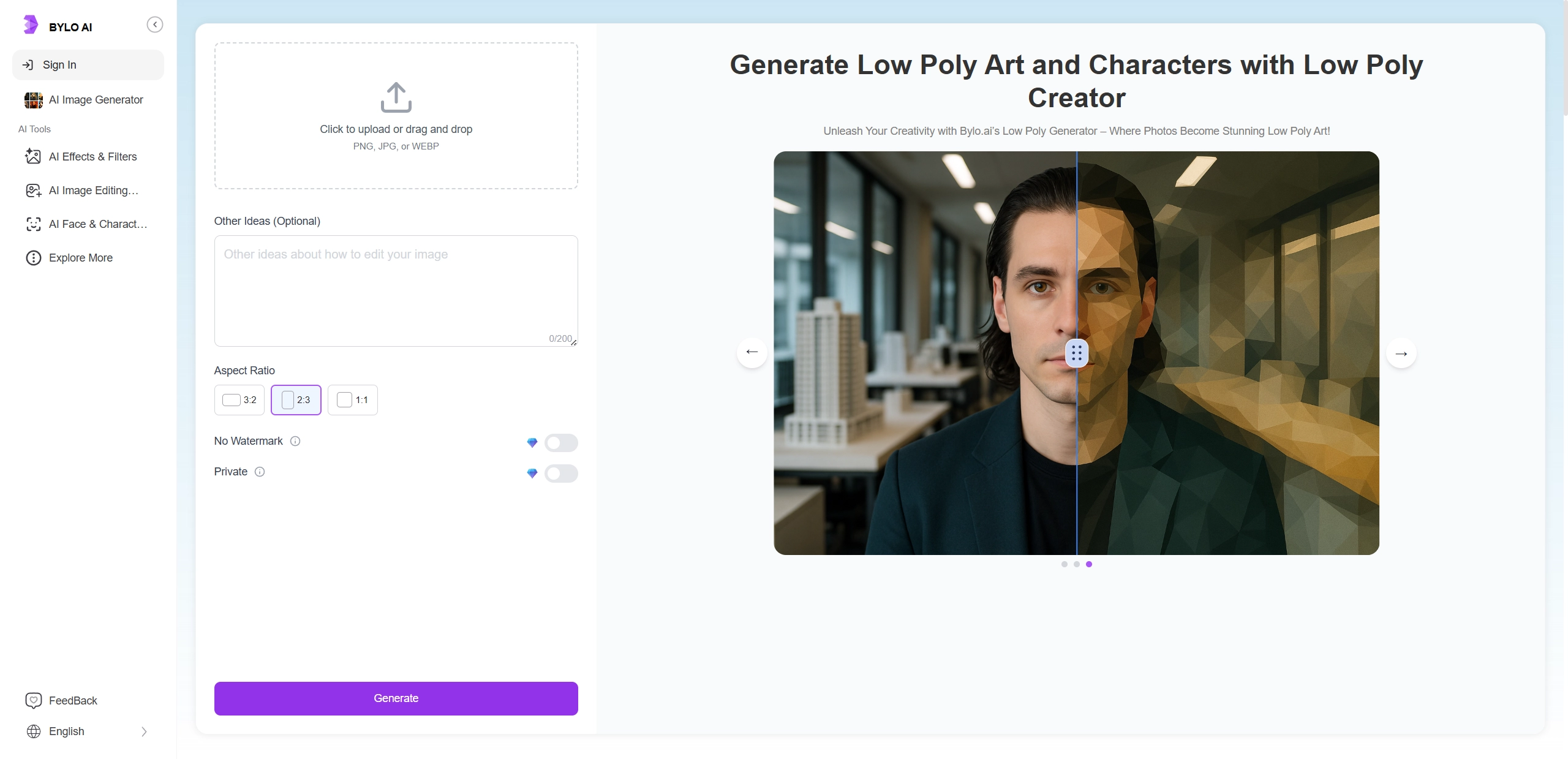
Bylo AI is a powerful low poly art maker that transforms both text descriptions and uploaded images into detailed low poly 3D models with advanced AI. This AI art generator from photo is perfect for creators who want to generate customizable low poly characters with various styles and textures, no need for technical 3D modeling skills. Whether you're developing game assets or creating unique geometric artwork, this AI art image generator from texts and images simplifies the process of producing professional polygon art.
Key Feature
- Text-to-3D model generation for original art creations.
- Image conversion to low poly art.
- Customizable texture and style options.
- High-quality image render output.
Steps to Make Low Poly Art with Bylo AI:
How to turn a photo into low poly art with Bylo AI? Follow the steps below.
Step 1. Visit the Bylo AI website and navigate to the low poly art creator feature.
Step 2. Choose whether to create from text or upload an image you want to turn into low poly art. If using text, describe your desired character or scene. If using an image, upload your photo.
Step 3. Click “Generate” and let the AI algorithm create your unique low poly 3D model.
Step 4. Download your finished polygon art for use in your projects.

>> Click here to make a cartoon of yourself with simple clicks!
2. Pincel: Convert Your Photo to Low Poly Art Style Instantly
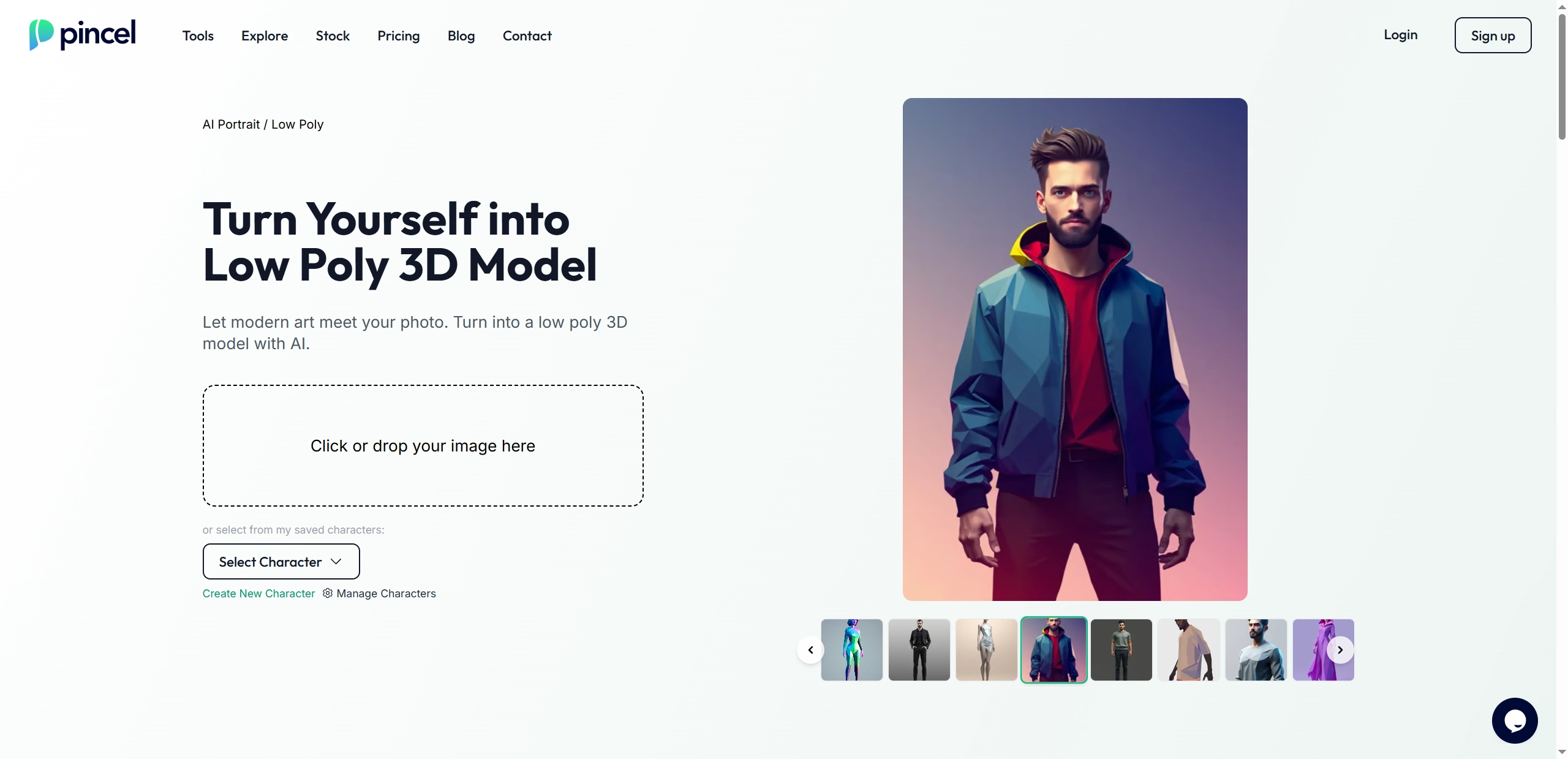
Pincel AI image generator offers a straightforward way for users to make their own low poly art image: turn any photo into low poly art with impressive speed. In the clear interface, the tool can transform ordinary photos to low poly 3D models without effort. Just upload the target photo, the AI will apply a low poly art effect to your photo in seconds.
Key Feature
- Instant photo conversion to low poly art.
- Multiple preset style options including historical and thematic designs.
- Simple three-step process for quick results.
- No technical skills or software installation required.
3. BeFunky: Make Specialized Images with AI Poly Art Effects
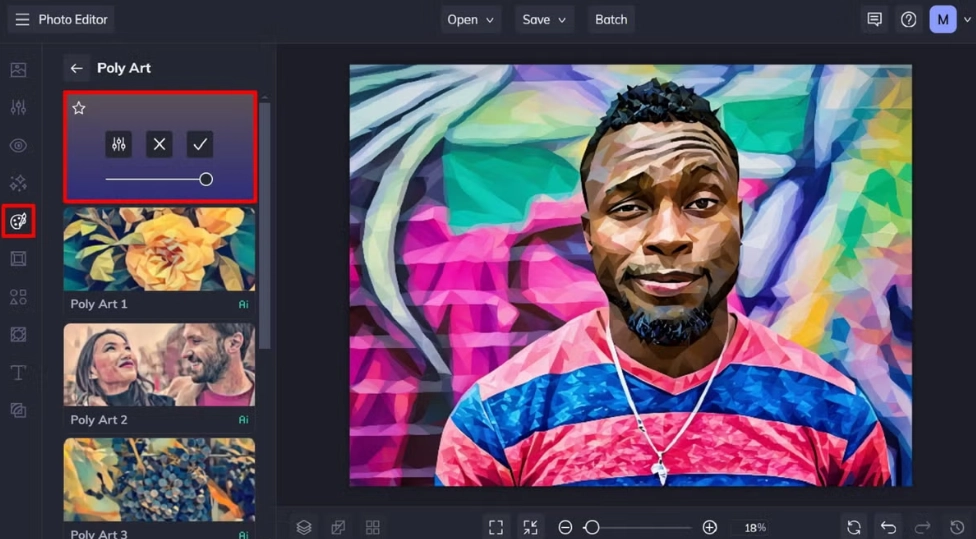
BeFunky offers users the chance to turn photos into low poly art. With several AI poly art effects, this online AI photo editor creates professional-looking geometric designs even if they have no image editing skill. Users can customize their image results by adjusting specific settings to achieve exactly the look they want for their low poly artwork.
Key Feature
- Multiple AI poly art effect options.
- Customizable settings for amount, smoothness, and variation.
- User-friendly image editing interface.
- No design experience required.
- Quick processing and download options.
4. Low Poly Editor Photo FX: Craft Low Poly Renderings on Mobile Devices
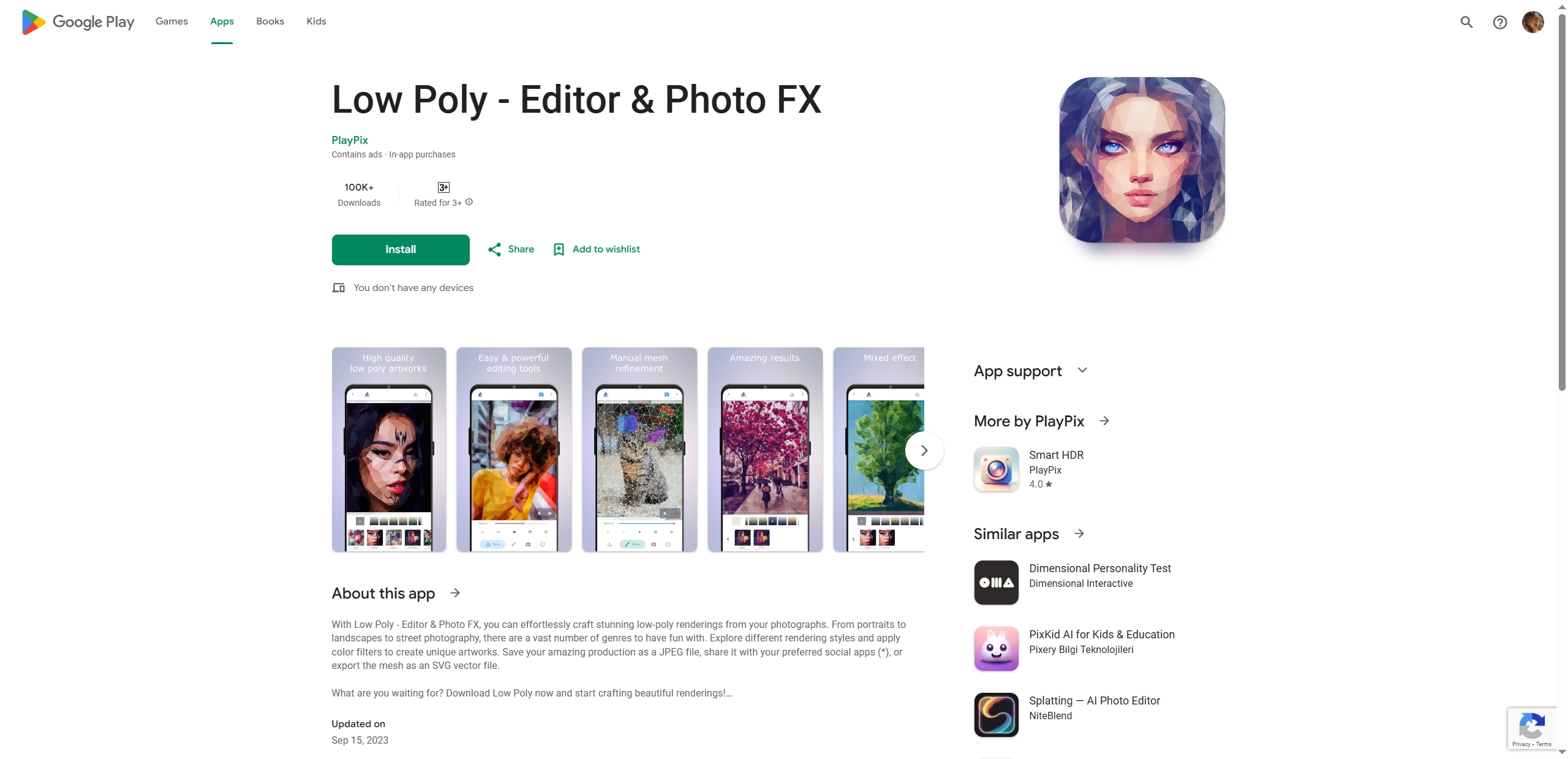
Low Poly Editor Photo FX app is a practical image to low poly art converter, letting AI design and generate the stunning low poly art masterpiece. This Android app specializes in transforming your photos into detailed low poly renderings within seconds. Just upload your photos, then you can get your target image changed to the ideal art style on the mobile devices.
Key Feature
- Mobile optimization for on-the-go editing.
- Automatic face recognition for enhanced portrait details.
- Customizable triangle count and mesh settings.
- Multiple genre styles to choose from.
Top 2 Text to AI Low Poly Art Makers Online
While image converters are popular, text-based generators also offer unique creations. This kind of AI low poly art creator lets you build original low poly art from simple descriptions.
1. Openart: Top-Level Text to Low Poly Art Image Maker
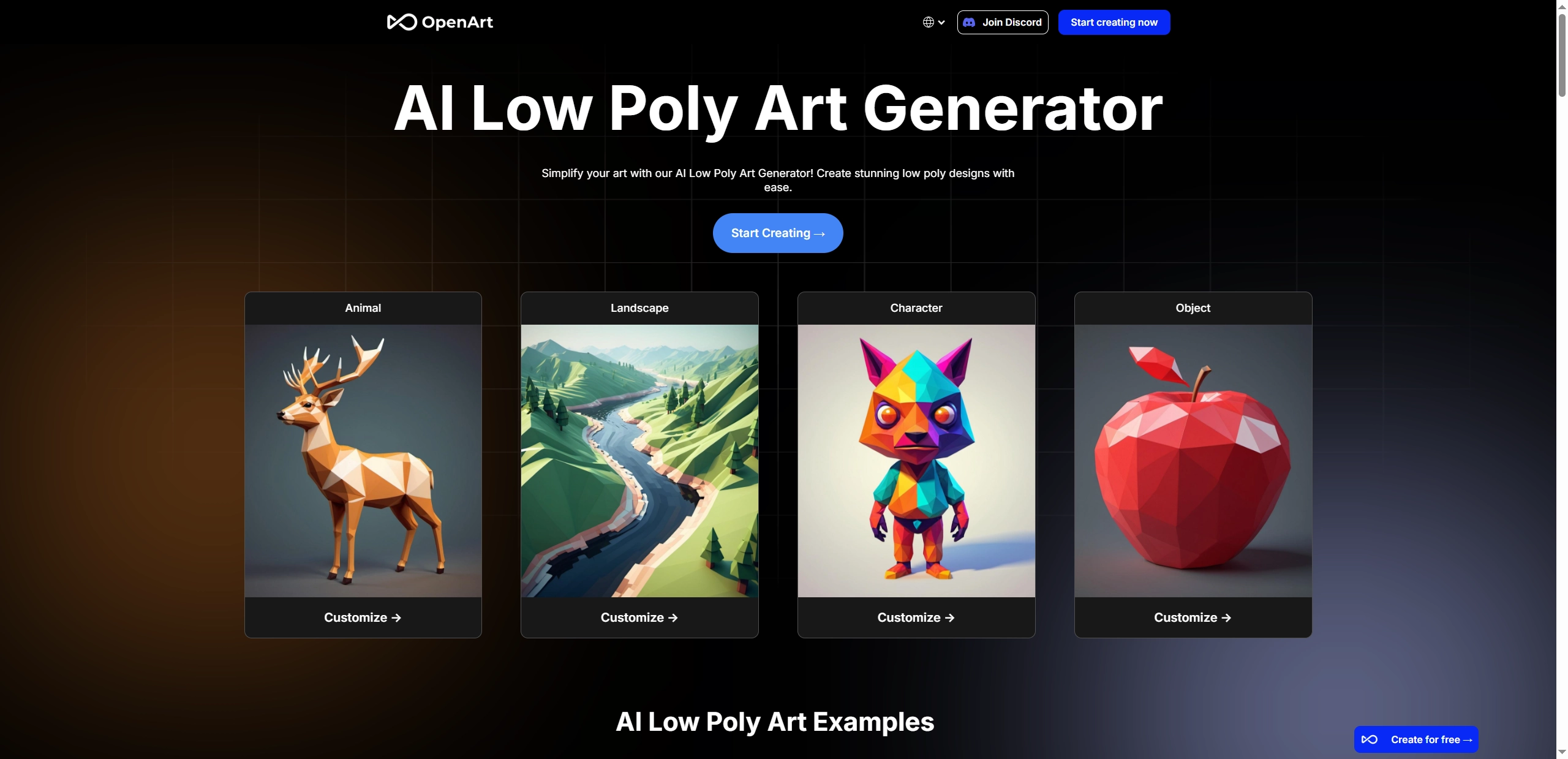
OpenArt provides a specialized AI platform that generates diverse low poly art images directly from text descriptions. This powerful AI low poly art maker creates various themes of images, including animals, landscapes, characters and objects based on the entered prompts. Users can select from 4 different AI models to produce unlimited variations of polygon art.
Key Feature
- Text-to-image generation for multiple low poly themes.
- 4 distinct AI models for varied artistic results.
- Customizable output settings.
- Free trial with 50 generation credits.
- Regular model updates and improvements.
2. Vondy: Answer the Given Questions to Make AI Poly Portrait
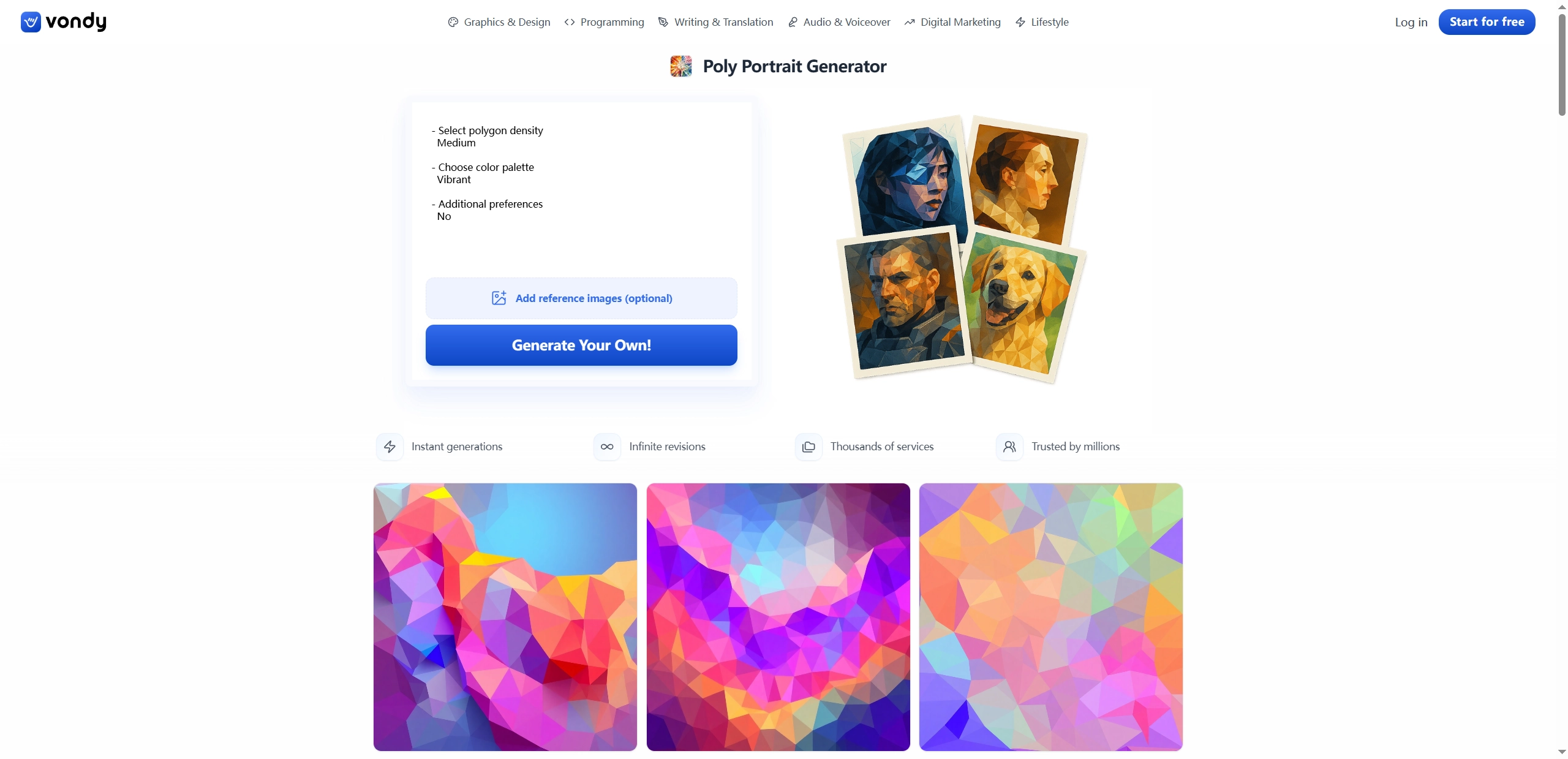
Vondy AI text to image generator offers an interactive approach to creating AI poly portraits through a simple question-and-answer format. This online tool directs users in a creative flow where users respond to questions and post reference images, to create individual low poly in a few seconds. It enables changes in the density of polygons and color palette, so that users can ensure that they have the desired look.
Key Feature
- Interactive Q&A format for guided image creation.
- Customizable polygon density and color options.
- Supports reference image uploads.
- Unlimited revisions for perfect results.
Bonus! Make Your Low Poly Art Move with Free AI
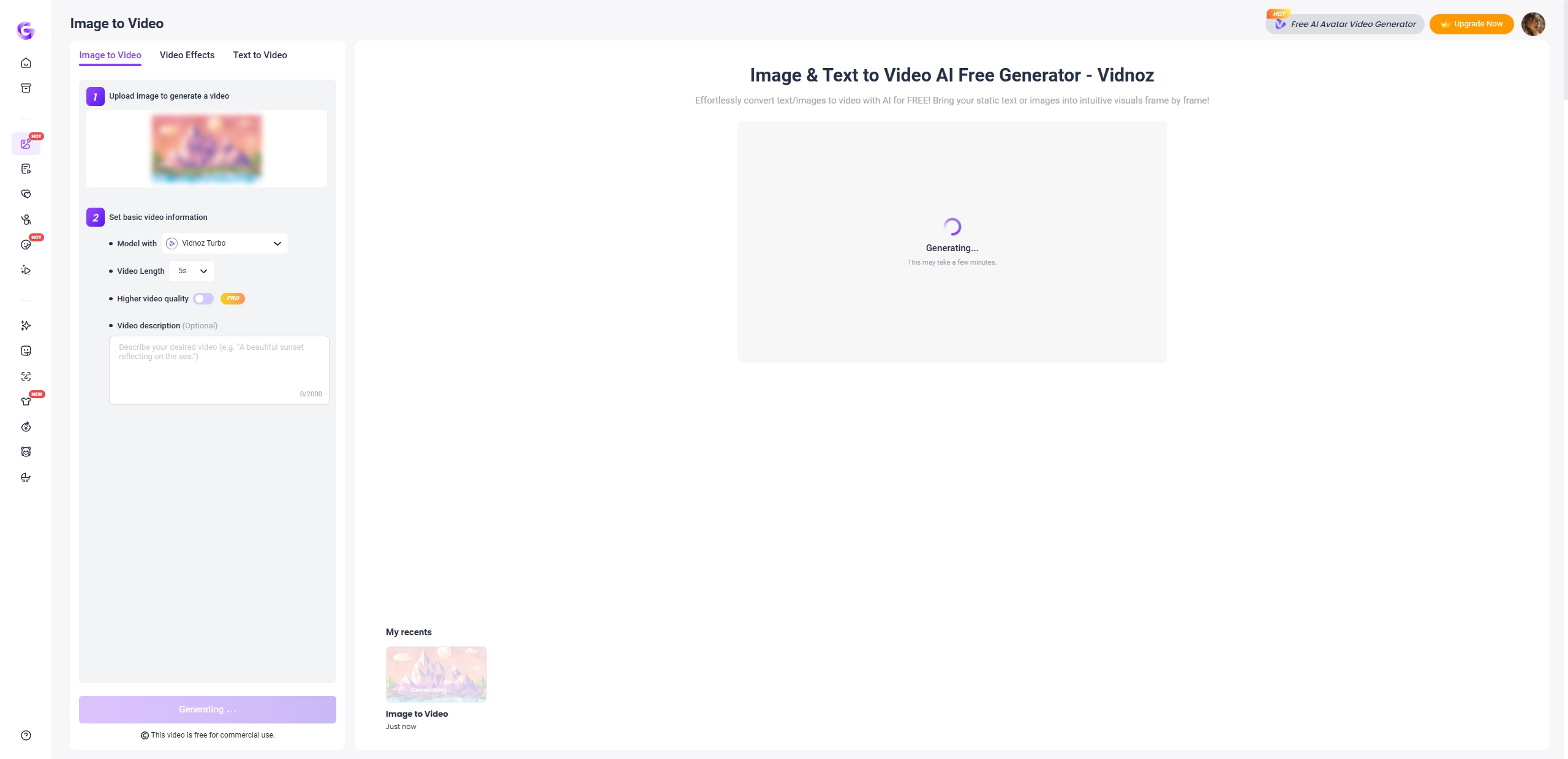
Take your static low poly art to the next level by bringing it to life with animation. Vidnoz AI Image to Video helps you turn your polygon art into action-packed and moving art. It is a free tool that gives users high-quality video conversion with 3 different AI models, enabling them to create captivating short videos based on their still images in a few minutes. Simply add a description to guide the animation process and watch the low poly art gain motion.
Key Feature
- 3 AI models (Vidnoz Turbo, Ultra, and Maz).
- Text-guided image to video generation.
- High-quality output resolution.
- Completely free to use for video generation.
Steps to Animate Your Low Poly Art:
Here are the steps to animate the AI low poly art image with ease.
Step 1. Visit the Vidnoz website and select the Image to Video tool. Upload your low poly art image.
Step 2. Choose your preferred AI model (Turbo for speed, Ultra for quality, or Max for style).
Step 3. Add a description of how you want your image to move.
Step 4. Click "Generate” and wait for processing. Download your finished animated video.
Conclusion
With the AI low poly art generators, creating stunning low poly art no longer requires professional image editing skills or expensive software. Whether you want to turn photos into geometric masterpieces or generate original low poly 3D models from text descriptions, these online tools offer intuitive solutions for all skill levels. Varying in features and complexity, each low poly art creator provides different functions to assist you in creating the ideal polygon art.
Vidnoz AI - Create Free Engaging AI Video with Talking Avatar
- Easily create professional AI videos with realistic avatars.
- Text-to-speech lip sync voices of different languages.
- 2800+ video templates for multiple scenarios.