Have you ever had a melody stuck in your head, but couldn’t figure out where it came from? With the rise of AI-powered tools, it's now easier than ever to identify songs from a simple hum. So, on this post, I’ll show you exactly 4 real actions steps for humming to music.
Then later you'll find out how to turn your hummed concepts into full songs with the latest AI tech. Whether you’re trying to figure out a song you heard or want to convert humming to music from scratch, these tools can help bring your musical ideas to life.

- On This Page
-
Humming to Music: Best Methods to Identify Songs Instantly
Method 1. Use Google to Recognize Songs from Humming
Method 2. Discover Songs by Humming with YouTube Music
Method 3. Identify Songs from Humming Online with AHA Music
Method 4. SoundHound – AI Humming to Music App
-
Vidnoz AI Music Generator – Create Original Tracks Beyond Humming
Step-by-step: Create a Song with Songs with Lyrics
-
Bonus | From Humming to Music Video: Bring Your Melody to Life
-
Frequently Asked Questions about Humming to Music
Humming to Music: Best Methods to Identify Songs Instantly
Here are some of the most popular tools that can help you identify songs based on humming to music AI. Each tool has its unique features, making it easier to find the right match for your needs.
Method 1. Use Google to Recognize Songs from Humming
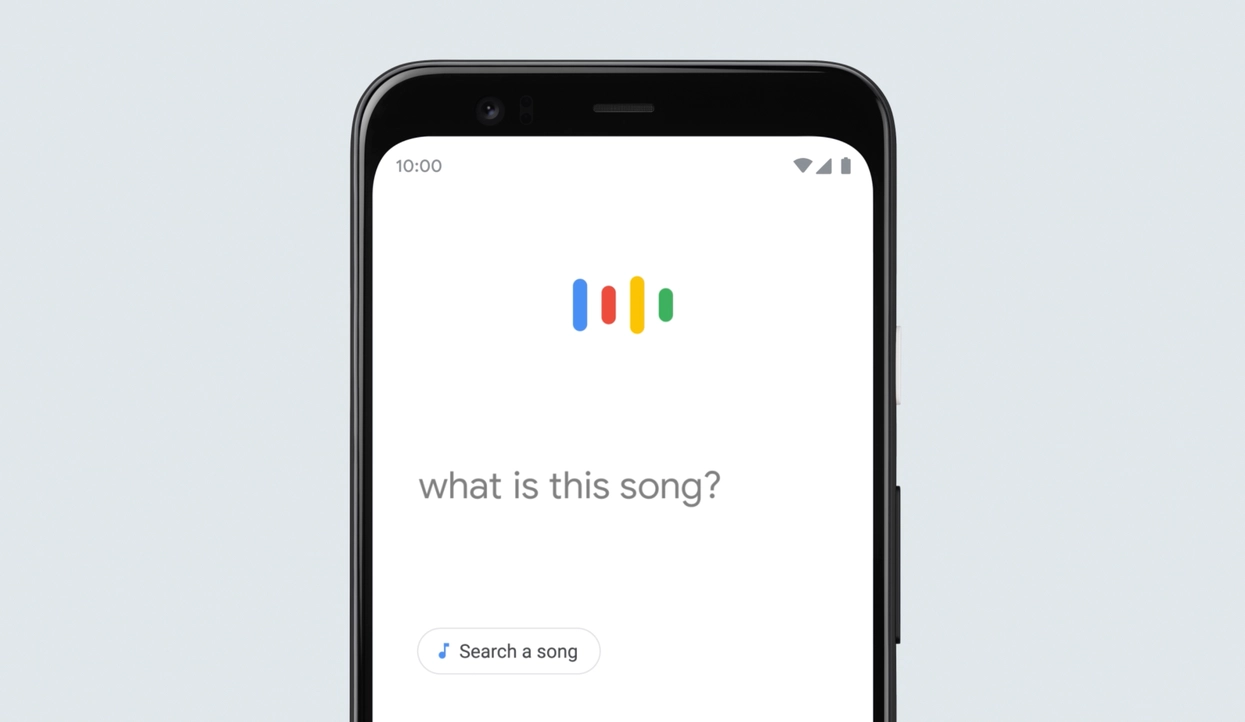
Google’s humming to music AI feature is one of the fastest and easiest ways to identify songs. By analyzing the melody and rhythm of your hum, Google hum to search matches it to tracks in its huge music library. Even if your hum isn’t perfect, this tool can still recognize the song.
Key Feature
- Free and fast: Available via Google Search or the Google app with no extra sign-ups.
- Off-key tolerant: Matches based on melody shape and rhythm, not perfection.
- Direct links: Instantly access lyrics and streaming platforms after identification.
How to Use Google to Recognize Humming to Music:
- Open the Google app or visit google.com.
- Tap the microphone icon and select the “Search a song” or hum option.
- Hum or sing for 10 - 20 seconds (try humming the chorus).
- Review the results and click on the links to listen or see lyrics.
Method 2. Discover Songs by Humming with YouTube Music
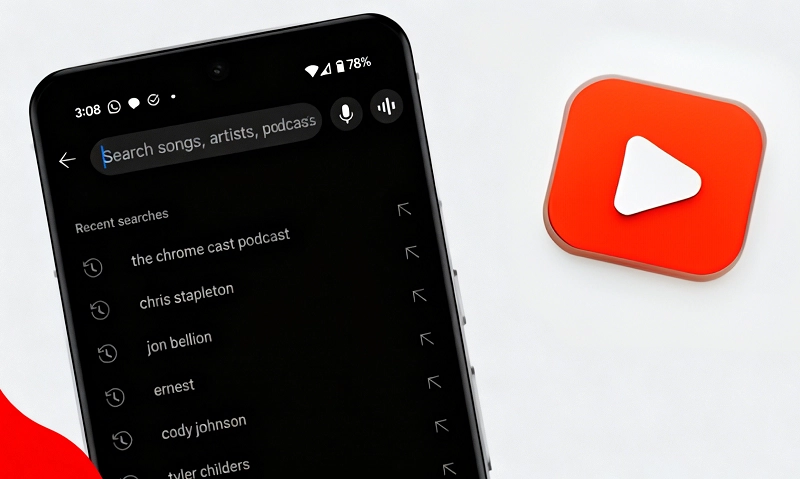
YouTube Music expands on Google’s AI humming to music technology by offering access to its enormous library of official tracks, covers, and live performances. So if you want to analyze songs by humming and explore different versions and related videos, YouTube is your best bet.
Key Feature
- Huge catalog: Includes official releases, covers, and live versions.
- Instant playback: Play matched songs or videos without leaving the app.
- Context-rich: Results often include multiple variations of the same track.
How to Use YouTube to Recognize Humming to Music:
- Open the YouTube Music app or YouTube (with Google integration).
- Tap the search/mic icon and select the humming option.
- Hum for 10 - 20 seconds.
- Tap on the matched song to play it directly.
Method 3. Identify Songs from Humming Online with AHA Music
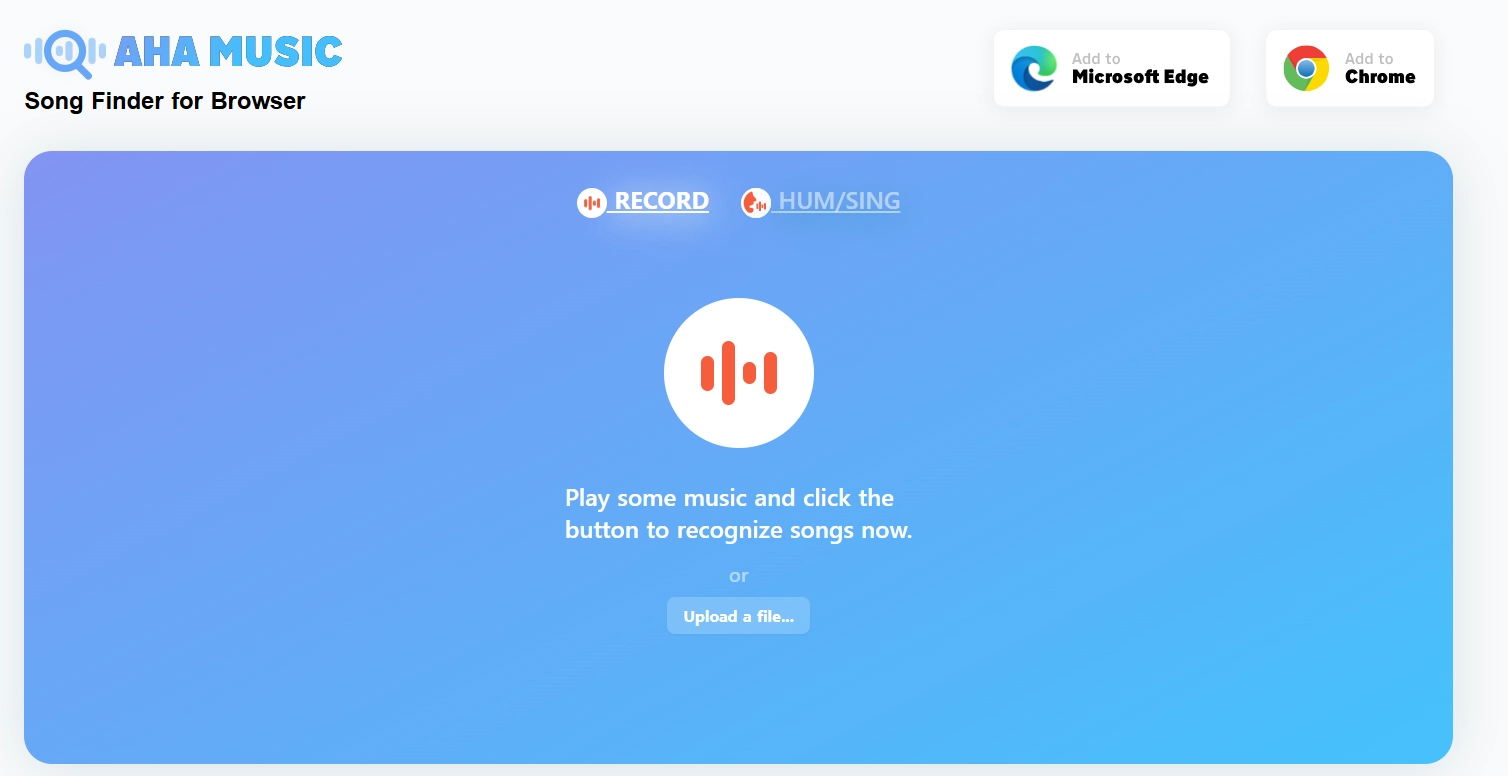
AHA Music provides a convenient, browser-based way to identify songs by humming. Instead of downloading an app, you can hum directly into your microphone or upload a recorded clip. Because it can instantly convert humming to music, many desktop and laptop users are hooked on it.
Key Feature
- Browser-based: No app or account required, works online directly.
- Flexible input: Supports live humming or uploading recordings.
- Quick links: Provides direct access to lyrics and streaming platforms.
How to Use AHA Music to Recognize Hum to Music:
- Open the AHA Music website or install the browser extension.
- Click the extension or visit the site, and record or upload your hummed clip (10–30 seconds).
- Wait for the tool to process and display possible matches.
- Click on the match to confirm and listen to the song.
Method 4. SoundHound – AI Humming to Music App
SoundHound is a powerful mobile app designed to recognize songs through humming or singing. It uses humming to music AI to quickly identify both popular and obscure tracks. Also known for its precision, SoundHound offers interactive lyrics. Once a song is recognized, you can sing along.

Key Feature
- Mobile-focused: Optimized for fast recognition on smartphones.
- Offline use: Save hum recordings and match them later.
- Interactive lyrics: Follow synced lyrics for many matched songs.
How to Use SoundHound to Identify Humming to Music:
- Open the SoundHound app.
- Tap the orange button and hum or sing your melody for 10–20 seconds.
- Browse through the matches and tap a result to play the song or see lyrics.
Vidnoz AI Music Generator – Create Original Tracks Beyond Humming
Once you’ve used humming to music AI tools to identify a song, you may feel inspired to make something completely new. That’s where the Vidnoz AI Music Generator comes in. While it does not directly convert humming to music, Vidnoz allows you to generate fresh melodies, complete songs, and even lyrics powered by AI.
Vidnoz Free AI Music Generator
Free to generate & download for commercial use!
- 100+ combinations of musical styles, moods and themes
- Turn your texts into songs and music videos
- AI to create an original song with your lyrics
Create Music with AI
Key Feature
- AI-Generated Melodies: Vidnoz generates unique original songs from scratch. Without any instruments or composition experience, users can explore new musical ideas.
- Lyrics Creation: The platform generates lyrics tailored to your style, helping you quickly add meaningful words that match the mood and theme of your music.
- Music Video Option: Vidnoz free AI video generator can produce AI-generated music videos that align with your song’s tone, giving you a polished, shareable track complete with visuals.
- Creative Flexibility: With multiple input options and style choices, Vidnoz lets you experiment at your own discretion; by lifting simple ideas into full blown songs its creativity is released completely and totally.
Step-by-step: Create a Song with Songs with Lyrics
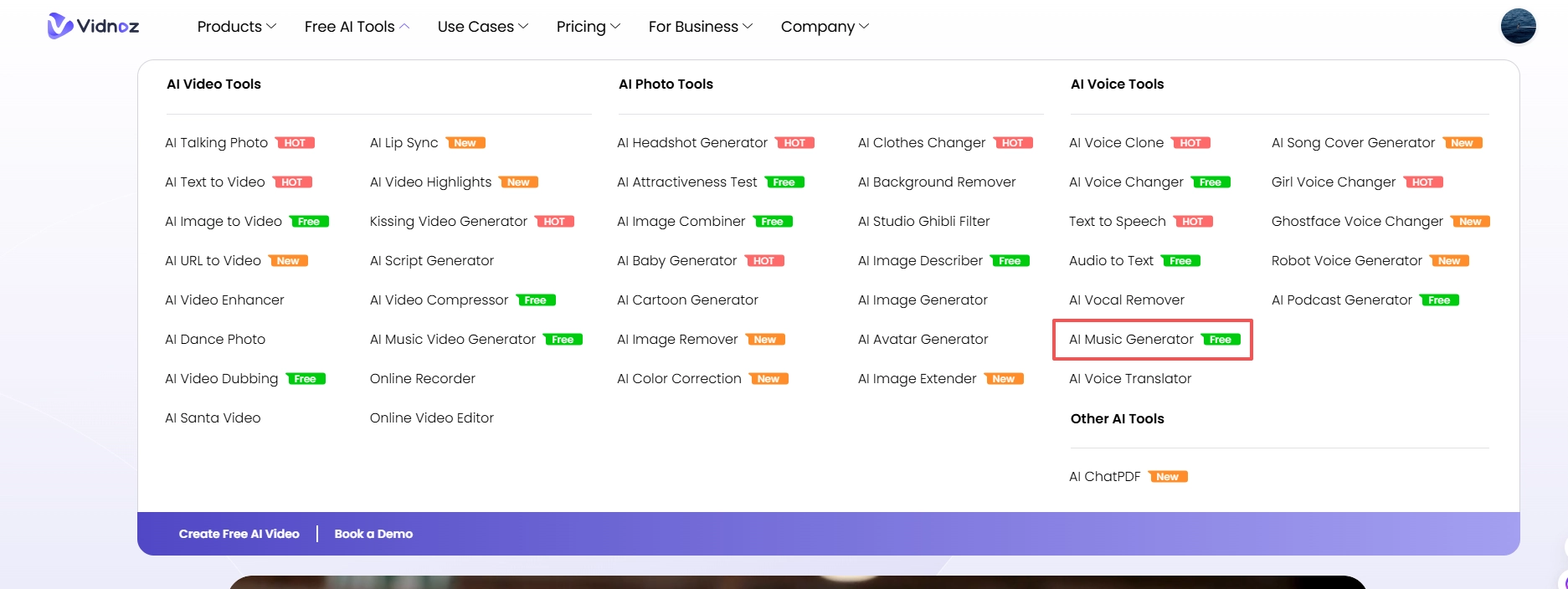
Step 1. Sign in and Open Vidnoz AI Music Generator
Click the button below to log into Vidnoz and find the AI Music Generator.
Step 2. Switch to Song with Lyrics
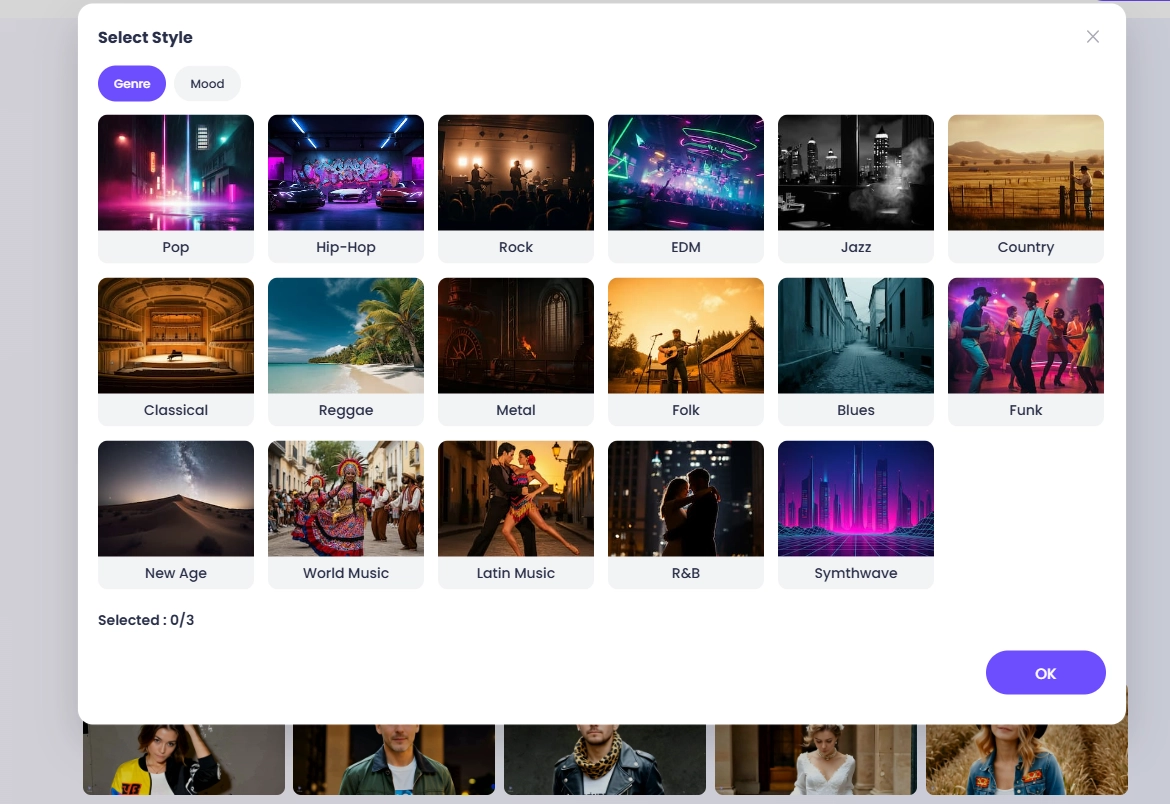
Enter a song title, lyrics and select music style - genre, mood, and instrument to set the overall sonic direction.
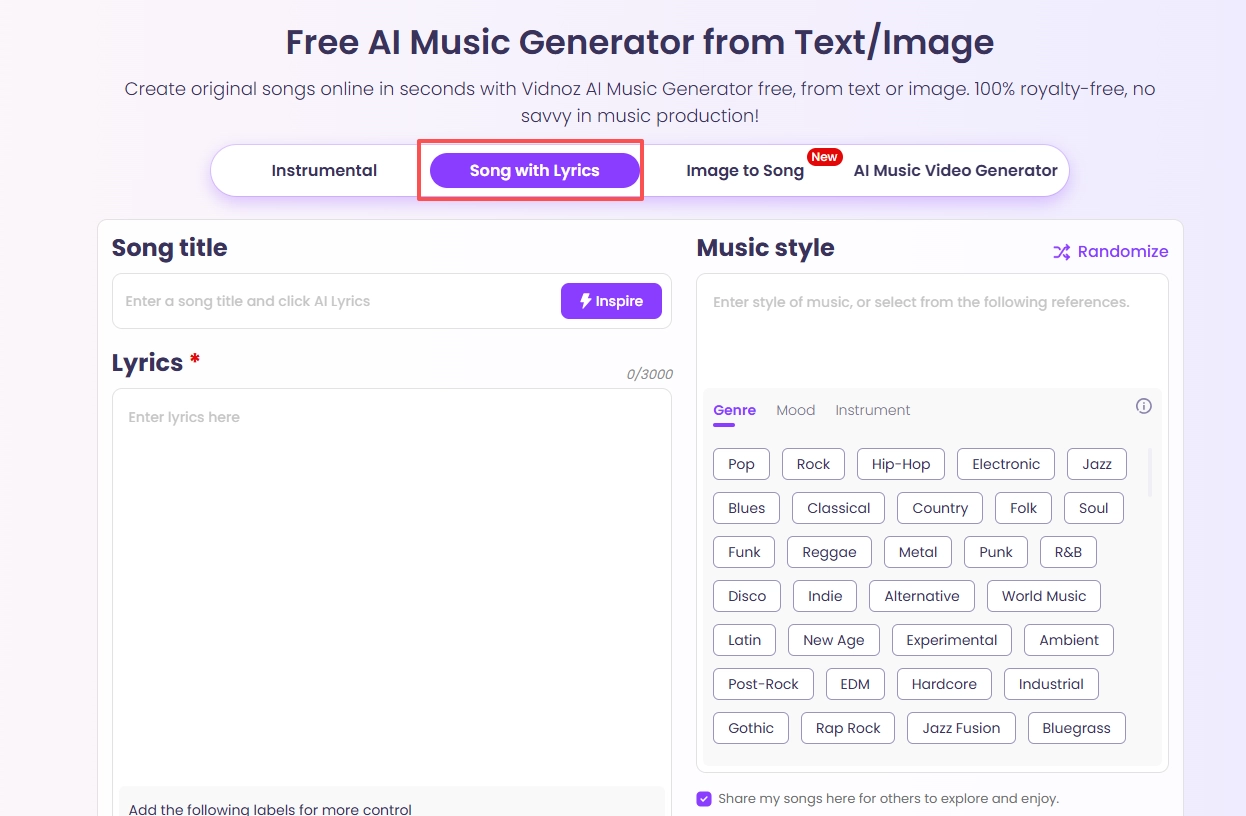

If you don't have existing lyrics or a title, you can also use “Inspire” to automatically generate the lyrics and title you need. You can choose a structure (intro / verse / chorus / bridge) and mark which lines should be the chorus/hook for stronger, repeatable melodies.
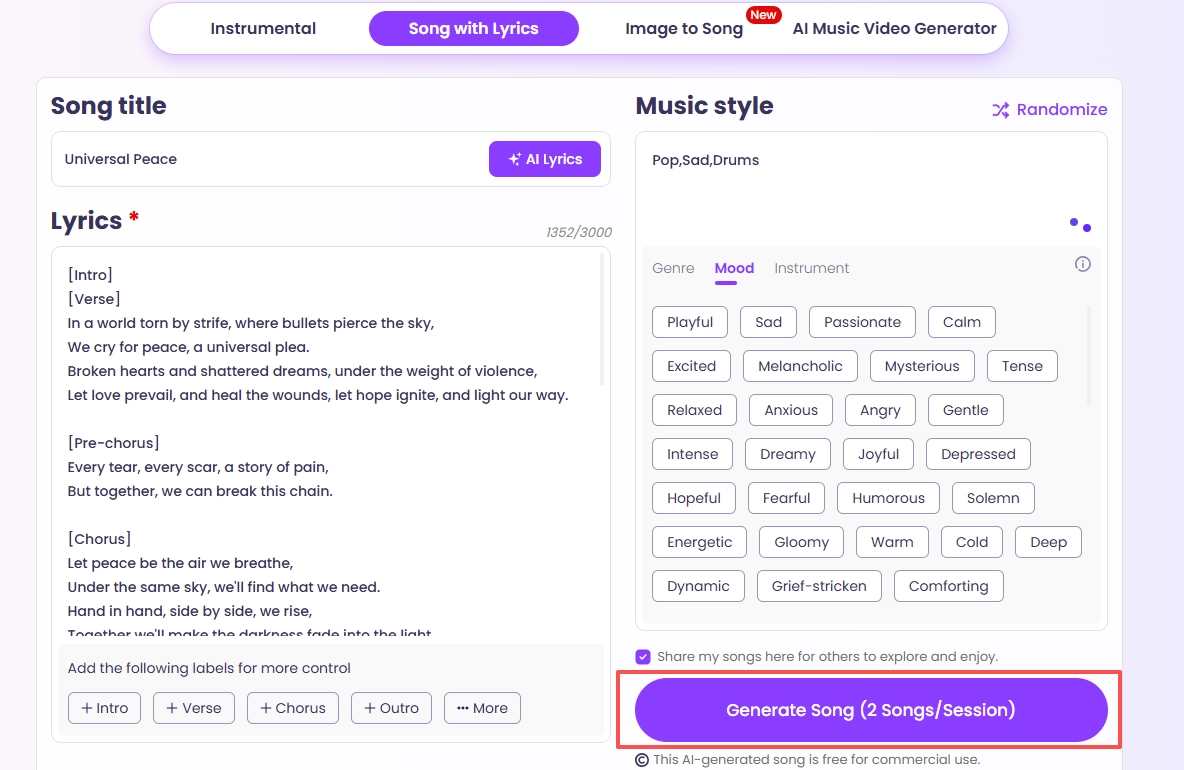
Step 3. Generate the Song, Preview and Download
Click Generate to produce the original song. After generating it, you can preview it. If you're satisfied, export it and share it with others.
With Vidnoz, you can take inspiration from the songs you’ve identified through AI humming to music apps and use that energy to produce something original.
Bonus | From Humming to Music Video: Bring Your Melody to Life
That melody you hummed has come a long way—you identified it, recreated it, and even turned it into an original AI-generated track. Now, complete your creative journey by transforming that same hum into a full-fledged music video with Vidnoz AI Music Video Generator.
This tool takes the essence of your hum—its mood, rhythm, and vibe—and translates it visually. Just upload your song (the one that started as a hum), add a singer’s photo or choose an AI digital avatar, pick a style, and generate. Vidnoz automatically syncs the visuals to your audio, creating a seamless music video that stays true to the feeling you first hummed—no video team required.
How to Create a Music Video from Your Hum-Inspired Track:
Step 1. Open the online Vidnoz AI Music Video Generator page.
Step 2. Upload the music file you generated and a photo of the singer. You can also pick from the provided AI digital singers.

Step 3. Select the music video style that best fits the mood of your song (inspired by your original hum!) and choose the video ratio.
Step 4. Click "Generate Video" to start the creation process. Preview and download your brand-new music video.
As an all-around AI tool hub, Vidnoz supports your entire creative journey, from identifying a hummed melody with its AI companions to generating original music and finally producing a stunning music video, all in one ecosystem.
Frequently Asked Questions about Humming to Music
1. Can AI convert humming to music?
Yes, certain AI tools can identify songs from your humming. While they don’t directly convert humming to music, they analyze melody patterns and match them with tracks in large databases.
2. How does humming to music AI work?
These tools humming to music AI use algorithms to capture melody shapes, rhythm, and pitch, then compare them against massive song libraries to deliver potential matches within seconds.
3. Can Vidnoz convert humming to music?
No, Vidnoz cannot directly convert humming to music. However, it generates entirely new melodies, lyrics, and even music videos, making it ideal for original music creation.
5. Is AI hum to music free to use?
Yes, many AI hum to music services, like Google’s Hum to Search and AHA Music, are free. Premium apps such as SoundHound may offer additional paid features.
Conclusion
Today’s tools make it easy to recognize songs from a simple melody. With humming to music AI services like Google, YouTube Music, AHA Music, and SoundHound, you can hum a tune and instantly identify tracks, lyrics, or videos.
For those wanting to go beyond recognition, the Vidnoz AI Music Generator offers a creative next step. While it doesn’t directly convert humming to music, it lets you generate new melodies, add lyrics, and even produce custom AI music videos. Additionally, you can unleash your creativity using its image to video AI tool.
Convert Image to Video AI Online - Free
- Create a video from an image quickly for free.
- Use various AI models to turn photos into videos.
- Download and share the AI-generated video at no cost.
Convert Image to Video