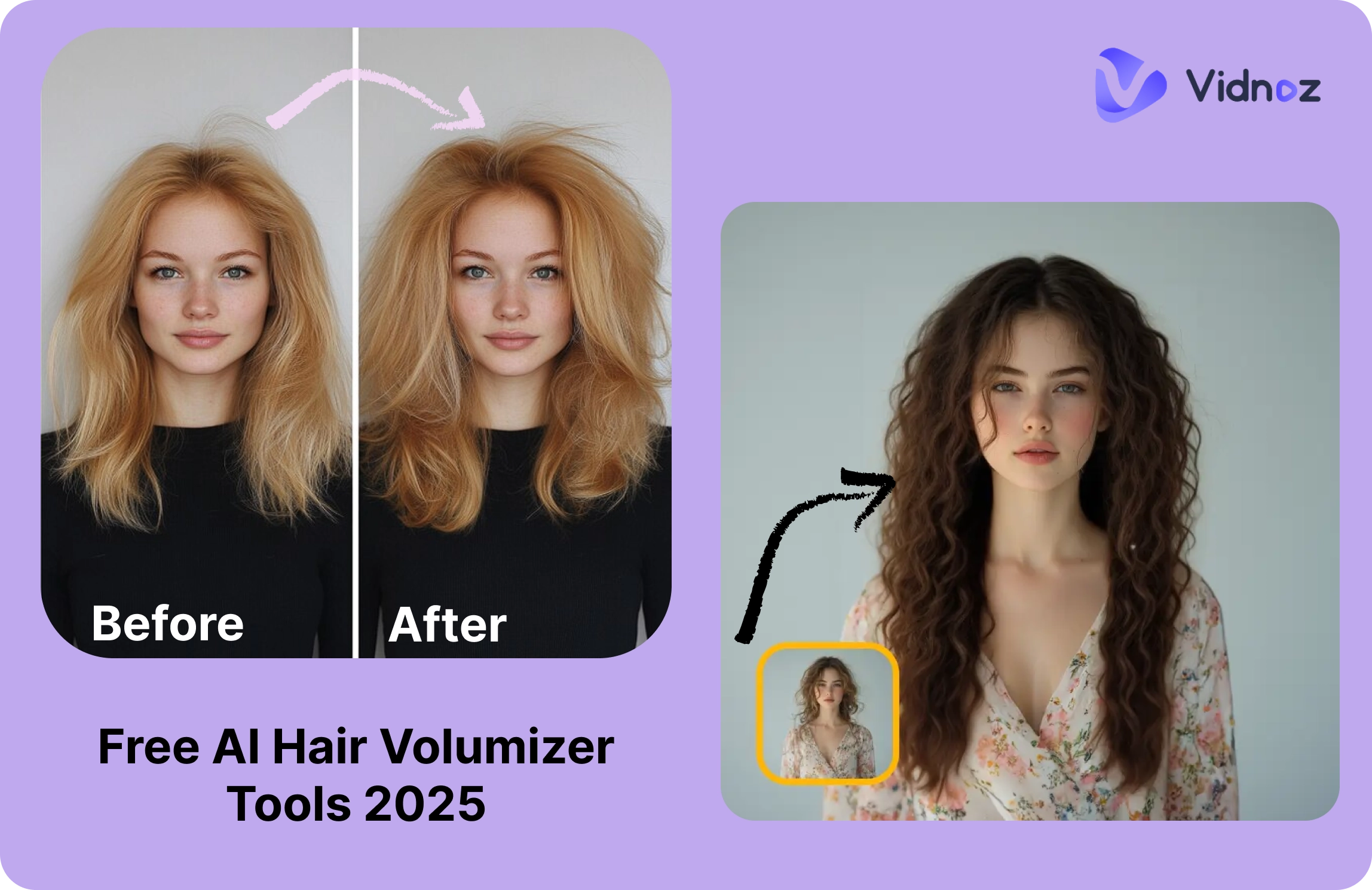
Many people—including Gen Z beauty tech lovers—are obsessed with thicker-looking hair these days. The AI hair volumizer trend isn’t just about looks; it’s a practical, slick photo-editing hack. In the next few minutes, you’ll get the lowdown on how hair volumizer tools work, how to use three great ones (YouCam, Evoto, DeeVid), and how Vidnoz helps you evaluate your edits.
- On This Page
-
What Is AI Hair Volumizer?
-
AI Fill Hair Gap Naturally with YouCam Online Editor App
How to Add Hair to Photo with YouCam Online Editor:
-
Retouch & Volumize Hair Effortlessly with Hair Volumizer Online
How to Boost Hair Volume with Evoto AI Hair Part:
-
Boost Hair Volume with AI Hair Growth Effect Generator
How to Volumize Hair in Photos with DeeVid AI Hair Growth:
-
How Do You Look with AI Hair Volumizer Photo?
What You Benefit from Vidnoz AI Attractiveness Test:
How to Evaluate Your Beauty with AI Attractiveness Test:
What Is AI Hair Volumizer?
Simply put, an AI hair volumizer is a smart tool that thickens or fills in parts and hairlines in your photos—kind of like a digital blowout. It restores volume where you might be slimming out (especially around the part) and lets you add hair to my picture without manual masking. It is essentially a hair generator for subtle, convincing enhancements that can be done online.
AI Fill Hair Gap Naturally with YouCam Online Editor App
YouCam takes the “effort” out of hair editing by making volume adjustments almost instant. Instead of struggling with brushes, layers, or manual touch-ups, this volumizer hair tool uses AI to detect thinning areas and fill them in with natural density. You want subtle, not over-the-top, results when you're editing photos for social media or portfolios.
Because it runs in the browser, you don’t need bulky software—just upload, apply the AI Hair Volumizer, and adjust. Think of it as the digital version of a root-lift spray: quick, accessible, and surprisingly realistic. Whether you’re curious about how thicker hair could frame your face, or you just want selfies to feel more polished, YouCam keeps the process seamless.

Operating System: Online, Android, iOS
What You’ll Like:
- Smooth part-fill without crunchy artifacts.
- Browser-first—no downloads.
- Excellent for brief client previews or social media posts.
What You Might Dislike:
- Less control than desktop apps.
- Results rely on photo clarity.
How to Add Hair to Photo with YouCam Online Editor:
Step 1. Open the YouCam Hair Volumizer here.
Step 2. Click on “Try Now” and upload your photo.
Step 3. Apply AI Hair Volumizer/Fill Hair Gaps by choosing the volume you want, add bangs and extensions if you want, and export.

If you’re searching for hair volumizer online free, YouCam’s web tool is the easiest way to test this look without installs. It even doubles as a hairstyle changer if you want to explore.
Retouch & Volumize Hair Effortlessly with Hair Volumizer Online
Evoto is the pro’s choice when you want precision beyond casual apps. Unlike quick-fix editors, it gives you deep control over part lines, volume, and density—ideal for detailed retouching or professional shoots. With its AI-powered system, Evoto doesn’t just “puff up” the hair; it recreates strands and textures in a way that aligns with your original photo quality.
Unlike many apps that lean on presets, Evoto lets you finesse small changes that make a big difference. For anyone looking for a volumizer hair tool that behaves more like a retoucher than a gimmick, Evoto is worth a look.

Operating System: Windows, macOS, iPadOS
What You’ll Like:
- Detailed hair part line adjustments.
- Pro features like tethered capture and batch edits.
- Clean, high-res exporting.
What You Might Dislike:
- Requires installation—no one-click edit.
- Slightly higher learning curve.
How to Boost Hair Volume with Evoto AI Hair Part:
Step 1. Download the Evoto AI Hair Editor software on your device.
Step 2. Upload your photo into Evoto hair editor, and navigate to Hair → Part Line.
Step 3. Tweak volume until it matches your natural texture.
Step 4. Export and zoom-check for hairline realism.

Evoto shines when you're doing brand shoots or need consistent output across formats—especially for thinning parts. The only downside is that you have to download the software.
Boost Hair Volume with AI Hair Growth Effect Generator
DeeVid brings simplicity with its ready-made AI Hair Growth template. Instead of starting from scratch or fumbling with complicated controls, you drop in a photo and let the AI boost fullness automatically. This makes it one of the fastest ways to try an AI hair volumizer, especially if you’re new to editing or just want a quick before-and-after.
And because DeeVid is available online and on mobile, it’s an everyday solution for quick updates, whether polishing a LinkedIn headshot or upgrading a selfie. Efficient, realistic, and easy to repeat, it’s ideal for anyone who values speed over advanced features.

Operating System: Online, Android, iOS
What You’ll Like:
- Super streamlined template-based workflow.
- Works on phones or browsers.
What You Might Dislike:
- Less customization than desktop tools.
- Quality depends on your starting image.
How to Volumize Hair in Photos with DeeVid AI Hair Growth:
Step 1. Head over to the online hair generator - Deevid AI Hair Template. Sign in to it.
Step 2. Upload a clear, front-facing image of yourself for best results.
Step 3. Specify your desired hair length, volume, and style preferences using the template options.
Step 4. Hit "Create" to let the AI apply the hair volume effect to your image in video form.

Step 5. Export and preview wherever you're posting!
Need social content? You can even bundle with a free AI video generator or text to video AI workflow. Vidnoz covers that smoothly if you want a seamless follow-up.

Vidnoz AI - Create Free Engaging AI Video with Talking Avatar
- Easily create professional AI videos with realistic avatars.
- Text-to-speech lip sync voices of different languages.
- 2800+ video templates for multiple scenarios.
How Do You Look with AI Hair Volumizer Photo?
Wonder how you look with AI volumized hair photo? Take the look a step further with Vidnoz’s AI Attractiveness Test. It scores facial harmony, projects “confidence,” and even guesses your age—all with one upload. It’s not just about vanity either; many users try it out of curiosity, or to see how their photos might be perceived in professional or social settings.
The test also taps into other fun AI trends like playful age predictions or even comparisons that reveal what country do I look like. Whether you’re exploring it for self-improvement or just to have fun with friends, Vidnoz makes the process engaging, accessible, and free to try.

What You Benefit from Vidnoz AI Attractiveness Test:
- Online Free Facial Attractiveness Test: Upload your portrait online for instant feedback: Swipe right on self-love — totally free and ready to hype up your vibe!
- Detailed AI Beauty Analyzer: It offers a comprehensive facial analysis for multiple traits, including attractiveness, fun, smartness, confidence, trustworthiness, and approachability.
- Funny Age Prediction with AI: Vidnoz AI Attractiveness Test gives a bit of fun with AI age prediction based on your image, so you may look younger or order than you are.
- Free to Download and Share: One click to download your attractiveness test report for free. Share it with your friends and followers.
How to Evaluate Your Beauty with AI Attractiveness Test:
Step 1. Visit the Vidnoz Attractiveness Test page.
Step 2. Upload your edited photo.

Step 3. Select the criterias you want to score the image on.

Step 4. Click on “Generate” and wait for the results to come in!

Step 5. Review results—dial back if “too volumized,” and recheck.
And if you’re jonesing for adjacent creative tools—like Face Animator, AI Clothes Changer, or even an AI Baby Face Generator to see how trends evolve—you won’t need to hop apps. That’s Vidnoz.
The Bottom Line
Want a sleek hair volumizer workflow? Start with YouCam or DeeVid for lift, fine-tune in Evoto if needed, and use Vidnoz to test the look. Vidnoz’s suite of tools—from text-to-video AI to face animator—lets you build out multi-format content from a single shot. It feels like help from someone on-brand (not a robot). Give it a free try—it’ll change how you touch up hair forever.
Vidnoz AI - Create Free Engaging AI Video with Talking Avatar
- Easily create professional AI videos with realistic avatars.
- Text-to-speech lip sync voices of different languages.
- 2800+ video templates for multiple scenarios.