Training employees and students on fire safety is a task that can never be neglected. While you can not stop accidents from happening, the practice lets you get prepared and ensure quick responses in emergencies. Today, you don’t need to hire actors or rent expensive studios to make a training video because AI can handle the job perfectly. Just keep reading to find the top AI tools that can help you generate an impressive fire safety video in just minutes!
- On This Page
-
Fire Safety Video AI versus Non-AI
-
How to Make Fire Safety Videos for Workplace
First off, let’s see how to produce a fire safety video with it.
-
How to Make Fire Safety Videos for Kindergartners
How to create a fire safety video with Deevid AI
-
How to Make Fire Safety Videos for High School
How to create a fire safety video with Rendora AI
-
Bonus Tip: Most Referenced Fire Safety Videos YouTube
Fire Safety Video AI versus Non-AI
How to produce a fire safety video? You can either use a traditional approach or go with AI-powered methods. While a non-AI fire safety video typically involves manual filming, scripting, and editing, an AI fire safety video leverages automation for faster creation. Here are the advantages of the two approaches.
Non-AI fire safety videos advantages:
1. Authentic human touch: Real actors and on-site shooting provide a genuine feel. The real human fire safety instruction video can be more relatable and emotionally impactful.
2. Full creative control: You can direct every scene precisely from your perspective. This makes your fire safety video align perfectly and creatively.
3. High production quality: With professional equipment and CGI, non-AI methods can achieve cinematic effects that we often see in blockbusters.
AI fire safety videos advantages:
4. Speed and efficiency: Generate a complete fire safety video in minutes via templates and automation. You can easily create video tutorials for fire safety in just a few minutes.
5. Cost-effective: No need for crews or studios; AI handles scripting, voiceovers, and visuals, which greatly cuts down the huge expenses for creating a fire safety video, compared to the traditional method.
6. Customization and scalability: Whether you want to create a fire safety video for kids, the workplace, or any scenario, AI has rich customization options to offer. You can also produce variations without starting from scratch, saving you so much effort for something else!
How to Make Fire Safety Videos for Workplace
Where can you create a fire safety video for free? Vidnoz AI is the place to check out, with various video templates related to fire safety themes available. You can easily create a fire safety video for workplace/school/communities in just a few clicks. Plus, the powerful built-in editor that comes with lots of editing tools, Vidnoz allows you to customize content for professional environments.
First off, let’s see how to produce a fire safety video with it.
Step 1. Head to Vidnoz AI. Sign in before the video creation process.
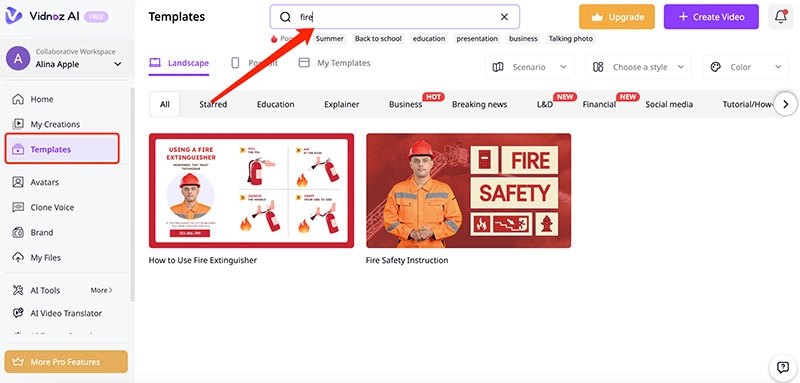
Step 2. Go to Templates and search for “fire” to locate all the video template options. Choose one to proceed.
Step 3. In the editing panel, enter the script for the video scenario, for instance, a fire safety video for teens/employees. You can also replace the firefighter avatar with a different one as you see fit.
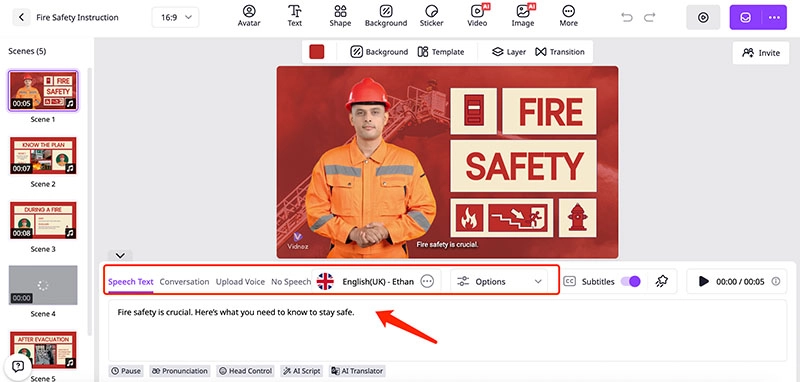
Step 4. Add text stickers, images, and background music if preferred. Preview the video, make final adjustments, and click Generate. Download the finished fire safety video in MP4.
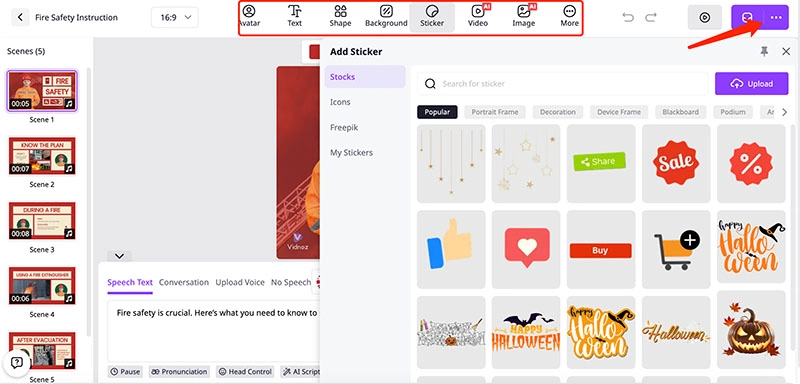
Advantages of Vidnoz Video Generator
- Vast template library: Access hundreds of ready-made templates for fire safety training and explainer videos to get started quickly.
- Support AI avatar videos: Create a lifelike presenter/firefighter avatar to make your fire safety lessons more engaging and relatable.
- Multiple AI features: You can use Vidnoz’s AI auto lip-sync, voice cloning, and multilingual support to make your video polished and vivid.
- Free to use and download: Create professional fire safety videos at no cost. One click to download or share the video easily.
How to Make Fire Safety Videos for Kindergartners
Want to create a fire safety video for kids? Deevid AI is another great choice to consider. You can transform static images into dynamic fire safety videos via three methods: One image to video conversion, creating a video via a start image and an end frame, or converting three reference images into a consecutive video.
Regardless of the method, you can easily create a high-quality fire safety video for kids. The resolution ranges from 512p to 1080p with various aspect ratios to choose from. You can make a video up to 10 seconds for free or with credits(via purchase), depending on the mode you choose. Whether you want to animate child-friendly illustrations or make a simple fire safety demonstration video, Deevid A lets you produce engaging and colorful sequences easily.
How to create a fire safety video with Deevid AI
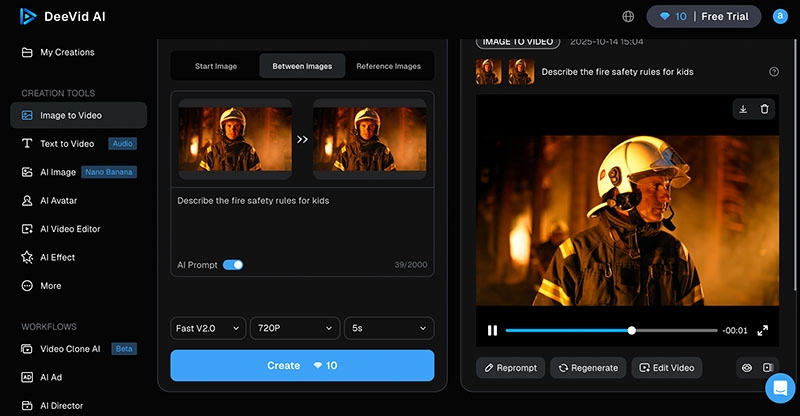
Step 1. Open Deevid AI. Choose the mode you want to create a fire safety video.
Step 2. For the Start image mode, upload a firefighter avatar to begin with. Input the prompt for video creation.
Step 3. Specify the AI mode, resolution, and length. Click on the Create button to proceed.

Step 4. You will be prompted to log in with an email. The fire safety video will be done soon for free downloads.
How to Make Fire Safety Videos for High School
When it comes to the fire safety video for teens, Rendora AI is a handy tool. Featuring 3,000 high-fidelity avatars with lifelike movements, the 3D AI video generation platform is great for making any kind of video with realistic effects. Rendora AI’s video gallery is rich enough, covering 300+ templates with various themes from fire safety to corporate culture, onboarding training videos, and more.
Aside from templates, Rendora supports natural AI voices in 100+ languages that can be seamlessly integrated into videos. You can also customize/change the avatars, scripts, and scenes in the editing interface. If you want to make an informative fire safety video for teenagers in high school, Rendora AI is your best bet. It offers various templates, and some of them even specifically cover extinguisher use and evacuation plans for memorable lessons.
How to create a fire safety video with Rendora AI
Step 1. Open Rendora AI. Create a free account using your email address.
Step 2. Head to the Gallery and search for the fire safety template. Change the avatar if needed. You can adjust the script and change the voice as you like.
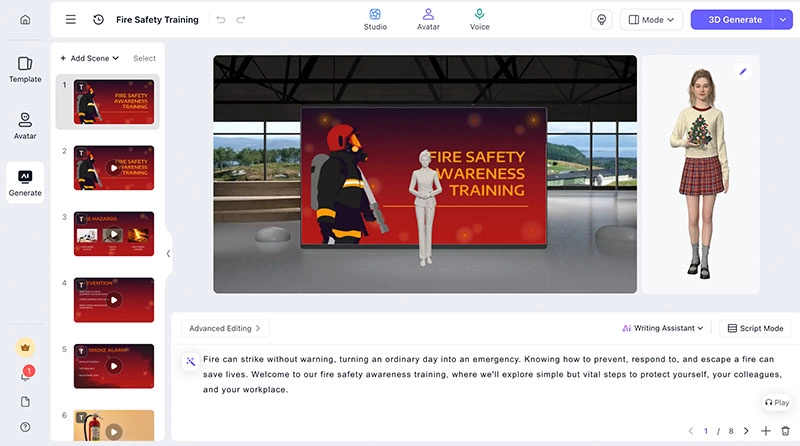
Step 3. Click on the Create button for video generation. Now you can preview the video and adjust every element: script, action, emoji, etc., before final export.
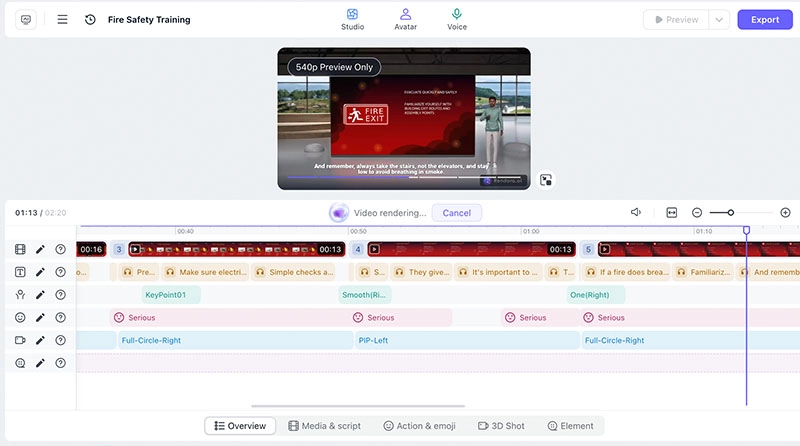
Step 4. When you are happy with the content, click on the Export video to download the fire safety video.
Bonus Tip: Most Referenced Fire Safety Videos YouTube
We have already covered the best tools to help you make engaging fire safety videos. But if you are unsure where to start, YouTube is full of inspiration. Here are some of the most referenced fire safety videos worth checking out:
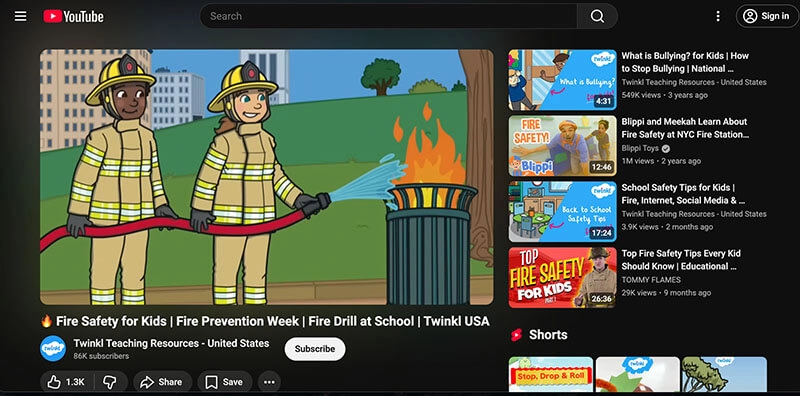
1. Fire Safety for Kids | Fire Drill at School | Twinkl USA
This lively video helps kids understand school fire drills: how to react to alarms, evacuate calmly, and stay safe in emergencies. You can see it uses fun animations and easy-to-follow instructions to educate real-life safety skills for kids.
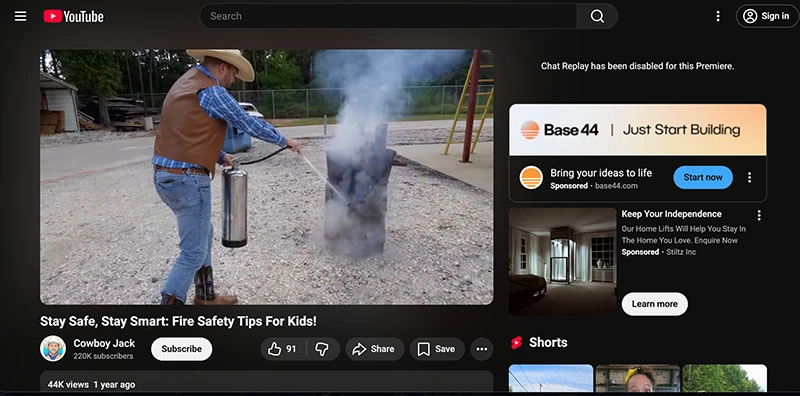
2. Stay Safe, Stay Smart: Fire Safety Tips For Kids!
A fun and educational clip that teaches kids how to prevent fires at home, react if clothes catch fire, create escape plans, and call emergency services confidently and effectively.
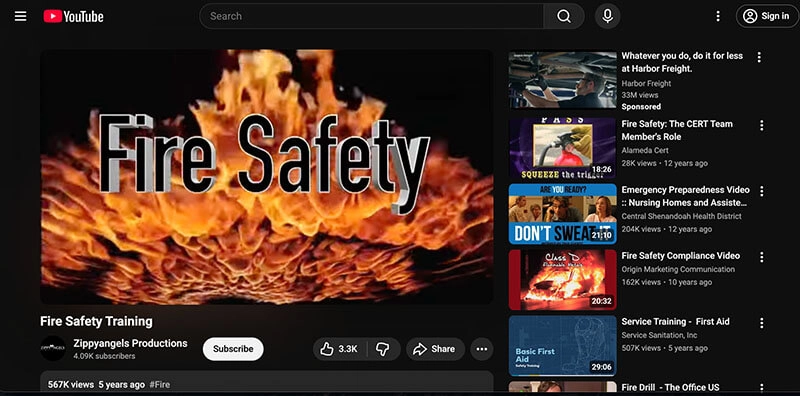
3. Fire Safety Training
This comprehensive fire safety training film was created with ex-firefighters. It basically covers everything: fire prevention, the fire triangle, classes of fires, extinguisher use, evacuation procedures, and emergency response for workplace safety.
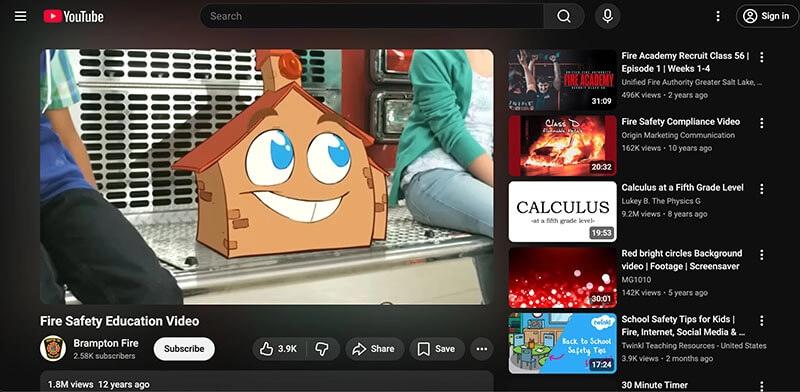
4. Fire Safety Education Video
Here, the animated Frankie the Fireman is teaching kids key safety lessons: test smoke alarms, make escape plans, crawl low, stop-drop-roll, cool burns, avoid matches, and trust firefighters in emergencies.
Conclusion
How to create a fire safety video easily? Today, the task is so much easier with the help of AI. Now you’ve also learned the best options out there; just pick one to create a fire safety video for kids, teens, or the workplace hassle-free. But as you can see, Vidnoz stands out as the top option, with its vivid video templates and rich customization options. Head to Vidnoz today to start your free trial and make impactful educational fire safety videos easily now.

Vidnoz AI - Create Free Engaging AI Video with Talking Avatar
- Easily create professional AI videos with realistic avatars.
- Text-to-speech lip sync voices of different languages.
- 2800+ video templates for multiple scenarios.




![How to Make Explainer Videos for Free in Minutes [Guide & Tip]](https://www.vidnoz.com/bimg/make-explainer-videos-1.webp)

![How to Make Great Training Videos Online in 5 Minutes [Easy & Free]](https://www.vidnoz.com/bimg/training-videos-1.webp)