You fall in love with a song from a TV series, movie, podcast, or short video—only to find that it isn't available in the official soundtrack. This is incredibly common, and sometimes there's another reason: you may actually prefer a version that includes memorable dialogue from the scene itself.
All you need to do is clip the desired segment and use the right tool to extract music from video. This guide has tested and selected six reliable websites for you, along with a smarter alternative for getting music more efficiently. Keep reading to explore them!
- On This Page
-
Why People Need to Extract Music from Video?
-
6 Best Websites to Extract Music from Video Online
Tool 1: Biteable Audio Extractor
Tool 2: Restream Audio Extractor
Tool 3: Cleanvoice Audio Extractor
Tool 4: Audio-Extractor.net
Tool 5: Rotato Audio Extract Tool
Tool 6: VEED Audio Extractor
-
Create Original Songs Easily with Vidnoz AI Music Generator
Step-by-Step Guide: How to Create a New Song with Vidnoz AI Music Generator
Why People Need to Extract Music from Video?
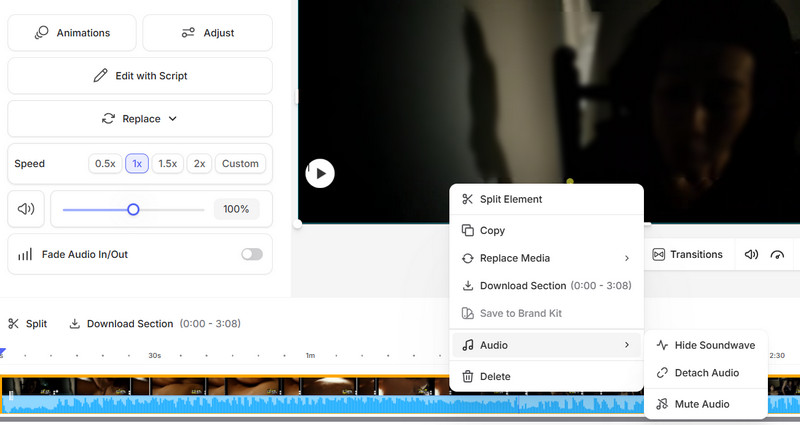
Common reasons for extracting music from video include finding a beloved song or background track unavailable through official channels. While keeping the video may seem convenient, video files are much larger and quickly take up valuable storage on your phone or computer.
Unlike audio, videos don’t support background playback and require reopening each time you want to listen, making them inconvenient for casual use. For creators and marketers, lacking clean audio also limits reuse in short videos, podcasts, presentations and ads.
Audio-only files are far more flexible and efficient. Heavy software can burden device performance and storage, making lightweight browser-based tools the best, most versatile choice.

6 Best Websites to Extract Music from Video Online
Picking up where you left off - by now, you've probably realized that using online tools to handle extracting music from video is the most efficient and convenient option. However, not every tool delivers a smooth experience, which makes choosing the right one especially important.
After research and hands-on testing, this guide has selected six beginner-friendly tools that are easy to use even for first-time users. Each comes with clear feature highlights to help you quickly find the best fit for your needs.
Tool 1: Biteable Audio Extractor
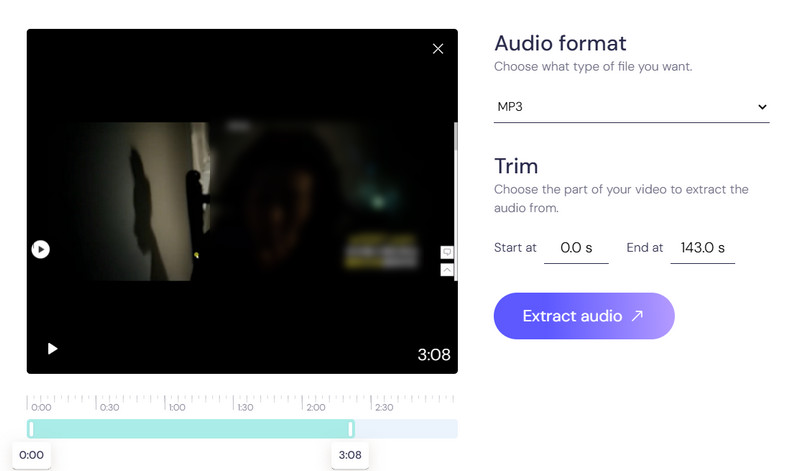
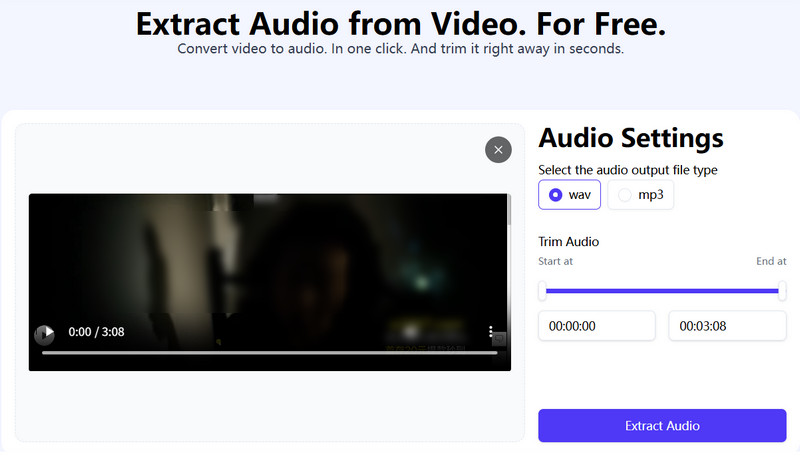
Compared with desktop software, online tools simplify the process to extract music from video file, yet many require tedious sign‑up and login. Biteable Audio Extractor is different: no registration, no account, totally free. Just upload your file, pick MP3 or WAV, trim audio via sliders, and it auto‑extracts and downloads instantly. Fast, easy, and ideal for beginners needing quick, hassle‑free audio extraction.
Tool 2: Restream Audio Extractor
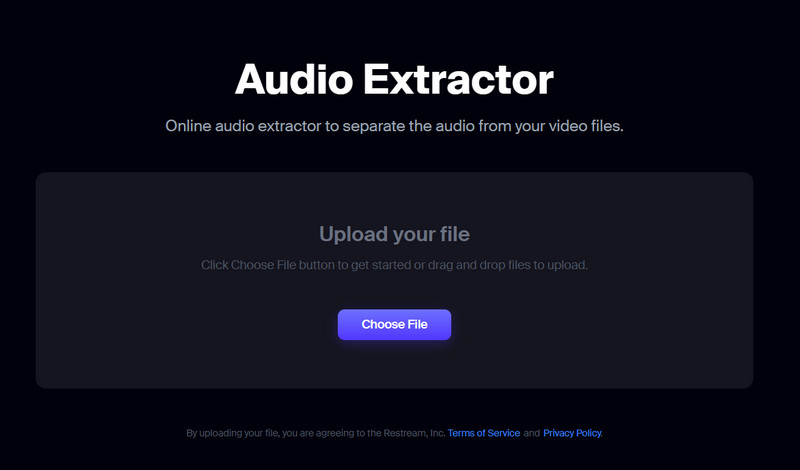
Restream Audio Extractor lets you extract music from videos with no registration, login, or downloads. It has a clean interface and simple workflow, plus the ability to preview audio file size before exporting. The tool supports major formats including MP4, MKV, AVI, MOV, and WEBM, converting them to high-quality MP3. It’s safe and privacy-focused: files are auto-deleted hours after processing, with no ads or third-party access.
Tool 3: Cleanvoice Audio Extractor
Cleanvoice Audio Extractor combines reliable quality and fast speed to help you easily extract music from a video. It supports common formats including MP4, AVI, WEBM, and MOV, exporting clear, lossless MP3 or WAV audio perfect for interviews, podcasts, and professional content. It also features simple trimming and a built-in AI editor to remove noise, reduce echo, and fix distorted audio quickly.
Tool 4: Audio-Extractor.net
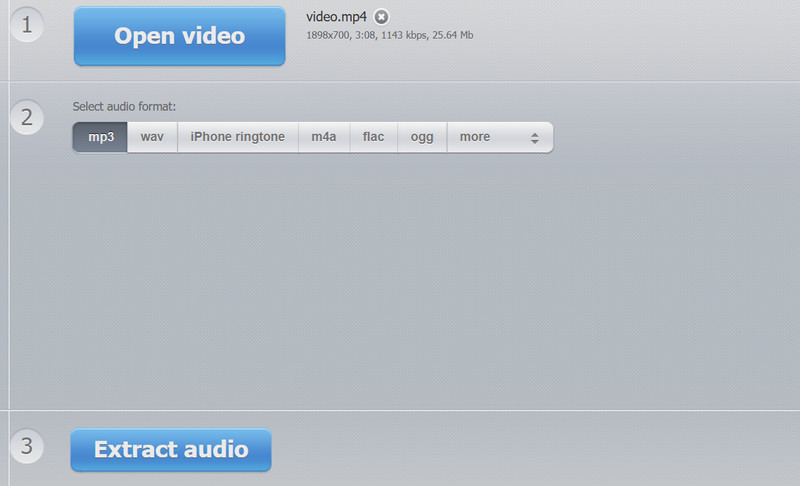
If you need custom audio or want to make ringtones, Audio-Extractor.net is ideal. If you’ve wondered how to extract music from video, it’s simple and beginner-friendly. It supports MP4, AVI, MOV and other formats, showing file size and resolution after upload. You can export to MP3, WAV, M4A, FLAC, OGG, and iPhone ringtones. The process is straightforward—just watch for occasional ad pop-ups to avoid accidental clicks.
Tool 5: Rotato Audio Extract Tool
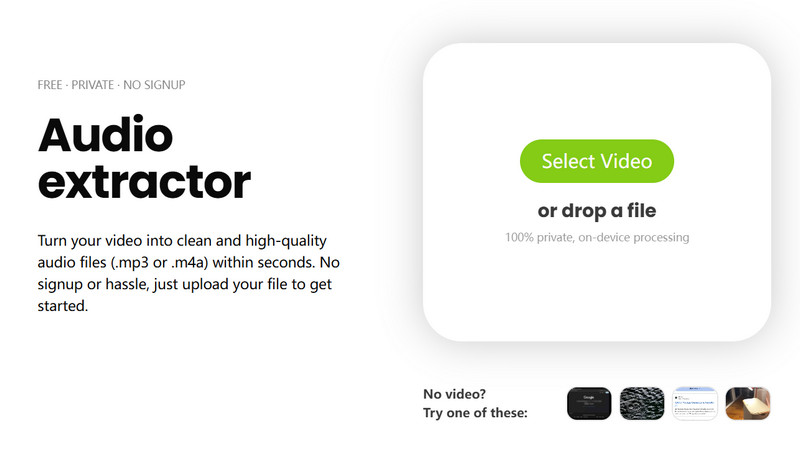
Among tools to extract music from MP4, Rotato Audio Extract Tool stands out with its modern, attractive design. It features clear black text and bright green buttons for easy upload, format selection, and export. With fast processing, audio preview, and playback speed adjustment, it’s highly intuitive. Supporting MP3 and high-quality AAC, it also explains each format’s benefits, making it perfect for non-professional users.
Tool 6: VEED Audio Extractor
For creators seeking an all-in-one audio editing solution, VEED.io is an excellent choice. It not only lets you extract music from videos but also serves as a professional audio and video editor. You can easily cut, trim, and remove noise using its Dolby-powered technology before exporting, supporting a smooth, complete workflow.
Create Original Songs Easily with Vidnoz AI Music Generator
If you're only using captured files for personal listening or collection, copyright concerns may not be a problem. But if you plan to use the music for derivative works, marketing, or commercial projects, obtaining the owner's permission is an unavoidable step.
If you want to minimize copyright risks, creating your own original music is always the safest route - and don't worry, it's not difficult. You don't need to be a professional musician. As long as you can describe the mood or feeling you want, tools like Vidnoz AI Music Generator let you create music in different moods and styles.
Vidnoz Free AI Music Generator
Free to generate & download for commercial use!
- 100+ combinations of musical styles, moods and themes
- Turn your texts into songs and music videos
- AI to create an original song with your lyrics
Create Music with AI
Key Feature
- Multiple Music Styles & Genres: Vidnoz AI Music Generator is a master of any genre—pop, rock, hip-hop, jazz, classical, punk, Latin dance......you name it.
- AI-Powered Original Composition: Simply choose the song style and theme, and let AI handle the melody and lyrics. Vidnoz generates unique, royalty-free music for you.
- Customizable Mood and Tempo: Music expresses emotions, and Vidnoz ensures your tracks feel natural and dynamic. You can set moods like sad, passionate, melancholic, or mysterious. Vocal gender is also selectable.
- Fast, Online, No Installation Required: Everything is done online—no downloads or installs. After setting your parameters, your song can be ready in seconds.
- Beginner-Friendly Interface: All core features are laid out on a single interface. Buttons are obvious, workflow is intuitive, and you'll understand how to start creating right away.
Step-by-Step Guide: How to Create a New Song with Vidnoz AI Music Generator
Now, let's see how to actually use this AI music generator.
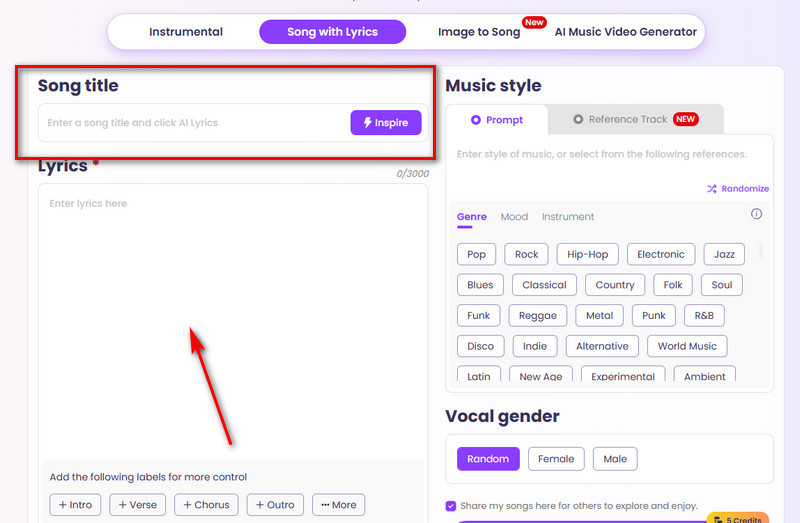
Step 1. Open the Vidnoz AI Music generator in your browser.
Enter your song title in the Song title text box and your lyrics in the Lyrics box.
You can also click the Inspire button to let the AI help write lyrics. For more precise control, follow the prompts under each text box to add guidance.
Step 2. On the right side of the page, select your preferred Genre, Mood, Instrument, and Vocal Gender.
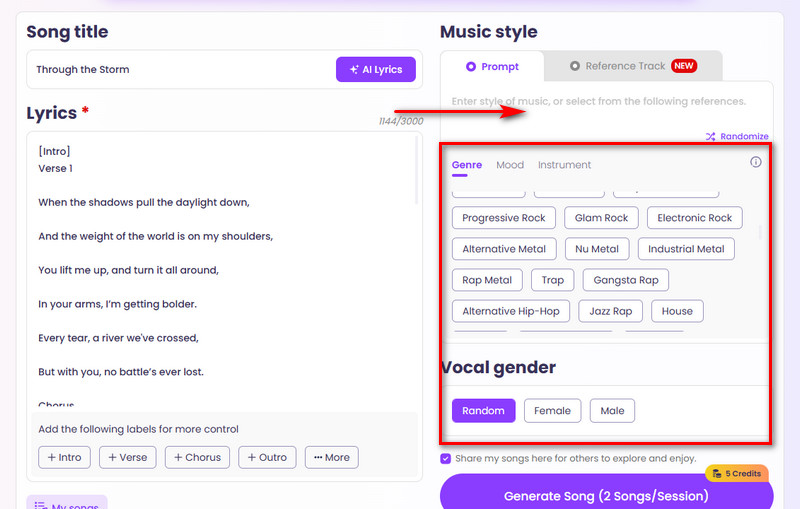
If you have a specific direction, you can describe it in the Prompt box for Vidnoz to convert text to song.
If you have a reference track, you can switch to the Reference Track section to upload or add your target file.
Step 3. After completing all settings, click Generate Song.
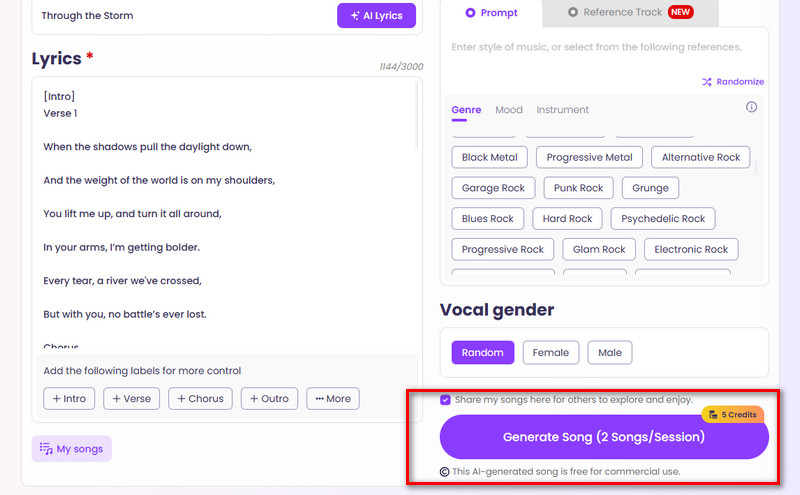
Vidnoz also lets you create a music video for your finished song. On the current interface, you'll see a module called AI Music Video Generator. Click the link, follow the instructions to upload your freshly generated track, customize the singer and on-screen performers, and a complete, polished music video is ready in no time.
Bonus:
Did you know? Vidnoz doesn't just create promotional songs—you can also generate promotional videos based on your music ideas.
- Use the platform's image to video AI, input your instructions, upload product images you want to feature, select the appropriate model, and you'll quickly receive a complete video.
- What if you already have a product demo or presentation video but it's in a language you don't understand? Try Vidnoz AI Voice Translator: upload the source file, select the original and target languages, and get a translated video. You can even enable lip-sync for a more natural result.
- Want to make more professional presentation videos? Vidnoz Free AI Video Generator is ready for you to explore.
Final Thoughts
The six tools mentioned in this article to extract music from video all share fast processing speeds and easy-to-use interfaces. However, using other creators' audio for your own projects, marketing, or commercial purposes often carries copyright risks. For a longer-term solution, it's recommended to create your own original tracks with the help of Vidnoz AI. You can fully customize the style, mood, and lyrics of your music.
In addition, Vidnoz offers even more features, including music video creation, voice-over translation, and other multimedia tools. If you want to produce high-quality multimedia content, Vidnoz is definitely a reliable choice.

Vidnoz AI - Create Free Engaging AI Video with Talking Avatar
- Easily create professional AI videos with realistic avatars.
- Text-to-speech lip sync voices of different languages.
- 2800+ video templates for multiple scenarios.