The gritty, cowbell-laden pulse of Phonk has officially met its digital match. In 2026, the underground sound of Memphis and the high-octane energy of Drift Phonk are no longer confined to complex DAWs or rare sample hunting. AI phonk music makers have evolved into sophisticated beat-smiths, capable of churning out distorted 808s and hypnotic rhythms with a single prompt. Whether you’re a content creator seeking that "night-drive" aesthetic or a producer looking to break through creative blocks, the tools listed on this page are changing the game. In this blog, we’re diving into the top AI Phonk makers to see which ones truly capture the soul—and the distortion—of the genre.
The best 5 AI phonk music makers are listed below. Check them now!
- On This Page
-
1. AI Phonk Music Maker - Suno
-
2. Free AI Phonk Music Generator
-
3. AI Phonk Song Maker - ImagineArt
-
4. AI Phonk Maker Free - MusicCreator AI
-
5. AI Phonk Music Video Generator
-
Compare AI Phonk Music Makers
1. AI Phonk Music Maker - Suno
You cannot avoid mentioning Suno for making the phonk music. While other AI phonk music makers focus on ambient loops, Suno specializes in full song architecture — delivering the aggressive structures, "chopped and screwed" vocals, and high-octane energy the genre demands. With the release of v4.5 and v5, Suno’s ability to handle the "dirty" textures of Phonk has improved significantly, making it less "robotic" and more authentic to the underground Memphis roots. For free users, each generation will cost 10 credits.
Here are the steps for using this tool:
Step 1. Sign up to open this tool.
Step 2. Enter your prompt. You can use AI tools like Gemini or ChatGPT to help with this.
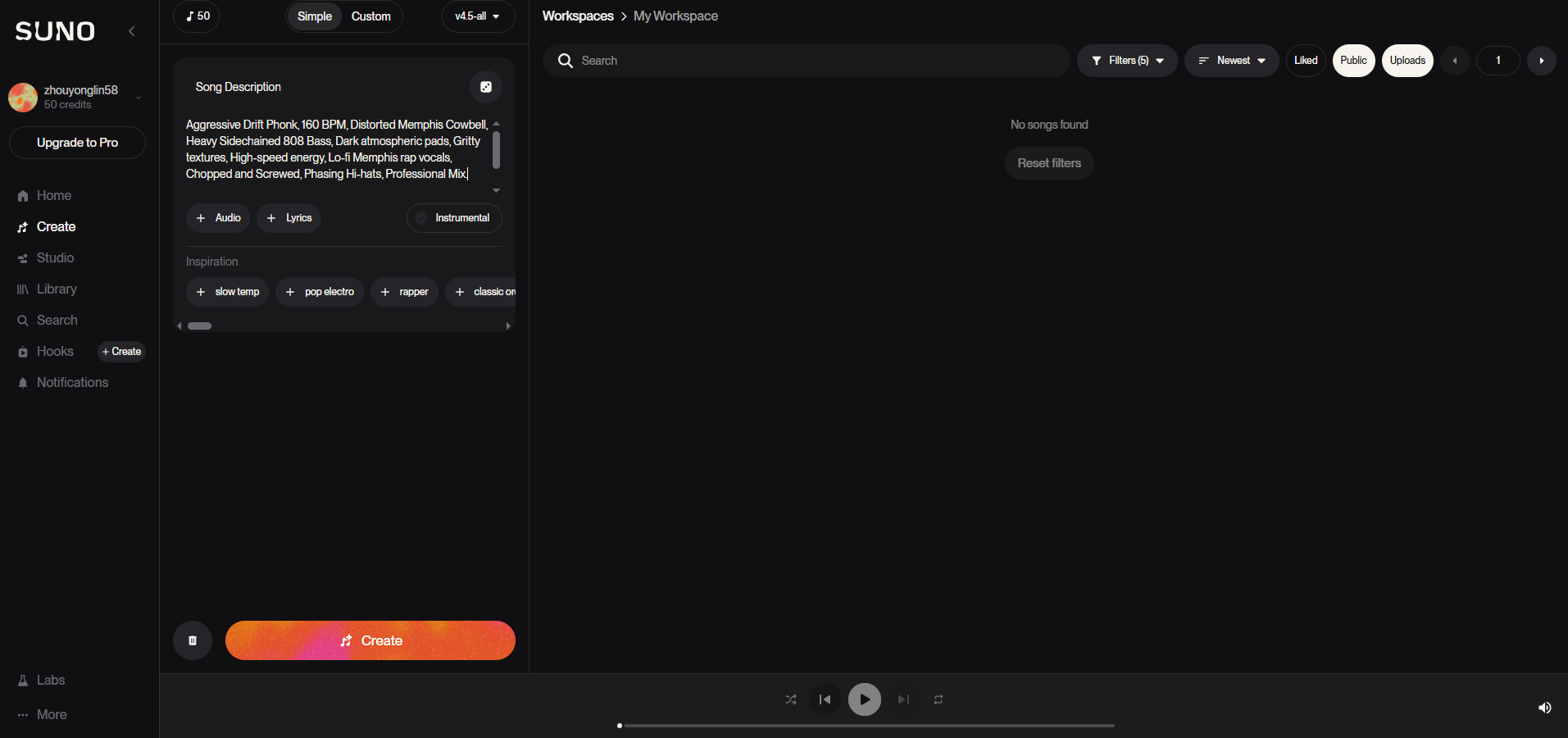
Uploading reference audio and entering lyrics are also supported. Moreover, advanced options like vocal gender, lyrics mode, style influence, etc., are available.
Step 3. Click Create and wait for some time, then 4 clips will be generated.
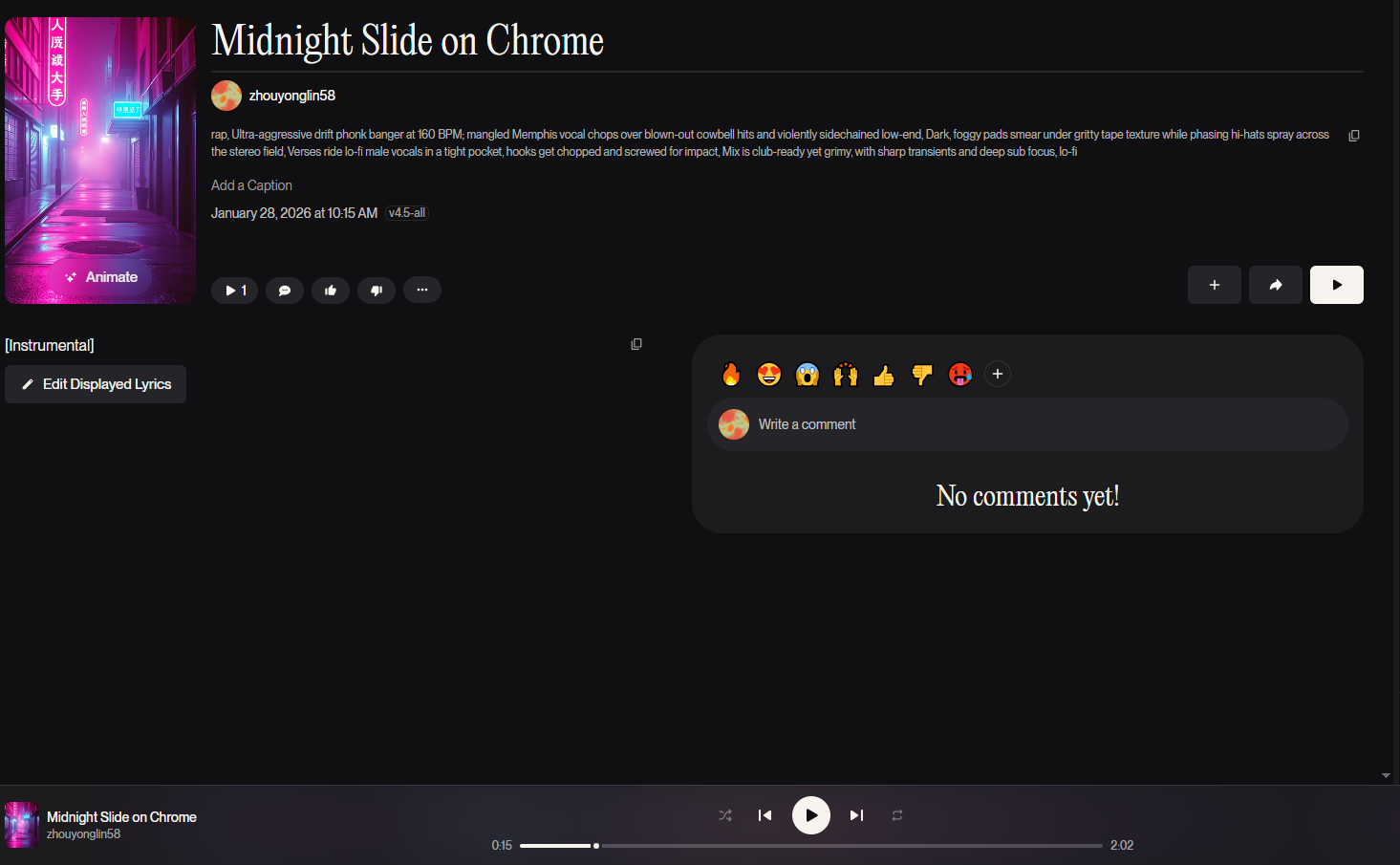
You can preview them and conduct further edits, or just download directly. Here’s a sample made by this tool:
Pros and cons of this tool can be summarized below:
Pros
- Genre intelligence
- Vocal realism
- Multilingual support
Cons
- Upgrade to Pro for music commercial rights
- Only preview for v5 generations
2. Free AI Phonk Music Generator
The free AI phonk music generator is Vidnoz AI Music Generator. It is a versatile, web-based tool designed for rapid track creation. It features a dedicated **Phonk genre** setting, allowing users to generate royalty-free beats from text prompts or images. With options to customize mood, duration, and instruments, it’s ideal for creators needing quick, "night-drive" background tracks.
Vidnoz Free AI Music Generator
Free to generate & download for commercial use!
- 100+ combinations of musical styles, moods and themes
- Turn your texts into songs and music videos
- AI to create an original song with your lyrics
Create Music with AI
Most importantly, it’s a totally free tool to use. No credits or even sign-up needed:
Step 1. Open this AI music generator.
Step 2. Enter your prompt and lyrics(can be generated by AI).
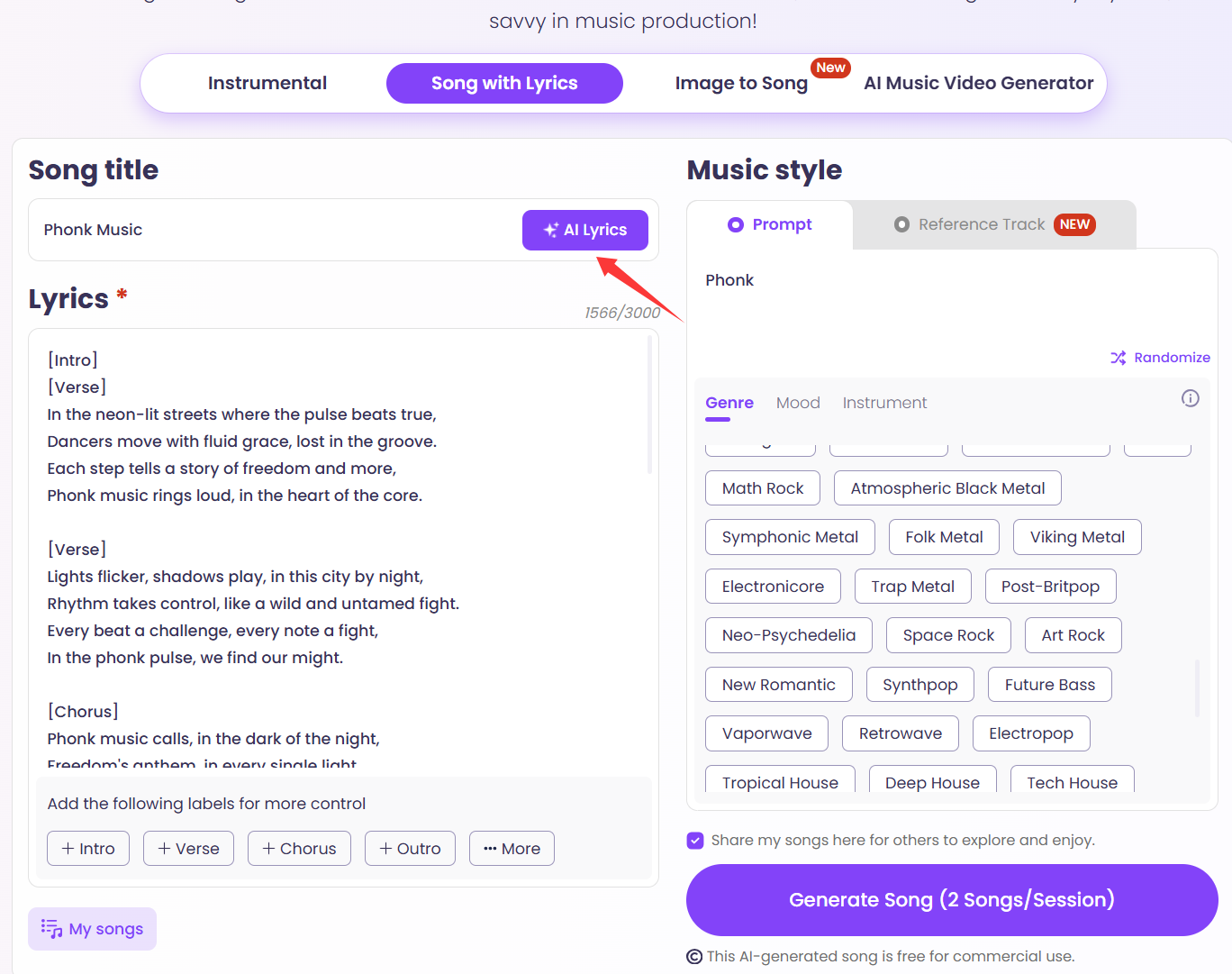
Step 3. Click Generate Song.
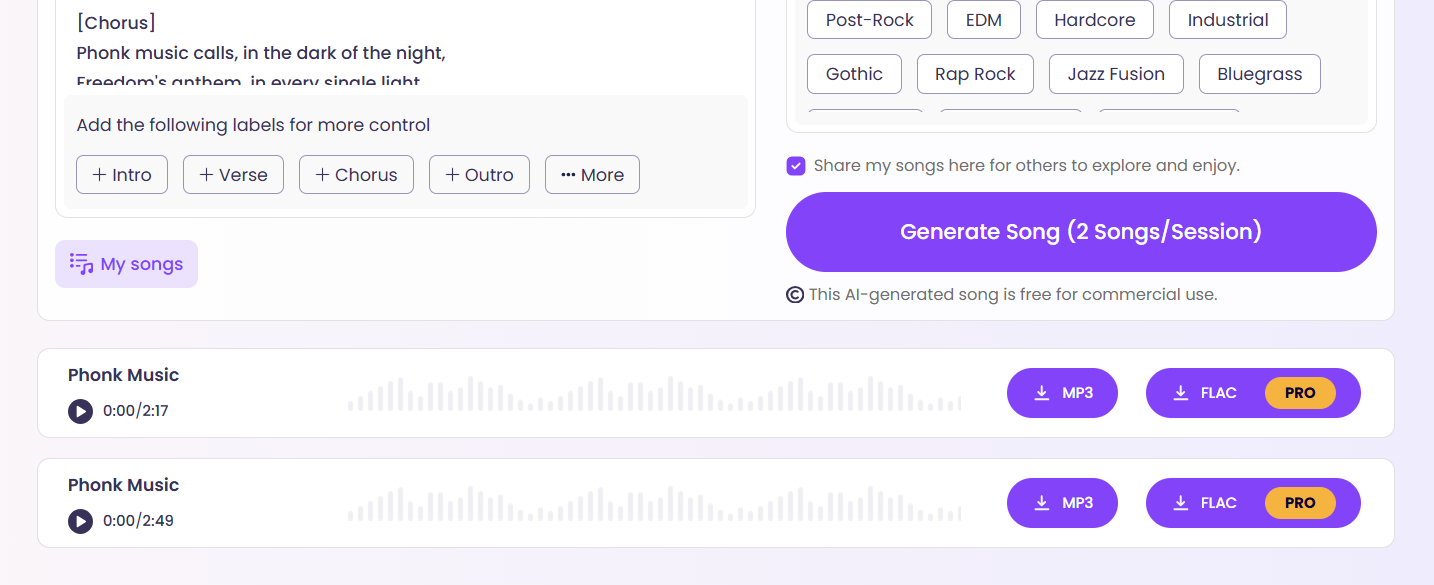
You can also upload a reference track for more accurate results, and 2 songs will be generated for every session.
Here’s a sample made by this tool:
Pros and cons of this tool can be summarized below:
Pros
- Highly accessible
- Dedicated phonk setting
- 100% royalty-free
3. AI Phonk Song Maker - ImagineArt
The 3rd one is the Imagine.art AI Phonk Maker, a specialized generator designed for producing authentic, "dusty" Memphis-style beats. It focuses on genre-specific elements like dirty 808s, vinyl crackle, and lo-fi vocal chops. You can customize BPM and song structure, resulting in royalty-free, high-quality tracks ready for commercial use or further editing. First of all, this is a sign-up-to-use tool. Once you enter its studio, you can enter your prompt and start creating. 100 free credits are prepared for you, and each generation will cost 5. But the generation speed isn’t ideal, and failure may happen from time to time.
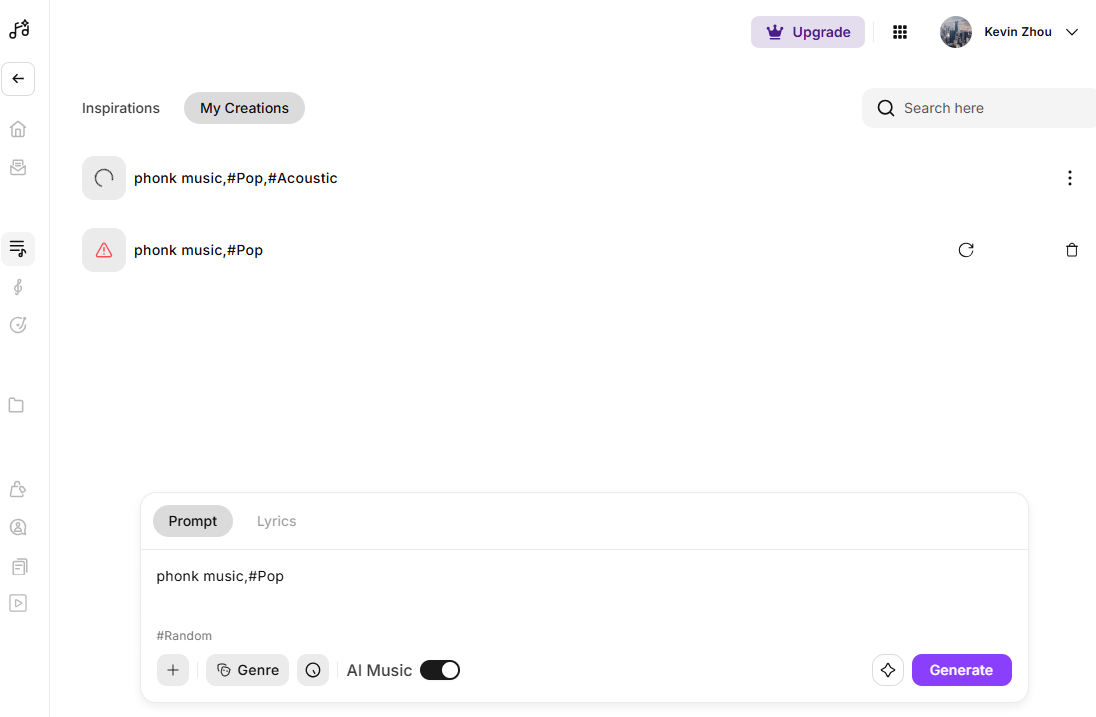
Pros and cons of this tool can be drawn here:
Pros
- High technical control
- DAW friendly
Cons
- Long generation time
- Token limitations
4. AI Phonk Maker Free - MusicCreator AI
MusicCreator AI Phonk Maker is a streamlined, web-based tool optimized for high-energy "viral" tracks. It allows users to generate authentic sounds — from aggressive Drift Phonk to chill Memphis beats — in under a minute. Featuring customizable instruments like distorted cowbells and 808s, it’s a go-to for TikTok editors and content creators.
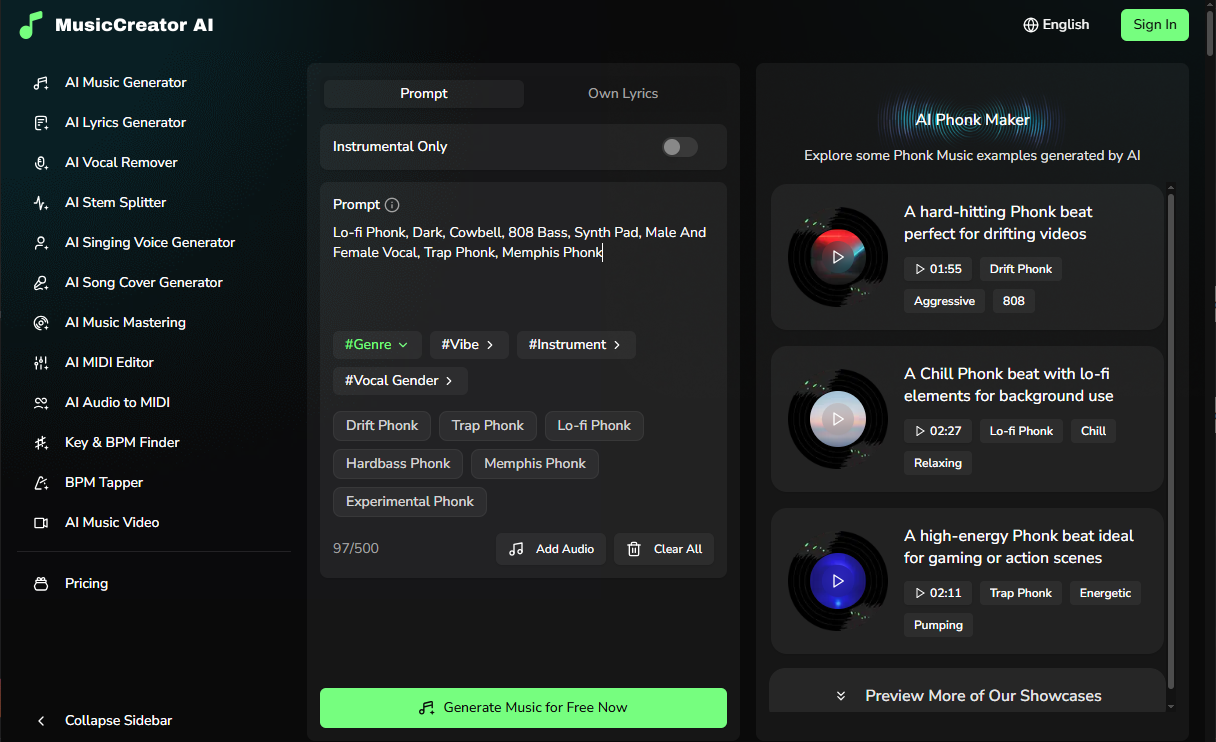
Of course, you need to sign up to use this tool. Only 2.5 credits will be given to you, and one generation will need 2. So, you basically have one chance to use this AI music extender for free. It has a reasonable generation speed, and 2 songs will be ready after that. Unlike the tools mentioned above, you cannot download songs and have no commercial rights for sure.
Pros and cons of this tool can be concluded here:
Pros
- Rapid generation for social media
- Intuitive "one-click" workflow
Cons
- Sign up to use
- Only 2.5 free credits
- No download & commercial rights
5. AI Phonk Music Video Generator
Besides the phonk beat makers mentioned above, you can create AI phonk music videos too. Vidnoz AI Music Video Generator is the tool born for that, just upload your music to this tool, and a brilliant video that marches the phonk music perfectly will be presented to you instantly. You can select your singers, video styles, and sizes.
Here are the steps for using this tool:
Step 1. Go to Vidnoz AI Music Video Generator.
Step 2. Upload your phonk music.
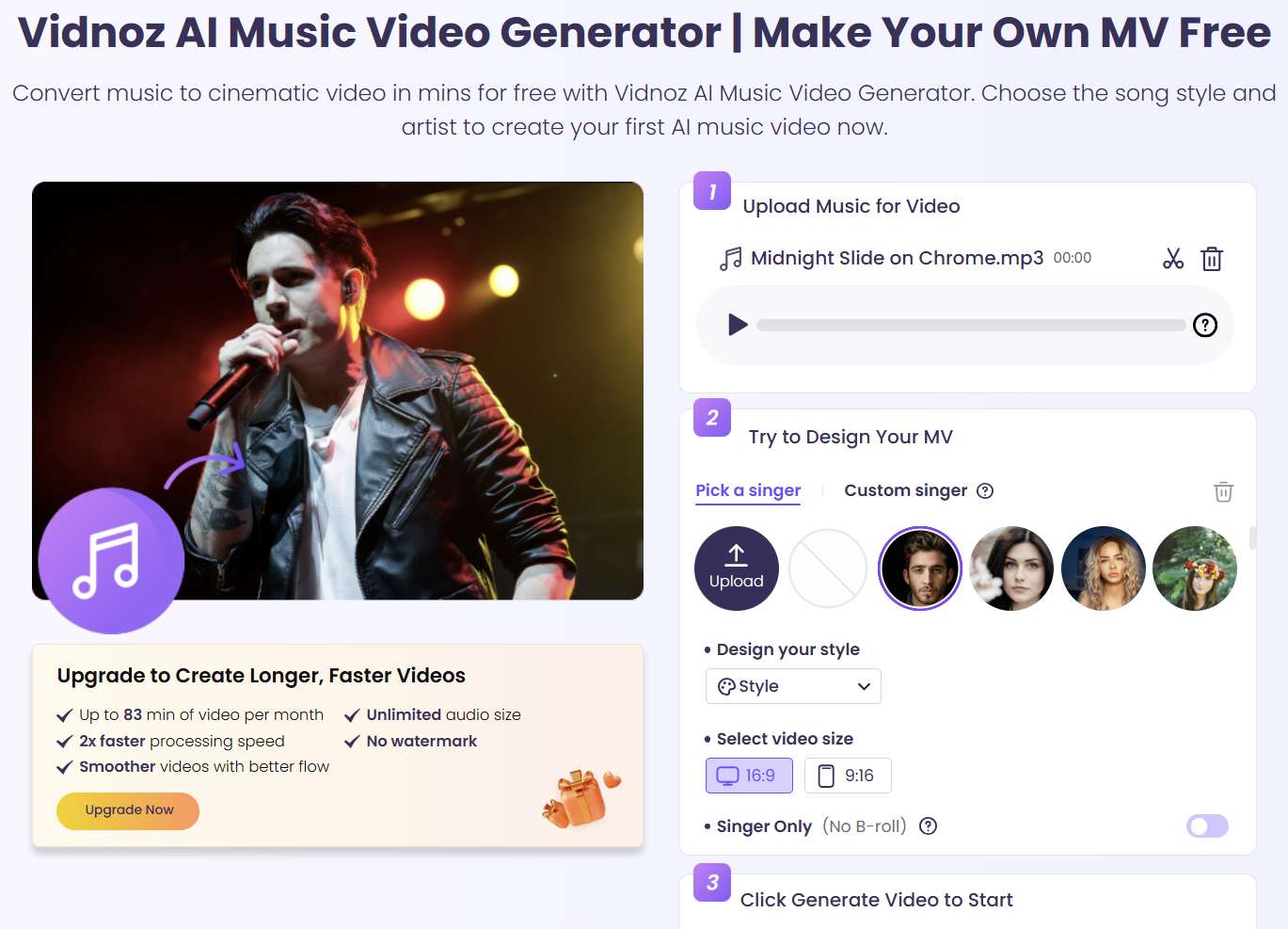
Step 3. Pick a singer or choose No Singer.
Step 4. Click Generate Video.
You can preview the video after a few seconds. Here one music video generated by this AI music video generator:
Compare AI Phonk Music Makers
Here’s a table of the 4 AI phonk music makers mentioned above. They have similar capabilities when talking about generating music, but differences for user experiences. Check them below. All the comparisons are based on the free plans.
| |
Free Credits |
Songs |
Download |
Commercial Rights |
| Suno |
50/day |
10/day |
✔ |
❌ |
| Vidnoz AI |
40/day |
16/day |
✔ |
✔ |
| ImagineArt |
100/month |
20/month |
✔ |
❌ |
| MusicCreator AI |
2.5/month |
2/month |
❌ |
❌ |
The Bottom Line
That’s all about AI phonk music generators. You can start creating preferred music, music videos, AI music mashup, etc. The 5 tools mentioned above are all easy to use, just choose one to unleash your creativity right away! Vidnoz AI tools, including the music and music video generator, deserve to be mentioned again here. They have outstanding services and a generation quality above the average. No hesitation, and try them today!

Vidnoz AI - Create Free Engaging AI Video with Talking Avatar
- Easily create professional AI videos with realistic avatars.
- Text-to-speech lip sync voices of different languages.
- 2800+ video templates for multiple scenarios.






![[Links] Top 6 Music Taste Raters to Rate My Music Taste & Data](https://www.vidnoz.com/bimg/best-tools-to-rate-my-music-taste.webp)