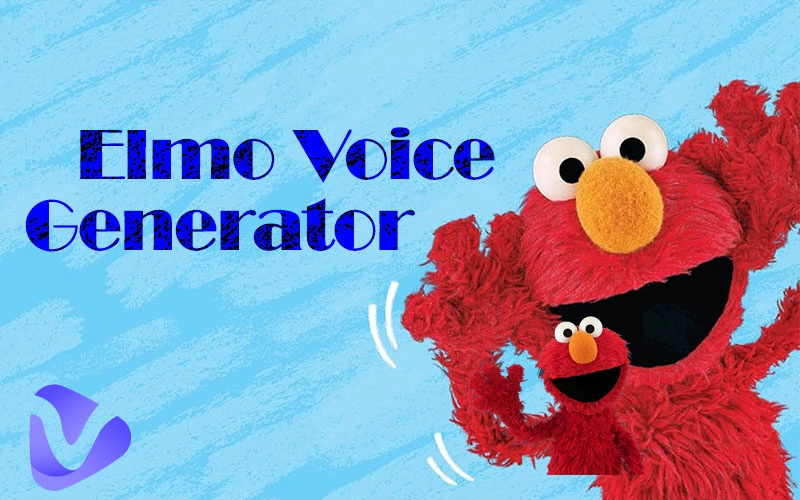
If you or your child is a big fan of Elmo’s World, it is good news that the Elmo voice generator can clone Elmo’s voice for dubbing, storytelling, singing, and more fun experiments.
As we know, Elmo is a three-and-a-half-year-old, cute, furry, red monster with an orange nose, first showing up in the TV show Sesame Street. He brings pleasure, courage, comfort, and company to toddlers with his cheerful and childish high-pitched voice and playful laughs. Not limited to the TV shows or just toddlers, anyone is able to embrace your happy childhood, fuel your tired and frustrated life, or create funny audiobooks for children; just start to clone a high-fidelity Elmo AI voice now!
- On This Page
-
3 Common Ways to Generate Elmo AI Voice
Way 1. Preset TTS Elmo Voice Model
Way 2. Elmo Voice Cloning
Way 3. Realtime Elmo Voice Effect
Which is Your Preference to Generate Elmo AI Voice
-
3 Tested Elmo Voice Generators: Free & Online
FakeYou: Almighty Emlo Voice Changer
Vidnoz: Free Online TTS Elmo Voice Generator
101SoundBoards: TTS from Preset Voice Model
-
How to Do Elmo Voice Change?
How to Clone the Elmo Voice by AI Text-to-Speech?
How to Clone the Elmo Voice by Premade AI Voice Model?
3 Common Ways to Generate Elmo AI Voice
Elmo, the lovely Muppet character, is voiced by Kevin Clash and Ryan Dillon. Based on the voiceprint data and AI technology, there are 3 ways to generate a natural-sounding Elmo voice for your funny creations.
Way 1. Preset TTS Elmo Voice Model
This way uses a trained AI Elmo voice model based on large original Elmo voice data. Through text detection, voice model application, and AI voice speech generation, a text script can easily be converted into Elmo voice audio.
Best for creating audiobooks, voiceovers, etc.
Example:
Way 2. Elmo Voice Cloning
This way is to create your own Elmo AI voice model by uploading an audio file containing real Elmo speaking snippets, and the Elmo voice changer will train an instant model from it. Next, through text-to-speech, audio-to-audio, or record-to-audio, just input the content you want to speak in the Elmo voice; the voiceprint will be cloned and matched to your text. The Vidnoz AI voice cloning tool is exactly working like that.
Best for converting text to Elmo voice audiobooks, video dubbing, singing, AI covers, etc.
Example:
Way 3. Realtime Elmo Voice Effect
This way is to utilize the existing trained Elmo voice model to change your sound into a vivid Elmo voice in real-time. It has high requirements on the accuracy of the model and the performance of the tool, so it is usually desktop software.
Best for making Elmo voice calling, gaming, social chatting, pranks, etc.
Example:
Which is Your Preference to Generate Elmo AI Voice
Compare the 3 ways to generate Elmo AI voice in terms of ease of use, fidelity, speed, and audio length limit below.
| Solutions |
Ease of Use |
Fidelity |
Generation Speed |
Audio Length Limit |
| Preset Voice Model |
One-click application |
Vary depending on tools |
Fast |
Short for free plan |
| Instant Voice Cloning |
A few steps but flexible |
Generally great |
Take a little time |
Average |
| Live Voice Effect |
Real-time process |
Average |
At the moment |
30-60 seconds each time |
Judging from the above table, each of these methods has its own merits. Therefore, the following provides different Elmo voice generators corresponding to your specific needs. Whether it's using the Elmo voice for bedtime stories, making interesting birthday blessing videos, playing with friends, or something else, these tools may help a lot.
3 Tested Elmo Voice Generators: Free & Online
There are three Elmo voice generators online outstanding out of ten tested tools for the free trial and high fidelity.
FakeYou: Almighty Emlo Voice Changer
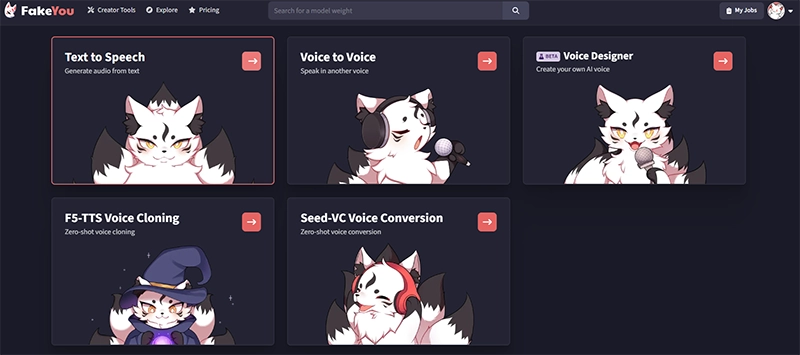
Start with the stunning Elmo voice generator, FakeYou, which is a community-supported tool covering all your needs to expertly clone any voice in various ways. It has 3500+ preset voice models, including many Elmo voices for different types of creations. Besides the basic Elmo text-to-speech, you are allowed to create your own Elmo AI voice model, turn instant recording into Elmo voice, and sing with the Elmo AI voice.
Pros
- Online and free for use.
- Permit to craft your own Elmo voice model.
- Provide a lot of existing Elmo voice models.oint two - cheap, quick and high quality
- By customizing the pitch and semitone, you can tweak the generated Elmo voice into a creative result.
Cons
- Limited to 12 seconds of each audio outcome.
Vidnoz: Free Online TTS Elmo Voice Generator
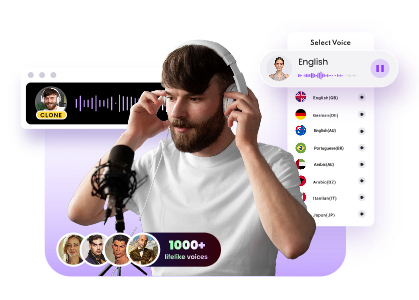
Compared to the versatile Elom voice changer, the Vidnoz AI Voice Cloning tool excels at customization. Its instant voice model training feature lets you generate lifelike Elmo-style voices, with greater control and personalization. You can create Elmo voiceovers for your YouTube or personalized storytelling audio for children by uploading a file of Elmo talking snippets and training it into an Elmo voice model instantly. Next, input the script and utilize text-to-speech skills for a fast and high-quality generation.
Clone Anyone’s Voice with AI - Free
Make realistic voices of famous people and characters.
Clone anyone's voice to create personalized voiceovers.
Support 2000+ languages and accents.
Change Voice Now
Advanced tips: It provides pro features to customize 99% realistic and high-fidelity voice cloning for business and personal use. Match your text-to-speech avatar and make it talk as you want for reporting, greetings, congrats, news creation, and more.
Pros
- Free to clone any voice with high precision.
- Text-to-speech conversion with a 1000-character input.
- Support 100+ languages for a script.
- Adjustable speed for created content.
- Download results instantly with no ads.
- Create custom voice profiles.
- Private and secure voice generation.
Cons
- Requires sign-up.
- May include usage restrictions for celebrity voices.
101SoundBoards: TTS from Preset Voice Model
Another community-based online voice cloning tool, 101SoundBoards, allows you to freely type your text and hear it in the voice of Elmo. It has a complicated category, so you just need to use its search tool and input “Elmo,” access the AI Text to Speech Voice, and choose a preferred voice model from the existing options. For a recommendation, the Elmo voice (Kevin Clash) may be a good try.
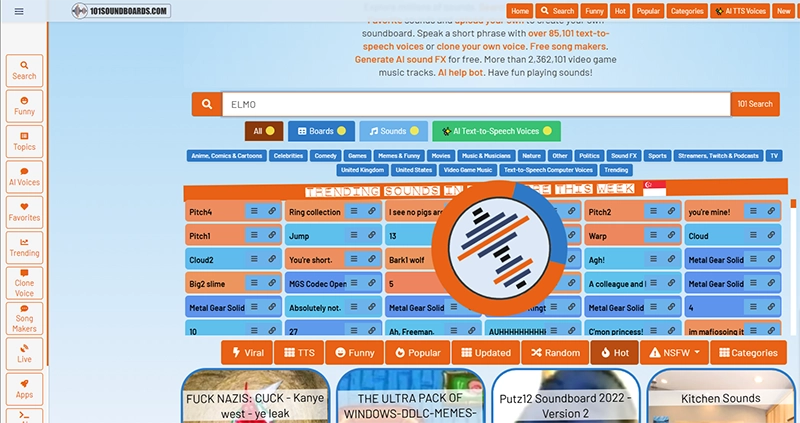
Before trying, you can play the public creations to see if the selected Elmo voice model meets your needs.
Pros
- Free to use and download (watching an ad required).
- High-fidelity Elmo voice clone.
- Easy access via search.
- Entertaining and community-driven.
- Great for kids and lighthearted fun.
- Show an estimated waiting time.
- Able to get sound page link for sharing.
Cons
- Limited to 200 characters per message.
- Not suitable for commercial use.
- Public access means no privacy for creations.
- Ad viewing required for downloads.
How to Do Elmo Voice Change?
No matter what you need Elmo voice to do, there are quick methods to make it.
How to Clone the Elmo Voice by AI Text-to-Speech?
Step 1.
Record an audio file of Elmo’s real voice exceeding 10 seconds from the Sesame Street TV show, The Elmo’s World.
Step 2.
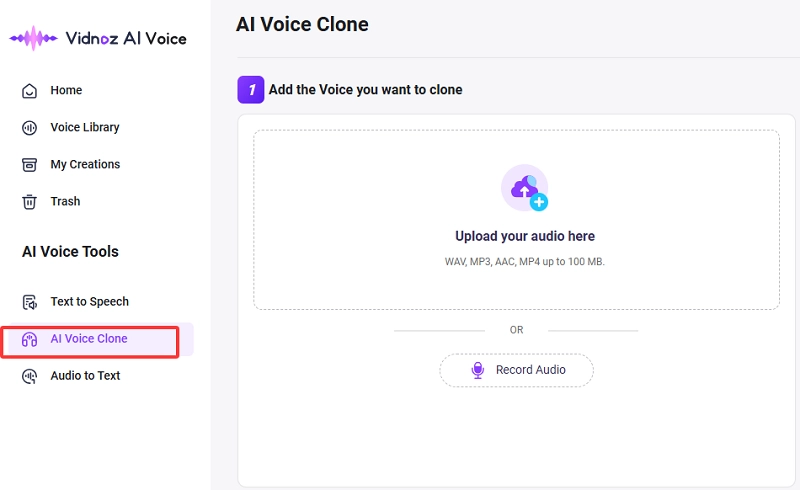
Access the Vidnoz AI voice cloning tool by clicking the button below. Go to the right tool list > AI Text to Speech > AI Voice Clone.
Step 3.
Upload the voice sample. Pay attention to the requirements of format: WAV, MP3, AAC, OGG, and MP4; and size: up to 100 MB.
Step 4.
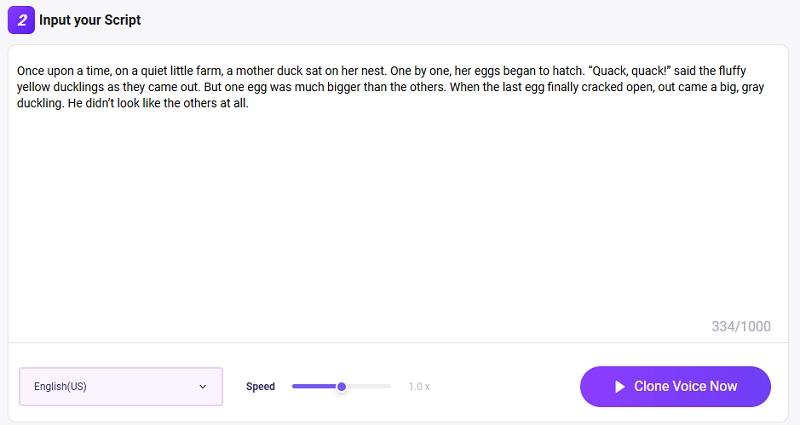
Enter your script or text no more than 1000 characters once. Adjust the talking speed and confirm the text-to-speech language.
Step 5.
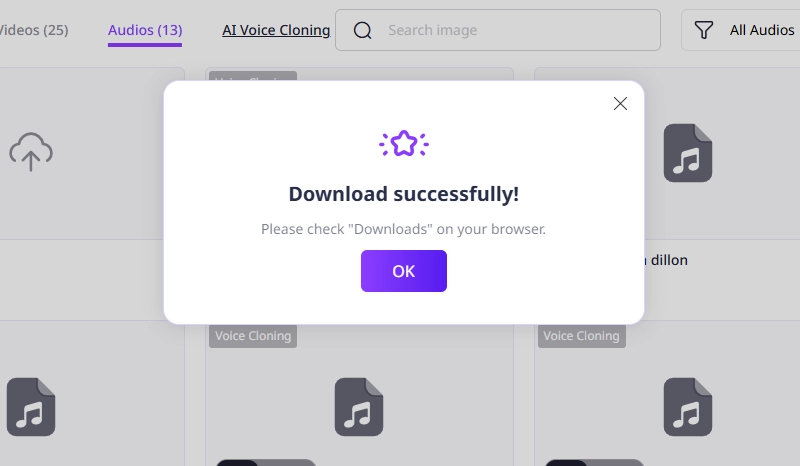
Hit the Clone Voice Now button and wait for 1 minute. The Elmo text-to-speech audio will be generated for free downloading.
Step 6.
Preview the cloned Elmo voice and use it in your video or audio projects as you wish.
How to Clone the Elmo Voice by Premade AI Voice Model?
Step 1.
Record your script into an audio file, or prepare a song you want to make an AI cover of Elmo’s voice.
Step 2.
Go to FakeYou and enable the Voice to Voice feature.
Step 3.
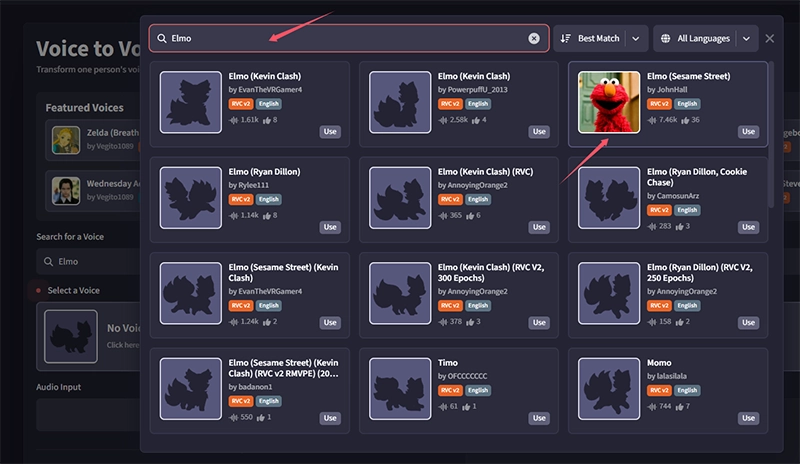
Search for Elmo voice and pick one from the premade AI voice models (recommend the most used one).
Step 4.
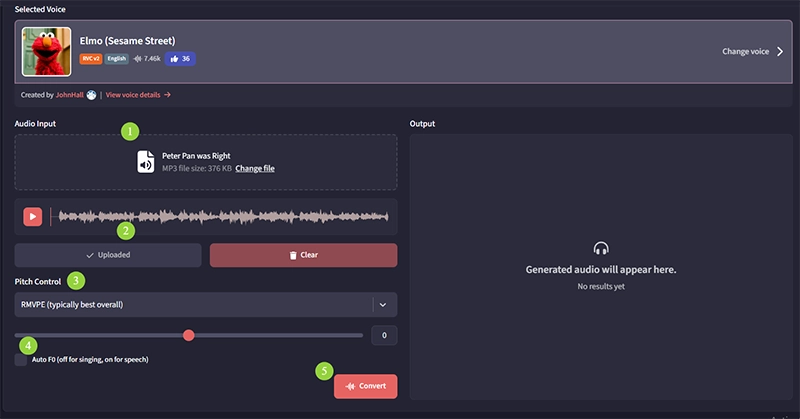
Upload your script or song audio file, and FakeYou allows you to record directly on its website instantly as well.
Step 5.
Remember to click on the Upload button and then choose the pitch control and slightly adjust the preset pitch if needed.
Knowledge Tips:
RMVPE: Best for real-time voice processing, needing a good balance between speed and accuracy.
CREPE: Best for high accuracy of voice pitch detection, even sacrificing the speed or in a noisy or complex audio file.
Notice that, if you clone the Elmo voice to make an AI cover, you don’t have to turn on Auto F0. It is off for singing and is on for speech.
Step 6.
Finally, click on the Convert button and wait for a while; FakeYou will transform the imported audio file into Elmo voice content.
Conclusion
The Elmo voice generator is a fun and simple way to turn your text into delightful audio with Elmo’s signature charm. Whether for jokes, kids, or nostalgic fun, it’s a great way to play with voice AI. Want to uncover more creative voice cloning experiments? Try Vidnoz AI, your go-to option for seeking a realistic voice replicator and advanced free AI video generator as well. Give it a spin today!

Vidnoz AI - Create Free Engaging AI Video with Talking Avatar
- Easily create professional AI videos with realistic avatars.
- Text-to-speech lip sync voices of different languages.
- 2800+ video templates for multiple scenarios.