Looking for a Chinese to English voice translator that can help you break language barriers?
You're not alone. In many situations—especially if you're a content creator—you may need a reliable Chinese to English voice translator to convert Chinese audio into natural English. Whether you're translating Chinese songs, online courses, or promoting Chinese products to global audiences, having the right tool can make all the difference.
This article introduces 5 of the best Chinese to English voice translator online free tools to help you find the most suitable option. They enable accurate translations without the need for advanced English skills or time-consuming manual work.
- On This Page
-
Vidnoz: Free Chinese to English Voice Translator for Video
-
Kawping: Translate Chinese to English Voice Fast
-
Clideo: AI Chinese to English Audio Translator Online
-
Mruf AI: Translate Chinese Voice to English
-
Aspose: Chinese to English Translator Voice
-
Most Used Cases for Chinese to English Voice Translator
-
How to Add Translated Voice to Your Video Online Free
Vidnoz: Free Chinese to English Voice Translator for Video
No download or subscription is required—Vidnoz AI Voice Translator supports translation in over 140 languages. Not only can you upload local videos, but you can also provide a URL to have it translate videos from YouTube.
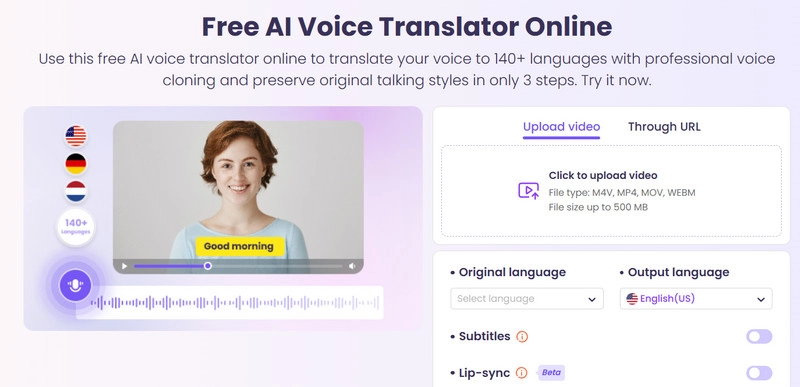
Key Features:
·Free to translate Chinese to English online with natural voice
Vidnoz AI Chinese to English voice translator uses ElevenLabs' AI voice generation technology to ensure that the translated voice sounds natural and has a pure accent.
·Auto subtitles for translated video and lip-sync
Vidnoz AI Chinese to English voice translator can automatically match subtitles for translated videos. It also offers a lip-sync option to resolve issues where the characters' lip movements and spoken words do not align in the video.
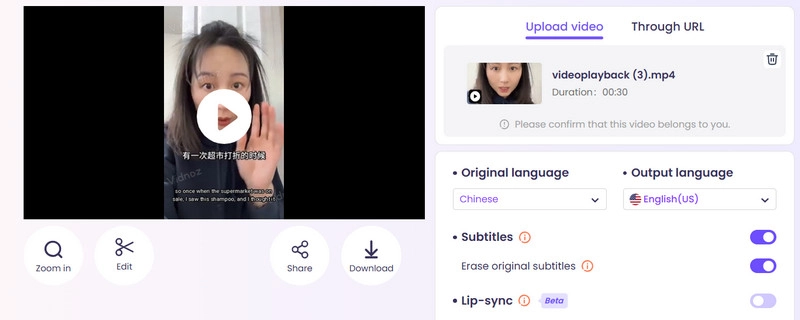
·Auto proofread video script
Vidnoz AI voice translator from Chinese to English achieves a translation accuracy rate of 98%. It can automatically proofread the original and translated scripts of videos, minimizing the likelihood of errors.
Kawping: Translate Chinese to English Voice Fast
Kawping comes with a new feature: a Chinese-to-English voice translator. Upload your video, and it will be translated in just a few minutes. Choose from 180 different age, gender, and English accent options to suit your needs.
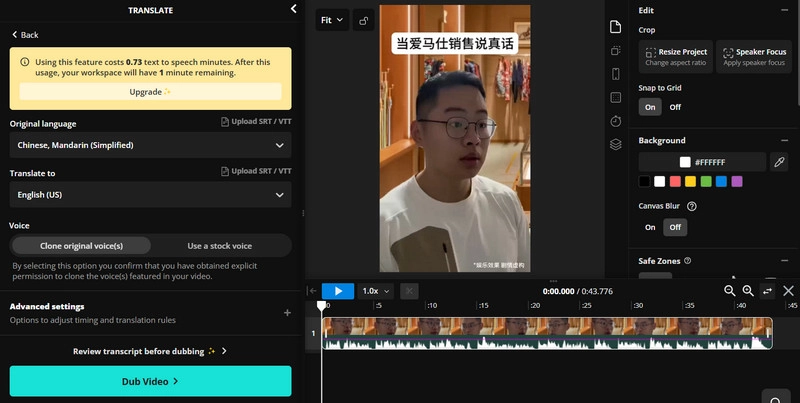
Key Features:
·Free trial for new users
Kawping offers all new users 3 minutes of free Chinese to English language translation time. After upgrading your account, you will receive 80 minutes of voiceover time per month and unlock the clone voice feature.
·Supports manual proofreading of translated text
Kawping automatically transcribes the audio in videos into text scripts for you to proofread, ensuring the accuracy of the final translation. You can also enable the Lip Sync feature.
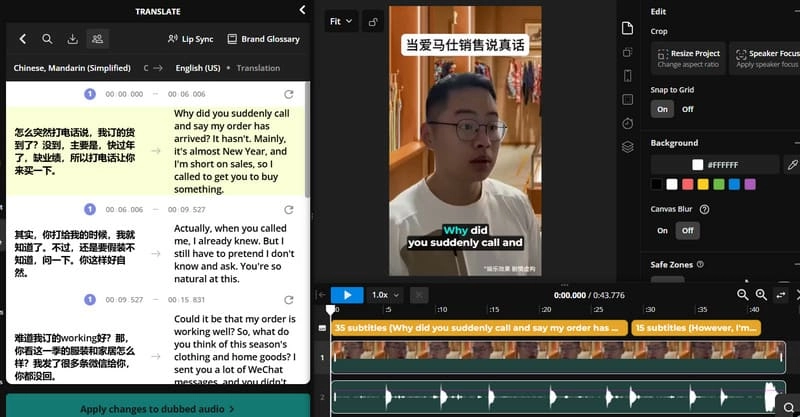
·Flexible output format options
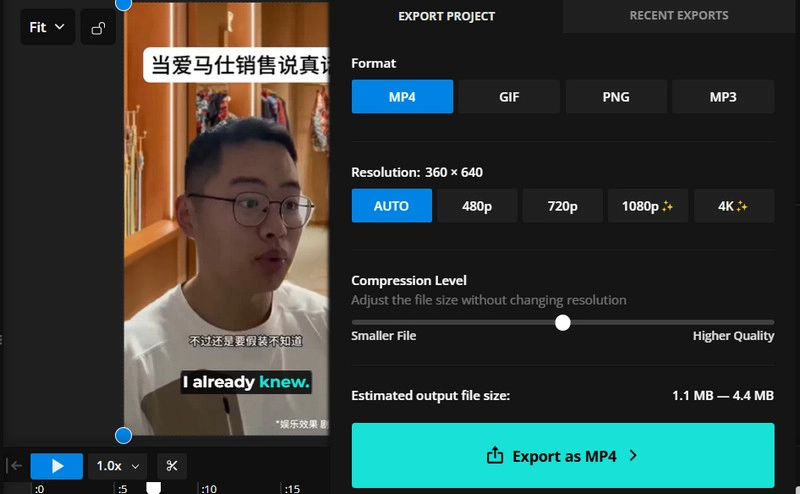
Kawping allows you to output translated videos in MP4, MP3, GIF, or PNG formats. You can also freely select the output quality and control the compression rate.
Clideo: AI Chinese to English Audio Translator Online
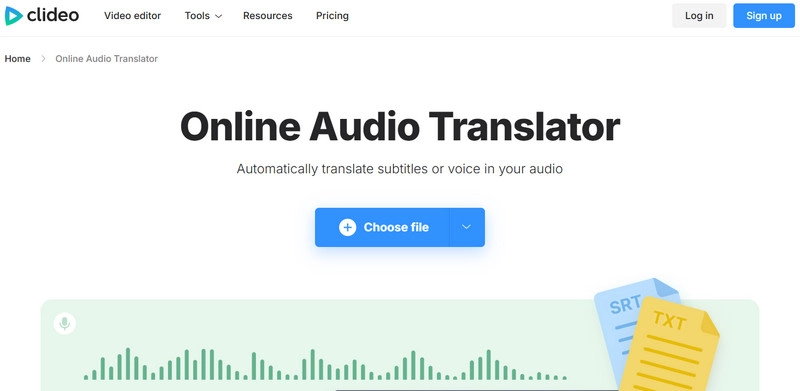
Is there an online Chinese to English voice translator that can be used on any device? Yes, you have the most lightweight option—Clideo.
With no complicated interface or distracting buttons, simply upload your video, select the target language, proofread, and then output. Whether you're using a computer, MacBook, or Android smartphone, as long as your device has an internet connection, you can translate Chinese voice to English with it.
Key Features:
·Very simple user interface and steps
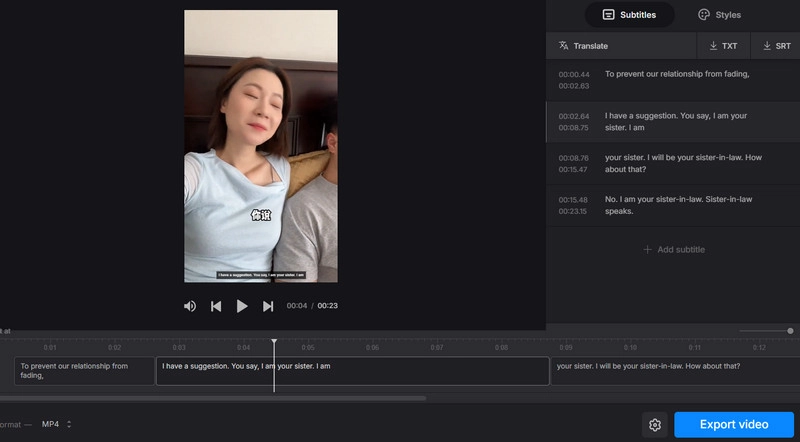
Clideo's most commendable feature is its simple user interface, which only has the necessary buttons and a transcription and proofreading window for voiceovers. You can find the function you want at a glance.
·Save and edit subtitles
Clideo Chinese to English voice translator allows you to change the font, color, size, and position of subtitles. It also supports saving subtitle files in SRT or TXT format.
·Supports popular video formats
You can download videos with embedded subtitles and choose between output formats such as MP4, MKV, AVI, MOV, etc.
Mruf AI: Translate Chinese Voice to English
Mruf AI offers a quota of 100 minutes for translating Chinese audio to English (please note that each translation must be less than two minutes in length), which should be sufficient for your needs for quite some time.
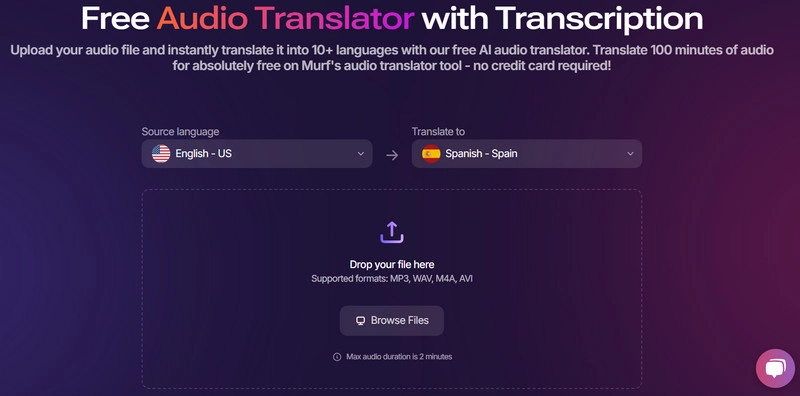
It features over 200 voice options, supports more than 10 languages, and boasts top-notch dubbing speed.
Key Features:
·10X faster delivery of translation results
Mruf AI's Chinese-to-English voice translator can translate Chinese audio to English 10X faster. Whether it's one file or hundreds, the quality of each output remains top-notch.
·Seamless matching of the original speaker's voice
Without the need for training or preparation, Mruf AI supports instant generation of translated video audio, seamlessly matching the original speaker's voice.
·High-level security guarantees
Mruf AI guarantees that your videos will not be disclosed to anyone—its security framework is compliant with SOC 2, GDPR, and ISO certifications, and its server data is absolutely secure.
Aspose: Chinese to English Translator Voice
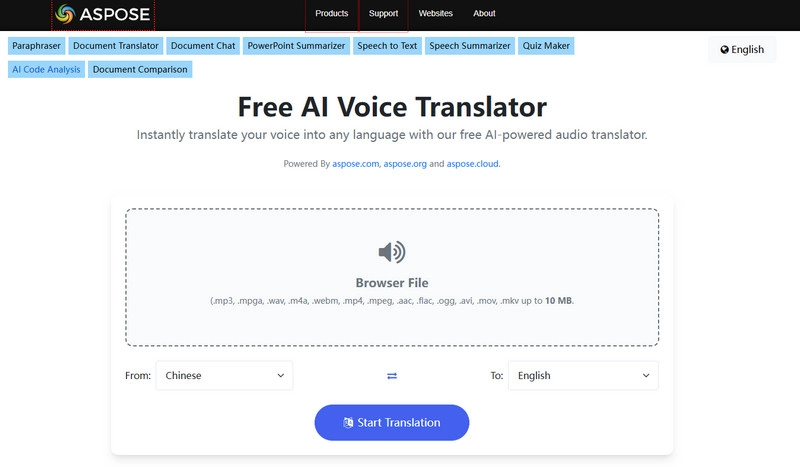
When it comes to the most versatile Chinese translate to English voice tool, Aspose is the clear choice. It supports a wide range of formats. With advanced AI technology and a user-friendly interface, you can quickly obtain Chinese-to-English voice translations.
Key Features:
·Supports multiple formats
Aspose supports formats including MP3, MPGA, WAV, M4A, WEBM, MP4, MPEG, AAC, FLAC, OGG, AVI, MOV, MKV, and more.
·100% free to use
Aspose is completely free, with no hidden fees or upgrade options. You can process audio files up to 10MB in size per session.
·Direct and quick buttons
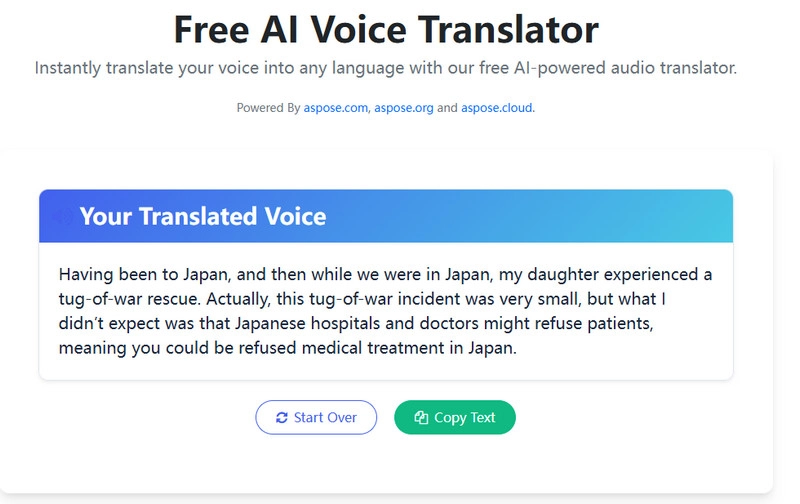
After translation, there's no need to manually select the text—simply click a button to copy the translated text. Ready to start a new task? Click Start Over to return to the main interface.
Most Used Cases for Chinese to English Voice Translator
Now that the top tools have been introduced, it's helpful to understand where and how they’re most commonly used.
·Meeting translation
Chinese to English voice translators are often used in business or professional meetings. They can deliver near real-time translation, helping non-Chinese speakers follow the conversation and respond without delay. These tools also make it easier for note-takers to organize bilingual meeting summaries.
·E-learning video voice translation
Chinese-language online courses can reach a global audience with the help of voice translation tools. They turn spoken Chinese into clear, even accent-matched English, making it easier for native English speakers to follow along.
·Chinese song translation
Music has no language barrier, but lyrics do. Many music lovers who don’t speak Chinese want to understand the meaning and emotion behind Chinese songs. Voice translators can help translate lyrics accurately and even assist in adding subtitles for a better listening experience.
·Localizing content for YouTube or TikTok
Content creators often use voice translation tools to adapt Chinese videos for global platforms like YouTube, TikTok, or Instagram. This helps increase views and engagement from English-speaking audiences and bridges communication between creators and fans from different language backgrounds.
·Travel assistance
Tourists visiting Chinese-speaking regions can rely on voice translators to ask questions, follow tour guides, or understand public announcements. It makes exploring new places much easier—without the language stress.
·International customer support
For businesses serving global customers, Chinese to English voice translators are helpful for real-time communication. They’re especially useful in call centers or help desks, where staff may need to instantly translate spoken Chinese into English to assist international clients effectively.
How to Add Translated Voice to Your Video Online Free
After completing voice translation, can it be used to create more visually appealing content? Vidnoz's AI video generator shows you: nothing is impossible.
Turn Text into Video with AI - FREE
Generate high-quality videos from PDFs, PPTs, and URLs in one step!
It supports quickly converting text or voice into high-quality videos and provides video templates suitable for various industries. Simply select a template, add your translated audio (which can be a local file or recorded on-site), and you can easily create courses, promotional videos, or social media content.
Elements such as characters, text, stickers, and logos can all be freely adjusted.
Editing videos with Vidnoz is very simple. Here's a step-by-step guide:
Step 1. Launch the Vidnoz AI video generator with your browser.
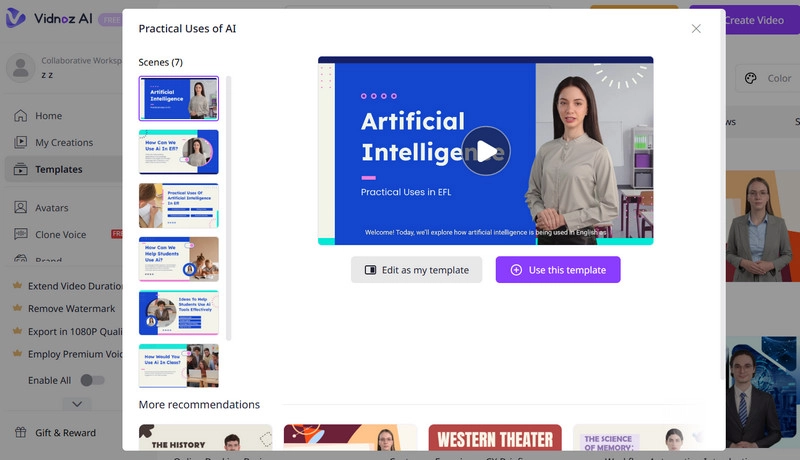
Step 2. Choose Templates on the left side of the page. Select one you prefer and click Use this template.
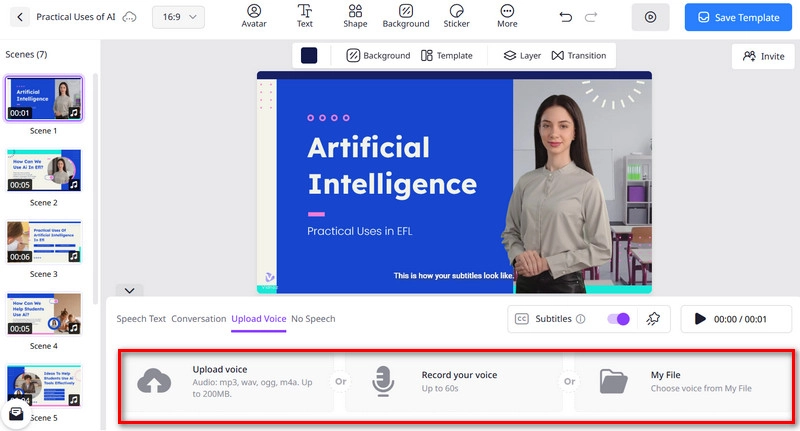
Step 3. Edit the template as you need. Then, click Upload Voice. Select to add the local voice file or record your voice in real time.
Step 4. Once you finish editing, click Generate video.
Conclusion
Using a Chinese to English voice translator is now easier than ever, thanks to a variety of powerful and free online tools. Whether you're working with songs, videos, or real-time speech, the right solution can help you overcome language barriers with ease.
Among these tools, Vidnoz AI Voice Translator stands out for its high accuracy, user-friendly interface, and built-in video editing features. It’s ideal for creators, educators, and businesses.
Try Vidnoz AI today and translate Chinese voice to English effortlessly!