Today, AI-generated short videos are exploding on TikTok, YouTube Shorts, and Instagram Reels. With AI video templates, auto creation, faceless avatars, etc., content creators and marketers can produce images/videos faster than ever. Among all the tools, Bigmotion AI is one that stands out for effortless video monetization.
So, is Big Motion worth it? In this in-depth Bigmotion AI review, we will explore its features, pricing, and the best free alternative for creators on a budget.
- On This Page
-
What is Bigmotion AI?
-
Explore the Main Features of Bigmotion AI
-
How to Create a Short Video Series with Bigmotion AI
-
How to Convert an Image to Video on Bigmotion AI
-
Is Big Motion AI Worth It?
-
Free Alternative to Bigmotion AI - Vidnoz AI
1. Exclusive Free AI Video Generator
2. Leading AI Image to Video Maker
3. AI Video Translator with Perfect Lip-Sync
What is Bigmotion AI?
Bigmotion AI is an AI-powered faceless video creation platform designed for content automation and monetization. The entire workflow is completely automated, from scripts to the creation and posting videos. That means you don’t have to record, show your face, or edit videos manually. This hands-free system allows users to generate passive income with minimal effort.
With Bigmotion AI, you simply choose a topic or niche, and its advanced AI automatically creates engaging short videos complete with realistic voiceovers, dynamic visuals, background music, and captions. The process is highly automated, enabling users to produce videos at scale without any technical skills or video editing experience.
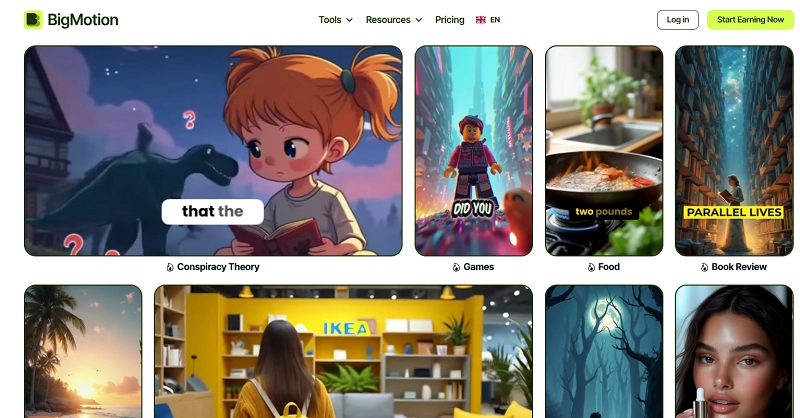
With these powerful automation features, Bigmotion AI is ideal for creators who seek efficiency and passive income. It is especially suited for marketing professionals, entrepreneurs building faceless brands, content creators, video bloggers, and social media managers who handle multiple channels at once.
Explore the Main Features of Bigmotion AI
Is Big Motion AI legit? Yes! Whether you want to create motivational content or crypto tips, Bigmotion AI offers hands-off video production. Now, let’s take a closer look at the most important features that make Bigmotion AI stand out.
- Flexible AI Video Tools for Any Project: Bigmotion AI’s image-to-video feature turns uploaded photos into dynamic videos. Just describe your idea, and AI will create a video using stock footage. Moreover, you can replace visuals and personalize them for any project.
- Realistic Human Avatar for Video Promotion: Bigmotion AI video generator offers hyper-realistic AI avatars and product presenters that can be used for generating videos for a faceless channel. You can create natural-looking avatar videos with accurate lip sync.
- Automatic Workflow With Minimal Effort Required: Bigmotion AI fully automates scriptwriting, animation, captions, voiceovers, and music without recording or showing your face. You can easily build a consistent income stream with quick video production.
- Auto-Post and Schedule Across Multiple Platforms: Bigmotion AI auto-posts and schedules videos to YouTube Shorts, TikTok, and Instagram Reels. What’s more, it can optimize for platform algorithms to increase visibility and monetization.
- Multi-Language Support for Global Reach: Bigmotion AI supports multilingual voiceovers and subtitles for global video creation. Creators can easily localize content and expand worldwide reach with culturally relevant messaging.
How to Create a Short Video Series with Bigmotion AI
Now you have learned the key features of Bigmotion AI. It’s time for real-world practices. Here’s how to create a short video with it.
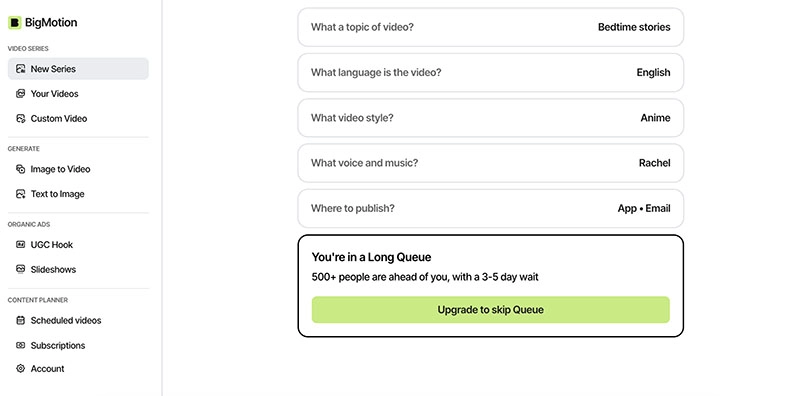
Step 1. Navigate to Bigmotion AI. Sign in with your Google email. After that, you will be redirected to the Bigmotion AI app dashboard.
Step 2. Head to New Series on the left and choose the preference for your video series (topic, language, voice, style, and platforms to publish).

Step 3. After that, you can wait for a few days for Bigmotion AI to finish video creation.
How to Convert an Image to Video on Bigmotion AI
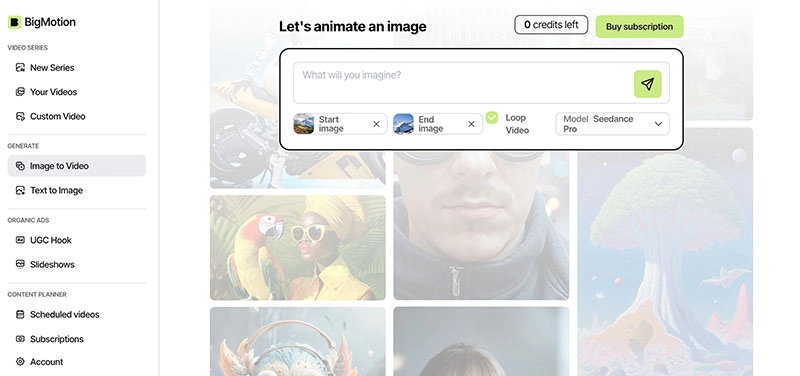
One standout aspect of Bigmotion AI is its ability to animate images into videos. Here's a step-by-step guide to the Bigmotion AI image-to-video feature.
Step 1. On the same dashboard, select Image to Video on the left. The feature lets you animate an image in two ways.
Step 2. You can input the prompt for the video you want to create. Adjust aspect ratio for outputs.
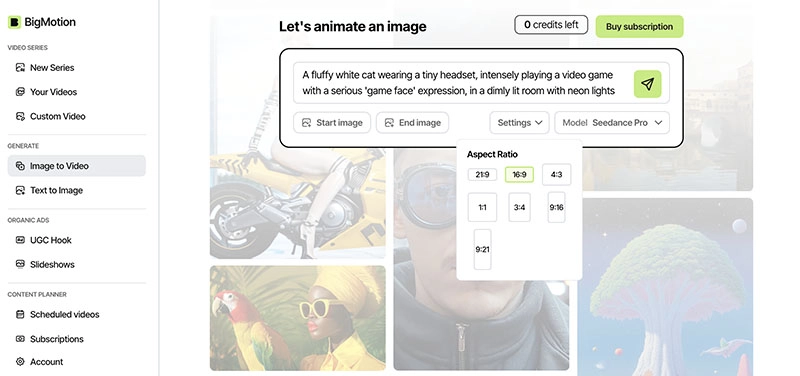
Step 3. Alternatively, you can upload start frame and end frame images. Meanwhile, it allows you to input prompts for more precise video creation.
Is Big Motion AI Worth It?
Whether Big Motion AI is worth your investment depends largely on your goals and budget. If you want to build faceless short-form channels for passive income, its end-to-end automation offers good value. Here’s a brief table that covers its pricing and plans for your reference. Unfortunately, there is no Bigmotion AI free trial available.
|
Plan
|
Price
|
Potential Monthly Income
|
Series
|
Videos / Month
|
|
Launch
|
$19/month
|
$50 – $200
|
1
|
12
|
|
Grow
|
$39/month
|
$200 – $500
|
1
|
30
|
|
Scale
|
$69/month
|
$500 – $2,300
|
1
|
60
|
While Bigmotion AI is generally easy to use, some Bigmotion AI reviews mention limited customization options. Not to mention the pricey monthly subscription to unlock more video caps. But if automation is all that matters, it could be a practical choice.
Free Alternative to Bigmotion AI - Vidnoz AI
If you are looking for a free alternative that can rival Bigmotion AI, Vidnoz AI is a reliable choice. This free AI video generator offers everything you expect for engaging content creation. Most importantly, it’s completely free to use with daily credits, making it perfect for beginners or budget-conscious creators. Let’s take a closer look at the standout features that make Vidnoz AI such a strong competitor.
1. Exclusive Free AI Video Generator
Free AI Video Generator is the core product of Vidnoz. It offers an impressive library of 2,800+ professionally designed templates across multiple categories, helping users create high-quality videos faster and easier. You can produce marketing videos, tutorials, explainer videos, and social media posts within minutes, with flexible customization for scripts, effects, and background music.
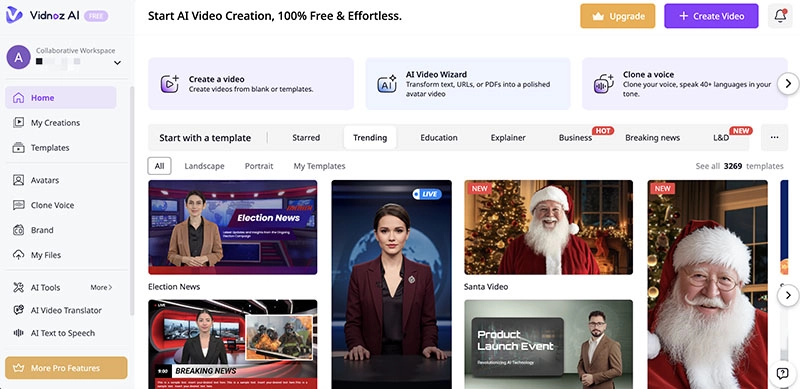
Moreover, Vidnoz AI includes tons of realistic AI avatars and natural AI voices, allowing you to create faceless content just like Bigmotion AI. You can generate lifelike talking videos with accurate lip-sync, build your own digital twin using custom avatars, and strengthen audience connection with expressive, human-like presenters.

Vidnoz AI - Create Free Engaging AI Video with Talking Avatar
- Easily create professional AI videos with realistic avatars.
- Text-to-speech lip sync voices of different languages.
- 2800+ video templates for multiple scenarios.
2. Leading AI Image to Video Maker
Similar to Bigmotion AI, Vidnoz AI also excels in image to video generation. Equipped with advanced AI models, Turbo, Google Veo, Kling, etc., the video generator delivers smooth transitions, detailed textures, and realistic motion that are impressive enough.
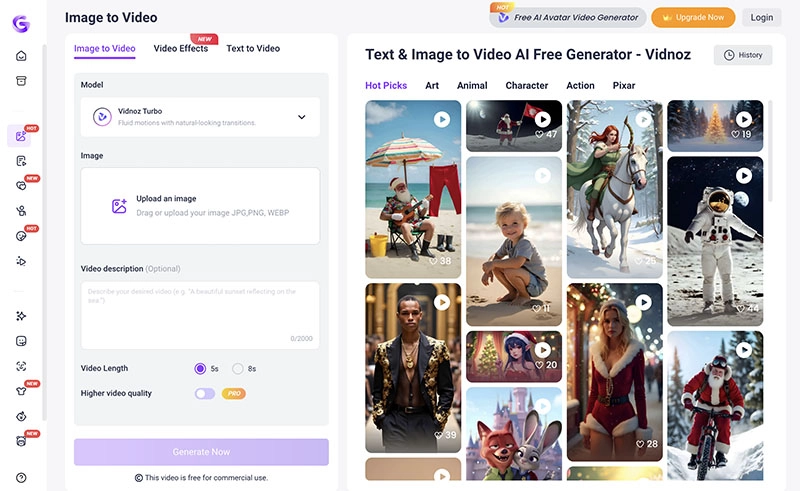
Users can upload images, apply 30+ creative styles (Pixar, Anime, Cyberpunk, etc.), adjust aspect ratios, and export high-quality HD MP4 videos. Alternatively, it comes with tons of video templates; you can flexibly remix them with your own touch!
Convert Image to Video AI Online - Free
- Create a video from an image quickly for free.
- Use various AI models to turn photos into videos.
- Download and share the AI-generated video at no cost.
Convert Image to Video
3. AI Video Translator with Perfect Lip-Sync
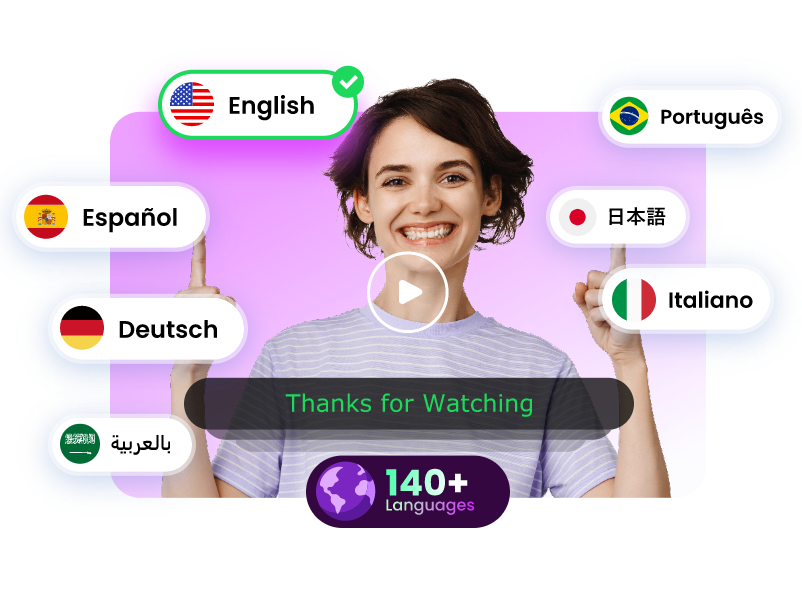
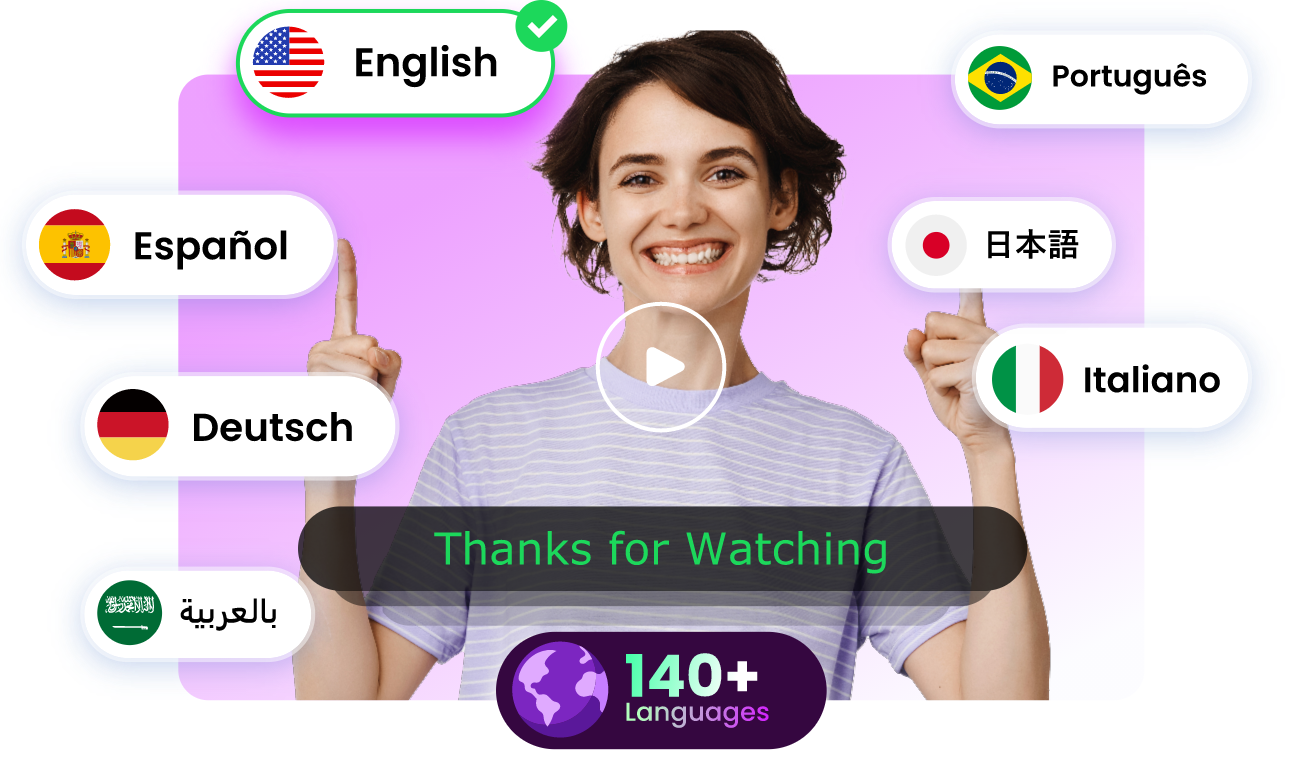
Want to make your content reach a global audience? Vidnoz AI video translator is here to help. Supporting 140+ languages with accurate lip-sync and voice cloning, it can automatically detect speakers, adapt local accents, and deliver natural-sounding dubbing with emotions and tone preserved.
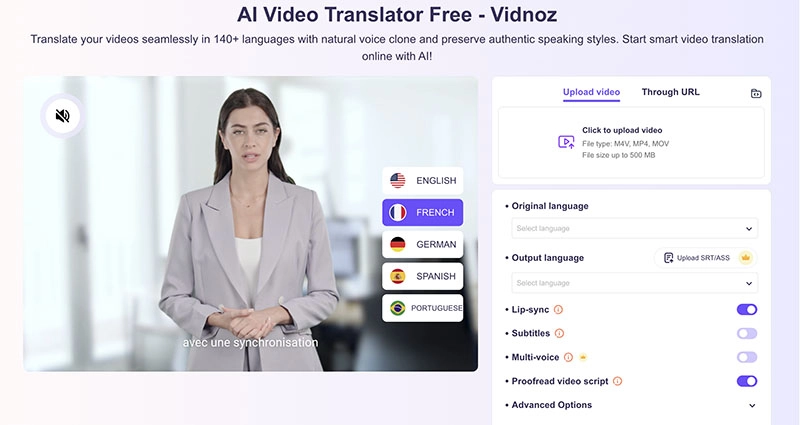
You can have subtitles and audio translations ready in minutes with the Vidnoz AI translator for free. It’s extremely efficient for marketing campaigns, educational content, and cross-border branding purposes.
Translate Videos in One Click with AI - Free
- Instantly translate local files and video URLs in 1 minute.
- Accurate translation in 140+ languages for global reach.
- Perfect lip sync and speech rate for authentic results.
Translate Video Now
Vidnoz AI is an all-in-one platform that offers ultimate video creation solution tools as Bigmotion AI does, but in a more affordable way. Just explore the full suite of Vidnoz AI tools to elevate your video content in today’s competitive landscape now.
The Bottom Line
While Bigmotion AI is certainly a capable platform, it has no free trial at all, advanced features behind a paywall, and limited customizations can frustrate many users. But worry not, Vidnoz AI is an excellent alternative, offering similar capabilities, templates, avatars, and translators, with daily free access. It’s a smarter solution to create engaging shorts without upfront costs. Just try it to experience effortless, high-quality content creation for yourself!








![Does Cheateye AI Really Work? Is It Free & Legit? [Full Review 2026]](https://www.vidnoz.com/bimg/cheateye-ai-review.webp)
