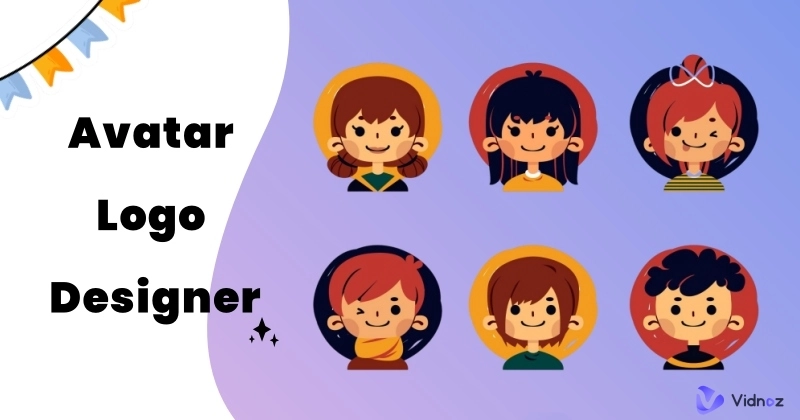
Want to create a memorable ‘face’ for yourself or your brand, but stuck between stick figures and hefty designer fees? No worries, Avatar Logo Designer is here for you. By offering an intuitive interface, multiple customization options, and AI-driven design capabilities, it democratizes professional logo design and paves the way for a cohesive visual identity, with no advanced editing skills required. Everyone, even novices, can craft unique and expressive visual digital emblems that resonate with their audience.
However, with so many tools available, it can be a daunting task to research and compare each one in a short period. Here, we provide a curated list of avatar logo design maker tools, with each pros and cons featured. Ready to go? Scroll down and encounter your perfect digital mascot in just a few clicks!
- On This Page
-
How Can an Avatar Logo Designer Help You?
-
5 Best Avatar Logo Makers for Your Expressive Identities
-
[Bonus] Make Engaging Branding Videos with Realistic Avatars
How Can an Avatar Logo Designer Help You?
An avatar logo maker takes the technical hassle out of design and puts the creative fun in your hands. From idea generation (or lack thereof!) to avatar logo creation, it has a lot to help, including:
- Spark design creativity: Provides various templates and vast libraries of styles, features, and backgrounds to fuel your inspiration.
- Streamline the process: Simplify the process through intuitive interfaces and step-by-step instructions. No need to start from scratch.
- Time- and budget-saving: Generate high-quality avatar logos in minutes instead of days or weeks, at a fraction of the cost of a custom designer.
- Highly personalized edits: Offers multiple customization options for avatar logo designs, better fine-tune every detail to perfectly match your identity.
- Ensure versatility: Helps create a cohesive visual identity with logo files in the right formats for every need – websites, social media profiles, business cards, etc.
5 Best Avatar Logo Makers for Your Expressive Identities
Canva
Canva is a versatile free avatar logo maker for novices and seasoned editors alike, featuring a clean layout and over 1 million professionally designed templates. You can quickly create a character from scratch using its free avatar generator, or customize a pre-made one to make it uniquely yours. Its in-built editor also supports avatar logo post-beautification, perfect for sprucing up online profiles, teaching materials, or AI presentations.

Pros
- PC and mobile are both compatible.
- Animated avatars creation support.
- Collaborate with others to view, edit, and comment.
- Highly customized with various editing features.
Cons
- Free templates are limited.
- A steep learning curve for newbies.
Renderforest
If you're looking for a simple yet powerful game avatar logo editor, then Renderforst is your go-to choice. It requires no design experience; simply pick a desired template and edit it to instantly generate a memorable avatar logo that's professional enough for brands but fun enough to actually love. Along with such a variety of pre-designed options, you'll find avatar logos easier than ever to create.

Pros
- Prompt-based icon generation powered by AI.
- Easy-to-navigate interface for all levels of users.
- Allows multi-faceted editing, including icon, text, background, etc.
Cons
- You can't generate a logo design directly; instead to edit it on the provided template.
DesignEVO
As a dedicated online logo generator, DesignEvo offers over 200 avatar-centric templates and millions of icons and shapes. Easily choose a favourite template, add matching elements, and combine them to create a visually appealing avatar logo design that fits your project. Or, start your logo creation from scratch, which DesignEvo also supports.

Pros
- 10,000+ pre-made templates, including avatar-centric ones.
- AI chat assistant for real-time support.
- Intuitive drag-and-drop editor for easy customization.
- Allows starting from scratch with an extensive library.
Cons
- Standout logos require heavy customization.
LogoAI
As its name suggests, LogoAI is committed to easing the burden of avatar logo generation from your shoulders by letting AI do the work. After a little research, such as brand name, industry, preferred color schemes, and font styles, it auto-generates various theme-matched avatar logos for you to choose from. Plus, an editor is equipped to make basic improvements.
However, you need to pay for your favorite avatar logos.

Pros
- Professional-looking avatar logo designs.
- AI-driven logo generation with no hassle.
- Generated results better fit the brand philosophy.
Cons
- Need to purchase the avatar logo designs.
Place.it
Place.it is a simple online mockup generator to create your digital alter ego for social media profiles or personal channels. You can change the different styles and colors of your face, hair, and clothes through the out-of-the-box options provided. With a focus on speed and ease of use, Place.it makes it easy to create stylish avatar-based logos for non-designers.

Pros
- Creates polished avatar logos in minutes.
- Stylish selection for gaming and social media avatars.
- Easy sharing with other platforms, like Facebook, Instagram, etc.
Cons
- Limited text editing compared to other avatar logo designers.
[Bonus] Make Engaging Branding Videos with Realistic Avatars
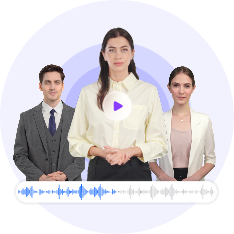
Apart from establishing a recognizable avatar logo, it is recommended to generate branding videos with lifelike avatars, better maximizing the powerful dynamic visuals to reinforce your online presence. But how to make it? Vidnoz AI is an all-in-one free AI video generator for entrepreneurs, creators, and businesses of all sizes. It comes with 1500+ AI avatars, 1830+ realistic AI voices, and 2800+ templates that let you create and share stunning videos at your fingertips.
Create Your AI Talking Avatar - FREE
- 1900+ realistic AI avatars of different races
- Vivid lip-syncing AI voices & gestures
- Support 140+ languages with multiple accents
Check out what this free AI video generator can offer you below:
- AI-driven video generation with photorealistic avatars: Vidnoz AI provides an extensive library of realistic avatars across ages, genders, attire, and ethnicities. Plus, you can also design your bespoke brand ambassadors to your liking.
- Various customization tools to enhance videos: It streamlines video creation by combining avatar realism with enterprise-friendly customization. Embed logos uniformly across videos, upload brand image as custom backgrounds, do what you want.
- Quick visual branding with zero production costs: No need to hire actors or studios, you can create social media campaigns, product tutorials, and personalized marketing tailored to your business at no cost.
- Other AI tools for scalable business storytelling: As a powerful branding video generator, Vidnoz also provides 140+ languages for global communication, with natural auto-lip sync of avatars. Further help for branding comes with an AI scripting assistant, video translator, and more.
Now, follow the step-by-step guide to generate your branding videos with an avatar.
Step 1. Head to Vidnoz AI and sign in with your accounts.
Step 2. Go Avatars > Photo Avatar > Generate with AI/Upload a Photo. Pick a way to generate your unique avatar, or pick a pre-designed one for further editing.

Step 3. Customize your AI avatar video: type the texts in the speech box to let the avatar speak in perfect auto lip sync; add live background, music, text, stickers, or animations as desired.

Step 4. Click the Generate button on the top right to start your avatar video creation.
Conclusion
Now, forget about complicated software and art panics, try the avatar logo designer above to turn your vision into a professional and unique visual identity. Mix, match, and tweak to show off your brand's personality in just a few clicks. Plus, with Vidnoz AI, you can create stunning branding videos featuring lifelike avatars that effectively narrate your company's story and vision - blending the personality of the avatar with the memorability of the visuals. Try it now!

Vidnoz AI - Create Free Engaging AI Video with Talking Avatar
- Easily create professional AI videos with realistic avatars.
- Text-to-speech lip sync voices of different languages.
- 2800+ video templates for multiple scenarios.