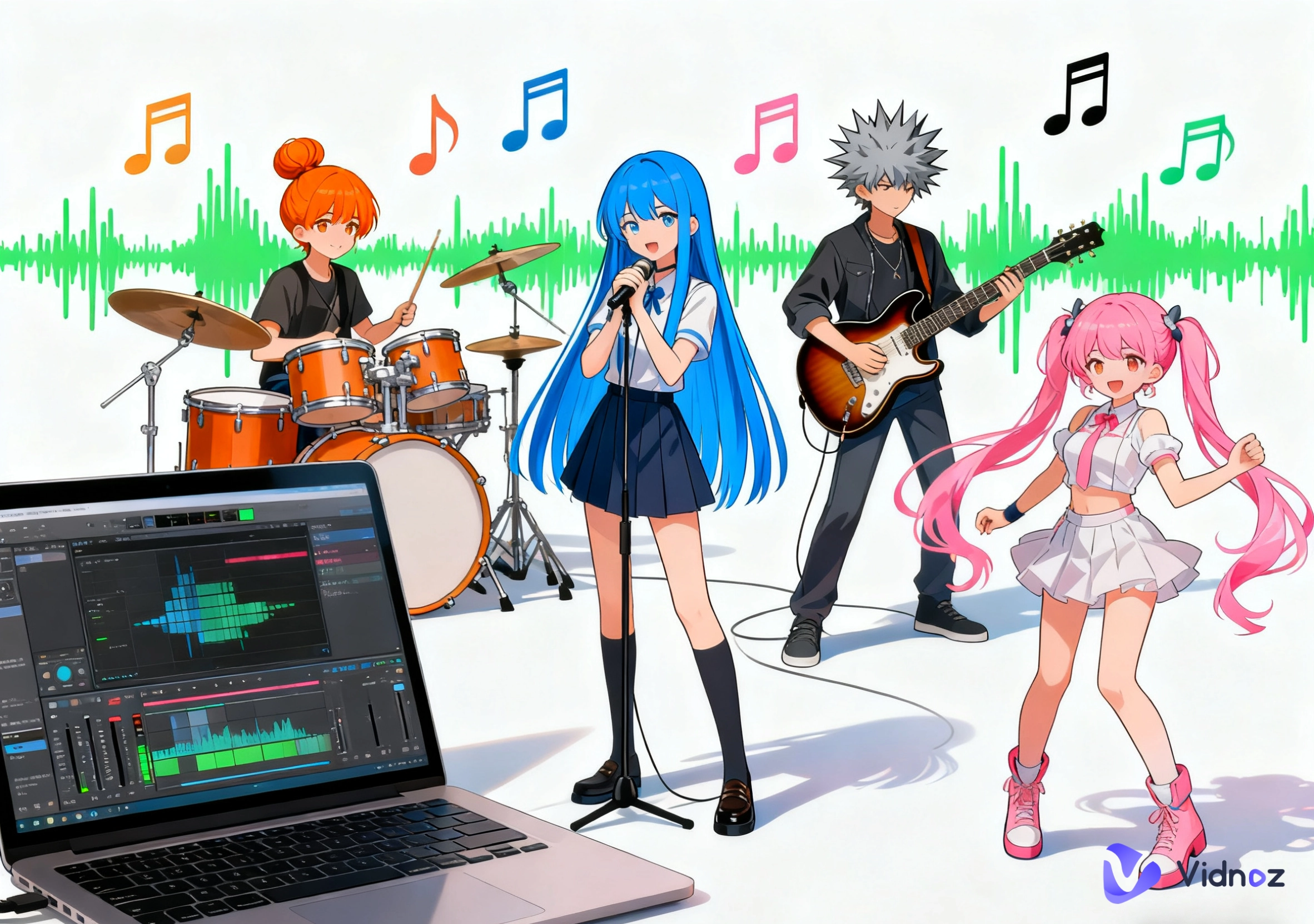
One of the most popular forms of online creativity is Anime Music Videos, or AMVs. Many fans remix anime videos with popular music and powerful songs on YouTube and TikTok, capturing and sharing emotions in art.
Because of the availability of quick and user-friendly software, anyone nowadays can create AMVs. The simplicity of anime music video maker platforms streamlines the editing process, resulting in effortless and enjoyable editing.
This guide will teach you about eight of the most popular anime music video editors. It will provide valuable insight into how to be successful using anime music video AMV.
- On This Page
-
What Are Anime Music Videos and Why Are They So Popular?
-
Top 8 Anime Music Video Makers to Try in 2026
#1. Vidnoz Online Video Editor
#3. Veed Music Video Maker
#5. Canva Animated Video Maker
-
Quick Comparison Table of the 8 Anime Music Video Makers
-
How to Make an Anime Music Video Using Vidnoz Online Video Editor
-
Make Your Original Anime Music Video via AI - Let Any Anime Character Sing
What Are Anime Music Videos and Why Are They So Popular?
Anime Music Videos (AMVs) are fan-made videos that pair anime clips with songs. Every AMV conveys feeling, narrates a tale, and honors treasured moments.
The creativity and appreciation for anime culture shown in these works are why fans love them. They use these videos to showcase peak moments, sync beats with emotion, and let their creativity soar.
This is why selecting an appropriate anime music video maker is vital. It ensures a more seamless editing process, enhances aesthetic appeal, and simplifies cross-platform sharing.
Top 8 Anime Music Video Makers to Try in 2026
No matter what your skill level is, these eight outstanding tools can help you create incredible AMVs.
#1. Vidnoz Online Video Editor
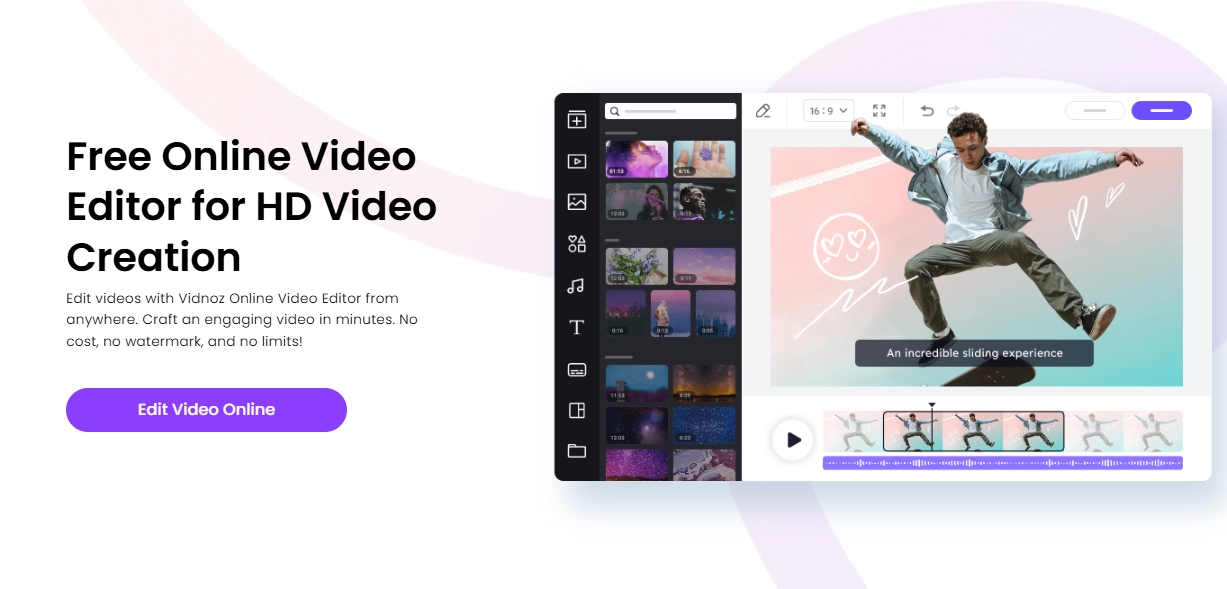
Vidnoz Online Video Editor is, first of all, free, and second, it is an all-in-one video editing solution for newbies. This anime music video maker allows you to make AMVs quickly and easily.
Key Feature
- Steer your project by easily arranging and organizing video clips with drag-and-drop anime clip uploading.
- Customize your AMV to the precise beat to make your video rhythmically aligned.
- Each clip is visually captivating with built-in effects, transitions, and filters.
- Export your video in reusable MP4 format, which is suitable for YouTube and TikTok.
- Since it is an anime music video maker online free platform, you can instantly access your creativity from anywhere.
Vidnoz is an all-in-one solution for AMV editing. It is perfect for beginners and fans who want to edit videos in AMV format within minutes.
#2. Adobe Premiere Pro
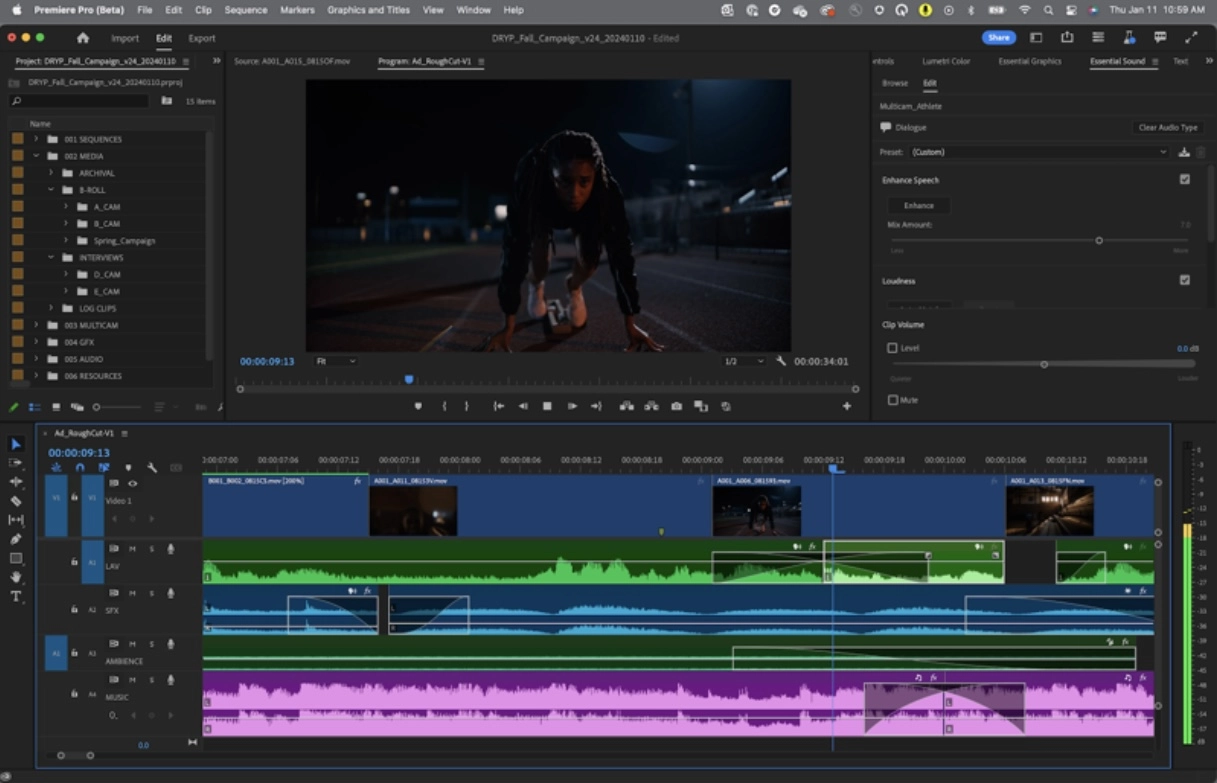
Adobe Premiere Pro editing software provides advanced editing capabilities and ultimate flexibility, which is vital for YouTube content creators. This anime music video maker is a professional editing software that gives you full creative control.
Key Feature
- You can achieve complex storytelling in your AMV through multi-layer editing.
- Seamless professional transitions as well as motion control.
- Advanced tools for sound syncing and video enhancement.
#3. Veed Music Video Maker
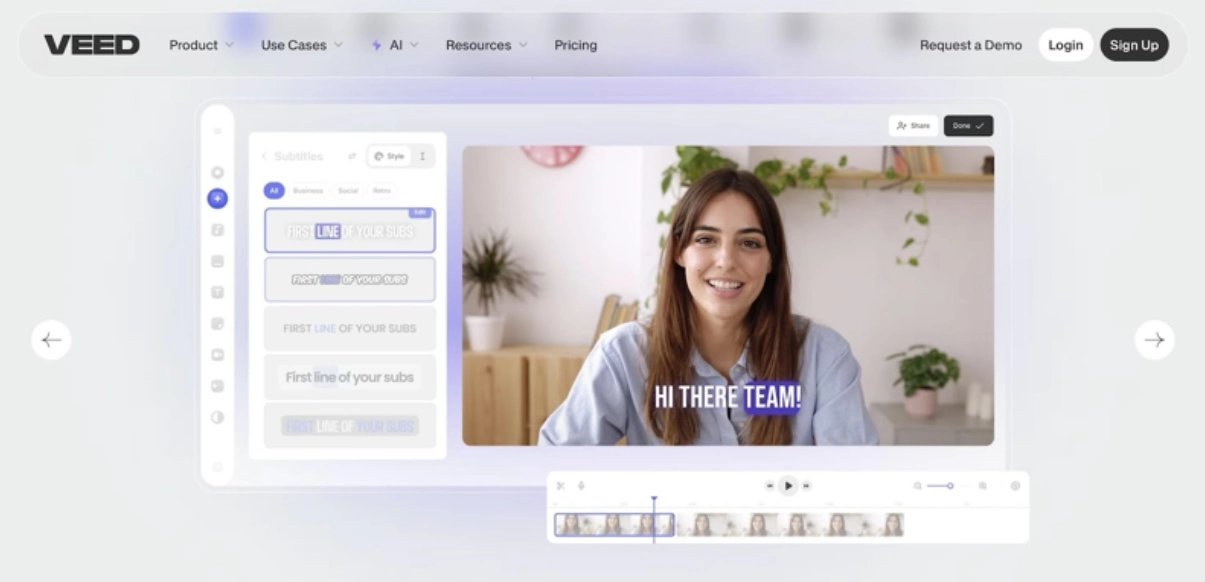
Looking for an animated music video maker online free? Veed lets you create animated music videos online for free and is great for quickly making anime videos. There's no need for downloads since it's cloud-based and easily accessible.
Key Feature
- Add text, audio, and motion effects from your browser with no extra steps.
- Use the built-in templates for faster music syncing.
- Export your videos straight to your social media accounts.
#4. Wondershare Filmora
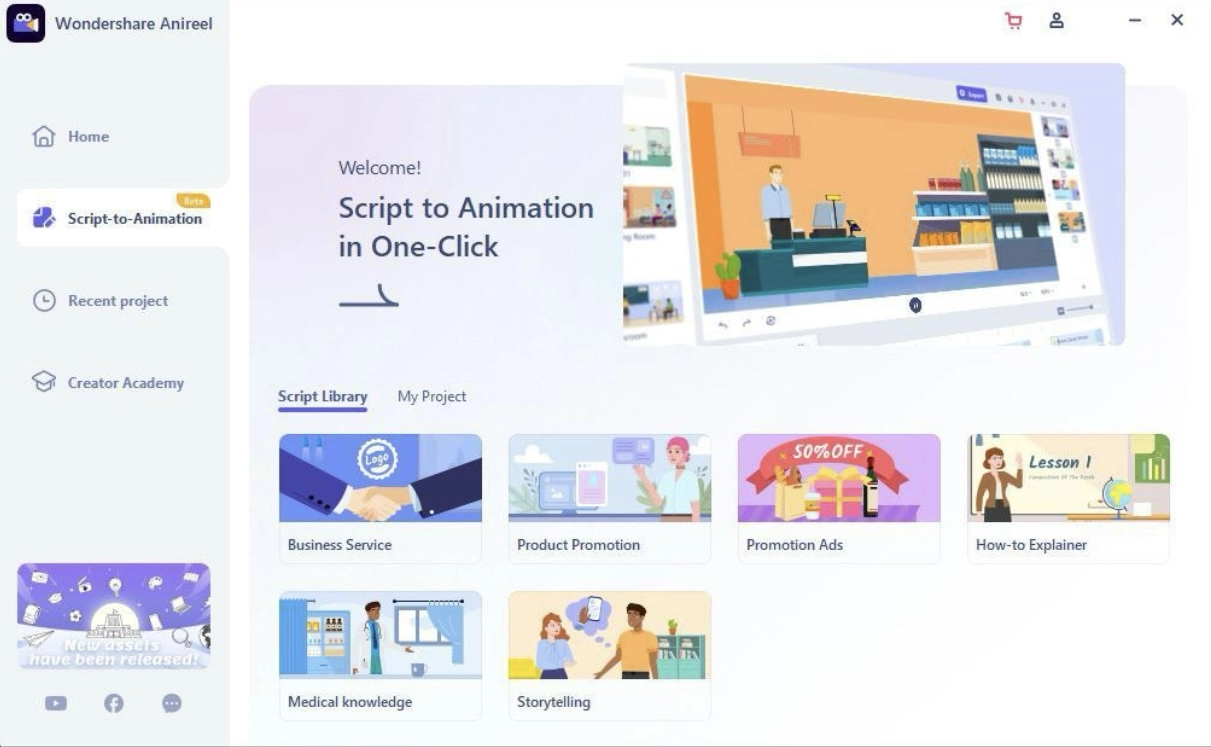
Wondershare Filmora is designed as an easy and simple video editor for AMV creation. This anime music video maker is great for those who want to create AMVs and need a video editor that doesn't require a lot of time to learn.
Key Feature
- Use drag-and-drop templates that are anime and music-based for edits.
- Use real-time previews to instantly sync the music as you edit.
- Easily export videos and share them on social media.
#5. Canva Animated Video Maker
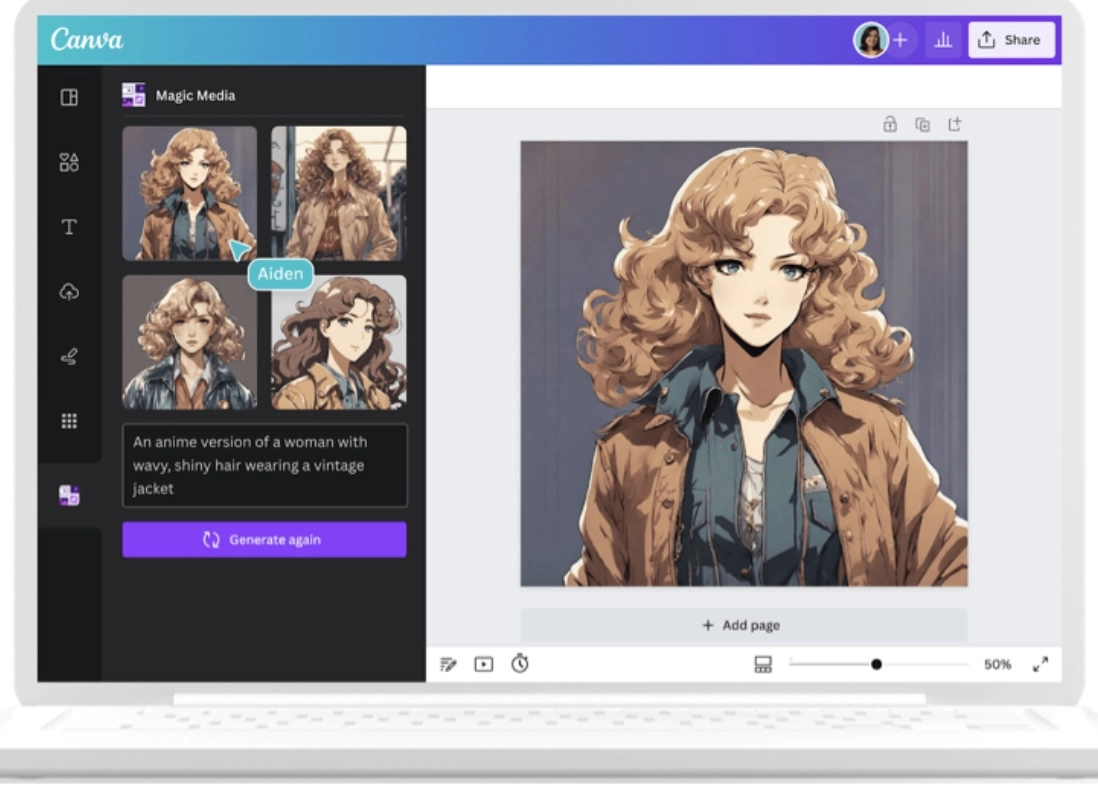
Canva is a fast and fun animated music video maker available online for free. It is designed for transforming anime visuals, making it a great tool for simple AMVs.
Key Feature
- Use hundreds of pre-made animation templates.
- Sound and scene alignment is very easy.
- Great for short anime highlights or lyrical scenes.
#6. Lightworks
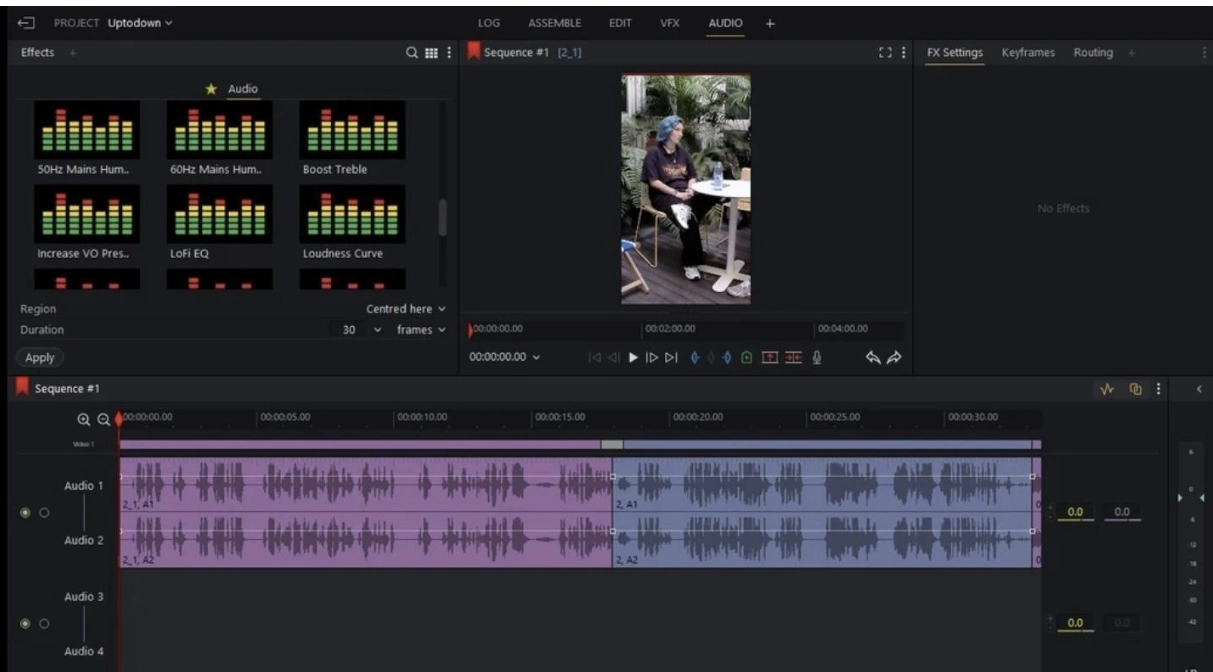
Lightworks provides an excellent anime music video maker free of charge. For editors wanting more flexibility and quality, this is a fantastic option.
Key Feature
- Precision tools for timeline editing.
- Advanced editing tools with effects and customizable filters.
- Exports of up to 4K resolution.
#7. Kapwing
For those wishing to create Anime Music Videos (AMVs), Kapwing is a fantastic option due to its simplicity. Kapwing is suited for social media snippets and swift anime mashups.
Key Feature
- Any device can access the online editor.
- Effects, stickers, and sound layers can be added instantly.
- Short AMVs for TikTok and Instagram.
#8. InShot
As a mobile-friendly anime music video maker, InShot makes AMV editing even easier. You can work on your projects from anywhere you want.

Key Feature
- Anime scenes and songs can be trimmed, synced, and mixed with ease.
- Add sound effects and transitions in no time.
- Export in a flash, perfect for mobile sharing.
Quick Comparison Table of the 8 Anime Music Video Makers
Below is a comparison table that will help you make a wise decision when choosing between different Anime Music Video Makers.
|
Tool
|
Platform
|
Beginner-Friendly
|
Online/Offline
|
Max Export Quality
|
|
Vidnoz Online Video Editor
|
Web
|
Yes
|
Online
|
1080p
|
|
Adobe Premiere Pro
|
Desktop
|
No
|
Offline
|
4K
|
|
Veed Music Video Maker
|
Web
|
Yes
|
Online
|
1080p
|
|
Wondershare Filmora
|
Desktop
|
Yes
|
Offline
|
4K
|
|
Canva Animated Video Maker
|
Web
|
Yes
|
Online
|
1080p
|
|
Lightworks
|
Desktop
|
Moderate
|
Offline
|
4K
|
|
Kapwing
|
Web
|
Yes
|
Online
|
1080p
|
|
InShot
|
Mobile
|
Yes
|
Online
|
1080p
|
How to Make an Anime Music Video Using Vidnoz Online Video Editor
Among AI music video editors, Vidnoz is recognized for its editing simplicity and smooth operations. For those interested in how to make an anime music video, try Vidnoz AI. Follow the steps below to create anime music videos with ease.
Step 1. Prepare Your Clips & Music.
Have your anime video clips and background music (BGM) ready on your computer.
Step 2. Start a New Project.
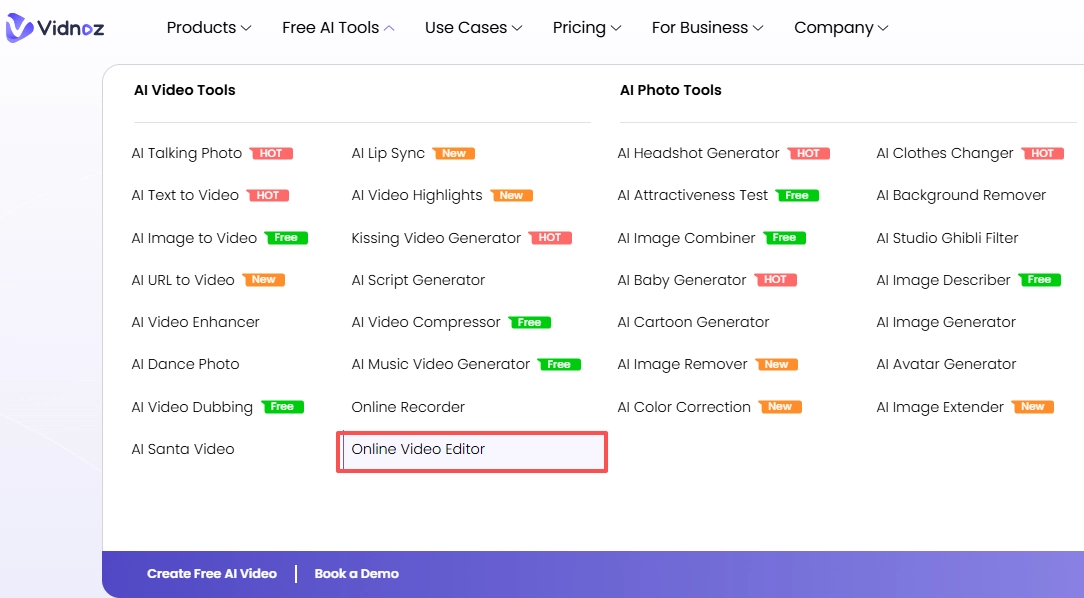
Go to the Vidnoz website and launch its Online Video Editor. Create a new project.
Step 3. Upload & Arrange.
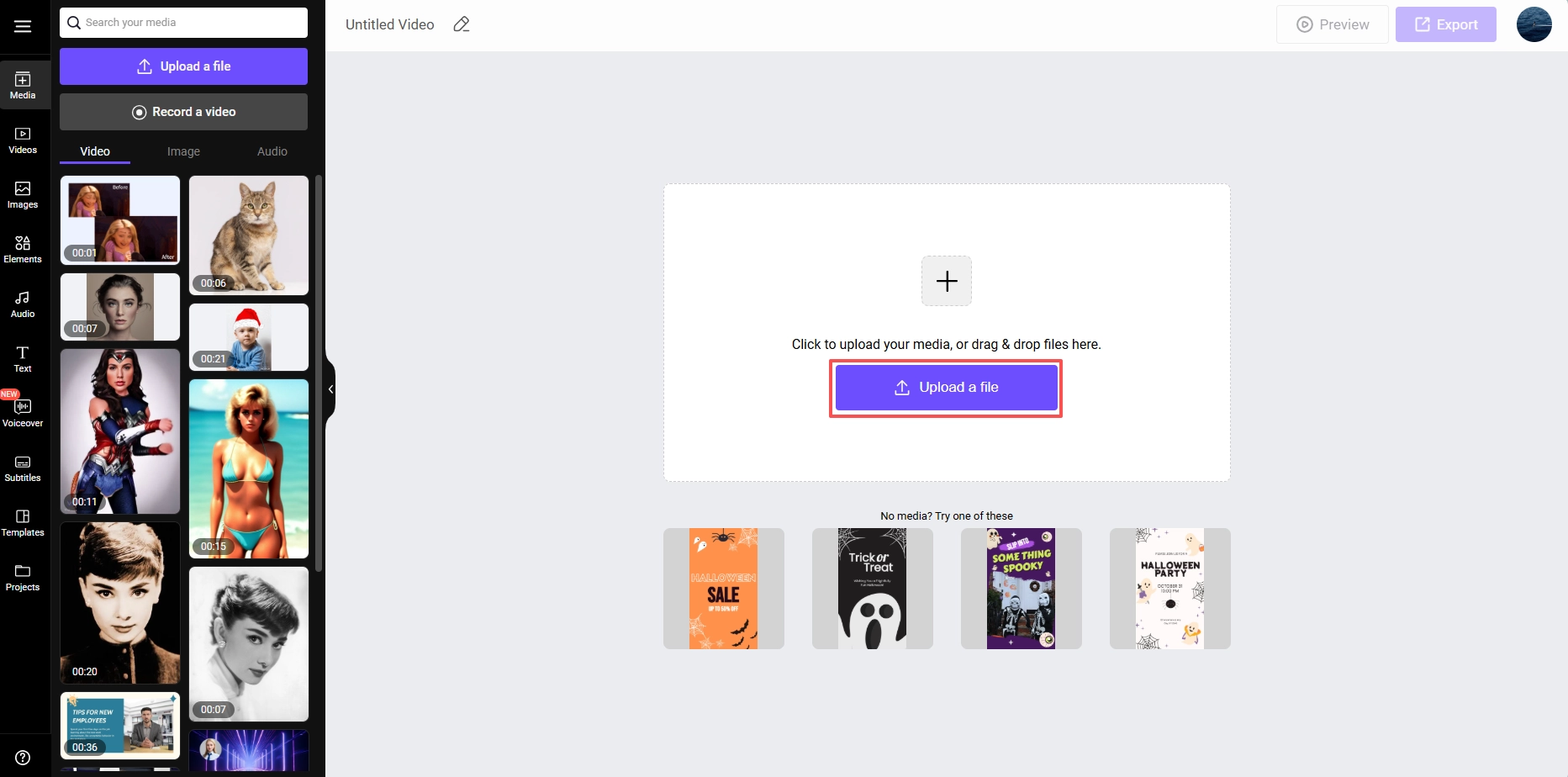
Upload your clips and music. Drag and drop the video clips onto the timeline in your desired order.
Step 4. Trim and Edit.
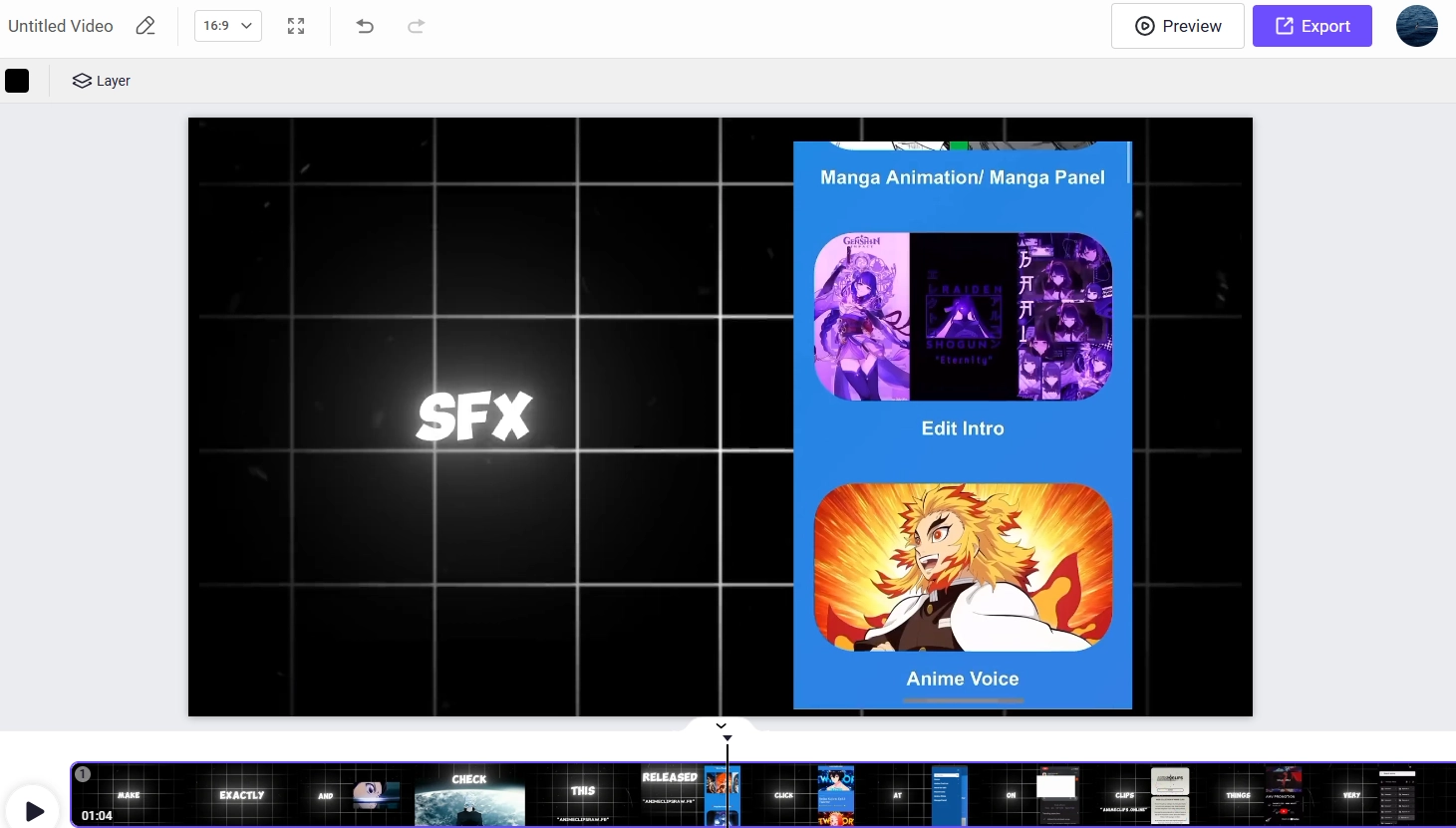
Trim the start/end of each clip and use the split tool to cut out unwanted middle sections.
Step 5. Add Music & Adjust Audio.
Drag your BGM to the audio track. Lower the volume of the video clips so the dialogue and music are balanced.
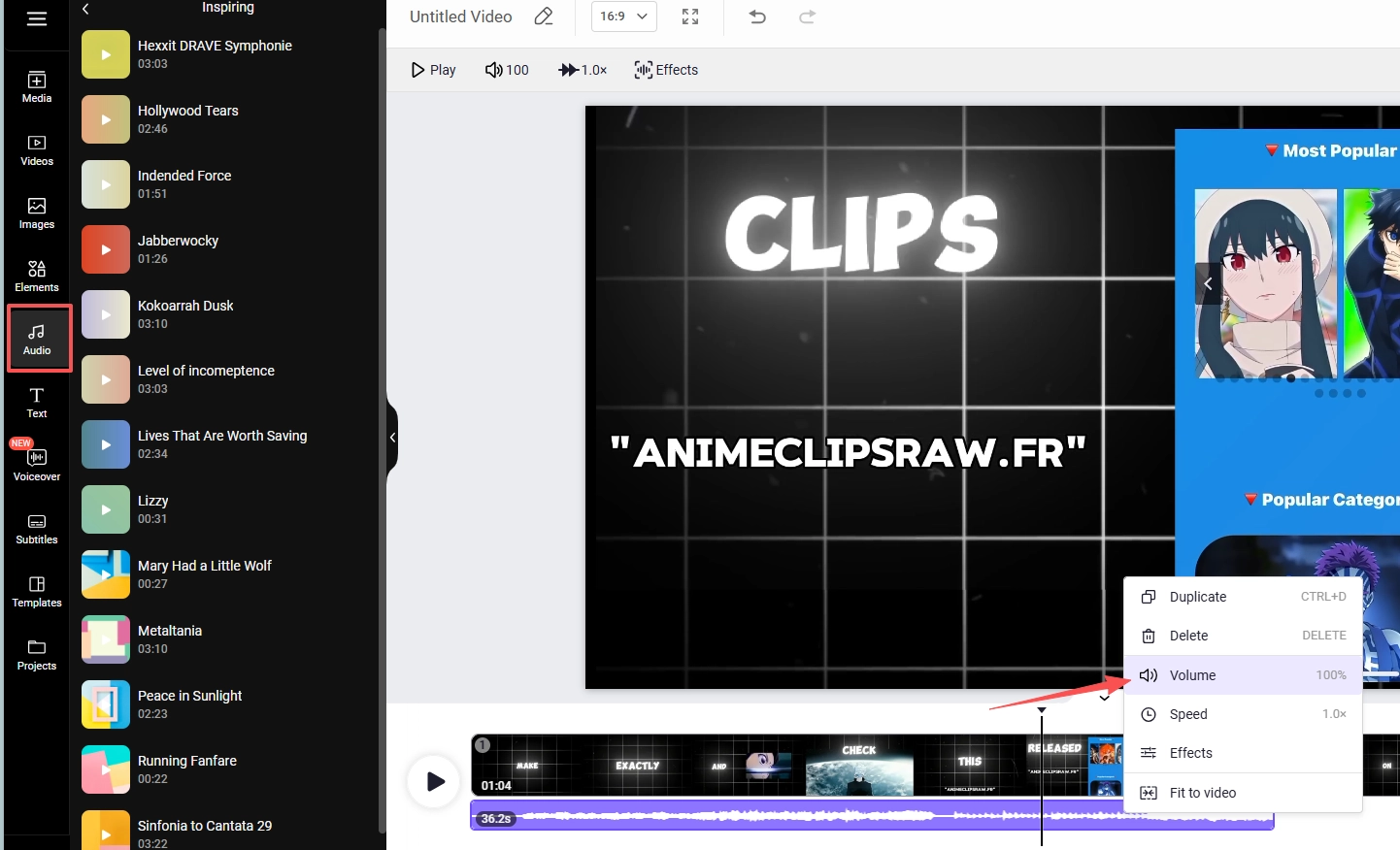
Step 6. Add Finishing Touches.
Insert transitions between clips and use the text tool to add titles or captions.
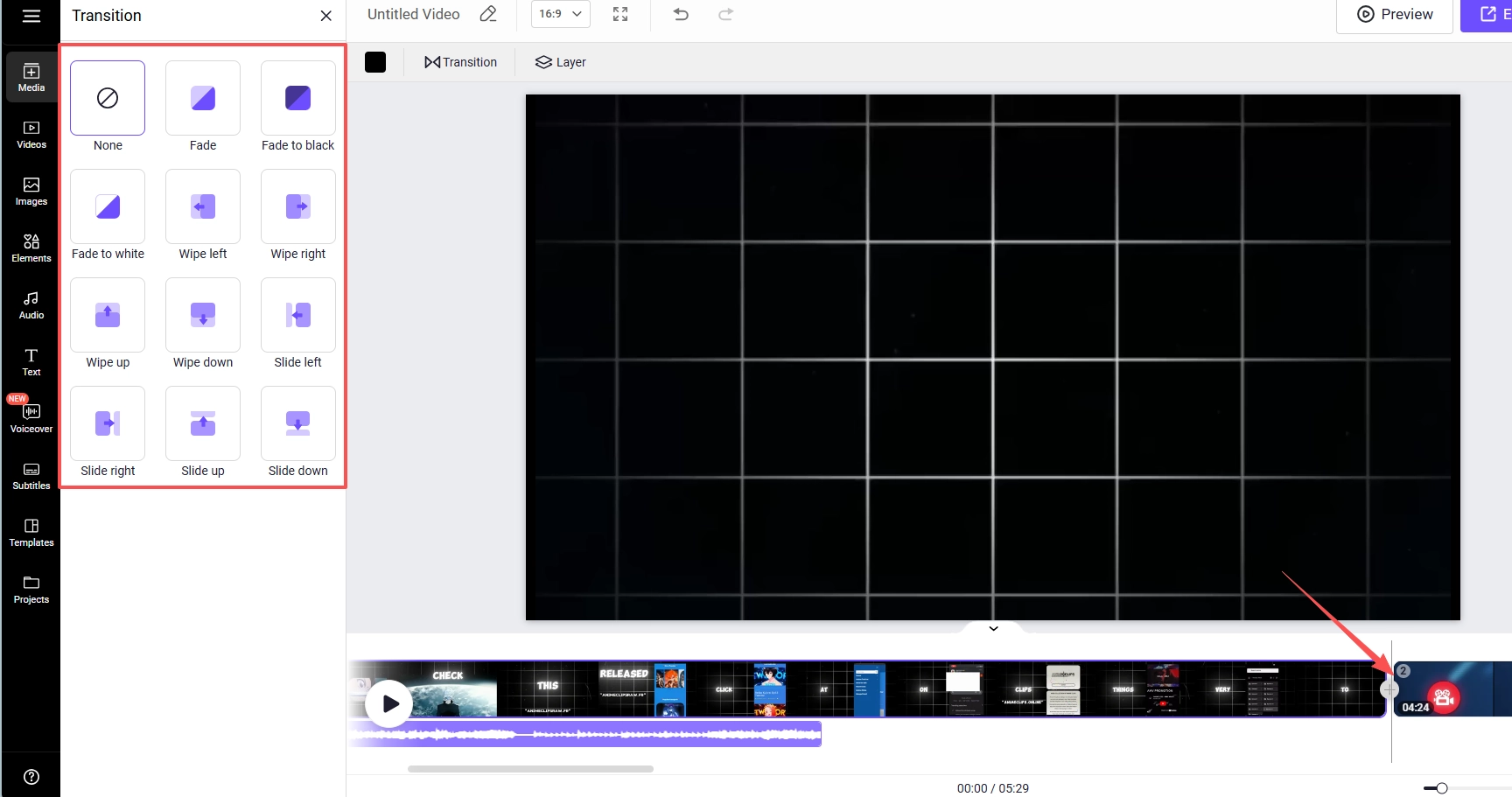
Step 7. Export.
Preview your compilation, then export it in 1080p MP4 format and download the final video.
Make Your Original Anime Music Video via AI - Let Any Anime Character Sing
Vidnoz AI Music Video Generator is a great tool for AMV enthusiasts. This anime music video generator AI allows you to animate an anime character to sing a song of your choice.
It goes beyond basic editing. It's like you have created content. You upload the character, select the song, and let AI handle the automatic synchronization.
Step 1. Gather Your Assets (Image & Audio).
First, you'll need two key ingredients:
- Anime Character Image: Choose a high-quality picture of your chosen character. For a truly custom creation, use the Vidnoz AI Image Generator to design a unique anime character from scratch.
- Background Music or Song: Select a song you love. Want an original track? Use the Vidnoz AI Music Generator to compose a one-of-a-kind song in seconds.
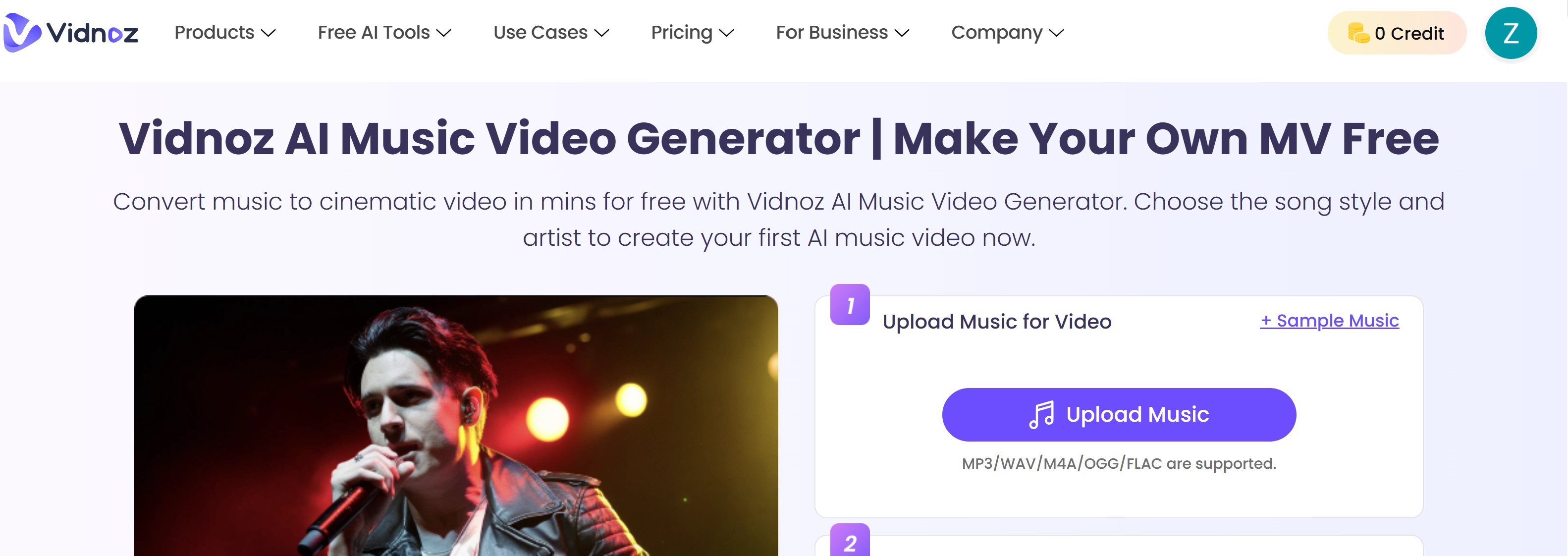
Step 2. Access the Generator & Upload Your Music.
Navigate to the Vidnoz AI Music Video Generator. Click the "Upload Music" button in the music section to import your audio file (or the unique track you just created).
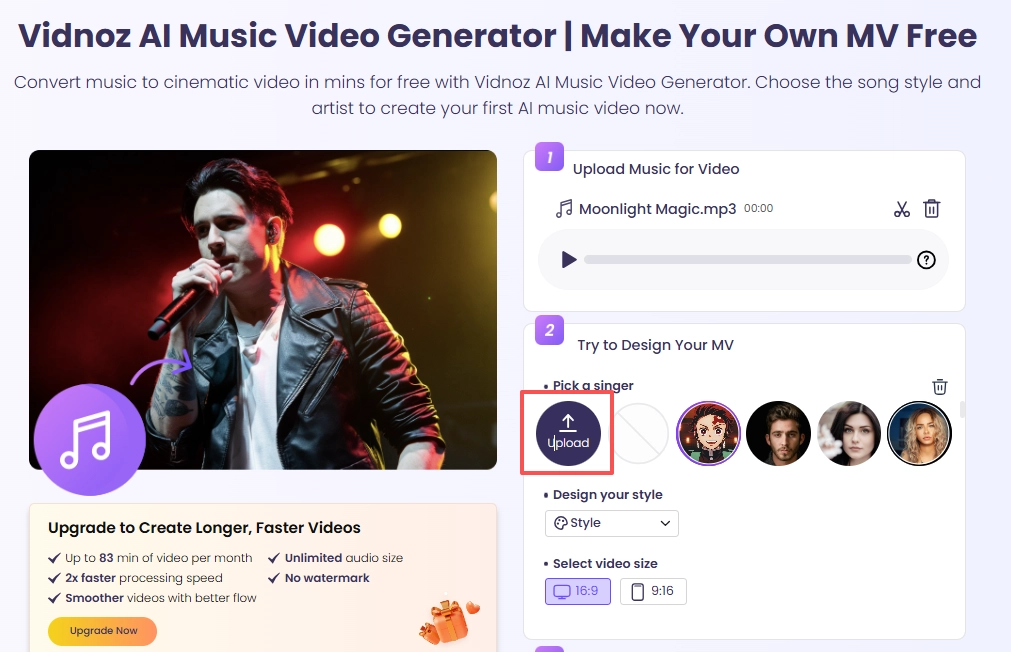
Step 3. Cast Your Anime Character as the Singer.
Now, it's time to choose your star! Upload your prepared anime character image. The AI will automatically map the singing performance onto this character.
Step 4. Customize Your Video's Look & Feel.
Make the video yours by adjusting the settings:
- Style: Choose from different visual themes to match the song's mood.
- Video Size: Select the appropriate aspect ratio for your target platform (e.g., 16:9 for YouTube, 9:16 for TikTok/Reels).
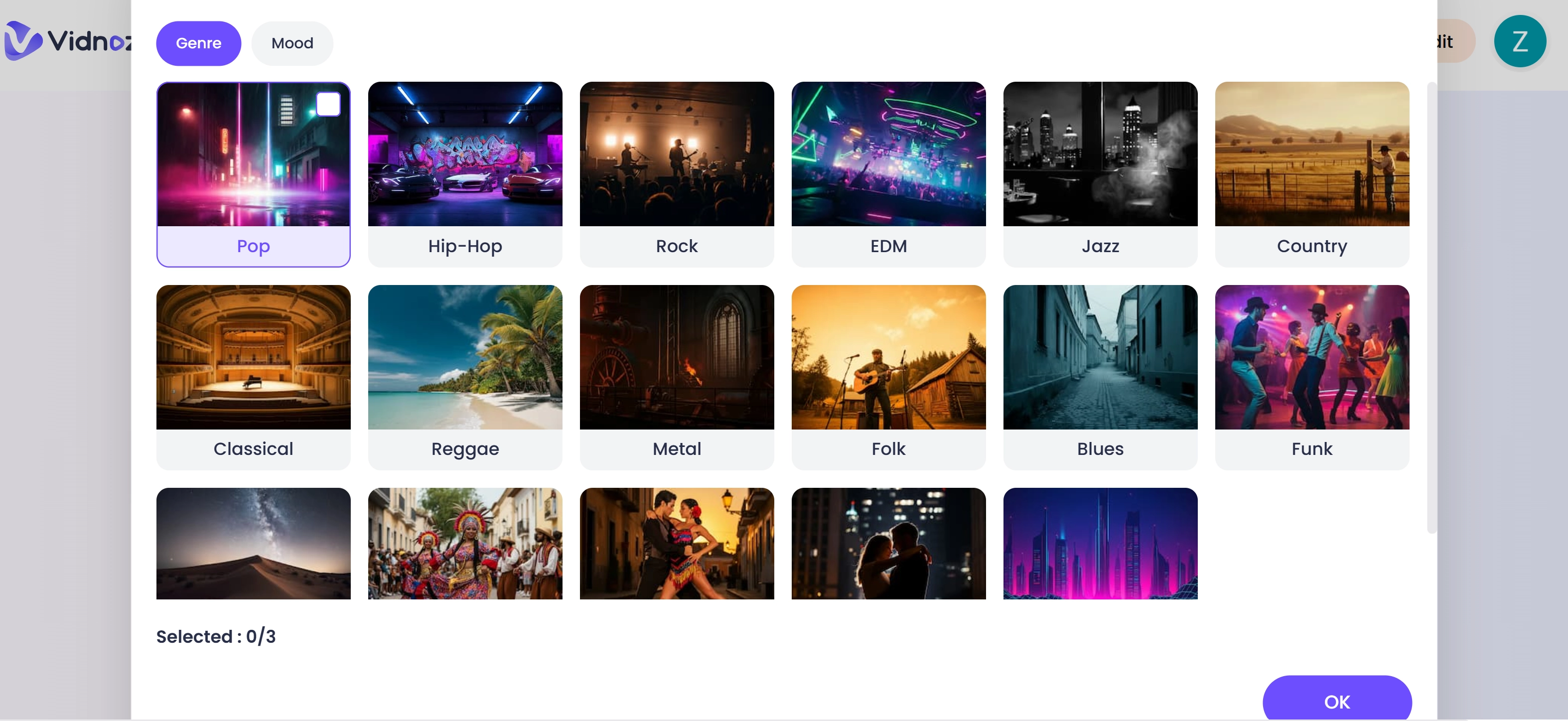
Step 5. Generate and Share Your Masterpiece!
Once you're happy with your selections, click the “Generate Video” button. The AI will work its magic, creating a seamless video of your anime character singing. After processing, you can download, preview, and share your creation with the world!
The result will be a unique anime music video that features a combination of both art and music nicely.
Final Thoughts
Anime fans enjoy creating anime videos with music using AI. This modern technology allows you to use even the most basic video editing programs to create anime videos feasibly. If you have used a free AI video generator, it’s time to take your creativity to the next level.
Use an anime music video maker like Vidnoz AI to bring your favourite anime character to life. These fun videos featuring your favorite anime characters are not only entertaining but also worth sharing on social media. To try some ideas, visit Image to Video AI.
This is your chance to animate and visualize fun interactive AMVs with Vidnoz AI.
Convert Image to Video AI Online - Free
- Create a video from an image quickly for free.
- Use various AI models to turn photos into videos.
- Download and share the AI-generated video at no cost.
Convert Image to Video








![[48+ Prompts] 4 Free Anime AI Art Prompt Generators to Apply](https://www.vidnoz.com/bimg/cover-of-ai-anime-art-prompts.webp)
