Want an anime intro that instantly hooks viewers? Many films add one at the start to show magical effects or bold actions hard to film in live action.
This guide shares copyright-free anime video intros to inspire you. For a fully customized and copyright-safe opening, try the top three anime intro maker tools to create your own free anime intro.
- On This Page
-
Before the Article: Free Anime Intro Clips and Templates
-
Vidnoz AI Anime Intro Maker
How to create videos using Vidnoz anime intro maker:
How to merge anime intro videos using Vidnoz Online Video Editor:
-
Panzoid Anime Intro Maker
How to use this anime intro maker:
-
Renderforest Anime Intro Maker
How to make an anime opening with this tool:
-
Anime Intro Copyright Issues
Before the Article: Free Anime Intro Clips and Templates
Before diving into the main guide, let's explore where you can find or create ready-to-use anime intro templates. This section introduces 3 platforms that offer free anime intro resources worth checking out.
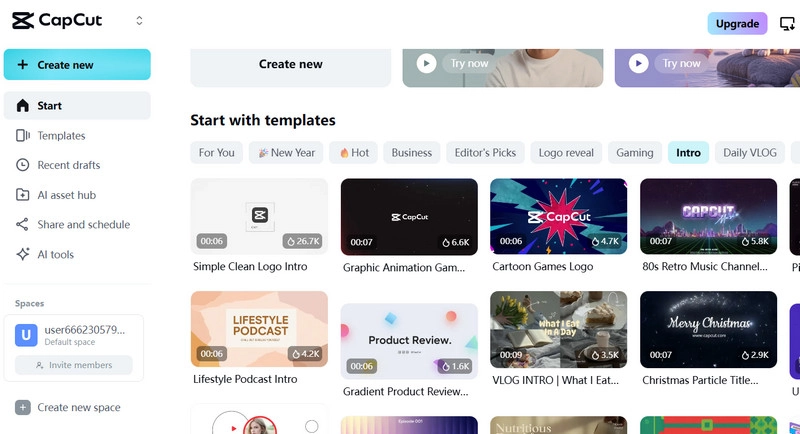
1. Capcut Templates
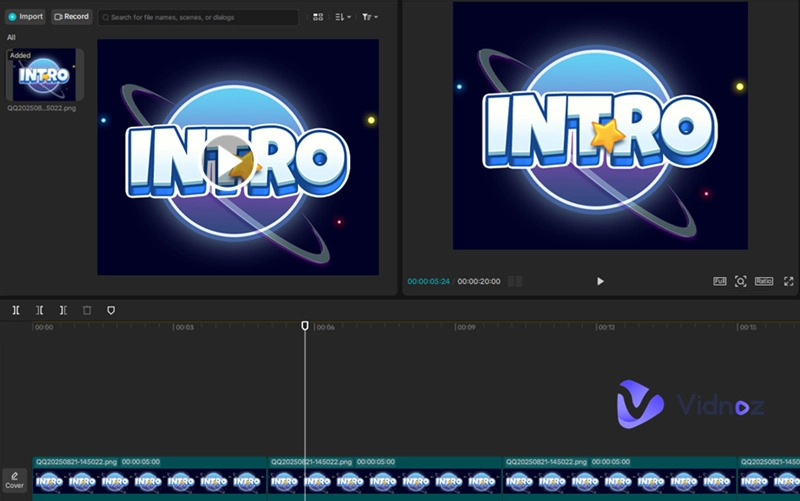
Capcut Desktop Video Editor is a powerful anime intro maker AI that's perfect for desktop use.
You can generate an AI anime intro template simply by giving instructions, then turn your script into a fully structured video. It also supports using your own photos as part of the script.
After generating your anime intro, you can add a voiceover—either with your own voice or an AI voice template. Capcut's media library also includes a wide selection of background music and subtitle styles.
The finished intro is free to download and can be used for commercial purposes. Even better, Capcut now offers an online trial version, where you can find trending intro templates and customize them instantly.
2. Pixabay Free Anime Intros
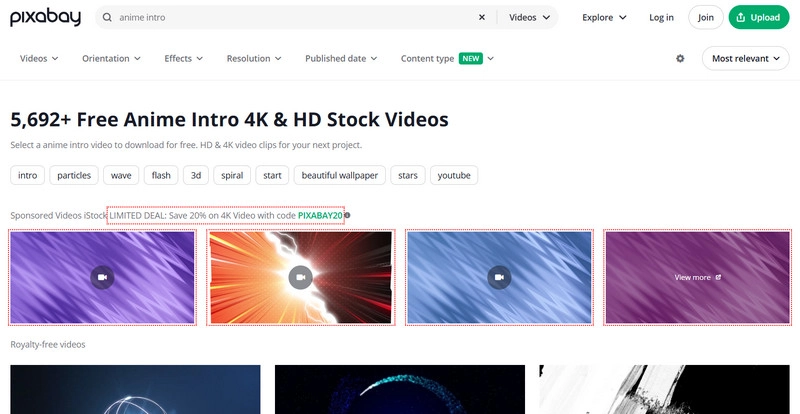
With over 5,692+ high-quality 4K clips, Pixabay Free Anime Intros is an excellent choice for anyone looking for a copyright-free anime intro.
No registration or subscription is required—you can preview all clips instantly. A simple category filter helps you quickly find the style you like. With one click, you can enjoy an anime intro template free download.
Pixabay also lets you send clips directly to Canva for on-the-spot video editing.
Important note: Pixabay does not allow its materials to be used for commercial purposes in their original form. You must make significant modifications (e.g., integrating them into a larger video or making substantial changes) before using them commercially.
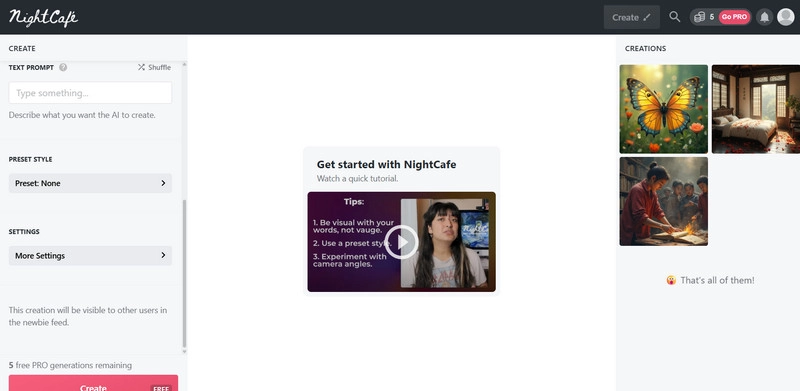
3. Nightcafe Anime Intros
Known for its dreamy and vibrant aesthetic, Nightcafe is an anime intro maker that specializes in generating intro artwork.
You can browse other users' creations for inspiration, preview their chosen models and prompts, and then craft your own custom prompt to create unique images.
Note: You cannot download or use other users' works. Nightcafe allows free downloads of your own creations, but without a subscription, you only get one free generation per day.
Your works can be used commercially, provided they don't include copyrighted images as part of the input.
Vidnoz AI Anime Intro Maker
From the previous section, one key fact is clear: using other people's work is not allowed, and even with ready-made templates, you must make major modifications before using them for commercial purposes.
The safest option is to create your own unique clips with an anime intro maker.
Vidnoz Gen is the perfect tool for this. It gives you total creative freedom:
In the Explore area, you'll find various anime intro examples. Click Remix to instantly see the template's generation settings—tweak them slightly, and you'll have a personalized result within minutes.
If you want to start completely from scratch, try Vidnoz Text to Video or Image to Video. Simply describe the scene you want in detail, or upload your own images as the base material. Vidnoz will generate your anime intro at high speed.
How to create videos using Vidnoz anime intro maker:
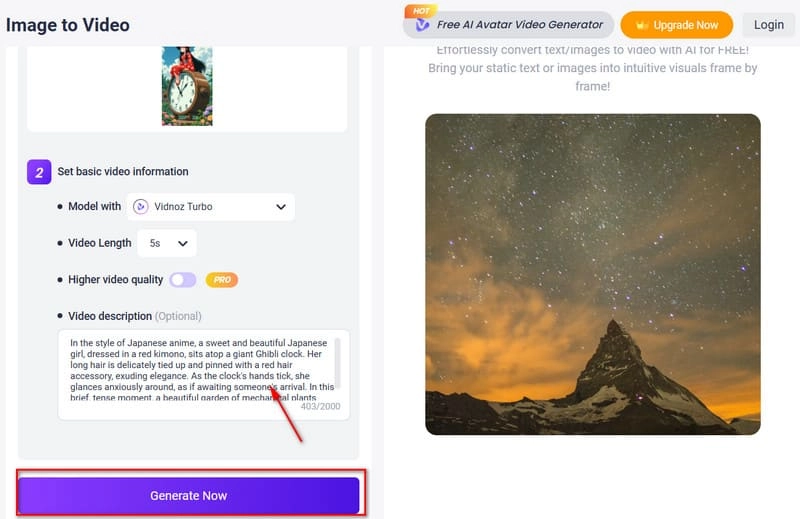
Step 1. Launch Vidnoz Gen and choose AI Video Generator.
Step 2. Click Upload an image to add your material, set the AI Model and Video Length, and type your prompt under Video description.
Step 3. Press Generate Now. Vidnoz AI video generator from text will start creating your intro.
How to merge anime intro videos using Vidnoz Online Video Editor:
Once you’ve created your generative AI video, it’s time to refine it.
Step 1. Open Vidnoz Online Video Editor. Your generated videos will appear in the Video tab—click one to start editing.
Step 2. Adjust the clip's position and size on the canvas. Use tools like Trim, Crop, and Filter to fine-tune the look.
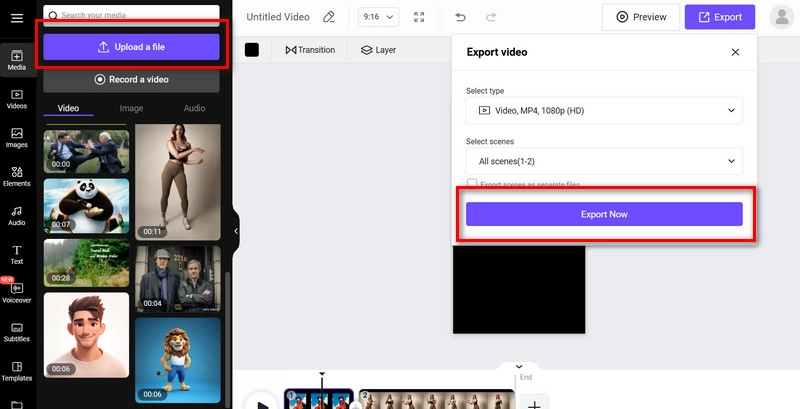
Step 3. To add new clips, click Upload a file. Drag them to the timeline, and repeat the editing steps.
Step 4. Click Preview to check the final result, then click Export.
Choose output quality, select all scenes, and hit Export Now.
Vidnoz AI video editor will save your work to your device.
Panzoid Anime Intro Maker
Any creator will be impressed by Panzoid Intro Maker—it blends ease of use with professional-level flexibility. Everything is fully customizable.
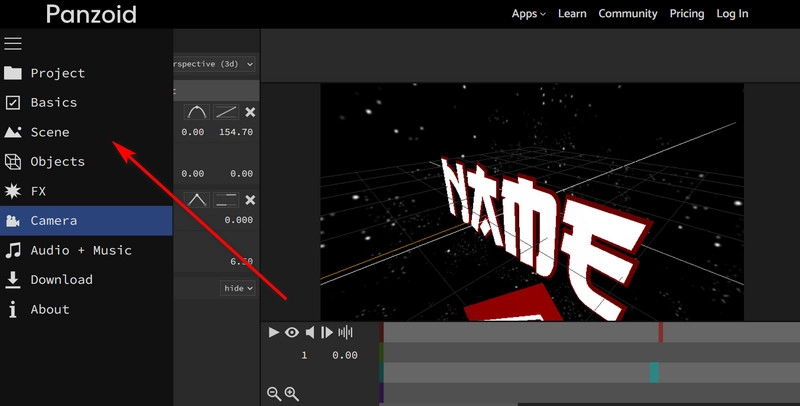
Start by selecting the sky and ground colors and textures, then add your own chosen objects or apply the platform’s presets. Insert dynamic effects like shakes or rotations at the right points on the timeline. The preview window is 3D, allowing you to drag and rotate the scene to see how your anime intro looks from every angle.
It’s also worth noting that Panzoid Intro Maker offers many ready-made templates. You can use them directly and simply enhance them with your own creative touches through the editing tools.
Despite its wide range of features, the interface of this anime and game intro maker remains beginner-friendly, with well-organized menus that make navigation straightforward even for first-time users.
How to use this anime intro maker:
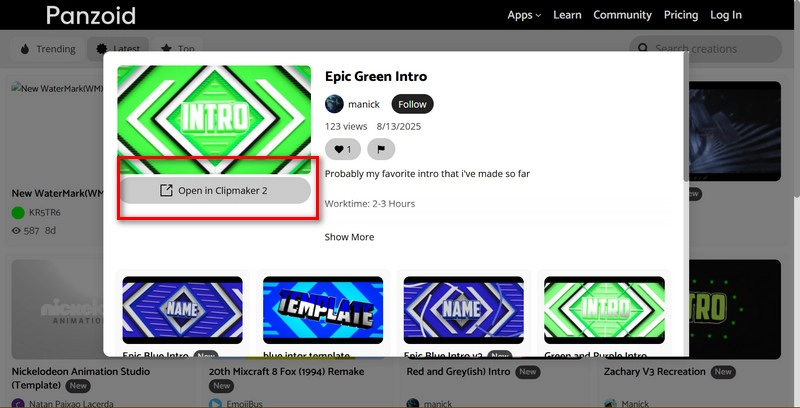
Step 1. Open Panzoid Intro Maker in your browser.
Step 2. Select your chosen template and click Open in Clipmaker 2 to launch the workspace.
Step 3. Begin detailed editing.
·In Basics, adjust video length, resolution, and frame rate.
·In Scene, set sky and ground colors/textures.
·In Object, add new characters or elements.
·In Camera, modify movement effects and angles.
·In Audio+Music, choose background music or voiceovers.
Step 4. Click Download > Start video render to export your finished anime intro.
Renderforest Anime Intro Maker
If you’re a personal content creator looking for a free YouTube intro maker, Renderforest is one of the best options you can find.
Renderforest offers a wide selection of anime intro templates featuring dynamic effects and logo animations, neatly organized in a clear category menu. A built-in search bar also helps you quickly locate the style you have in mind.
Once you select a template, you can use Renderforest’s customization tools to replace elements with your own character designs, logos, or brand marks, as well as edit any on-screen text. You can also upload your own background music to match your brand’s vibe.
Need a voiceover? Try the Text to Speech feature—choose your preferred voice style, upload your script, and let AI narrate your intro.
With its fast online launch, modern aesthetic, and easy-to-use workflow, Renderforest is perfect for creators making intros for platforms like YouTube and TikTok.
How to make an anime opening with this tool:
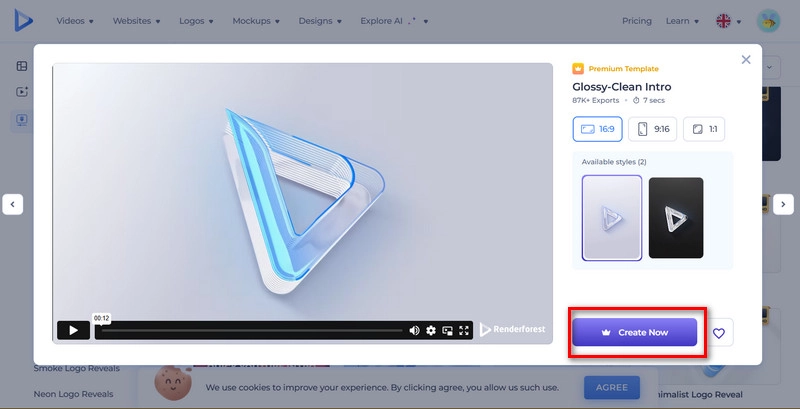
Step 1. Visit the official Renderforest Intro Maker site and click CREATE YOUTUBE INTRO. You’ll be taken to the templates page—pick one and select Create Now.
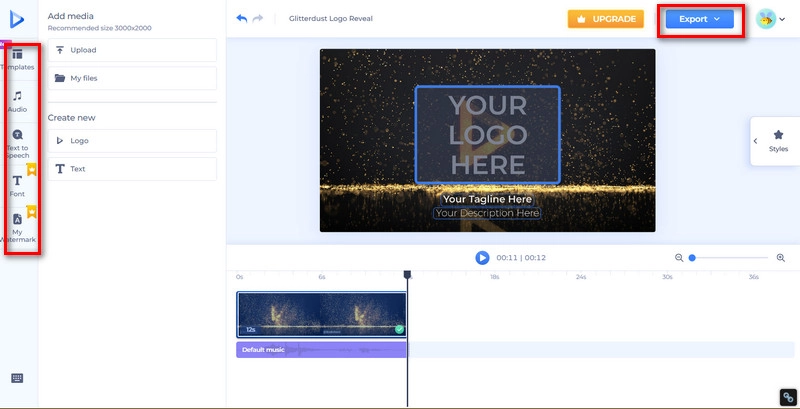
Step 2. Click the logo in the preview window to upload your own design. Click any text box to customize fonts and wording.
Step 3. Go to the Audio tab to upload background music. For a voiceover, select Text to Speech, set your script, voice style, language, and speed, then click Generate.
Step 4. Preview your work by clicking Play, then choose Export to download your anime intro.
Anime Intro Copyright Issues
If you’re concerned about copyright when using an anime intro maker, here’s what you need to know:
1. Do AI-generated Anime Intro Clips Have Copyright Issues?
Purely AI-generated intros, without human editing, typically lack copyright protection. However, if you add substantial personal edits while using text, image, or video to anime AI, you may obtain copyright for your version.
Be cautious: if your work closely resembles an existing copyrighted piece, it might still be considered infringement.
2. Can I Use Free Anime Intro Videos for Commercial Purposes?
It depends on the source. Some clips allow commercial use, others are personal only. Always check platform licensing. To stay safe, either use explicitly commercial-free material or heavily modify existing templates.
3. Where to Find Watermark-Free Anime Intro Videos?
Platforms like Pixabay, Mixkit, and IntroMaker provide watermark-free anime intros. You can also use a random anime generator to produce unique characters and clips, then edit them in AI tools to create entirely original intros for commercial projects.
Conclusion
There are two main ways to get your ideal anime intro:
- Use free templates from resource platforms and customize them heavily, or prepare your materials and create a unique video with an anime intro maker.
- This guide introduced three template providers and three anime intro makers.
Among them, Vidnoz offers an all-in-one solution with ready-to-use templates, AI Video Generator for creating intros from scratch, and an Online Video Editor for final polishing.
Sign up now and enjoy a complete anime intro creation workflow with Vidnoz!
Turn Text into Video with AI - FREE
Generate high-quality videos from PDFs, PPTs, and URLs in one step!