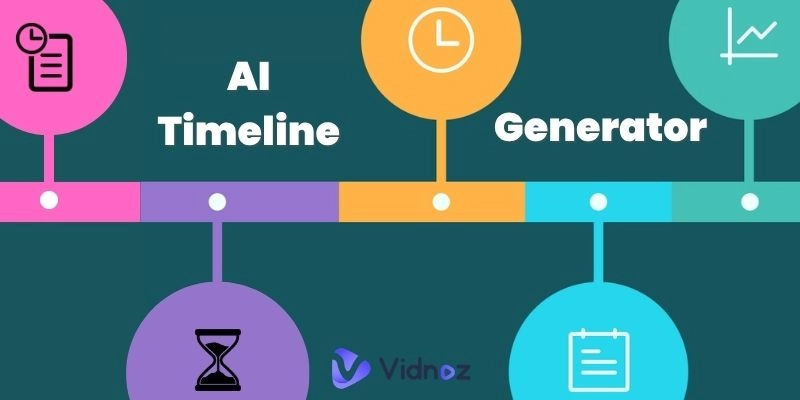
The use of timeline content is growing more and more popular, school presentations, business projects, as well as marketing and social media storytelling. The current audience desires visual representations that will make them digest historical events, brand history, and product introductions. In this case, an AI timeline generator helps.
AI timeline generators are used to standardize and timeline content generated in a structured manner and appearing in presentable graphical forms such as graphics, animations, slideshow, cartoons among others. Timeline visual generators are multipurpose and basic whether as a teacher, a marketer, a content creator or as a student. Various needs will demand various styles, and in this post, you will review six of the best tools, each a leader in its own specific sense of the timeline format.
- On This Page
-
A Quick Glance at 6 Best AI Timeline Generators
1. Vidnoz AI — Ready-Made Timeline Video Templates
2. ChatGPT — Best AI Timeline Generator for Content Creation
3. MyLens AI — Powerful Timeline Maker Online for Professionals
4. Canva AI — Easy Timeline Visual Generator with AI Help
5. TimelineJS — Free Interactive Timeline Maker Online
6. Steve AI — Best Cartoon Timeline Video for Education
-
How to Choose the Right AI Timeline Generator for You?
How customizable do you want it?
-
FAQs About AI Timeline Generators
Q: Is There an AI That Can Create a Timeline?
Q: Can ChatGPT Generate Timelines?
Q: What Is the Best Free Timeline Maker?
A Quick Glance at 6 Best AI Timeline Generators
|
Tool
|
Supported Input Formats
|
Output Format
|
Key Features
|
Pricing
|
Best For
|
|
Vidnoz AI
|
Text, Script, Template Selection
|
Timeline video
|
AI avatars, Text-to-speech, Timeline video templates
|
Free
|
Anyone with no design skills
|
|
ChatGPT
|
Text prompt
|
Timeline text
|
Customizable AI timeline generation
|
Free/Plus
|
Writers, planners
|
|
Canva AI
|
Text, Manual editing
|
Infographics
|
Drag-and-drop, Infographics
|
Free/Premium
|
Visual content creators
|
|
MyLens AI
|
Text, Data, Docs
|
Interactive or slideshow timelines
|
AI content breakdown, slide-ready
|
Free/Premium
|
Professionals, presenters
|
|
TimelineJS
|
Google sheets, CSV
|
Interactive, embeddable timelines
|
Open-source, Link-rich timelines
|
Free
|
Researchers, educators
|
|
Steve AI
|
Text, Script
|
Cartoon timeline, animated video
|
Animated scenes, Characters
|
Free/Premium
|
Educators, marketers
|
Now, let us review each AI timeline generator and explain what makes it actually useful in terms of your creative requirements.
1. Vidnoz AI — Ready-Made Timeline Video Templates

A free AI video generator Vidnoz AI is the best choice to get a professional timeline video by a fast and free method. AI talking avatars and realistic built-in templates can help you create an amazing timeline video presentation of dates and events in a few minutes with this AI timeline generator. Vidnoz is a user-friendly AI timeline generator that provides you with timeline video in no time, particularly in video projects.
Overview: Vidnoz AI takes static text to dynamic timeline video through AI avatars, voiceovers, and custom scene creation.

Vidnoz AI - Create Free Engaging AI Video with Talking Avatar
- Easily create professional AI videos with realistic avatars.
- Text-to-speech lip sync voices of different languages.
- 2800+ video templates for multiple scenarios.
Supported Input Formats: You will have the option to enter the data of your timeline through plain text or use pre-made templates.
Output Format: It exports high-resolution AI timeline video that can be used on YouTube or TikTok, in business pitches, and in e-learning.
Key Feature
- Provide amazing free AI timeline video templates.
- Available to add AI avatar and voiceover to video.
- Allow anyone to customize the timeline video with editing tools.
Ease of Use: Extremely beginner-friendly with a visual editing dashboard.
Pricing:
Vidnoz AI video is 100% free to use with a limited time length everyday.
How to Make a Timeline Video with Vidnoz AI Video Generator?
Step 1. Go to Vidnoz AI website and sign up.
Step 2. Choose a timeline video template or make it as per your own choice.
Step 3. Add your events, select avatars and voiceovers, and press export.
Step 4. Preview your video and download it.
2. ChatGPT — Best AI Timeline Generator for Content Creation

Image from jointjs.com
ChatGPT is best suited to content planners with time-consuming and demanding timeline concepts. You can make more text-heavy, prompt-based ChatGPT presentation timelines: e.g., instead of making multiple pictures into a timeline, you can say, “Create a timeline of AI development from 2000 to 2026.” It’s a reliable AI timeline generator for brainstorming and documentation.
Overview: ChatGPT produces markup texts of timelines based on natural text prompts.
Supported Input Formats: Freeform text prompts.
Output Format: Exportable text timelines, either in docs or visuals.
Key Feature
- Style-specific, voice-specific, and tone-specific output.
Ease of Use: Instant outcome and easy instructions.
Pricing: Free (Plus plan for advanced models).
3. MyLens AI — Powerful Timeline Maker Online for Professionals

MyLens AI is also very suitable for business presentations and reports. It simplifies heavy information by providing a straightforward timeline structure and allows you to export slides. This online timeline maker will help you make visualizations out of complex business data.
Overview: AI breaks text/document into slides that are smaller chunks of thread.
Supported Input Formats: Text, PDF, meeting notes, and docs.
Output Format: Timelines in the form of slideshows or linear images.
Key Feature
- Automated slide generation with section headers.
Ease of Use: Optimized for team usage.
Pricing: Freemium model with business tiers.
4. Canva AI — Easy Timeline Visual Generator with AI Help

Canva AI assists non-designers to create stunning content in the timeline visual generator, whose drag-and-drop interfaces are smartly recommended to create layouts. It’s perfect for marketing with decks, social posts, or planning an event.
Overview: AI-powered graphic design tool that has timeline templates.
Supported Input Formats: Handwritten input, text sections, and intelligent layout propositions.
Output Format: Infographics, vertical or horizontal timelines.
Key Feature
- Intelligent layouts that respond to the amount of content.
Ease of Use: Very simple when working in real-time.
Pricing: Free basic plan. Premium starts at $12.99/month.
Vidnoz AI - Create Free Engaging AI Video with Talking Avatar
- Easily create professional AI videos with realistic avatars.
- Text-to-speech lip sync voices of different languages.
- 2800+ video templates for multiple scenarios.
5. TimelineJS — Free Interactive Timeline Maker Online

Image from timeline.knightlab.com
TimelineJS is the favorite tool of journalists to create interactive and embeddable timelines with rich media. It’s best for long-form editorial storytelling or educational timelines.
Overview: An open-source timeline maker online for interactive visual storytelling.
Supported Input Formats: Google Sheets or CSV files.
Output Format: Interactive web-based timelines with clickable items.
Key Feature
- Supports images, YouTube videos, links, and maps.
Ease of Use: Requires a template file setup but is well-documented.
Pricing: Free and open-source.
6. Steve AI — Best Cartoon Timeline Video for Education

Want to make a humorous cartoon timeline to be used by young people or even classrooms? Steve AI transforms scripts into animated timelines containing characters, scenes, and voiceovers. This tool is ideal to simplify the explanation of history, science, or the evolution of products with interesting infographics.
Overview: Script-to-cartoon engine for timeline video creation.
Supported Input Formats: Text scripts or educational notes.
Output Format: Cartoon timeline, animated video with voiceover.
Key Feature
- AI selects relevant scenes and visual storytelling elements.
Ease of Use: Geared toward educators and marketers.
Pricing: Free limited plan, premium starts at $15/month.
How to Choose the Right AI Timeline Generator for You?
There are numerous AI timeline generators to choose from, but which one to pick is determined by the needs that you have. Answer the following questions, and you’ll find the most suitable one.
-
What’s the timeline for?
Instructive advertisement, internal presentation, or open content?
-
What format do you need?
In the case of timeline video, you can use Vidnoz or Steve AI. Canva is ideal in cases of static images. TimelineJS would be perfect to achieve interactivity.

Image from codebots.com
-
How customizable do you want it?
When you require flexibility in design, then Canva or ChatGPT driven operating models will provide completely creative control.
-
Budget considerations.
Numerous tools provide either a free or a freemium plan. Make a selection depending on your frequency of use.
It depends on resources, the balance between ease of use, desired output format, and customization, to fulfill a creative purpose.
FAQs About AI Timeline Generators
Now, let us speedily clarify the most frequent doubts about the use of the AI timeline generator.
Q: Is There an AI That Can Create a Timeline?
A: Yes! Such tools as Vidnoz, ChatGPT, MyLens AI are AI timeline generators, which transform raw input to structured timelines in different forms.
Q: Can ChatGPT Generate Timelines?
A: Absolutely. Simply ask ChatGPT to create a timeline on a topic, and you have an excellently formatted piece of text to be converted into a visual or slideshow.
Q: What Is the Best Free Timeline Maker?
A: One of the most excellent free tools is TimelineJS, particularly for the interactive material. But Vidnoz AI and Canva provide a powerful free visual and video timeline plan, too.
Conclusion
Timelines enable you to present your material in a more digestible form and, with the help of modern tools, are created as never before. From a fun cartoon AI timeline to an interactive scrolling chart and a polished timeline video, the appropriate AI timeline generator will save time and impress people. Try Vidnoz to make animated videos or Canva to create infographics in the way that suits you and your purpose the most. Besides the efficiency when creating timelines, the AI timeline generator is going to enhance your creative storytelling in all formats that are out there.





.webp)
![Top 3 AI Beatbox Generators to Create Dynamic Beatboxing Music [No Mouth Skill]](https://www.vidnoz.com/bimg/ai-beatbox-generators.gif)