When you finally finish a video that you've been putting off, it’s time to add in the voice-overs and sound effects - the extensive process is probably stressing you out! An AI that adds sound effects to video could be your solution to this age-old problem.
Cutting-edge AI that has been developed for the sole purpose of designing exclusive sound effects has flooded the market in recent years, making it an easy source of media. However, choosing the most suitable one can take time and effort, that's why we made a complete guide with 7 worth-trying options for you to choose from.
- On This Page
-
How to Add Sound Effects to Videos with AI?
-
7 Online Generator AI That Adds Sound Effects to Videos
1. Saifs AI: Add Sound Effects to Your Videos Based on Prompts
2. IIElevenLabs: Automatically Generate & Add Sound Effects to Videos
3. Flux AI: Bring Videos to Life with Realistic AI Sound Effects
4. Vidnoz AI: Add Customizable Sound Effects to Videos with Clicks
5. MMAudio: Powerful Environmental-Sound Synthesis for Immersive Videos
6. LTX Studio: Enhance Videos with Types of Sound Effects Like a Pro
7. Sendshort AI: Add Royalty-Free SFX to Videos
-
Make Videos More Attractive! Generate & Add Voiceover to Videos Online for Free
How to Add Sound Effects to Videos with AI?
How do you add sound effects to videos with AI? Here, we’ll take the Saifs AI sound effect generator as an example. Follow the steps below to add a sound effect to your video with AI.
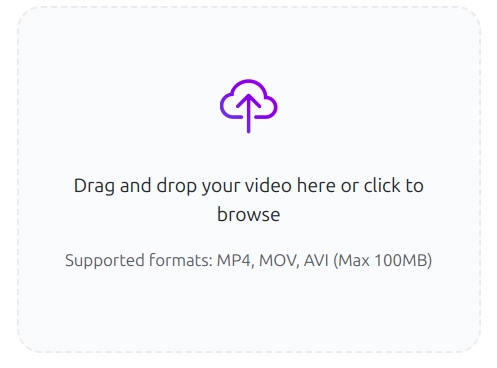
Step 1. Open the AI sound effect generator, upload the target video from your device. This tool supports MP4, MOV and AVI files up to 100 MB.
Step 2. Describe the sound effects that you wish to be added to your uploaded video, please write the description as detail as possible.
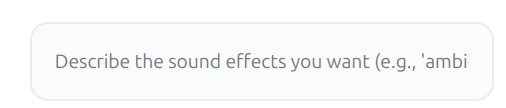
Step 3. Click on “Generate Sound Effects” to let the AI analyze the target video and add the sound effect to it from the entered prompts.

Vidnoz AI - Create Free Engaging AI Video with Talking Avatar
- Easily create professional AI videos with realistic avatars.
- Text-to-speech lip sync voices of different languages.
- 2800+ video templates for multiple scenarios.
7 Online Generator AI That Adds Sound Effects to Videos
Let’s move on to the list! Here are 7 practical AIs that add sound effects to videos you can pick from.
1. Saifs AI: Add Sound Effects to Your Videos Based on Prompts
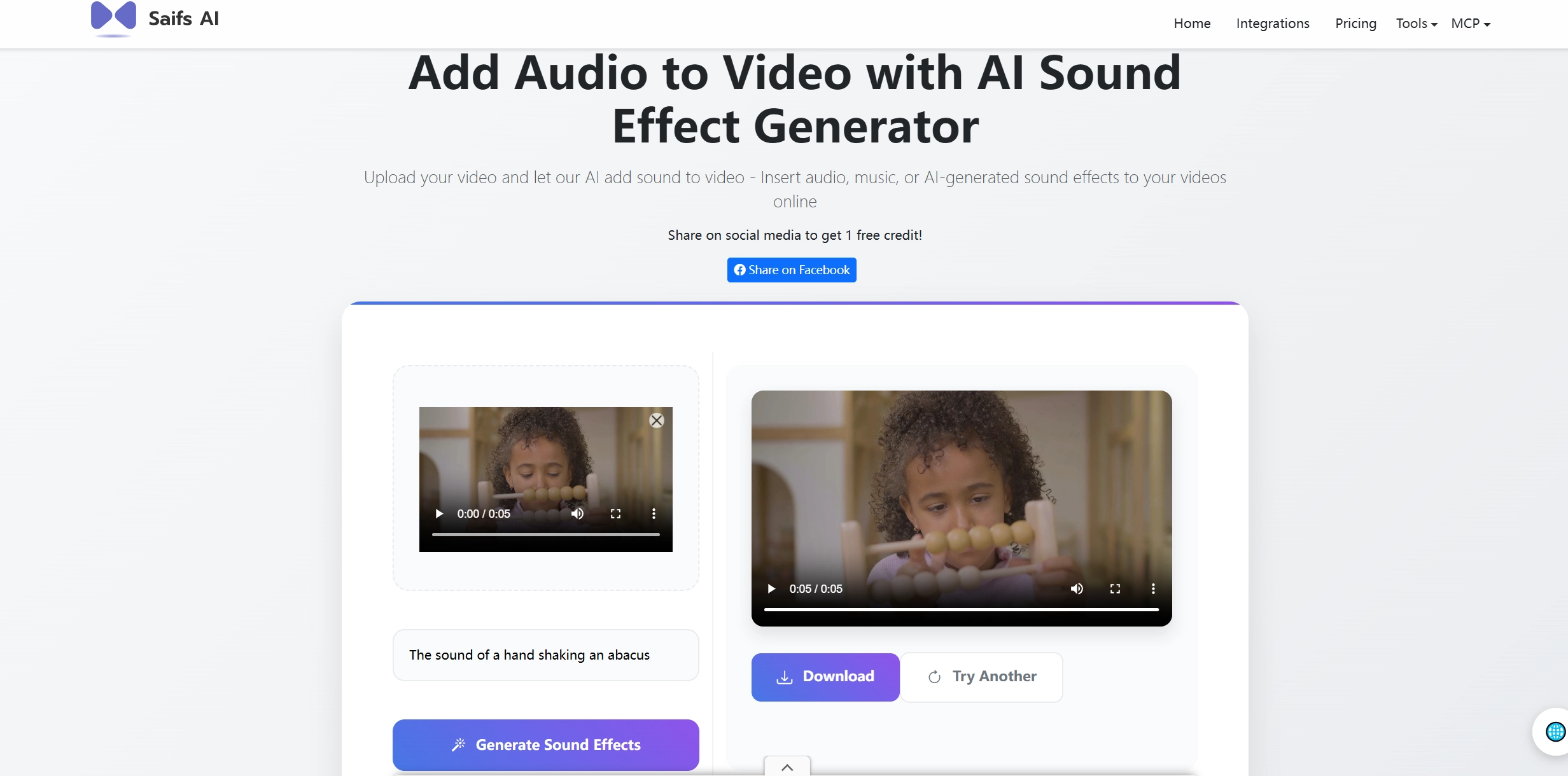
Saif AI is as easy as it gets! This AI sound effect generator that specializes in one-click sound effect creation. Users can only upload the target video and enter the description, then the advanced AI algorithm will automatically analyze the video and select a sound effect from the library for it in seconds. The AI model reads the video and uses a prompt provided by the users as a guideline, ensuring they can get both precise and attractive AI sound effects to their videos.
Pros
- Automatically generate and add sound effects to videos from texts.
- A vast library packed with high-quality sound effects.
- Online tool without any download or installation.
Cons
- Automation makes it difficult to make fine-tuned adjustments. (Limited customization)
2. IIElevenLabs: Automatically Generate & Add Sound Effects to Videos
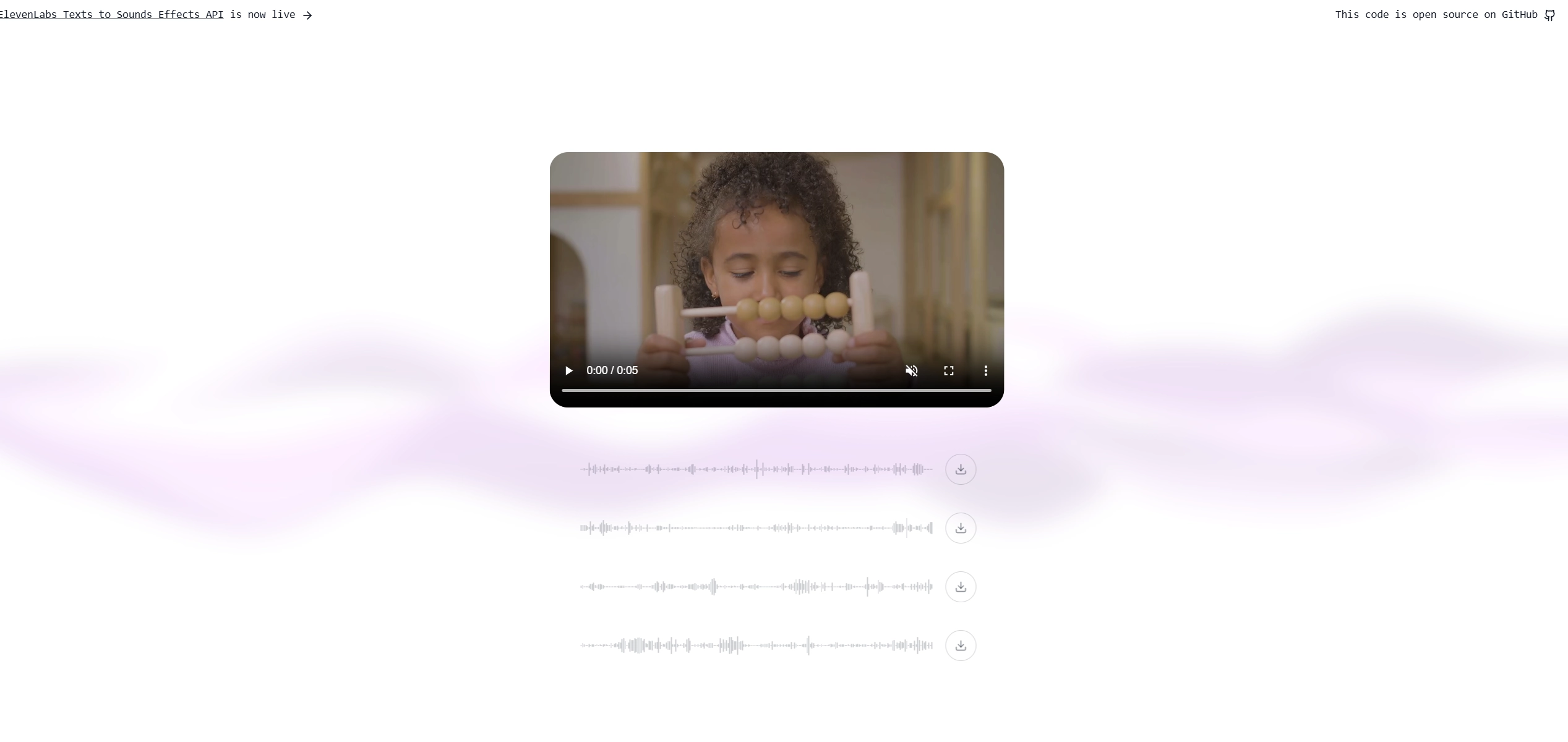
IIElevenLabs is one of the best AIs that add sound effects to videos as it allows users to generate and add sound effects online with ease. By combining the AI vision with the ElevenLabs SFX API, the AI tool can analyze the video frame in detail and generate the appropriate AI sound effects. There 4 sound effects can be generated and applied to videos with the AI tools.
Pros
- Clear sound effect generation only from the uploaded videos.
- 4 kinds of sound effects are available.
- Fast and simple working process.
- No need to sign up with an account.
Cons
- Uncomplete AI tool with no video editing option.
- Only one function is provided.
3. Flux AI: Bring Videos to Life with Realistic AI Sound Effects
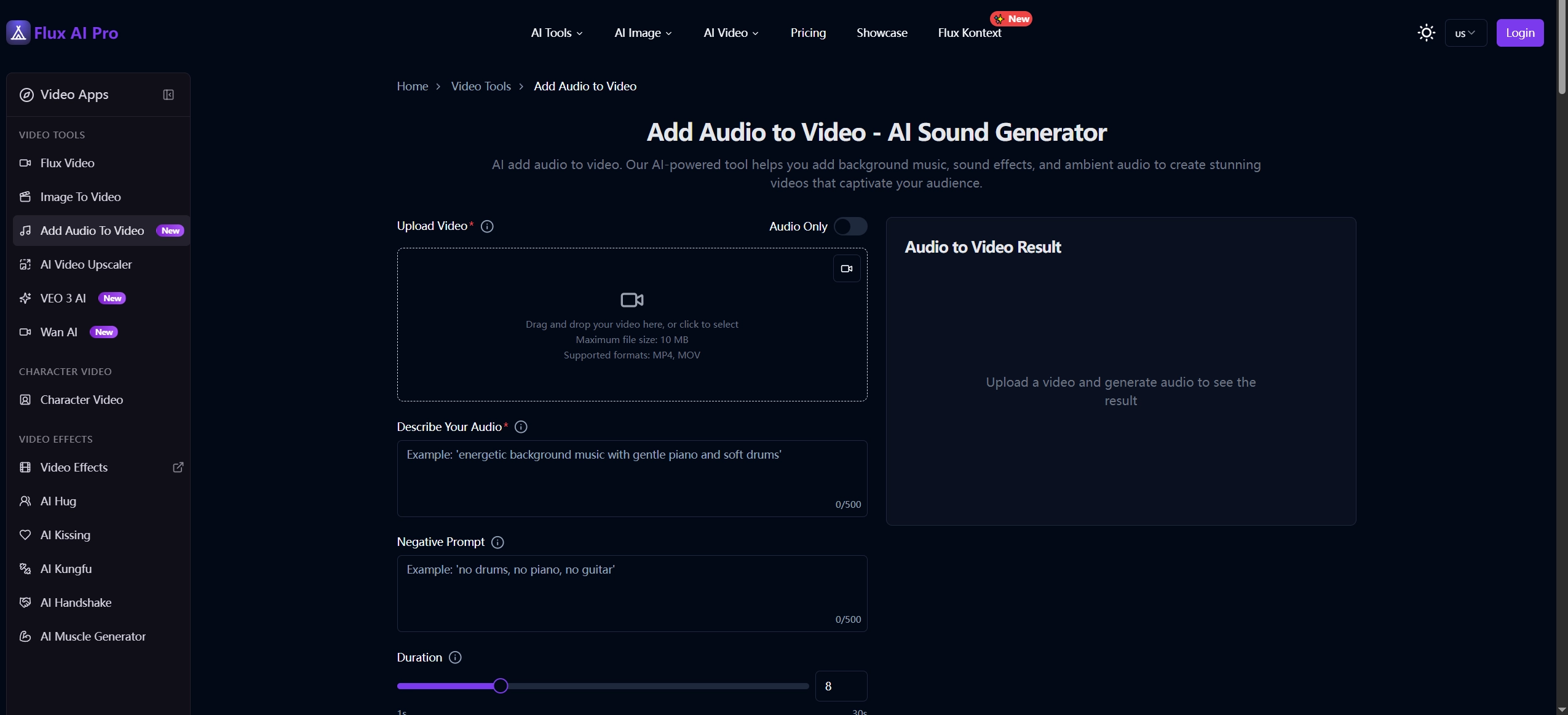
While some popular AI sound effect generators opt to use complete automation, Flux AI sticks to give final control to the users. It is the perfect tool for those who want AI to do the work, but with strict control over the final output of adding sound effects to videos. Unlike the other tools, it allows users to describe their wanted sound effects and add prompts to guide the AI for the most satisfying sound effect to the videos. Besides, users have the chance to set the duration of the audio simply by dragging the given arrow left or right.
Pros
- High customization with detailed settings.
- Diverse adding audio to video examples for inspiration.
- MP4 and MOV files (up to 10 MB) are supported.
- It allows you to add multiple sound effects to the video at the same time.
Cons
- 4 credits are required to generate sound effects.
- It cannot store the generated audio, so users need to download it to their devices once it is created.
4. Vidnoz AI: Add Customizable Sound Effects to Videos with Clicks
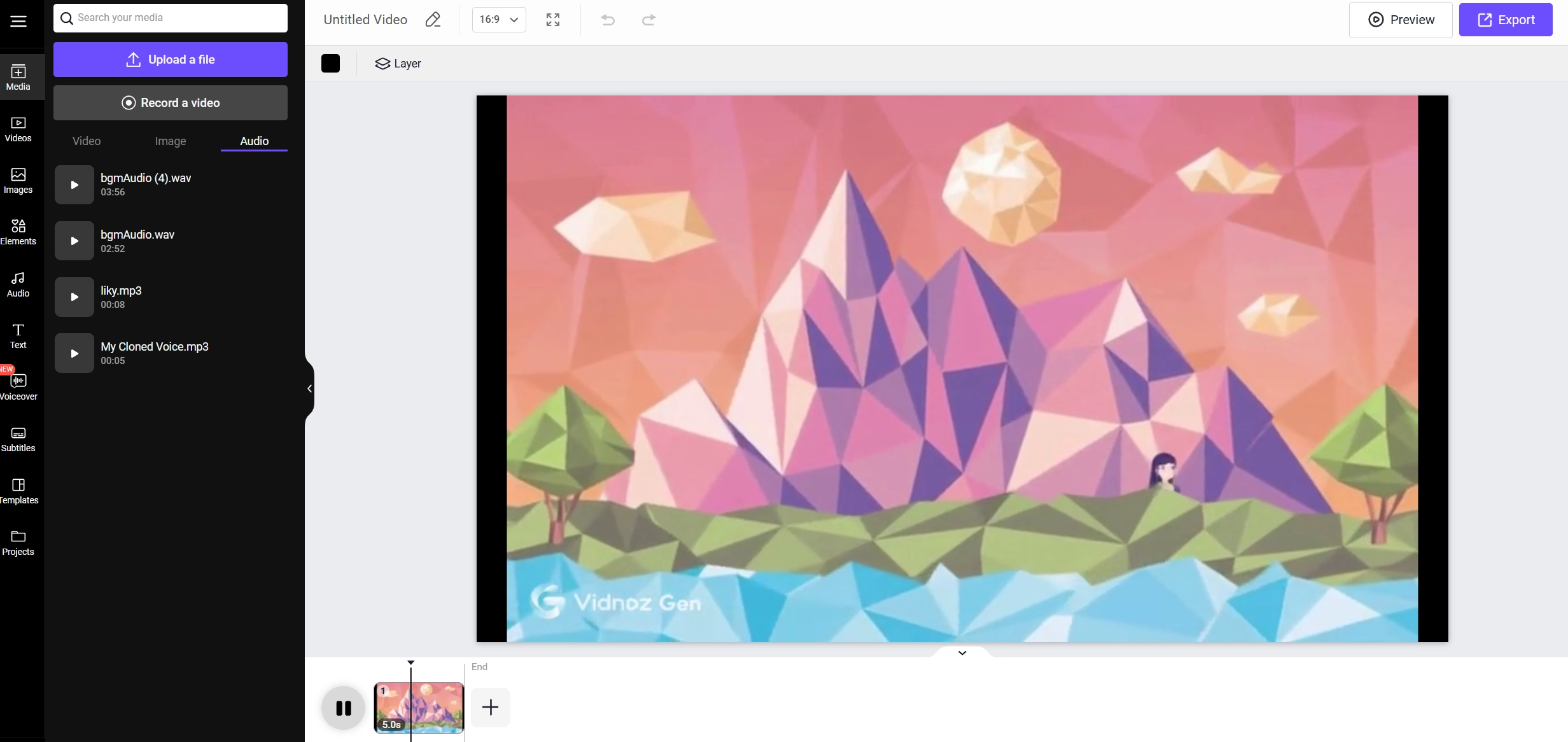
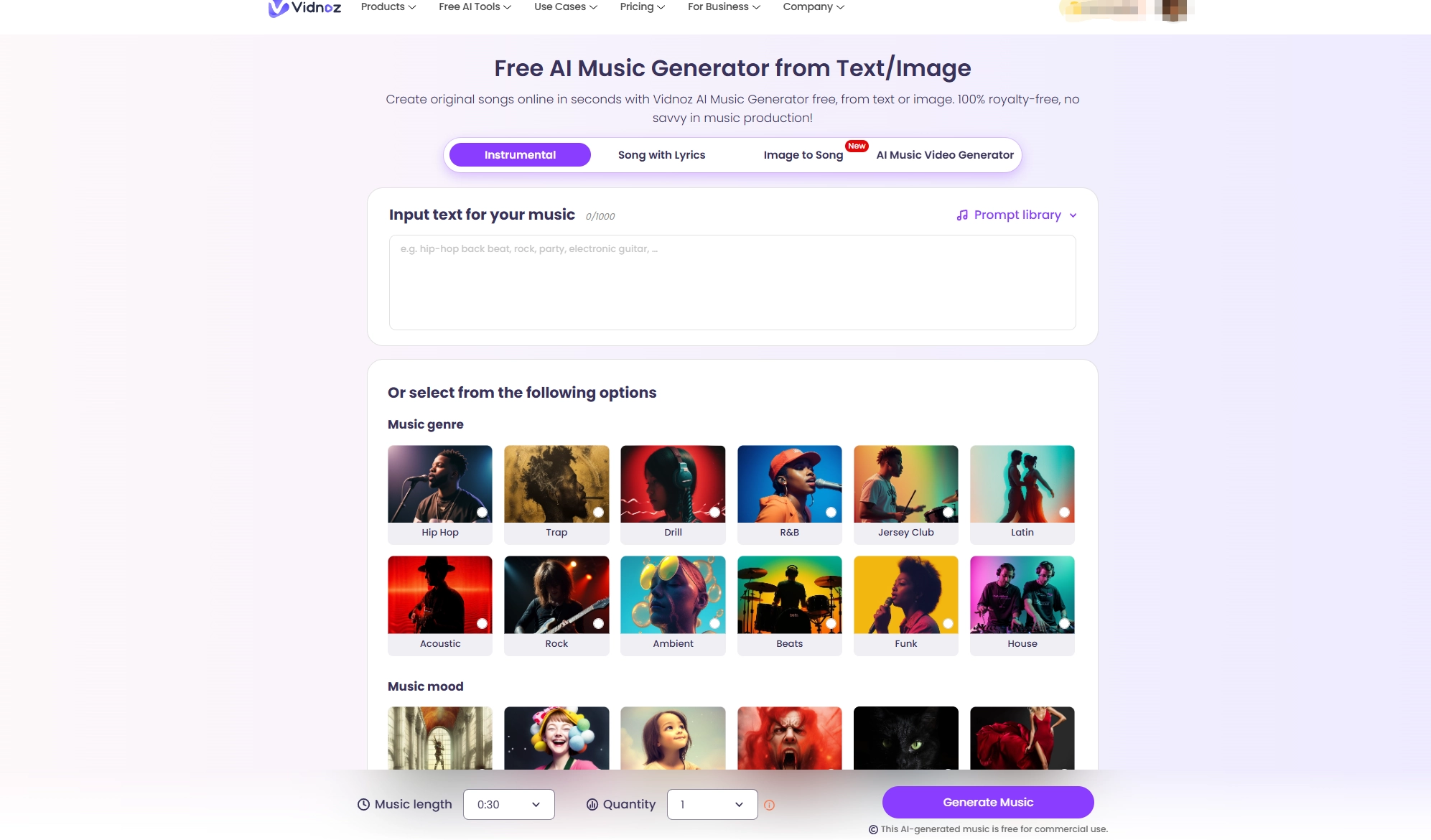
How to add sound effects to a video? Thanks to its impeccable design and variety, Vidnoz AI never fails to make the list. Its AI video editor is the real deal when it comes to adding attractive sound effects to videos. The editor allows users to add sound effects and music to their videos with ease. Besides, this versatile platform provides other AI tools for you to make your video much better, such as AI Video Enhancer, AI Video Dubbing, etc.
Pros
- Multiple pre-design sound effects and music can be selected.
- Diverse functions for editing the videos.
- Simple to navigate in the clear interface.
- Other AI tools to enhance videos, such as AI video dubbing and AI video enhancer.
Cons
- The results are decided by the Internet condition.
5. MMAudio: Powerful Environmental-Sound Synthesis for Immersive Videos
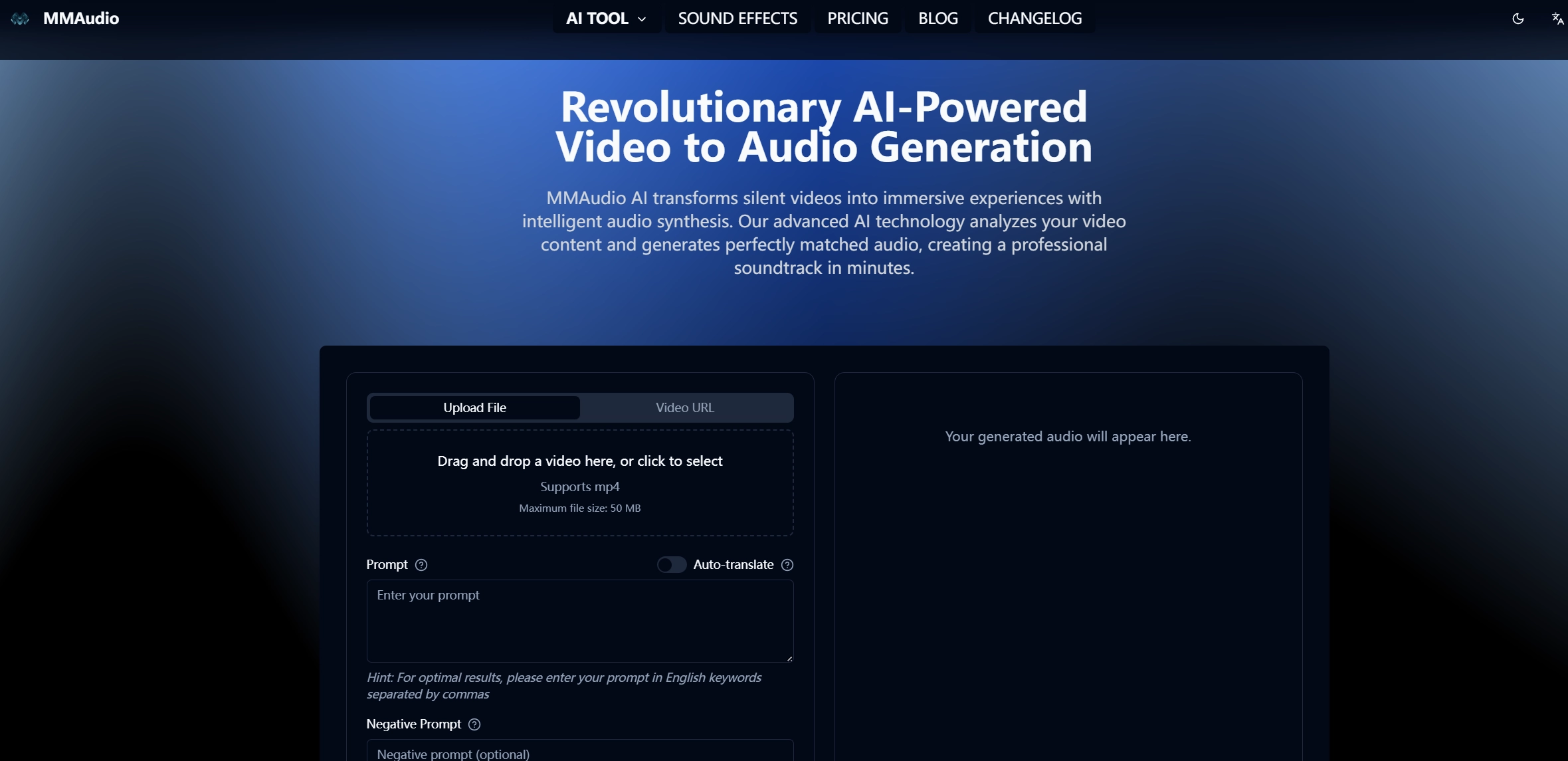
MMAudio gives the users the freedom to add sound effects to videos from prompts, turning the silent video to one with engaging sound effects. The negative prompts are helpful to avoid certain effects and positive prompts can guide the AI into generating effects. This AI video sound effect generator can even add sound effects by collecting media through URLs, perfect for those who don’t have local access to the video!
Pros
- Add sound effects to videos using URLs.
- Positive and negative prompts to guide the AI to add the sound effects to videos.
- Generate and add sound effects to video in a few minutes.
- 2 AI models can be selected for audio creation.
Cons
- 1 credit is required for per sound effect generation.
- The speed of the work will be influenced by the Internet.
6. LTX Studio: Enhance Videos with Types of Sound Effects Like a Pro

Looking for an AI that adds sound effects to videos online for free? LTX Studio offers a free AI sound effect generator that can turn an ordinary video into an engaging one with creative sound effects. It allows users to add their own music or select one from the library to the video. Moreover, if you want to add a two avatars dialogue for the video, this tool can also meet your needs with the high-quality AI voices.
Pros
- Add local or library sound effects to videos.
- Generate a dialogue for the videos.
- It supports adding music and voiceovers to videos.
Cons
- Limited options in the free version.
- Few sound effects to choose from.
7. Sendshort AI: Add Royalty-Free SFX to Videos
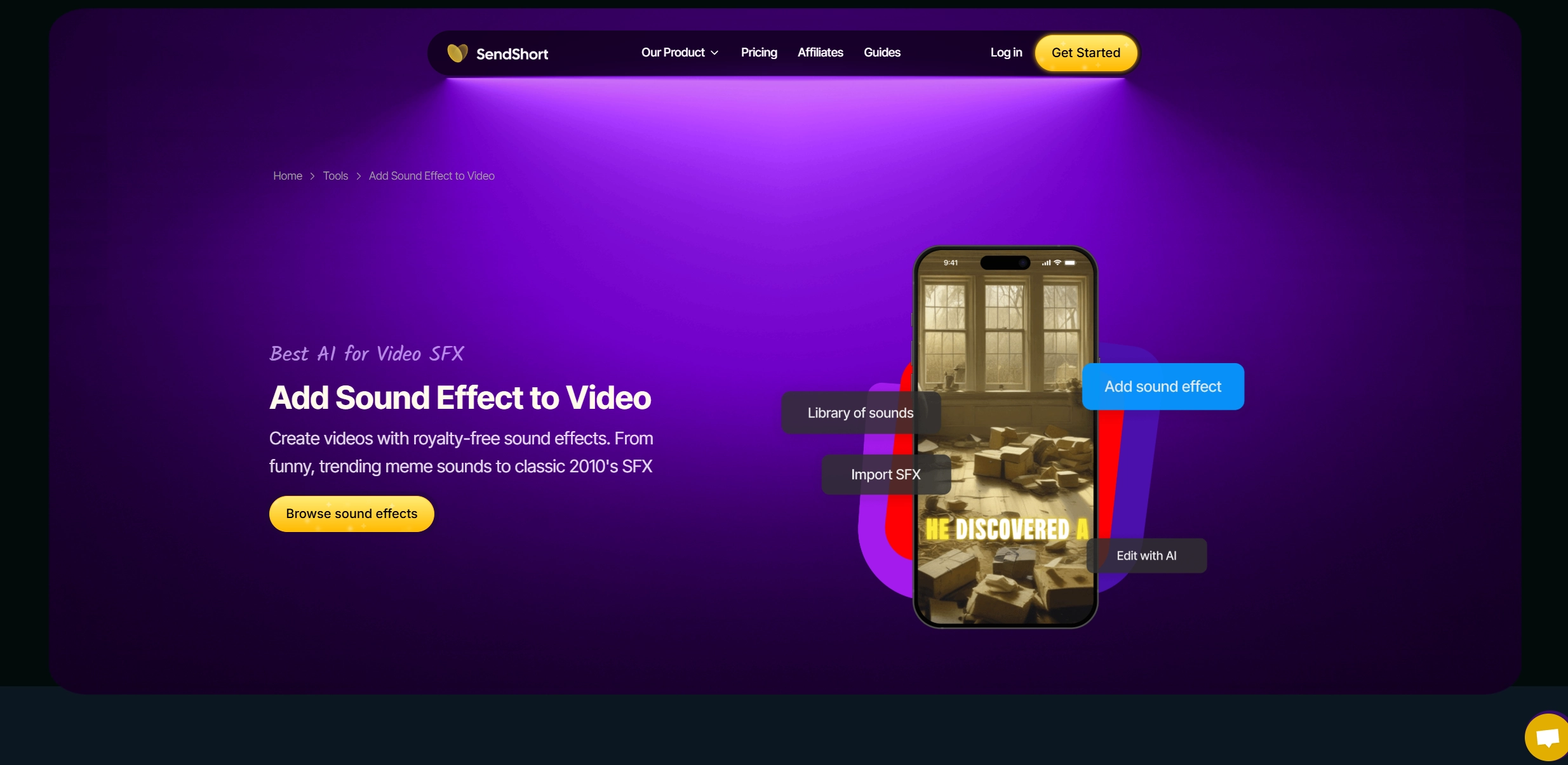
SendShort AI adds sound effects to video tool is packed with royalty-free sound effects that you can add to your videos totally for free. The massive library includes everything from modern trending sound effects to classic meme sounds from the 2010s. Remember those vine effects? SendShort AI has them all. Simply search the library, select the effect, and drag it onto the video.
Pros
- Massive library packed with royalty-free sound effects.
- Add sound effects with one click.
Cons
- Sign up required before sound effect adding work.
- Limited automation, with the user required to do a bulk of the work.
Make Videos More Attractive! Generate & Add Voiceover to Videos Online for Free
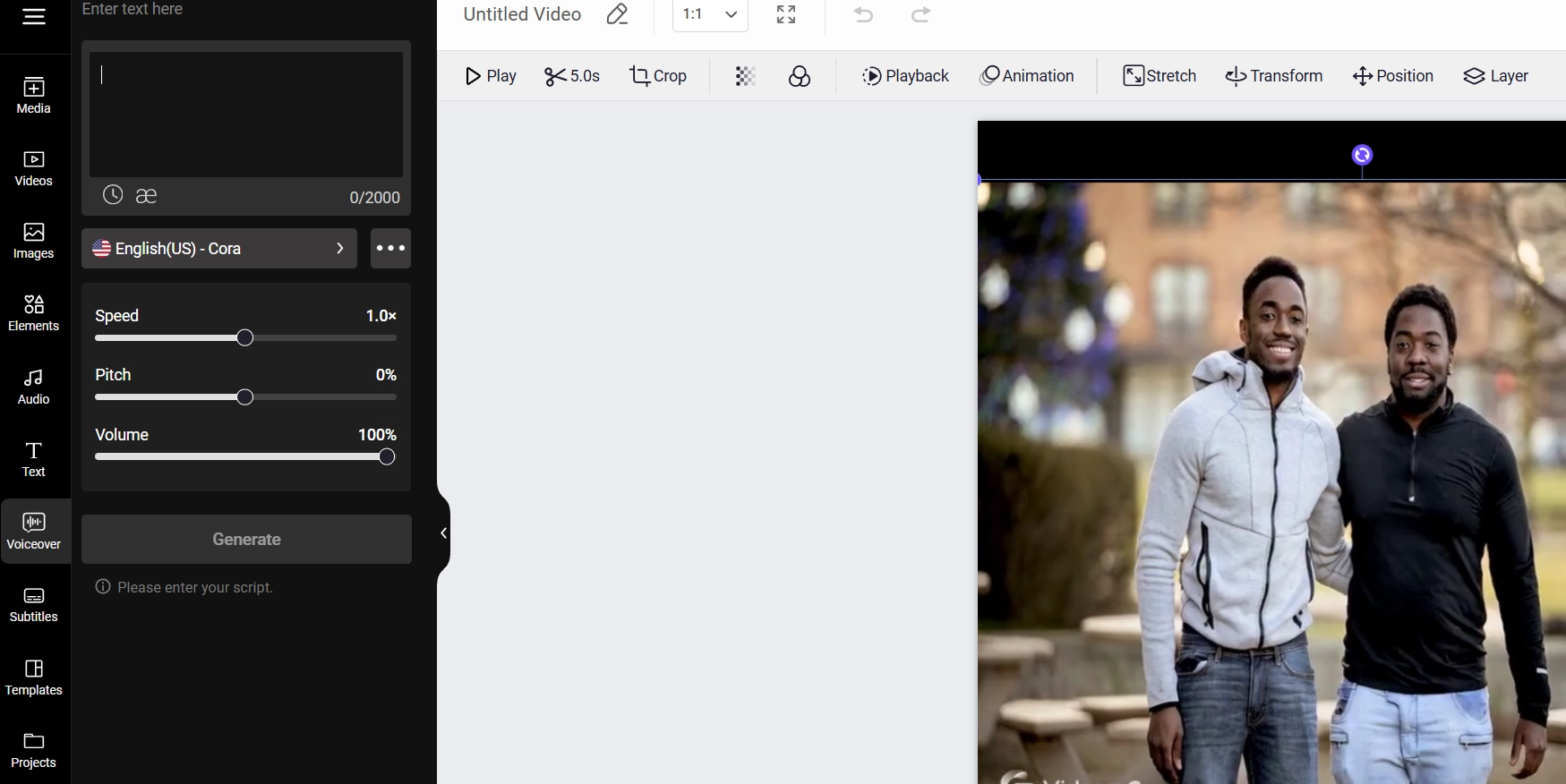
Looking to boost the appeal of your videos by adding in some sleek voice-overs but tight on the budget? Vidnoz AI could be your saving grace! It’s free and perfect for beginners and pros alike.
Not limited to adding sound effects and music to your videos, this powerful AI video editor can also generate realistic AI voiceovers. These voice-overs can be supplemented with an avatar for a boost in presentation. Vidnoz AI has over 1800 AI voices and 1500 AI avatars to pick from, making it extremely diverse when it comes to customization. Simply pick an avatar along with an AI voice and start creating studio-grade voiceovers that will leave your audience begging for more. And all of this is free to use!
Vidnoz AI - Create Free Engaging AI Video with Talking Avatar
- Easily create professional AI videos with realistic avatars.
- Text-to-speech lip sync voices of different languages.
- 2800+ video templates for multiple scenarios.
The Bottom Line
Are you still looking for AI that adds sound effects to videos online for free? If you are low on a budget or tight on the timeline, the AI sound effect generators on our list are perfect for the work. They’ll boost your efficiency by doing the hard work, allowing you to focus on generating and adding the best sound effects to your videos. To go further, the Vidnoz AI video editor can even generate and add realistic AI voiceovers to make your video much more engaging among the others online.






![4 Best Podcast Translators to Easily Change Pods’ Languages [With Practices]](https://www.vidnoz.com/bimg/podcast-translators.webp)