AI truly shines in various field, even religion. An AI priest - Father Justin, debuted as a chatbot to reshape how Catholics seek guidance from a pastor. Although controversy happened for a "holy mistake" made by the priest-bot, individuals discover that AI is revolutionizing faith, and organizations get started with creating AI Catholic priests for both education and entertainment purposes. In this article, we gives the focuses on how to generate priest AI images and avatars online free. Read on.
- On This Page
-
AI Priest Generator - Craft Polished AI Pastor Arts Instantly
-
AI Priest Avatar Maker - Create Lifelike AI Talking Catholic Priest Avatar
-
Advanced Edition - Produce Religious Education Video Narrated by AI Priest
AI Priest Generator - Craft Polished AI Pastor Arts Instantly
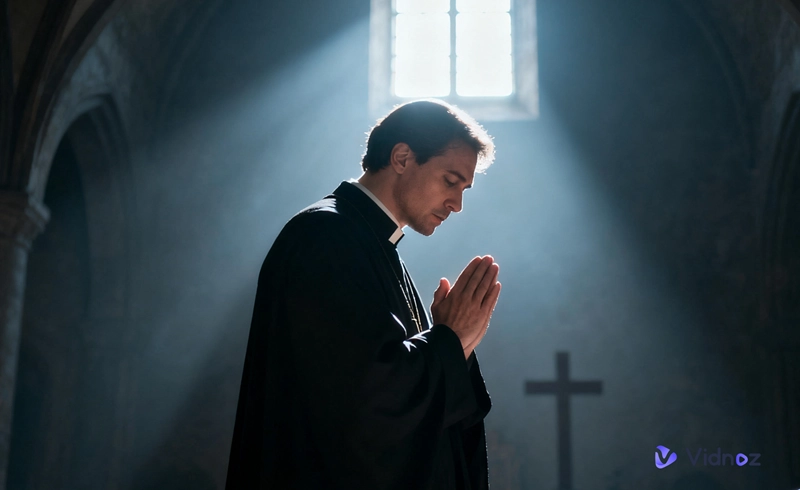
AI priest generator helps you create sacred art to expresses spiritual beliefs and worship in visual way. It is a cost-effective solution to generate unique priest AI images from text.
Vidnoz AI Image Generator can be your AI priest art generator, which leverages the deep learning technology to understand and visualize the text content. It let you create priest-themed images across a wide range of styles - realistic portrait, painting, anime, etc. Describe the art in detail, not only about the outfit, gesture and facial expressions, but the scene or background, and let the tool generate pastor artwork that well conveys the religious reliefs to viewers.
With the customization options, you can generate images in different aspect ratios and dimensions. In addition, you can write the unwanted content, for example blurry, grainy and other elements that possibly affect the image quality for a better result.
The AI priest generator has an easy-to-navigate interface. You can master the workflow without a learning curve. Now, follow the steps to generate desired AI priest art.
Step 1. Head to Vidnoz AI Image Generator in your browser.
Step 2. Input the description of the priest image.
Step 3. Customize the image from style to aspect ratio to image dimension. Determine how many images you want to generate at once and give the unwanted content if needed.
Step 4. Click Generate Now. The AI priest generator gives the result(s) in seconds. Download or share the AI-generated priest image(s) at will.
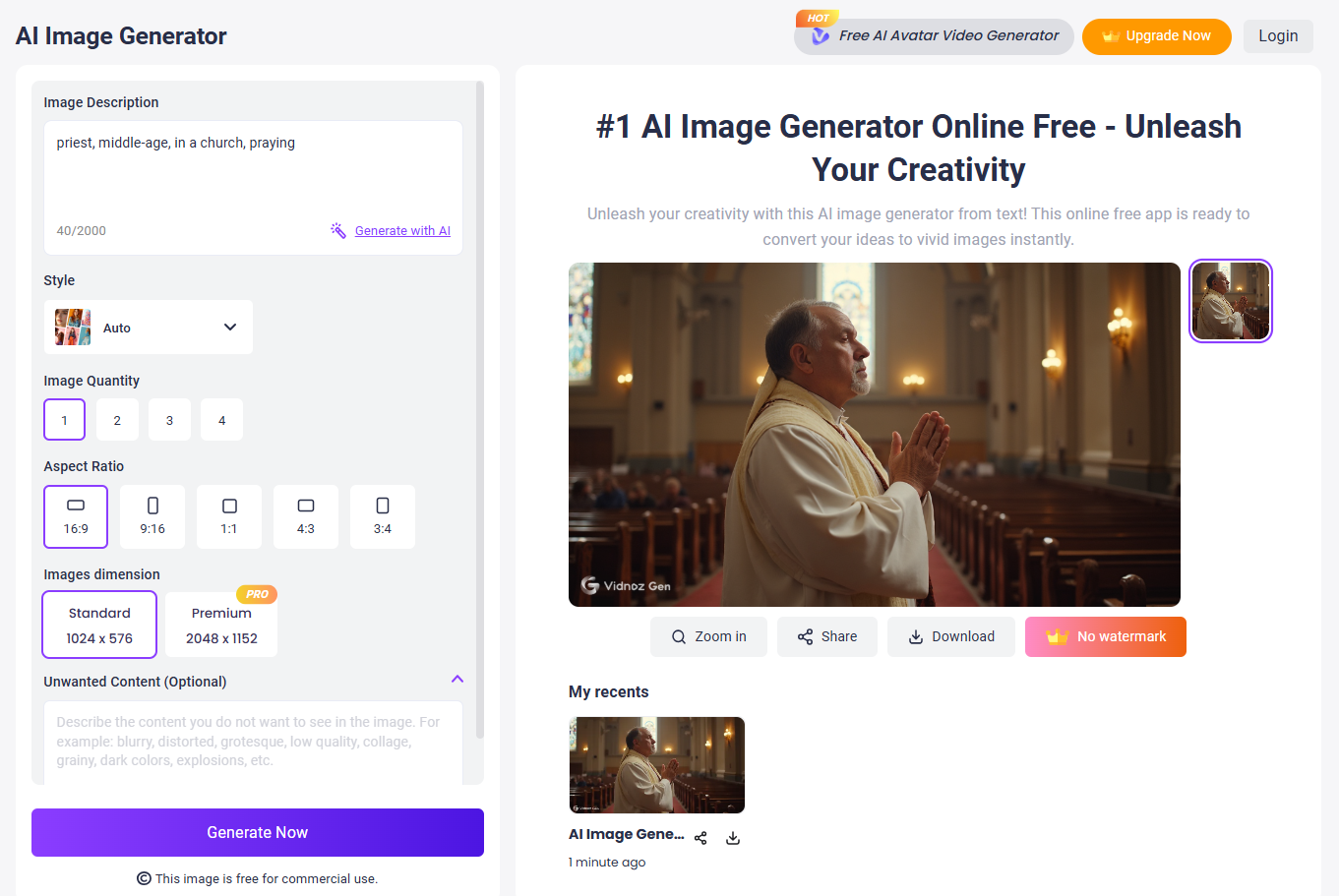

Vidnoz AI Image Generator is free to use, with no sign up. The AI-generated priests are also free for commercial use.
AI Priest Avatar Maker - Create Lifelike AI Talking Catholic Priest Avatar
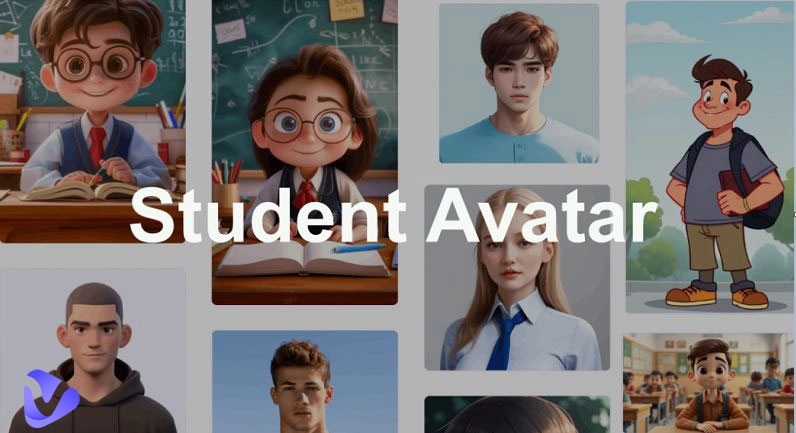
Unlike the artwork which includes lots of religious elements, a priest avatar keeps the focus on the figure, making it to be a digital representation of a spiritual leader over the internet. Vidnoz Photo Avatar offers a fast way to create an priest avatar as a preacher reading Bible or a teacher explaining the faith. Whether for photo or text to priest avatar, the tool can help you achieve a professional result.
Vidnoz Photo Avatar unblocks the power to make a photo alive, ensuring a consistent conversion from photo to talking avatar. It utilizes text-to-speech engine and AI lip-syncing technology to let the AI priest speak naturally, realistically featuring an emotional voice. Lifelike facial expressions and gestures also bring authentic visual experience. If you can't find a suitable AI voice in the library, use the built-in AI voice cloning tool to clone the voice of a real priest or any voice you need. What's more, it supports hundreds of languages - even accents in different countries - for global reach.
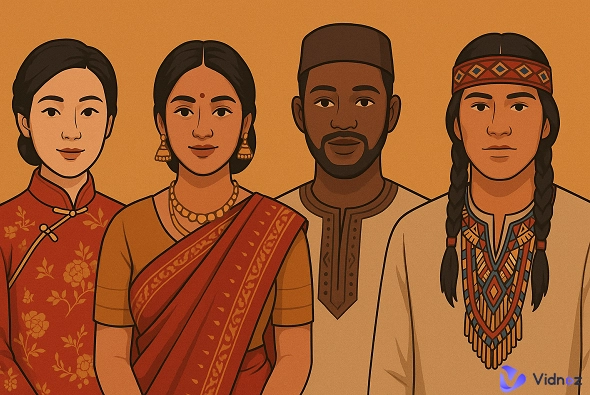
Vidnoz Photo Avatar also employs the generative AI to create priest avatar from text. Describe the desired look of the AI priest and perform the generation. It provides a set of options to customize the avatar. You can set the name, gender, age, ethnicity of the AI priest; choose a style, avatar type (full body, upper body or close-up) and aspect ratio that suits different platforms. Expand your creativity and personalize your avatar, being a friendly pastor, a holy female priest or God the Father.
Now, follow the guides to create an AI priest avatar with Vidnoz Photo Avatar.
How to convert photo to AI priest avatar?
Step 1. Head to Vidnoz Photo Avatar in your browser. Click the Turn Photo to Avatar button.
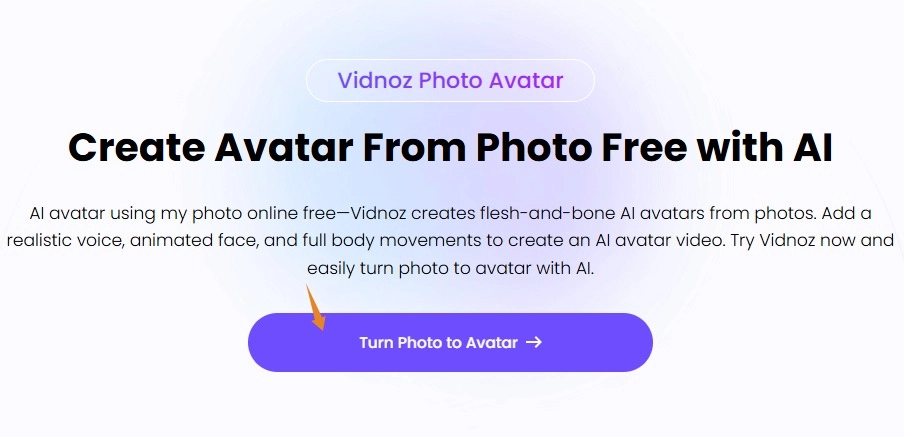
Step 2. Sign up and log in your account and you will be redirected to the Photo Avatar creation page.
Step 3. Click "Upload a photo" and upload the priest photo. Give a name and select gender. You can choose to remove background from image. Click Next.
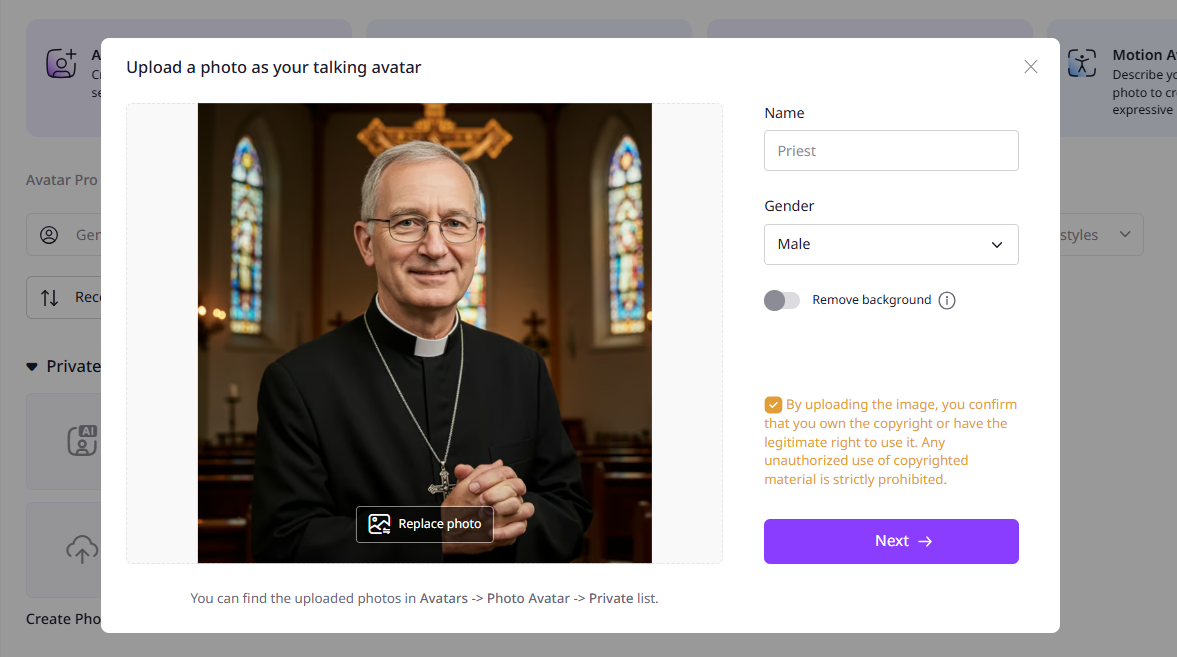
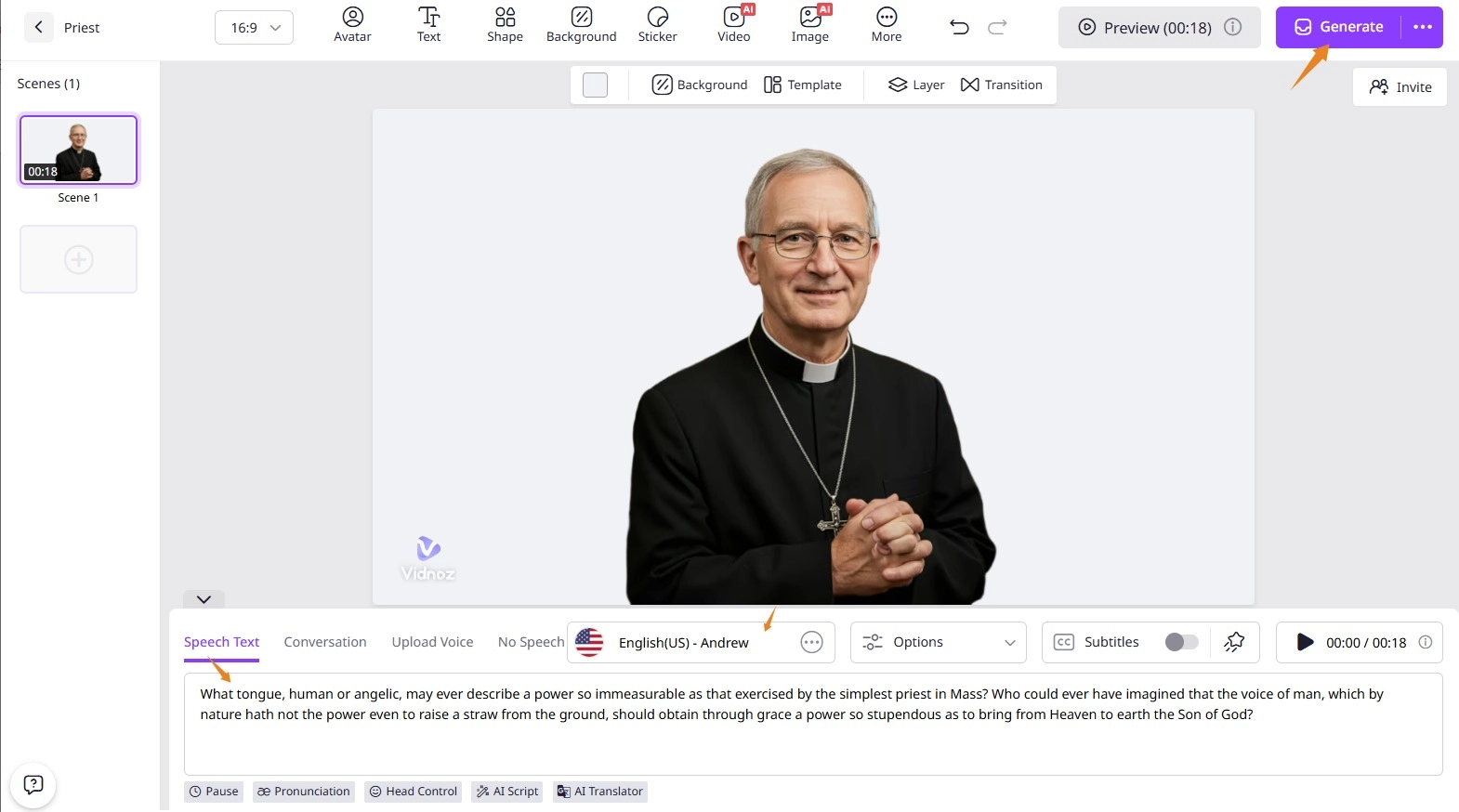
Step 4. Input your script. Select voice and language, adjust the voice speech, pitch and volume if needed. Turn on or off subtitle as you want.
Step 5. After all settings are done, click Generate.
How to convert text to AI priest avatar?
Step 1. Get access to the Photo Avatar page with an account. Next, click Generate with AI.
Step 2. Describe the avatar you want. Give the name of the avatar. Select the Gender, Age, Ethnicity, Shot type, Aspect Ratio and style. Then, click Generate.
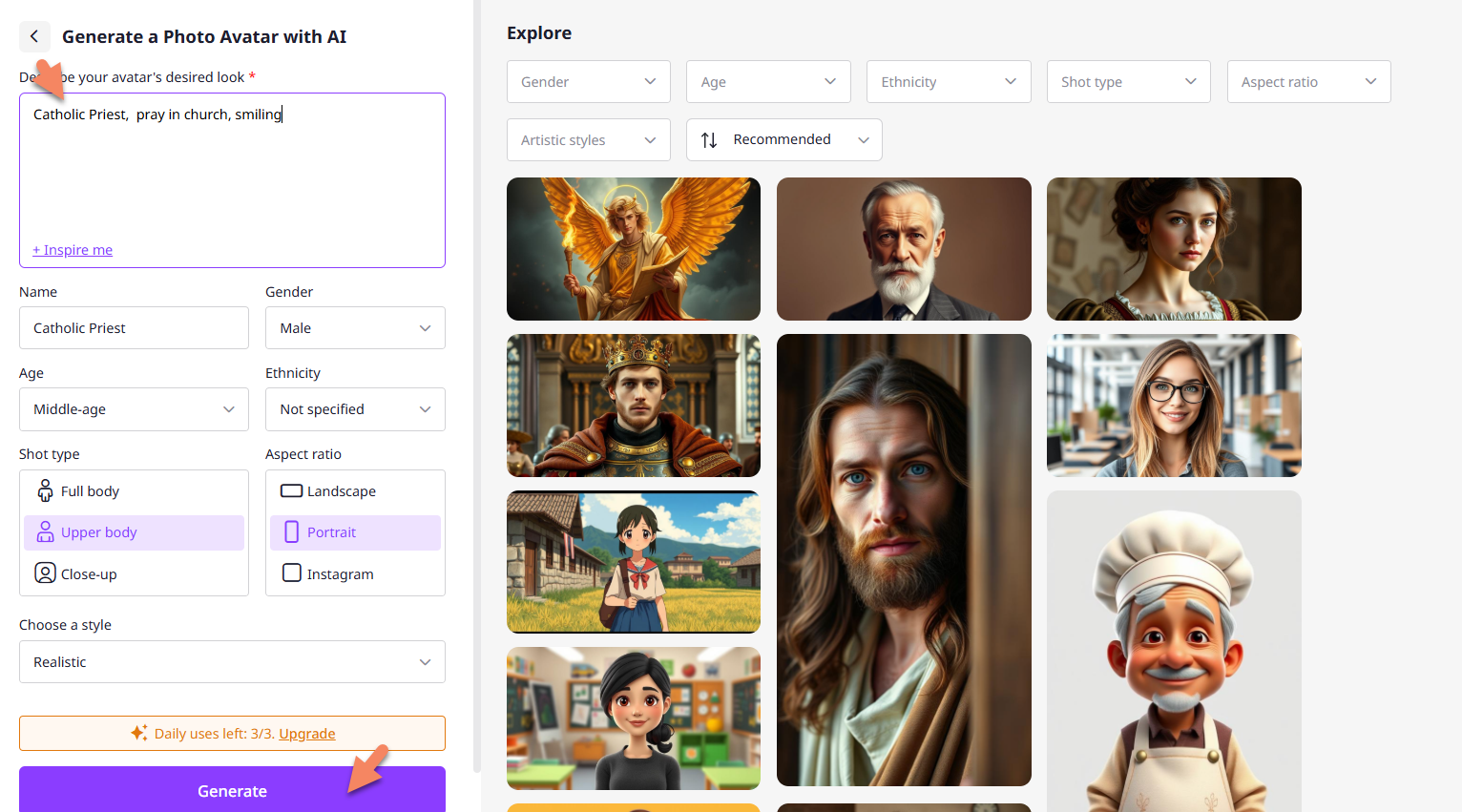
Step 3. Pick one from the 4 AI-generated priest avatars and click "Create a talking video".
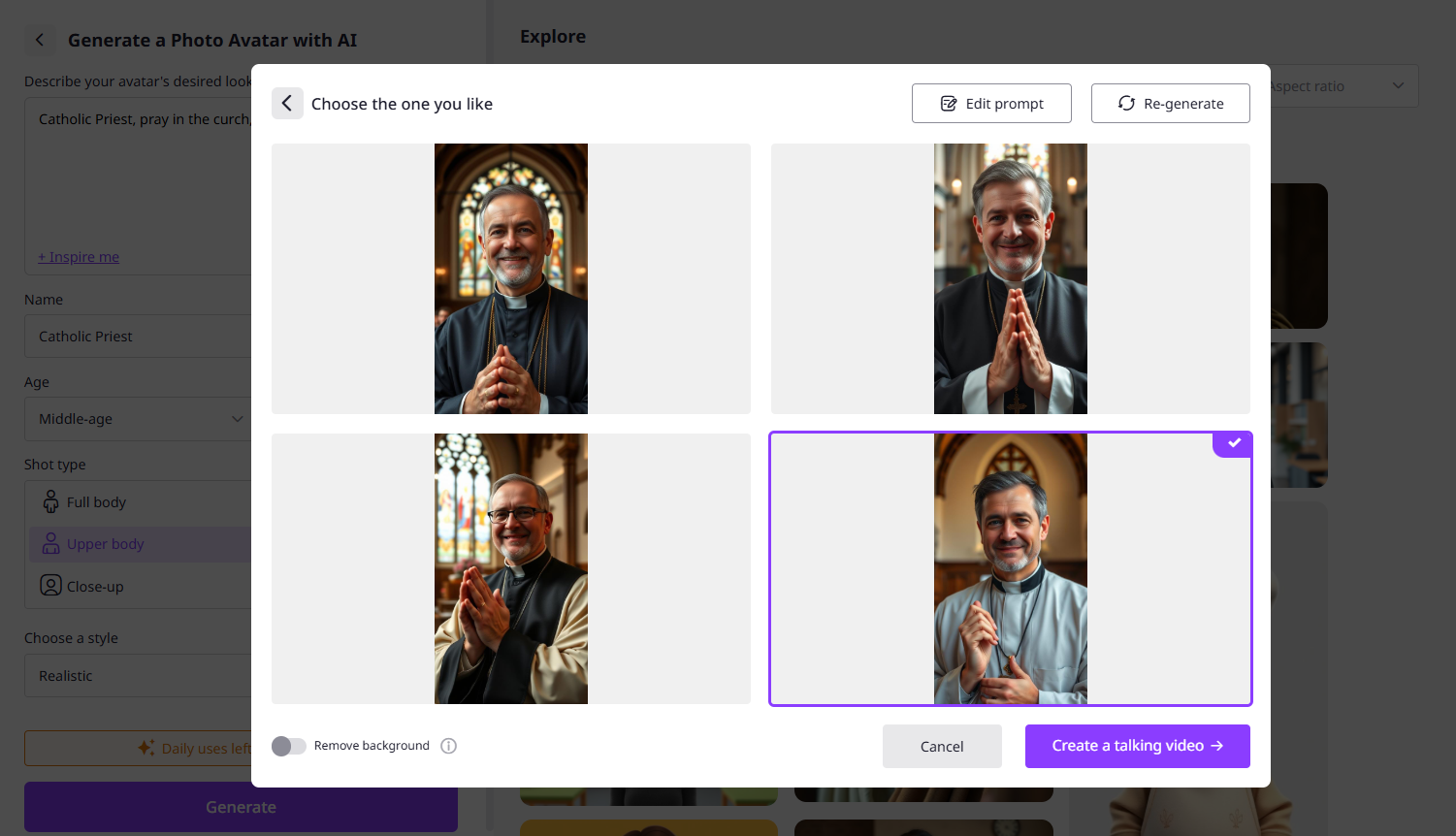
Step 4. Write your script and personalize the voice, language.
Step 5. Click Generate to let the tool create a talking priest video.
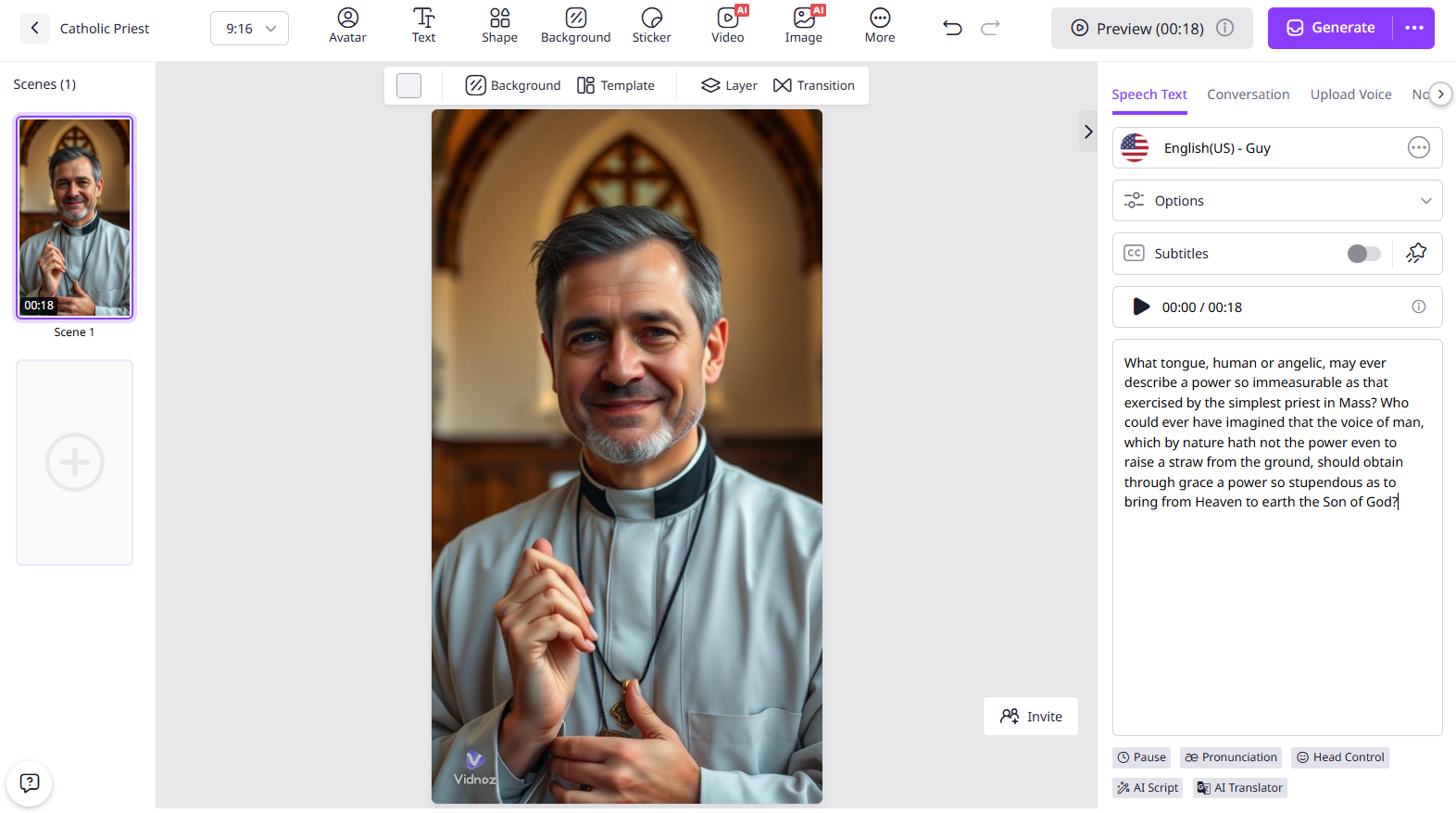
Go back to the Photo Avatar page. The AI-generated text to speech avatar of priest from photo or text is listed in Private section. Select one to add motion or edit the avatar if needed.
Tips:
- Try to save the priest avatar as a static image for using on social media? Right click the avatar and select > "Save image as..." to download it to your device.
- Vidnoz also develops a standalone AI talking photo tool to make a picture talk with high efficiency. All the generated avatars in your Photo Avatar page will be automatically listed in the tool just by logging in the same account.
Create Your AI Talking Avatar - FREE
- 1900+ realistic AI avatars of different races
- Vivid lip-syncing AI voices & gestures
- Support 140+ languages with multiple accents
Advanced Edition - Produce Religious Education Video Narrated by AI Priest
Vidnoz AI, the versatile AI-powered video creation platform, can elevate your AI priest talking avatar it a professional religious education videos at fingertips. Integration with an array of AI features, from AI avatar/voice to editing tools, it saves you much time and energy to generate priest-themed videos with high engagement.

Vidnoz AI - Create Free Engaging AI Video with Talking Avatar
- Easily create professional AI videos with realistic avatars.
- Text-to-speech lip sync voices of different languages.
- 2800+ video templates for multiple scenarios.
Vidnoz AI designs thousands of templates that help you create stunning content for different cases effortlessly. You can add an AI priest as narrator to the video and create a voice over from text, guiding your audiences understand the content better. Editing tools enable you to add religious elements, like images, music, stickers etc., and apply special effects. The AI video generator supports multiple languages and accents so that you can localize the video content for global reach.
Vidnoz AI is ideal for both pros and beginners, no editing skills needed. Follow the tutorial below to generate an AI priest video for education online free.
Step 1. Click the button below and sign in your account.
Step 2. Select Templates and explore or search a template related to religion. View the template and click Use this template.
If you don't find a good one, click Create a video and select the layout.
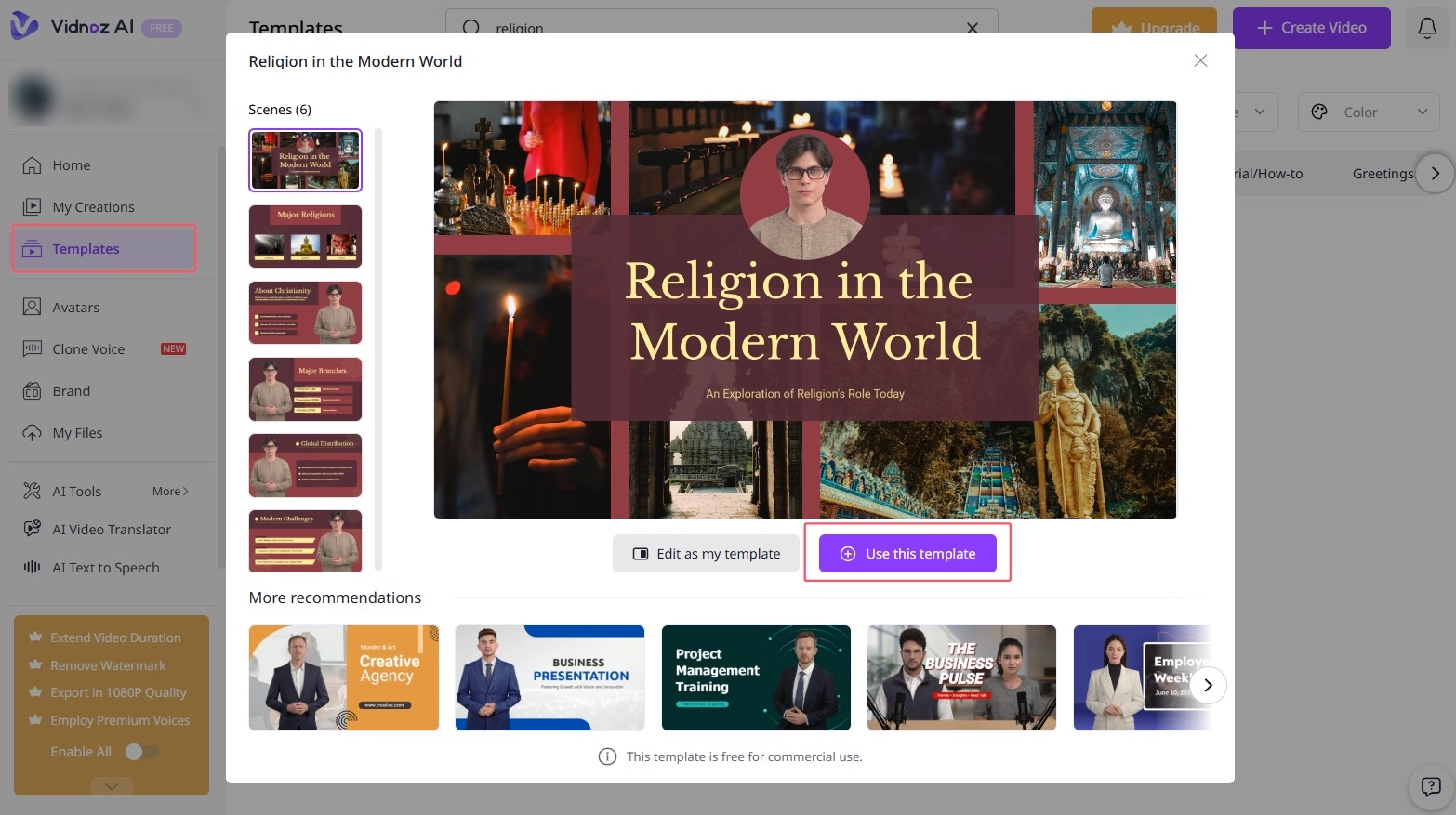
Step 3. In the editor page, click Avatar to change or add an priest avatar. Crop or modify the avatar if needed.
Step 4. Add any media element you need to the video, like images, videos, audios and stickers. Change the title and add text about the video topic. Add animations, transitions and other effects if needed.
Step 5. Input the speech text. Select language and AI voice or clone a voice customizably. Adjust the voice settings. Enable or disable subtitles according to your need.
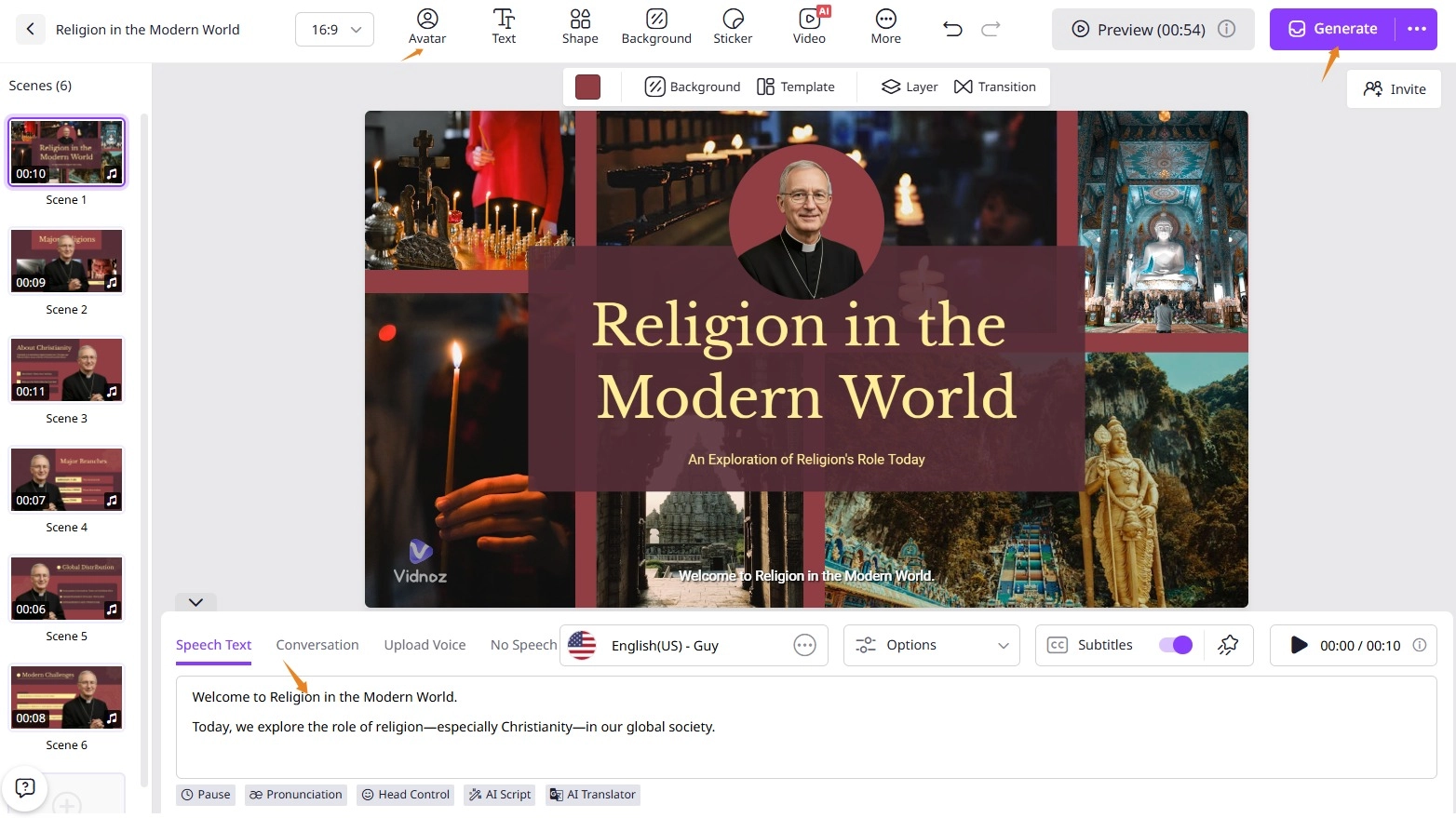
Step 6. Now, click Generate. The AI-generated video is saved in My Creations. Download or share the video at will.
Conclusion
AI is a game-changer for religion. AI image and video generators simplify the process to recreate biblical scenes. Vidnoz has a collection of AI tools driving you to design AI priest images and produce talking priest avatars/videos hassle-free. It creates high-quality and authentic content related to Catholicism, faith, and the god. Don’t need to seek for a perfect priest-themed art or video online, create by yourself with Vidnoz.